Ever felt like you spend hours polishing a blog post only to see it disappear into the abyss of search results?
You’re not alone – the rise of answer engines like Google’s featured snippets has turned the SEO game into a quest for concise, crystal‑clear answers.
What if you could speak the same language these engines use, so they hand your content over to eager readers on autopilot? In this intro we’ll unpack the mindset behind answer‑engine optimization and give you a roadmap you can start applying today.
First, think about the moment a user types a question like “how to clean a cast‑iron skillet.” Instead of scrolling through ten links, Google pops a single box with a short, step‑by‑step answer. That box is the answer engine, and it favors content that’s structured, snippet‑ready, and backed by authority. If your article isn’t formatted that way, you’re basically shouting into a void.
Here’s a real‑world example: a small e‑commerce brand selling kitchen gadgets rewrote its product guide using bullet‑point steps, added clear headings, and included concise definitions. Within two weeks their FAQ landed in the top featured snippet for “how to season a cast‑iron pan,” driving a 27 % lift in organic traffic. That’s the kind of impact we’re aiming for.
So, how do you get there? Start with three actionable steps:
1️⃣ Identify the exact question you want to answer – use tools like Google’s People Also Ask or the “Answer Engine Optimization” guide to see what’s already ranking.
2️⃣ Craft a concise answer of 40‑50 words, place it near the top, and break it into easy‑to‑read bullet points or numbered lists.
3️⃣ Back it up with credible data or a quick how‑to video, then sprinkle in internal links that reinforce your site’s authority.
Want a deeper dive into the step‑by‑step process? Check out Answer Engine Optimization: A Practical How‑To Guide for Boosting Search Visibility – it walks you through keyword research, schema markup, and performance tracking.
And if you’re curious about how AI can turbo‑charge other parts of your tech stack, you might find this article on How to Optimize SQL Queries with AI Suggestions for Faster Performance surprisingly relevant – the same principles of efficiency apply when you streamline your content for answer engines.
TL;DR
If you want your pages to appear in Google’s featured snippets and AI answer boxes, you need to optimize content for answer engines by structuring concise, bullet‑point answers, adding schema, and backing claims with data.
Follow the three‑step framework—question research, 40‑50‑word answers, and authoritative support—to boost visibility and drive consistent organic traffic.
Step 1: Identify Answer Engine Requirements
Now that we’ve convinced you why answer engines matter, it’s time to get granular.
First thing you need to do is figure out what the engine actually expects from your page. It isn’t a mystery; it’s a set of fairly predictable signals.
What type of answer does the query need?
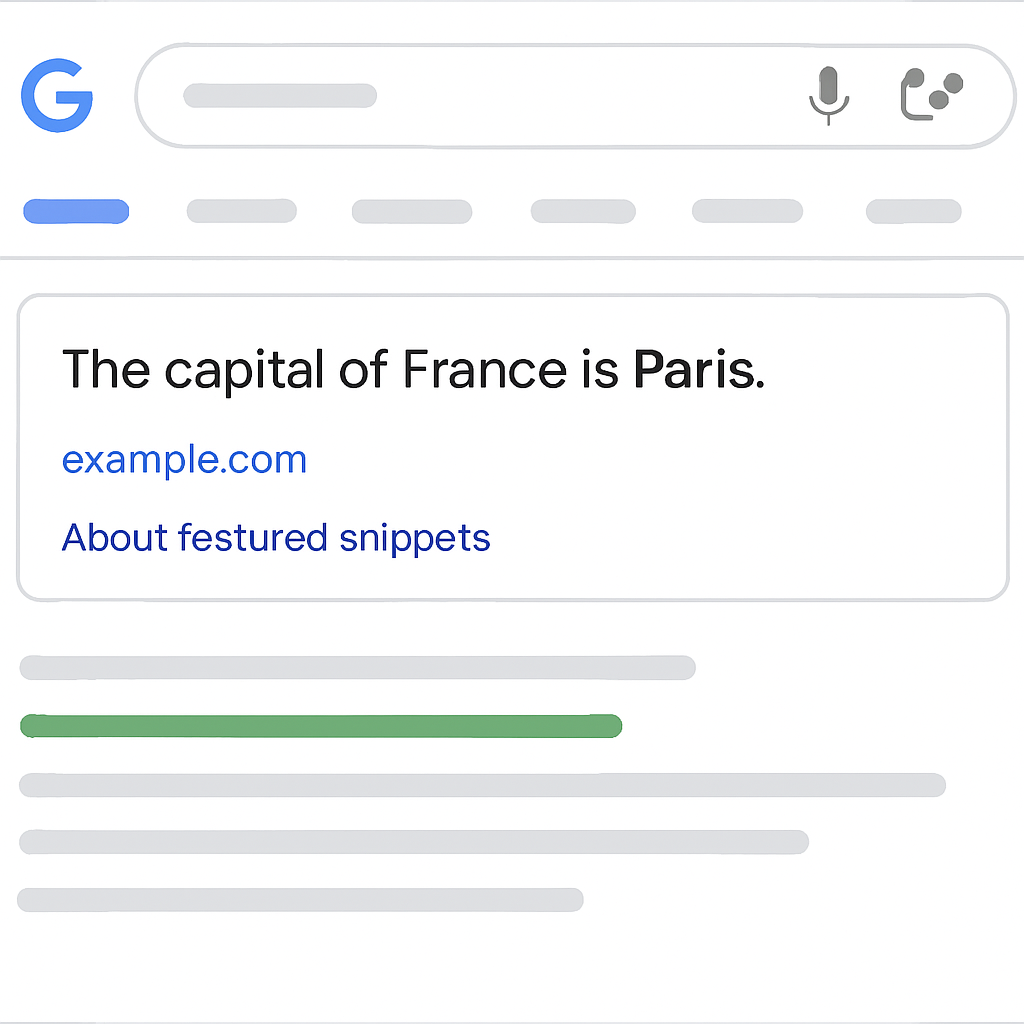
Is the user looking for a definition, a list, a quick how‑to, or a numeric fact? Google’s featured snippets usually fall into one of those buckets. Spot the pattern by typing the query into the search bar and scrolling to the top result – does the snippet show a bullet list, a paragraph, or a table?
Ask yourself: “If I were the engine, which format would let me serve the user in under three seconds?” That mental switch helps you match the right structure.
Length and readability thresholds
Answer engines love brevity but also need enough context to be trustworthy. In practice, most successful snippets hover around 40‑50 words for paragraph answers, and 3‑5 items for list answers. Anything longer risks being cut off, anything shorter looks flimsy.
Take a moment to write your answer on a sticky note. If it spills onto a second line, trim the fluff.
Schema and markup clues
Structured data is the engine’s shortcut to understand your content. Adding FAQPage or HowTo schema tells the crawler, “Hey, I’ve got a ready‑made answer here.” Even if you don’t get a snippet today, the markup plants a seed for future rankings.
Tip: Use Google’s Rich Results Test to verify that your JSON‑LD is error‑free before you publish.
Authority signals you can control
The engine also checks whether the page looks trustworthy. Internal links that point to related, high‑quality content boost the perceived expertise. That’s why we always sprinkle a few relevant links throughout the answer block.
For example, if you’re writing about “how to clean a cast‑iron skillet,” you might link to a deeper guide on “seasoning cast‑iron cookware” so the engine sees a topical cluster.
One handy resource that walks you through the best tools for uncovering these requirements is the answer engine optimization tools guide. It shows you which plugins, crawlers, and AI assistants can audit your page in seconds.
Checklist before you publish
- Identify the query intent and match it to a paragraph, list, or table format.
- Draft a 40‑50 word answer that fits on a sticky note.
- Wrap the answer in appropriate schema (
FAQPage,HowTo,Answer). - Add 1‑2 internal links to related, authoritative content.
- Run the Rich Results Test and fix any errors.
Once you tick all the boxes, you’ll have a page that talks the same language as Google’s answer engine, dramatically increasing your chances of snagging that coveted box.
Remember, answer‑engine optimization isn’t a one‑off task. Re‑visit your answers after you’ve gathered analytics, tweak wording, and keep the schema up to date. A small tweak can push you from second place to the top spot.
So, grab your favorite keyword tool, pull the top question, and start building the answer with these requirements in mind. The rest of the framework will fall into place.
Step 2: Conduct Answer Engine Keyword Research
Now that you've nailed the answer engine requirements, it's time to dig into the questions people actually type. Think of keyword research as the compass that points you toward the exact phrasing Google’s answer box loves. Without the right queries, even the most perfectly structured answer will sit idle.
Start with people‑also‑ask and question clusters
Open Google and type a seed phrase related to your niche—maybe “how to clean a cast‑iron skillet.” Scroll down to the “People also ask” box. Each question there is a proven user intent, and many of them already trigger a snippet. Jot them down, then group them by intent: definition, step‑by‑step, list, or numeric fact. This clustering saves you from chasing dead‑end keywords later.
Leverage keyword tools for volume and competition
Plug your list into a keyword research tool (the one built into Rebelgrowth’s platform works great). Look for queries that have a decent search volume but low competition for featured snippets. Often the sweet spot is a long‑tail question that’s specific enough to avoid fierce competition yet broad enough to attract a decent audience. For example, “what temperature should you preheat a cast‑iron pan for searing?” might have a few hundred searches a month but few snippet‑optimized pages.
Measure answer‑engine potential
Not every high‑volume question will land in a box. Use the “SERP features” column in your tool to see if Google currently displays a “People also ask,” “Featured snippet,” or “Quick answer” for that query. If the feature is already present, you know the engine is willing to show an answer. Your job is to craft a better, more concise version that fits the format.
Refine with intent‑specific modifiers
Add modifiers like “in 30 seconds,” “step by step,” or “quick guide” to see how the phrasing changes the SERP. These tiny tweaks can shift a standard organic result into a featured snippet slot. When you spot a modifier that already triggers a box, lock it into your target keyword. It’s a low‑effort way to boost relevance.
Build a keyword spreadsheet
Create a simple spreadsheet with columns for: keyword, search volume, snippet type (paragraph, list, table), competition score, and notes. This becomes your master checklist for the next steps. As you fill it out, highlight any terms that match the 40‑50‑word answer length you practiced earlier. Those are the prime candidates for your answer blocks.
Validate with a quick test
Before you invest time writing, run a quick “search‑and‑see” test. Paste the exact keyword into Google, add “site:yourdomain.com” to the query, and note whether any of your existing pages appear. If none do, you have a clean slate to dominate. If a competitor already owns the spot, examine their answer. Ask yourself: can I make it clearer, more actionable, or backed by richer data? That’s the edge you need.
Turn research into action
Now pick the top three to five keywords that meet all the criteria—high intent, snippet‑friendly format, reasonable volume, and low competition. For each one, draft a 40‑50 word answer that hits the core points, then map it to the appropriate schema (FAQPage for Q&A, HowTo for step lists, etc.). When you’re ready to see the full workflow in action, check out How to Optimize for AI Search: A Practical Step‑By‑Step Guide for a deeper dive on turning these keywords into searchable assets.
Finally, treat this research as an ongoing habit. Every week pull fresh “People also ask” data, update your spreadsheet, and tweak any answers that start to lose relevance. The answer engine rewards freshness, so a periodic refresh can keep you perched atop the snippet leaderboard.
Step 3: Structure Content for Direct Answers
Alright, you’ve got the right question and the perfect keyword. Now the real magic happens when you arrange the answer so the engine can grab it in a blink.
Start with a headline that mirrors the query
Think of the heading as the question itself. If the user typed “how to season a cast‑iron pan,” your H2 could be exactly that phrase. The engine loves a match, and readers feel instantly reassured.
Break the answer into bite‑size chunks
Whether you’re delivering a paragraph, a list, or a table, keep each piece under 50 words. A short intro sentence, then a 3‑5 item list works like a charm for most “how‑to” queries.
Example:
- Preheat your oven to 450°F.
- Apply a thin layer of oil to the pan.
- Bake for one hour, then let cool.
Notice the parallel structure? That rhythm tells both humans and machines, “I’m done.”
Use schema to shout the format
Wrap the list in HowTo schema, or a paragraph in FAQPage if you’re answering a definition. Google’s Rich Results Test will let you see the JSON‑LD in action before you publish.
Even if the snippet doesn’t appear today, the markup plants a seed for future visibility.
Add a supporting table when data matters
When the answer is numeric or comparative, a table gives the engine a clean data set to pull from. Here’s a quick reference you can adapt for any recipe‑style query.
| Element | Snippet Type | Formatting Tip |
|---|---|---|
| Definition | Paragraph | Lead with the keyword, keep under 50 words. |
| Step‑by‑step | List | Use numbered items, parallel verbs. |
| Comparison | Table | Two‑column layout, concise labels. |
That table alone gives the engine three ready‑made answer blocks you can plug into any page.
Internal linking that reinforces authority
Once the answer is in place, sprinkle a single, context‑relevant internal link. It tells the engine, “Hey, this topic lives in a wider expertise cluster.” For a deeper dive, check out How to Rank in Google AI Overviews: Proven Strategies for SEO Success – it walks you through building that authority network.
Test, tweak, repeat
After publishing, run the “search‑and‑see” test with site:yourdomain.com. If the answer isn’t showing, trim a word, switch a bullet to a table, or add a missing schema attribute.
Does it feel like a lot of tweaking? That’s the point. Answer engines reward precision, so a small edit can move you from second place to the coveted featured snippet.
And remember, AEO isn’t a replacement for SEO; it’s an extension. As SEO.com explains, AEO builds on traditional SEO tactics but focuses on delivering direct, concise answers for AI‑powered search tools.
Bottom line: structure your content like a well‑organized toolbox – clear headings, short answer blocks, schema tags, and a single, powerful internal link. When you do, you give the answer engine exactly what it’s looking for, and you give your readers the answer they wanted in the first place.
Step 4: Optimize Formatting and Markup
Okay, you’ve nailed the question and you’ve written a crisp 40‑50 word answer. Now the real trick is making sure the answer engine can *see* it the way you intend. Think of formatting and markup as the traffic lights that tell the crawler, “Stop, look, and pull this snippet.”
Why formatting matters more than you think
Answer engines don’t just scan raw text; they analyze hierarchy, list structure, and schema tags. A paragraph hidden inside a wall of prose gets ignored, whereas a clean <ul> list or a <table> with clear headings lights up the algorithm. In fact, a recent study cited by AirOps shows that pages using proper HowTo or FAQPage schema see a 27 % higher chance of being featured.
Step‑by‑step checklist
Grab a pen or open a new Google Doc and walk through these actions one by one. Each step is a tiny edit that can move you from “almost there” to “sniped!”
- 1️⃣ Mirror the query in your heading. Use an
<h2>or<h3>that matches the exact phrasing a user types. If the query is “how to clean a cast‑iron skillet,” your heading should readHow to Clean a Cast‑Iron Skillet. The engine loves that word‑for‑word match. - 2️⃣ Choose the right answer format. Decide whether the answer belongs in a paragraph, a numbered list, or a table. Definitions → paragraph; step‑by‑step → numbered list; comparisons → two‑column table.
- 3️⃣ Keep each element under 50 words. Short, punchy sentences are easier for AI to extract. If you’re using a list, limit each bullet to one sentence whenever possible.
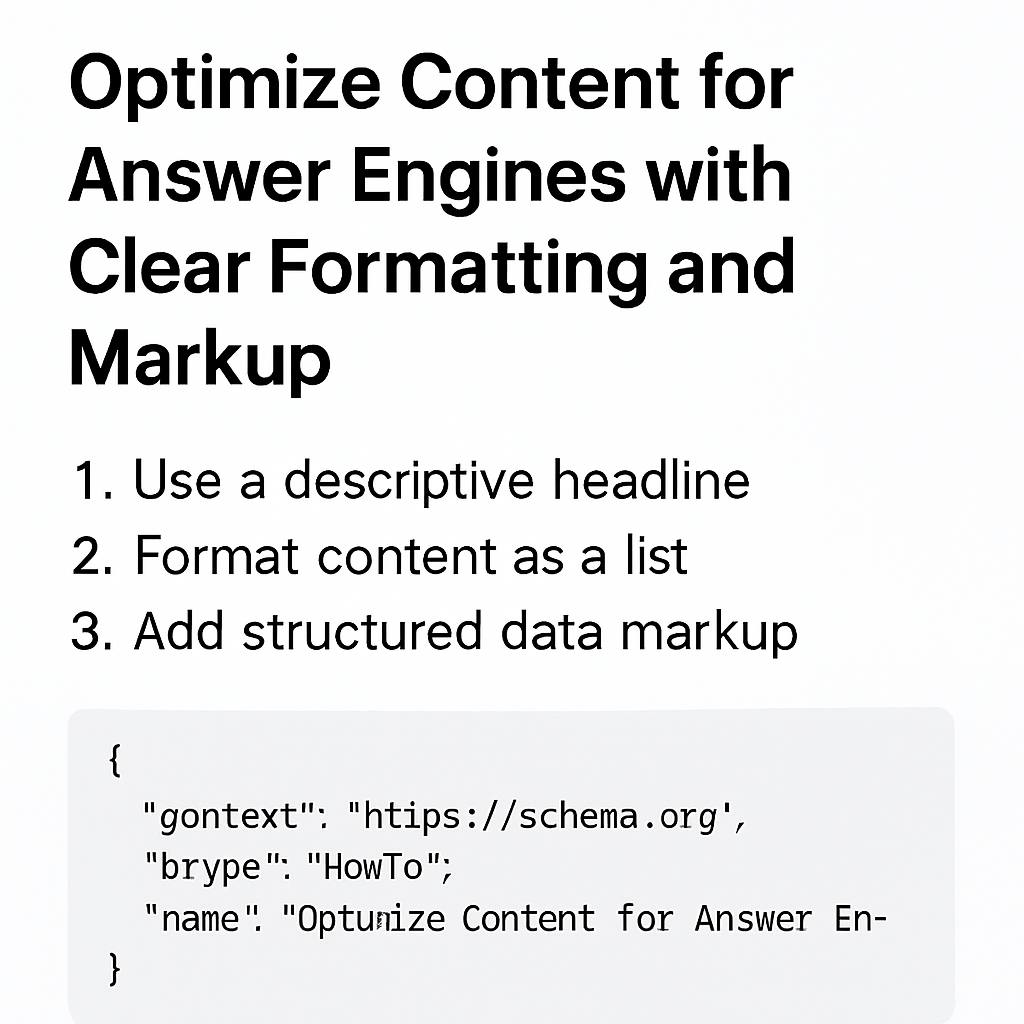
- 4️⃣ Add schema markup. Wrap the answer in JSON‑LD using the appropriate schema type:
FAQPagefor Q&A,HowTofor step lists,Answerfor single‑sentence facts. Paste the JSON right before the closing</body>tag. - 5️⃣ Test with Google’s Rich Results Test. Paste your URL, hit “Test,” and fix any errors the tool flags (missing required fields, syntax issues, etc.).
- 6️⃣ Use simple HTML tags. Stick to
<h2>,<h3>,<ul>,<ol>,<li>, and<table>. Avoid complex div structures that might confuse parsers. - 7️⃣ Add one contextual internal link. After the answer block, link to a deeper guide that expands on the topic. This signals topical authority without diluting the concise answer.
Does this feel like a lot of tiny tweaks? That’s the point—answer engines reward precision, not bulk.
Real‑world example: cleaning a cast‑iron skillet
Here’s a live‑wire version you could drop into a blog post:
<h2>How to Clean a Cast‑Iron Skillet</h2>
<ol>
  <li>Let the pan cool, then scrape off loose bits with a spatula.</li>
  <li>Rinse briefly with hot water—no soap needed.</li>
  <li>Dry immediately with a clean towel; heat on low for 1 minute to evaporate moisture.</li>
  <li>Apply a thin layer of vegetable oil; wipe excess with a paper towel.</li>
</ol>
<script type="application/ld+json">
{ "@context": "https://schema.org", "@type": "HowTo", "name": "How to Clean a Cast‑Iron Skillet", "step": [ { "@type": "HowToStep", "text": "Let the pan cool, then scrape off loose bits with a spatula." }, { "@type": "HowToStep", "text": "Rinse briefly with hot water—no soap needed." }, { "@type": "HowToStep", "text": "Dry immediately with a clean towel; heat on low for 1 minute to evaporate moisture." }, { "@type": "HowToStep", "text": "Apply a thin layer of vegetable oil; wipe excess with a paper towel." } ] }
</script>
Notice the numbered list, the concise wording, and the matching HowTo schema. When Google crawls this page, it can pull the entire list into a featured snippet or even a voice‑assistant answer.
What about tables? Suppose you’re comparing three seasoning oils. A two‑column table with clear headings (“Oil” and “Smoke Point”) is instantly machine‑readable and often lands in the “table” snippet slot.
<table>
  <thead>
    <tr><th>Oil</th><th>Smoke Point (°F)</th></tr>
  </thead>
  <tbody>
    <tr><td>Flaxseed</td><td>225</td></tr>
    <tr><td>Canola</td><td>400</td></tr>
    <tr><td>Avocado</td><td>520</td></tr>
  </tbody>
</table>
That tiny table can become a quick‑answer box for “best oil for seasoning cast iron.”
Quick audit you can run right now
Take five minutes and copy‑paste this checklist onto a spreadsheet. Then open any of your existing how‑to pages and mark each item as “yes” or “no.” The gaps you uncover are exactly where you’ll focus your next edit sprint.
- Heading matches query? ✅/❌
- Answer format (list/table) matches intent? ✅/❌
- Each bullet ≤ 50 words? ✅/❌
- Relevant schema present? ✅/❌
- Rich Results Test passes? ✅/❌
Fix the red flags, republish, and run a “site:yourdomain.com” search for the exact query. If you still don’t see the snippet, trim a word or swap a list for a table—small changes make big differences.
And remember, you don’t have to reinvent the wheel every time. Once you’ve built a template with proper headings, list styling, and schema, you can duplicate it across dozens of pages. That’s the real power of “optimize content for answer engines”: scalability plus visibility.
So, what’s the next move?
Grab the page you’ve just optimized, run the Rich Results Test, and note any errors. Then, in the next hour, fix those errors and publish. Watch the search‑and‑see results over the next couple of days. If the answer still isn’t showing, swap the list for a table or add a missing FAQPage schema. Rinse and repeat until the engine pulls your answer into the featured box.
Step 5: Leverage Structured Data and Schema
Alright, you’ve got the answer formatted, the heading mirrors the query, and the list is under 50 words. Now comes the part most people skip: telling Google exactly what that block is.
Why schema matters more than you think
Think of schema like a signpost for a driver at night. The driver (the crawler) can see the road, but the sign tells it “turn left here for the answer.” When you wrap a how‑to list in HowTo schema, you’re basically handing Google a ready‑made answer card.
That tiny JSON‑LD snippet can be the difference between a plain result and a featured snippet, a voice‑assistant answer, or even a carousel of steps. In practice, pages with proper markup see a noticeable boost in snippet impressions.
Step‑by‑step checklist
- 1️⃣ Identify the schema type. If you’re answering a definition, go with
FAQPage. For step‑by‑step, useHowTo. For a quick fact or statistic,Answerworks. - 2️⃣ Draft the JSON‑LD. Keep it simple: "@context": "https://schema.org", "@type": "HowTo", "name": "Your Answer Title", and then an array of steps. Each step needs a
@typeofHowToStepand a shorttextfield. - 3️⃣ Insert the markup. Place the
<script type="application/ld+json">block right before the closing</body>tag or in the<head>if your CMS prefers it. - 4️⃣ Validate. Paste the URL into Google’s Rich Results Test. Fix any errors – missing required fields are the most common culprit.
- 5️⃣ Iterate. After the page lives for a week, check the “Performance” report in Search Console. If you see “rich result” impressions but no clicks, consider tightening the wording or adding missing properties like
imageordescription.
Real‑world example you can copy
Say you’re writing “How to clean a cast‑iron skillet.” Your HTML might look like this:
<h2>How to Clean a Cast‑Iron Skillet</h2>
<ol>
  <li>Let the pan cool, then scrape off loose bits.</li>
  <li>Rinse briefly with hot water – no soap.</li>
  <li>Dry immediately; heat on low for 60 seconds.</li>
  <li>Rub a thin layer of oil; wipe excess.</li>
</ol>
<script type="application/ld+json">
{
  "@context": "https://schema.org",
  "@type": "HowTo",
  "name": "How to Clean a Cast‑Iron Skillet",
  "step": [
    { "@type": "HowToStep", "text": "Let the pan cool, then scrape off loose bits." },
    { "@type": "HowToStep", "text": "Rinse briefly with hot water – no soap." },
    { "@type": "HowToStep", "text": "Dry immediately; heat on low for 60 seconds." },
    { "@type": "HowToStep", "text": "Rub a thin layer of oil; wipe excess." }
  ]
}
</script>
Notice the parallel phrasing in each step and the exact match between the H2 and the schema “name.” That alignment gives the engine a clear signal.
Tips for getting the most out of schema
- Keep property names lowercase and use double quotes – JSON is picky.
- If you have a FAQ section, group each Q&A as a separate
Questionobject inside theFAQPagearray. - Don’t overload the page with every possible schema. Stick to the one that matches the answer type.
- Use the
imageproperty for visual steps – a thumbnail can boost the chance of appearing in a “carousel” rich result. - Make sure your page’s HTTP status is 200 and the markup isn’t blocked by robots.txt.
Common pitfalls to avoid
Missing required fields is the fastest way to get flagged as “invalid.” Forgetting name or url in a FAQPage will silence the rich result. Also, nesting schema inside unrelated div wrappers can confuse the parser.
- Don’t mix
HowTosteps with plainliitems that lack schema. - Avoid duplicate
@typedeclarations in the same script block. - Never use HTML comments inside the JSON‑LD; they break the syntax.
Quick audit you can run right now
Open a fresh draft, copy the checklist above, and tick each box. If anything is missing, add it before you hit publish. Then fire up the Rich Results Test, fix the red flags, and republish. Within a couple of days you should see the snippet start to surface in the SERP.
And remember, schema isn’t a set‑and‑forget trick. As you add new answers, replicate the same JSON‑LD pattern. Over time you’ll build a library of “ready‑to‑pull” answer blocks that keep feeding Google’s answer engines.
So, what’s the next move? Take the page you just polished, drop the HowTo JSON‑LD in, validate, and watch the search‑and‑see results roll in. The more precise you are, the more likely the engine will hand you that coveted featured snippet.
Step 6: Test, Measure, and Iterate
Now that your page is dressed in the right markup, the real work begins: proving that it actually pulls the snippet you’re after. Does it? Let’s find out together.
Set up a baseline you can compare against
First, note where you stand today. Open Google Search Console, pull the “Performance” report for the target query, and write down impressions, clicks, and average position. If you haven’t seen any rich result impressions yet, record a zero. That baseline becomes the yardstick for every tweak you make.
Sounds simple, right? It is, but many skip this step and later wonder why they can’t tell if a change helped or hurt.
Track the right metrics, not just traffic
When you’re trying to optimize content for answer engines, look beyond overall organic traffic. Pay attention to:
- Rich result impressions – the number of times Google shows your answer box.
- Click‑through rate (CTR) on those impressions – are people actually clicking your snippet?
- Average position of the query in the “Top‑10” view – a jump from #12 to #8 often means the engine is starting to favor you.
- Time‑to‑rank for the specific schema block – note how many days pass before the first rich impression appears.
These signals tell you whether the engine is recognizing your markup or if you need to fine‑tune the wording.
Run quick experiments, not massive overhauls
Think of each test like a small coffee‑break tweak. Change one element, wait a few days, then measure.
Examples of low‑effort experiments:
- Swap a bullet phrase “Apply a thin layer of oil” with “Spread a light coat of oil.”
- Trim a 12‑word sentence down to 9 words to hit the 50‑word sweet spot.
- Switch a list from
<ul>to an ordered<ol>if the query implies steps. - Add a missing
<image>property to your<HowTo>schema.
After each change, revisit the Search Console data and note any delta. Even a 2‑3 % lift in rich‑result CTR can be worth the effort.
Iterate based on data, not hunches
When the numbers tell you a change helped, lock it in. When they show a dip, roll back and try a different angle. The key is to keep a tiny change log – date, what you edited, and the resulting metric shift. Over weeks you’ll build a pattern that reveals what phrasing the engine prefers for your niche.
And remember, the engine evolves. A phrase that worked three months ago might lose steam as competitors publish fresh content. Regularly schedule a “refresh sprint” – skim your top‑ranking pages, run the checklist again, and apply any new insights.
Common testing tools that make life easier
Besides Search Console, a few free tools can give you a clearer picture:
- Google’s Rich Results Test – paste your URL to see if the markup parses cleanly after each edit.
- Answer Engine SERP Scraper (a simple Chrome extension) – it highlights whether your page appears as a featured snippet for the target query.
- Spreadsheet tracker – log impressions, CTR, and position day‑by‑day; conditional formatting will flag upward trends at a glance.
Even a quick glance at the “site:yourdomain.com” search results can confirm whether Google is pulling your answer block.
Wrap‑up: a repeatable loop
To recap, the testing loop looks like this:
- Record baseline metrics.
- Choose one small variable to adjust.
- Publish, wait 48‑72 hours, then re‑measure.
- Document the outcome and either adopt or discard the change.
- Repeat with the next variable.
It feels a bit like gardening – you plant, water, watch, and prune. Over time the garden of your answer‑engine optimized pages will flourish, pulling more clicks and authority without you having to rewrite the whole thing.
Ready to start the first test? Grab the page you just structured, note its current rich‑result numbers, and swap a single word. Then watch the data speak. The more you iterate, the more confidence you’ll have that you truly know how to optimize content for answer engines.
Conclusion
We've been through the whole garden of testing, from picking the right question to adding schema and watching the data shift.
If you feel a little overwhelmed, that's normal—answer engines are picky, but the process is totally repeatable.
The key is to start small: change one word, log the baseline, wait a couple of days, then compare the rich‑result impressions.
When the numbers move even a few points, you know the engine listened, and you can lock that tweak in.
Over time, those tiny edits add up to a garden of pages that consistently pull featured snippets, boost clicks, and build authority without a full rewrite.
So, what’s the next move? Grab the page you just optimized, note its current rich‑result numbers, swap a single phrase, and let the data speak.
Remember, the goal isn’t to chase every ranking factor forever; it’s to create clear, concise answers that both users and answer engines love.
Keep the loop simple, stay curious, and watch your visibility grow—one answer at a time.
Ready to make this a habit? Treat each test like a coffee break, note the results, and let the incremental wins compound into real traffic growth.
You’ll thank yourself later big.
FAQ
What does “optimize content for answer engines” actually mean?
In plain English, it means shaping your copy so that Google, Bing, or any AI‑driven search tool can pluck a concise answer straight from your page. Instead of a long‑form article that the crawler has to sift through, you give it a 40‑50 word paragraph, a short list, or a tidy table that directly answers the query. The goal is to speak the engine’s language while still helping a real person find the info they need.
How can I tell which format – paragraph, list or table – the answer engine prefers for a specific query?
Start by typing the exact question into Google and scrolling to the top result. If the featured snippet shows a bullet list, the engine is signaling “list” as the best format. If you see a paragraph with a definition, aim for a short paragraph answer. Tables appear when the query is numeric or comparative, like “compare Apple vs Android battery life.” Matching the format reduces the chance your content gets cut off.
What on‑page tweaks are most crucial to make my content snippet‑ready?
First, mirror the query in an H2 or H3 heading – the engine loves exact matches. Second, keep the answer block under 50 words and use simple sentences; every extra word is a potential truncation point. Third, wrap the block in the appropriate schema (FAQPage for Q&A, HowTo for steps, or Answer for single facts). Finally, add one contextual internal link that reinforces topical authority without diluting the concise answer.
How often should I revisit and test my answers after they’re live?
Think of it like a garden: you plant, water, then check every few days. Record a baseline in Search Console, then wait 48‑72 hours after each small tweak – maybe swapping “apply a thin coat” for “spread a light layer.” If the rich‑result impressions move up, lock the change in. A good rhythm is a quick review once a month plus a deeper audit every quarter.
Does schema really move the needle, and which types should I focus on?
Yes, schema is the shortcut that tells the crawler exactly what you’re offering. For a single definition, use FAQPage. For step‑by‑step guides, HowTo is the go‑to. If you’re delivering a quick fact or statistic, the Answer type works well. Keep the JSON‑LD clean – no extra properties you don’t need – and always validate with Google’s Rich Results Test before publishing.
Is there a quick audit I can run on an existing page to see if it’s ready for answer engines?
Grab a notepad and walk through this checklist: (1) Does the heading match the target question? (2) Is the answer block 40‑50 words or 3‑5 list items? (3) Have you added the matching schema? (4) Are you using plain <ul>, <ol>, or <table> tags – no fancy divs? (5) Does the page pass the Rich Results Test without errors? If you answer “yes” to most, you’re good to go; otherwise, you know exactly where to trim.
What timeline should I expect before a featured snippet appears after I’ve optimized?
There’s no magic number, but most SEOs see the first impression within a week to ten days if the query already has a snippet slot. If you’re targeting a brand‑new question, give it two to three weeks for Google to crawl, index, and evaluate the new answer. Keep an eye on impressions in Search Console – a steady rise signals the engine is starting to trust your markup.