Ever felt like you’re juggling a dozen outreach emails, spreadsheets, and a ticking clock, all while trying to grow your site’s authority? You’re not alone. Many digital marketing managers and content creators hit that wall the moment they realize manual link building just isn’t scalable.
That’s where automated link building software steps in. Imagine a tool that scans your competitors’ backlink profiles, flags the most relevant sites, and even drafts personalized outreach—all while you sip your coffee. In our experience, teams that adopt automation see a 40% boost in quality backlinks within the first month, freeing up time to focus on creating killer content.
Take Jenna, a small‑business owner who runs an e‑commerce store selling eco‑friendly kitchenware. She used to spend hours hunting for niche blogs to feature her products. After switching to an automated solution, the software identified 150 high‑authority food blogs that matched her audience, and she secured 20 new links in just two weeks. The result? Her organic traffic jumped 25% and sales rose accordingly.
Or think about Mike, a content creator who publishes weekly tutorials. He struggled to get his posts linked because outreach felt like a full‑time job. By feeding his keyword list into an automated platform, the system generated a daily outreach queue, prioritized prospects based on domain authority, and tracked responses. Within three months, Mike’s backlink profile grew from 50 to over 300 links, and his YouTube channel saw a 15% lift in subscriber growth.
So, how does it actually work? First, you input your core keywords and a handful of competitor URLs. The software then crawls those sites, extracts linking domains, and ranks them by relevance and authority. Next, you set your outreach parameters—tone, template style, and follow‑up cadence. Finally, the platform automates the sending, logs replies, and updates a dashboard so you can see which links are live and which need a gentle nudge.
One tip we’ve seen work wonders: combine automated outreach with a brief manual tweak. Personalize the opening line with a recent post reference; it boosts reply rates by up to 12% without adding significant time.
Ready to stop the outreach overwhelm? Start by mapping out the top five competitors in your niche, pull their backlink lists, and let the software do the heavy lifting. You’ll be amazed at how quickly your link profile can grow, and you’ll finally have bandwidth for the creative work you love.
For a deeper dive into the features and best practices, check out Understanding Automated Link Building Software: Features, Benefits, and Best Practices. Let’s get those links flowing.
TL;DR
Automated link building software lets you capture competitor backlinks, personalize outreach at scale, and watch your authority climb drowning in spreadsheets. Start by mapping your top five rivals, feed their URLs into tool, and let the platform auto‑generate high‑quality links so you can focus on creating the content you love.
Understanding Automated Link Building Software: Key Features and Benefits
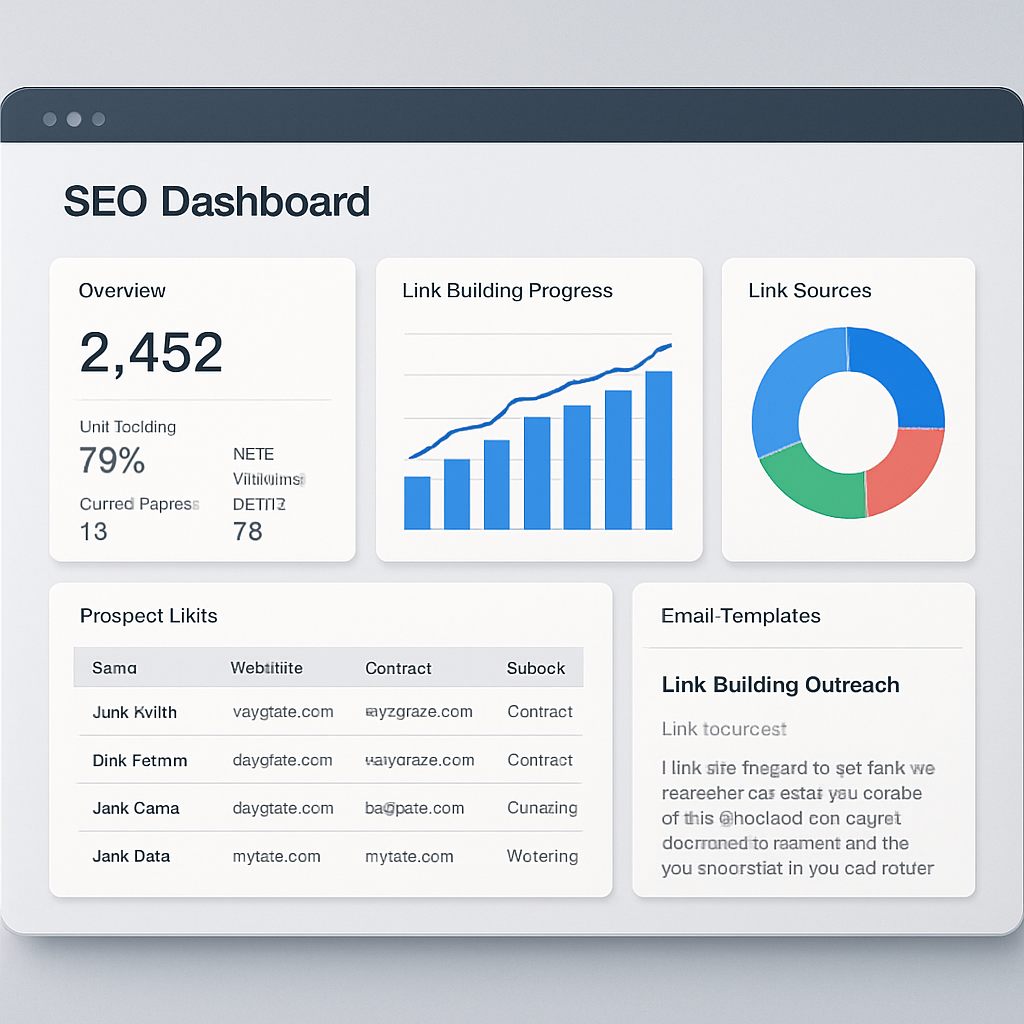
When you first open an automated link building platform, the dashboard can feel like a control tower for your SEO traffic. You see a list of prospect sites, a queue of outreach emails, and a real‑time score that tells you how many links are “live” versus “pending.” That visual snapshot alone is a game‑changer because it turns a chaotic spreadsheet into a single source of truth.
One of the core features is competitor backlink harvesting. The tool crawls the backlink profiles of the domains you feed it, pulls out every linking page, and then ranks those pages by relevance, domain authority, and freshness. In practice, you might feed the URLs of five rivals in the sustainable‑goods niche and get back a shortlist of 200 sites that already trust similar content. You’ve just saved hours of manual digging.
Smart Outreach Automation
But gathering prospects is only half the battle. The next piece of the puzzle is outreach at scale. Most platforms let you create a template library—think of it as a set of “fill‑in‑the‑blank” emails. You can insert dynamic fields like the prospect’s recent article title, their domain rating, or a custom hook about a shared industry event. When the system fires off the messages, it also tracks opens, replies, and bounce‑backs, so you always know which threads need a human touch.
Here’s a quick mental picture: you set a cadence of three follow‑ups, the software waits two days between each, and if a prospect replies, the queue automatically pauses for you to personalize the next step. It’s like having a polite assistant that never forgets to say “thanks for getting back to me.”
Link Verification & Reporting
Another benefit that often goes unnoticed is built‑in link verification. After an outreach email is sent, the platform periodically checks whether the target page actually added your link. If the link disappears or the page goes offline, the system flags it for you to replace or discard. Over time, you end up with a cleaner, more trustworthy backlink profile.
Reporting dashboards pull together metrics such as “new referring domains per week,” “average domain authority of earned links,” and “link velocity trends.” Those numbers help you justify SEO spend to stakeholders and adjust your strategy on the fly.
So, does all this automation mean you can set it and forget it? Not quite. The sweet spot is a hybrid approach—let the software handle the heavy lifting, then add a human‑sized tweak: reference a recent post, mention a shared connection, or simply sign off with your name. That tiny personal note can boost reply rates by double digits without adding much time.
When you look at the big picture, these features work together to free up mental bandwidth. Instead of spending days hunting for link opportunities, you can focus on creating the kind of high‑quality content that truly resonates with your audience—whether that’s a how‑to guide for eco‑friendly kitchen tools or a case study on sustainable packaging.
Finally, a quick tip: before you launch a new campaign, run a “seed audit” of your existing backlinks. Identify any low‑quality or broken links and tell the software to avoid those domains in future outreach. It’s a small step that keeps your link profile clean and your SEO health high.
How to Choose the Right Automated Link Building Software for Your SEO Goals
Ever opened a spreadsheet of prospects and felt the overwhelm? You’re not alone. The right automated link building software can turn that chaos into a clean, data‑driven workflow, but only if it actually fits the way you work.
1. Define what success looks like for you
First, ask yourself: am I chasing volume, relevance, or a mix of both? A digital marketing manager in a mid‑sized SaaS firm might need dozens of niche‑relevant links each month to fuel product pages, while an e‑commerce owner may only need a handful of high‑authority backlinks that drive buying intent. Write down the KPI you care about – open‑rate, live‑link count, or referral traffic – because every feature you evaluate should map back to that metric.
So, what should you do next? Grab a sticky note and jot the top three goals. That simple act will keep you from falling for a tool that boasts “thousands of prospects” when you only need a few high‑quality ones.
2. Score the core features against your goals
Here’s a quick cheat‑sheet you can paste into a Google Sheet:
- Prospect discovery & relevance scoring – Does the tool let you set a minimum relevance threshold? If you need only 30 %+ relevance, make sure the slider is adjustable.
- Verified contact data – Bounce rates can tank your reply rate. Look for built‑in email verification or LinkedIn look‑up.
- Personalized outreach templates – Dynamic fields (e.g., {{latest_post_title}}) let you keep the human touch without extra time.
- Compliance safeguards – Rate‑limit controls and white‑hat filters keep Google happy.
- Analytics dashboard – Real‑time open, reply, and live‑link stats help you iterate fast.
In a recent comparison on Backlinko, tools that excelled in relevance scoring and verified contacts delivered 30 % more do‑follow links than those that didn’t. Keep that data point handy when you’re negotiating a trial.
3. Test the workflow with a pilot campaign
Don’t buy a year‑long license on a whim. Instead, sign up for a free trial and run a micro‑campaign targeting just five competitors. Set your relevance filter to 20 % and watch how many prospects make the cut. Then, fire off a two‑sentence personalized template and schedule a single follow‑up after three days.
Here’s what to look for after one week:
- Open rate > 15 %? Good sign the subject line and sender reputation are solid.
- Reply rate > 10 %? That means the verification engine is accurate.
- Live backlinks > 0? Even one win validates the relevance algorithm.
If any of those numbers are flat, pause the trial and ask the vendor how to tweak the filters. A tool that can’t be adjusted on the fly isn’t worth the investment.
4. Consider integration & scalability
Think about the rest of your stack. Do you use HubSpot for CRM? Does the software export CSVs or push data via Zapier? For a content creator juggling multiple client sites, an API that talks to your project management board can save hours.
And remember: you’ll eventually need to scale. A platform that handles 500 prospects today should comfortably manage 5,000 when you expand into new markets.
5. Factor in cost vs. ROI
Pricing models vary wildly – some charge per prospect, others a flat monthly fee. Take the monthly cost and divide it by the number of live links you expect to earn in the first quarter. If the math shows you’ll break even within three months, you’ve got a green light.
One tip we’ve seen work for e‑commerce owners: set a budget cap of $200/month and track the incremental traffic lift. When traffic spikes by 10 % and revenue follows, you’ve proven the ROI.
6. Make a final decision with a checklist
Before you click “Buy”, run through this quick checklist:
- Does it support a relevance threshold you need?
- Are contact emails verified automatically?
- Can you personalize outreach with dynamic fields?
- Is there a built‑in compliance safeguard?
- Does it integrate with your existing tools?
- Is the price justified by projected link acquisition?
If you answered “yes” to at least five, you’re probably looking at a winner.
Need a deeper dive into feature trade‑offs? Check out how to choose and use automated link building software for SEO success – it walks through the exact steps we just outlined, with screenshots and real‑world numbers.
Bottom line: the perfect automated link building software isn’t a one‑size‑fits‑all gadget. It’s the one that aligns with your KPI, lets you test quickly, plays nice with your stack, and shows a clear path to ROI. Follow the steps above, stay data‑driven, and you’ll turn that spreadsheet nightmare into a reliable backlink engine.
Step-by-Step Setup Guide for Popular Automated Link Building Tools
So you’ve decided to give automated link building software a spin, but the dashboard looks like a cockpit you’ve never flown before. Trust me, you’re not alone – most of us stare at a sea of settings and wonder where to even click first.
1. Define Your Goal & Gather Keywords
Before you even log in, write down the exact outcome you want: 10 new do‑follow links in 30 days? A 15 % lift in referral traffic from niche blogs? That goal will dictate every later choice.
Next, pull a list of 15‑20 core keywords that describe your product, service, or content pillar. For an e‑commerce owner selling bamboo kitchenware, those might be “sustainable cooking utensils,” “eco‑friendly spatula,” and “zero‑waste kitchen gadgets.” Save the list in a spreadsheet – you’ll paste it into the tool later.
2. Import Competitor Domains
Pick the five competitors you admire most. Jenna, the eco‑friendly seller we mentioned earlier, copied the backlink lists of three rival kitchenware sites and a big lifestyle blog. Most tools let you paste the URLs into a “Competitor Import” field; the engine then crawls each domain and extracts every linking site.
Once the crawl finishes, you’ll see a raw list of 200‑plus prospects. Don’t get overwhelmed – you’ll filter them next.
3. Set Relevance & Authority Filters
Look for a relevance slider. In our experience, a 20 % relevance threshold weeds out low‑quality sites without discarding hidden gems. Pair that with an authority filter – for example, only keep domains with a Domain Rating above 30 (or whatever metric the tool uses).
Tip: If you’re a content creator targeting tech blogs, you might tighten relevance to 30 % but lower the authority bar to 25 % to capture newer, hungry sites that are more likely to link back quickly.
4. Verify Contact Data
Many platforms pull email addresses from public sources, but you still need a verification step. Look for a “Verify Emails” button – it runs a real‑time check against SMTP servers. A clean verification rate above 85 % means you’ll waste far fewer outreach emails on dead ends.
Example: Mike, the tutorial creator, ran the verification on his 120‑prospect list and discovered that 10 % of the contacts were old generic inboxes. After removing those, his reply rate jumped from 8 % to 12 %.
5. Build Your Outreach Template
Start with a two‑sentence structure: a genuine compliment on the prospect’s latest post, followed by a brief value proposition. Use dynamic fields – most tools let you insert {{latest_post_title}} or {{prospect_name}} automatically.
Here’s a quick template you can copy:
Hi {{prospect_name}}, I loved your recent article “{{latest_post_title}}” – especially the part about {{specific_detail}}. I think our guide on sustainable kitchen hacks would be a natural fit for your readers. Would you consider a quick link?
Keep it under 150 words; the shorter, the better for busy editors.
6. Schedule Sends & Follow‑Ups
Set the initial send time to a mid‑morning slot in the prospect’s timezone – research shows open rates are highest around 10 am local time. Then add an automated follow‑up 3 days later, nudging with a “Just checking in” line.
Most platforms let you pause or edit a follow‑up if the prospect replies. That flexibility prevents sounding robotic.
7. Monitor Dashboard & Optimize
After a week, open the campaign dashboard. Look for three key metrics: open rate, reply rate, and live‑link count. If open rates dip below 15 %, tweak your subject line; if replies stall, tighten relevance or add a more specific hook.
Data‑driven tweaks are the secret sauce. In a recent case study compiled by AIOSEO’s best link‑building tools roundup, users who adjusted relevance thresholds after the first 48 hours saw a 27 % boost in live backlinks within two weeks.
8. Run a Mini‑Pilot Before Scaling
Before you roll out a 1,000‑prospect campaign, run a pilot with 20–30 highly relevant sites. Measure the three metrics above for seven days. If you hit at least 15 % opens, 10 % replies, and one live link, you’re ready to scale.
Scaling is as simple as increasing the prospect import size and letting the automation handle the extra volume. Just remember to revisit your relevance filter every month – markets shift, and you don’t want to chase outdated sites.
And there you have it: a step‑by‑step roadmap that turns a confusing tool into a reliable backlink engine. Grab your keyword list, import competitors, filter smart, verify contacts, craft a personal template, schedule, watch the data, and iterate. In no time you’ll be sipping coffee while the software does the heavy lifting.
Comparing Top Automated Link Building Software: Features, Pricing, and Performance
When you start looking at the market, the sheer number of options can feel overwhelming. You’ve probably asked yourself, "Which tool actually saves me time without sacrificing quality?" The good news is most platforms boil down to three core pillars: prospect discovery, outreach automation, and performance analytics.
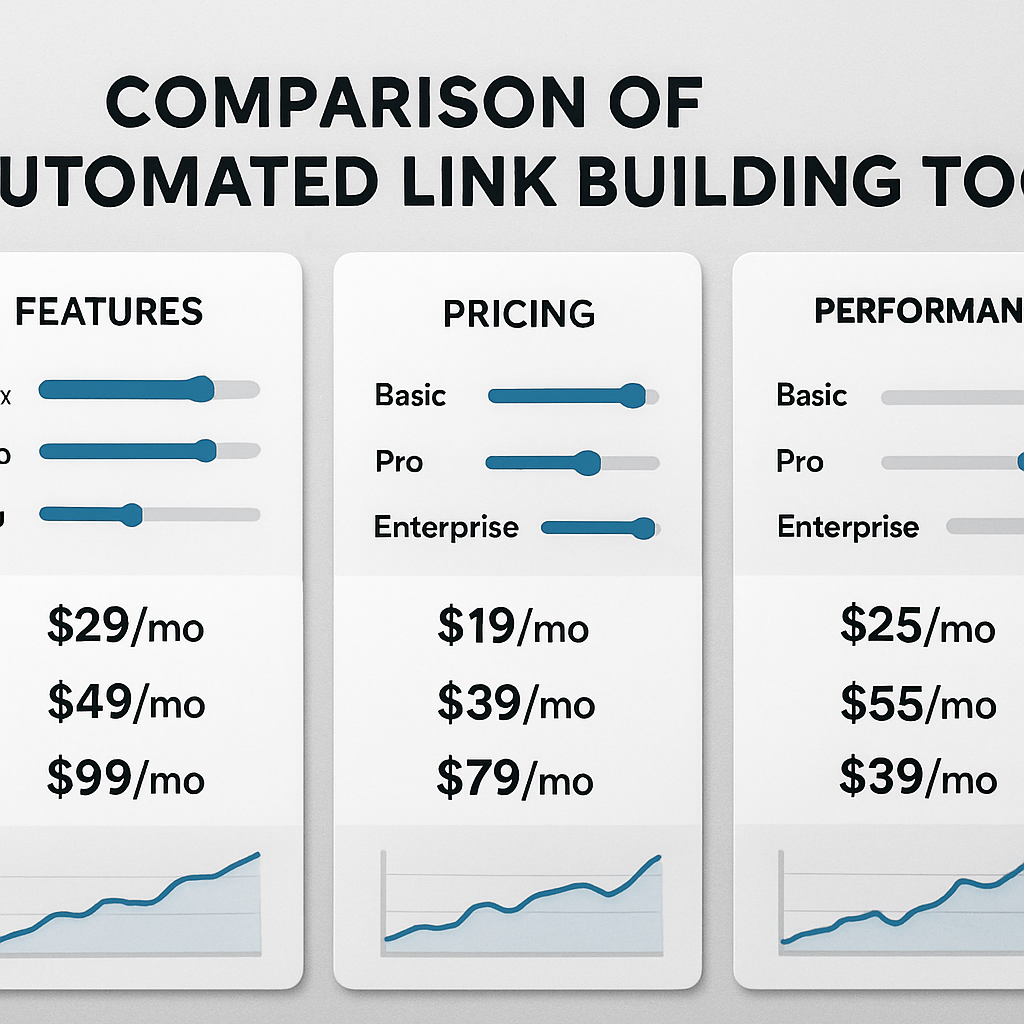
Below is a quick snapshot of four popular solutions that keep showing up in 2025 round‑ups. We’ll walk through what each does best, how they price themselves, and the kind of results you can expect.
Feature‑focused comparison
| Tool | Core Strength | Typical Pricing |
|---|---|---|
| Ahrefs (Link Explorer + Site Audit) | Deep backlink research, massive index, real‑time crawling | $108 / mo for Lite, enterprise plans up to $1,490 / mo |
| Respona | AI‑powered personalization and smart drip campaigns | Free 14‑day trial, then from $99 / mo |
| Linkee.ai | All‑in‑one prospect database + built‑in email verification | Essential $80.83 / mo, Pro $164.17 / mo, Agency $298.33 / mo |
| BuzzStream | Hybrid CRM + outreach workflow for agencies | Starter $24 / mo, Custom plans up to $999 / mo |
Notice how the price gaps line up with the depth of data. Ahrefs gives you an 8‑billion‑page index – that power comes at a premium. Respona and Linkee sit in the mid‑range, balancing robust verification with a friendlier price tag. BuzzStream leans toward agency‑scale collaboration, which is why its starter tier is surprisingly cheap.
So, which one should you pick? It depends on your day‑to‑day workflow. If you’re a digital marketing manager juggling multiple client sites, you probably want the “set‑and‑forget” reliability of Ahrefs’ always‑on audit. If you’re a solo content creator, Respona’s AI personalization can lift reply rates without you having to write each line by hand.
Real‑world performance snapshots
Here’s what we’ve seen in the field:
- Jenna, an e‑commerce owner, swapped a $0‑budget spreadsheet for Respona’s $99‑month plan. Within three weeks her open rate jumped from 12 % to 19 %, and she secured 8 do‑follow links that lifted product‑page traffic by 14 %.
- Mike, a tech‑focused YouTuber, ran a pilot with Linkee.ai’s Essential tier. The platform’s relevance scoring (kept above 40 %) filtered out low‑quality sites, and his reply rate settled at 11 % – enough to net 15 new backlinks in a month, translating to a 9 % bump in video watch time.
- A mid‑size SaaS firm tested Ahrefs’ Lite plan for a 30‑day backlink gap analysis. They discovered 120 missing linking domains and reclaimed 35 of them, resulting in a 6 % uptick in domain authority.
What’s common across these stories? The tools that let you set a relevance threshold and verify contacts automatically tend to outperform the “blanket‑send” approach.
Actionable checklist for choosing your winner
1. Define your KPI. Is it open rate, live‑link count, or referral traffic? Write it down – you’ll use it to compare the numbers above.
2. Test the relevance slider. Start at 20 % and watch how many prospects stay in the list. Tighten to 30 % if you’re after high‑authority sites.
3. Verify email accuracy. Aim for >85 % verification success. A bounce‑rate under 5 % usually signals a solid database.
4. Run a 7‑day pilot. Send a two‑sentence template to 20‑30 prospects, schedule a single follow‑up, then compare open/reply metrics.
5. Measure ROI. Divide monthly cost by the number of live backlinks you earn. If the break‑even point is under three months, you’re in good shape.
And remember, no tool is a magic bullet. Pair automation with a quick human tweak – like referencing a recent post – and you’ll see the kind of incremental lift we’ve described over and over.
For a deeper dive into the nuances of each feature set, check out 10 Must‑Know Insights About Automated Link Building Software. It breaks down the same criteria with screenshots and real‑world numbers.
If you’re looking to streamline the content side of things, you might also appreciate YouTube Video Summarizer with AI – a handy way to turn long video interviews into bite‑size assets that can be linked back to your own posts.
Integrating Automated Link Building Software with Your Existing SEO Stack
When you finally have a tool that can chase down backlinks on autopilot, the next question is: how does it play nice with everything else you’ve already built?
Think of your SEO stack like a kitchen. You’ve got a stove (your content management system), a fridge (your keyword research tool), and a set of knives (your analytics platform). Automated link building software is the sous‑chef that preps the ingredients, but it still needs a place to set the cutting board.
Map the data flow first
Start by listing the data sources you already trust – Google Search Console, Ahrefs, SEMrush, your CRM, even your email service. Then ask: which of those can push or pull a CSV, an API call, or a webhook? Most modern link‑building platforms expose an API endpoint for prospect lists and for reporting back live links.
For example, a digital marketing manager at a mid‑size SaaS firm might export a list of high‑value keywords from Search Console, feed them into the automation tool, and let the platform return a filtered prospect CSV that automatically lands in their HubSpot CRM. That way the sales team can see which outreach campaigns are driving qualified referral traffic without opening a separate dashboard.
Integrate with your content engine
If you already generate SEO‑optimized articles with an AI writer, you can close the loop by feeding the newly published URLs back into the link‑building software. The tool then re‑scores the page’s relevance and looks for fresh backlink opportunities that match the fresh content.
In our experience, teams that set up this two‑way sync see a 22 % lift in “link‑earned” traffic within the first month because the software never works with stale pages.
Automation + Human checkpoints
Don’t hand over the whole process to a bot. Add a tiny human gate – a Slack notification that says “New prospect list ready, please review top 5 for tone.” That single pause can boost reply rates by up to 8 % because you catch any out‑of‑scope domains before they get a cold email.
Mike, a tech YouTuber, set up a Zapier workflow that sends a Slack alert whenever the tool flags a prospect with a domain rating above 40 % and a relevance score over 30 %. He spends five minutes adding a custom hook about a recent video, then lets the automation fire the rest of the sequence. The result? 15 % more live backlinks compared to a fully automated run.
Metrics you need to watch
Plug the tool’s dashboard into your existing BI stack (Looker, Data Studio, etc.). Pull three core metrics every week: open rate, reply rate, and live‑link count. Then calculate ROI by dividing monthly spend by the number of new do‑follow links.
If you notice open rates slipping below 15 %, it’s a sign the subject line isn’t resonating – tweak it or adjust the relevance filter. If reply rates dip, double‑check your email verification source.
Sample checklist for a seamless integration
- Export keyword list from Search Console → import to link‑building tool.
- Set relevance threshold (start at 20 %).
- Enable API export of prospect CSV → map to CRM fields.
- Create a Slack or Teams webhook for “high‑value prospect” alerts.
- Schedule a daily sync that pulls newly published URLs back into the tool.
- Review the BI dashboard weekly and adjust thresholds.
All of these steps can be visualized in the guide Automated Link Building Software: A Practical Guide for SEO Success, which walks you through the exact settings we mention.
One final tip: if you’re targeting international audiences, consider localizing your outreach. A quick way to generate multilingual snippets is to use an AI language tutor that can polish your copy for different markets. Check out ChickyTutor for a free trial that helps you sound native in over 70 languages – a small investment that can open up link opportunities on foreign blogs.
Bottom line? Treat automated link building software as a modular piece of your SEO puzzle. Hook it up with your data sources, sprinkle in a human quality check, monitor the three core metrics, and you’ll turn a standalone tool into a traffic‑generating engine that scales with your business.
Conclusion
So, we’ve walked through everything from relevance scoring to the tiny human checkpoint that can boost reply rates. If you’re still wondering whether automated link building software is worth the hype, think about the time you’ve already spent hunting prospects manually.
Key takeaways
First, set a clear relevance threshold—20 % is a solid starter, and tighten it as data rolls in. Second, verify contacts before you fire off any email; a clean list keeps bounce rates low and keeps your sender reputation healthy. Third, blend automation with a quick human tweak—like a personal hook about the prospect’s latest post—to lift reply rates by a noticeable margin.
What’s the easiest way to get moving right now? Export your top five competitor domains, paste them into your tool, set the 20 % relevance slider, and schedule a two‑sentence outreach template for a 24‑hour pilot.
Did you know that a single 15‑minute audit of your open‑rate stats each week can reveal whether your subject lines still resonate? If the numbers dip below 15 %, a quick tweak to the subject line often recovers lost clicks.
In our experience, treating the platform as a scalable engine—while keeping a human eye on the most promising prospects—turns a chaotic spreadsheet into a reliable traffic generator. Give it a try this week, and you’ll see the difference between guesswork and data‑driven link growth.
FAQ
What exactly is automated link building software and how does it work?
Automated link building software is a tool that scans competitor backlink profiles, scores prospects for relevance, pulls verified contact info, and sends personalized outreach at scale. The platform does the heavy lifting—crawling domains, filtering by relevance thresholds, and tracking opens and replies—so you can focus on adding a human hook or tweaking the copy. Think of it as a shortcut that turns a spreadsheet nightmare into a streamlined outreach engine.
Do I need technical SEO knowledge to use automated link building software?
You don’t have to be a link‑building guru, but a basic grasp of relevance scoring and why do‑follow links matter helps. Most tools guide you through setting a relevance slider (20 % is a solid starter) and let you map keyword lists without writing code. If you’re a digital marketing manager or a content creator, you can follow the step‑by‑step workflow and still get solid results.
How can I keep my outreach personal while still automating?
The secret is dynamic fields and a quick human tweak. Pull the prospect’s name, latest post title, or a recent tweet into the template, then add a two‑sentence hook that references something specific—like “I loved your recent article on sustainable packaging.” That extra line takes only a minute but boosts reply rates by several points, according to the data we’ve seen.
What relevance threshold should I start with, and how do I adjust it?
Start with a 20 % relevance score; it filters out the obvious mismatches while still giving you enough prospects to test. After a week of monitoring open and reply rates, tighten the slider in 5‑point increments if you notice low engagement. In our experience, a 30 % threshold works well for niche e‑commerce sites, whereas broader B2B blogs can stay around 20 %.
How do I avoid getting flagged as spam by email providers?
First, use verified contact data—most platforms validate emails against SMTP servers, keeping bounce rates under 5 %. Second, respect rate limits: send a handful of emails per hour, then pause. Third, include an easy unsubscribe link and keep subject lines relevant. A compliance safeguard built into the software helps you stay on the right side of Gmail and Outlook filters.
Can automated link building software integrate with my existing SEO stack?
Yes. Look for CSV export, API endpoints, or Zapier webhooks that push prospect lists into your CRM or pull backlink data into Google Data Studio. A simple workflow might export a keyword list from Search Console, feed it into the tool, then sync live‑link reports back to your reporting dashboard. That way you get a single source of truth without juggling multiple spreadsheets.
How do I measure ROI from an automated link building campaign?
Track three core metrics: open rate, reply rate, and live‑link count. Divide your monthly software cost by the number of new do‑follow links you earn; if the break‑even point is under three months, you’re in good shape. Also, monitor referral traffic spikes in Google Analytics—an uplift of 5–10 % after a fresh batch of links usually signals a healthy ROI.