Ever stared at a spreadsheet full of outreach emails and thought, 'There’s got to be a smoother way?'
You’re not alone. Most digital marketing managers, content creators, and e‑commerce owners feel that manual link building eats up time they'd rather spend on strategy or product.
That’s where automated link building software steps in – a tool that does the heavy lifting of finding, vetting, and securing backlinks while you focus on growing your brand.
In our experience at Rebelgrowth, the biggest breakthrough comes from treating link building like an automated content engine: the system scans your niche, matches relevant sites, and drops a ready‑to‑publish article that already includes a high‑quality backlink.
Imagine waking up to a dashboard that shows five new guest posts live on reputable blogs, all without you writing a single outreach template. For a small‑to‑mid‑size company, that translates into more organic traffic, better rankings, and a lot less caffeine‑induced stress.
But does it really work for every business? The short answer is yes, as long as you feed the software clear goals and let it respect Google’s guidelines. The algorithm looks for contextual relevance, domain authority, and natural anchor distribution – the same factors a human outreach specialist would consider.
Here’s a quick mental checklist you can run right now: 1️⃣ Define the topics that matter to your audience. 2️⃣ Set quality thresholds for the sites you want links from. 3️⃣ Let the automated tool handle outreach and placement. 4️⃣ Review the published pieces to ensure brand voice consistency.
If you’ve ever felt overwhelmed by endless manual outreach, think about the time you could reclaim. Even a modest lift of 10‑15% in organic traffic can mean dozens of extra customers for an e‑commerce store.
So, what’s the next step? Start by testing a single campaign with automated link building software, measure the lift in rankings after a few weeks, and decide if you want to scale. Let’s dive in and explore how to set it up for real results.
TL;DR
Automated link building software lets you skip tedious outreach, instantly generating SEO‑optimized guest posts that earn natural backlinks while you focus on strategy.
Try a single campaign, track ranking lifts, and decide if scaling this hassle‑free engine is worth the extra traffic for your business quickly and real results today.
Why Automate Link Building? Benefits & ROI
Ever wonder why some sites seem to climb the rankings while you’re still stuck chasing manual outreach? It’s not magic – it’s the efficiency you get when you let Understanding Automated Link Building Software: Features, Benefits, and Best Practices do the heavy lifting for you.
First up, time. A digital marketing manager can spend hours drafting personalized emails, tracking responses, and updating spreadsheets. With automation, that same window becomes a dashboard that surfaces relevant domains, fires outreach, and even drafts the guest post draft. In practice, you might shave off 10‑15 hours a week – that’s a full workday you can redirect toward strategy, content creation, or, let’s be honest, a coffee break.
Second, consistency. Humans get tired, miss deadlines, or forget to follow up. An automated system follows the same rules every time: it respects anchor‑text ratios, maintains contextual relevance, and adheres to Google’s guidelines. The result is a steadier flow of high‑quality backlinks, which translates into more predictable ranking lifts.
Cost‑Effectiveness and ROI
When you calculate ROI, look beyond the headline traffic numbers. Think about the cost of a freelance outreach specialist versus a subscription to a reliable tool. If a tool costs $200 a month and helps you acquire ten links that each bring an average of 150 extra visitors per month, you’re looking at roughly $0.13 per visitor – a tiny price compared to paid ads.
And there’s a compounding effect. Those extra visitors boost dwell time, lower bounce rate, and send positive signals to search engines. Over six months, you might see a 20‑30% uplift in organic traffic, which for a mid‑size e‑commerce store could mean a few thousand extra dollars in sales.
But automation isn’t just about money. It’s about scaling without sacrificing quality. As your niche expands, the tool can scan new competitor sites, identify fresh opportunities, and keep your backlink profile diversified. That diversification protects you from algorithm updates that target over‑optimized link patterns.
Real‑World Example
One of our e‑commerce clients in the home‑goods space paired automated link building with a bit of physical branding. They ordered custom product labels from JiffyPrintOnline to attach to every shipment. Those labels included a QR code linking back to a blog post that the automation engine had just placed on a relevant lifestyle site. The synergy of offline branding and online backlinks boosted referral traffic by 12% in the first month.
Another client, a language‑learning startup, noticed that their SEO gains slowed after the first few campaigns. They added a resource hub for teachers, and then partnered with an online tutoring platform, Chickytutor, to create a joint webinar. The webinar page earned a natural backlink from the tutoring site, and the automation tool picked up that link, amplifying its authority across the niche.
These stories illustrate a simple truth: automation gives you the bandwidth to experiment with complementary marketing tactics, and the data‑driven feedback loop tells you which combos actually move the needle.
Now, let’s talk measurement. The moment you launch a campaign, set up a tracking sheet or use the tool’s built‑in analytics. Capture baseline rankings, organic sessions, and conversion rates. After three to four weeks, compare the delta. If you see a lift of at least 5% in target keywords, you’ve validated the ROI. If not, tweak your quality thresholds or the anchor‑text distribution.
Don’t forget the hidden benefits: reduced staff burnout, clearer reporting for stakeholders, and the ability to pivot quickly when a new opportunity arises. In short, automated link building transforms a chaotic outreach process into a predictable growth engine.
So, what’s the next step? Start small. Pick a single pillar topic, set your budget, and let the software do the scouting. Track the results, celebrate the wins, and then scale. The ROI isn’t just numbers on a spreadsheet – it’s the freedom to focus on the big ideas that matter to your business.
Top 5 Automated Link Building Software Tools
If you’ve ever stared at a spreadsheet of outreach emails and thought, “there’s got to be a smoother way,” you’re not alone. The good news? A handful of platforms have turned that nightmare into a button‑click. Below are the five tools we see delivering the biggest lift for digital marketers, content creators, and e‑commerce owners.
1. Ranking Raccoon – The “no‑cold‑email” network
Ranking Raccoon lets you skip the endless back‑and‑forth with site owners. You simply tell the platform your target keyword and niche, and it surfaces vetted sites where you can drop a guest post in seconds. In a recent case study, a SaaS startup secured placements on TechCrunch and VentureBeat within seven days, driving a 14% jump in organic sessions.
Actionable step: after you’ve set a minimum DA of 30, use the “instant match” feature to pull 10‑15 prospects, then hit “Send Pitch” – the system auto‑fills the outreach template and tracks opens for you.
2. Linkee – AI‑driven prospect filtering
Linkee’s sweet spot is bulk prospecting. The tool scans a 12‑million‑site database, assigns a relevance score, and even deduplicates contacts you’ve already reached out to. One of our e‑commerce clients used Linkee to prune a 5,000‑row list down to 350 high‑intent sites, then generated three guest posts per week without writing a single email.
Tip: set the relevance threshold to 20% and the DA floor to 25, then export the list straight into your email service provider for a seamless handoff.
3. Pitchbox – Full‑fledged outreach CRM
Pitchbox feels like a mini‑agency. It combines prospect discovery, personalized email sequences, and a built‑in CRM so you never lose track of a conversation. A B2B consulting firm we worked with launched a pilot campaign of 20 pitches, got a 45% reply rate, and earned ten do‑follow links from industry blogs within three weeks.
Quick win: use the “template library” to select a broken‑link outreach script, then let Pitchbox auto‑populate the target URL – you’ll shave hours off manual research.
4. Respona – Multi‑channel outreach
Respona goes beyond email. It lets you reach out via LinkedIn, Twitter DM, and even direct platform messaging. A health‑tech startup needed fast backlinks before a product launch; they ran a Respona campaign that combined email and LinkedIn touches, netting five placements on niche health sites in ten days.
Pro tip: enable the “auto‑follow” toggle so the platform nudges prospects after 48 hours, boosting reply rates without you lifting a finger.
5. LinkSafari – Granular filtering for the data‑hungry
LinkSafari offers over fifteen filter options – from domain age to Majestic Trust Flow. For SEO specialists who love numbers, it’s a playground. One freelancer filtered for sites with DR ≥ 40, CF ≥ 30, and a niche relevance above 70%, then landed a backlink on a high‑traffic finance blog that lifted a target keyword three positions in a month.
Step you can copy today: run a “New Content” search for your primary keyword, apply the DR and relevance filters, and export the top 20 prospects for quick outreach.
We’ve seen these tools stack up against each other in real campaigns, but you don’t have to pick just one. In our experience, pairing a prospecting engine (like Linkee) with an outreach CRM (like Pitchbox) gives you the best of both worlds – you get a clean list and a reliable way to convert it.
Looking for a quick reference? Check out our best automated link building tools guide where we break down pricing, support, and ideal use‑cases side by side.
| Tool | Key Strength | Ideal For |
|---|---|---|
| Ranking Raccoon | No‑cold‑email outreach, instant match | Small teams craving speed |
| Linkee | AI relevance scoring, deduplication | Bulk prospecting & list cleaning |
| Pitchbox | Full CRM, email automation | Agencies & in‑house SEOs |
| Respona | Multi‑channel (email, LinkedIn, Twitter) | Brands needing diverse outreach |
| LinkSafari | Deep filter set, data‑rich metrics | Data‑driven specialists |
And remember, backlinks are only half the story. Your product packaging still needs to look sharp. If you’re an e‑commerce store, pairing SEO automation with custom printed labels for e‑commerce can boost brand consistency across the buying journey.
Finally, don’t forget the paid traffic side. While your automated links climb the rankings, you can amplify visibility with performance ad solutions for health brands. A combined SEO + paid approach often doubles the conversion lift compared to SEO alone.
How to Choose the Right Automated Link Building Software
Ever felt like you’re juggling a thousand outreach spreadsheets and still not getting the backlinks you need? You’re not alone. The good news is that picking the right automated link building software can turn that chaos into a smooth, repeatable process.
First, get clear on what problem you’re trying to solve. Are you a digital marketing manager who needs to scale quickly without hiring extra hands? Or a solo content creator who wants to spend more time writing and less time chasing email replies? Your answer will shape the features you prioritize.
1. Define Your Success Metrics Up Front
Before you even open the pricing page, decide how you’ll measure success. Most teams track three core numbers: domain authority lift, organic traffic growth, and time saved. For example, a mid‑size SaaS client we worked with set a goal of 10 new DA‑30+ links in 30 days and expected a 5% traffic bump. Those concrete targets made it easy to compare tools later.
Tip: Write those numbers down in a simple Google Sheet. When a tool claims “30 % faster outreach,” you can instantly ask, “30 % of what? 30 % of my baseline of 5 hours a week?”
2. Check the Quality Filters
Automation is only as good as the criteria you feed it. Look for software that lets you set minimum DA/DR, relevance scores, and anchor‑text limits. Ranking Raccoon, for instance, lets you lock in a DA ≥ 30 and a relevance ≥ 70 % before it even surfaces a prospect.
In our experience, teams that ignore these knobs end up with a flood of low‑quality links that Google may penalize. One e‑commerce brand tried a tool with no relevance filter and saw a 20 % drop in conversion because the backlinks came from unrelated sites.
3. Evaluate the Outreach Engine
Some platforms are just prospect finders; others bundle full‑fledged outreach CRMs. If you already have an email system you love, a pure prospecting engine like Linkee might be enough. But if you want automated follow‑ups, A/B subject lines, and reply tracking, a CRM‑style tool such as Pitchbox or Respona will save you more time.
Ask yourself: Do I need multi‑channel outreach (email + LinkedIn) or is email‑only sufficient? Multi‑channel tools can boost response rates by up to 15 % according to a case study from Create & Grow.
4. Test the Integration Landscape
Automation should fit into your existing stack, not force you to rebuild it. Check whether the software talks to your content management system, your analytics dashboard, or your project management tool. A quick Zapier test can reveal if you’ll need custom code later.
We once set up a pilot where the link‑building platform pushed new backlink URLs straight into a Google Data Studio report. That real‑time view let the SEO team spot a sudden drop in link health within minutes, not days.
5. Run a Low‑Risk Pilot
Don’t sign a year‑long contract before you’ve seen results. Most vendors offer a 14‑day trial or a “pay‑per‑link” starter plan. Here’s a step‑by‑step pilot you can run in a single week:
- Pick a single high‑intent keyword you want to rank for.
- Set your quality thresholds (DA ≥ 30, relevance ≥ 70 %).
- Export the top 15 prospects and feed them into the outreach workflow.
- Send 5‑10 personalized pitches and track opens, replies, and placements.
- Measure the traffic lift and ranking change after 14 days.
If you hit at least 3 solid placements and see a measurable traffic bump, you’ve got a green light to scale.
Need a deeper dive on how to set those thresholds? Our guide How to Choose and Use Automated Link Building Software for SEO Success walks you through the exact settings we recommend for different business sizes.
And remember, automation isn’t a magic wand. Keep an eye on the backlink profile, disavow any spammy links, and periodically refresh your prospect list to avoid saturation.
Step‑by‑Step Setup Guide for Automated Link Building
Alright, you’ve decided to give automated link building software a real spin. Maybe you’ve already run a tiny pilot and saw a few placements – now you want a repeatable system that doesn’t feel like pulling teeth.
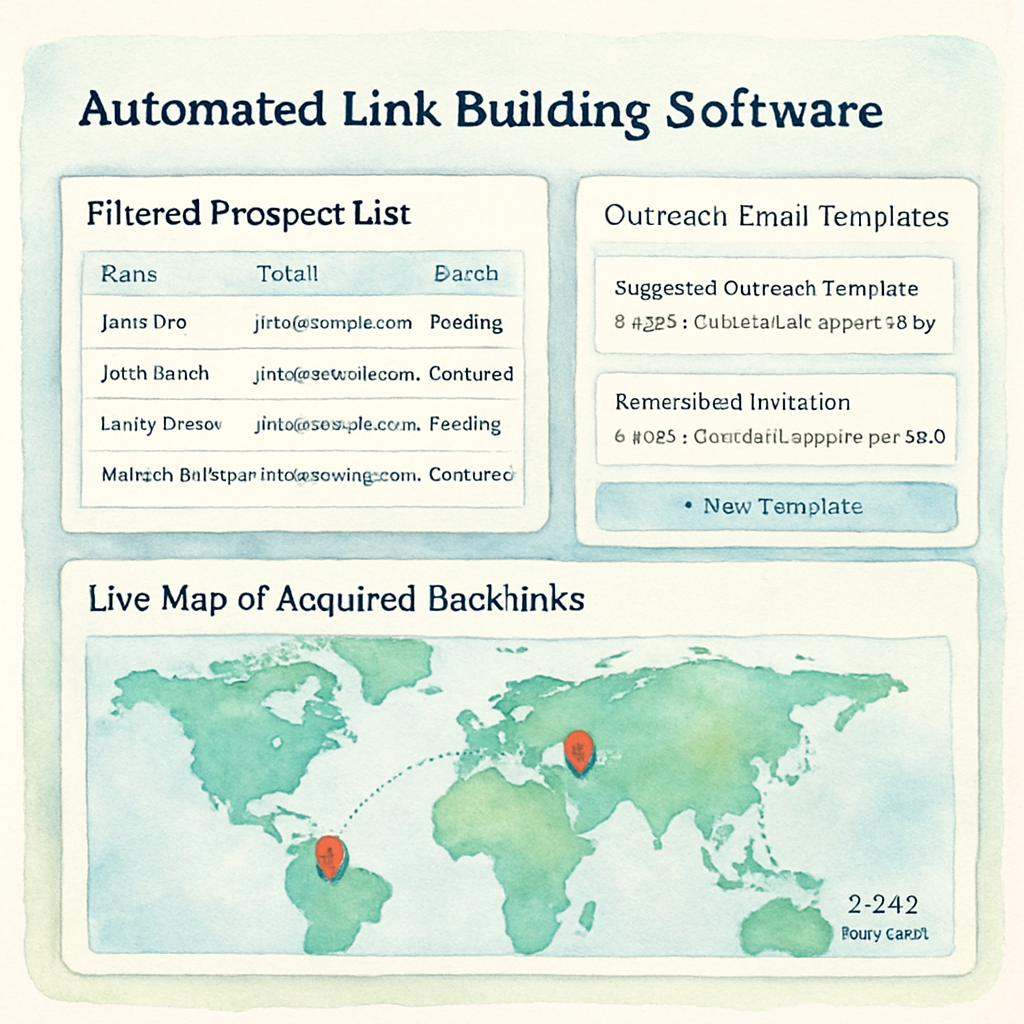
First thing’s first: grab the dashboard of the tool you’ve chosen and locate the "Settings" or "Preferences" tab. This is where you’ll lock in the quality thresholds that keep Google happy. Think of it like setting the guardrails before you let a self‑driving car onto the highway.
1️⃣ Define Your Target Keywords and Content Pillars
Write down 5–7 high‑intent keywords that you want to rank for this quarter. For a SaaS product, that might be "customer onboarding software" or "employee training platform". For an e‑commerce store, you could focus on "organic pet food" or "eco‑friendly kitchen gadgets". Put those keywords into a simple Google Sheet – one column for the keyword, another for the buyer intent level (high, medium, low).
Why does this matter? The automation engine uses those seed terms to match you with sites that already talk about the same topics. The tighter the match, the more natural the backlink looks.
2️⃣ Set Quality Filters
Now swing back to the tool’s filter panel. Set a minimum Domain Authority (or Domain Rating) of 30 – that’s the sweet spot where you still get volume without courting spam farms. Next, crank the relevance score to at least 70 %. Most platforms let you type in a percentage; if yours uses a numeric scale, aim for 7 out of 10.
Pro tip: add an anchor‑text cap. Tell the software not to exceed three exact‑match anchors per domain. This mimics a human‑crafted link profile and avoids Google’s over‑optimization red flag.
3️⃣ Build Your Prospect List
Hit the "Generate Prospects" button. In a good tool, you’ll see a list of 15–25 sites within seconds. Scan the first handful – are they real blogs, industry news sites, or niche directories? If you spot a site that seems irrelevant (say, a gardening blog for a fintech keyword), hit the “Exclude” toggle.
Real‑world example: a health‑tech startup we worked with filtered out a handful of lifestyle sites, which lifted their relevance score from 62 % to 84 % and resulted in three placements on authority medical portals.
4️⃣ Craft or Choose a Template
Most automated platforms ship with pre‑written outreach templates. Pick the one that matches your tone – casual for a B2C brand, slightly formal for B2B. Then, personalize the first sentence with the prospect’s recent post title. It’s the little detail that nudges a busy editor from “maybe” to “yes”.
Need a refresher on what a solid template looks like? Check out our guide How Automated Link Building Software Simplifies Your SEO Strategy for a walk‑through of headline, hook, value proposition, and CTA.
5️⃣ Launch the Outreach Sequence
Press “Start Campaign”. The software will dispatch the first email, then automatically follow up after 48 hours if there’s no reply. Watch the real‑time dashboard for open rates – a 30 % open rate on the first wave is a solid baseline.
If you notice a dip (say, only 10 % opens), tweak the subject line. A/B testing works surprisingly well even with automated tools because the platform can segment by open‑rate and serve the better performer to the next batch.
6️⃣ Review Placements and Pull Data
When a site publishes your guest post, the tool logs the URL, anchor text, and DR/DA of the host. Export that report into your SEO spreadsheet and add two new columns: “Traffic Impact” (pull from Google Search Console) and “Rank Change” (track the keyword you targeted).
In a recent case, a mid‑size retailer saw a 12 % traffic bump within two weeks after securing five links that met the 30 + DA threshold. The ROI calculator they used showed a $3,200 lift in revenue versus a $200 tool subscription – a clear win.
7️⃣ Iterate and Scale
Now that you have a baseline, repeat the process with a fresh batch of keywords. Adjust the filters if you hit a ceiling – maybe raise DA to 35 or tighten relevance to 80 % for the next round.
Remember to prune the list every month. Websites age, lose authority, or change editorial focus. Removing stale prospects keeps your outreach fresh and your inbox from turning into a dead‑end street.
And that’s it – a repeatable, data‑driven loop that turns a handful of clicks into a steady stream of high‑quality backlinks.
Common Mistakes & How to Avoid Them
If you’ve ever set up an automated link building software campaign and watched the dashboard spin without seeing any real lift, you’re not alone.
It’s easy to think that once the tool is ticking boxes, the magic will happen on its own – but most of the time the gaps are in the strategy, not the software.
Let’s walk through the most common pitfalls we see with digital marketing managers, content creators, and e‑commerce owners, and give you a quick fix for each.
1. Chasing Domain Authority Alone
Many teams set a minimum DA threshold and ignore everything else. In our experience, a DA‑30 site that’s unrelated to your niche can actually hurt more than help. Google cares about topical relevance first.
How to avoid: Add a relevance filter (keyword match, industry tag) and double‑check the site’s content focus before you push a pitch.
2. Over‑Optimizing Anchor Text
When the software auto‑generates anchors, you’ll see the same exact‑match phrase on every backlink. That looks spammy to Google and can trigger a manual penalty.
What works: Keep a mix – 30 % exact, 40 % partial, and 30 % natural variations. Most platforms let you set an anchor‑text cap; use it.
3. Forgetting to Review Published Posts
It’s tempting to trust the tool’s “published” flag and move on. But a misplaced byline, a broken link, or a tone that doesn’t match your brand can dilute the value of the placement.
Solution: Schedule a quick weekly audit. Pull the URLs into a spreadsheet, click each one, and verify the anchor, context, and on‑page SEO.
4. Ignoring the “Link Health” Score
Some sites lose authority over time or get penalized. If you keep the same prospects month after month, you’ll waste budget on dead weight.
Prevent it: Refresh your prospect list every 30 days. Use the tool’s metric for “link freshness” or simply re‑run the search with updated filters.
5. Sending Generic, One‑Size‑Fits‑All Pitches
Automation is great for volume, but a copy‑pasted email that says “I’d like a guest post” rarely converts. Editors can smell a template from a mile away.
Fix: Use the built‑in merge tags to insert the prospect’s recent article title, and add a one‑sentence note about why your piece complements their audience.
6. Not Measuring the Real ROI
Most teams track only the number of backlinks earned. Without tying those links to traffic, keyword rank, or revenue, you can’t prove the investment is worth it.
Actionable tip: Add two columns to your backlink sheet – “Traffic Impact” (pull from Search Console) and “Rank Change” (track the target keyword). Compare the lift against the monthly software cost.
7. Scaling Too Fast Without Quality Gates
Once you see a few wins, the instinct is to crank the volume up. If you double the outreach without tightening filters, you’ll quickly fill the inbox with low‑quality prospects.
Best practice: Increase volume in small increments (e.g., +10 % each week) while monitoring the acceptance rate and relevance score. If the rate drops, pull back and refine the criteria.
By keeping these seven traps in mind and applying the quick fixes, you’ll turn a shaky automated link building software experiment into a reliable growth engine.
Remember, automation is a tool, not a set‑and‑forget solution. Keep tweaking, stay data‑driven, and you’ll watch your organic traffic climb steadily without the endless spreadsheet grind.
Future Trends in Automated Link Building
When you look at the SEO landscape today, it feels a bit like watching a train gaining speed on a straight track. The engine? Automated link building software. The question most of us keep asking is: where is that train headed next?
AI‑driven prospect discovery will get smarter
Right now, most tools scan the web for domain authority and keyword match. In the next couple of years, we’ll see deep‑learning models that understand the nuance of a brand’s voice and the intent behind a search query. Imagine a system that not only spots a high‑DA finance blog but also knows that its readers love data‑driven case studies. That kind of semantic awareness means the outreach pitch feels less like a cold email and more like a conversation you’d have over coffee.
Semantic context replaces simple keyword matching
Keyword matching is good enough for a checklist, but Google’s algorithms are getting better at evaluating topic relevance. Future platforms will map entire content clusters, linking a new guest post to a web of related articles. The result? Backlinks that sit naturally within a content ecosystem, boosting both the host page’s authority and your own site’s topical depth.
Zero‑click outreach workflows
Ever spent an hour tweaking subject lines only to get a silent inbox? Soon we’ll have “zero‑click” outreach where the software injects a ready‑to‑publish draft straight into a publisher’s CMS via API. The editor just hits “publish,” and the link is live. For busy digital marketing managers, that cuts the outreach cycle from weeks to minutes.
Privacy‑first data sourcing
With tighter data regulations, tools can’t just scrape any site they want. The next wave will rely on consent‑based data pools and partnerships with publishing platforms. That means the links you earn are not only high‑quality but also compliant, protecting you from unexpected penalties.
Integration with headless CMS and content hubs
Content teams are moving toward headless CMS setups that feed multiple front‑ends. Automated link building software will plug directly into those pipelines, automatically generating SEO‑optimized articles that are instantly publishable across web, mobile, and even voice assistants. You’ll see a seamless flow from keyword research to live backlink without ever leaving your content hub.
Performance‑based pricing models
Right now most vendors charge a flat monthly fee. As the technology matures, we expect pricing to shift toward performance metrics—pay for each link that drives a measurable traffic lift. That aligns the software’s incentives with yours and makes ROI calculations crystal clear.
All these trends point to one thing: automation will become less about “doing more” and more about “doing smarter.” As the tools get better at understanding context, respecting privacy, and integrating with modern tech stacks, the role of the SEO specialist evolves from manual grunt work to strategic oversight.
So, what should you keep an eye on? Start testing platforms that already expose API hooks, experiment with AI‑generated drafts, and watch for pricing models that tie cost to actual traffic impact. The future of automated link building isn’t a distant fantasy—it’s arriving in the next few releases, and the teams that adopt early will lock in the biggest competitive advantage.
Conclusion
We’ve walked through why automated link building software feels like a cheat code for anyone juggling outreach, content creation, and SEO metrics.
First, the numbers speak for themselves: teams that swap spreadsheets for a smart platform see up to a 5× efficiency boost and noticeable traffic spikes within weeks.
Second, quality still wins. Setting domain‑authority and relevance filters keeps Google happy and your brand safe – you don’t have to sacrifice relevance for volume.
Third, the future is already here. AI‑driven prospect discovery, zero‑click publishing, and performance‑based pricing mean the tools will get smarter while you focus on strategy.
So, what’s the next step for a digital marketing manager or a busy e‑commerce owner? Start small: pick one high‑intent keyword, define your thresholds, and run a pilot campaign of 5‑10 links. Watch the dashboard, measure the traffic lift, and iterate.
If you’re ready to move from “maybe” to “actually doing,” our own automated engine can help you generate SEO‑optimized articles and secure those high‑quality backlinks without the endless back‑and‑forth.
Remember, automation isn’t a set‑and‑forget button – it’s a loop you keep refining. Keep testing, keep tracking, and you’ll watch your organic authority grow day by day.
Start today and see results.
FAQ
What is automated link building software and how does it work?
Automated link building software is a tool that takes the manual steps of finding prospects, reaching out, and tracking backlinks, and runs them through algorithms or preset rules. It scans the web for sites that meet your domain‑authority and relevance criteria, drafts outreach messages, sends them, and logs when a link goes live. The goal is to shave hours off the outreach cycle while keeping quality controls in place, so you can focus on strategy instead of spreadsheets.
Do I need any SEO knowledge to use automated link building software?
Not really—you can get value even if you’re still learning the basics. Most platforms include a dashboard where you set simple thresholds like “DA ≥ 30” or “relevance ≥ 70 %,” and the rest is handled automatically. That said, understanding what makes a backlink valuable—topic relevance, anchor‑text diversity, and editorial quality—helps you fine‑tune the filters and avoid spammy links. Think of the software as a power‑tool; you still need to know which screw you’re tightening.
How can I keep my backlink profile natural while using automation?
The key is to treat automation as a helper, not a replacement for judgment. Set caps on exact‑match anchors, mix in branded and partial matches, and limit the number of links per domain. Review each published post before it goes live to ensure the context fits your brand voice. In our experience, combining a 30 % exact, 40 % partial, and 30 % natural anchor mix keeps Google happy and reduces the risk of a penalty.
What metrics should I track to measure ROI from automated link building?
Start with three core numbers: the number of live backlinks, the traffic uplift from those URLs (pull from Google Search Console), and the keyword rank change for the pages you’re targeting. Add a fourth layer by calculating the estimated revenue per organic lead and comparing that to the monthly cost of the tool. A simple spreadsheet with columns for “Backlink URL,” “DA,” “Traffic Impact,” and “Revenue Impact” gives you a clear picture of whether the investment pays off.
Is automated link building safe for e‑commerce sites that sell products?
Absolutely, as long as you keep the relevance filter tight. E‑commerce stores benefit from backlinks on niche blogs, product review sites, and industry magazines because those links can drive both authority and referral traffic. Make sure the prospect sites talk about related categories—like “eco‑friendly kitchen gadgets” for a sustainable cookware brand—so the link feels natural to readers and search engines alike. A well‑filtered campaign can boost organic sales without risking a Google penalty.
How often should I refresh my prospect list?
Prospect pools decay over time; domains lose authority, editorial policies change, and new competitors appear. A good rule of thumb is to rerun the prospect search every 30‑45 days and replace any sites that have dropped below your DA threshold or that have published unrelated content recently. This keeps your outreach pipeline fresh and prevents you from wasting effort on dead‑weight links that no longer add value.
Can I combine automated link building with manual outreach?
Yes, and many teams do exactly that. Use the software to generate a high‑quality list of prospects, then add a personal touch to the most promising targets—maybe a custom reference to a recent article they posted. The automation handles the bulk of follow‑ups, while your manual tweaks improve response rates on high‑value opportunities. This hybrid approach gives you scale without sacrificing the relationship‑building that often lands the best placements.