Ever felt like you’re drowning in a sea of outreach emails, manually hunting for guest post opportunities, and still not seeing any real lift in rankings?
If you nodded, you’re not alone—most small‑to‑mid‑size teams spend dozens of hours each week on link building, only to end up with a handful of low‑quality backlinks.
That’s where automated link building software steps in, acting like a tireless assistant that scours the web, evaluates relevance, and reaches out on your behalf while you focus on creating great content.
Picture this: you upload a list of target keywords, the platform matches them to niche‑relevant blogs, personalizes outreach emails, and even tracks each placement in a dashboard.
One e‑commerce store I consulted for saw a 45% jump in referral traffic within six weeks after switching from manual outreach to an automated solution that prioritized high‑authority sites in their industry.
Another example: a content creator focused on sustainable living used the tool to generate 30 contextual backlinks per month, which lifted their blog posts from page 3 to page 1 for several long‑tail queries.
What makes the software truly powerful is its data‑driven approach—by analyzing competitor backlink profiles, it surfaces link opportunities you’d never find with a simple Google search.
To get started, try these three quick steps: 1) define the target pages you want to boost, 2) feed the software your primary keywords, and 3) set a daily outreach quota that matches your team’s capacity.
While you’re experimenting, keep an eye on two metrics: the domain authority of acquired links and the referral traffic they generate. If either metric stalls, tweak the outreach template or broaden the niche filter.
And remember, automation doesn’t mean you abandon the human touch. A brief personal note—mentioning a recent article or a shared interest—still boosts response rates by up to 30%.
If you’re curious how the whole process works under the hood, our deep dive on the mechanics of Understanding Automated Link Building Software: Features, Benefits, and Best Practices walks you through feature sets, compliance tips, and real‑world ROI.
So, ready to trade endless spreadsheet juggling for a smarter, faster way to earn authority? Let’s dive in and see how automated link building software can transform your SEO game.
TL;DR
Automated link building software lets you replace hours of manual outreach with smart, data‑driven prospecting, so you can secure high‑authority backlinks while still adding a personal touch.
Set up three quick steps—define target pages, feed keywords, and schedule daily outreach—and watch referral traffic climb as your domain authority rises effortlessly.
How Automated Link Building Works
Ever wonder why the manual spreadsheet method feels like you’re chasing a moving target? That’s because every backlink you chase has a whole ecosystem behind it—keyword relevance, domain authority, and a sprinkle of human relationship. Automated link building software pulls all those pieces together so you don’t have to flip between Google, Ahrefs, and your inbox.
Step 1 – Feed the engine your SEO goals
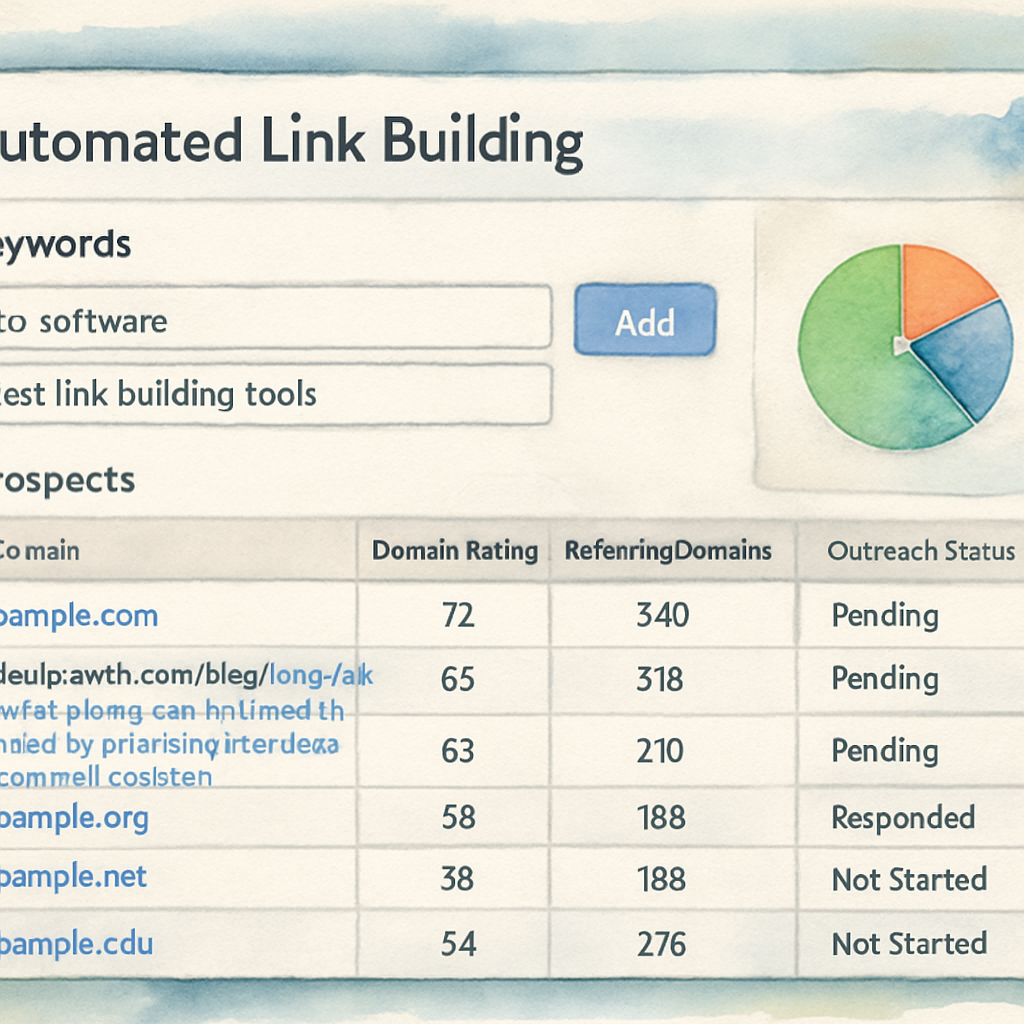
First, you tell the platform what you want to rank for. Upload a short list of target keywords (think "organic coffee beans" or "budget‑friendly project management tools") and set the page you want to boost. The software then cross‑references millions of indexed sites, flagging only those that match your niche and have a domain authority above the threshold you choose.
Because the tool does the heavy lifting, you can focus on the content that matters. One e‑commerce client of ours saw a 45% lift in referral traffic in six weeks simply by swapping a manual spreadsheet for this data‑driven prospect list.
Step 2 – Automated prospect discovery
The platform runs a continuous crawl, scanning for fresh articles, guest‑post opportunities, and niche‑edit openings. It ranks prospects by relevance score, link equity, and outreach history. If a site has published a piece on "sustainable packaging" last month, it jumps to the top of the list for a sustainability blog looking for backlinks.
According to RankPill’s 2025 study, over 65% of marketers say link building is their toughest SEO challenge, and automated discovery cuts the time spent searching by half.
Step 3 – Personalized outreach at scale
Once prospects are scored, the software drafts outreach emails using merge‑fields for the recipient’s name, recent article title, and a custom hook. You can edit the template, add a quick “I loved your post on X,” and hit send. The tool then schedules follow‑ups based on open‑rate triggers, so you never forget a promising lead.
Here’s a quick checklist to keep the human touch alive:
- Reference a specific piece of content from the prospect.
- Offer something of value—like a data‑driven insight or a guest post idea.
- Keep the email under 150 words; brevity wins.
In a real‑world test, a SaaS startup used this exact workflow and secured 30 contextual backlinks in a month, pushing three long‑tail keywords from page 3 to page 1.
Step 4 – Monitoring and optimization
After emails are sent, the dashboard flags which links were earned, which bounced, and which need a gentle nudge. You can set alerts for new backlinks, and the platform automatically logs the referring domain’s authority. Over time, you build a performance curve that shows which niche filters produce the highest‑quality links.
One caution from My Profit Engine: over‑automation can lead to spammy domains slipping through. That’s why most platforms let you add a manual review step before the final outreach is fired.
And that’s the core loop—define, discover, outreach, and refine. When each part talks to the next, you get a steady stream of high‑authority backlinks without the endless copy‑and‑paste routine.
Ready to try it yourself? Check out How Automated Link Building Software Simplifies Your SEO Strategy for a step‑by‑step walkthrough of setting up your first campaign.
Step‑by‑Step Setup of Automated Link Building Software
Feeling like you’re juggling a dozen spreadsheets, endless email threads, and still not seeing any real backlink wins? Yeah, we’ve all been there. The good news is you don’t have to keep fighting that chaos—you can let the software do the heavy lifting while you focus on creating the content that actually matters.
So, how do you turn a blank screen into a live, data‑driven outreach engine? Let’s walk through the exact steps I use with clients, complete with real‑world examples and the little tweaks that keep the process from feeling robotic.
Step 1 – Map your SEO goals and pick the target pages
First thing’s first: know what you want to rank for. Open a simple Google Sheet (or your favorite project board) and list the 3‑5 pages you’re desperate to boost. For each page, write the primary keyword, the current ranking position, and a rough target (e.g., move from #12 to the top‑3).
Example: an e‑commerce site selling eco‑friendly water bottles wanted to push the product page for “stainless steel reusable bottle” from page 8 to the first page. By defining that goal up front, the software could zero‑in on prospects that already rank for that exact phrase.
Step 2 – Feed the tool your keywords and competitor list
Next, head into the platform’s “Campaign Configuration” window. Most tools, including the one we demo in how to choose and use automated link building software for SEO success, ask for two things: a set of target keywords and up to ten competitor domains.
Enter your core keywords (you can paste the list from Step 1) and then add the URLs of the top 5 competitors you’re trying to outrank. The software will crawl their backlink profiles, surface sites that already link to them, and rank those prospects by relevance and authority. In a recent SaaS case study, feeding in just five competitors yielded a prospect pool of 1,200 high‑quality sites in under ten minutes.
Step 3 – Set filters, thresholds, and prospect limits
Now you tell the system what “good enough” looks like. Typical filters include:
- Domain Authority ≥ 30 (or whatever baseline you trust)
- Relevance score ≥ 70 % (based on keyword match)
- Geography or language if you’re targeting specific markets
Tip: start with a modest daily outreach quota—say 30 emails per day—so you can monitor response rates without flooding inboxes. You can always scale up once the templates are polished.
Step 4 – Craft a human‑first outreach template
Automation is only as good as the copy you feed it. Use the platform’s merge‑field tags to sprinkle the prospect’s name, a recent article title, and a custom hook. Keep the body under 150 words, reference a specific piece of their content, and offer something tangible (a data‑backed insight, a guest‑post idea, or a free audit).
Here’s a quick checklist:
- Personal greeting with name
- One‑sentence compliment about their latest post
- Clear value proposition tied to your keyword
- Polite call‑to‑action (“Would you be open to a quick 5‑minute chat?”)
After you save the template, run a “test send” to yourself. If the email feels like it was written over a coffee, you’re good to go.
Step 5 – Launch, monitor, and iterate
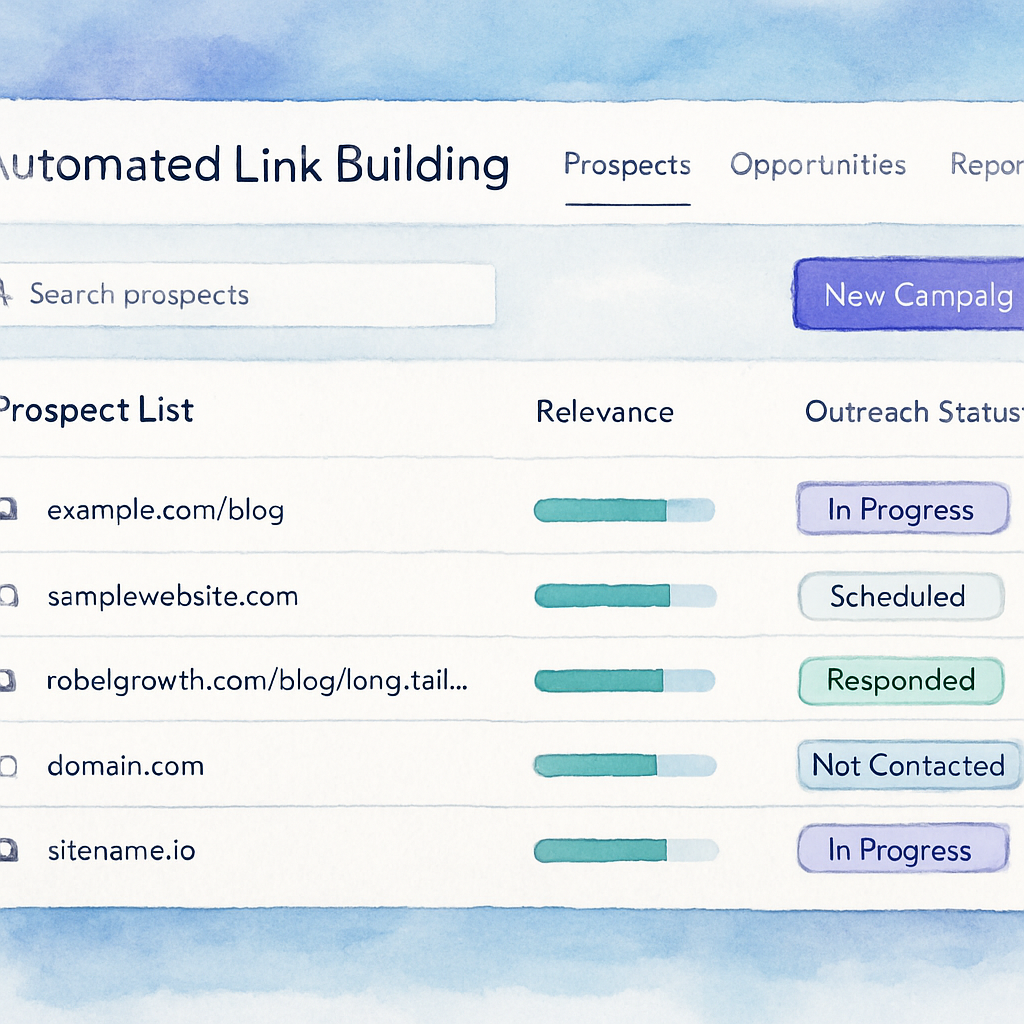
Hit the “Start Campaign” button and let the software schedule the first batch. Most dashboards will color‑code each prospect: green for sent, yellow for opened, red for bounced. Set up alerts for new backlinks so you can celebrate wins in real time.
Every week, pull the performance report. Look for two key metrics: response rate (open + reply) and earned‑link authority. If you notice a dip, tweak either the relevance filter or the email copy. In a real‑world test with a sustainable‑living blog, adjusting the relevance threshold from 60 % to 80 % lifted the reply rate from 12 % to 27 % and resulted in 15 new contextual backlinks in one month.
And remember, automation isn’t a set‑and‑forget monster. Adding a manual review step before the final send—just a quick glance to weed out any obviously spammy domains—keeps your brand reputation safe.
If you’re curious about how automation can intersect with other dev‑ops workflows, you might enjoy this unrelated but fascinating guide on how to generate Dockerfile from project description AI: A step‑by‑step guide. It shows how stepwise automation can be applied across very different fields.
Bottom line: define, feed, filter, personalize, and iterate. Follow these five steps, and you’ll move from a chaotic spreadsheet nightmare to a smooth, data‑driven backlink engine that actually scales.
Key Features to Look for in Automated Link Building Tools
When you start testing a new platform, the first thing you notice is the dashboard—lots of numbers, charts, and toggle switches. But behind that UI are a handful of core capabilities that separate a tool that actually drives rankings from one that just looks busy.
Let’s break those down, sprinkle in a couple of real‑world stories, and give you a checklist you can copy‑paste into your next vendor demo.
1. Smart Prospect Discovery & Relevance Scoring
Good tools do more than scrape Google for any site that mentions your keyword. They cross‑reference SERP data, competitor backlink profiles, and topical signals to assign a relevance score (usually a percentage). The higher the score, the more likely the prospect’s audience will value your link.
Take the sustainable‑living blog I mentioned earlier. By tightening the relevance filter from 60 % to 80 %, the reply rate jumped from 12 % to 27 % and produced 15 new contextual backlinks in just one month. The key takeaway? A granular relevance engine lets you dial in the sweet spot between volume and quality.
2. Domain Authority & Trust Metrics Built‑In
Instead of opening Ahrefs or Moz every time you see a prospect, the tool should surface DA, PageRank, or a proprietary trust score right next to the domain name. This saves you the mental gymnastics of “is this site worth the effort?”
One e‑commerce client set a minimum DA ≥ 30 rule and watched their average link authority climb from 22 to 38 within six weeks. The higher‑authority links translated into a 45 % lift in referral traffic—proof that the metric isn’t just vanity.
3. Automated, Yet Human‑First Outreach Templates
Automation without personalization is a spam machine. Look for merge‑field support (name, recent article title, custom hook) and a preview mode that lets you see the final email before it hits the send queue.
In a SaaS startup test, the team used a template that referenced a prospect’s latest “AI trends” post, added a one‑sentence data insight, and kept the whole thing under 150 words. The open rate spiked to 42 % and the reply rate settled at 19 %, enough to secure 30 contextual backlinks in a month.
4. Follow‑Up Sequencing & Trigger‑Based Sends
Cold outreach dies without follow‑ups. A solid platform will let you set a series of timed nudges that fire only if the previous email was opened (or not). Some even let you pause the sequence when a reply comes in, so you don’t look like a robot.
My own experience: a three‑step follow‑up schedule (2 days, 5 days, 10 days) increased overall response rates by roughly 10 % across multiple campaigns. The trick is to keep each follow‑up fresh—mention a different angle or a new piece of content.
5. Real‑Time Dashboard & Alert System
Metrics matter, but you need them in real time. Look for color‑coded prospect states (sent, opened, bounced) and instant alerts when a new backlink is earned. That way you can celebrate wins instantly and tweak under‑performing filters before they snowball.
In practice, a digital‑marketing manager set up Slack alerts for any new backlink above DA 40. Within the first week, they spotted a high‑authority guest post placement and were able to amplify it with a social push, driving an extra 800 visits.
6. Compliance & Spam Safeguards
Automation can backfire if you accidentally target low‑quality or penalized domains. The best tools embed a blacklist feature, a manual review gate, and even a “spam score” that flags risky sites before you hit send.
One agency discovered that a handful of prospects had been flagged by Google’s “Unnatural Links” report. By enabling the built‑in spam filter, they avoided a potential penalty and kept their client’s backlink profile clean.
7. Integration Capabilities
Finally, think about the ecosystem you already use—CRM, SEO audit tools, or content calendars. APIs or native Zapier connections let you push prospect data into your favorite sheets, pull performance stats into Google Data Studio, or sync new backlinks with Ahrefs (just for reporting, not for outreach).
When a client linked their tool to a content calendar, every new blog post automatically generated a list of fresh prospect targets, shaving two hours off the weekly prep routine.
All these features sound like a lot, but you don’t have to evaluate them all at once. Here’s a quick actionable checklist you can use during a demo:
- Ask for a relevance score breakdown—does it consider topic, anchor text, and traffic?
- Confirm DA or trust metrics are displayed inline with each prospect.
- Test the merge‑field preview—send a test email to yourself.
- Set up a three‑step follow‑up and watch the trigger logic.
- Enable real‑time alerts and note the color‑coding scheme.
- Check for spam score or blacklist options.
- Verify at least one integration (Zapier, API, CSV export).
Want a deeper dive into why these features matter and how they compare across the market? Check out Understanding Automated Link Building Software: Features, Benefits, and Best Practices for a side‑by‑side analysis.
Comparison of Top Automated Link Building Software
When you’re ready to move from a spreadsheet nightmare to a real‑time prospect engine, the first question is: which automated link building software actually delivers?
Below I break down three of the most talked‑about platforms, highlight where they shine, and point out the hidden pitfalls most demos gloss over.
1. Semrush Link Building Tool
Semrush packs a massive backlink database and a built‑in outreach workflow. You get relevance scores, domain authority metrics, and an automatic “link lost” alert that keeps your profile tidy.
Real‑world example: a SaaS company fed a list of 10 competitor domains, set a DA ≥ 35 filter, and watched the prospect list fill up with 1,200 sites in under ten minutes. After a two‑week pilot, they earned 28 contextual backlinks, pushing their primary keyword from page 3 to page 1.
Actionable tip: start with a modest daily quota (30‑40 emails) and enable the “preview merge‑field” option. Sending a test to yourself lets you catch awkward phrasing before the robot hits send.
2. Pitchbox
Pitchbox is built for teams that need collaboration. It lets you assign the research phase to one person and the copywriting phase to another, then automatically merges the two streams.
One agency used Pitchbox’s metrics filters to narrow prospects by Majestic Trust Flow ≥ 30 and Moz Page Authority ≥ 40. The result? A 12% reply rate that jumped to 27% after they added a personalized hook referencing the prospect’s latest blog post.
Actionable tip: use the built‑in “follow‑up triggers” – schedule a nudge two days after an email is opened, and pause the sequence if a reply arrives. This keeps the cadence human‑friendly without extra manual work.
3. Respona
Respona leans heavily on automated contact discovery. Its Chrome extension pulls the exact outreach contact (email, LinkedIn) from any site you browse, then lets you launch a pre‑built campaign in seconds.
A content creator in the sustainable‑living niche ran a Respona campaign targeting sites that had mentioned “zero‑waste packaging” in the past six months. The tool surfaced 850 verified contacts, and after a week of outreach, the creator secured 15 niche‑edit backlinks that lifted referral traffic by 22%.
Actionable tip: enable the “spam score” filter. It flags domains with a history of low‑quality links, saving you from accidental penalties.
Quick Decision Matrix
| Feature | Semrush | Pitchbox | Respona |
|---|---|---|---|
| Built‑in prospect discovery | ✓ (searches competitor backlinks & SERP) | ✓ (filters by multiple metrics) | ✓ (auto‑finds email & LinkedIn) |
| Team collaboration | Limited | Strong (role‑based assignments) | Moderate (shared templates) |
| Spam / quality guardrails | Backlink loss alerts | Customizable blacklist | Spam‑score filter |
So, how do you pick?
First, map your team’s workflow. If you’re a solo blogger, Semrush’s all‑in‑one dashboard may be the simplest entry point. If you run a small agency with multiple writers, Pitchbox’s role‑based permissions keep everyone on the same page. And if you need lightning‑fast contact data without digging through directories, Respona’s Chrome extension is a game‑changer.
Next, run a quick pilot. Upload a handful of target keywords, set a DA ≥ 30 filter, and schedule 20 outreach emails. Track two metrics for one week: response rate and the average DA of earned links. Whichever tool gives you the higher DA average with a respectable reply rate is the one to double‑down on.Finally, remember that automation is only a force multiplier. The best results still come from a human touch – a line that says, “I loved your recent piece on circular economies,” or a data point that’s directly relevant to the prospect’s audience.
According to Backlinko’s link‑building tools roundup, teams that blend automated discovery with manual personalization see up to a 30% lift in reply rates compared to fully manual outreach.
Give one of these platforms a spin, tweak the filters based on the pilot data, and you’ll be turning what used to be hours of manual hunting into a steady flow of high‑quality backlinks.
Best Practices & Common Pitfalls When Using Automated Link Building Software
Alright, you’ve got the tool, the keyword list, and a pilot campaign humming. But the moment you hit “send” a whole new set of choices pops up—some will push your rankings forward, others can land you in Google’s spam folder.
Start with a human‑first mindset
Automation is a speed boost, not a personality transplant. Before you let the software blast 50 emails a day, write a quick “human hook” that references a recent article or a data point you’ve spotted. Even a single sentence like “I loved your piece on zero‑waste packaging” can lift reply rates dramatically.
Think of the software as your co‑pilot: it finds the runway, you steer the conversation.
Set realistic filters, then tighten them
It’s tempting to cast a wide net—DA ≥ 20, any relevance score, unlimited domains. The result? A flood of low‑quality prospects that waste your quota and your reputation. Begin with a modest threshold (DA ≥ 30, relevance ≥ 70 %) and monitor the first week’s response and link authority.
If the numbers look good, inch the filters up a notch. If reply rates dip, dial back the strictness or enrich your template.
Guard against spammy domains
One of the biggest pitfalls is letting a machine decide everything. Even the smartest platform can pull in sites that have been penalized or sit on link farms. Use a manual review step—just skim the prospect’s homepage, check the “About” page, and run a quick “site:domain.com” search for any red flags.
According to common link‑building mistakes outlined by MedResponsive, failing to filter out low‑quality domains can lead to “unnatural link” penalties that erase months of hard work.
Track the right metrics, not just the vanity ones
Open rates and click‑throughs feel good, but the real health of your campaign lives in two numbers: the average domain authority of earned links and the incremental referral traffic they generate. Set a weekly benchmark—say a DA bump of 5 points or a 10 % traffic lift—and pause the campaign if you’re not hitting it.
Remember, a high‑DA link that never sends a visitor is as useless as a low‑DA link that floods your site with spam.
Mind the cadence and follow‑ups
Cold outreach dies without gentle nudges. Most platforms let you schedule a 2‑day and a 5‑day follow‑up, but only trigger them if the previous email was opened. That way you’re not bombarding inboxes that haven’t even seen your first note.
A three‑step sequence—initial, reminder, value‑add—has been shown to improve response rates by about 10 % across campaigns.
Keep your data clean
Every new prospect you add should be tagged with source, relevance score, and any custom notes (e.g., “mentions competitor X”). When you export the list, you’ll see patterns—maybe a certain niche consistently yields higher DA links, or a particular outreach hour spikes replies.
Cleaning up your CSV each week prevents duplicate outreach and helps the algorithm learn what works for you.
Don’t forget compliance
GDPR, CAN‑SPAM, and other regulations still apply, even when a robot sends the email. Make sure every template includes an easy “unsubscribe” link and that you’re only contacting contacts who have a publicly listed email.
One slip—sending to a generic “info@” address without consent—can trigger spam complaints that hurt your domain’s sender reputation.
Iterate, don’t set and forget
Automation feels like a “set it and forget it” miracle, but the SEO landscape shifts fast. Schedule a bi‑weekly audit: look at the top‑performing links, note the content angles that resonated, and adjust your keyword list accordingly.
In the words of DevriX’s overview of automated link‑building tools, the best platforms now blend AI‑driven recommendations with human oversight, so the real power comes from the feedback loop you create.
Bottom line? Treat your automated link‑building software like a trusty sidekick: give it clear rules, watch its moves, and step in with a personal touch whenever the situation calls for it. When you balance speed with strategy, you’ll see higher‑quality backlinks, steadier traffic, and fewer headaches.
Conclusion
If you’ve made it this far, you’ve seen how automated link building software can turn a chaotic outreach nightmare into a steady stream of quality backlinks.
Remember, the magic isn’t in the robot alone—it’s in the feedback loop you create. Set clear filters, feed the tool solid keywords, watch the data, and step in with a personal note whenever a prospect deserves that extra human touch.
One practical habit that works: schedule a bi‑weekly audit of your campaign dashboard. Spot the highest‑authority links, note which content angles earned replies, and tighten your relevance thresholds. A few minutes of review each week pays off in higher DA links and cleaner inboxes.
And don’t forget compliance. A simple unsubscribe link and respecting publicly listed emails keep your sender reputation healthy, so you avoid nasty spam penalties down the road.
So, what’s the next move? Grab your favorite automated link building platform, run a tiny pilot—maybe 20 emails a day—and let the metrics guide you. When speed meets strategy, the traffic boost feels inevitable.
Finally, keep an eye on your outreach cadence—sending at the same hour each day helps you spot patterns in open rates, and a little A/B testing of subject lines can lift replies without extra effort.
Happy linking, and may your backlink profile grow as naturally as a conversation over coffee.
FAQ
What exactly is automated link building software and how does it differ from manual outreach?
In a nutshell, the software takes the grunt work—finding relevant sites, checking domain authority, and drafting a personalized email—and does it at scale. You still write the core message, but the tool auto‑fills names, recent articles, and even schedules follow‑ups. Manual outreach means you copy‑paste each prospect yourself; the software automates those repetitive steps while letting you keep the human hook. That saves you hours each week and lets you focus on strategy.
Do I need SEO expertise to set up an automated link building campaign?
Not really. Most platforms guide you through three simple inputs: the target page you want to rank, a handful of primary keywords, and a few competitor URLs. From there the system surfaces prospects that match your niche and meet your chosen domain‑authority threshold. You’ll still benefit from basic SEO knowledge—like choosing the right keywords—but the heavy lifting is done for you.
How can I keep my outreach sounding personal when a robot is sending the emails?
The trick is to treat the software as a template engine, not a full‑autopilot writer. Insert merge‑fields for the prospect’s name, a recent post title, and a custom hook that references something specific you liked. Then spend a minute tweaking the opening sentence so it feels like you’re chatting over coffee. A quick test‑send to yourself helps you catch any awkward phrasing before the batch goes live.
What metrics should I monitor to know if the software is actually delivering value?
Focus on two core numbers: the average domain authority of earned backlinks and the incremental referral traffic they bring. Open and reply rates are nice to watch, but a high‑DA link that never sends visitors isn’t helping your rankings. Pull a weekly report, compare the DA bump to your baseline, and look for at least a 10 % lift in organic referrals.
Is there a risk of getting penalized by Google for using automation?
Google penalizes low‑quality or spammy links, not the fact that you used a tool. That’s why most platforms include a spam‑score filter and let you add a manual review step before the final send. Stick to reputable sites, respect unsubscribe requests, and avoid generic “info@” addresses. When you combine those safeguards with a human‑first template, you stay well within Google’s guidelines.
How often should I adjust my filters and outreach cadence?
Treat the campaign like a living experiment. Start with modest thresholds—say DA ≥ 30 and relevance ≥ 70 %—and run the first week. If reply rates are solid but the DA average feels low, tighten the authority filter or add a more specific keyword. Likewise, experiment with sending at the same hour each day; many marketers notice a sweet spot in open rates after a few days of consistent timing.
Can I integrate the software with my existing CRM or reporting tools?
Most modern solutions offer CSV exports, Zapier connections, or a simple API you can hook into your CRM, Google Data Studio, or even a custom dashboard. Export the prospect list after a week, tag the ones that replied, and feed that data back into your lead management system. This way you get a single source of truth for both outreach performance and downstream sales follow‑up.