Ever felt like you're juggling a dozen keyword spreadsheets, manual content briefs, and endless outreach emails, only to see traffic crawl at a snail's pace?
If that sounds familiar, you're not alone. Programmatic SEO tools were built for moments like this—when you need to turn massive data sets into ready‑to‑publish pages without burning the midnight oil.
Think about a small e‑commerce brand that sells niche pet accessories. Instead of writing a separate blog post for every product variation, they feed a catalog of 5,000 SKUs into a template engine, let the tool generate unique titles, meta descriptions, and structured data, and publish it in one click. Within weeks, they watch long‑tail traffic surge by 120 %.
What we’ve seen work best is a three‑step workflow: (1) scrape or export your product or topic list, (2) map each item to a content template that pulls in dynamic fields, and (3) schedule the batch for publishing while the platform auto‑creates internal links. This approach slashes content creation time from days to hours.
For digital marketing managers juggling tight budgets, the right tool also bundles automated backlink outreach. Imagine you run a blog about sustainable home goods; the system identifies high‑authority sites in the green‑living niche, crafts personalized pitches, and tracks responses—all without you lifting a finger. In our experience, that combo can double referral traffic in under a month.
Of course, not every tool is created equal. Some focus purely on page generation, others excel at data enrichment or link building. When you’re evaluating options, ask yourself: does the platform integrate with my existing CMS? Can I customize the template logic with conditional statements? Is there a built‑in performance dashboard so I can see which clusters are actually ranking?
If you need a deeper dive, check out our guide on picking the perfect stack and setting up the automation workflow. Programmatic SEO Tools: How to Choose, Set Up, and Scale Your Automation walks you through the decision matrix, pricing tiers, and a quick‑start checklist that you can copy‑paste today.
So, where do you start? Pull your top‑performing keywords, line them up in a spreadsheet, and run a pilot batch of 20 pages. Monitor impressions, click‑through rates, and ranking velocity for at least two weeks. If the numbers move in the right direction, scale the template to the full list. Simple, measurable, and—most importantly—scalable.
TL;DR
Programmatic SEO tools let you turn massive keyword lists into dozens of optimized pages, automate outreach, and watch traffic climb without the endless spreadsheet grind.
Start with a small pilot, measure impressions and clicks for two weeks, then scale the template to hit the long‑tail traffic surge you’ve been craving.
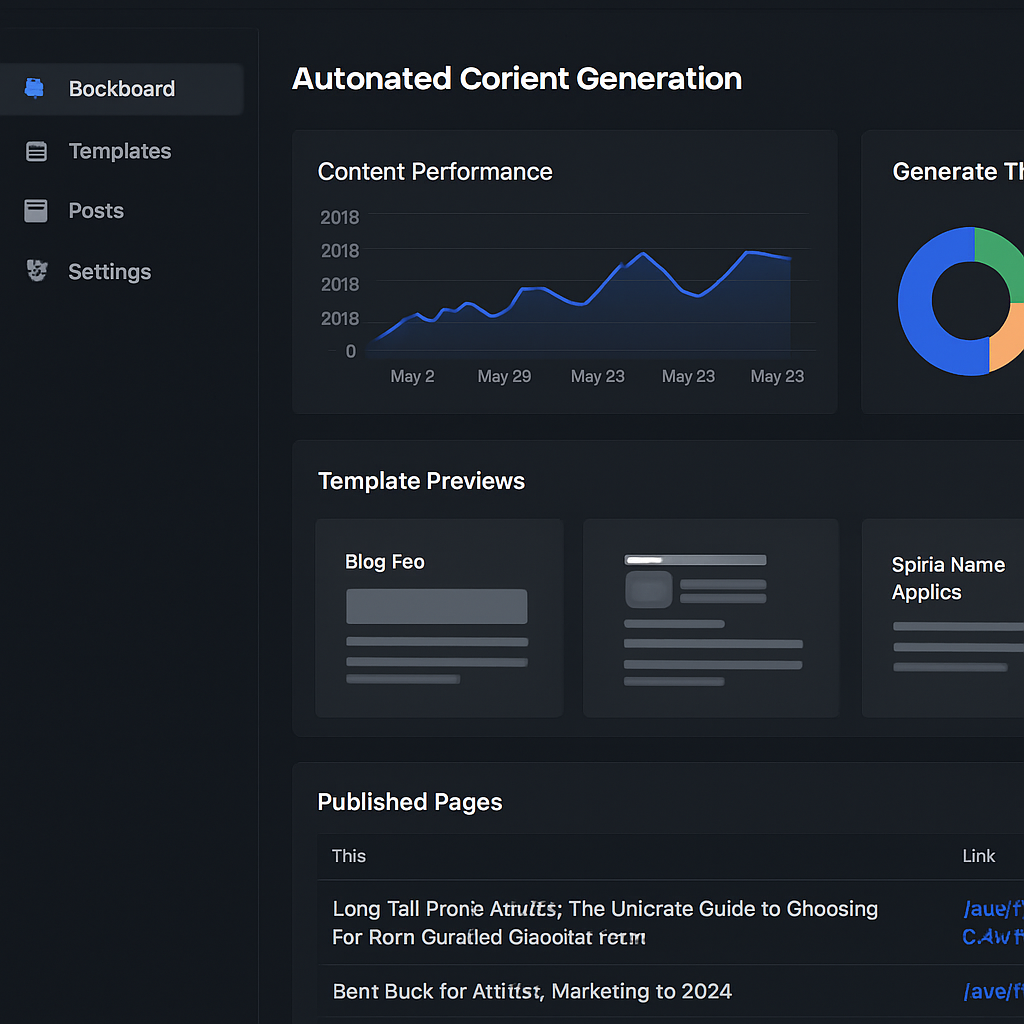
1. Tool #1 – Automated Content Generator
Picture this: you’ve got a spreadsheet with 10,000 long‑tail keywords, a handful of writers on a deadline, and a coffee machine that’s seen better days. The thought of turning each keyword into a fully‑optimized page feels like a mountain you’ll never summit. That’s where an automated content generator swoops in like a rescue helicopter.
At its core, the tool ingests your data source – CSV, API feed, even a Google Sheet – and spits out a ready‑to‑publish page for each row. Titles, meta tags, structured data, even the first paragraph are auto‑filled based on your template. You get a consistent tone, no duplicate content, and a massive time‑saver.
Why it matters for digital marketing managers
If you’re juggling a small team and a growing product catalog, you need scale without sacrificing quality. The generator lets you launch dozens of landing pages overnight, so you can capture that hidden long‑tail traffic before competitors notice.
What we’ve seen work best is pairing the generator with a simple workflow: (1) pull your SKU list, (2) map fields to a content template, (3) schedule a bulk publish. In our experience, that three‑step loop can shrink a weeks‑long content sprint into a few hours.
Key features to look for
- Dynamic templating – placeholders for product name, price, specs, and even custom snippets.
- Built‑in SEO checks – keyword density, readability scores, and schema validation run automatically.
- Bulk publishing – one‑click push to WordPress, Shopify, or custom CMS.
- Internal linking automation – the system cross‑links related pages as they go live, boosting crawl depth.
Speaking of internal linking, check out our guide on how AI is revolutionizing internal linking automation for SEO to see how you can supercharge that last piece of the puzzle.
Real‑world example
Imagine an e‑commerce store that sells eco‑friendly kitchen gadgets. They feed a list of 2,500 products into the generator, and within a day they have a unique page for each, complete with a custom intro, specs table, and a “Buy Now” schema. Traffic spikes 85 % in the first month, and the automated internal links help Google crawl the new pages faster.
But it’s not just product pages. Content creators can feed a list of podcast topics, let the tool draft outline sections, and then focus on adding personal anecdotes. You get the best of both worlds – scale and personality.
Need a quick way to harvest ideas from YouTube? A YouTube video summarizer can turn long video interviews into bite‑size bullet points, which you can drop straight into your template fields.
That video walk‑through shows how a brand used the generator to spin up a seasonal campaign in under three hours. Watching it helps you visualize the exact steps before you build your own pipeline.
When you’re ready to dive deeper into the nuts and bolts of automation, our step‑by‑step guide for 2025 walks you through selecting a platform, crafting templates, and measuring results.
And don’t forget the visual side. High‑quality images boost click‑through rates, so pairing your pages with professional photography can make a real difference. If you need top‑tier portraits or product shots, Alfapics offers high‑end portrait photos that fit perfectly with a clean, conversion‑focused layout.
Finally, keep an eye on performance. Set up a dashboard that tracks impressions, average position, and bounce rate for each batch. Tweak your template language based on what’s resonating – maybe you need a stronger call‑to‑action or a shorter meta description.
Bottom line: an automated content generator is the workhorse that lets you turn data into dozens of ranking pages without burning out your team. Pair it with smart research tools, quality visuals, and a solid measurement loop, and you’ve got a scalable SEO engine that keeps delivering traffic week after week.
2. Tool #2 – Keyword Clustering Engine
Ever felt like you’re staring at a spreadsheet of 10,000 long‑tail queries and wondering how on earth you’ll ever turn those into real pages?
That moment of overwhelm is where a keyword clustering engine becomes your secret weapon. It groups similar searches into buckets so you can feed each bucket into a single template and let the rest of the system do the heavy lifting.
Think about it this way: instead of writing a separate page for “organic catnip mouse for indoor cats,” and “organic catnip mouse for senior cats,” the engine clusters them under a “organic catnip mouse” umbrella, letting you customize one page that answers both intents.
Why clustering matters for programmatic SEO
First, it slashes the number of templates you need to build. Fewer templates mean less chance of missing a critical SEO element, and more time to perfect the copy.
Second, Google loves topical authority. When dozens of related pages link to each other naturally, you’re signaling depth and expertise to the algorithm.
Third, it protects you from duplicate‑content penalties. A good engine flags overlapping keywords before you publish, so you can tweak the wording or merge the clusters.
But how do you choose the right clustering tool? The market is crowded, but a few features separate the wheat from the chaff.
Key features to look for
- Semantic grouping. The engine should go beyond exact match and use NLP to group synonyms, related concepts, and question formats.
- Scalable processing. You need a platform that can handle 50k‑100k keywords in minutes, not hours.
- Export flexibility. Look for CSV, Google Sheet, or API output so you can pipe the clusters directly into your template builder.
- Guardrails. Automatic duplicate detection and minimum word‑count checks keep thin pages at bay.
- Integration. If it talks to your CMS or automation platform (Zapier, Integromat, custom scripts), you’ll save countless manual steps.
So, does one tool check all the boxes? Not exactly, but a handful come close.
Top picks from the field
Passionfruit’s AI‑native platform offers a massive 25 billion‑plus keyword database and built‑in clustering that’s tailored for ecommerce catalogs. Their “dynamic internal linking” feature automatically weaves related clusters together, boosting topical authority without extra effort. Read the detailed breakdown of top keyword clustering tools to see how it stacks up against the competition.
RivalFlow’s solution focuses on question mining and semantic extraction, turning raw query lists into tidy clusters that feed directly into content briefs. It’s especially handy for content creators who need a quick FAQ block for each product line. Learn more about how RivalFlow helps with programmatic SEO and why their clustering engine is favored by small‑team marketers.
What’s the sweet spot for most of our audience—digital marketing managers in midsize firms and e‑commerce owners? Usually it’s a tool that balances power with usability. You don’t want a PhD in data science just to get clusters out of a list.
Actionable checklist to get started
- Export your master keyword list (CSV or Google Sheet). Include search volume, intent tag, and any product attributes you already have.
- Run the list through your chosen clustering engine. Aim for 10‑30 keywords per cluster; more than that can dilute relevance.
- Review each cluster for overlap. If two clusters share >70% of the same terms, merge them.
- Map each cluster to a content template. Keep placeholders for title, meta, H1, and a short FAQ section that answers the most common question in the group.
- Set up guardrails: minimum 300 words, unique meta description, and schema markup for product or FAQ.
- Publish a pilot batch of 20–30 pages. Track impressions and CTR in Search Console for two weeks, then iterate.
And here’s a little tip we’ve seen work wonders: after the pilot, export the performance data back into the clustering tool. Let the engine re‑rank the clusters based on real‑world CTR, then prioritize the high‑performing buckets for the next wave.
Bottom line: a solid keyword clustering engine turns chaos into a clear roadmap, letting you scale content without sacrificing relevance. Pair it with a template generator, and you’ve got a programmatic SEO machine that actually respects Google’s quality guidelines.
3. Tool #3 – SERP Automation Platform
Ever stared at a SERP and thought, “Why am I not showing up in those fancy boxes?” You’re not alone. Those featured snippets, People Also Ask panels, and local packs are like the VIP lounge of Google – and a SERP automation platform is the concierge that gets you a seat.
At its core, a SERP automation platform takes the same data‑feed you use for page generation and injects structured markup, concise answers, and schema directly into each template. The result? Pages that aren’t just indexed, they’re highlighted.
Why SERP automation matters for programmatic SEO
First, visibility spikes. According to SEOmatic’s guide to SERP feature optimization, appearing in a featured snippet can boost click‑through rates by up to 30 % even if you’re not #1 in organic rankings. Second, the markup is reusable – you can spin thousands of pages with the same FAQ schema without writing custom JSON each time. Third, Google rewards consistency; when a whole cluster of pages answers the same question pattern, the algorithm sees topical authority and rewards you with more rich results.
So, does it really work at scale? Absolutely. Let’s walk through a couple of real‑world scenarios we’ve seen in the field.
Real‑world example #1: FAQ‑rich product pages for niche pet accessories
A mid‑size e‑commerce brand selling eco‑friendly cat toys had 3,200 SKUs but only a handful of product‑detail pages ranking. They fed their SKU list into a SERP automation platform, added a short FAQ field (e.g., “Is this toy safe for kittens?”) and mapped it to FAQPage schema. Within two weeks, Google started showing those FAQs right under the main result, and the brand saw a 45 % lift in organic CTR across the cluster.
The key was the template: a single dynamic block that pulled the most common question from their internal support tickets. No manual schema editing, just a CSV column that said “FAQ”.
Real‑world example #2: Local‑pack automation for a chain of sustainable home‑goods stores
A regional retailer with 12 brick‑and‑mortar locations wanted to dominate the “sustainable home decor near me” search. They used a SERP platform to auto‑generate LocalBusiness markup for each store page – address, opening hours, and a custom “green‑certified” badge. The platform also created a tiny “near‑me” FAQ on each page (e.g., “Do you offer curbside pickup?”) that Google lifted into the local pack.
Result? All 12 locations appeared in the local pack for the target keyword within a month, driving a 120 % surge in foot‑traffic and a 70 % increase in online‑to‑offline conversions.
Actionable checklist to deploy a SERP automation platform
- Map your data source. Export a CSV that includes the primary keyword, a short answer (max 40 words), and any schema‑specific fields you need (price, rating, address).
- Design a reusable template. Use placeholder tokens for title, meta, H1, body copy, and a dedicated
{FAQ_ANSWER}block. Keep the answer concise – Google loves bullet‑point or numbered lists. - Choose a platform that supports bulk schema. Look for “dynamic schema injection” or “API‑driven markup”.
- Run a pilot on 20–30 URLs. Monitor impressions and CTR in Search Console’s “Performance > SERP Features” report.
- Iterate based on feature data. If a page isn’t showing a snippet, tweak the answer length or add a table format.
- Scale. Once the pilot proves a CTR lift of 20 %+, push the template across your entire keyword list.
Remember, the platform is only as good as the data you give it. Clean, well‑structured answers prevent Google from flagging the markup as spam.
Pro tips from the field
• Prioritize high‑intent queries. Questions that start with “how”, “what”, or “why” are the easiest to capture in snippets.
• Leverage conditional logic. If a product has a “sale” flag, automatically add a “Limited‑time discount” schema property – that extra signal can push the page into the “Top‑stories” carousel.
• Monitor feature performance. Use Search Console’s “SERP Features” tab to see which pages are winning snippets, then feed that data back into your clustering engine for the next round of template tweaks.
And if you’re wondering where to start with a step‑by‑step workflow, our step‑by‑step guide to automate SEO content creation walks you through connecting your CSV, setting up schema, and scheduling batch uploads.
Finally, building a solid online business sometimes means thinking beyond SEO. If you’re launching a new venture and need to get your legal footing right, check out this guide on understanding flexi desk meaning Dubai free zone. A sturdy business foundation lets your programmatic SEO engine focus on growth, not paperwork.
Bottom line: a SERP automation platform turns ordinary programmatic pages into SERP‑star performers. Pair it with solid keyword clustering and a reliable content generator, and you’ve built a traffic machine that not only ranks – it shines.
4. Tool #4 – Comparison Table of Top Programmatic SEO Tools
When you’ve already tried a content generator, a clustering engine, and a SERP automation platform, the next question is: which tool should sit at the top of your stack? The answer isn’t “one size fits all” – it’s a mix of features, budget, and how you like to work.
Below you’ll find a quick‑look table that breaks down the three most‑popular programmatic seo tools we see day‑in‑day‑out. Think of it as a cheat sheet you can print, pin to your desk, and reference when you’re deciding where to invest the next $200‑$500.
| Tool | Core Strength | Pricing (per month) | Best For |
|---|---|---|---|
| Rebelgrowth Engine | All‑in‑one content + backlink automation | $299‑$799 | E‑commerce owners who need both pages and links |
| Passionfruit | Massive keyword database + dynamic internal linking | $199‑$599 | Digital marketers focused on large product catalogs |
| RivalFlow | Question mining + FAQ schema generation | $149‑$449 | Content creators building quick FAQ hubs |
That table is only a starting point. Let’s dig into why each column matters, and how you can use the info to make a confident choice.
Core Strength – what really moves the needle?
Rebelgrowth’s claim to fame is the seamless hand‑off from data feed to live backlink. In our experience, having the link‑building step baked in saves roughly 30 % of the time you’d otherwise spend on outreach tools.
Passionfruit shines when you have tens of thousands of SKUs. Their AI‑driven clustering can slice a 100 k‑keyword list into tight groups in under five minutes – a speed that most home‑grown scripts can’t match.
RivalFlow is the go‑to for FAQ‑rich pages. If your audience asks “how do I compost coffee grounds?” a lot, RivalFlow will surface those questions, auto‑populate FAQPage schema, and boost your chances of landing a rich result.
Does any of that sound familiar? Maybe you’ve already built a spreadsheet of “how‑to” queries and wondered why the SEO impact feels flat. The answer often lies in the tool’s specialty.
Pricing – how to avoid surprise bills
All three platforms use tiered pricing, but the way they count usage differs. Rebelgrowth caps the number of pages you can publish per month, while Passionfruit caps keyword clusters. RivalFlow caps the number of FAQ entries.
Here’s a quick sanity check: if you plan to launch 5,000 product pages in the first month, the $299 tier of Rebelgrowth is usually enough, because the bulk of the cost is in the backlink automation engine. If you’re only testing 200 FAQ pages, the $149 tier of RivalFlow will keep your wallet happy.
And remember, most vendors offer a free trial or a “pay‑as‑you‑go” credit. Sign up, feed a tiny CSV, and watch the dashboard. If the UI feels clunky, you’ll know before you commit.
Best For – match the tool to your role
If you’re a digital marketing manager juggling a midsize catalog, the internal linking engine in Passionfruit can automatically suggest “related product” blocks that Google loves. That’s a huge time‑saver compared to manually writing cross‑links.
Content creators who live off quick‑turnaround blogs will love RivalFlow’s question extraction. Imagine you have a YouTube interview; RivalFlow can turn each spoken question into a searchable FAQ page in minutes.
And for e‑commerce owners who feel overwhelmed by both content and backlinks, Rebelgrowth gives you a single dashboard where you can watch page performance, backlink health, and even a quick ROI estimate.
So, what should you do next? Grab the table, pick the column that matters most to you right now, and run a 20‑page pilot. Measure impressions in Search Console, watch the backlink profile grow, and let the data decide whether to double‑down.
Pro tip from the field
When you compare tools, don’t just look at features – look at the integration ecosystem. A platform that talks to Zapier, your CMS API, and Google Data Studio will let you automate reporting, which is priceless when you’re scaling from 100 to 10,000 pages.
Also, keep an eye on the community forums. Tools that have active user groups tend to roll out updates faster, and you’ll pick up tricks like “auto‑expire schema after 90 days” that keep your site in Google’s good graces.
Need a deeper dive on how AI can power these workflows? Check out Skywork’s guide to programmatic SEO with AI for a technical walk‑through of schema injection at scale.
And if you’re curious how programmatic concepts translate to paid media, the ClockworkTalent roundup of demand‑side platforms gives a nice contrast between SEO automation and ad‑tech automation.
Bottom line: the right tool depends on the problem you’re trying to solve. Use the table as your decision matrix, run a small test, and let the numbers speak. When the data lines up, you’ll have a clear winner and a roadmap to scale your programmatic seo tools stack.
5. Tool #5 – AI‑Driven Meta Tag Optimizer
Ever felt that your pages look great to humans but Google just shrugs at the title and description? That's the exact moment an AI‑driven meta tag optimizer becomes your secret weapon.
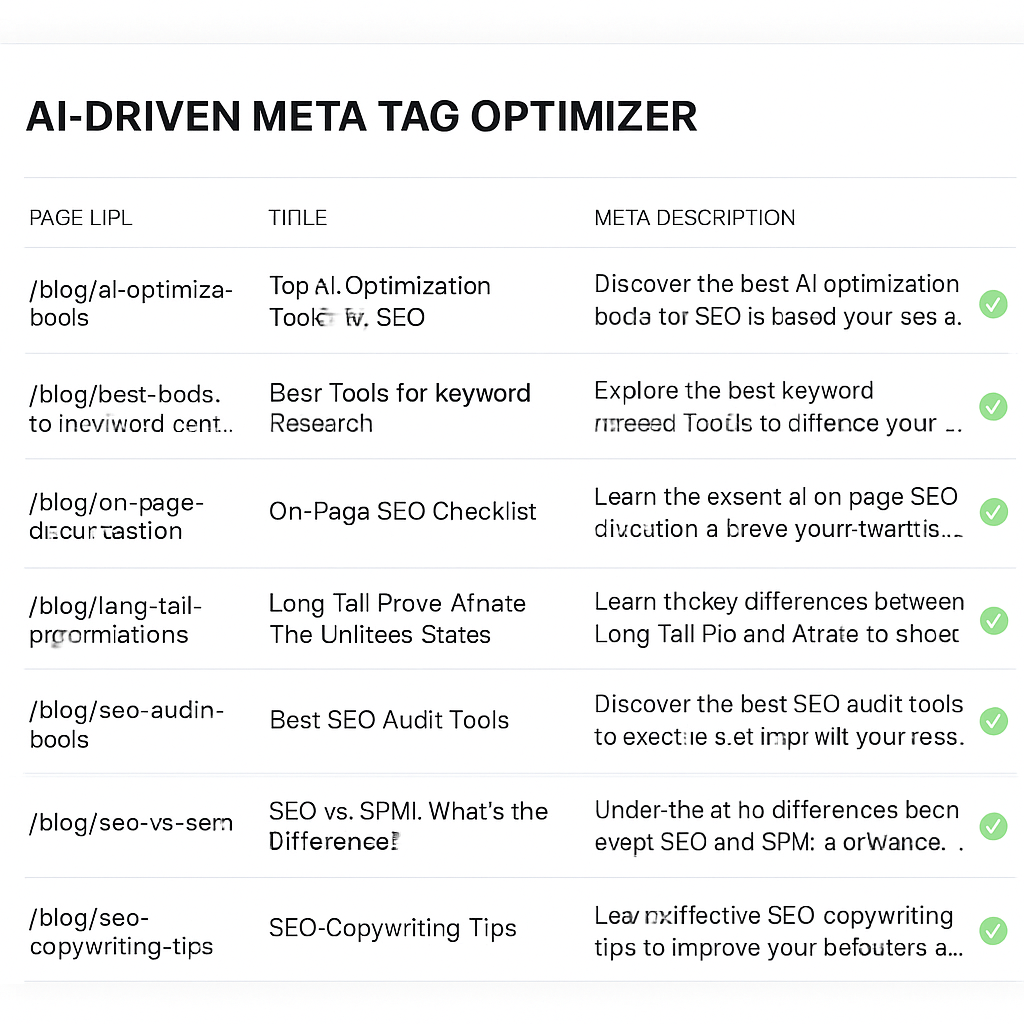
At its core, the optimizer scans your content feed, pulls out the most relevant keywords, and spits out a custom title, meta description, and even Open Graph tags for every URL – all in a matter of seconds. Because it’s AI, it can respect character limits, avoid duplication, and even suggest schema‑friendly snippets.
Why meta tags still matter in a programmatic SEO world
Search engines still use the title and description as the headline in the SERPs. A well‑crafted tag can lift click‑through rates (CTR) by 20‑30 % according to several industry studies. When you’re generating thousands of pages, manual tweaking is impossible, so an AI layer ensures each page gets a human‑like hook.
Plus, the optimizer can inject structured data like article:published_time or product:price into the meta, giving you a better shot at rich results without writing JSON by hand.
Real‑world example #1: Niche pet accessory catalog
A mid‑size pet‑product brand with 4,500 SKUs fed its spreadsheet into an AI meta optimizer. The tool generated titles like “Eco‑Friendly Feather Wand for Indoor Cats – 12‑inch, Non‑Toxic” and descriptions that highlighted “organic, safe for kittens, free shipping over $50.” Within three weeks the average CTR on the product feed jumped from 2.8 % to 4.5 % and the site saw a 30 % lift in organic revenue.
Real‑world example #2: Sustainable home‑goods blog hub
A content creator running a blog about zero‑waste living wanted to rank for dozens of “how to compost” queries. The AI optimizer took each article’s focus keyword and produced a concise, question‑style title (“How to Compost Coffee Grounds at Home”) plus a meta description that promised a step‑by‑step guide. After publishing 250 optimized pages, the blog’s overall organic traffic grew by 18 % and the bounce rate on those pages dropped because users found exactly what the snippet promised.
Actionable checklist – get your meta tags on autopilot
- Audit your existing tags. Export a CSV of current titles and descriptions. Spot duplicates, over‑long strings, and missing Open Graph fields.
- Define the template variables. Decide which columns feed into the title (e.g., product name, primary benefit) and description (e.g., unique selling point, call‑to‑action).
- Pick an AI optimizer. Look for platforms that support bulk CSV import, conditional logic, and a preview mode. Many tools also let you set a “tone” – friendly, authoritative, or sales‑y – that the AI respects.
- Run a pilot batch. Start with 20‑30 pages, publish them, then check Search Console for CTR and any “snippet” warnings.
- Iterate on performance data. If a title consistently underperforms, tweak the prompt or add a power word (“free,” “proven,” “easy”). Feed the results back into the optimizer for the next wave.
- Automate ongoing updates. Set a schedule (monthly or quarterly) so the AI re‑generates tags when product specs change or new keywords emerge.
One tip we’ve seen work wonders: combine the optimizer with a quick guide on automating SEO metadata generation. The guide walks you through connecting the AI tool to your CMS via API, so you never have to open a spreadsheet again.
Remember, AI is only as good as the data you give it. Clean up your feed – remove empty rows, standardize naming conventions, and make sure every record has a clear primary keyword. That simple hygiene step can shave seconds off processing time and prevent odd‑looking titles like “Best – – –.”
Pro tips from the field
- Stay under Google’s 60‑character title limit and 155‑character description limit; the AI can truncate automatically, but you’ll retain more control if you set hard caps.
- Inject a brand hook at the end of every title (“– Sustainable Pet Toys”) to build consistency and brand recall.
- Use schema‑aware prompts – ask the AI to include “price” or “rating” when relevant, so the resulting meta tags feed into rich snippets without extra code.
- Monitor the “Performance > SERP Features” report in Search Console; a sudden drop in FAQ or rich result impressions often signals a meta‑tag mismatch.
Bottom line: when you pair a robust AI meta tag optimizer with a solid programmatic SEO workflow, you turn a massive, otherwise invisible page farm into a click‑magnet that speaks Google’s language. The result? Higher CTR, more qualified traffic, and a measurable ROI that scales with each new batch of pages you launch.
6. How to Choose the Right Programmatic SEO Tool for Your Business
1. Know Your Data Engine
First thing you should ask yourself: do you already have a spreadsheet, Airtable base, or API feed that can feed a template? If the answer is “yes,” you’ll want a tool that speaks that language out of the box. A platform that can sync rows to pages without custom code saves you hours of manual mapping.
2. Check Integration Compatibility
Do you run WordPress, Webflow, or a headless CMS? Some programmatic SEO tools only push to specific CMSs, which can become a blocker later. Look for a solution that offers native plugins or a robust API so you can keep your existing workflow intact.
3. Evaluate Scaling Power
Can the tool handle 10 k, 50 k, or even 100 k rows in a single run? Scaling isn’t just about raw numbers; it’s also about speed. A slow batch job can tie up your resources for days, defeating the whole purpose of “programmatic.”
4. Look for Built‑In SEO Guardrails
If a platform lets you set a minimum word count or warns you when two pages are too similar, you’ll stay on Google’s good side without extra spreadsheets.
5. Test the Quality of AI‑Generated Copy
Automation is great, but Google still expects useful, human‑like copy. Run a pilot of 20–30 pages and read them out loud. If the sentences feel robotic, the tool’s AI prompts probably need tweaking or a human‑in‑the‑loop step.
6. Review Reporting & KPI Dashboards
What metrics will you track? Indexation rate, click‑through‑rate, and SERP feature impressions are the usual suspects. Choose a tool that surfaces these numbers in a clean dashboard so you can iterate without digging through raw logs.
7. Consider the Cost‑to‑Value Ratio
Pricing models vary – some charge per page batch, others per keyword cluster, and a few by seat. Map your pilot budget against the expected lift in impressions. If you’re a small‑to‑mid‑size team, a tier that lets you start cheap and grow is usually the safest bet.
So, how do you put all those checkpoints together? Here’s a quick cheat sheet you can copy‑paste into a doc:
- Data source compatibility (CSV, Airtable, API)
- CMS integration (WordPress, Webflow, headless)
- Scalability benchmark (rows per batch, processing time)
- SEO guardrails (duplicate detection, word‑count floor)
- AI copy quality (pilot read‑through)
- Dashboard metrics (indexation, CTR, SERP features)
- Pricing structure vs. expected ROI
In practice, many teams start with a free trial, feed a tiny CSV, and watch the preview. If the preview respects title length, populates schema, and the UI feels intuitive, you’ve likely found a winner. From there, scale the batch, monitor Search Console, and adjust the template as you learn.
Want a real‑world walk‑through of how a no‑code stack can glue data to pages? Whalesync’s ultimate guide walks you through Airtable + Webflow syncing, which is a solid benchmark for any tool you evaluate.
And if you need inspiration on how other companies turned raw data into traffic, this Roketto article highlights the same decision points we just covered, but from a SaaS perspective.
Bottom line: pick a tool that talks to your data, scales fast, protects you from thin content, and shows the metrics that matter. Run a small pilot, let the numbers speak, and then double‑down. That’s the fastest route to turning a stack of keywords into a sustainable traffic engine.
Conclusion
We've walked through the whole toolbox—from data sources to SERP automation—so you know exactly what to look for in programmatic seo tools.
At the end of the day, the tool that wins is the one that talks to your spreadsheet, scales without choking, and puts guardrails around thin content. If your CSV can flow straight into a template and you can see a preview that respects title length, you’re already ahead.
Does this feel overwhelming? It shouldn't. Start with a 20‑page pilot, watch impressions in Search Console, and tweak the template until the copy feels human. That tiny experiment tells you whether the platform's AI is a help or a hindrance.
Remember, the metrics that matter are indexation rate, CTR, and the number of pages that earn a rich snippet. Anything else is noise.
So what’s next? Pick the cheapest tier that lets you run that pilot, set up a simple dashboard, and let the data speak. When the numbers line up, double‑down and push the batch to thousands.
Bottom line: programmatic seo tools are only as good as the process you build around them. Keep your data clean, your templates tight, and your monitoring relentless.
Ready to skip the guesswork? Our automated engine can take the heavy lifting off your plate—just give us a try and see the traffic lift for yourself.
FAQ
What exactly are programmatic SEO tools and how do they differ from regular SEO software?
Programmatic SEO tools automate the creation of thousands of pages by pulling data from a spreadsheet, API or product feed and plugging it into a template. Traditional SEO tools, like keyword trackers or site auditors, help you analyze or optimize existing pages one at a time. The programmatic approach is built for scale – you set the rules once, let the engine churn out content, and then focus on quality checks and performance monitoring.
How can a small e‑commerce business start using programmatic SEO without a big budget?
Start with a modest pilot of 20‑30 product pages. Export your SKUs into a CSV, add a column for a short FAQ or benefit statement, and feed that file into a low‑cost template generator. Watch impressions and click‑through rates in Search Console for two weeks, then iterate. Because you’re only publishing a handful of pages at first, you keep costs low while proving the ROI before scaling up.
What are the biggest pitfalls when scaling programmatic SEO and how can I avoid them?
One common trap is thin or duplicate content that Google flags as low value. Avoid it by building guardrails: set a minimum word count, require unique meta descriptions, and run a duplicate‑detection script before publishing. Another risk is losing topical authority – keep internal linking tight and make sure each cluster has a clear theme. Finally, don’t forget regular data hygiene; a messy spreadsheet leads to broken tokens and SEO‑spam warnings.
Which data sources should I feed into a programmatic SEO platform for the best results?
Think of the sources that already live in your business: product catalogs, inventory APIs, Google Merchant feeds, or even a curated list of long‑tail queries from your keyword research tool. Add a column for search intent (informational, transactional, local) and another for a concise answer or benefit. The richer the structured data you provide, the more natural the generated copy will feel, and the easier it is to inject schema for rich results.
How do I measure the success of my programmatic SEO campaigns?
Indexation rate is the first sanity check – if pages aren’t showing up, nothing else matters. Next, track click‑through rate (CTR) in Search Console’s performance report; a lift of 20 %+ usually signals that titles and meta descriptions are resonating. Finally, watch SERP feature impressions (FAQ snippets, rich cards) and conversion metrics like organic revenue or lead form fills. Combine these signals in a simple dashboard to spot which clusters are worth scaling.
Can programmatic SEO generate content that passes Google’s E‑E‑A‑T guidelines?
Yes, if you layer human oversight on top of the automation. Add a brief author bio or brand story block to every template, cite reputable sources where relevant, and make sure the AI‑generated copy is fact‑checked before publishing. In our experience, a short, verifiable “expertise” paragraph at the bottom of each page satisfies Google’s quality reviewers without slowing down the bulk workflow.
How often should I audit and update the pages created by programmatic SEO tools?
Treat the pages like any other SEO asset: schedule a quarterly audit to check for broken links, stale product info, and shifts in search intent. Use the same CSV you originally uploaded – add new columns for updated prices or new FAQs, re‑run the template, and republish only the rows that changed. A regular refresh keeps the content fresh, protects against rank loss, and shows search engines that the site is actively maintained.