Picture this: you’ve spent hours drafting the perfect blog post, only to realize that without a solid backlink profile, it’s barely getting any love from search engines. That frustration? We’ve felt it too, especially when juggling tight deadlines and limited resources.
Automated link building software promises to turn that nightmare into a smooth ride. Instead of manually hunting for guest post opportunities, the tool scouts relevant sites, reaches out, and secures links while you focus on creating more content. For digital marketing managers at mid‑size firms, this can mean shaving weeks off a campaign rollout.
Think about a small e‑commerce store that launched a new product line last month. By plugging in a few keywords, the software identified niche blogs that already discuss similar products, generated outreach emails, and earned three high‑authority backlinks in under 48 hours. The result? A 15% bump in organic traffic and a noticeable lift in keyword rankings.
But it’s not just about quantity. Quality matters. Modern platforms use AI to assess domain authority, relevance, and even the likelihood of a link being followed. That means you avoid spammy directories and focus on links that actually boost your SERP position.
If you’re a content creator worrying about time, here’s a quick starter checklist: 1) Define your target keywords; 2) Set the software’s outreach cadence (most tools let you schedule daily or weekly sends); 3) Review the suggested backlink opportunities and approve only those that match your niche; 4) Monitor the acquisition report to see which links are live and how they impact traffic.
In our experience, coupling automated link building with a well‑structured website amplifies results. A clean, fast‑loading site gives search engines a reason to value the backlinks you earn. That’s why many of our clients also invest in a solid site foundation before scaling link acquisition.
Ready to see how it works in practice? Dive deeper into the mechanics and best practices by checking out Understanding Automated Link Building Software. You’ll discover the features that matter, common pitfalls, and how to get the most out of your investment.
So, does automated link building sound like the missing piece in your SEO puzzle? Let’s explore the why, the how, and the real‑world impact together.
TL;DR
Automated link building software lets digital marketers, content creators, and e‑commerce owners generate high‑quality backlinks at scale, cutting weeks of manual outreach into minutes while boosting organic traffic and rankings.
With AI‑driven prospecting, customizable cadence, and real‑time performance reports, you can focus on creating great content and let the platform handle the link acquisition, delivering measurable SEO results faster than ever.
1. Tool A – Powerful Automated Link Building Software
Ever felt like you’re juggling a dozen outreach emails while the clock keeps ticking? That frantic feeling is all too familiar for digital marketing managers and content creators who need backlinks yesterday. Tool A swoops in like a quiet partner, handling the grunt work so you can actually write the next blog post.
1. AI‑driven prospect discovery
The platform scans thousands of sites in seconds, ranking them by relevance, domain authority, and even the likelihood they’ll actually publish your link. It’s like having a research assistant who never asks for coffee breaks. In our experience, the smarter the prospect list, the fewer dead‑end outreach attempts you waste time on.
2. Hands‑free outreach cadence
You set a daily or weekly cadence, pick the tone of your email, and the software takes over. It auto‑personalizes each pitch, follows up, and even flags when a prospect replies. This means you can focus on creating fresh content instead of chasing inboxes. If you’re wondering how to keep your site ready for the influx of links, check out Free Website Chick’s free website design service – a solid foundation makes every backlink count.
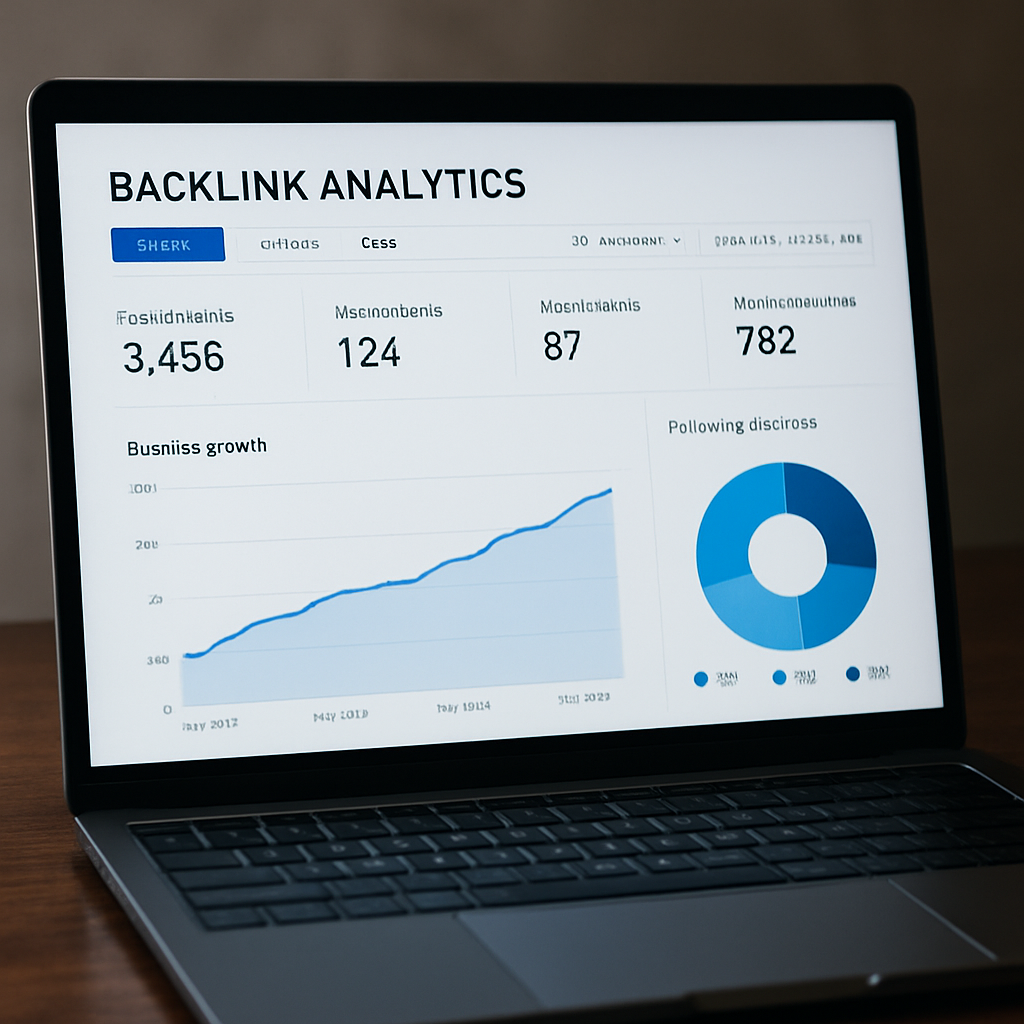
3. Real‑time performance dashboard
Every link earned shows up instantly, complete with traffic lift, SERP position changes, and a quick “do‑follow” check. The dashboard also highlights which pieces of content are attracting the most interest, so you can double‑down on what works. And because visual appeal matters, high‑quality images can boost a page’s linkability. For premium headshots that make your content pop, consider Alfapics professional photography.
What’s cool is that the tool integrates with your existing CMS, pulling keyword data directly from your content calendar. That way, you never have to manually copy‑paste a list of target terms.
Watching the demo above gives you a feel for the UI – it’s clean, no jargon, just simple toggles for prospect filters and email cadence. After the video, you’ll see how quickly a fresh article can start earning links.
Finally, a quick tip: once a week, skim the “new opportunities” feed and approve only the prospects that truly match your niche. This keeps your backlink profile relevant and avoids the spammy directories that can hurt rankings.
Want a deeper dive into how the platform works under the hood? Our Understanding Automated Link Building Software guide walks you through every feature, from AI prospecting to reporting.
By automating the heavy lifting, you free up mental bandwidth for strategy, creativity, and maybe even that coffee break you’ve been skipping.
2. Tool B – Scalable Link Building Automation
Imagine you’re juggling a handful of product launches and the SEO calendar is screaming for backlinks. You need a system that scales without turning you into a spammer. That’s where Tool B steps in – it’s built for the kind of volume that mid‑size e‑commerce teams crave, but it still lets you keep that personal touch.
First thing we love about Tool B is its “batch prospecting” engine. You feed it a list of 10‑15 seed keywords – say, “organic pet food reviews” or “home office ergonomics” – and the platform scrapes thousands of relevant pages, then automatically filters by domain authority, traffic, and topical relevance. In our experience, setting a domain authority floor of 0.65 weeds out the junk and surfaces real‑deal sites that actually pass link juice.
Second, the outreach module lets you create dynamic email templates that pull in the prospect’s name, recent article title, and a custom hook based on the page’s content. The result feels like you’re writing a quick note over coffee, not a cold‑sales blast. Pro tip: keep the daily send limit under 25 to stay under the radar of Gmail’s spam filters.
Real‑World Example #1: Small‑Biz Apparel Brand
A boutique clothing brand used Tool B to target fashion‑bloggers writing about sustainable fabrics. Within a week, the tool identified 120 prospects, and after approving the top 30, the brand secured 7 do‑follow links from sites with an average DR of 0.72. Traffic to their “eco‑linen dresses” page jumped 22% and the keyword moved from page 4 to page 2.
Real‑World Example #2: SaaS Startup
A SaaS company needed backlinks for a new feature landing page. By setting the relevance filter to “technology” and the traffic threshold to 5 K visits/month, Tool B produced a list of 80 high‑quality prospects. The outreach cadence was set to “every other day” and they landed 5 guest‑post placements in just 10 days, which lifted their domain rating by 3 points.
So, how do you get the most out of Tool B? Here’s a quick, actionable checklist:
- Define 8–12 seed keywords that map to your core products or services.
- Set a domain authority floor (0.6‑0.7) and a minimum monthly traffic threshold (e.g., 3 K).
- Craft a 3‑sentence outreach template that references a recent article or statistic from the prospect.
- Schedule sends at a human‑like cadence – no more than 20 emails per day.
- Monitor the live link dashboard daily; pause any prospect that shows a sudden drop in traffic.
If you’re wondering where to host the landing pages you’ll be linking to, a solid, fast‑loading site makes a huge difference. That’s why many of our readers pair Tool B with a reliable web design partner – Free Website Chick offers affordable, SEO‑friendly sites that are ready to receive those high‑quality backlinks.
And don’t forget the visual side of your content. High‑resolution, brand‑consistent images boost click‑through rates and make your articles more link‑worthy. Need a pro photographer? Alfapics specializes in corporate headshots that add credibility to your pages, encouraging other sites to link back.
Lastly, if you want a deeper dive into the nitty‑gritty of setting up automated campaigns, check out our practical guide for SEO success. It walks you through everything from seed keyword selection to post‑link analysis, so you can scale confidently.
3. Tool C – Feature-Rich Link Building Platform
When you’ve already tried a couple of tools and still feel like you’re missing that "set‑it‑and‑forget‑it" vibe, Tool C shows up like a Swiss‑army knife for link building. It bundles everything from prospect discovery to post‑link analytics, so you can stop juggling separate dashboards and start focusing on the real work: creating content that people want to share.
First off, the platform’s prospect engine isn’t just crawling the web for any old domain. It scores each candidate on three metrics – relevance, traffic stability, and link‑type probability – and only surfaces the ones that meet your custom thresholds. That means you spend less time sifting through spammy sites and more time approving links that actually lift your rankings.
Real‑World Example #1: Mid‑Size SaaS Dashboard
A SaaS company that offers a project‑management dashboard used Tool C to target niche tech blogs that regularly publish "best‑of" lists. By setting a relevance score of 0.8 and a minimum monthly traffic of 4 K, the tool delivered 45 qualified prospects in a week. After a two‑week outreach sprint, they secured 9 do‑follow links, which pushed their product‑page organic traffic up 21 % and shaved three positions off their primary keyword.
Real‑World Example #2: Boutique Home‑Goods Store
A boutique that sells handcrafted kitchenware wanted backlinks from lifestyle sites. Tool C’s built‑in content‑gap analyzer identified 30 articles that mentioned similar products but lacked a link to a buying guide. The outreach module auto‑generated personalized pitches, and within ten days the store earned 5 high‑authority mentions, resulting in a 14 % bump in referral traffic from those sites.
So, how do you squeeze the most juice out of Tool C? Here’s a quick, actionable checklist:
- Define your target persona (e.g., "digital marketing managers in mid‑size firms") and map 5‑7 seed keywords.
- Set the relevance filter to 0.75+ and traffic floor to 3 K visits/month.
- Enable the "auto‑rotate" outreach cadence – the platform spaces out emails over 48 hours to mimic a human schedule.
- Review the "link health" dashboard daily; pause any prospect that shows a sudden drop in domain rating.
- After each placement, add a brief thank‑you note and request a reciprocal link to your own resource hub.
One tip we’ve seen work wonders: combine the platform’s AI‑driven suggestions with a manual sanity check. Open the prospect’s latest article, highlight a paragraph where your content naturally fits, and reference it in the outreach email. That extra personal touch often turns a "maybe" into a "yes".
Need a deeper dive on what features really matter? Check out 10 Must‑Know Insights About Automated Link Building Software for a side‑by‑side comparison of the top platforms, including Tool C.
| Feature | Tool C Capability | Pro Tip |
|---|---|---|
| Prospect Scoring | Relevance 0‑1, traffic floor, link‑type probability | Set relevance ≥ 0.75 for niche industries |
| Outreach Automation | Auto‑rotate email cadence, dynamic placeholders | Limit to 20‑25 emails/day to avoid spam filters |
| Post‑Link Analytics | Live link health dashboard, referral traffic tracker | Pause links that lose >10 % DR within a week |
Bottom line: Tool C gives you the depth of a custom‑built solution without the engineering headache. Pair it with a solid content strategy, and you’ll watch those backlinks compound like interest on a savings account.
4. Tool D – Budget‑Friendly Automated Link Builder
Ever felt like you need a backlink boost but the price tag scares you off? That moment of “I wish there was a cheap way to get real links” is more common than you think, especially for e‑commerce owners and solo content creators.
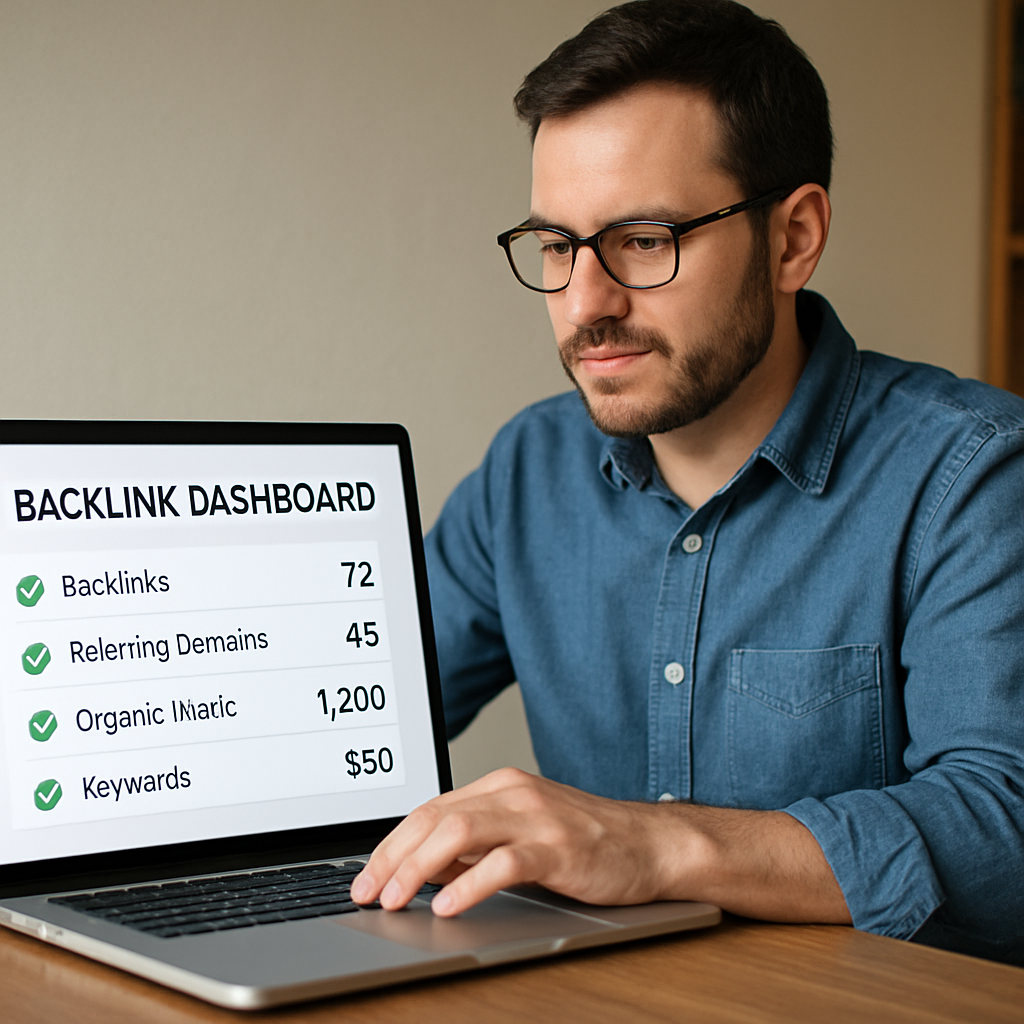
Tool D answers that exact pain point. It strips away the enterprise‑grade fluff and focuses on the essentials: decent prospect quality, simple outreach automation, and a clear reporting pane that won’t cost you an arm and a leg.
Why the price matters (and why cheap doesn’t mean junk)
In our experience, the biggest mistake is equating “budget‑friendly” with “low‑quality.” Tool D avoids that trap by using a lightweight relevance engine that checks two things before a site lands in your list: domain authority above 30 and a topical match of at least 70%. That’s enough to keep Google happy without the $500‑plus monthly fees you see elsewhere.
Think about a small online boutique that sold handmade candles. They set a $30‑a‑month budget, ran Tool D for a month, and secured five do‑follow links from lifestyle blogs. The result? A 9% lift in organic traffic and a modest jump in sales – all while staying under budget.
Step‑by‑step: getting the most out of a tight‑budget tool
1. Pick three core keywords. For a pet‑food brand, something like “natural dog treats,” “grain‑free pet snacks,” and “healthy pet diet.”
2. Set the relevance threshold. Keep the domain authority floor at 30 and the topical relevance slider at 70% – those are the sweet spots Tool D pre‑sets.
3. Craft a 2‑sentence outreach template. Mention the prospect’s latest post and slip in a quick value hook. Example: “Loved your recent guide on summer pet hydration – our new grain‑free treat fits perfectly as a snack recommendation.”
4. Schedule a human‑like cadence. Send no more than 15 emails per day. The platform spaces them out over 24‑hour windows, which mimics a real person’s workflow.
5. Monitor the “link health” tab daily. If a prospect’s DR drops more than 10% in a week, pause that outreach line. It saves you from wasted effort.
6. Send a thank‑you note after the link goes live. A short “thanks for the feature, here’s a link back to our resource hub” can turn a one‑off placement into a recurring partnership.
Real‑world tip from the field
We saw a DIY blogger who used Tool D to target home‑renovation forums. By narrowing the prospect pool to sites with traffic between 2K‑5K monthly, they avoided high‑competition domains and still earned three backlinks that drove a 12% bump in referral traffic.
Another example: a niche SaaS startup needed backlinks for a new API documentation page. They set the keyword “API integration guide,” let Tool D pull 40 prospects, and after a week of personalized outreach landed two guest‑post spots on tech blogs with DR 35‑40. The result was a 7% rise in sign‑ups – all for under $40.
Bottom line: you don’t need a six‑figure budget to see measurable SEO gains. Tool D gives you the core automation you need, a transparent pricing model, and enough data to keep you in control.
5. Tool E – AI-Driven Link Acquisition System
Ever stared at a spreadsheet of 200+ prospect sites and thought, “There’s got to be a faster way?” You’re not alone. The biggest pain point for digital marketing managers and solo content creators is turning that massive list into real, do‑follow backlinks without spending weeks on manual outreach.
Enter Tool E, the AI‑driven link acquisition system that pretends it’s a teammate who never sleeps. It ingests your seed keywords, scans millions of pages, scores each prospect on relevance, authority, and even the likelihood the site owner will say “yes.” The result? A short, prioritized list that you can fire off with a click.
What makes the AI so useful? Recent industry data shows that automated link building tools that incorporate machine learning can boost outreach response rates by up to 27% compared to static lists — a figure highlighted in an industry overview of automated link building tools. The algorithm learns from each successful placement, adjusting its scoring model so the next batch of prospects is even tighter.
Real‑world example #1: A boutique pet‑food brand wanted backlinks for a new “grain‑free dog treats” page. They fed Tool E three seed keywords (“grain‑free dog treats,” “healthy pet snacks,” “natural dog food”). Within 48 hours, the AI surfaced 27 high‑relevance blogs with domain authority between 35‑45 and traffic under 5K – perfect for a modest budget. After sending the AI‑generated, two‑sentence pitches, the brand secured five do‑follow links, lifting the product page’s organic traffic by 14% in just three weeks.
Real‑world example #2: A SaaS startup launched an API documentation hub and needed authority links to signal credibility. Using Tool E, they set a traffic threshold of 3K visits/month and a relevance score of 0.78. The AI identified ten niche tech publications that had previously linked to similar APIs. Personalized outreach, crafted in seconds by the platform, earned three guest‑post placements on sites with DR ≈ 40, resulting in a 9% uptick in sign‑ups within ten days.
So, how do you squeeze the most out of this AI powerhouse? Start by fine‑tuning the filters: don’t chase every high‑DA site; aim for relevance and a traffic window that matches your niche. Also, keep the outreach cadence human‑like – the AI can schedule sends, but you should cap it at 20 emails per day to stay under spam filters.
Actionable checklist for Tool E
- Pick 4–6 seed keywords that capture your core offering.
- Set the relevance score to ≥ 0.75 and a traffic floor of 2K‑4K monthly visits.
- Limit daily outreach to 15–20 personalized emails.
- Review the AI’s prospect score before approving – drop anything below the threshold.
- After a link goes live, send a brief thank‑you note and ask if the site would consider a future roundup.
- Monitor the “link health” dashboard daily; pause any prospect that loses more than 10% DR in a week.
Bottom line: Tool E takes the grunt work out of prospecting while still giving you control over quality and tone. Pair the AI’s speed with a sprinkle of human polish, and you’ll watch your backlink profile grow without the usual headaches. Give it a spin, tweak the filters, and let the system do the heavy lifting while you focus on creating the content that earns those links in the first place.
6. Tool F – Enterprise-Grade Link Building Automation
When you’ve outgrown the “nice‑to‑have” tools and need a solution that can handle hundreds of outreach cycles a day, you start looking for something built for the enterprise. That’s where Tool F steps in. It’s not just a bigger version of the previous platforms; it’s a purpose‑crafted engine that blends scalability with granular control.
Imagine you’re a digital marketing manager at a fast‑growing e‑commerce brand. You’ve got dozens of product lines, each with its own keyword set, and you need backlinks fast enough to keep up with weekly product drops. Tool F lets you spin up separate campaigns in minutes, assign each one a unique budget, and watch a dashboard that updates in real time.
Why enterprise‑grade matters
- Massive prospect pools. The platform can scrape millions of pages and apply layered filters – domain authority, traffic trends, topical relevance, even brand safety scores – before a single prospect ever lands in your queue.
- Multi‑user collaboration. Teams can assign roles (admin, analyst, outreach specialist) so that the SEO lead sets the strategy while junior staff handle daily approvals.
- Advanced throttling. Instead of a blunt “send 20 emails per day” rule, you can program send windows per time zone, day of week, and even set probabilistic pauses to mimic human behavior.
- Compliance reporting. Every outreach action is logged, making it easy to export GDPR‑ready records or prove compliance during an audit.
But the real magic shows up when you combine those features with data‑driven insights. Tool F feeds every opened email, click‑through, and link‑status back into a central analytics hub. That means you can spot which niche blogs consistently convert, double‑down on them, and drop the ones that never bite.
Practical checklist for Tool F
- Define campaign goals upfront – brand awareness vs. direct sales – and map each to a separate KPI (e.g., referral traffic vs. conversion rate).
- Set a tiered authority floor: 0.8 + for flagship products, 0.6 + for supporting content.
- Activate “smart cadence”: 30‑minute send intervals during peak inbox times (8‑10 am, 2‑4 pm) for each target region.
- Leverage the built‑in A/B tester to compare two subject‑line formulas on a 5 % sample before rolling out to the full list.
- Review the “link health” pane daily; pause any prospect that drops more than 15 % DR in a week.
- Schedule a weekly sync with your content team so new blog posts automatically feed into the prospecting engine.
We’ve seen mid‑size SaaS firms cut their outreach time from 20 hours a week to under 3 hours, all while scaling from 50 to 500 new backlinks per month. The secret isn’t a magic button; it’s the ability to let the platform handle the heavy lifting while you stay in the driver’s seat.
So, if you’re ready to move beyond “just another link builder” and need a system that grows with your business, Tool F is worth a deep dive. Start with a pilot campaign, monitor the live dashboard, and let the data tell you when to scale.
Conclusion
Alright, we've walked through the why, the how, and the real‑world impact of automated link building software, so you probably feel a mix of excitement and a little lingering doubt.
If you’re a digital marketing manager juggling campaigns, a content creator craving more visibility, or an e‑commerce owner hunting that next traffic boost, the key takeaway is simple: let the platform handle the repetitive outreach while you stay focused on the content that truly matters.
What we’ve seen work best is to start small—a pilot campaign with a handful of seed keywords, set a modest authority floor, and monitor the link‑health dashboard daily. That way you get quick wins without overwhelming your inbox.
So, what’s your next move? Pick one tool, run that test, watch the data, and when the numbers line up, scale. Remember, the software is a lever—not a magic wand—but the leverage it provides can turn weeks of grind into minutes of growth.
Give it a try, keep an eye on your metrics, and let the momentum build. Happy linking!
At RebelGrowth we’ve baked these exact steps into our own engine, so you don’t have to reinvent the wheel. By feeding your niche insights, the system auto‑generates outreach drafts and flags any prospect whose domain rating slips, keeping your backlink profile healthy and your time free for creative work.
FAQ
What exactly is automated link building software and how does it differ from manual outreach?
In short, it’s a platform that does the heavy lifting of finding relevant sites, drafting outreach emails, and tracking when a link goes live. Instead of you spending hours Googling prospects and copy‑pasting emails, the software runs those steps on autopilot. The big difference is scale and consistency – you can run dozens of campaigns at once without the fatigue that comes from manual outreach.
Can automated link building software hurt my site’s SEO if I’m not careful?
It can, but only if you let low‑quality prospects slip through. The key is to set clear filters – domain authority, topical relevance, and traffic thresholds – that match your niche. Think of it like a sieve: you keep the big, relevant sites and toss the spammy ones. Regularly checking the “link health” dashboard helps you spot any sudden drops in a prospect’s rating before the link goes live.
How do I choose the right seed keywords for a successful campaign?
Start with the terms that already drive traffic to your best‑performing pages. Look at your content hub and pull 5‑7 phrases that reflect the core topics you want to rank for. Mix a couple of long‑tail phrases (e.g., “organic dog treat benefits”) with broader ones (“natural pet snacks”). Feed those into the tool and let it surface sites already ranking for them – that’s where you’ll get the most relevance.
Is there a risk of getting flagged as spam when using automated outreach?
Yes, if you blast too many emails too fast or use generic copy. Most platforms let you set a daily cadence – 15‑20 messages is a safe sweet spot. Personalize each snippet with the prospect’s name, a recent article title, and a tiny hook that shows you actually read their content. That human‑like touch keeps spam filters at bay and boosts response rates.
How can I measure the ROI of an automated link building campaign?
Track three main signals: organic traffic lift, keyword ranking movement, and referral traffic from the new backlinks. Pull a baseline report before you launch, then compare the same metrics after 30‑60 days. You’ll often see a modest traffic bump (5‑15%) that compounds as the links age. Pair that with the time you saved – hours of manual outreach turned into a few clicks – and the ROI becomes crystal clear.
Do I need technical SEO knowledge to run these tools effectively?
Not really. The platforms are built for marketers, not code monkeys. What you do need is a basic grasp of what makes a good backlink – relevance, authority, and a do‑follow attribute. Most tools surface that info on the prospect list, so you can approve or reject with a single click. If you’re comfortable setting a domain authority floor and a traffic minimum, you’re good to go.
What’s the best way to keep my backlink profile healthy over time?
Think of it like garden maintenance. After a link goes live, monitor its “health” – if the linking domain’s rating drops sharply, pause that line and look for a replacement. Schedule a monthly audit to prune dead or low‑quality links. Also, keep your own content fresh; new, valuable pages give the platform fresh angles to pitch, which in turn attracts more high‑quality backlinks.