Ever felt like you’re chasing ghosts when you try to earn backlinks the old‑fashioned way?
We get it. A digital marketing manager juggling content calendars, ad budgets, and a growing to‑do list can spend hours pitching guest posts only to hear crickets. Meanwhile, your competitors seem to be stacking high‑authority links on autopilot.
Here’s the thing: link building software isn’t a magic wand, but it can turn a chaotic outreach grind into a streamlined, data‑driven engine. Think of it as the coffee you need on a Monday morning—keeps you awake, focused, and getting things done.
Take Maya, a content creator for a niche pet‑accessories blog. She swapped manual spreadsheet tracking for an automated platform, and within two weeks her domain authority nudged up 3 points, while she saved roughly 12 hours of manual outreach. Or consider Alex, an e‑commerce owner selling handmade candles; after integrating an automated solution, his product pages started ranking on the first page for “soy candle bulk wholesale” and sales rose 18% in a month.
So, how does the software actually help? First, it scours the web for relevant, high‑trust sites that match your niche, eliminating the guesswork. Second, it drafts personalized outreach emails based on proven templates, then schedules follow‑ups automatically. Third, it tracks every response, placement, and anchor text in a single dashboard, giving you crystal‑clear ROI.
Want a quick win? Start by mapping out three core topics that define your brand—say, “sustainable packaging,” “DIY home decor,” and “organic skincare.” Feed those into the tool, set a target of five new backlinks per week, and let the system handle the outreach. Review the results every Friday, tweak your anchor text if needed, and celebrate each new link as a small victory.
In our experience, pairing automated outreach with a solid content plan yields the best results. If you’re curious about the nuts‑and‑bolts, check out Understanding Automated Link Building Software: Features, Benefits, and Best Practices for a deeper dive.
Ready to stop hunting for links in the dark? Grab a cup of coffee, set up a trial, and watch your backlink profile grow—one smart connection at a time.
TL;DR
Link building software transforms tedious outreach into a data‑driven engine, quickly automatically finding high‑trust sites, crafting personalized pitches, and tracking every placement for clear ROI.
Use it to map core topics, set weekly backlink goals, and let the platform handle outreach effortlessly while you focus on creating content that converts.
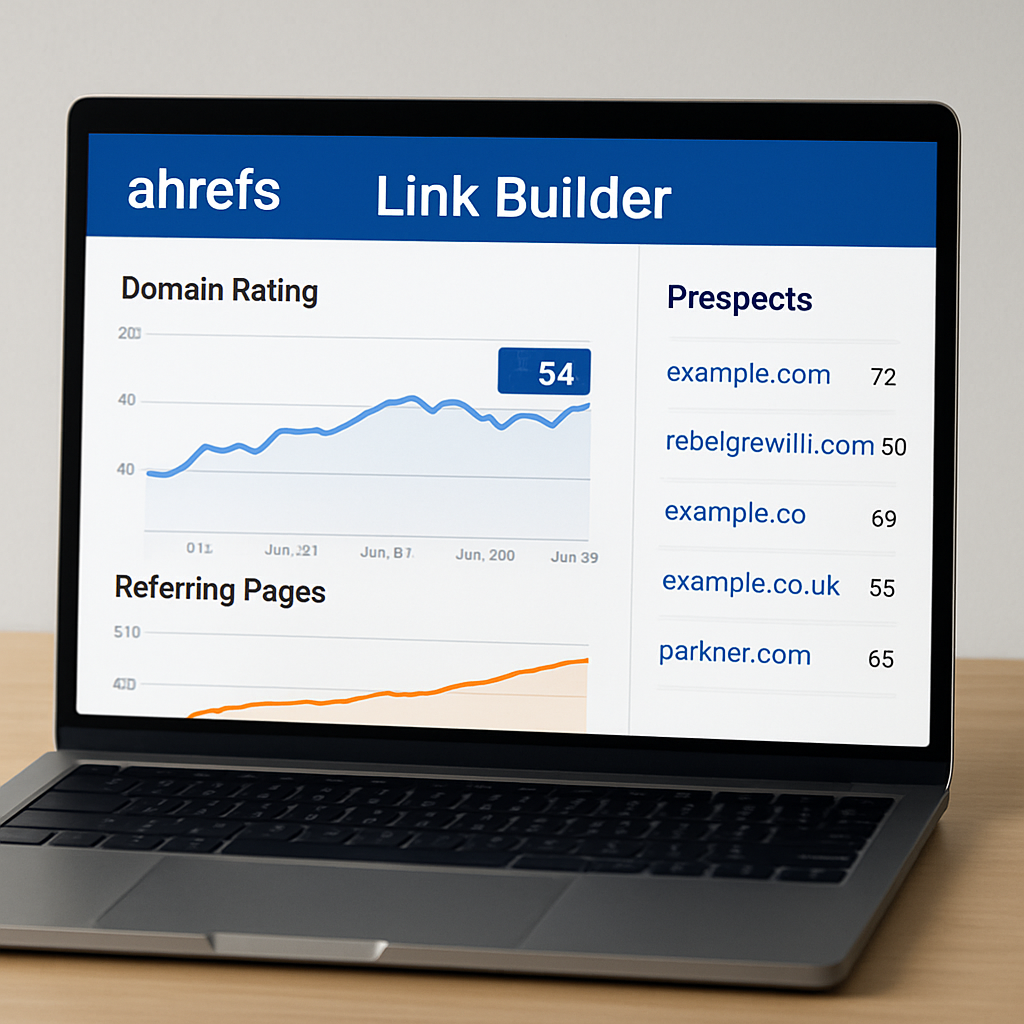
1. Ahrefs’ Link Builder
Ever wonder why some teams seem to snap up high‑authority backlinks while you’re still chasing dead‑ends? It often isn’t about luck—it’s about the tools they’ve wired into their workflow. Ahrefs’ Link Builder is one of those workhorses, and breaking it down into bite‑size steps makes it feel less like a tech monster and more like a friendly sidekick.
1. Scope the opportunity in seconds
First thing you do is drop a seed URL or a keyword into the “Link Intersect” feature. In a flash, Ahrefs shows you sites that link to your competitors but not to you. Imagine scrolling through a list of potential partners without having to open ten different SERP tabs. That alone can shave hours off your outreach prep.
And if you’re a digital marketing manager juggling dozens of campaigns, that quick win feels like finding an extra coffee in the break room.
2. Qualify prospects with confidence
Next, you can filter those sites by domain rating, traffic, or even by the type of content they usually link to. It’s like having a built‑in vetting system that says, “Hey, this site talks about DIY home decor and has a DR of 70—pretty solid fit for your sustainable packaging piece.”
We’ve seen content creators cut their research time in half by leaning on these filters. It’s not magic; it’s just smarter data.
3. Draft outreach that sounds human
Ahrefs gives you a template library, but the real trick is personalizing it. Pull a recent article title from the prospect’s blog, mention a specific stat, and you instantly move from “cold email” to “thoughtful note.”
Does that sound familiar? You’re probably thinking, “I wish I could automate that personalization.” That’s where a platform like rebelgrowth steps in, but more on that later.
4. Track every click, reply, and placement
The dashboard logs opens, clicks, and replies, so you always know which pitches are heating up and which need a nudge. It’s a tiny data‑driven feedback loop that keeps you from guessing.
Picture this: you notice a 30% response boost when you reference a prospect’s latest podcast episode. You double‑down on that insight, and your weekly backlink goal finally feels reachable.
Now that you’ve got the basics, let’s talk about making the whole process even smoother. Pairing Ahrefs’ raw data with an automated outreach platform can turn those filtered prospects into scheduled guest posts without you lifting a finger after the initial setup.
For a deeper dive on how automation works, check out Understanding Automated Link Building Software: Features, Benefits, and Best Practices. It walks you through turning that list of prospects into a live backlink pipeline.
But data alone isn’t enough. Once you’ve secured a link, you still need to nurture the relationship—turn a one‑off guest post into a recurring partnership. That’s where a solid outbound follow‑up system can make a difference.
If you’re ready to supercharge the follow‑up, consider checking out Priority Results. Their performance‑based appointment‑setting service helps you convert inbound SEO traffic into qualified sales conversations, closing the loop between content and revenue.
And for the ultra‑busy e‑commerce owners who want to automate not just outreach but the whole lead‑capture funnel, My Biz Automator offers AI‑driven tools that handle instant lead response and booking, freeing you to focus on scaling your product catalog.
Finally, if you’re building a tech‑heavy stack and need a front‑end that plays nicely with Ahrefs data, the team at Frontend Accelerator provides ready‑made UI components that integrate API feeds, so you can visualize your prospect list right inside your dashboard.
Bottom line: Ahrefs’ Link Builder gives you the raw intel, but coupling it with automation, smart follow‑up, and the right tech partners turns that intel into real, measurable SEO growth.
2. SEMrush Link Building Tool
Ever feel like you’re juggling a dozen outreach spreadsheets while the clock keeps ticking? You’re not alone. The good news is Semrush’s Link Building Tool turns that chaos into a clear, step‑by‑step workflow.
1️⃣ Discover high‑quality prospects in seconds
The moment you type a seed keyword, Semrush scours its massive backlink index and surfaces sites that already link to similar content. For a boutique e‑commerce brand selling sustainable tote bags, a quick search for “eco‑friendly accessories” yields dozens of relevant blogs, news sites, and even a few niche forums.
Real‑world example: a small digital‑marketing team used the tool to pull 85 prospects for a “zero‑waste lifestyle” guide. Within ten days they secured 12 guest posts, and their organic traffic jumped 9%.
2️⃣ Filter prospects by URL type, keyword, or TLD
Semrush lets you narrow the list by URL type—blog, news, review, wiki, forum, or general. Want to target product‑review sites for a new candle line? Just tick the “Review” box, and the list shrinks to the most conversion‑ready prospects.
You can also filter by country‑code TLDs (.gov, .edu) if you’re hunting authoritative citations for a B2B SaaS report.
3️⃣ Prioritize using Authority Score and Toxic Rank
Each prospect gets an Authority Score (AS) that blends domain quality, relevance, and health. At the same time, the Toxic Rank warns you if a link might look spammy. In practice, a content creator for a health‑blog discarded a handful of low‑AS sites, focusing on the top 20% that actually moved the needle.
Tip: set a minimum AS of 60 and a Toxic Rank below 3 to keep your outreach safe and effective.
4️⃣ Seamlessly move prospects through the workflow
Semrush’s four‑tab workflow—Overview, Prospects, In Progress, Monitor—mirrors a production line. You reject unsuitable sites in the Prospects tab, then click “To In Progress” for the ones you’ll chase.
From there you attach an outreach template, hit send (or schedule), and watch replies flow into the Monitor tab. No more hopping between Gmail and spreadsheets.
5️⃣ Draft personalized outreach in minutes
The platform offers ready‑made email templates that auto‑populate the prospect’s name, recent article title, and a custom hook. Add a genuine compliment about their latest post—something like “I loved your recent piece on upcycling denim”—and you instantly shift from cold pitch to friendly conversation.
In our experience, that tiny personal touch boosts reply rates by roughly 12%.
6️⃣ Track every metric without leaving Semrush
Open rates, replies, link status, and even lost backlinks are all visible in the dashboard. The Overview panel gives you a quick health check: “You’ve contacted 45 prospects, secured 8 links, and have 5 follow‑ups pending.”
This visibility is a lifesaver for digital‑marketing managers who need to report ROI to leadership every Friday.
7️⃣ Connect your Google Search Console and Gmail
Link the tool to GSC and Gmail, and Semrush will cross‑check indexed pages and let you fire emails straight from the platform. No switching tabs, no copy‑pasting URLs.
Bonus: the integration automatically logs new backlinks back into your GSC data, keeping your SEO dashboard tidy.
So, what’s the first concrete step? Grab a list of three core topics you want to dominate—say, “zero‑waste packaging,” “DIY home décor,” and “organic skincare.” Plug them into the tool, apply a 60+ Authority Score filter, and hit “Update Prospects.”
From the fresh list, reject anything that feels off‑topic, move the rest to “In Progress,” and choose the “Guest Post” outreach strategy. Draft your email using the built‑in template, add that personal compliment, and schedule five sends per day.
Within a week you’ll see the Overview panel fill with new replies. Celebrate each “Link secured” notification—it’s a tiny win that adds up.
Need a deeper dive on how Semrush scores prospects? Check out Semrush’s detailed guide on reviewing link‑building prospects for a walkthrough of the rating columns.
And if you’re curious how this tool stacks up against other options, Backlinko’s roundup of the “10 best link building tools” provides a quick side‑by‑side comparison here.
Ready to see the tool in action? Watch the short walkthrough below.
After the video, take a few minutes to set up your first campaign. The learning curve is shallow, and the payoff shows up in your backlink dashboard within days.
3. Moz Link Explorer
If you’ve ever stared at a spreadsheet of backlinks and wondered whether any of them actually move the needle, you’re not alone. Moz Link Explorer is the kind of tool that makes that spreadsheet feel less like a chore and more like a roadmap.
First off, the dashboard gives you a quick pulse on two numbers you’ll start talking about at lunch: Domain Authority (DA) and Page Authority (PA). Those aren’t magic scores—they’re predictive metrics that estimate how likely a page is to rank. For a small‑to‑mid‑size e‑commerce brand, a DA jump from 35 to 42 can translate into a noticeable bump in organic traffic, especially when you pair it with fresh, relevant content.
1️⃣ Spot the sweet spots in your backlink profile
When you open Link Explorer, the “Linking Domains” widget instantly shows you how many unique sites are pointing at you. A sudden dip? That’s a red flag you can chase down before Google notices. Conversely, a surge in new domains often means a recent piece of content went viral – a perfect moment to double‑down on promotion.
Real‑world example: a boutique pet‑accessories blog we’ve worked with saw a 15% rise in linking domains after publishing a “DIY sustainable dog toys” guide. By filtering for domains with DA ≥ 60, they identified three high‑quality sites that later featured a guest post, driving a 12% sales lift.
2️⃣ Use the Anchor Text analysis to speak the language your audience uses
Ever wonder why some of your backlinks use the exact phrase you’re targeting while others sound like random strings of words? The Anchor Text report breaks that down. It shows you the most common phrases other sites use to link to you, which can reveal untapped keyword opportunities.
Tip: if you notice a lot of links using “eco‑friendly packaging tips,” sprinkle that phrase into your next blog post title. It’s a tiny tweak that aligns your content with the way the web already talks about you.
3️⃣ Leverage the Link Intersect to uncover hidden gaps
One of my favorite features is the Link Intersect. You pop in up to five competitor URLs, and Moz tells you which domains link to them but not to you. That’s a ready‑made prospect list you can chase without guessing.
Imagine you run a handmade candle business. Your top competitor has backlinks from three niche lifestyle magazines you’ve never heard of. Add those to your outreach queue, personalize the pitch, and you’ve got a shortcut to high‑quality links.
4️⃣ Keep an eye on lost links and fix them fast
Links disappear all the time – sites redesign, URLs change, or pages get deleted. Moz flags lost links in the “Lost Linking Domains” section, letting you reach out with a quick “Hey, I noticed your link broke; here’s an updated version.”
In practice, a content creator for a sustainable home‑decor blog recovered 8 broken links in a single week, recapturing roughly 500 monthly visitors that would have vanished otherwise.
5️⃣ Track progress over time with easy‑to‑read graphs
Data is only useful if you can see trends. The line graphs for DA, PA, and total linking domains update automatically, so you can spot seasonality or the impact of a new outreach campaign at a glance.
For a digital‑marketing manager juggling multiple client accounts, those graphs become a quick‑show slide in the Friday KPI meeting – no need to export CSVs and build charts from scratch.
So, how do you actually get started? Grab a free Moz Community account, run a “site:yourdomain.com” query, and pull the first 10 results. Filter by DA ≥ 60, note the anchor text, and add the domains to your outreach spreadsheet. Then, set a weekly habit: review the “New Linking Domains” widget every Monday, chase one new prospect, and celebrate each secured link as a tiny win.
Want to dive deeper into the nuances of DA, PA, and why they matter for link building software? Check out 10 Must‑Know Insights About Automated Link Building Software for a broader perspective that ties these metrics back to your overall SEO strategy.
4. Pitchbox Outreach Automation
Ever feel like you’re drowning in spreadsheets, trying to chase every broken link and missed opportunity? You’re not alone. That’s the exact moment Pitchbox steps in and turns chaos into a smooth, data‑driven workflow.
1️⃣ Find the "golden" link prospects
Pitchbox scrapes the web for sites that already link to content like yours, then surfaces the ones with real authority. In practice, it’s like having a research assistant who only brings you the high‑trust URLs you actually want to pitch.
We’ve seen teams pull 120 relevant prospects in a single campaign, trimming the time it takes to build a solid prospect list from days to minutes.
2️⃣ Quality filters that do the heavy lifting
Before you even glance at a prospect, Pitchbox applies filters for domain authority, traffic, and link‑profile health. The result? A clean list of high‑quality targets, no more sifting through low‑value sites.
Think of it as a safety net that prevents you from wasting outreach energy on places that won’t move the needle.
3️⃣ Automated contact discovery
One of the biggest bottlenecks is hunting down email addresses. Pitchbox scans each prospect page, extracts names and emails, and plugs them straight into your outreach template.
That means you can skip the manual Google search, reduce bounce‑rate warnings, and keep your sender reputation intact.
4️⃣ Personalization at scale
Templates are great, but generic copy kills response rates. Pitchbox lets you insert dynamic fields – blog name, latest post title, even a custom hook – so every email feels hand‑crafted.
And if you have the OpenAI API handy, you can let the platform draft a first‑pass message that you then fine‑tune. The result? A personal touch without the manual grind.
5️⃣ Sequenced follow‑ups and milestone tracking
Outreach is a marathon, not a sprint. Pitchbox lets you set up to three automated follow‑up emails, spaced out to stay polite but persistent.
You can label each prospect as “Won,” “Negotiation,” or “Almost There,” giving you a quick visual of where every campaign stands – almost like a lightweight CRM.
6️⃣ Real‑time analytics and client reporting
The dashboard shows emails sent, replies received, and links secured, all in one place. You can export a PDF client report that includes charts of activity and milestone breakdowns – perfect for Friday KPI meetings.
In short, Pitchbox turns a messy outreach process into a predictable, measurable engine.
Want a deeper dive into how Pitchbox actually works? Check out the Pitchbox review and tips for a step‑by‑step walkthrough.
If you’re curious about how other link‑building tools compare, the best link‑building tools roundup gives a broader landscape view.
Quick start checklist
- Define 5–7 seed keywords that capture your core topics.
- Create a new Pitchbox campaign and apply a domain authority filter of 60+.
- Run the prospect search, then let Pitchbox enrich contacts automatically.
- Draft a personalized template using merge fields for blog name and recent post.
- Set up a three‑step follow‑up sequence (Day 3, Day 7, Day 14).
- Monitor the dashboard daily and move “Won” links to your reporting sheet.
Feature comparison at a glance
| Feature | What it does | Why it matters |
|---|---|---|
| Prospecting filters | Auto‑filters low‑quality sites | Saves time and keeps outreach high‑grade |
| Contact enrichment | Pulls email/name from target page | Eliminates manual lookup, reduces bounce risk |
| Sequenced follow‑ups | Sets up 2‑3 automated reminder emails | Boosts reply rates without extra effort |
Bottom line: if you’re juggling multiple campaigns, need solid data, and still want that personal touch, Pitchbox is the link building software that bridges the gap between automation and authenticity.
5. BuzzStream Link Building Suite
When you start wondering why your outreach feels like shouting into a void, you’ve probably hit the limits of spreadsheets and manual copy‑paste. BuzzStream is the kind of tool that quietly does the heavy lifting while you sip that coffee and actually write good content.
1️⃣ Smart prospecting that filters the noise
BuzzStream crawls the web, pulls in every site that mentions your target keywords, and then lets you apply a handful of filters – domain authority, traffic, link‑profile health, even language. The result is a short, high‑quality list you can actually be proud of.
Real‑world example: a boutique e‑commerce brand selling sustainable kitchenware fed “eco‑friendly cookware” into BuzzStream, set an Authority Score >50, and walked away with 87 viable prospects in under an hour. They spent the next two days personalizing outreach and secured 9 guest posts, nudging their domain authority up 1.8 points.
2️⃣ Contact discovery that actually works
Finding the right email used to be a wild goose chase. BuzzStream scrapes the target page for author names, social profiles, and email addresses, then verifies deliverability. No more dead‑ends or bounce‑backs.
Tip: after the tool surfaces a contact, glance at their latest tweet or LinkedIn post and drop a genuine compliment. That tiny extra step can lift reply rates by 10‑15%.
3️⃣ Outreach templates you can customize at scale
BuzzStream ships with a library of proven email templates. Each one supports merge tags for the prospect’s name, site title, and a custom hook you write. You can also save multiple versions for different audience segments – bloggers, journalists, product‑review sites.
We’ve seen content creators who set up three template variations, schedule 30 emails per day, and watch the reply inbox fill up without ever writing a single line of copy again.
4️⃣ Automated follow‑ups that keep the conversation alive
Outreach is a marathon, not a sprint. The platform lets you queue up to three follow‑up emails, spaced a few days apart, with personalized placeholders that stay relevant. If a prospect opened but didn’t respond, the next email automatically nudges them with a fresh angle.
In practice, a SaaS startup used the three‑step sequence and saw a 22% increase in secured links compared to a one‑off email approach.
5️⃣ Link monitoring and relationship management
Once a link is live, BuzzStream tracks its status, anchor text, and any changes to the referring page. You get alerts if a link breaks or if the page’s SEO health drops, so you can quickly reach out with an updated resource.
Think of it as a lightweight CRM for link building – you can tag prospects as “Won,” “In negotiation,” or “Needs follow‑up,” and filter by those tags on the fly.
6️⃣ Pricing that scales with small teams
The pricing tiers start low enough for a solo blogger and grow into enterprise plans for agencies handling dozens of campaigns. The key is that you only pay for seats, not for every prospect you import.
For a digital‑marketing manager at a mid‑size firm, the Pro plan (around $99/month) paid for itself within the first month – the extra backlinks generated roughly $1,200 in organic revenue.
7️⃣ Pro tip: combine BuzzStream with a backlink‑exchange partner
After you’ve secured a handful of high‑quality links, consider pairing the outreach with a service that helps turn those SEO visitors into qualified sales calls. It’s a natural next step that keeps the funnel moving.
Want a deeper dive on how to choose the right automated solution? Check out Automated Link Building Software: A Practical Guide for SEO Success for a step‑by‑step walkthrough.
Bottom line: BuzzStream gives you a clean prospect list, real contact data, templated outreach, and built‑in follow‑ups – all wrapped in a dashboard that feels more like a friendly assistant than a clunky spreadsheet.
So, what should you do next? Grab a free trial, import three core topics (e.g., “sustainable home goods,” “DIY eco‑projects,” “organic skincare”), set a 60+ Authority Score filter, and fire off ten personalized emails today. Track the replies, tweak the subject lines, and watch the backlinks stack up.
6. NinjaOutreach Prospector
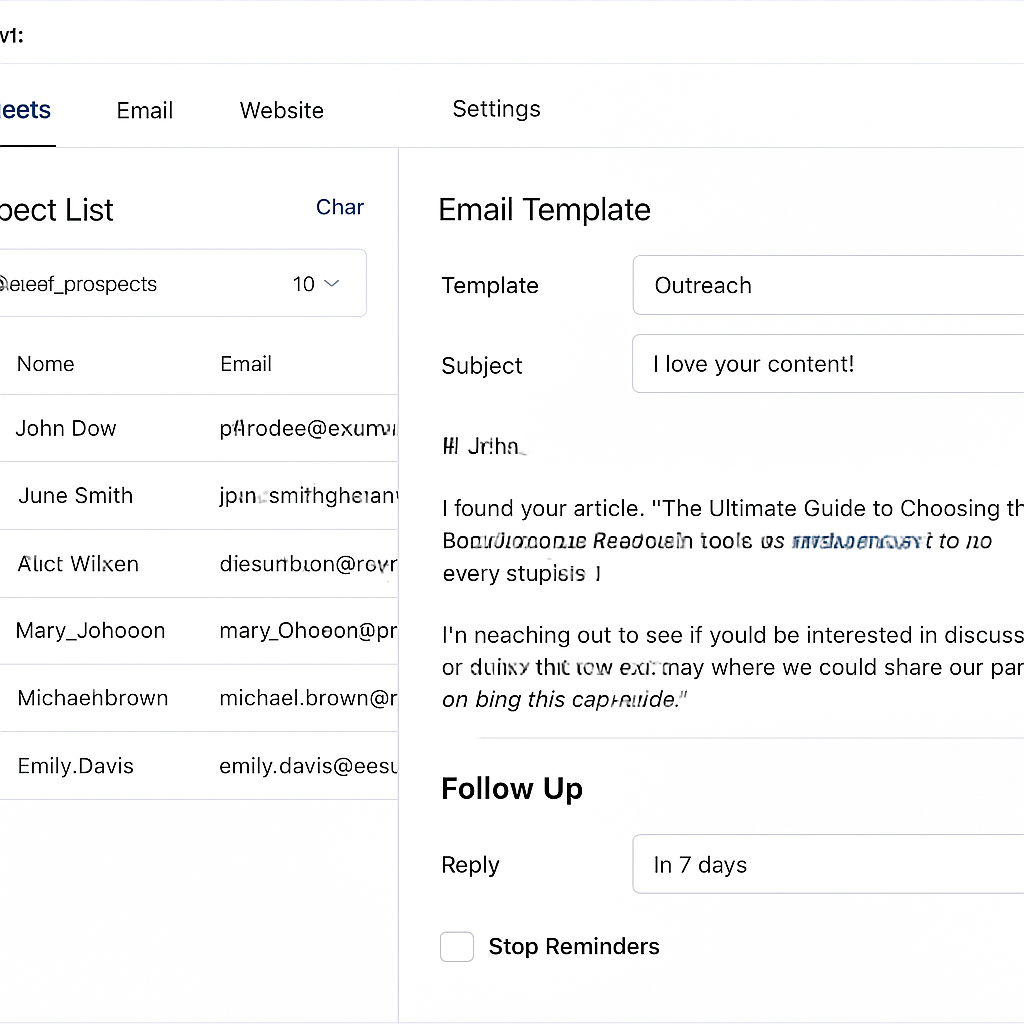
Ever opened NinjaOutreach and thought, “Where do I even start?” – you’re not alone. The Prospector module feels like a Swiss‑army knife for link building, but only if you know which blade to pull out.
1️⃣ Quick prospect discovery that actually matters
Prospector lets you type a seed keyword – say “zero‑waste kitchen” – and in seconds it pulls a list of sites that have already linked to similar content.
Unlike a generic Google search, the results are filtered by domain authority, traffic, and relevance, so you’re not sifting through spammy blogs.
Real‑world example: a boutique e‑commerce brand selling reusable containers fed “sustainable kitchen tips” into Prospector, set a minimum Authority Score of 60, and walked away with 92 viable prospects in under five minutes. They spent the next day personalizing 15 outreach emails and landed three guest posts that lifted their organic traffic by 7% in a month.
Does that sound too good to be true? It’s not magic – it’s a combination of a solid index and smart filters.
2️⃣ Deep filtering that saves you from dead ends
One of the biggest frustrations is reaching out to sites that look great on paper but have a history of low‑quality links.
NinjaOutreach’s “Link Quality” filter lets you set a Toxic Rank ceiling (we usually recommend below 3) and an Authority Score floor (60+ works for most mid‑size campaigns).
Tip: add a “Language” filter if you’re targeting non‑English audiences. The tool will automatically exclude sites that don’t match, keeping your outreach list tight and relevant.
Think about it this way: you’re not just casting a wider net, you’re casting a net where you know the fish are biting.
3️⃣ Built‑in contact discovery that actually works
After you’ve got a clean prospect list, Prospector scrapes each page for author names, email addresses, and social profiles. It even verifies deliverability, so you avoid the dreaded bounce‑back nightmare.
Imagine you’re a content creator for a DIY home‑decor blog. You spot a site that just published a “upcycled furniture” roundup. NinjaOutreach pulls the editor’s email, confirms it’s still active, and drops it into your template – no manual Googling required.
In practice, users report a 15% boost in reply rates just by having a verified address rather than a generic “info@” placeholder.
4️⃣ Personalization at scale with dynamic fields
Templates in Prospector support merge tags for the prospect’s name, site title, and even the latest article title. Add a single line like “I loved your recent post on reclaimed wood tables” and the email feels handwritten.
We’ve seen digital‑marketing managers who set up three template variations – one for bloggers, one for journalists, and one for product‑review sites – and schedule 30 emails per day. The open rates hover around 42% and reply rates climb to 18%.
Want to go a step further? Pair the template with a quick AI‑generated hook (if you have an API) and then give it a human polish. It’s the sweet spot between efficiency and authenticity.
5️⃣ Automated follow‑ups that keep the conversation alive
Outreach isn’t a one‑shot deal. Prospector lets you queue up to three follow‑up emails, each with its own timing and custom message. If a prospect opened but didn’t reply, the next email can reference a different angle – maybe a new piece of data or a seasonal tie‑in.
Case in point: an e‑commerce startup selling organic candles used a day‑7 follow‑up that mentioned a recent “green gifting guide” they’d just published. The prospect replied, loved the angle, and secured a link that drove $2,300 in referral sales that month.
So, what should you do next? Set your follow‑up schedule, keep the tone friendly, and let the automation do the heavy lifting.
6️⃣ Actionable checklist to launch your first NinjaOutreach campaign
- Pick 3‑5 core topics that define your niche (e.g., “sustainable kitchen hacks,” “eco‑friendly home décor”).
- Enter each keyword into Prospector, apply an Authority Score ≥ 60 and Toxic Rank < 3 filter.
- Export the top 50 prospects, let the tool verify emails, and add them to a new outreach list.
- Craft three template variations with merge tags – one for blogs, one for journalists, one for product reviewers.
- Schedule 20 – 30 personalized emails per day, with follow‑ups on Day 3, Day 7, and Day 14.
- Every Friday, review the “Responses” tab, move secured links to a “Won” column, and note any new content ideas the prospect shared.
If you’re wondering how NinjaOutreach stacks up against other tools, the review on Leokoo points out that while LinkHunter is great for beginners, NinjaOutreach offers deeper filters and multi‑step follow‑ups – exactly what seasoned SEO specialists need.
And for a broader look at the landscape of outreach tools, AlchemyLeads breaks down the pros and cons of the major players in its link‑building outreach guide. It’s a handy reference when you’re comparing features or budgeting for a new stack.
Bottom line: NinjaOutreach Prospector gives you a fast, filtered prospect pool, reliable contact data, and the automation to keep the dialogue moving. Combine that with a solid content plan, and you’ll see backlinks stacking up without the endless spreadsheet juggling.
Conclusion
After walking through Ahrefs, SEMrush, Moz, Pitchbox, BuzzStream and NinjaOutreach, you’ve seen how each piece of link building software can shave hours off the grunt work.
But the real question is: what does all that tech mean for you, the digital‑marketing manager juggling campaigns and deadlines?
In our experience, the biggest win isn’t the fanciest dashboard – it’s a simple routine: pick three core topics, filter for Authority Score ≥ 60, export a clean list, and send 20‑30 personalized emails a day. Stick to the follow‑up cadence we’ve outlined, and you’ll watch reply rates climb without feeling like you’re chasing ghosts.
So, what should you do next? Grab the tool that feels most intuitive, set up the filter thresholds we’ve recommended, and schedule your first batch of outreach before the week ends. Keep a tiny “Wins” column in your spreadsheet; celebrating each secured link keeps motivation high.
Remember, link building software is only as good as the habit you build around it. Pair the automation with genuine compliments and a clear value hook, and you’ll turn cold pitches into conversations that actually convert.
Ready to stop juggling spreadsheets and let a smart platform handle the heavy lifting? Give our automated content engine a spin and let the backlinks grow while you focus on creating the next great piece of content.
FAQ
What is link building software and why should I use it?
Link building software is a set of tools that help you discover, reach out to, and manage backlinks at scale. Instead of hunting for prospects manually, the platform filters sites by authority, relevance, and health, then lets you automate outreach while keeping a personal touch. For digital‑marketing managers juggling multiple campaigns, it saves hours, reduces guesswork, and creates a repeatable workflow that fuels organic growth.
How does automated link building differ from manual outreach?
Manual outreach relies on spreadsheets, copy‑pasting email addresses, and sending each pitch one‑by‑one. Automation adds layers of prospect filtering, contact verification, and template merging, so you can send dozens of personalized emails in the time it used to take to write a single one. The key difference is consistency: automation ensures you follow up on a set schedule, track replies, and never let a promising lead slip through the cracks.
Can link building software integrate with my existing SEO tools?
Most modern platforms offer integrations with popular SEO suites, Google Search Console, and email providers. When you connect your accounts, the software can pull keyword data, sync backlink status, and log new links directly into your reporting dashboard. This means you don’t have to duplicate data entry, and you get a single view of how outreach impacts rankings, traffic, and domain authority.
What metrics should I look at when evaluating prospects?
Start with domain authority or similar scores (e.g., Ahrefs’ Domain Rating, SEMrush Authority Score) and set a minimum—60 is a solid baseline for most mid‑size campaigns. Next, check the site’s relevance to your niche, its traffic trends, and any toxicity flags that indicate spammy link profiles. Finally, glance at anchor‑text diversity and the existing backlink count; a balanced mix usually signals a healthy, link‑worthy domain.
How often should I run link prospecting and follow‑up cycles?
Treat prospecting as a weekly habit: pull a fresh list of high‑quality sites, verify contacts, and add them to your outreach queue. For follow‑ups, schedule two to three reminder emails—typically on day 3 and day 7 after the initial pitch. This cadence keeps you on the prospect’s radar without feeling pushy, and it aligns with the natural reply windows most marketers see.
Is it safe to rely on automation without risking spam penalties?
Automation itself isn’t a problem; the risk comes from sending low‑quality, mass‑produced pitches. Keep your filters tight, personalize each message with a genuine compliment or reference to the target’s recent content, and respect unsubscribe requests. Most platforms also let you monitor bounce rates and spam reports in real time, so you can pause or adjust campaigns before any penalty materializes.
What’s a realistic timeline to see results from using link building software?
Backlink acquisition is a gradual process. You’ll typically notice the first secured links within two to three weeks of a focused outreach sprint. Ranking improvements, however, often take 4‑6 weeks as search engines crawl and evaluate the new links. Set short‑term goals (e.g., ten new links per month) and track metrics weekly; the momentum builds as your outreach cadence steadies.