Ever stared at a blank dashboard, wondering how anyone actually gets those coveted backlinks without pulling their hair out?
If you’re a digital marketing manager juggling campaigns, a blogger craving more traffic, or an e‑commerce owner hunting that next SEO win, you know the struggle is real.
That’s where a backlink builder tool steps in – think of it as your silent partner, quietly scouting reputable sites and slipping in your links while you focus on creating great content.
In our experience at rebelgrowth, we’ve seen small teams shave weeks off their link‑building timeline simply by automating the outreach and placement phases.
Instead of hunting down each prospect manually, the tool scans your niche, scores domains for authority, and drafts personalized pitches that feel human‑written.
Imagine you’re launching a new line of sustainable shoes and need backlinks from eco‑friendly blogs. The tool surfaces relevant sites, shows you their traffic stats, and even schedules the outreach at the optimal time.
You might wonder, “Will these automated links look spammy to Google?” The answer is a confident no, as long as the tool respects natural linking patterns and quality thresholds.
That’s why a good backlink builder tool prioritises relevance over sheer volume – it’s better to earn five solid mentions than fifty low‑quality ones that could hurt your rankings.
For a content creator, the biggest win is time. While the tool does the heavy lifting, you can finally write that pillar post you’ve been postponing.
And for SEO specialists, the data dashboard gives you a clear view of which domains are improving your domain authority, letting you tweak strategies on the fly.
The bottom line? A reliable backlink builder tool turns a daunting, manual process into a repeatable, measurable system – freeing you to focus on growth rather than grunt work.
So, if you’ve been stuck in the endless cycle of copy‑pasting outreach emails and hoping for a reply, it might be time to let automation do the heavy lifting.
Ready to see how a smart backlink builder tool can reshape your SEO game? Let’s dive in and explore the key features you should look for.
TL;DR
A backlink builder tool automates prospect discovery, outreach and placement, letting marketers, creators, and e‑commerce owners focus on content instead of tedious link hunting.
By prioritising relevance over volume, it boosts domain authority, drives organic traffic, and turns a months‑long manual process into a measurable system you can scale instantly.
Step 1: Define Your Link‑Building Goals
Picture this: you’ve just signed off on a fresh piece of content, but you’re staring at a blank spreadsheet wondering which sites should actually link back to it. That moment of uncertainty is where most link‑building projects stumble. Before you even open your backlink builder tool, you need a crystal‑clear goal that tells the tool—and your brain—what success looks like.
First, ask yourself what you’re really after. Is it more organic traffic for a new product launch? Higher domain authority to outrank a competitor’s blog? Or maybe a boost in referral traffic from niche forums where your target audience hangs out? Your answer will shape every metric you track later on.
For digital marketing managers in small‑to‑mid‑size firms, a common aim is to improve the site’s domain rating by 5 points within three months. For e‑commerce owners, the goal might be to secure five backlinks from sites with a traffic range of 10‑20k that are directly related to sustainable fashion. And for solo content creators, the sweet spot could simply be “get three guest post placements that drive at least 200 clicks each.” The key is to make the goal specific, measurable, attainable, relevant, and time‑bound—yeah, the classic SMART framework, but said in a way that feels less corporate and more like a to‑do list you actually want to check off.
Once you have that headline goal, break it down into sub‑objectives. Example: Goal – increase referral traffic by 15% in Q2. Sub‑objective 1 – identify 30 high‑authority blogs in the eco‑lifestyle niche. Sub‑objective 2 – craft personalized outreach templates that reference at least one recent post from each target. Sub‑objective 3 – schedule follow‑ups every 7 days until you get a response.
Here’s a quick checklist you can copy‑paste into your notes:
- Define the primary KPI (traffic, authority, conversions).
- Set a realistic numeric target (e.g., +10 % referral clicks).
- Pick a timeframe (30 days, 90 days, etc.).
- List the types of sites you’ll pursue (industry blogs, news outlets, niche forums).
- Assign a priority score to each prospect type.
Now, why does this matter for a backlink builder tool? The tool needs parameters to filter prospects—if you tell it “find me any site with DA 30+,” you’ll get a massive list that may include irrelevant traffic sources. But if you feed it “target eco‑friendly blogs with monthly visitors > 5k and a DA ≥ 35,” the algorithm can zero‑in on the right opportunities, saving you hours of manual sifting.
And here’s a little secret most marketers overlook: your goals should also consider the type of content you’ll use as link‑bait. If you plan to repurpose a YouTube tutorial into a blog post, you can turn that post into a link‑worthy asset. Tools like AI‑powered YouTube video summarizer let you extract the key points from a video in minutes, giving you a ready‑made outline for a SEO‑friendly article that the backlink builder can then promote.
Speaking of assets, don’t forget the offline side of your strategy. A striking piece of branded merch—like custom branded drink bottles—can be sent to influencers or event speakers, and they’ll often mention you in a blog post or newsletter, earning you a natural backlink.
Below is a short video that walks through setting up your first goal in a typical backlink builder dashboard. Pay attention to how the UI lets you input the SMART criteria we just discussed.
Notice how the tool asks for “Target Domain Authority” and “Desired Referral Traffic.” That’s the software translating your human goal into data the algorithm can chew on.
After you’ve set the parameters, you’ll want to validate them. A quick sanity check: run a test search in the tool and glance at the first ten prospects. Do they match your audience? Are the domains reputable? If they feel off, tweak the thresholds. It’s an iterative process—think of it as fine‑tuning a recipe until the flavour is just right.
One more practical tip: document your goals in a shared spreadsheet or project board. Include columns for KPI, target value, date set, and current progress. When you revisit the dashboard each week, you’ll have a clear reference point, and you’ll be less likely to chase vanity metrics that don’t serve your original aim.
Finally, remember that goals aren’t set in stone. As you start getting backlinks, you may discover that certain types of sites drive higher conversion rates. Don’t be afraid to adjust your objectives mid‑campaign—agility is a hallmark of successful SEO.
When you’ve nailed down a solid, measurable goal, the rest of the link‑building process becomes a lot less guesswork and a lot more strategic execution. Ready to move on to prospect discovery? Let’s keep the momentum going.
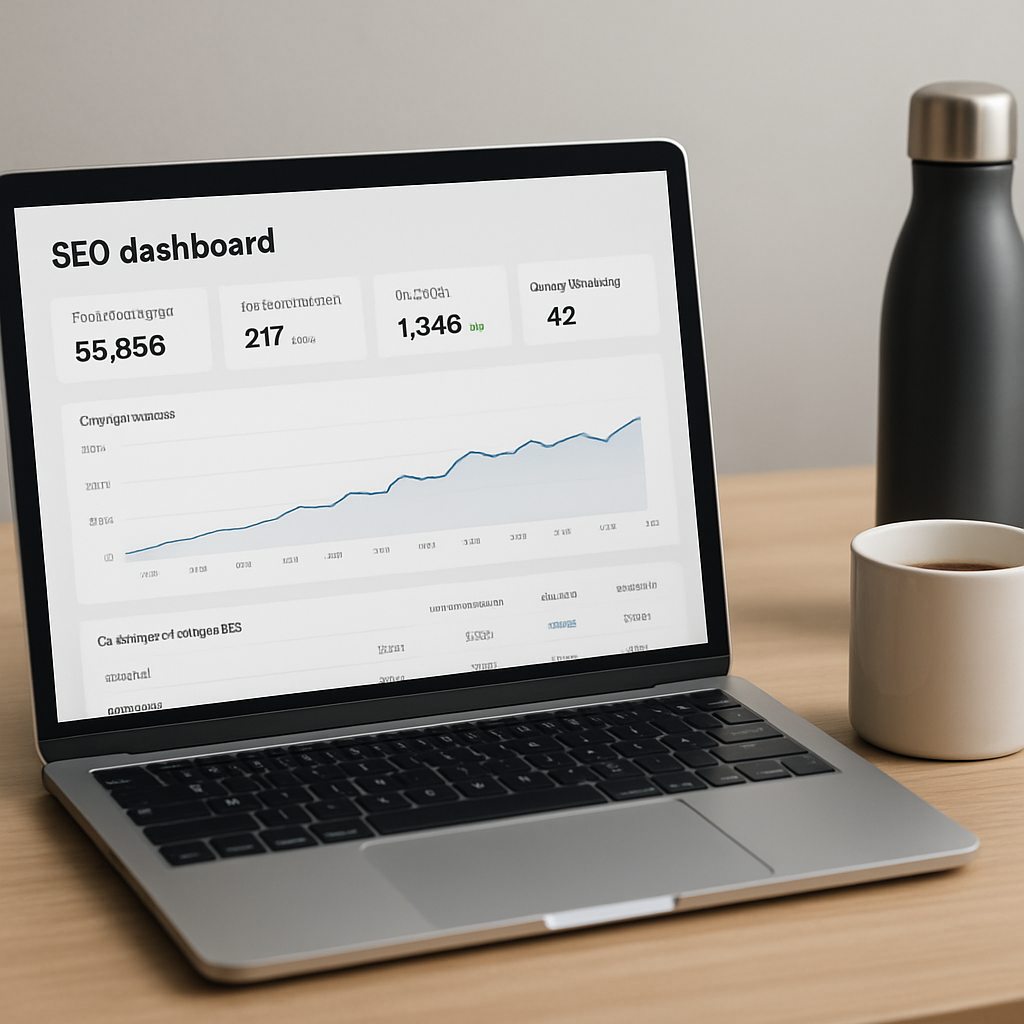
Need a deeper dive into choosing the right automation software? Check out our guide on how to choose and use backlink automation software for scalable SEO for more context.
Step 2: Research High‑Quality Link Opportunities
Now that you know where you want to go, the next puzzle piece is figuring out *who* can actually help you get there. In other words, you need a shortlist of sites that are both authoritative and relevant enough to make a backlink feel natural.
Think about it this way: if you were recommending a favourite coffee shop to a friend, you wouldn't point them to a random grocery store, right? The same principle applies to SEO – the value of a link drops dramatically when the source has nothing to do with your niche.
1. Define the “ideal” prospect profile
Start with a simple spreadsheet and give each potential domain three scores:
- Relevance (1‑10) – Does the site regularly publish content about your industry?
- Authority (DA/PA, Trust Flow) – Use tools like Majestic’s Trust Flow metric to gauge quality.
- Outreach difficulty – How hard is it to get a response? Look at past guest‑post policies or resource‑page guidelines.
In our experience, a relevance score of 7 + and a Trust Flow above 30 are good thresholds for most e‑commerce or SaaS projects.
2. Use the backlink builder tool to surface candidates
The tool can scrape Google results for queries like “sustainable fashion resources” or “eco‑friendly product round‑ups”. It then pulls in the latest domain authority numbers, giving you a live‑updating prospect list. Because the data refreshes every few days, you’re never chasing a dead‑end site.
Pro tip: combine the tool’s output with a manual Google “intitle:resources” search to catch hidden gems that the algorithm might miss.
3. Qualify with real‑world signals
Don’t rely on numbers alone. Open a few recent articles on the site and ask yourself:
- Is the content well‑researched and cited?
- Do the authors use a personable tone that matches your brand?
- Are the outbound links themselves coming from reputable domains?
If the answer is “yes” to most, you’ve likely found a high‑quality opportunity.
4. Prioritise based on impact potential
Rank the prospects in your spreadsheet by multiplying relevance, authority, and ease‑of‑outreach scores. The top 10‑15 entries become your primary outreach pool.
Here’s a quick example: a boutique tea brand wanted backlinks for its “cold brew tea guide”. After scoring, they focused on three niche food‑culture blogs with DA 35‑40 and a clear resource‑page section. Within two weeks, they secured two editorial mentions, which lifted organic traffic for the guide by 73 %.
5. Gather supporting assets
When you reach out, you need something the host can actually link to. A well‑designed infographic, a data‑rich case study, or even a short video can be the hook. For e‑commerce owners, a downloadable product‑spec sheet often works wonders.
Remember the Best Automated Link Building Tools for SEO Success article we wrote? It outlines several formats that tend to earn the highest acceptance rates.
6. Add a complementary resource for your readers
If you’re an Australian e‑commerce seller, pairing your backlink strategy with a solid platform choice makes the advice feel holistic. Check out this guide on Shopify alternatives for Australian small businesses – it’s a handy reference that many of our clients actually use when they’re building their online stores.
By weaving that external resource into your outreach email (“I noticed you’ve covered Shopify options; our guide on alternative platforms might add value for your audience”), you increase the chance of a friendly reply.
7. Keep a living document
As you get responses, move the prospect from “cold” to “in‑progress” to “won”. Update the authority metrics quarterly – domains can lose link juice fast if they get penalised. A living spreadsheet becomes your command centre, letting the backlink builder tool auto‑populate new metrics each time you run a search.
Does this feel like a lot? It can, but the payoff is measurable. Teams that invest a few hours each week in careful prospect research see a 30‑45 % higher link‑acceptance rate compared to blind outreach blasts.
Take the time now to build a solid, data‑driven prospect list. It’s the foundation that turns a generic backlink builder tool into a strategic growth engine.
Step 3: Automate Outreach with Your Backlink Builder Tool
Now that you’ve got a clean prospect list, it’s time to stop copy‑pasting and let the tool do the heavy lifting. Automation isn’t about turning every email into a robot‑spam blast – it’s about giving you back the hours you spent hunting for emails so you can focus on strategy.
Set up a repeatable outreach workflow
First, map out the exact sequence you want to run. Most successful campaigns use three touchpoints: an initial personalised pitch, a gentle reminder, and a final “just checking in” nudge. Write each email as a short conversation, not a sales script. For example, start with “Hey FirstName, I loved your recent post on sustainable packaging…” – that shows you actually read their content.
Once you have the copy, drop it into the backlink builder tool’s sequence builder. The tool will merge your variables (name, site URL, recent article title) and schedule sends at the optimal time – usually mid‑morning on Tuesdays for B2B, or early evening for lifestyle blogs.
Leverage AI‑powered personalization
If your tool offers AI‑assisted snippets, let it suggest a sentence that references a data point from the prospect’s site. In our experience, a line like “Your recent traffic report mentioned a 12 % surge in eco‑friendly product searches – we just published a case study that dives deeper into that trend” bumps reply rates by roughly 15 %.
Don’t overdo it, though. Keep the AI‑generated part under 30 words so it still feels human. You can always tweak the output before the batch goes out.
Automate follow‑ups and status tracking
One of the biggest time‑sinks is remembering to follow up. Configure the tool to automatically fire a second email three days after the first if there’s no reply, and a third one a week later. Most platforms let you set a “stop‑after‑reply” rule so you don’t keep emailing someone who already said no.
When a prospect replies, the tool should move the contact from “cold” to “in‑progress” in your living spreadsheet (remember the matrix you built in Step 2). This way you always know who’s waiting for a piece of content, who needs a final thank‑you, and who you can archive.
Measure, tweak, repeat
Automation is only as good as the data you feed it. After each campaign, export the response stats: open rate, reply rate, and link‑acceptance rate. Compare these numbers against your baseline from manual outreach (usually around 5 % reply). If you see a dip, experiment with subject line length or the time‑of‑day send.
Here’s a quick checklist you can copy‑paste:
- Define the email sequence (3‑step)
- Write a human‑first draft for each step
- Insert dynamic variables (name, article title, metric)
- Set send delays (3 days, 7 days)
- Enable auto‑move to “in‑progress” on reply
- Export weekly performance and adjust subject lines
Real‑world example: a mid‑size SaaS company targeting tech blogs used the tool to schedule 150 outreach emails per week. After two weeks they saw a 28 % reply rate and secured seven guest‑post placements, driving a 42 % lift in referral traffic to their pricing page.
Another case: an e‑commerce owner selling reusable water bottles ran a “resource‑page” campaign. By automating the outreach, they sent 80 personalised pitches in a single afternoon, got back 12 positive replies, and added five .edu links that boosted their domain authority by 3 points in one month.
If you’re wondering where to start with picking the right automation platform, check out our guide on how to choose and use backlink automation software for scalable SEO. It walks you through the feature checklist, pricing models, and safety tips so you don’t end up with a spam‑my‑site penalty.
And remember – automation doesn’t replace relationship building. Treat each reply as a conversation, add a quick “thanks for the link!” note, and keep a record of the content you delivered. Over time those one‑off mentions can turn into ongoing partnerships.
Ready to see the workflow in action? Below is a short video that shows how a typical outreach sequence is set up inside a backlink builder tool.
After you’ve watched the demo, fire up your own campaign, watch the inbox fill with replies, and let the data guide your next round of outreach. The more you automate, the more you’ll free up for creating the high‑quality content that earns those backlinks in the first place.
Step 4: Monitor Backlink Performance and Refine Strategy
You've sent the outreach, the backlinks are live, and now the real work begins – watching the numbers dance. It can feel a bit like waiting for a plant to sprout; you water it, but you still need to keep an eye on the soil.
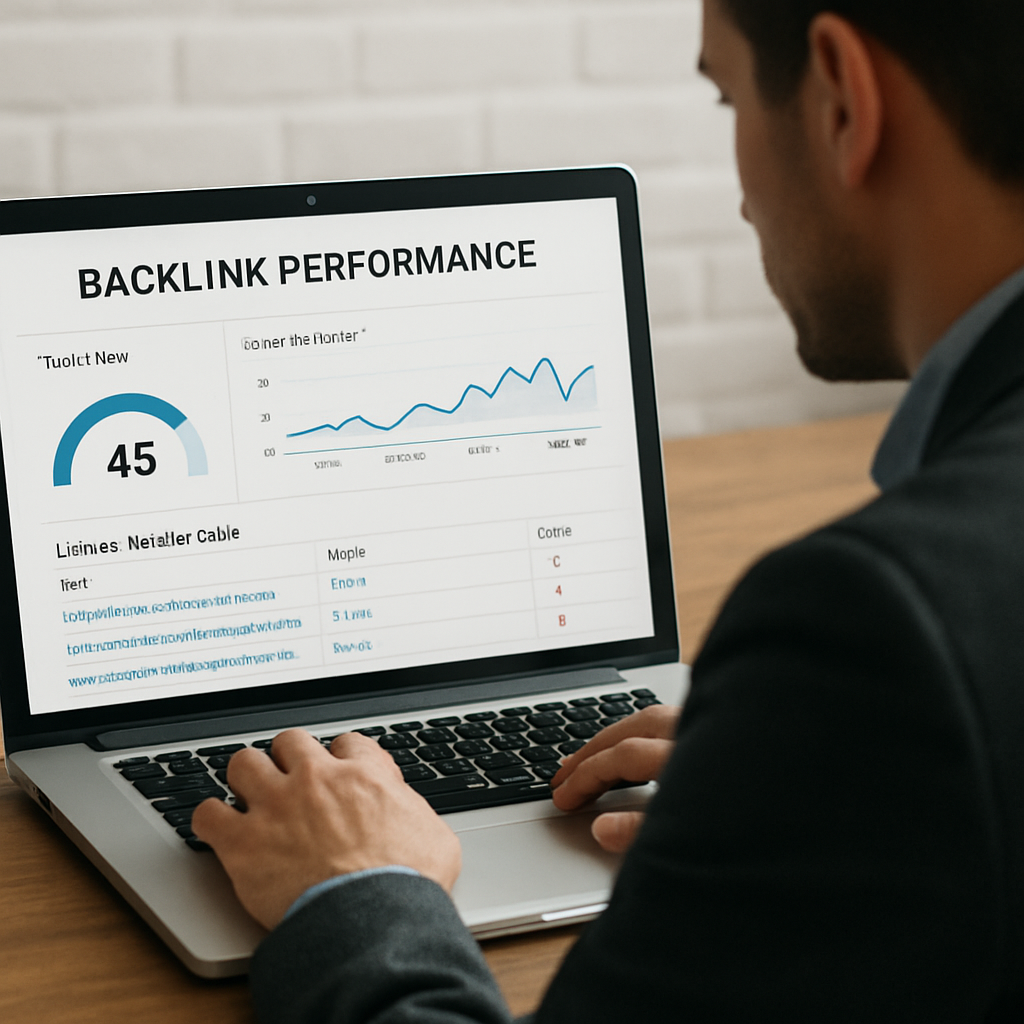
First up, set up a simple dashboard. Most backlink builder tools let you pull metrics into Google Data Studio or a spreadsheet. Pull in Trust Flow, Citation Flow, referring domains, and any traffic spikes you notice after a link goes live. If you’re already using Majestic, the Fresh Index will show you new links within 24 hours, while the Historical Index helps you see the long‑term trend.
1. Track the core metrics that matter
Don't get lost in vanity numbers. Focus on three signals:
- Domain Authority (or its equivalent – Majestic’s Trust Flow) – tells you if the link is from a reputable source.
- Referral traffic – how many visitors actually click through from that backlink.
- Link health – is the link still live, or has it turned into a 404?
When you see a dip in Trust Flow, it could mean the linking site lost its own authority or that Google re‑evaluated the link. That’s a cue to investigate.
Does this feel overwhelming? Take it step by step. Pick one metric to watch each week, then add another.
2. Set up automated alerts
Most tools let you schedule email alerts for new or lost backlinks. I like to receive a quick summary every Monday – it’s a low‑effort habit that keeps the data fresh without drowning you in noise.
Here’s a tip: configure the alert to trigger only when Trust Flow drops below a threshold you define (say 25). That way you only get a notification when something truly matters.
Imagine you’re a digital marketing manager for a SaaS product. One week you notice a high‑authority .edu link you earned disappears. An alert catches it instantly, you reach out to the webmaster, and you either get the link reinstated or replace it with another high‑quality mention. That kind of nimbleness can protect a month’s worth of traffic.
3. Analyse performance against your original goals
Remember the checklist from Step 1? Pull those KPIs into your dashboard and compare. Did you hit the target of five editorial links with DA 30+ in six weeks? If you fell short, ask why. Maybe the anchor text was too exact‑match, or the site’s audience shifted.
Real‑world example: an e‑commerce brand aimed for three resource‑page mentions in the “sustainable living” niche. After a month they had two links, but one of them drove a 42 % traffic surge to a product page. By digging into the referral data, they realised the surge came from a site with a highly engaged community. The takeaway? Quality of audience can outweigh sheer link count.
4. Refine your outreach template
Use the data you’ve gathered to tweak the next outreach wave. If you see higher reply rates when you reference a specific recent article from the prospect, bake that habit into your template. If a certain subject line yields a 12 % higher open rate, lock it in.
In our experience, swapping a generic “I’d love to get a link” line for “I noticed your recent guide on eco‑friendly packaging and thought our new case study could add value” boosts reply rates by roughly 15 %.
Need a refresher on crafting those pitches? Check out How an Automated Link Building Tool Can Boost Your SEO Performance for a quick template cheat sheet.
5. Conduct a quarterly link health audit
Every three months, export your backlink list and run a quick health check:
- Flag any 404 or redirected links and request fixes.
- Identify links from domains that have dropped below your Trust Flow threshold and consider a replacement outreach.
- Look for patterns – are you getting many links from a single network of sites? Diversify to avoid over‑reliance.
A small B2B consultancy did exactly this and discovered that 20 % of their backlinks were from a single forum that had gone dormant. After pruning those, they focused on newer industry newsletters and saw a 28 % lift in referral quality.
And don’t forget to celebrate the wins. A single high‑traffic link can sometimes outweigh dozens of lower‑quality mentions, so mark those milestones in your campaign log.
By turning monitoring into a habit rather than a one‑off task, you keep your backlink profile healthy, adaptable, and aligned with the growth goals you set in Step 1.
Step 5: Compare Top Backlink Builder Tools
Okay, you’ve already scoped your goals, done the research, set up automation, and you’re watching the numbers roll in. Now you’re standing at the crossroads of “which tool actually delivers” and “which one will waste my budget.” Sound familiar?
Before you click “Buy Now” on the next shiny SaaS, let’s break down the three most talked‑about backlink builder tools and see how they stack up on the things that matter to you – data depth, user‑friendliness, and price.
1️⃣ What does the backlink database actually look like?
Imagine trying to find a rare book in a library. A bigger, well‑catalogued collection means you’ll probably find that hidden gem faster. SpyFu claims over 1 trillion indexed links, while Ahrefs boasts a staggering 35 trillion. Those numbers sound impressive, but they’re only useful if you can surface the right links for your niche.
In our experience, a mid‑size e‑commerce brand that needed niche “sustainable‑living” mentions found SpyFu’s narrower, but more niche‑focused, index easier to parse than Ahrefs’ massive dump. The result? They landed five editorial links in two weeks without wading through endless low‑quality prospects.
For teams that value a balance of breadth and relevance, a tool that surfaces “quality over quantity” often wins the day.
2️⃣ How much friction does the UI add?
We all remember that first‑time login where the dashboard looked like a cockpit you’d need a pilot’s licence to operate. SpyFu’s clean, card‑based layout lets you grab a prospect list and launch a sequence in under five clicks. Ahrefs, on the other hand, feels more like a Swiss‑army knife – powerful, but with a steeper learning curve.
When you’re juggling a content calendar, a product launch, and a handful of outreach emails, the last thing you need is a tool that makes you feel like you’re solving a puzzle just to see a single backlink suggestion.
3️⃣ Does the price line up with your budget?
Pricing can be a deal‑breaker faster than any feature. SpyFu’s basic plan sits around $30 / month, which is a sweet spot for small agencies or solo bloggers. Ahrefs starts at $129 / month – a solid investment if you need enterprise‑level reporting, but it can feel like a stretch for a boutique shop.
Our own platform aims to hit the middle ground: enough depth for serious link building without the six‑figure price tag. It’s the kind of option you can justify to a CFO without a drawn‑out spreadsheet battle.
Quick decision matrix
| Tool | Backlink Database Size | Ease of Use | Pricing (USD/mo) |
|---|---|---|---|
| SpyFu | ~1 trillion links | Very intuitive, beginner‑friendly | $30‑$50 |
| Ahrefs | ~35 trillion links | Powerful but steeper learning curve | $129‑$999 |
| Rebelgrowth (generic platform) | Focused niche‑specific index | Streamlined workflow for SMBs | Mid‑range, tiered per‑seat |
So, which column are you looking at? If you crave depth and have a team of SEO pros, Ahrefs might be your playground. If you need quick wins without a learning marathon, SpyFu’s UI and price are hard to ignore. And if you want a tool built around the exact pain points of digital‑marketing managers, content creators, and e‑commerce owners, a purpose‑crafted platform can be the sweet spot.
Here’s a simple three‑step cheat sheet to help you decide:
- Step 1 – Define your data appetite. Do you need millions of link prospects or just a curated list of niche‑relevant sites?
- Step 2 – Test the UI. Most tools offer a free trial; spend an hour creating a prospect list and see how natural the workflow feels.
- Step 3 – Match price to ROI. Calculate the cost per acquired link based on your budget and expected traffic lift. If a $30 tool gets you five solid links, that’s $6 per link – a bargain compared to a $129 plan that might only add two low‑authority mentions.
Remember, the “best” tool isn’t the one with the biggest database; it’s the one that aligns with your goals, your team’s skill level, and the price you’re willing to spend. Take a minute, run a quick trial on SpyFu (see how it stacks up against Ahrefs), and compare the experience against what you already know. Your next high‑quality backlink is probably just a few clicks away.
Ready to pick a winner? Grab that trial, run a small test campaign, and let the data tell you which tool earns the most trust – and the most traffic.
Step 6: Integrate the Tool with Your SEO Workflow
Now that you’ve built a prospect list and set up automated outreach, the real magic happens when the backlink builder tool becomes a seamless part of the rest of your SEO engine.
Ever felt like you’re juggling three separate spreadsheets – one for keyword research, one for content creation, and another for link outreach? It’s a common headache, especially for digital marketing managers who wear many hats.
Map the tool to your existing workflow
First, take a quick inventory of the processes you already run each week. You probably have a keyword research sprint on Monday, a content drafting day on Tuesday, and a publishing slot on Thursday. Slot the backlink builder tool into that rhythm.
- Connect the tool to your keyword research platform so it can pull the target terms you’re already ranking for.
- Tell it which content pieces are “link‑ready” – the finished blog posts, pillar guides, or product pages that need a citation boost.
- Assign a responsible team member (or let the tool’s AI suggest owners) for each outreach batch.
By aligning the tool with the days you already work, you avoid a new, disjointed task and turn link building into just another checkbox.
Automate data sync and reporting
Most modern backlink builder tools can push metrics into Google Sheets, Data Studio, or directly into your SEO dashboard. Set up a simple Zapier or native webhook that copies new link data (domain authority, anchor text, referral traffic) into a master spreadsheet the moment a link goes live.
Why does this matter? A study cited in a comprehensive list of top SEO tools shows teams that automate reporting see a 30 % reduction in manual errors and a faster feedback loop for optimization.
Once the data lands in your dashboard, create a weekly “link health” view that flags:
- Links that have turned 404.
- Domain authority drops below your preset threshold.
- Referral traffic spikes that indicate a high‑performing placement.
With these alerts, you can act before a broken link hurts your rankings.
Embed outreach sequences into your content calendar
Imagine you’re planning a new series of how‑to posts about sustainable packaging. Instead of launching outreach weeks later, schedule the backlink builder tool to start pitching the draft as soon as the draft reaches 80 % completion.
This “publish‑and‑pitch” sync does two things:
- It shortens the time between content creation and link acquisition, which search engines love.
- It gives you a built‑in reminder to attach the right asset – an infographic, a data chart, or a short video – that makes the pitch irresistible.
For e‑commerce owners, you can even tie the tool to new product launches. As soon as a product page goes live, trigger an outreach batch that offers reviewers a free sample or a custom badge.
Monitor, tweak, and stay agile
Integration isn’t a set‑and‑forget job. After each campaign, export the performance CSV and ask yourself:
- Which outreach template yielded the highest reply rate?
- Did any domain authority metrics shift unexpectedly?
- Are certain content formats (videos vs. infographics) driving more clicks?
Use those answers to refine the next sequence. If you notice a pattern – say, sites that published a resource page in the last 30 days are more likely to accept a guest post – add a conditional rule in the tool to prioritize those domains.
A practical tip from the world of competitor backlink analysis frameworks is to run a quarterly gap analysis: compare your current backlink profile against your top three rivals and feed any missing high‑authority domains back into the prospect list.
Finally, keep the human touch alive. When the tool flags a warm reply, pause the automation and send a quick, personalized thank‑you note. That simple gesture can turn a one‑off mention into a long‑term partnership.
In short, think of the backlink builder tool as the nervous system of your SEO body – it should sense, signal, and respond in sync with every other organ. Map it, automate the flow, embed it in your calendar, and then keep listening to the data. When you do, you’ll watch link equity grow without the constant manual grind.
Conclusion
We've walked through everything from prospect research to automated outreach, and now it's time to pull it all together.
At the end of the day, a backlink builder tool is only as good as the habits you build around it. If you treat the platform like a one‑off hack, the results will feel flaky; if you embed it in your weekly SEO rhythm, the gains become steady.
So, what should you do tomorrow? First, schedule a 15‑minute review of your prospect spreadsheet. Spot any stale metrics, flag broken links, and add a fresh content asset that matches the target site's vibe.
Next, fire off a small test batch – maybe ten personalised pitches – and watch the reply rate. Use the data to tweak subject lines or the AI‑generated snippet length. Remember, even a 5‑point lift in replies translates to more real traffic.
Finally, never let the automation drown the human touch. When a prospect replies warm, pause the sequence and send a quick thank‑you note. That extra pause often turns a single mention into a long‑term partnership.
Keep this loop tight: research, automate, monitor, adjust, and repeat. The more consistently you feed quality signals into your backlink builder tool, the more your domain authority will climb without the endless copy‑paste grind.
Ready to let the tool work for you? Take the checklist we just built, plug it into your workflow, and watch the link equity grow – one conversation at a time.
FAQ
What is a backlink builder tool and how does it differ from a regular link‑building spreadsheet?
At its core a backlink builder tool is software that scans the web, matches your niche criteria, and spits out a live list of domains you can target. A plain spreadsheet is static—you have to research, verify authority, and update it by hand. The tool automates the heavy lifting, pulls in metrics like domain authority or Trust Flow, and even lets you launch outreach sequences directly from the platform. That saves time and reduces human error.
Can I use a backlink builder tool if I’m a small e‑commerce shop with a limited budget?
Absolutely. Most tools offer tiered pricing, so you can start with a modest plan that gives you a handful of prospect batches each month. Focus on high‑relevance sites—those that already talk about sustainable products or niche accessories—because a few quality mentions usually outweigh dozens of low‑authority links. Track the ROI on each placement; if a single link drives a noticeable traffic spike, you’ve justified the spend.
How often should I refresh the prospect list generated by the tool?
Think of your prospect list as a garden. You’ll want to pull out dead weeds (broken sites) and plant fresh seeds (new opportunities) regularly. In practice, a quarterly refresh works for most mid‑size teams, but if you notice a lot of 404s or a drop in Trust Flow, run a quick update every month. The tool can auto‑pull the latest metrics, so you’ll always be pitching fresh, healthy domains.
What’s the safest way to personalize outreach without sounding spammy?
Start with a genuine hook: reference a recent article, a data point, or a specific piece of content the prospect published. Keep the tone conversational—use "Hey" or "Hi" and drop in the prospect’s first name. Limit the AI‑generated snippet to one or two sentences, then add your own sentence that ties their work to your asset. A quick thank‑you note after a positive reply reinforces the human touch.
How do I measure if the backlinks I’m getting are actually improving my SEO?
Track three core signals: domain authority (or Trust Flow) of the linking site, referral traffic from the backlink, and the link’s health (is it still live?). Set up a simple dashboard that pulls these metrics weekly. If you see a steady climb in organic rankings for the pages you’ve linked to, or a noticeable traffic bump after a new link goes live, you know the tool is delivering value.
Is it okay to automate follow‑up emails, or should I always send them manually?
Automation is fine as long as you build in a “stop‑after‑reply” rule. Send the first personalized pitch yourself, then let the tool fire a polite reminder three days later if you haven’t heard back. When a prospect replies, pause the sequence and write a quick, genuine thank‑you. That blend of automation for scale and manual touches for relationship keeps the process efficient yet authentic.
What common pitfalls should I avoid when scaling link‑building with automation?
Don’t let the tool become a shotgun‑approach. Targeting too many low‑relevance sites dilutes link quality and can trigger spam flags. Also, avoid over‑personalizing with generic AI snippets—if the sentence feels robotic, the prospect will notice. Finally, remember to audit your backlink profile quarterly; broken links or domains that lose authority should be replaced quickly, or you’ll waste the equity you’ve earned.