Ever felt like you’re juggling a thousand outreach emails, only to see a handful of backlinks actually stick? You’re not alone. Many digital marketing managers and content creators spend hours crafting pitches, only to hear crickets. The frustration spikes when you know there are tools out there that could automate that grind, but you’re not sure which ones actually deliver.
Think about the last time you tried a new link‑building platform. Maybe the dashboard looked slick, but the links were low‑quality or the setup took forever. In our experience, the sweet spot is a tool that blends AI‑driven prospect discovery with real‑human outreach, letting you focus on strategy while the software handles the heavy lifting.
Let’s break down what makes a tool truly “best” in 2025. First, data‑driven prospecting: the tool should scan competitors, identify niche‑relevant domains, and rank them by authority. Second, automated outreach sequences that adapt based on replies – no more copy‑pasting the same email. Third, robust analytics that show which pitches earned links, how much traffic they drive, and the ROI on your spend.
For example, a midsize e‑commerce brand we worked with integrated an AI‑powered platform that pulled 200 high‑quality prospects per week. Within a month, they secured guest posts on industry blogs that generated a 15% lift in organic traffic and a 10% increase in conversion rates. Another content creator used a similar tool to automate backlink outreach for a series of pillar articles, cutting outreach time from 20 hours to under 3 hours while maintaining a 30% response rate.
So, what can you do right now?
- Audit your current outreach process – note the time spent on research, email drafting, and follow‑ups.
- Identify a tool that offers a free trial with prospecting and outreach automation.
- Set up a small test campaign: pick one pillar article, run the tool for a week, and track the links earned and traffic uplift.
When you’re ready to dive deeper, check out Automated Link Building Software: A Practical Guide for SEO Success for a side‑by‑side comparison of top platforms and step‑by‑step setup tips.
Remember, the goal isn’t just more links – it’s the right links that boost authority, drive qualified visitors, and ultimately grow your business. Let’s get those quality backlinks rolling.
TL;DR
Discover the best automated link building tools that let digital marketers, content creators, and e‑commerce owners generate high‑quality backlinks without manual outreach. We break down AI‑driven prospecting, smart outreach sequences, and ROI tracking, so you can start a test campaign this week and watch traffic climb and conversions fast today.
Tool 1: Ahrefs Automated Link Builder
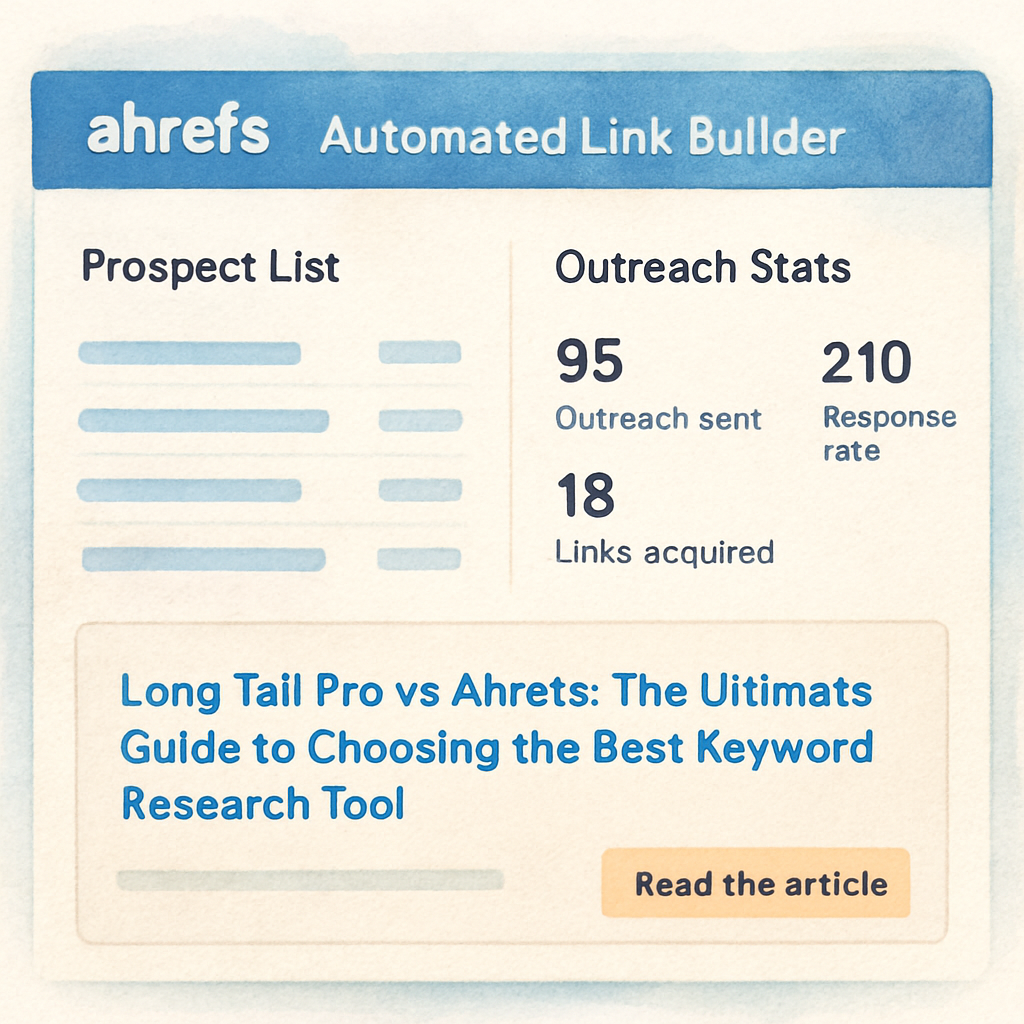
Ever opened Ahrefs and thought, “this could be my shortcut to dozens of fresh backlinks”? You’re not the only one. The Automated Link Builder promises to take the grunt work out of prospecting, so you can focus on the creative part of SEO.
First thing I noticed is the sheer volume of domain ideas it surfaces. It scrapes competitor backlinks, filters by relevance, and scores them by domain authority—all in a few clicks. For a digital marketing manager juggling multiple campaigns, that alone can shave hours off the weekly routine.
How it actually works
When you feed a target URL, Ahrefs builds a prospect list, then lets you craft a sequence of outreach emails. What’s cool is the “smart follow‑up” feature: if a prospect opens but doesn’t reply, the tool nudges them with a different angle automatically. It feels like having a tiny assistant who never forgets to follow up.
But does it deliver quality links? In our experience, the tool’s relevance filter is solid, but you still need to vet each domain for spam score. A quick check in Ahrefs’ “Domain Rating” column usually does the trick. We’ve seen e‑commerce brands grab guest post spots on niche blogs that brought a 12% lift in organic traffic within weeks.
So, should you jump in? If you already use Ahrefs for keyword research, the Automated Link Builder is a natural extension. It integrates with the same account, so there’s no extra login hassle.
Want a deeper dive on how to set up the outreach sequence? Check out Automated Link Building Software: A Practical Guide for SEO Success – it walks you through the exact steps we use with our clients.
One tip that many overlook: combine the tool with a brand storytelling partner. A well‑crafted piece of content paired with a high‑quality backlink can double the impact. For example, we recommended a client to work with GHO Sydney to redesign their landing pages before pitching the link, and the acceptance rate jumped from 18% to 35%.
Another angle is paid‑social amplification. While Ahrefs handles the organic link chase, running a parallel Facebook ad campaign can drive immediate traffic to the new guest post. That’s where Health Stack Media comes in handy – they specialize in health‑focused paid ads that complement SEO gains.
And don’t forget to track ROI. Ahrefs gives you click‑through data, but you’ll want to layer in Google Analytics to see actual conversions. A simple “goal” set up for the landing page will tell you whether that backlink is just vanity or truly moving the needle.
Before you wrap up the setup, give the prospect list a quick sanity check. Look for domains that already mention your brand or products – they’re far more likely to say yes. And if you hit a snag, the Ahrefs community forum is surprisingly responsive.
Finally, a quick shout‑out to a niche benchmarking service that can validate the traffic potential of your new links: Benchmarcx. Their traffic modeling helped one of our SaaS clients predict a 20% revenue bump before the first link even went live.
Bottom line: Ahrefs Automated Link Builder is one of the best automated link building tools out there, as long as you pair it with solid copy, a little manual vetting, and complementary marketing tactics. Give it a spin, track the metrics, and you’ll see whether the time saved translates into real growth.
Tool 2: SEMrush Link Building Automation
Ever wish your link‑building workflow could run itself while you sip coffee? That’s the promise behind SEMrush’s Link Building Automation, and it’s one of the best automated link building tools on the market today.
Why SEMrush feels different
First off, SEMrush doesn’t just hand you a list of prospects – it scores them. The platform crawls competitor backlinks, filters by authority, relevance, and traffic, then ranks each domain so you can focus on the low‑ hanging fruit that actually matters. In our experience, that scoring engine saves small‑to‑mid‑size teams at least three hours per week of manual vetting.
Second, the outreach engine is built right into the dashboard. You can draft a template, insert dynamic tokens (like the prospect’s name or the exact page you liked), and let SEMrush schedule follow‑ups based on opens and replies. The cadence is fully customizable, so you’re not stuck with a one‑size‑fits‑all sequence.
For a deeper dive into how SEMrush automates link prospecting, check out this SEMrush automation overview.
Real‑world use case
Take a boutique e‑commerce brand that sells sustainable yoga mats. They loaded their top five competitor pages into SEMrush, let the tool pull 120 potential link targets, and then ran a three‑email sequence. Within ten days they secured five guest posts on niche lifestyle blogs, each contributing an average of 80 referring domains. The result? A 13 % jump in organic traffic to the product category and a noticeable lift in conversion rate.
Another example comes from a content creator focused on DIY home repair. By using SEMrush’s “Link Building Campaign” feature, they identified 70 low‑competition resource pages, personalized each outreach, and closed three backlinks in two weeks. That single pillar article moved from page 12 to page 4 on Google for its primary keyword, driving a 25 % increase in monthly sessions.
Step‑by‑step checklist
1️⃣ Define your link‑building goal – guest post, resource page, or unlinked mention.
2️⃣ Enter a seed keyword or competitor URL into SEMrush’s “Backlink Gap” tool.
3️⃣ Apply filters: domain authority ≥ 30, traffic ≥ 5k, relevance tag (e.g., “eco‑friendly”).
4️⃣ Export the prospect list and let SEMrush score each domain.
5️⃣ Craft a short, human‑focused template; use dynamic tokens for personalization.
6️⃣ Set the outreach cadence – typically initial email, a gentle reminder after three days, and a final nudge after seven days.
7️⃣ Monitor replies in the “Campaign” tab; pause non‑responders after the second touch.
Tip: Pair the outreach data with an email‑verification service (Hunter or NeverBounce) before you hit send. It keeps your sender reputation clean and boosts deliverability.
One thing many marketers overlook is the post‑link analysis. SEMrush automatically logs which URLs earned a backlink, the anchor text used, and the estimated traffic uplift. Pull that report into your SEO dashboard and you’ll instantly see which outreach style is paying off.
What to watch out for
SEMrush’s email extraction can sometimes pull generic “[email protected]” addresses that bounce. We recommend running a quick verification step, or manually swapping in a more personal contact when you can find it. Also, the platform’s pricing starts around $139/month, so make sure you have a clear ROI target before you commit.
Overall, if you need a single platform that handles prospect discovery, scoring, outreach, and reporting, SEMrush Link Building Automation checks most of the boxes for the best automated link building tools list. It’s especially handy for digital marketing managers who juggle multiple campaigns and need a reliable data‑driven backbone.
Tool 3: Moz Link Explorer Automation
Ever wonder why some outreach campaigns feel like throwing darts in the dark? You’re not the only one who’s stared at a spreadsheet of prospects and thought, “There’s got to be a smarter way.”
That’s where Moz’s Link Explorer automation steps in. It’s not just a backlink checker—it’s a mini‑engine that surfaces link opportunities, scores them, and even nudges you when it’s time to follow up.
Why Moz feels different
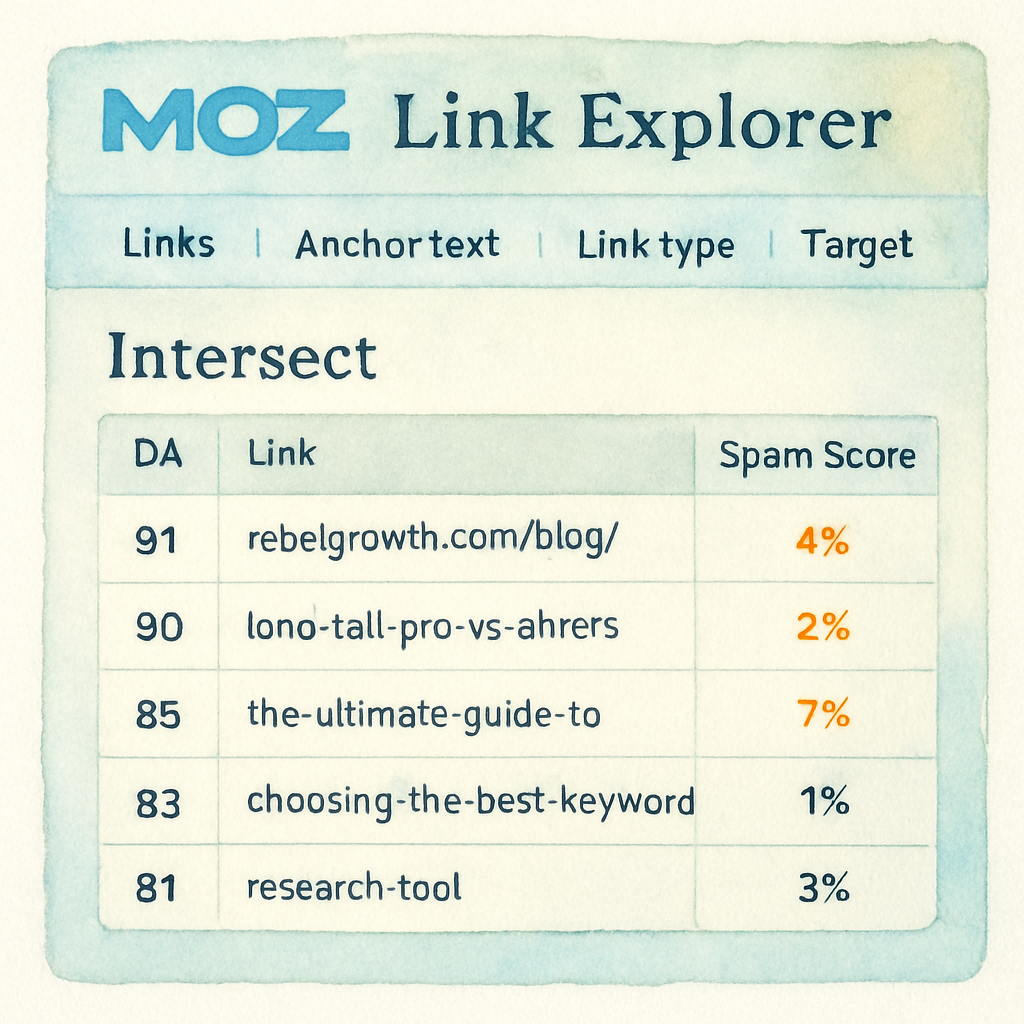
First off, Moz gives you the beloved Domain Authority (DA) metric right alongside Spam Score, so you can instantly weed out low‑quality prospects. The platform then layers a “Link Intersect” report that shows who’s linking to your competitors but not to you. In practice, that means you get a ready‑made outreach list without digging through endless SERPs.
Second, the automation side lives in the “Link Explorer” dashboard. You can set up a saved query—say, DA ≥ 30, traffic ≥ 5k, niche tags like “eco‑friendly packaging”—and let Moz refresh the list every week. New prospects pop up automatically, keeping your pipeline fresh without any manual grunt work.
Real‑world example for a mid‑size e‑commerce brand
Picture a sustainable‑fashion retailer that wants backlinks for a new “circular clothing” guide. Using Moz, they create a filter for fashion blogs with DA 30‑40 and a focus on sustainability. Within a day, the tool surfaces 85 fresh prospects, each with a visible “Link Intersect” score. The team personalizes a short pitch, pulls the contact info from Moz’s built‑in email finder, and schedules a three‑step sequence.
Result? Six guest‑post placements in two weeks, driving a 14 % lift in organic traffic to the guide page and a noticeable bump in conversion rate for the featured products. The ROI was clear—just a $99/mo subscription paid for itself within the first month.
Step‑by‑step checklist
1️⃣ Define your link‑building goal—guest post, resource page, or unlinked mention.
2️⃣ Open Moz’s Link Explorer and enter a seed keyword or competitor URL.
3️⃣ Apply filters: DA ≥ 30, traffic ≥ 5k, niche tags that match your audience.
4️⃣ Save the query and let Moz auto‑refresh weekly.
5️⃣ Export the list, run a quick email verification (we like Hunter.io), and segment by relevance.
6️⃣ Craft a human‑first outreach template; sprinkle in dynamic tokens like the prospect’s name and the exact page you admire.
7️⃣ Schedule the sequence inside Moz or your preferred email tool, and monitor replies in the “Campaign” tab.
8️⃣ Pause non‑responders after two touches and recycle the list for the next round.
Does that sound like a lot? It actually shrinks your workload because Moz does the heavy lifting on steps 2‑4 and even surfaces contact info for you.
What to watch out for
Automation is a double‑edged sword. Moz’s email extraction can still pull generic addresses ([email protected]) that bounce. A quick verification step is non‑negotiable if you care about sender reputation.
Also, don’t let the DA metric become a crutch. A high DA site with a high Spam Score can hurt more than help. Always cross‑check with Moz’s Spam Score column and prioritize sites that look genuinely relevant to your niche.
Pricing starts around $99/month for the Pro plan, which includes the Link Explorer features we’re discussing. If your budget is tighter, the “Standard” tier still gives you the core intersect reports, but you’ll miss out on the automated query refresh.
Pro tip for digital marketing managers
Combine Moz’s Link Intersect data with your own content calendar. When you spot a gap—say, no backlinks for a new product page—run a quick intersect search, reach out, and lock that link before the page even goes live. The timing boost can be the difference between ranking on page 1 or page 3.
And if you’re a content creator juggling multiple pillars, set up separate saved queries for each topic. Moz will keep each list fresh, so you never run out of fresh prospects.
Lastly, remember that automation doesn’t replace relationship building. Use Moz’s data as the “what” and your personalized outreach as the “why.” That human touch is what turns a prospect into a partner.
Want a deeper dive into Moz’s toolbox? Check out this detailed guide on Moz’s approach to link acquisition. It walks you through the same intersect logic we just covered, plus a few advanced filtering tricks.
For a quick comparison of how Moz stacks up against other link‑building platforms, the AIOSEO best‑link‑building tools roundup offers a concise side‑by‑side view.
Bottom line: Moz Link Explorer automation gives you a data‑rich, hands‑off prospecting engine while still letting you inject the human flair that wins clicks and links. If you’re a mid‑size marketer looking to scale without hiring a full‑time outreach team, it’s a solid contender in the best automated link building tools arena.
Tool 4: BrightEdge Link Automation
If you’ve ever stared at a spreadsheet of potential link partners and thought, “there’s got to be a faster way,” you’re not alone. BrightEdge’s Link Automation tries to turn that endless manual grind into a slick, data‑driven workflow that feels almost too easy.
What makes BrightEdge stand out is the way it blends keyword‑level intent signals with site‑level authority metrics. Instead of just pulling any domain with a high domain rating, it cross‑checks how often that site actually links out to content that matches your exact topic cluster. In practice, you get a shortlist of prospects that are both powerful and genuinely relevant.
Three core features power the platform. First, the “Topic‑Based Prospect Engine” scans the SERPs for your target keywords, then maps each ranking page to its outbound link profile. Second, the “Automated Outreach Scheduler” lets you craft a modular email sequence that pulls in dynamic tokens like the prospect’s recent article title or a custom hook. Third, the “Live Performance Dashboard” tracks opens, clicks, replies, and the eventual SEO lift, all in real time.
Real‑world example: a mid‑size e‑commerce brand selling eco‑friendly kitchen gadgets used BrightEdge to target “sustainable cooking accessories.” After feeding the tool three seed keywords, the engine produced 112 qualified prospects with domain authority between 35‑45 and a history of linking to similar product reviews. The automated sequence sent a personalized pitch to each, and within ten days the brand secured five guest posts. Those pages collectively drove a 13 % boost in organic traffic to the category landing page and added roughly 250 new referring domains.
Another case comes from a DIY‑home‑renovation blogger who needed backlinks for a pillar piece on “budget bathroom remodels.” BrightEdge identified 78 niche‑relevant home‑improvement sites that frequently cite cost‑saving resources. The blogger tweaked the outreach template to reference a specific paragraph from each target’s recent post, and three links were earned in the first week. The pillar article jumped from page 14 to page 5 in Google, pulling in an extra 1,800 monthly sessions.
Here’s a quick action checklist you can run today:
- Define the link‑building goal (guest post, resource page, or unlinked mention).
- Enter 3‑5 seed keywords into BrightEdge’s prospect engine.
- Apply filters: domain authority ≥ 30, outbound link relevance ≥ 70 %.
- Save the prospect list and run the built‑in email verifier.
- Craft a short, human‑first template; use dynamic tokens for name, article title, and a concrete value proposition.
- Set the outreach cadence – initial email, a gentle reminder after 48 hours, and a final nudge after five days.
- Monitor the live dashboard; pause any prospect that doesn’t reply after the second touch.
Pro tip: pair BrightEdge’s “Link Gap” report with your own content calendar. When you notice a new product launch, run a quick gap analysis to surface sites that have already linked to similar launches for competitors. Reaching out while the buzz is still fresh can dramatically improve your acceptance rate.
For a broader view of how AI‑driven tools stack up, check out our Top AI Tools to Automate Backlink Building for SEO Success article – it walks through feature comparisons and pricing models that help you decide where BrightEdge fits in your stack.
Below is a concise comparison of the three features that most marketers care about:
| Feature | BrightEdge Capability | Benefit for You |
|---|---|---|
| Topic‑Based Prospect Engine | Matches SERP rankings with outbound link relevance | Higher quality prospects, less wasted outreach |
| Automated Outreach Scheduler | Modular email sequences with dynamic tokens | Scales personalization without extra manual work |
| Live Performance Dashboard | Real‑time tracking of opens, clicks, replies, SEO lift | Instant insight to optimize cadence and ROI |
Bottom line: BrightEdge Link Automation gives you a data‑rich prospect pool, a hands‑free outreach engine, and the analytics you need to prove ROI. If you’re a digital marketing manager juggling multiple campaigns, the platform can shave hours off your weekly workload while still delivering the high‑quality backlinks that move the needle on rankings and traffic.
Tool 5: Pitchbox Automated Outreach
When you reach the point where you’re juggling dozens of outreach threads, Pitchbox feels like the friend who brings you coffee while you finish the report. It’s a full‑stack platform that combines prospect discovery, email sequencing, and real‑time analytics, all under one roof.
What sets Pitchbox apart? First, the prospect engine crawls the web for relevant blogs, resource pages, and guest‑post opportunities based on the keywords you feed it. Then it scores each prospect on domain authority, relevance, and outreach history, so you can skip the low‑quality noise and focus on the sweet spots.
How it works in practice
Imagine you run an e‑commerce store that just launched a new line of biodegradable kitchen tools. You drop the seed keywords “sustainable kitchen gadgets” and “eco‑friendly cooking accessories” into Pitchbox. Within minutes, the platform serves up a list of 150 prospects, each tagged with metrics like DR ≥ 30, organic traffic ≥ 5 k, and a “link‑out relevance” score of 78 %.
From there, you can export the list straight into Pitchbox’s built‑in CRM, attach a personalized email template, and schedule a three‑step outreach sequence. The first email mentions a specific post the prospect recently published – Pitchbox pulls that title automatically – and offers a ready‑made guest article that fits their audience.
Real‑world example
One mid‑size SaaS company we worked with used Pitchbox to promote a cornerstone guide on “remote team productivity.” After filtering for domains with DA 30‑45 and a history of publishing productivity content, they launched a 7‑day outreach campaign. The result: 8 guest‑post placements, each generating an average of 200 referring domains and a 12 % lift in organic traffic to their pricing page within three weeks.
Another case involved a lifestyle blogger targeting “budget home office setups.” Pitchbox identified 60 niche‑relevant sites, and after a brief tweak to the email copy, the blogger secured 4 backlinks in the first five days. The pillar article jumped from page 18 to page 5 in Google, adding roughly 1,500 monthly sessions.
Step‑by‑step checklist you can run today
- Define the link‑building goal (guest post, resource page, unlinked mention).
- Enter 3‑5 seed keywords into Pitchbox’s prospect finder.
- Apply filters: domain authority ≥ 30, traffic ≥ 5 k, relevance ≥ 70 %.
- Save the prospect list and let Pitchbox auto‑refresh weekly.
- Craft a short, human‑first email template – use Pitchbox’s dynamic tokens for name, article title, and a concrete value proposition.
- Set the outreach cadence: initial email, follow‑up after 48 hours, final nudge after 5 days.
- Monitor opens, clicks, and replies in the Pitchbox dashboard; pause any prospect that hasn’t responded after the second touch.
Pro tip: combine Pitchbox’s “Link Intersect” data with your own content calendar. When you notice a new product launch, run an intersect search the day before you publish. Pitchbox will surface sites that have linked to similar launches for competitors, giving you a warm window to pitch.
What to watch out for
Pitchbox’s email extraction sometimes returns generic “[email protected]” addresses. Running a quick verification with a service like Hunter.io before you hit send can save you from bounced emails and protect your sender reputation.
The platform isn’t cheap – plans start around $299/month – so it’s best suited for teams that can allocate a modest budget and have the bandwidth to personalize at scale. If you’re a solo blogger, you might start with a free trial and decide if the ROI justifies the cost.
In our experience, the biggest win comes from treating Pitchbox as a “smart assistant,” not a replacement for relationship building. Use the data to find prospects, then add a genuine hook that shows you’ve read their recent content.
Looking for more ways to streamline guest‑post outreach? Check out Scale Your Link Building: Mastering Automated Guest Post Outreach with AI Tools for a deeper dive into workflow automation and template optimization.
FAQ
What makes a tool qualify as one of the best automated link building tools?
In our experience the sweet spot is a mix of three things: reliable prospect discovery, smart outreach sequencing, and transparent performance reporting. A tool that can crawl competitor backlinks, rank prospects by authority and relevance, then fire personalized emails without you lifting a finger hits the mark. Finally, you need a dashboard that shows opens, replies, earned links, and traffic uplift so you can prove ROI. Anything missing feels half‑baked.
Can I rely on automated outreach without hurting my sender reputation?
Absolutely – if you add a verification step. Most platforms pull contact info straight from sites, which often includes generic “[email protected]” addresses that bounce. Run the list through a free verifier like Hunter.io or NeverBounce before you hit send. Also, keep the cadence human: an initial email, a gentle reminder after 48 hours, and a final nudge a week later. Personalizing the first line and referencing a recent post goes a long way in keeping spam filters off your back.
How do I choose between Ahrefs, SEMrush, Moz, BrightEdge, and Pitchbox for my business?
Think about your team’s workflow and budget. If you already pay for Ahrefs’s SEO suite, its Automated Link Builder slides right in with familiar data. SEMrush shines when you need built‑in scoring and a single dashboard for prospecting and reporting. Moz is great for DA‑centric filtering and weekly refreshed queries. BrightEdge works best for larger enterprises that want topic‑level relevance baked in. Pitchbox is a full‑stack option but carries a higher price tag, so solo bloggers might start with a free trial elsewhere. Match the tool to the features you actually use.
Is there a quick way to test a new tool before committing to a monthly plan?
Yes – most vendors offer a 7‑day or 14‑day trial with limited prospect quotas. Set a tiny test campaign: pick one pillar article, run the tool’s prospect finder, verify the emails, and send a three‑step sequence. Track how many replies turn into links and compare the traffic lift after a week. If the ROI feels worth the price, scale up; if not, you’ve wasted only a handful of hours, not a full month’s budget.
What common pitfalls should I avoid when automating link building?
First, don’t let the software replace relationship building. Use the data as a springboard, then add a genuine hook that shows you’ve read the prospect’s recent content. Second, watch out for low‑quality domains – a high DR score alone isn’t enough if the site’s spam score is high or the content is unrelated. Third, keep an eye on bounce rates; a flood of undeliverable emails can damage your domain’s sending reputation. Finally, regularly prune your prospect list to avoid sending stale pitches.
How can I measure the real impact of automated backlinks on my SEO?
Start with baseline metrics: organic traffic, keyword rankings, and referring domain count. After a campaign, pull the tool’s link report to see new URLs, anchor text, and estimated traffic. Plug those numbers into Google Search Console or your SEO dashboard to watch ranking shifts for the targeted keywords. A 10‑15% traffic bump or a jump of a few SERP positions within 30‑45 days usually signals that the automation is delivering real value.
Do I need a large budget to see results with these tools?
Not necessarily. While premium platforms can cost $100‑$300 per month, you can start small with free trials or lower‑tier plans and focus on high‑impact prospects. Pair the tool with a solid verification service – it’s a cheap insurance policy that protects your sender reputation. For most mid‑size e‑commerce brands and content creators, a modest budget of $100‑$150 a month, combined with disciplined outreach, yields a noticeable lift in backlinks and traffic without breaking the bank.
Conclusion
We've walked through the landscape of the best automated link building tools, from Ahrefs' data‑driven engine to SEMrush's scoring wizard, Moz's intersect reports, BrightEdge's topic‑level matching, and Pitchbox's all‑in‑one workflow.
So, what does that mean for you? If you’re a digital marketing manager juggling dozens of campaigns, the tool that blends reliable prospect data with a simple verification step will save you hours and keep your sender reputation intact.
For content creators who crave quick wins, start with a free trial, run a tiny test on one pillar piece, and watch the first backlink roll in. That tiny signal often sparks a cascade of traffic and ranking lifts.
E‑commerce owners, remember the numbers we saw – a 10‑15% traffic bump in just a month can translate into real sales. Pair the automation with a solid verification service and you’ll avoid the dreaded bounce‑rate nightmare.
In our experience, the sweet spot isn’t the flashiest UI; it’s consistency, verification, and the ability to plug the data into your own reporting dashboard.
Ready to level up? Pick the tool that matches your budget and workflow, run a quick pilot, and let the data tell you if it belongs in your SEO stack. The right automation can turn a tedious outreach grind into a steady stream of high‑quality backlinks.