If you've ever stared at a spreadsheet of keyword ideas and felt the overwhelm, you're not alone.
The promise of a programmatic SEO tool is to turn that chaos into a steady stream of rankable pages, but the first hurdle is getting your setup right.
Google processes over 8.5 billion searches each day, and the lion's share—long‑tail queries—are low‑competition gems that most businesses miss.
Imagine a boutique e‑commerce shop that sells eco‑friendly backpacks in 12 colour options and 5 size variations. By feeding those product attributes into a programmatic SEO tool, the shop automatically generated 60 unique, SEO‑optimized landing pages. In just three months, organic traffic jumped 45 % and revenue from those pages covered the tool’s cost many times over.
Here’s a quick checklist to get you from idea to execution:
- Identify repeatable keyword patterns (e.g., “best {product} for {use‑case}”).
- Gather a clean data source—CSV, API, or database with the variables you’ll plug into templates.
- Design a template that includes a unique intro, data table, FAQ schema, and internal links to pillar content.
- Publish a pilot batch of 10–20 pages, monitor impressions in Search Console, and tweak thin content.
- Scale up once the pilot meets a minimum CTR threshold, automating publishing through your CMS.
When you’re ready to dive deeper into tool selection, our guide Programmatic SEO Tools: How to Choose, Set Up, and Scale Your Automation walks you through feature comparisons, pricing models, and integration tips.
Remember, even the smartest programmatic SEO tool can’t compensate for a shaky site foundation. Pairing your automation with reliable hosting and IT maintenance ensures pages load fast and stay secure. For SMB owners in the Bay Area, reliable IT support for SMBs can keep your infrastructure humming while your content engine runs.
So, take the first step, map those keyword patterns, and let the programmatic SEO tool do the heavy lifting. The traffic boost will follow, and you’ll spend less time manual drafting and more time growing your business.
TL;DR
A programmatic SEO tool lets you turn endless keyword ideas into dozens of ready‑to‑rank pages, automating research, content creation, and publishing so you can focus on growth instead of manual drafting. Start with a small pilot, watch CTR rise in Search Console, then scale confidently—your site’s traffic and conversions will climb while the tool handles the heavy lifting.
Step 1: Identify Content Gaps and Target Keywords
First thing's first: you need to know what people are actually searching for but can't find a decent answer to. It feels a bit like walking into a coffee shop and realizing they're out of your favorite blend—something's missing, and you can fill that gap.
Start by pulling a big list of keyword ideas from your existing analytics, competitor sites, and a quick seed‑keyword brainstorm. Look for patterns that repeat, like “best {product} for {use‑case}” or “how to {action} with {tool}.” Those repeatable templates are the sweet spot for a programmatic SEO tool because you can swap variables in and let the system churn out pages at scale.
Once you have the raw list, clean it up. Dump any keywords with absurdly high difficulty or no clear intent. Focus on long‑tail queries that sit in the 5‑30 % difficulty range and have a clear commercial or informational purpose. This is where most SMBs get the best ROI.
Now, map those cleaned keywords against your existing content. Highlight the ones that have no dedicated page yet—that’s your content gap. You might discover, for example, that “eco‑friendly backpack size guide for college students” never shows up on your site, even though you sell the product. That’s a golden opportunity.
Here’s a quick way to visualise the gaps: export your keyword list into a spreadsheet, add columns for search volume, difficulty, and current ranking position (if any). Then filter for keywords where the rank column is empty or below page 2. Those rows are the pages you’ll want your programmatic SEO tool to generate.
And don’t forget to think about the user journey. A keyword like “how to clean a leather backpack” might not be a direct sales driver, but it pulls a user deeper into your funnel, builds trust, and eventually leads to a purchase. Flag those supportive pieces too.
When you’ve isolated a solid set of gaps, it’s time to prioritize. Rank them by a simple score: (search volume ÷ keyword difficulty) × relevance to your product line. The highest scores become your pilot batch. In practice, we’ve seen small e‑commerce shops launch a pilot of 20‑30 pages and watch impressions climb within a week.
Want a deeper dive into picking the right tool for this workflow? Check out Programmatic SEO Tools: How to Choose, Set Up, and Scale Your Automation for a step‑by‑step guide.
While you’re mapping gaps, think about the offline side of branding. After you start pulling in organic traffic, you’ll want to reinforce that brand presence with tangible assets—business cards, stickers, or custom order forms that echo the same messaging. A quick partnership with JiffyPrintOnline can give you affordable printed materials that keep your new SEO‑driven leads engaged beyond the screen.
Another angle is lead capture and nurturing. If you’re a SaaS founder or a digital marketing manager, you probably already use a CRM or email platform. Integrating a tool like ClientBase Pro helps you turn those newly discovered visitors into qualified leads, feeding the same data back into your content pipeline for even tighter personalization.
Now that you’ve got a shortlist of high‑value gaps, the next step is to design a template that can automatically plug in the variables you’ve identified. Keep the template lean but rich: a unique intro that pulls in a data point, a structured table, a few FAQ snippets, and a call‑to‑action that points back to a pillar page.
Don’t forget schema. Adding FAQ or product schema gives Google extra clues and can land you a rich‑snippet, which often boosts click‑through rates by double‑digit percentages.
Finally, set up a simple tracking dashboard. Pull impressions and clicks from Google Search Console for each keyword folder you created. If a page isn’t getting any traction after two weeks, it’s a signal to tweak the content or reconsider the keyword.
By the end of this step, you should have a clear, data‑driven list of content gaps, a scoring system to prioritize them, and a plan for turning those gaps into pages that a programmatic SEO tool can publish at scale.

Step 2: Evaluate Data Sources and Integration Options
Okay, you’ve got your keyword patterns. Now the real fun begins: figuring out where the data lives and how to pull it into your template without turning your site into a Frankenstein of half‑baked pages.
First thing you’ll notice is that not every spreadsheet is created equal. Some are tidy CSV exports from your e‑commerce platform, others are sprawling SQL tables that your devs guard like the Crown Jewels. The goal? Pick a source that’s both reliable and easy enough to connect to a programmatic SEO tool without needing a PhD in data engineering.
Audit Your Existing Data
Grab a coffee and open each potential source. Ask yourself these quick questions:
- Is the data up‑to‑date? A product catalog that still lists out‑of‑stock SKUs will generate pages Google instantly flags as thin.
- Do the columns line up with your content template? You’ll want fields for title, description, price, image URL, and any custom attributes (color, size, location).
- How big is the dataset? Hundreds of rows are fine, but tens of thousands might need batching to avoid blowing your crawl budget.
In our experience with SMB e‑commerce owners, a clean CSV export from Shopify or WooCommerce often beats a custom API that returns nested JSON you spend hours parsing.
Choose the Right Integration Method
Once you know what you have, match it to an integration option. Here are three common paths:
- Direct CSV upload. Most programmatic SEO platforms let you drop a CSV into the UI. It’s the fastest route, but you lose the ability to refresh automatically.
- API pull. If your product feed updates daily (think new inventory or price changes), set up an API endpoint that the tool calls on a schedule. You’ll need a little developer help, but the payoff is fresh pages that never go stale.
- Database sync. For larger enterprises with a central data warehouse, connect directly to a MySQL or PostgreSQL view. This gives you real‑time access to millions of rows, but you must watch for query limits and security permissions.
Pro tip: start with a CSV for a pilot batch, then graduate to an API once you’ve proven the concept.
Validate Data Quality Before Scaling
Run a quick sanity check on a sample of 20 rows. Generate the pages in a staging environment and ask a colleague to skim them. Look for:
- Missing values (blank product names or images)
- Inconsistent formatting (price as “$20” vs “20.00”)
- Duplicate rows that could create doorway pages
If you spot issues, clean them in the source file or add transformation rules in the SEO tool – most platforms let you map and transform fields on the fly.
Map Data to Your Template
Now that the data is trustworthy, line it up with your page template. Think of each column as a variable: {{product_name}}, {{price}}, {{city}}. The trick is to sprinkle in unique copy around those variables so Google sees each page as distinct. For example, prepend a sentence that pulls a local statistic: “In {{city}}, 42 % of shoppers prefer {{product_name}} for its eco‑friendly materials.”
That tiny bit of locality turns a mechanical dump into a piece of value that users actually read.
Internal Linking Strategy
Don’t let those pages sit in isolation. Link each generated page back to a relevant pillar article – maybe a “Best Eco‑Friendly Backpacks” guide – and include a “Related Products” carousel that points to sibling pages. This not only helps Google crawl the new URLs but also keeps visitors moving deeper into your site.
Need a concrete example? Check out our Programmatic SEO Tools: How to Choose, Set Up, and Scale Your Automation guide for a walk‑through of linking patterns that boost crawl efficiency.
Roll Out in Controlled Batches
Even with perfect data, flooding Google with 10,000 new URLs overnight can hammer your crawl budget. Publish in chunks of 200–500 pages, monitor Search Console for crawl errors, and only move to the next batch once the previous one shows healthy indexing rates.
Finally, set up a recurring audit. Pull a report every two weeks, flag any pages with zero impressions, and decide whether to enrich them or retire them. Programmatic SEO isn’t “set and forget” – it’s a living, breathing content engine that needs a little TLC.
Step 3: Set Up Automated Page Generation Workflows
Alright, you’ve got clean data and a solid template – now it’s time to actually push those pages live without blowing up your crawl budget.
Design Your Page Template for Scale
Start with a skeleton that swaps variables like {{product_name}}, {{price}}, {{city}} into a readable paragraph. Add a unique intro that mentions a local stat or a quick tip. Then drop in a data table, a FAQ block, and a call‑to‑action that points back to a pillar article.
Tip: keep the HTML markup lightweight – no inline styles, just semantic tags. Google parses plain‑text faster, and your CMS can render it in a flash.
Build the Publishing Pipeline
If you’re on WordPress, a simple webhook can pull a CSV row, feed it into a page builder, and publish. Shopify or Webflow have similar API endpoints you can hit with a POST request.
Don’t reinvent the wheel: many programmatic SEO platforms let you map CSV columns to template tokens and then schedule a batch push. In our experience, starting with a CSV upload for the pilot batch saves time and lets you validate the output before you add an API layer.
Add Quality Controls
Before each batch goes live, run a quick lint check. Look for missing images, blank titles, or duplicate URLs. A small script that flags rows with empty required fields can prevent thin‑content penalties.
Also, sprinkle in a human‑review step for the first 20 pages. A quick skim for tone, readability, and brand voice catches the odd placeholder that a bot might miss.
Schedule and Monitor
Publish in chunks of 200–500 pages. After each chunk, head to Google Search Console and watch the indexation rate. If you see a spike in crawl errors, pause and trim the batch size.
Set up an automated alert – a simple Zap that emails you when “Crawl errors > 5%” – so you can react before Google throttles your site.
Iterate and Optimize
Two weeks after a batch goes live, pull the performance data. Which pages got impressions? Which ones stayed invisible?
For the under‑performers, add a sentence or two of unique copy, boost the internal linking, or enrich the schema. Then republish. Remember, programmatic SEO is a living engine, not a one‑time dump.
Need a deeper walk‑through of linking patterns and batch management? Check out our guide on programmatic SEO tools for step‑by‑step screenshots.
Finally, document the workflow. A shared Google Sheet that logs the source file version, batch number, publish date, and any manual tweaks becomes your single source of truth. When a teammate asks, “Why did page X rank lower?” you have the audit trail ready.
By treating the automation like a production line – with quality checks, batch controls, and continuous feedback – you turn a scary flood of URLs into a steady, scalable traffic machine.
Step 4: Optimize On‑Page SEO Elements at Scale
Now that your data pipeline is humming, the real magic happens in the HTML that Google actually reads. Think of each page as a tiny storefront: if the sign, layout, and lighting are off, shoppers walk right past, even if you’ve got the perfect product inside.
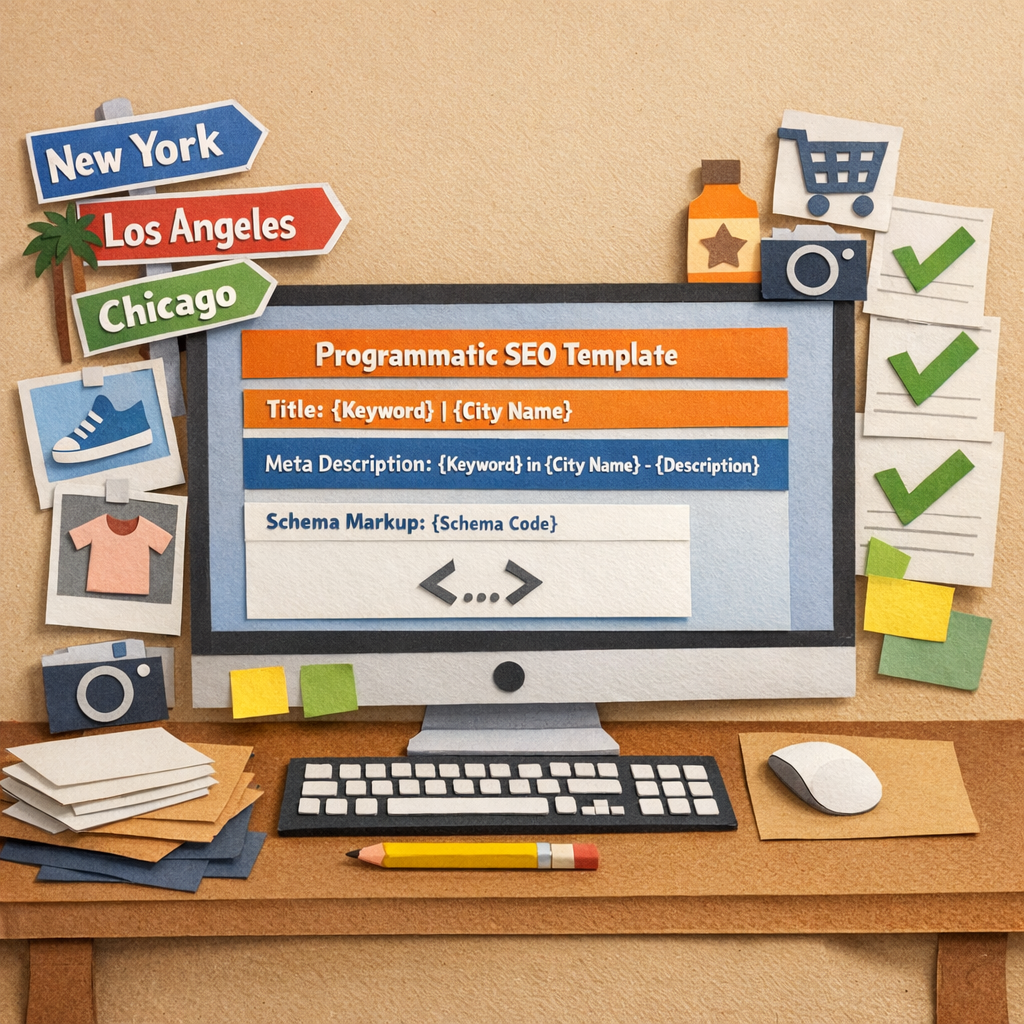
First, audit your template’s core tags. A good programmatic SEO tool should let you inject unique {{title}} and {{meta_description}} variables for every row. Use a spreadsheet formula to prepend a locality cue—something like “Best {{product}} in {{city}} | Buy Today”—so no two titles are identical.
Next, tackle header hierarchy. H1 must be singular and contain the exact keyword phrase; H2s can break the topic into logical sub‑sections (features, pricing, FAQs). If you notice duplicate H1s in Search Console, pause the batch, tweak the placeholder, and re‑run.
But it’s not just about words. Google also scans structured data. Add JSON‑LD blocks for FAQ, Product, or LocalBusiness depending on your vertical. The schema should pull values from your data source—{{price}}, {{availability}}, {{rating}}—so each page serves a complete answer to the user’s query.
Here’s a quick checklist you can paste into your project board:
- Title tag: unique, 50‑60 chars, keyword + local hook.
- Meta description: 150‑160 chars, actionable CTA, data‑driven sentence.
- Header tags: one H1, clear H2/H3 hierarchy, include synonyms.
- Schema: appropriate type, dynamic fields, validated with Rich Results Test.
- Image alt text: describe the product and location, use the keyword.
- Internal links: auto‑link to pillar page and sibling pages using {{city}}‑specific anchor text.
Notice how each bullet ties back to a variable you already have in your feed. That way the automation stays hands‑free, yet every page feels handcrafted.
Want a concrete example? Imagine an e‑commerce store selling eco‑friendly backpacks. Your template might generate a page titled “Eco‑Friendly Backpack for Boston | Buy Sustainable Gear”. The meta description could read, “Shop the top‑rated Boston backpack made from recycled fibers. Free shipping + 30‑day returns.” Below, an FAQ schema answers “What is the warranty on the Boston backpack?” with a concise answer pulled from a warranty field in your CSV. The result is a page that ranks for a long‑tail query while delivering real value.
Another tip: use rel="canonical" wisely. If a product appears in multiple city pages, set the city‑specific page as canonical only when the content truly differs (price, local testimonials, inventory). Otherwise, point all variants to a single master page to avoid thin‑content penalties.
Finally, keep an eye on Core Web Vitals. Even the best copy won’t rank if the page loads sluggishly. Serve images via a CDN, enable lazy loading, and compress HTML. A simple Lighthouse audit after each batch will flag any pages that dip below the 90 percent threshold.
For a deeper dive on how to structure these templates and see real‑world success stories, check out our real‑world programmatic SEO examples guide.
| Feature | Why Important | Quick Tip |
|---|---|---|
| Dynamic Title & Meta | Signals relevance to Google and improves CTR. | Prefix with city or use‑case variable; keep under 60 chars. |
| Structured Data | Enables rich results, boosts visibility. | Map JSON‑LD fields directly from CSV; validate weekly. |
| Internal Linking | Distributes link equity and helps crawlers. | Auto‑link each page to its pillar and to three sibling pages. |
In practice, run a small pilot of 200 pages, monitor Search Console for indexCoverage errors, and iterate. Once the batch passes the 90 percent indexing rate, scale to the next thousand. Treat the process like a garden: plant, water, prune, and watch the traffic bloom.
Step 5: Monitor Performance and Iterate with AI Insights
You’ve built the pipeline. Now you’re watching the numbers, adjusting on the fly, and wondering what to tweak next. It can feel a little like gardening—watching shoots emerge, then pruning what isn’t thriving.
In 2026, the easiest path is to let data guide you, not guesswork. Let’s lay out a practical, no‑fluff routine for monitoring and iteration that actually moves the needle.
Lock your core metrics
Start with the essentials. Track impressions, clicks, and click‑through rate alongside ranking movement and index coverage. Keep an eye on crawl errors, 404s, and page speed signals (Core Web Vitals). A clean data feed means fewer false alarms and faster decisions.
- Impressions, clicks, CTR, and average position by page
- Indexing rate and any crawl errors in Search Console
- Core Web Vitals and page speed metrics
- Internal links that are performing and those that aren’t
- Data integrity: missing fields, duplicates, or mismatched placeholders
Review these daily at a glance, then dive deeper weekly. The goal isn't perfection out of the gate—it's a reliable trend toward higher visibility and engagement.
Set a repeatable rhythm
Establish a cadence that fits your team. A quick daily 10‑minute check, a deeper weekly audit, and a monthly trend review work for most SMB programs. Use automation to surface anomalies—like a cluster of pages dropping in CTR—that deserve human attention.
Does this really move the needle? Yes—when you act on the insights. Rapid, small optimizations compound over time, especially with consistent publishing and internal linking that keeps readers moving through your pillar content.
Leverage AI insights to guide iteration
AI can surface patterns you might overlook. Look for gaps in topic coverage, underperforming locations, or pages with thin content. Ask your tool to surface quick wins, such as refining a meta description, tightening a H1, or adding a local stat to differentiate pages.
Common prompts include: which pages have the highest bounce rate, which local variants lag in performance, and where can you expand FAQ blocks for better snippet opportunities. Use these insights to form 2–3 concrete hypotheses each week.
Implement fast experiments
Treat every improvement as a mini‑experiment. Create 2–3 page variants per batch, publish them in controlled chunks, and track the impact over a 2–4 week window. If one variant outperforms, scale it; if not, roll it back and try a different angle.
For example, tweak locality phrasing or add a new FAQ entry in a low‑risk group of pages. If CTR improves, you’ve found a winner you can scale across similar pages.
Maintain data hygiene and governance
A clean data source is the backbone of reliable AI insights. Regularly prune duplicates, standardize attribute formats, and verify canonicalization as you scale. The better your data, the smarter the AI prompts and the more trustworthy your results.
Platforms like RebelGrowth make this easier by automating the feedback loop: data feeds, AI rewrites, and autopublishing keep momentum without sacrificing control. You stay in the driver’s seat, editing anything before it goes live.
Imagine a pilot batch of 200 pages. After two weeks, you notice a 12% uptick in CTR on locality pages and fewer crawl errors. That’s not luck—that’s iterative discipline guided by AI insights.
To deepen your framework, consider seoClarity’s take on programmatic SEO’s balance of automation and oversight, which reinforces the approach of testing, learning, and refining at scale. seoClarity's programmatic SEO guide offers a broader view you can fold into your routine.
FAQ
What exactly is a programmatic SEO tool and why should I care?
Think of a programmatic SEO tool as the assembly line for your search‑engine pages. Instead of writing each landing page by hand, you feed a clean data source—like a product CSV—into a template, and the tool spins out hundreds of unique pages in minutes. For digital marketers juggling dozens of product variations, that automation means you can finally capture those long‑tail queries that usually slip through the cracks. It’s the difference between a handful of pages that rank and a whole network of pages that collectively drive traffic.
How does a programmatic SEO tool differ from traditional SEO tactics?
Traditional SEO is often a one‑off effort: you pick a keyword, craft a piece of content, and hope it climbs the rankings. A programmatic approach scales that process. Instead of repeating the same research and writing steps for each variation, the tool reuses the same logic across thousands of rows, injecting dynamic data like city names, product specs, or pricing. The result is a massive, structured content farm that still respects SEO best practices—unique titles, meta descriptions, and schema—while saving you countless hours.
What should I look for when choosing a programmatic SEO tool?
First, check if the platform supports the data source you already have—CSV, API, or direct DB connection. Next, verify that it lets you customize every on‑page element (titles, headers, JSON‑LD) so you avoid duplicate‑content penalties. Look for built‑in quality controls: content preview, validation against Google’s Rich Results Test, and batch‑publishing limits to protect your crawl budget. Finally, make sure it integrates with your CMS (WordPress, Shopify, Webflow) so you can automate publishing without a developer on standby.
Can I connect a programmatic SEO tool to my existing CMS without a developer?
Absolutely. Most modern tools offer a simple CSV upload UI or a webhook endpoint you can point at your CMS. If you’re on WordPress, a plugin often handles the import; Shopify and Webflow have similar integrations. Start with a small pilot—say 20 rows—to verify the mapping, then scale up once you’re confident the pages publish correctly and the internal linking structure looks good.
How do I avoid thin or duplicate content when generating hundreds of pages?
The key is to inject unique, value‑adding copy around each data point. Include a local statistic, a user tip, or a short paragraph that references the specific product feature. Use schema to surface FAQs that differ per page, and always run a sanity check on a sample batch: look for missing fields, identical H1 tags, or blank images. If anything feels generic, tweak the template before you roll out the next 200‑page batch.
What metrics should I track to know if my programmatic SEO effort is working?
Start with impressions, clicks, and click‑through rate in Google Search Console—those tell you whether Google is showing your pages and users are interested. Add average position to see if you’re moving up the rankings. Keep an eye on index coverage (any 404s or “noindex” flags) and Core Web Vitals, because a slow page can kill rankings fast. Finally, monitor conversion metrics tied to each page—like product add‑to‑cart or form submissions—to prove the traffic is actually valuable.
How often should I refresh the content generated by a programmatic SEO tool?
Treat your programmatic pages like any other content asset: revisit them when the underlying data changes. If product prices, availability, or local regulations shift, trigger an automatic update via your API feed. Even if the data stays static, schedule a quarterly audit to tweak the copy, add fresh FAQs, or swap out outdated statistics. Regular refreshes signal to Google that the pages are maintained, which can boost rankings and keep users engaged.
Conclusion
We've walked through every step of turning a programmatic SEO tool from a vague idea into a traffic‑driving engine. By now you should feel the familiar mix of excitement and a little nervousness that comes with scaling content at speed.
Remember the core loop: spot the keyword pattern, feed clean data, let the template add a human‑sized twist, publish in bite‑sized batches, then watch the metrics whisper where to improve. It’s not magic, it’s a repeatable process that anyone—whether you run a boutique shop or manage a SaaS blog—can follow.
So, what’s the next move? Grab the spreadsheet you’ve been polishing, run a quick sanity check for missing fields, and push a 20‑page pilot through your CMS tonight. In the morning, open Search Console, note any spikes in impressions, and tweak the one‑sentence locality hook that feels too generic.
That tiny habit of testing, learning, and iterating is the real secret behind the success stories we’ve shared. It keeps Google happy and your audience engaged, without you having to stare at a spreadsheet for weeks.
If you’re ready to stop guessing and start automating, the easiest place to begin is right where you are—your existing product feed or FAQ list. Feed it into a programmatic SEO tool, set a modest batch size, and let the data do the heavy lifting.
Keep the momentum going, stay curious, and watch the organic lift stack up page after page. Your next surge of traffic is just a few clicks away.