Ever felt like you’re juggling a dozen blog posts, videos, and social updates, yet your site still looks like a scattered junk drawer? You’re not alone. Many digital marketing managers and content creators hit that wall when their content feels disjointed, and the traffic just won’t climb.
What if you could pull all those pieces together into a single, powerful structure that both users and search engines love? That’s the promise of a solid content hub strategy. Think of a hub as the central library where every related article, guide, or asset points back to a core pillar page – and that pillar, in turn, points outward. The result? A clear path for readers, higher topical relevance, and a noticeable boost in organic rankings.
Let me walk you through a real‑world scenario. A midsize e‑commerce brand selling eco‑friendly kitchenware was struggling to rank for “sustainable cooking tips.” They built a hub around “Sustainable Cooking” with a pillar page outlining the basics, then spun off clusters like “Zero‑Waste Meal Prep,” “Eco‑Friendly Cookware Reviews,” and “DIY Composting Guides.” Within three months, their organic traffic to the hub jumped 68%, and the pillar page claimed the top spot for several long‑tail keywords.
Here’s how you can replicate that success in four actionable steps:
- Identify a core theme that aligns with your audience’s biggest pain point – use keyword research or customer FAQs.
- Map supporting topics that naturally expand on the core idea; think of them as chapters in a book.
- Create a pillar page that offers a comprehensive overview and links out to each supporting article.
- Interlink consistently – every cluster page should link back to the pillar, and the pillar should link to each cluster.
In our experience, using a Topical Map Generator SEO: A Practical Guide to Building Content Hubs speeds up the mapping phase, ensuring you cover every angle without missing a beat.
But before you dive in, ask yourself: does your current website architecture support a hub? If you’re worried about site redesign costs, a quick estimate can help. The Website Design Cost Calculator gives you a ballpark figure, so you can plan your hub rollout without breaking the bank.
So, picture your content as a well‑organized library rather than a chaotic attic. With a clear hub strategy, you’ll guide visitors straight to the answers they need while sending strong relevance signals to Google. Ready to start building?
TL;DR
A well‑structured content hub strategy ties your pillar page to supporting articles, boosts SEO relevance, and guides visitors like a tidy library rather than a chaotic attic. Start mapping your core theme, create a pillar, and interlink clusters today to see traffic climb and authority grow steadily over the next months.
Step 1: Define Your Business Goals
Before you start wiring up a content hub, you need a clear north‑star. What does success look like for your brand? Is it more organic traffic, higher conversion rates on product pages, or establishing authority in a niche? Pinning that down early saves you from chasing metrics that don’t move the needle.
Think about the last time you set a vague goal like “increase traffic.” It probably felt endless, right? Instead, try framing it as a concrete target: “boost organic visits to the sustainable‑cooking hub by 30% in the next quarter.” Suddenly you have a number, a timeline, and a piece of the puzzle you can actually measure.
Map goals to business outcomes
Ask yourself three questions:
- Which revenue streams will the hub support? (e.g., e‑commerce sales, lead gen forms, affiliate clicks)
- What audience segment are you trying to attract? (think digital‑marketing managers, e‑commerce owners, content creators)
- How will you know you’ve hit the mark? (KPIs like organic sessions, dwell time, conversion rate)
Write those answers down in a simple table. The act of externalising them forces clarity, and later you can revisit the table when you evaluate each cluster article.
Now, here’s a quick tip we’ve seen work for our clients: align each business goal with a specific pillar page metric. If your goal is lead generation, track the number of form submissions that originate from the pillar page and its clusters. If it’s product sales, monitor referral revenue from hub URLs.
And don’t forget to involve stakeholders. A quick 15‑minute workshop with your sales lead, product manager, and content creator can surface hidden priorities you might miss when working solo.
Prioritise goals with the 80/20 rule
Not every goal deserves equal bandwidth. Pick the one or two that will deliver the biggest lift. For a small‑to‑mid‑size e‑commerce brand, that often means focusing on traffic that converts to sales, rather than chasing every possible keyword.
Once you’ve chosen, write a one‑sentence mission statement. Something like: “Our hub will become the go‑to resource for sustainable cooking tips, driving a 30% lift in qualified traffic and a 15% boost in product sales by Q3.” Keep that sentence visible on your project board – it’s the rallying cry for the whole team.
We like to pair that mission with a visual roadmap. Sketch a simple flowchart: Goal → Pillar Page → Cluster Topics → Call‑to‑Action → Conversion. It turns abstract ideas into a concrete pathway you can follow step by step.
Need a tool to visualise this quickly? Our Topic Cluster Content Strategy to Boost Your SEO guide includes a printable template that many of our users swear by.
So, what’s the next move?
Take a minute after the video to jot down the three core goals you just defined. If you’re unsure about the numbers, use a budgeting tool to estimate the impact of increased traffic on your bottom line.
Speaking of budgeting, many teams stall because they don’t know how much a revamped site will cost. The Website Design Cost Calculator helps you get a realistic ball‑park figure, so you can align your hub ambitions with your budget reality.
And when you’re ready to promote the hub, think beyond digital. Branded giveaways can drive awareness and earn natural backlinks. A set of custom drink bottles from Quench Bottles makes a memorable swag package for webinars or trade shows, turning physical touchpoints into online buzz.
In short, defining clear, measurable business goals is the foundation of any successful content hub strategy. It tells you where to aim, how to measure progress, and which resources to allocate. With those goals locked in, you’re ready to move on to mapping your core theme and supporting topics.

Step 2: Identify Pillar Topics
Now that you’ve nailed down the business goals, it’s time to ask the question that keeps most marketers up at night: What core idea can we build a whole hub around? If you’re staring at a spreadsheet full of keywords and feeling overwhelmed, you’re not alone. The trick is to let the audience’s biggest problem dictate the pillar, not the other way around.
Start with a “topic audit”
Grab your SEO tool (HubSpot’s keyword explorer works fine) and pull a list of high‑search‑volume queries that already show up in your existing content. Look for patterns – maybe you see “zero‑waste grocery shopping,” “sustainable packaging for startups,” and “eco‑friendly product photography.” Those three are sub‑questions of a broader, consumer‑driven problem: how to run a sustainable business.
In our experience, a good pillar topic does three things:
- Addresses a primary pain point for your target persona (digital‑marketing manager, e‑commerce owner, etc.).
- Has enough search demand to justify a dedicated page (usually 1,000+ monthly searches for a niche B2B topic).
- Leaves room for at least 5‑8 supporting subtopics that can become individual blog posts or videos.
When you can tick all three boxes, you’ve found a pillar worth pursuing.
Validate with intent and competition
Not every high‑volume query makes a good pillar. Check the search intent: is the user looking for a quick answer (a “how‑to” piece) or a deep dive (a comprehensive guide)? Pillar pages should satisfy the latter – they need to be the go‑to resource.
Next, peek at the SERPs. If the top results are a mix of listicles, a few thin blogs, and maybe a brand’s own guide, you have an opening. If the space is already dominated by authoritative sites with massive backlink profiles, you might need to narrow the focus or find a related angle.
Map subtopics to the pillar
Take the pillar idea and brainstorm supporting questions. For the “sustainable business” pillar, subtopics could include:
- Zero‑waste supply chain management
- Eco‑friendly packaging materials comparison
- How to calculate your carbon footprint
- Case studies of brands that cut waste by 30%
- DIY marketing assets for sustainability campaigns
Each subtopic becomes a cluster article that links back to the pillar, and the pillar links out to each cluster. This interlinking web is the engine that tells Google, “These pages belong together.”
Prioritise based on quick wins
When you’re juggling limited resources, rank the subtopics by two criteria: ease of creation and potential traffic lift. A quick win might be a “how‑to create a carbon‑footprint calculator” post that you can draft in a day and that already has 150‑plus monthly searches. Schedule that first, then move on to longer‑form case studies.
Pro tip: use HubSpot’s “subtopic keyword” feature to see monthly search volume right inside the tool – it saves you a trip to Google Trends.
Document the pillar plan
Before you start writing, lock the structure in a simple matrix. In one column list the pillar title, in the next the primary keyword, then a column for each subtopic with its target keyword, word‑count estimate, and the KPI you’ll track (organic traffic, dwell time, or conversion rate).
Here’s a quick template you can copy‑paste into Google Sheets:
| Pillar | Primary Keyword | Subtopic | Subtopic Keyword | Target Word Count | KPI |
|--------|----------------|----------|------------------|-------------------|-----|
| Sustainable Business | sustainable business guide | Zero‑waste supply chain | zero waste supply chain | 1,200 | Organic Sessions |
| ...
Having everything on paper makes it easy to hand off to writers, designers, and even your SEO automation platform.
Leverage internal expertise
Don’t try to reinvent the wheel. Pull in subject‑matter experts from product, sales, or customer support. Ask them what the top three questions they hear from prospects are. Those often surface as high‑value subtopics you might have missed in your keyword dump.
And remember, a pillar isn’t static. As you publish clusters, monitor which ones attract the most backlinks or social shares. If a particular cluster outperforms the rest, consider expanding it into a second‑level pillar.
For a deeper dive on turning a topic audit into a full‑blown hub, check out The Ultimate Guide to Performance Content. It walks you through the exact workflow we use with digital‑marketing managers to keep the hub humming.
Step 3: Map Content Types and Formats
Now that your pillar topics are locked down, the next puzzle piece is figuring out which content formats will actually serve your audience’s needs.
Do you picture a sleek infographic, a quick‑fire video, or a deep‑dive guide when you think about answering that core question? The truth is, the best hubs sprinkle several formats across the same theme so every type of learner can find a shortcut.
Start with audience intent
Take a look at the personas you sketched in Step 1. A digital‑marketing manager often craves data‑rich whitepapers they can share with the C‑suite, while a content creator prefers bite‑size how‑to videos they can repurpose on TikTok. Map each persona’s preferred medium to the subtopics you listed.
Here’s a quick matrix you can copy into a sheet:
- Blog post guide – long‑form, SEO‑friendly, ideal for how‑to queries.
- Infographic visual summary, great for quick facts searches and social shares.
- Video tutorial engages visual learners, boosts dwell time.
- Podcast episode perfect for busy professionals listening on commutes.
- Downloadable checklist or template gated asset that fuels lead capture.
Notice how each format lines up with a stage of the buyer’s journey? That alignment is the secret sauce that turns a random collection of assets into a coherent hub.
Prioritise based on effort vs. impact
Not every format is worth building for every subtopic. Use a simple 2‑by‑2 grid: plot “production effort” on the X‑axis and “potential traffic or conversion impact” on the Y‑axis. Anything that lands in the top‑right quadrant – high impact, low effort – should be your first launch.
For example, a “Sustainable Packaging Materials Comparison” blog post can be written in a day and already ranks for 200 + monthly searches (according to Dusted’s research, content hubs outperform blogs by 60 %). Pair that post with a one‑page PDF cheat sheet and you’ve got two assets for the price of one.
Choose the right tools to scale
If you’re juggling dozens of formats, automation becomes a lifesaver. Platforms like rebelgrowth can spin out SEO‑optimized outlines for blogs, then push those outlines straight into a video script generator. That way you keep the voice consistent across formats without reinventing the wheel each time.
When you need a visual, the 10 Essential Types of Content for Content Marketing in 2025 guide breaks down the pros and cons of each format, making it easier to decide whether a carousel, a case‑study PDF, or a livestream fits your hub’s theme.
Real‑world example: eco‑friendly kitchenware brand
Remember the e‑commerce brand from the intro? They mapped their “Zero‑Waste Meal Prep” subtopic to three formats: a 1,500‑word guide, an Instagram Reel showing a 30‑second prep hack, and a downloadable shopping list template. Within six weeks the guide earned 1,200 organic visits, the Reel racked up 8,000 views, and the template captured 350 email leads. The combined effort lifted the pillar’s overall dwell time by 42 % – a clear signal to Google that the hub is valuable.
Actionable checklist
- List every subtopic from your pillar.
- Assign 1‑2 formats that match the persona’s preferred consumption style.
- Score each format on effort and impact; flag the top‑right quadrant.
- Schedule production – start with quick wins, then allocate resources for high‑effort assets.
- Set up tracking: monitor pageviews, video watch time, and form completions per format.
And don’t forget to think beyond digital. A physical giveaway – like a custom‑branded bottle from Quench Bottles – can be included in your downloadable checklist kit, giving prospects a tangible reminder of your hub and a natural reason to link back from their own social posts.
Bottom line: mapping content types isn’t just an inventory exercise; it’s a strategic bridge that connects search intent, audience preference, and measurable business outcomes. Get the matrix right, and your content hub will become a self‑sustaining engine that feeds traffic, leads, and authority for months to come.
Step 4: Build the Hub Architecture
Alright, you’ve got your pillar and your cluster ideas – now it’s time to give them a home that both people and Google can wander through without getting lost. Think of the hub architecture as the floor plan of a house; you wouldn’t want the kitchen right next to the bedroom if it means constant traffic jams, right?
Map the hierarchy before you code
Start by sketching a simple diagram on a whiteboard or a digital tool. Put the pillar page at the centre, then branch out to each supporting article. Ask yourself: which pieces naturally belong together? If you’re dealing with “Zero‑Waste Meal Prep”, a quick‑fire recipe guide, a video walkthrough, and a printable shopping list all sit on the same branch.
Here’s a quick three‑step cheat sheet:
- List every subtopic under its logical parent.
- Assign a URL slug that mirrors the hierarchy (e.g.,
/sustainable-cooking/zero-waste-meal-prep). - Draw arrows showing which pages will link back to the pillar and which will cross‑link to each other.
Does that visual make sense? If you can explain the map to a teammate in under a minute, you’ve nailed the structure.
Choose the right hub type
Not every hub looks the same. Some brands thrive with a bare‑bones landing page that simply lists “spokes”. Others need an in‑article, “evergreen” hub that weaves links directly into the copy. The Seer Interactive guide breaks down three common models – Main Hub, In‑Context Hub, and Content Library – and explains when each shines.
Below is a snapshot to help you decide which model fits your needs:
| Hub Type | Ideal Use Case | Key Considerations |
|---|---|---|
| Main Hub | High‑level overview with many spokes (e.g., a brand’s “Sustainability” hub) | Simple navigation, easy to scale, but can look thin if you don’t have enough content. |
| In‑Context Hub | Evergreen long‑form article that naturally links to related pieces (e.g., “Ultimate Guide to Zero‑Waste Cooking”) | Great for SEO depth; requires more copy effort and strategic linking. |
| Content Library | Large collection spanning multiple sub‑topics (e.g., a resource centre for “Eco‑Friendly Kitchen Tools”) | Needs robust filtering or categorisation, higher dev overhead. |
Which one feels like the right fit for your audience? If you’re a small‑to‑mid‑size e‑commerce team, a Main Hub often gives the fastest ROI because you can launch it with a handful of high‑impact articles.
Set up URL structure and breadcrumbs
Google loves clean, predictable URLs. Nest your cluster pages under the pillar’s folder and keep the slug short yet descriptive. For example, yoursite.com/sustainable-cooking/zero-waste-meal-prep tells both humans and bots exactly where the page lives.
Don’t forget breadcrumbs – they act like a mini‑map at the top of each page, reinforcing the hierarchy and giving users a quick way back to the pillar.
That short video walks you through a visual example of a well‑structured hub, showing the breadcrumb trail and internal link flow in action.
After you’ve wired the URLs, run a quick audit with a site‑crawling tool to verify that every cluster links back to the pillar and that the pillar links outward to each cluster. Missing a single link is like leaving a door ajar – search engines will notice.
Internal linking: the glue that holds everything together
Every cluster page should have at least two contextual links to the pillar and one link to a related cluster. This creates a web of relevance that Google interprets as authority. A simple rule of thumb: “Pillar → Cluster → Another Cluster → Pillar”.
In practice, you might embed a call‑out like, “If you’re curious about how to calculate your kitchen’s carbon footprint, check out our detailed calculator guide.” That anchor text not only guides the reader but also passes link equity.
And here’s a tip from the Portent blog: prioritize links that answer the same search intent. If a user lands on a “zero‑waste grocery list” page, linking to a “how to shop sustainably” guide feels natural and boosts dwell time.
Once the internal network is live, monitor click‑through paths in Google Search Console. Look for clusters that get little traffic from the pillar – those are the ones you’ll want to boost with extra internal links or a stronger call‑to‑action.

Finally, give yourself a quick checklist to keep the launch on track:
- Confirm URL hierarchy matches the visual map.
- Add breadcrumbs on every hub page.
- Insert at least two pillar‑to‑cluster links per article.
- Cross‑link clusters where topics overlap.
- Run a crawl to catch orphan pages.
- Set up a weekly report on internal link clicks and bounce rates.
Follow these steps, and you’ll have a sturdy, searchable architecture that not only pleases Google but also guides your visitors like a friendly tour guide.
Step 5: Optimize for SEO and Internal Linking
Now that your hub architecture is live, the real magic happens when you fine‑tune each page for search engines and weave a tight internal link web. If you skip this step, Google might see a collection of orphaned articles instead of a cohesive authority signal.
Audit your on‑page SEO basics
Start with the pillar page. Does the title tag include the phrase “content hub strategy”? Is the meta description compelling enough to earn a click in the SERPs? Sprinkle the primary keyword naturally in the first 100 words, in at least one H2, and in the image alt text.
Do the same checklist for every cluster page: focus keyword in the URL, a concise H1, and a handful of related LSI terms. Tools like Google’s Search Console can flag missing meta data, so run a quick scan and fix the red flags.
Craft descriptive anchor text
When you link from a cluster back to the pillar, avoid generic “click here.” Instead, write something like “learn more about a full‑scale content hub strategy.” That tells both readers and Google what the destination page is about.
And remember the rule from Page Optimizer Pro: internal links that use keyword‑rich anchor text boost the relevance signal for the linked page.
Strategic link placement
- Place at least one pillar‑to‑cluster link in the introductory paragraph – early links get more weight.
- Add a “Related articles” sidebar that pulls in two or three clusters with matching intent.
- Within the body, weave a natural sentence that points to another cluster when you mention a subtopic.
- End each cluster with a “Next step” call‑to‑action linking to the pillar or a deeper cluster.
Why does this matter? Google’s crawler follows the path of least resistance. A clear, hierarchical link flow reduces crawl budget waste and signals that the pillar is the definitive source on the topic.
Cross‑link where topics overlap
Imagine you have a cluster about “Content Calendar Templates” and another about “Social Media Scheduling Tools.” Both address the broader “Content Marketing” pillar, so a contextual link between them feels natural and keeps users scrolling.
Don’t overdo it – a cluster with more than three outbound links can dilute the SEO juice. Aim for two to three internal links per page, each pointing to a high‑value destination.
Leverage breadcrumbs and schema
Breadcrumbs act like a tiny site map at the top of the page. They reinforce the hierarchy you drew in Step 4 and give users a quick way back to the pillar. Implement JSON‑LD breadcrumb schema so search results can show that trail directly in Google.
If your CMS supports it, add “Article” schema to each cluster and “WebPage” schema to the pillar. Search engines love structured data; it can earn you rich snippets that boost CTR.
Monitor, iterate, and expand
After a week or two, dive into Google Search Console’s “Internal Links” report. Which cluster pages are getting the most clicks from the pillar? Which ones are starving? Boost the under‑performers with additional links or a stronger call‑to‑action.
Set up a simple dashboard that tracks three metrics: (1) average time on page, (2) bounce rate, and (3) internal link click‑through rate. If a page’s bounce spikes, it’s a sign the content or linking isn’t aligning with user intent.
As you gather data, you’ll spot gaps – maybe a missing subtopic that users are searching for. Add a new cluster, link it in the pillar, and watch the relevance signal grow.
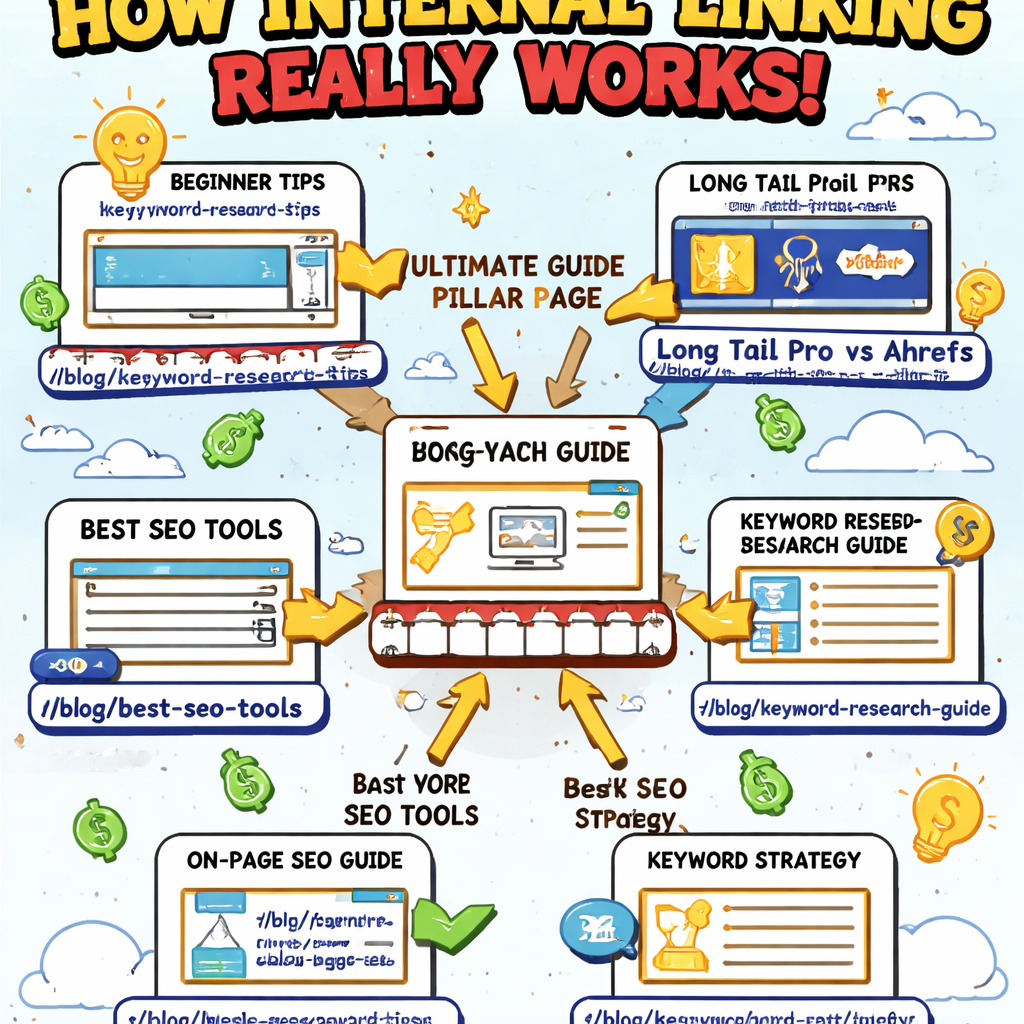
Bottom line: a well‑optimized content hub strategy is half architecture, half ongoing SEO housekeeping. Keep your on‑page elements tight, your anchor text clear, and your internal link network purposeful, and you’ll turn a static hub into a living SEO engine.
Step 6: Measure, Iterate, and Scale
Alright, you’ve built the hub, linked the clusters, and your pillar is looking pretty sleek – now it’s time to prove that all that effort actually moves the needle.
Measuring a content hub strategy isn’t about checking a single vanity metric; it’s a habit of pulling data, spotting patterns, and making tiny tweaks that add up over weeks.
Set up a lightweight dashboard
First, pick three signals that tell you if users are sticking around and moving deeper into the hub. In our experience, average time on page, bounce rate, and internal‑link click‑through rate are the sweet spot.
Grab whatever analytics platform you already trust – Google Analytics, HubSpot, or even a simple spreadsheet – and pull those numbers into one view. The goal is to glance at the dashboard each Monday and know instantly whether anything feels off.
Dig into the details
Now ask yourself: which cluster pages are getting a lot of clicks from the pillar, and which ones are sitting on the shelf? Individual Content Performance report breaks down entrances, exits, and time per view for each URL, letting you spot under‑performers without digging through raw logs.
Here’s a quick cheat sheet:
- Pages with high entrances but low time on page probably need richer content or clearer headings.
- A cluster with a spike in bounce rate might have a mismatched search intent – rewrite the intro or adjust the anchor text.
- If the internal‑link click‑through rate is under 2 %, sprinkle a few more contextual links or a “Related articles” box.
Does that feel like a lot? Imagine you’re looking at a spreadsheet and you see the “Zero‑waste grocery list” cluster dropping from a 45‑second average view to 12 seconds overnight. That’s a red flag you can fix in an hour.
Iterate with small experiments
Pick one under‑performing page each week and run a micro‑test. Swap a paragraph for a bullet list, add a short video, or tighten the call‑to‑action. Keep the change isolated so you can attribute any lift directly to that tweak.
Track the same three metrics for 7‑10 days. If time on page climbs by 15 % and bounce drops, roll the change out to similar clusters. If nothing moves, try a different angle – maybe the issue is the keyword focus, not the layout.
One of our clients, a mid‑size SaaS firm, discovered that simply adding a “What you’ll learn next” section at the bottom of each cluster lifted internal link clicks by 30 % across the hub. It was a tiny addition, but the data spoke loudly.
Scale what works
When a pattern of success emerges, amplify it. If you notice that downloadable checklists consistently boost dwell time, turn every “how‑to” cluster into a two‑part asset: a concise guide plus a gated checklist.
Scalable content operations strategy guide stresses the power of standardised templates – the same idea applies here. Create a repeatable “optimization checklist” for every new cluster: meta tags, internal links, CTA placement, and a quick performance review.
Document each win in a living SOP (Standard Operating Procedure). That way, when a new team member hops on the project, they follow the proven steps instead of reinventing the wheel.
Keep the feedback loop alive
Finally, schedule a monthly “hub health” meeting. Pull the dashboard, surface the top three winners and the three biggest laggards, and decide on the next set of micro‑tests. Over time, those incremental wins compound into a robust, self‑optimising content hub.
Remember, a content hub strategy isn’t a set‑and‑forget construction; it’s a living organism that thrives on regular check‑ups, data‑driven tweaks, and scaling the tactics that prove their worth.
Ready to start measuring? Open your analytics, note the three key metrics, and pick your first page to experiment on. The results will tell you whether your hub is a static showcase or a growth engine.
Conclusion
We’ve walked through every step of a content hub strategy, from setting goals to measuring results. By now you can picture the hub as a living, breathing resource that pulls readers deeper into your brand.
So, what does success look like? Imagine a mid‑size e‑commerce manager checking the dashboard and seeing a steady rise in organic sessions, lower bounce, and more newsletter sign‑ups—all without adding extra headcount.
Remember the three habits that keep the hub thriving: regular data reviews, a repeatable checklist for each new cluster, and a quick‑win mindset that lets you test, learn, and scale.
Got a page that feels stuck? Grab the analytics, tweak the internal links or add a short video, and watch the metrics shift in a week. Small, consistent tweaks add up faster than a massive overhaul.
Before you close this guide, pick one pillar you’ve already built. Open its performance report, note the top three metrics, and schedule a 15‑minute “hub health” check‑in for next Tuesday. That tiny habit will turn your hub from a static archive into a growth engine.
Ready to keep the momentum? Dive back into your content calendar, apply the checklist, and let the data tell you where to double‑down. Your content hub strategy is now a roadmap you can actually follow.
FAQ
What is a content hub strategy and why does it matter for e‑commerce businesses?
A content hub strategy is a structured way of grouping a core pillar page with a network of related cluster articles. The pillar answers the big, evergreen question while each cluster tackles a narrower angle. For e‑commerce sites, this layout funnels shoppers deeper into product pages, boosts organic visibility, and creates a single authority signal that search engines love – leading to more qualified traffic and sales.
How do I choose the right pillar topics for my hub?
Start with the problems your target audience—digital marketing managers, content creators, or e‑commerce owners—search for most often. Use keyword tools to spot high‑search, medium‑competition terms that align with your business goals. Then validate intent: the query should demand a comprehensive guide, not a quick how‑to. If you can map at least five supporting sub‑questions, you’ve got a solid pillar ready to anchor a hub.
What’s the best way to organize internal linking between pillar and cluster pages?
Think of the pillar as the hub of a wheel and each cluster as a spoke. Place at least one contextual link from the cluster back to the pillar within the first 100 words, and embed two more links to other relevant clusters deeper in the article. On the pillar page, list each cluster with descriptive anchor text, and use a “Related articles” sidebar to reinforce the web. This pattern passes link equity and keeps readers scrolling.
How often should I audit and update my content hub?
Set a quarterly audit rhythm. Pull performance data—organic sessions, bounce, and internal‑link click‑throughs—for each cluster. If a page’s bounce spikes above 70 % or its traffic drops 30 % or more, refresh the content, add fresh stats, or improve the internal links. Also scan for new keyword opportunities; a modest update every 3‑4 months keeps the hub fresh for both users and Google.
Can an automated content engine help scale my hub without losing quality?
Yes. Automation can generate SEO‑optimized drafts, suggest keyword clusters, and even schedule internal linking patterns. The key is to treat the output as a first draft: edit for brand voice, add real examples, and verify facts. When you combine a tool’s speed with a human quality‑check, you get the volume needed to grow the hub while maintaining the authenticity readers expect.
How do I measure the success of my content hub strategy?
Track three core metrics: (1) organic traffic to the pillar and its clusters, (2) average time on page or dwell time, and (3) internal‑link click‑through rate. Set baseline values after launch, then compare month‑over‑month. A healthy hub will show rising sessions, longer engagement, and a steady climb in clicks from clusters back to the pillar—signs that Google sees the hub as authoritative and users are finding value.
What common pitfalls should I avoid when building a content hub?
Don’t launch a pillar without enough supporting clusters; thin hubs look like spam to Google. Avoid over‑optimising anchor text with exact keywords—keep it natural. Skip the temptation to cram every topic into one hub; if the theme becomes too broad, split it into separate hubs. Finally, remember to keep the content fresh; a hub that stagnates quickly loses its SEO lift.