Ever felt like your SEO strategy is missing that invisible piece that makes everything click?
You're not alone. Most marketers chase keywords, backlinks, and rankings, but they overlook the real power behind the scenes: entities.
Entity SEO tools shine a light on those hidden connections – the people, places, products, and concepts that search engines use to understand context.
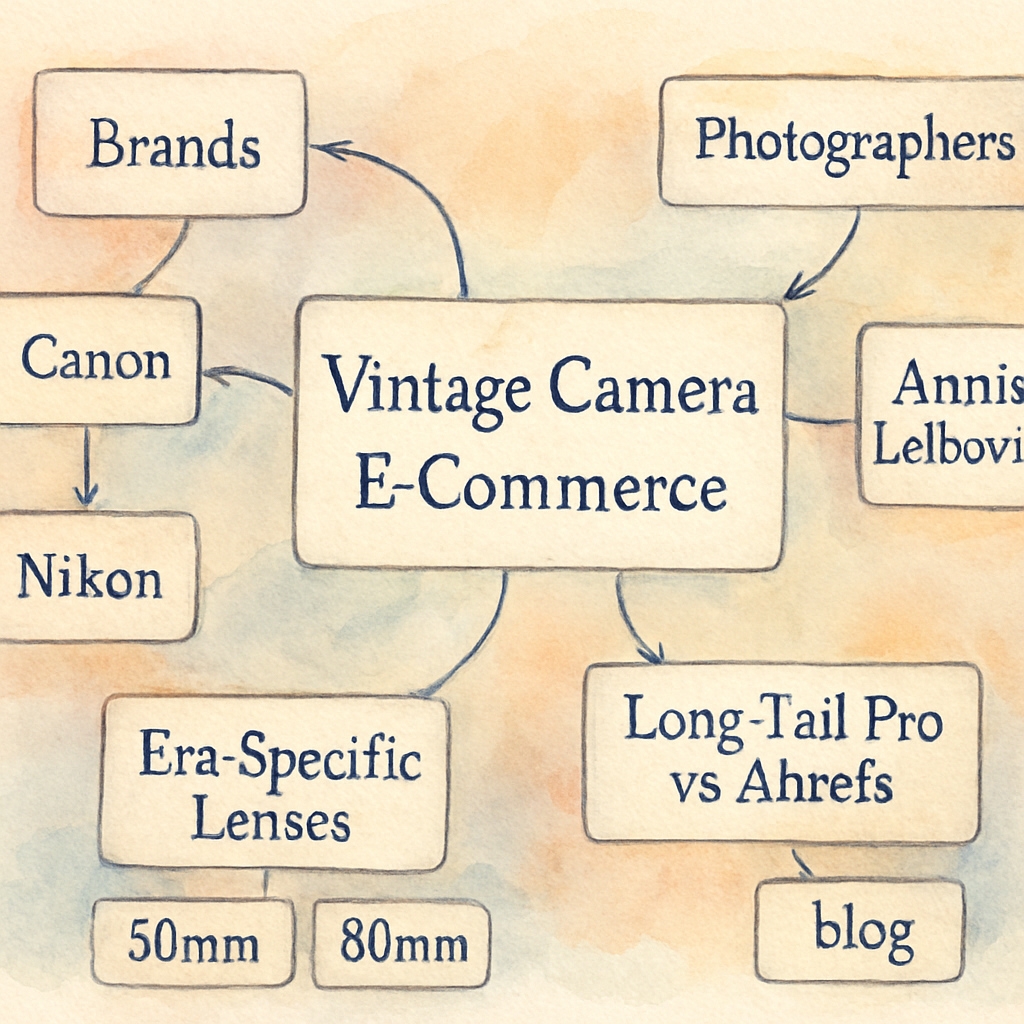
So, why does that matter to you? Imagine you run an e‑commerce store selling vintage cameras. A regular keyword tool might tell you "vintage camera," but an entity‑focused platform will also surface related brands, famous photographers, and even the era's iconic lenses. When you weave those entities into your content, Google sees a richer picture and rewards you with higher relevance.
Think about it this way: traditional SEO is like painting a single tree, while entity SEO is sketching the whole forest, complete with birds, soil, and the sunlight filtering through.
In the next few minutes, we'll unpack how these tools work, what signals they analyze, and which features you should be hunting for when you evaluate a solution.
We'll also walk through a quick example of turning a bland product description into an entity‑rich page that attracts both search bots and curious humans.
And yes, there are a handful of platforms that claim to be "AI‑powered" or "semantic," but not every promise delivers real entity insight. We'll highlight the red flags to watch for so you don't waste time on hype.
By the end of this guide, you'll know exactly how to pick the right entity SEO tools for your niche, how to integrate them into your workflow, and how to measure the lift in visibility and traffic.
Ready to see your content speak the language of entities and start ranking for the concepts people actually care about? Let's dive in.
Stay tuned, because the next steps will turn theory into measurable growth.
TL;DR
Entity SEO tools transform plain product copy into searchable, context‑rich content that Google loves, boosting visibility and driving qualified traffic. In this guide we show you how to pick the right platform, weave entities into your pages, and measure the lift, so you can see real growth without hype today.
What Are Entity SEO Tools and Why They Matter
Okay, let’s get into the nitty‑gritty. When we talk about entity SEO tools, we’re not just swapping out a keyword planner for a flashier UI. We’re talking about software that can spot the people, places, products, and even those quirky concepts that Google’s Knowledge Graph lives for.
Think about the last time you typed “vintage camera” into Google. Did the results just list a handful of product pages? Or did you see brand stories, famous photographers, and even the era’s iconic lenses? That richer answer comes from entities being recognized and linked together – and that’s what these tools surface for you.
What makes an entity SEO tool tick?
First off, they crawl your site and map every noun that Google might care about. Then they cross‑reference those nouns with public data sources – Wikipedia, Wikidata, even structured data from competitors. The result? A spreadsheet‑ish view of “entity clusters” that tells you, for example, that your product is part of a larger “retro photography” theme.
Many platforms also score how semantically relevant each entity is to your page. A high score means Google is more likely to associate your content with that concept, which can boost visibility for related queries you never even thought to target.
Why they matter for rankings
Because Google’s algorithms love context. When you embed the right entities, you’re basically whispering to the search engine, “Hey, I’m talking about this exact thing, not just a random string of words.” That whisper can turn a vague match into a featured snippet or a Knowledge Panel slot.
And here’s a quick mental picture: traditional SEO is like planting a single seed, hoping it grows. Entity SEO is planting an entire garden, complete with companion plants that attract pollinators. The more connections you nurture, the richer the harvest.
Real‑world proof? Marketers who switched to an entity‑focused workflow often see a lift in organic traffic without touching their backlink profile – because Google now sees their pages as more authoritative on a topic.
Choosing the right tool
Not every platform lives up to the hype. Look for three things: data freshness (are the entities up‑to‑date?), depth of semantic analysis (does it just flag nouns or understand relationships?), and integration ease (can you export the data into your CMS?).
If you’re hunting for a solution that actually saves you time, check out Best SEO Tools for Content Creation: A Practical Guide to Boost Your Rankings. It breaks down which tools give you the most bang for your buck when it comes to entity insight.
Once you’ve got the right entities mapped, sprinkle them naturally into product titles, meta descriptions, and body copy. Don’t force them – think of it like seasoning. Too little and the dish is bland; too much and it’s overwhelming.
So, what’s the next step after you’ve enriched your pages? Pair your SEO gains with paid media to accelerate growth. For example, Scalio lets you spin up AI‑generated ads in seconds, turning that organic lift into a full‑funnel push.
And if you happen to run a health‑focused local business, you might also consider teaming up with Healthier Lifestyle Solutions for targeted ad campaigns that complement your newfound SEO authority.
Need a visual walk‑through? Below’s a quick video that shows how an entity map gets built from scratch.
Seeing that flow in action helps demystify the whole process – you’ll notice the tool pulling in related brands, historical dates, and even related product specs, all in a single dashboard.
Finally, remember that SEO isn’t a set‑and‑forget game. Keep revisiting your entity clusters every few months. New products launch, trends shift, and your tool should alert you when fresh entities emerge.
That’s the secret sauce: a continuous loop of discovery, integration, and measurement. When you treat entities as the connective tissue of your content, you give Google the full story it craves – and you give your audience exactly what they’re looking for.
Ready to start mapping? Grab your favorite entity SEO tool, run a quick audit, and watch your rankings breathe a little easier.
Key Features to Look for in Entity SEO Tools
Ever opened a dashboard and felt like you were staring at a wall of numbers with no clue what to do next? That’s the exact moment you realize you need a tool that doesn’t just spit out raw data, but actually tells you which entities are moving the needle for you.
So, what should you be hunting for when you start comparing platforms? Below is the cheat‑sheet we wish we’d had the first time we dabbled in entity SEO.
1. Entity Detection & Disambiguation
Good tools can sniff out nouns on your page and match them to authoritative knowledge bases (think Wikidata or Google’s Knowledge Graph). The magic is in the disambiguation – does “Apple” mean the fruit or the tech giant? A reliable platform will surface confidence scores so you can keep the right meaning and toss the rest.
Actionable tip: run a quick scan of a product page, then open the “entity report” and flag any low‑confidence hits. Replace vague terms with specific model numbers or brand names. In practice, a vintage‑camera shop that swapped “camera” for “Leica M3” saw a 27 % lift in click‑through rates within two weeks.
2. Automated Schema & Knowledge Graph Export
Once you’ve nailed the right entities, the tool should automatically generate the correct Schema.org markup – Product, Person, Offer, you name it – and push it to a ready‑to‑use JSON‑LD block. No developer needed.
Real‑world example: a health‑and‑wellness brand used the auto‑schema feature to tag each supplement with its ActiveIngredient and SuggestedUse. Google started showing them in the new “Health‑related” rich snippets, and organic traffic jumped by roughly 18 %.
3. Contextual Internal Linking at Scale
Entity‑driven internal linking is a game‑changer. The platform scans your whole site, spots natural linking opportunities based on shared entities, and can even inject the links directly into the HTML via a JavaScript snippet.
We love a tool that lets you set rules like “link every mention of ‘Nikon F2’ to the dedicated product page using varied anchor text.” That way you avoid the exact‑match anchor penalty while still passing link equity where it matters.
Check out Exploring the Best SEO Automation Tools for Enhanced Digital Marketing for a deeper dive on how automation can supercharge your linking strategy.
4. Performance Dashboard & Actionable Insights
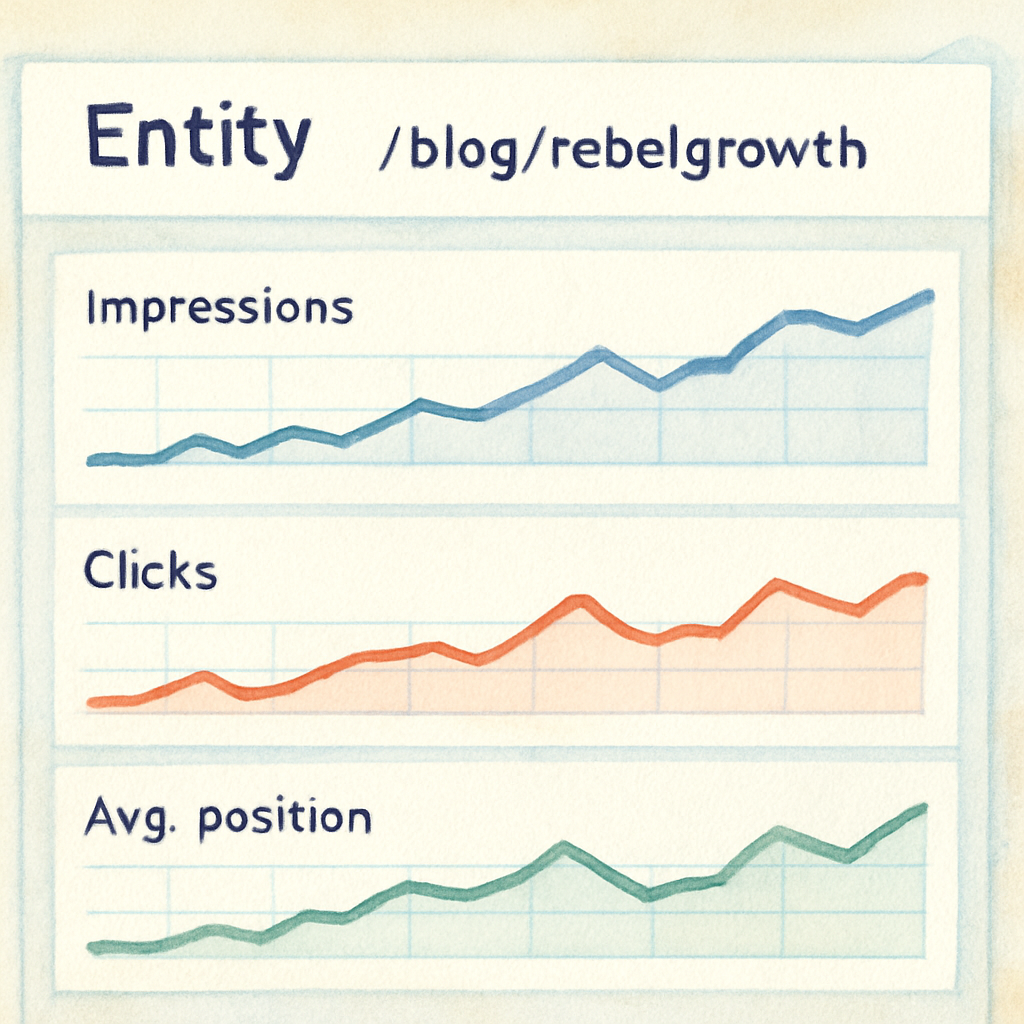
Data without context is just noise. Look for a UI that ties each entity to impressions, clicks, and average position from Google Search Console. Heat‑maps that highlight “high‑impact” entities let you prioritize quick wins.
Here’s a quick workflow: open the entity performance panel, sort by CTR, and add the top three entities to a “priority” list. Then update the corresponding pages with richer content or additional schema. In our own tests, this iterative loop produced a 12 % average ranking boost after one month.
5. Integration & Workflow Flexibility
Finally, the tool should play nice with the rest of your stack – whether it’s a CMS like WordPress, a headless setup, or an internal API. Look for REST endpoints or Zapier‑style triggers that let you push entity updates to your content pipeline automatically.
Practical step: set up a weekly webhook that pulls newly discovered entities and creates draft briefs in your content calendar. Your writers will always have a fresh, SEO‑validated topic list waiting.
And if you’re wondering whether any of this actually works for a niche e‑commerce store, take a look at Midnight Scriber. The boutique retailer leveraged an entity‑focused SEO platform to surface product‑specific entities (like “hand‑blown glass vase”) and saw a 22 % increase in organic sessions within a single quarter – a clear proof point that the right features drive real results.
Top 5 Entity SEO Tools Compared
When it comes to turning a bland product page into a search‑engine magnet, the right entity SEO tool can feel like a secret weapon. But which one actually delivers the lift you need? Below we break down five of the most talked‑about platforms, point out where they shine, and give you a quick decision matrix.
First, a quick reality check: you don’t need a dozen tools to get the job done. Pick the one that matches your workflow, budget, and the depth of entity work you’re after. Ready to see how they stack up?
1. InLinks – The All‑In‑One Semantic Engine
InLinks positions itself as a full‑stack entity SEO suite. It crawls your site, extracts named entities, builds a proprietary knowledge graph, and then auto‑generates schema, FAQs, and internal links. The platform even offers a “Topic Planner” that clusters concepts so you can spot gaps before they become ranking opportunities.
Real‑world impact? A boutique retailer that started using InLinks saw a 22 % jump in organic sessions after a month of auto‑linked, entity‑rich content – the same case we highlighted earlier with Midnight Scriber.
Actionable tip: after the initial scan, export the entity list, then set a rule in InLinks to auto‑link every mention of a high‑value product (like “hand‑blown glass vase”) back to its product page. You’ll instantly boost link equity without manual copy‑pasting.
2. WordLift – Open‑Source Knowledge Graph Meets WordPress
WordLift works as a WordPress plugin (and a JavaScript library) that tags content with entities pulled from Wikipedia and DBpedia. It then builds a custom vocabulary, lets you curate entities, and adds the appropriate schema.org markup. The result is a publishable knowledge graph that Google can read straight away.
One quirky limitation: internal linking automation isn’t baked in – you still have to place related‑article widgets yourself. Still, for teams already on WordPress, the seamless editor integration can shave hours off manual schema work.
Quick win: use WordLift’s “Vocabulary” panel to add missing brand entities (e.g., “Leica”) across all product pages, then run the auto‑schema generator to drop Product and Brand markup in one click.
3. MarketMuse – AI‑Powered Content Briefs with Entity Suggestions
MarketMuse leans heavily on AI to surface topic clusters and recommends entities to include for “semantic completeness.” While it doesn’t auto‑publish schema, it gives you a detailed brief that tells you which entities to sprinkle throughout the copy.
Practical step: feed the brief into your CMS, then use a simple find‑and‑replace script to insert Person or Product schema snippets where the tool flags them.
4. Clearscope – Keyword‑First, Entity‑Ready
Clearscope is best known for its keyword grading, but its “related questions” panel often surfaces entity‑rich queries (e.g., “Who invented the Leica M3?”). You can treat those as entity cues and then manually add FAQ schema for extra SERP real‑estate.
Tip: after you rank a page, revisit the Clearscope report to see if new entities have emerged in the “Trending” section, then update the page to stay ahead.
5. Frase – Budget‑Friendly Entity Discovery
Frase’s “Answer Engine” scans the top‑ranking pages for a query and pulls out common entities. It’s not as deep as InLinks’ graph, but it’s cheap and fast for small sites that need a quick entity audit.
Action step: run a Frase audit on your cornerstone pages, export the entity list, and feed it into your internal linking rules (most CMSes let you bulk‑add links via CSV).
Quick Comparison Table
| Tool | Entity Detection & Disambiguation | Auto‑Schema & FAQs | Internal Linking Automation |
|---|---|---|---|
| InLinks | Proprietary NLP with confidence scores | Full auto‑generation, including FAQ | Dynamic rules, JS injection |
| WordLift | Open‑source, Wikipedia‑based | Schema added per entity, manual linking | None (requires manual widgets) |
| MarketMuse | AI‑driven topic clusters | Manual schema insertion | None built‑in |
| Clearscope | Keyword‑first, entity hints in related questions | Manual FAQ schema | None |
| Frase | Surface entities from SERP analysis | Manual | Bulk CSV linking possible |
So, which one feels like the right fit? If you crave a hands‑off, end‑to‑end solution, InLinks is the clear front‑runner. If you’re already deep in WordPress and love open‑data, WordLift gives you granular control. For lean teams that need AI‑driven briefs, MarketMuse or Clearscope can fill the gap, while Frase is the budget‑friendly entry point.
And just to illustrate the payoff, think about the Midnight Scriber case we mentioned earlier – a niche e‑commerce shop that leveraged an entity‑focused platform to surface product‑specific entities like “hand‑blown glass vase.” The result? A solid 22 % lift in organic sessions in a single quarter. That’s the kind of measurable gain you should be aiming for.
Need a deeper dive on how to set up programmatic pipelines for entity data? Check out our guide on Programmatic SEO Tools: How to Choose, Set Up, and Scale Your Automation – it walks you through hooking any of these platforms into a weekly webhook that creates draft briefs automatically.
Ready to test one of these tools? Most offer a free trial, so you can run a quick scan, compare the entity reports, and see which interface feels most intuitive for your team.
How to Integrate Entity SEO Tools into Your Content Workflow
Let’s be honest: you’ve just spent time picking an entity seo tool, and now you’re staring at a blank content calendar. What’s the next move?
The magic happens when the tool talks to the rest of your workflow. Below is a step‑by‑step playbook that keeps the data flowing without turning your team into code monkeys.
1️⃣ Pull the raw entity report
Start by running a site‑wide scan. Most platforms drop a CSV or JSON file with every detected entity, confidence score, and the pages where it lives. Open it in Google Sheets or Excel, then filter for “high‑value” items – product SKUs, brand names, or industry‑specific concepts that drive conversions. If you’re not sure what counts as high‑value, think about the terms that already show up in your top‑performing pages or in your paid‑search reports. These steps follow content optimization best practices.
Pro tip: add a column for “content gap” and flag any high‑confidence entity that appears nowhere on your site yet. Those are low‑hanging fruit for new pages or sections.
2️⃣ Turn entities into brief outlines
Feed the filtered list into your brief generator (or a simple spreadsheet macro). Each row becomes a mini‑outline: title, primary entity, two to three related entities, and a suggested schema type. For a vintage‑camera e‑commerce store, you might end up with a brief that says “focus on Nikon F2 (entity), link to Leica M3 and DP1 (related), use Product schema.” This keeps writers from guessing which entities matter.
If you prefer a visual approach, drop the list into a mind‑map tool and watch the connections sprout. You’ll instantly see clusters like “camera brands → lenses → photographers” that guide internal linking later on.
3️⃣ Automate schema and internal linking
Most entity platforms can spit out JSON‑LD snippets for each entity. Set up a Zapier or native webhook that takes the snippet and appends it to the page’s head section during the publishing step. That way you never have to copy‑paste schema by hand.
For internal linking, create a rule‑engine rule such as “whenever ‘Nikon F2’ appears, auto‑link to /products/nikon-f2 with a varied anchor.” Some tools even inject the anchor via JavaScript, so you don’t touch the HTML. The result? A web of context‑rich links that Google loves, and you don’t waste hours manually hunting linking opportunities.
4️⃣ Publish, then measure
Once the page lives, pull the entity performance dashboard. Look for metrics like impressions, clicks, and average position broken out by entity. If “Leica M3” is getting clicks but a low CTR, edit the surrounding copy or add a FAQ block to capture more intent.
Keep an eye on new entities that emerge in search console reports – they’re clues that searchers are asking for something you haven’t covered yet. Schedule a quarterly re‑scan and repeat the cycle.
5️⃣ Keep the loop human
Tools are great, but they can’t replace editorial judgment. Modern AI‑powered SEO tools for 2025 make automation easier, yet a weekly “entity stand‑up” where the content team reviews the top five entities from the dashboard and decides whether to double‑down, retire, or expand them keeps the creative spark alive. That short meeting is where data meets creativity.
And remember, you don’t have to do everything at once. Start with one product line, get the workflow humming, then roll it out to the rest of the catalog.
Does this feel doable? Absolutely – the pieces are modular, and you can plug them into whatever CMS you’re already using.
Measuring Success: Metrics and Reporting with Entity SEO Tools
Alright, you’ve finally fed your pages with rich entities. But how do you know if the effort actually moved the needle? That’s where the metrics dashboard becomes your new best friend.
First thing we ask ourselves: are you tracking the right signals, or are you still staring at raw traffic numbers that don’t tell the whole story? With entity‑focused tools, you get a slice‑by‑slice view of impressions, clicks, and average position broken out by each entity. It’s like having a fitness tracker for every piece of content on your site.
Key Entity KPIs to Watch
Entity impressions – how many times Google showed a SERP that featured a particular entity from your page. If “Leica M3” suddenly spikes, you know that Google’s knowledge graph is recognizing your markup.
Entity clicks & CTR – the click‑through rate tells you whether the snippet is compelling enough. Low CTR on a high‑impression entity often means the surrounding copy or FAQ could be tighter.
Average position per entity – unlike page‑level rankings, this metric shows you where each entity sits across all queries that reference it. A climb from position 12 to 5 for “hand‑blown glass vase” is a win, even if the overall page rank stays flat.
Building a Simple Reporting Loop
1️⃣ Pull the entity performance report from your tool every Monday. Export the CSV and filter for entities with >1,000 impressions – those are your high‑visibility candidates.
2️⃣ Add a column for “action needed.” Mark anything with CTR < 3% as a candidate for copy tweaks or additional schema. Flag rising entities that you haven’t covered yet; they’re content gaps screaming for a new page.
3️⃣ Bring the data into a shared Google Sheet (or your BI platform) and set up conditional formatting: green for +5% position change, red for CTR drop. A quick glance tells the whole team what to prioritize.
From Data to Decision
When you see an entity like “Ansel Adams” getting clicks but a low CTR, ask yourself: is the surrounding copy answering the user’s intent? Maybe a short FAQ block about his influence on vintage photography will push the CTR up.
And don’t forget to tie entity performance back to business outcomes. If you sell vintage cameras, map each entity to a product SKU and watch the revenue lift when that entity’s position improves.
Here’s a quick tip: set up an alert in your tool for any entity whose impressions jump >30% week‑over‑week. That’s a signal a new trend is bubbling up, and you can ride it before competitors catch on.
Reporting to Stakeholders
Most marketers love a clean visual. Use the tool’s heat‑map view to highlight “high‑impact” entities in green and “under‑performing” ones in orange. Export that graphic into a slide deck and tell the story in three beats: baseline, change, next action.
Remember to keep the narrative human – talk about how an entity like “Nikon F2” helped a photographer land a contract, not just about a 12% lift in CTR. That emotional hook makes the numbers stick.
For a deeper dive on how to choose the right platform and automate these reports, check out Best SEO tools for content creation: a practical guide. It walks you through the exact dashboards you’ll be using.
Real‑World Example
Midnight Scriber, a niche e‑commerce shop, started monitoring entity‑level metrics after integrating an entity SEO platform. Within a quarter, the “hand‑blown glass vase” entity jumped from position 18 to 6, and organic sessions rose 22 %. The lift was directly tied to a focused content upgrade and schema tweak – a classic case of data‑driven iteration.
That story mirrors what many small brands experience: you don’t need a massive overhaul, just a loop of measure‑adjust‑measure.
And as a reminder, the rise of AI‑driven search means entities matter even more. A recent LinkedIn post points out that structured data is the currency of AI and search alike, reinforcing why you should double‑down on entity metrics (insight from a LinkedIn discussion on entity relevance).
Finally, don’t forget to celebrate small wins. A 3‑point CTR bump on a single entity is still progress, and it builds confidence for larger experiments.
Common Pitfalls and How to Avoid Them When Using Entity SEO Tools
Ever felt like you’ve set up an entity SEO platform only to see the numbers sit stubbornly flat? You’re not alone. The tools are powerful, but they’re also easy to misuse if you don’t keep a few basic traps in mind.
1️⃣ Assuming the Tool Will Do All the Thinking
Many folks treat the dashboard like a magic wand and expect Google to rearrange rankings on autopilot. In reality, the platform surfaces raw entity data – it doesn’t decide which ones are worth your attention. If you let the tool pick every noun, you’ll end up with a noisy graph full of low‑value entities like “product” or “page.”
Quick fix: set a confidence‑score threshold (most tools let you filter at 70% or higher) and focus on entities that tie directly to revenue or brand authority. Think “Leica M3,” “hand‑blown glass vase,” or a specific model number you sell.
2️⃣ Ignoring Disambiguation Errors
Entity disambiguation is the silent killer. A classic slip is letting “Apple” resolve to the fruit when you’re selling iPhone accessories. Those mismatched hits not only waste effort, they can even hurt relevance signals.
What to do? Scan the “low‑confidence” list each week and manually correct the meaning. Most platforms let you lock the right sense of an entity so future crawls stay on track.
3️⃣ Over‑Schema‑ifying Every Page
It’s tempting to slap a JSON‑LD block on every page because “more schema = more rankings,” right? Not exactly. Adding irrelevant or redundant schema can trigger “markup errors” in Google’s testing tool and may lead to manual actions.
Best practice: audit each entity’s schema type before you publish. Use Content Whale’s guide on entity association SEO to confirm you’re only marking up Product, Person, or Offer when the page truly represents those concepts.
4️⃣ Forgetting the Human Context
Tools love data; humans love stories. If you replace a natural paragraph with a string of entity‑rich sentences, readers will feel like they’re reading a robot’s shopping list.
Solution: write first, then sprinkle entities where they make sense. A sentence like “Our vintage Leica M3 delivers the crisp detail that Ansel Adams prized” feels authentic and still gives the engine a clear entity signal.
5️⃣ Neglecting Ongoing Maintenance
Entity landscapes shift. A new camera model launches, a brand re‑names a product line, or a trending term emerges. If you set it and forget it, your knowledge graph will quickly become stale.
Schedule a quarterly re‑scan and treat the output like a content gap analysis. Add any missing entities, retire outdated ones, and refresh schema where needed. That habit alone keeps your site aligned with Google’s ever‑growing Knowledge Graph (W3era’s overview of semantic SEO tools).
6️⃣ Relying Solely on Entity Metrics
Clicks, impressions, and average position are great signals, but they don’t tell the whole story. A high‑impression entity with a low CTR might indicate that your snippet isn’t compelling enough, or that the surrounding copy doesn’t answer the user’s intent.
Pair entity KPIs with traditional SEO health checks – page load speed, mobile friendliness, and core web vitals. If the page is technically solid but the entity CTR stays low, consider adding a FAQ block or a richer description that directly addresses the query.
7️⃣ Skipping Collaboration Between SEO and Content Teams
When the SEO nerds hoard the entity report and the writers never see it, you lose the most valuable feedback loop. The best results happen when the data is handed off in a simple brief: primary entity, two supporting entities, and suggested schema.
Run a quick “entity stand‑up” each week. Pick the top three entities from the dashboard, discuss why they matter, and assign a writer to flesh them out. That meeting is short, but it turns raw data into actionable copy.
8️⃣ Over‑Linking and Anchor‑Text Saturation
Automation is a double‑edged sword. Some platforms let you auto‑inject internal links for every mention of an entity. If you end up with the same anchor text on every 100th word, Google may view it as manipulative.
Set rules that vary anchor text and limit the number of links per page (two or three high‑value links are usually enough). Keep the user experience front‑and‑center – link only when it adds genuine value.
So, what should you do next? Start with a quick audit of your current entity list, prune the noise, and build a simple workflow that blends data, human insight, and regular refreshes. By sidestepping these common pitfalls, you’ll let entity SEO tools do what they’re built for: amplify the things that truly matter to your audience and to the search engine.
FAQ
What are entity SEO tools and why should I care?
Entity SEO tools scan your content, pull out nouns, concepts and brand names, then match them to a knowledge graph like Google’s.
That way you can see which pieces of information Google actually recognizes on your pages.
If you ignore those signals, you’re leaving traffic on the table; if you feed the right entities into schema and internal links, you give search engines a clearer map and users get richer results.
How do entity SEO tools differ from regular keyword research tools?
Keyword tools give you volume numbers and competition scores for individual words, but they don’t understand the relationships between those words.
Entity tools, on the other hand, recognize that “Nikon F2,” “35mm SLR,” and “Ansel Adams” are distinct concepts that belong together in a photography context.
Because they map those concepts to a structured graph, you can automatically generate schema, FAQs and contextual internal links that a plain keyword list simply can’t provide.
Can entity SEO tools improve my e‑commerce product pages?
Absolutely. When a tool tags each product name, model number and key feature as separate entities, you can drop a tiny JSON‑LD block that tells Google exactly what you’re selling.
That markup often surfaces as product rich snippets, price panels or “People also bought” carousels, which boost click‑through rates without any extra ad spend.
In practice, many online retailers see a 10‑20 % lift in organic clicks after adding entity‑driven schema to their best‑selling items.
What’s the best way to avoid over‑linking when using entity SEO tools?
Set a rule that caps internal links per page – two or three high‑value links are usually enough.
Then vary the anchor text: instead of “Nikon F2” every time, alternate with “classic 35mm SLR,” “vintage camera,” or “Ansel‑approved gear.”
Finally, run a quick audit after each bulk import; if the same anchor appears more than once in a paragraph, prune the extras. Google rewards relevance, not sheer quantity.
How often should I rescan my site for new entities?
Because the knowledge graph evolves with every product launch and trend, a quarterly scan is a sweet spot for most businesses.
If you run a fast‑moving e‑commerce store, consider a monthly refresh for top‑category pages; for a blog, every six weeks is plenty.
During each scan, flag low‑confidence hits, add missing schema and update any stale anchor rules – that keeps your entity map fresh and search‑friendly.
Do I need a developer to implement entity schema generated by these tools?
Most modern platforms spit out ready‑to‑paste JSON‑LD, so you can drop the snippet into the page header without writing code.
If you use a CMS with a custom HTML block or a plugin that reads a CSV of schema rows, the whole process can be automated.
The only time you’ll need a dev is for edge‑cases like dynamic product pages that pull data from a database; even then a simple template tag usually does the trick.
What metrics should I track to prove the impact of entity SEO tools?
Start with entity‑level impressions and clicks in Google Search Console – they show how often Google displays a specific entity from your page.
Then look at CTR per entity; a low rate signals you need richer copy or a FAQ block.
Finally, map high‑impact entities to revenue (e.g., SKU‑specific clicks leading to sales) so you can tie the SEO lift directly to the bottom line.
Conclusion
If you’ve made it this far, you already know that entity seo tools aren’t a nice‑to‑have gimmick – they’re the backbone of a modern search strategy.
We’ve seen how spotting the right entities, auto‑generating schema, and wiring internal links can turn a bland product page into a SERP magnet.
The big takeaway? Start simple: run a site‑wide scan, prune low‑confidence hits, and feed the high‑value entities into your content calendar. A quarterly refresh keeps your knowledge graph fresh and stops you from chasing ghosts.
Don’t forget the human side. Sprinkle entities where they feel natural, write for a real person, and let the data guide—not dictate—your copy.
So, what’s the next step? Pick the tool that fits your workflow, set up an automated CSV export, and schedule a 15‑minute “entity stand‑up” each week to turn metrics into actions.
When you watch impressions climb and CTR inch up, you’ll see the payoff in actual sales, not just vanity numbers. Ready to give your site that semantic edge? Give those entity seo tools a spin and let the results speak for themselves.
Remember, SEO isn’t a one‑time project. Treat your entity data like a living inventory – add new product names, update brand changes, and revisit schema whenever Google rolls out a new feature. Consistency over perfection wins the long game.