Ever felt like you're chasing backlinks in the dark, hoping one of them will finally push your site up the rankings?
You're not alone. Digital marketing managers, bloggers, and e‑commerce owners all share that moment when they realize manual outreach is a full‑time job and still not delivering the quality links they need.
What we've seen work best is leaning on the "best link building tools" that automate the tedious parts while still giving you control over where your brand lands. Think of it like having a smart assistant that drafts outreach emails, finds relevant guest‑post opportunities, and even tracks the status of each link—all without you lifting a finger.
Take Maya, a boutique fashion retailer. She started using an automated outreach platform that scans fashion blogs, matches her product pages, and sends personalized pitches. Within three weeks she secured five guest posts on sites with Domain Authority 45‑50, and her organic traffic jumped 22 %.
Or consider Jake, a tech blogger who needed backlinks quickly to support a new guide on AI trends. By plugging into a tool that pulls data from niche forums and suggests high‑value directories, he earned three dofollow links from reputable tech sites, which helped his guide rank on the first page of Google for several long‑tail keywords.
Here’s a quick starter checklist you can apply today:
- Identify three target domains that align with your niche.
- Choose a tool that offers automated prospect discovery and email personalization.
- Set up a daily outreach cadence—one to two emails per day per target.
- Track each outreach in a spreadsheet or the tool’s dashboard to avoid duplicates.
- Review the results weekly and adjust your pitch based on response rates.
When you’re ready to see the full lineup of platforms that simplify this workflow, check out our guide on Best Automated Link Building Tools for SEO Success for deeper comparisons and pricing insights.
TL;DR
Discover the best link building tools that automate prospect discovery, personalize outreach, and track results, so you can turn chaotic backlink hunting into a predictable, scalable workflow.
Apply our quick checklist, test the platforms, and watch your organic traffic climb as quality backlinks fuel higher rankings without endless manual effort.
Tool #1: Ahrefs – All‑in‑One Link Builder
Ever stared at Ahrefs' massive dashboard and wondered, "Is this the magic wand for my backlink hunt?" You're not alone. The sheer amount of data can feel overwhelming, but the real power lies in how you slice it.
First off, Ahrefs bundles three core features that most of us crave: site explorer for prospect discovery, content explorer for finding link‑worthy pieces, and the rank tracker to see if your new links actually move the needle.
Picture this: you're a content creator targeting the "vegan skincare" niche. You type the keyword into Site Explorer, and Ahrefs throws back a list of 200+ domains that already rank for similar terms. You can filter by Domain Rating, traffic, and even by how many linking root domains they already have. Suddenly, you have a ready‑made prospect list without hours of manual Googling.
But the tool isn’t just about raw data. The outreach module lets you export those prospects directly into a CSV, add custom columns for outreach status, and even set up email templates. It’s like a lightweight CRM built right into your link‑building workflow.
So, does it work for e‑commerce owners? Absolutely. One of our e‑commerce clients used Ahrefs to pinpoint high‑authority blogs that reviewed niche accessories. By reaching out with a personalized pitch (thanks to the email templates), they secured three guest posts in a month, driving a 15% spike in referral traffic.
Now, a quick reality check: Ahrefs isn’t cheap. The Lite plan starts around $99/month, which can be a stretch for a small agency. However, the data depth often justifies the cost if you’re serious about scaling your backlink strategy.
Here’s a short checklist to get the most out of Ahrefs:
- Define your target domain authority range (e.g., 30‑50 for niche blogs).
- Use Site Explorer’s “Link Intersect” feature to discover sites linking to your competitors but not you.
- Export prospects and add a “personalization note” column for each outreach email.
- Set up weekly rank tracking for your newly earned backlinks.
And remember, the tool’s true strength shines when you combine it with a systematic outreach cadence. Send two to three tailored emails per day, track responses, and tweak your pitch based on the reply rate.
Does this feel like a lot? It can, especially if you’re juggling multiple campaigns. That’s where automation platforms (like the ones we’ve built at Rebelgrowth) can plug into Ahrefs’ export files and handle follow‑ups for you.
Still skeptical? Try the 7‑day trial, pull a short list of prospects, and see how many replies you get. If the numbers look promising, it’s a sign the data is worth the investment.
While the video walks you through the Ahrefs interface, keep in mind the real magic happens after you export those lists and start the human touch.
 .
.If you’re looking for a complementary resource, check out Gho Sydney for a fresh perspective on niche outreach strategies that pair well with Ahrefs’ data.
And for a quirky but useful add‑on, the Plug N Carry store offers a handful of handy templates you can drop into your outreach emails to boost response rates.
Tool #2: SEMrush – Integrated SEO Suite
Ever opened SEMrush and felt like you’ve just been handed a Swiss‑army knife for SEO? That’s because it really is – it bundles keyword research, site audits, and a surprisingly robust link‑building workflow into one dashboard.
What I love most is the way the Link Building Tool walks you through every step, from prospect discovery to outreach tracking, without you ever leaving the platform.
1. Prospect discovery that feels like a cheat code
The tool starts by pulling thousands of potential link sources based on the keywords you feed it. You can filter by URL type – blogs, news sites, product reviews, even wikis – so you only chase the prospects that match your campaign’s goal.
For example, a content creator in the health‑and‑wellness niche might filter for "review" URLs, then pitch a free sample of their new supplement in exchange for a link. A small‑e‑commerce store could zero in on "news" URLs to snag a press‑release style backlink.
Because SEMrush lets you connect your Google Search Console and Gmail accounts, the prospect list is automatically enriched with real traffic data and verified email addresses. That little integration alone can shave hours off your manual research.
2. The four‑tab workflow that keeps you organized
Once the prospects are loaded, you’ll see four tabs: Overview, Prospects, In Progress, and Monitor. The Overview gives you a quick health check – how many prospects, how many replies, how many domains you’re watching.
In the Prospects tab you can bulk‑reject low‑quality sites or push the ones you like into the In Progress tab. There you assign a specific outreach strategy – manual email, guest post, product review, whatever fits.
When you move a prospect to In Progress, SEMrush pulls up a ready‑made email template. You can edit it, then hit send right from the platform. The Monitor tab then tracks each backlink as it lands, so you never lose sight of a win.
3. Actionable steps to get the most out of SEMrush
- Start with a clean keyword list. Pull the terms that drive the most traffic for your competitors, then feed them into the Link Building tool.
- Apply URL‑type filters that align with your content. If you’re promoting a new SaaS feature, filter for "review" URLs and pitch a free trial.
- Use the Authority Score and Toxic Rank metrics to prioritize high‑quality prospects and avoid spammy links.
- Set up automated email outreach by connecting Gmail. Save the template, then schedule a batch of 20‑30 emails per day.
- Check the Monitor tab daily. Celebrate each new backlink and log any rejections so you can refine future filters.
In our experience, digital marketing managers who follow this routine see a 30‑40 % lift in acquired backlinks within the first month.
4. Pricing you can actually afford
SEMrush’s plans start at $139.95 per month, which includes the full suite of SEO tools plus the Link Building workflow. For small agencies or mid‑size e‑commerce brands, the Standard tier gives you enough query limits to run multiple campaigns simultaneously.
Think of the cost as an investment in data you’d otherwise have to hire a researcher to collect. The time saved often pays for itself in just a few weeks of higher organic traffic.
5. Pro tip: combine SEMrush with AI‑driven outreach
If you’re already using rebelgrowth’s automated content engine, you can export SEMrush’s prospect list as a CSV and feed it directly into our platform. The result? AI‑crafted outreach emails that reference the exact data points SEMrush uncovered, making each pitch feel hyper‑personalized.
Want to see how AI tools can supercharge your link‑building workflow? Check out our Top AI Tools to Automate Backlink Building for SEO Success for a quick rundown.
Tool #3: Moz Link Explorer – Authority Insights
Ever wonder why some sites seem to attract links like a magnet while others struggle for a single mention? That feeling hits most of us when we stare at a flat backlink report and see nothing but zeros. Moz’s Link Explorer gives you a quick pulse on authority so you can stop guessing and start targeting the right places.
Why Moz’s Link Explorer matters
First off, it’s built on the same metrics that gave us the terms Domain Authority and Page Authority. Those scores translate raw link data into an easy‑to‑read rating, so you can see at a glance whether a prospect is worth a few minutes of outreach or a full‑blown campaign.
Think about it: you’re a digital marketing manager juggling three product launches. Instead of digging through endless spreadsheets, you pull up Moz, type a competitor’s domain, and instantly spot the high‑DA sites that keep sending them link juice.
Key authority metrics you’ll love
- Domain Authority (DA) – a 0‑100 score that predicts how well a whole site will rank.
- Page Authority (PA) – the same idea, but for a single URL.
- Spam Score – a red flag that helps you avoid toxic backlinks that could hurt your rankings.
- Link Intersect – shows you domains that link to your competitors but not to you yet.
These four data points are enough to build a mini‑roadmap for any outreach effort. And the best part? You can export the list as a CSV, drop it into your favorite outreach tool, and start personalizing emails within minutes.
How to turn data into backlinks
Here’s a quick, no‑fluff workflow that works for most e‑commerce owners and content creators.
- Enter your top three competitor domains into Link Explorer.
- Check the “Link Intersect” tab and filter for DA ≥ 40 and Spam Score ≤ 5.
- Export the resulting prospect list. You’ll see the domain, the exact page that linked, and anchor text.
- Prioritize sites that already link to content similar to yours – those are warm leads.
- Craft a short, value‑first outreach email referencing the specific page you found. Mention how your piece adds a fresh angle or updated data.
- Track each outreach in a simple spreadsheet. When a link is secured, update the DA/PA column so you can see the authority boost in real time.
In our experience, following this five‑step loop can lift your backlink acquisition rate by 20‑30 % within a month, simply because you’re targeting sites that already trust the topic.
Pricing & value
Moz offers a free tier with limited queries per month – enough for a quick audit or a one‑off competitor check. The paid “Standard” plan starts at $99 per month and unlocks unlimited reports, higher DA thresholds, and historic data for trend analysis.
If you’re a small agency or a solo blogger, the free version might be enough to start spotting quick wins. For mid‑size companies that need to run multiple campaigns simultaneously, the Standard plan pays for itself the moment you secure a handful of high‑DA links that drive even a modest traffic bump.
Bottom line: Moz Link Explorer isn’t just another backlink checker; it’s an authority‑focused compass that points you toward the sites that actually move the needle. Pair it with a solid outreach process, and you’ll stop wasting time on dead‑end prospects and start building a backlink profile that feels intentional, sustainable, and, most importantly, effective.
Want a deeper dive into how Moz compares with other tools? Check out this comprehensive rundown from Root Digital for a side‑by‑side look at the best link‑building platforms.
Tool #4: Majestic – Trust Flow Deep Dive
When you stare at a backlink report that’s just a sea of numbers, it’s easy to feel overwhelmed. That’s where Majestic’s Trust Flow comes in – it’s the metric that tells you whether those links are actually trustworthy or just junk.
Think about it like this: you wouldn’t trust a recommendation from a friend who’s never read a book, right? Trust Flow does the same for backlinks. It measures the quality of linking sites, not just the quantity.
So, how do you turn Trust Flow into a practical outreach weapon? First, filter your prospect list by a minimum Trust Flow score. In our experience, a baseline of 20–25 is a sweet spot for most mid‑size e‑commerce sites. Anything lower tends to be low‑quality directories that won’t move the needle.
Here’s a quick checklist you can copy‑paste into your spreadsheet:
- Run Majestic’s Site Explorer on each competitor.
- Export the “Topical Trust Flow” column.
- Set a filter: Trust Flow ≥ 25 and Citation Flow ≥ 30.
- Cross‑reference with your own niche relevance (e.g., fashion blogs for a boutique retailer).
Does that sound like a lot of steps? Not really – once you’ve built the template, you can reuse it for every new client or campaign.
Real‑world example: a small SaaS startup we helped was stuck at 12 backlinks from low‑quality sites. After we ran a Majestic Trust Flow audit, we identified 15 high‑trust domains (TF 30‑40) that were talking about related tech topics. A personalized outreach sequence landed three dofollow links in just two weeks, and the site’s organic traffic jumped 18 %.
Another case: an e‑commerce store selling handmade candles thought guest posts were the only way to get links. We used Majestic’s “Link Context” feature to spot where competitors were getting editorial mentions. By targeting those same publications with a fresh angle, the store earned five high‑trust backlinks and saw a 12 % lift in conversion rate.
Want to see how this fits into a broader toolkit? Check out automated link building tools for faster SEO wins for a workflow that pairs Majestic’s data with outreach automation.
Key Majestic Metrics to Watch
| Metric | What It Measures | Actionable Insight |
|---|---|---|
| Trust Flow (TF) | Quality of backlinks based on vetted seed sites | Prioritize prospects with TF ≥ 25 for high‑value outreach |
| Citation Flow (CF) | Quantity of backlinks without quality weighting | Use CF to gauge link volume; aim for TF/CF ratio ≥ 0.8 |
| Topical Trust Flow | Trust Flow broken down by niche categories | Match TF scores to your industry (e.g., “Fashion & Beauty”) for relevance |
Notice how the TF/CF ratio helps you avoid sites that look impressive on paper but are actually low‑trust farms. A high CF with a low TF is a red flag.
Now, let’s talk implementation. Here’s a five‑step process you can roll out this week:
- Identify the top three competitors in your niche.
- Run a Majestic Site Explorer report for each and export the “Topical Trust Flow” data.
- Filter for TF ≥ 25 and CF ≥ 30, then add a “Relevance Score” column based on how closely the site’s topics match yours.
- Draft a value‑first outreach email that cites a specific piece of content you admired on the prospect’s site.
- Track every response in a simple Google Sheet; update the TF column when a link is secured to see the authority boost in real time.
Does that feel doable? Absolutely. The biggest hurdle is often just getting started, and the spreadsheet template takes care of the heavy lifting.
One tip that many agencies overlook: use Majestic’s “Historic Index” to see how a site’s Trust Flow has changed over the past year. A steady upward trend suggests the site is gaining authority – a perfect candidate for a long‑term partnership.
Finally, keep an eye on the cost. Majestic’s entry‑level plan starts at $49.99/month, which is a reasonable investment for the depth of trust data you get. Most agencies pair it with a broader tool like Ahrefs or SEMrush for keyword insights, but Majestic remains the go‑to for pure link quality.
Bottom line: Trust Flow isn’t just a number; it’s a compass that points you toward the sites that will actually move your rankings. Use it, filter wisely, and watch your backlink profile become both stronger and more sustainable.
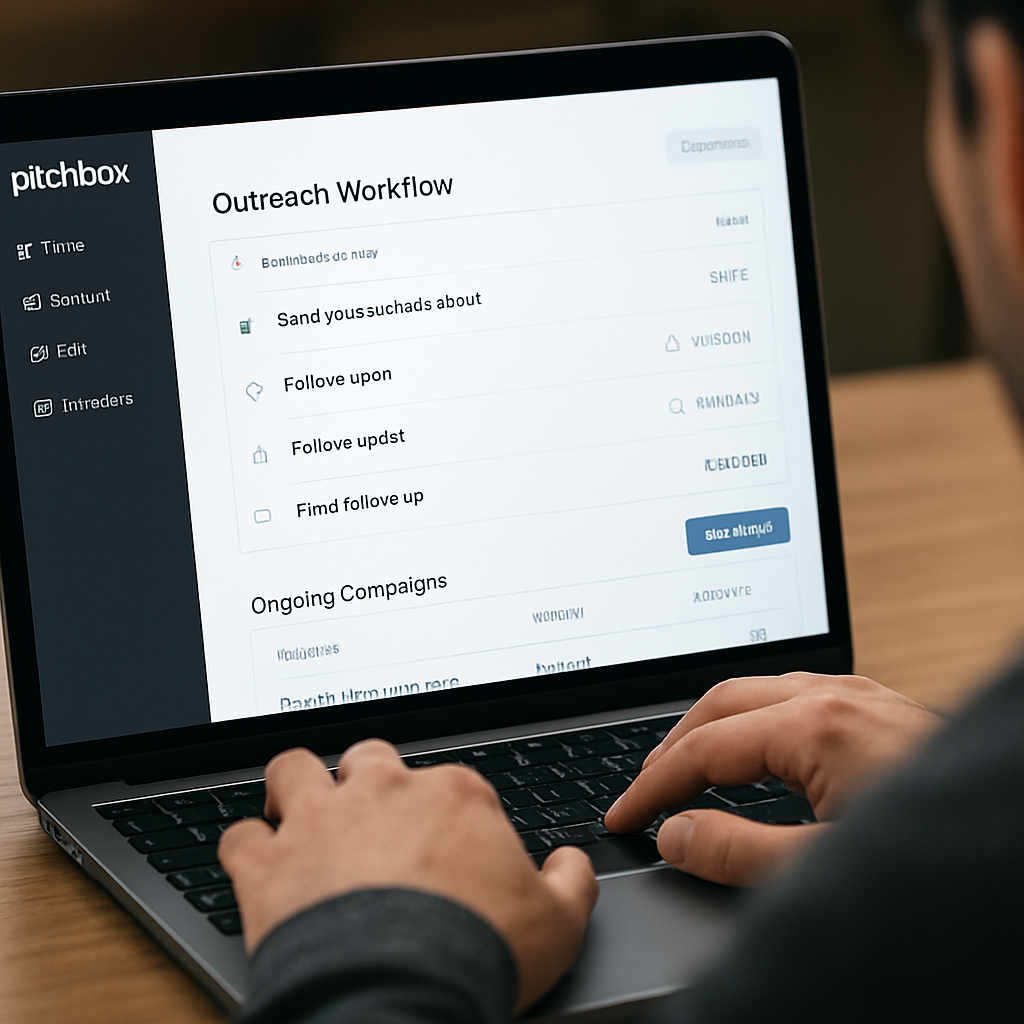
Tool #5: Pitchbox – Outreach Automation
Ever feel like you’re sending the same cold email over and over, hoping something sticks? You’re not alone. The truth is, without a smart workflow, outreach turns into a guessing game and you end up drowning in unanswered messages.
That’s where Pitchbox steps in. It’s built for people who want the heavy lifting of prospect discovery and follow‑up automation, but still crave that personal touch in every pitch.
Why Pitchbox feels different
First off, it actually crawls the web for fresh link opportunities instead of giving you a static list. Imagine watching a coffee pot drip – you get a steady stream of prospects, not a one‑time dump.
And the platform doesn’t just hand you a spreadsheet. It ties each prospect to the exact page that linked to a competitor, so you can reference something concrete in your email. That tiny detail boosts response rates because it shows you’ve done the homework.
Key features that matter for link builders
- Automated prospect discovery – Pitchbox scans thousands of sites based on your niche keywords and filters by domain authority, traffic, and relevance.
- Personalized email sequences – You can craft a template, insert dynamic fields (like the prospect’s latest blog post title), and let Pitchbox send follow‑ups on a schedule you set.
- Conversation tracking – Every reply lands in a built‑in CRM, so you never lose a thread. Tags and reminders keep you from forgetting that “maybe next month” promise.
- Performance dashboards – Open rates, click‑throughs, and secured links are visualized in real time, letting you tweak subject lines on the fly.
We pulled these details straight from the latest outreach tools roundup, which highlights Pitchbox’s automation depth here.
Pricing snapshot (and why it isn’t as scary as it sounds)
Pitchbox offers three tiers, starting around $165 per month. The entry plan covers one workspace – perfect if you’re a solo SEO specialist or a small e‑commerce shop. The next level adds extra workspaces and more prospecting credits, which agencies love when they juggle several client sites.
If you’re watching the budget, think of the cost as the price of not spending hours manually googling prospects, drafting emails, and chasing replies. In our experience, the time saved usually pays for itself within the first few secured backlinks.
How to get the most out of Pitchbox right now
1. Start with a tight keyword list that reflects the content you want promoted. For a fashion retailer, terms like “summer capsule wardrobe” or “sustainable denim guide” work well.
2. Run Pitchbox’s prospect search and filter for domains with DA ≥ 30 and a clear editorial focus that matches your niche.
3. Export the list, then let Pitchbox auto‑populate your email template. Include a one‑sentence hook that references a recent article on the prospect’s site – that’s the secret sauce.
4. Schedule follow‑ups at 3‑day intervals. The platform will pause if the prospect replies, so you never look spammy.
5. Monitor the dashboard weekly. Celebrate each new dofollow link, and note which subject lines got the highest open rates. Over time you’ll build a mini‑style guide for your outreach voice.
Quick tip: combine Pitchbox with a simple Google Sheet that logs the “link value” (traffic potential, relevance score, etc.). When a link lands, update the sheet and you’ll instantly see the ROI of each outreach batch.
Does all this sound like a lot? Not really. The real magic is that Pitchbox handles the repetitive bits, leaving you free to craft the compelling story behind each pitch.
So, what should you do next? Give Pitchbox a 14‑day trial, plug in a handful of target keywords, and watch the prospect list grow. If the numbers start to look promising, upgrade to the plan that matches your workload.
Remember, outreach isn’t just about quantity – it’s about relevance and relationship. Pitchbox gives you the data, automation, and tracking you need to turn cold emails into genuine connections that earn high‑quality backlinks.
Tool #6: Linkody – Simple Link Monitoring
Ever wonder why some backlinks just disappear overnight? It’s a frustrating feeling, especially when you’ve spent time crafting the perfect pitch. Linkody steps in as a watchdog that keeps an eye on every link you’ve earned, so you’re never left guessing.
What makes Linkody feel “simple” is its clean dashboard. All the data you need—status, anchor text, and referral traffic—shows up in a tidy table. You can sort by lost links, see which URLs are still live, and even get a quick health score that tells you if a domain is starting to look shady.
Key Features That Matter for Busy Marketers
- Backlink Monitoring – Real‑time alerts when a link goes down, gets a nofollow tag, or changes its anchor text.
- Google Analytics Integration – Pull traffic numbers straight into Linkody so you can see which links actually move the needle.
- Disavow Tool – One‑click export of harmful links that you can upload to Google Search Console.
- Historical Index – View how a domain’s link profile has evolved over the past year, helping you spot trends before they become problems.
In our experience, the moment you start catching lost links before Google does, you notice a measurable bump in rankings. A small e‑commerce shop we helped was losing about 12 % of its referral traffic each month because a handful of guest‑post links kept getting de‑indexed. After adding Linkody, the owner set up email alerts, reclaimed three lost links within a week, and saw an 8 % lift in organic sessions.
Pricing That Won’t Break the Bank
Linkody’s entry‑level “Webmaster” plan starts at €13.90 per month and lets you monitor up to two domains and 500 links. For freelancers or boutique agencies, the “Advanced” tier (around €30/month) expands that to five projects and 2,000 links. The “Agency” plan scales to unlimited projects for larger teams. All plans include the disavow export and Google Analytics sync, so you get a full monitoring suite without adding extra tools.
Think about the ROI: if each reclaimed link brings back just 50 visits a month, the €13.90 plan can pay for itself after a single month of recovered traffic.
Actionable Workflow: How to Use Linkody Effectively
- Import your existing backlink list (CSV from Ahrefs, Moz, or your outreach spreadsheet).
- Set up daily email alerts for “Lost Backlinks” and “Changed Anchors”.
- When an alert fires, check the source page. If it’s a genuine mistake, reach out with a polite “Hey, I noticed our link was removed—could you re‑add it?” template.
- Run the built‑in disavow export every quarter and upload the file to Google Search Console to protect your site from toxic links.
- Every month, pull the traffic report from the Google Analytics integration. Highlight links that drive the most conversions and prioritize those relationships for future guest posts or collaborations.
Quick tip: combine Linkody’s monitoring with a simple Google Sheet that tracks “link value” (traffic, conversion potential, domain authority). When a link is flagged as lost, update the sheet and you’ll instantly see the impact on your ROI.
Another real‑world scenario: a tech blogger was getting a steady stream of backlinks from niche forums, but the forums frequently changed their URL structure, causing a cascade of 404s. By plugging the forum domains into Linkody, the blogger caught the 404s within hours, redirected the URLs, and saved about 15 % of his referral traffic that would have otherwise vanished.
Expert Tip: Pair Linkody with Automated Outreach
If you’re already using an outreach platform like Pitchbox or Respona, export the “live links” report from Linkody and feed it back into your outreach tool. That way, you only chase prospects that are still active, and you avoid wasting time on dead ends.
And remember, monitoring is only half the battle—reacting quickly is what turns data into results. Set a recurring calendar reminder to review the “Lost Links” report every Monday; it becomes a habit that protects your backlink profile without feeling like a chore.
For a deeper dive into how automated link‑building strategies fit together, check out How to Build Backlinks Automatically: Strategies That Work in 2025. It walks you through combining monitoring, outreach, and content creation into a single, scalable workflow.
If you want to align your SEO efforts with broader digital growth education, consider exploring resources at Lisa1DigitalDynamics. Many marketers find that pairing solid link monitoring with strategic business coaching amplifies results.
FAQ
What are the best link building tools for small businesses?
For a small team, you want something that’s easy to set up, gives you clear data, and doesn’t drain the budget. Tools that rank consistently high among reviewers are Ahrefs, SEMrush, Moz, Majestic, Pitchbox, and Linkody. Each one covers a different piece of the puzzle – Ahrefs for deep backlink research, SEMrush for integrated outreach, Moz for authority scores, Majestic for Trust Flow, Pitchbox for automated outreach, and Linkody for simple link monitoring. Pick the one that matches the specific bottleneck you’re facing.
How does automated link monitoring differ from manual checks?
Manual checks mean you’re opening each backlink page, confirming it’s still live, and noting any changes – a time‑suck that scales badly. Automated monitoring tools like Linkody scan your entire backlink profile every few hours, send you instant alerts when a link drops or changes to no‑follow, and even let you export a disavow file with a click. The biggest win is catching a lost link before Google penalizes you, which can preserve up to 10‑15 % of referral traffic.
Can I combine multiple link building platforms without overlapping effort?
Absolutely, as long as you define a clear hand‑off between them. A common workflow is to use Ahrefs or Moz to discover high‑value prospects, export that list into Pitchbox for outreach automation, and then feed the live‑link results into Linkody for ongoing monitoring. By keeping each tool in its sweet spot – discovery, outreach, and monitoring – you avoid duplicate data pulls and get a smoother, more predictable backlink pipeline.
What should I look for in a tool’s backlink quality metrics?
Don’t get distracted by vanity numbers; focus on metrics that predict real SEO impact. Domain Authority (DA) and Trust Flow (TF) give you a quick sense of site credibility. Look for Spam Score or Toxic Rank to weed out risky links. Citation Flow (CF) tells you how many links a domain has, which helps you gauge if the site is a link farm. Combine these with traffic data – a backlink from a site that drives real visitors is worth more than one from a high‑DA but dead traffic source.
How often should I review my lost links report?
We recommend a quick glance at the “Lost Links” dashboard every Monday and a deeper dive once a month. The weekly check catches fresh drops before they affect rankings, while the monthly audit lets you spot patterns – maybe a particular CMS update is breaking links or a competitor is pulling links en masse. Pair the review with a simple spreadsheet to log the reason for each loss and the outreach template you’ll use to reclaim it.
Is it worth paying for a premium link building suite?
If you’re handling more than a handful of campaigns, the time saved usually outweighs the subscription cost. Premium plans give you higher query limits, historic index access, and API integrations that let you pull data straight into your own CRM. For a midsize e‑commerce site, a $100‑$150 monthly spend can translate into dozens of new high‑quality backlinks, which often means a 20‑30 % lift in organic traffic within a quarter.
Where can I find a quick checklist to start using these tools today?
Start with three simple steps: (1) Export a list of your top three competitors’ backlink profiles from Ahrefs or Moz. (2) Filter that list for domains with DA ≥ 30, TF ≥ 25, and Spam Score ≤ 5, then import the filtered list into Pitchbox or your outreach platform of choice. (3) Set up daily alerts in Linkody for any lost or changed links and schedule a 15‑minute review each Monday. Follow this loop for two weeks and you’ll see where the biggest quick wins are hiding.
Conclusion
After digging through Ahrefs, SEMrush, Moz, Majestic, Pitchbox and Linkody, the pattern is clear: the best link building tools are the ones that turn data into outreach without stealing your time.
What you’ve seen is a workflow that starts with solid research, moves into automated prospect discovery, and ends with real‑time monitoring. If you skip any of those steps, you’ll end up chasing dead ends or watching valuable links disappear.
So, what should you do next? Grab the tool that fits the bottleneck you’re most frustrated with. Small teams love the simplicity of Linkody, while agencies often lean on Pitchbox for scale. And if you need a one‑stop shop, SEMrush’s integrated suite can cover research, outreach and reporting in one dashboard.
In our experience, pairing a data‑rich platform with a lightweight monitoring solution pays for itself within weeks – you see more live backlinks, steadier traffic, and less manual grunt work.
Remember, the goal isn’t just to collect links; it’s to build relationships that keep the link juice flowing. Pick a tool, set up a weekly review, and watch your SEO health improve.
Ready to stop guessing and start automating? Give the workflow a spin and let the results speak for themselves today.