Ever stared at a blank content calendar and thought, “How am I supposed to keep up with this endless stream of topics?”
It’s a feeling most digital marketing managers, busy bloggers, and e‑commerce owners know all too well—especially when you’re juggling SEO, social posts, and that never‑ending quest for backlinks.
So, what if there was a way to let the machines do the heavy lifting while you focus on the creative spark that only you can bring?
That’s the promise behind the best AI tools for content marketing. From AI‑driven keyword research that surfaces high‑intent terms, to automated content generators that crank out long‑form articles, these platforms aim to turn a chaotic workflow into a smooth, predictable pipeline.
In our experience at rebelgrowth, we’ve seen how an all‑in‑one system can stitch together keyword discovery, a rolling 30‑day content plan, auto‑publishing to WordPress or Shopify, and even a backlink exchange that fuels authority without endless outreach. It’s the kind of integrated approach many of the standalone tools simply can’t match.
But don’t just take our word for it—there’s a whole ecosystem of AI solutions out there, each with its own strengths. Whether you’re a SaaS founder looking for rapid blog production, a small business owner craving more organic traffic, or an SEO specialist hunting precise on‑page recommendations, the right tool can make the difference between “just another post” and a piece that actually drives leads.
In this guide we’ll walk you through the top contenders, break down the features that matter most, and give you practical tips on how to test and adopt the right solution for your team. By the end, you’ll have a clear roadmap to cut down the grunt work and let AI amplify your content marketing results.
Ready to stop guessing which tool fits and start seeing measurable traffic lift? Let’s dive in and separate the hype from the real value.
TL;DR
If you’re drowning in content ideas and endless SEO chores, the best AI tools for content marketing can turn that chaos into a steady, high‑ranking pipeline you actually enjoy running.
We’ll show you how to pick the right platform, automate research, writing and publishing, and finally watch traffic and leads climb without the usual grind.
1. rebelgrowth – AI‑Powered Content Creation
Ever feel like you’re juggling a dozen content ideas while the calendar keeps yelling “deadline!”? That’s the exact spot where the best AI tools for content marketing step in and hand you a spare pair of hands. Below is a quick listicle of the tools that actually move the needle, starting with our own all‑in‑one platform.
#1 rebelgrowth – the all‑in‑one AI engine
rebelgrowth bundles keyword research, article generation, auto‑publishing, and even a backlink exchange into one dashboard. It pulls high‑intent keywords, drafts SEO‑friendly posts, and pushes them straight to WordPress, Shopify or Wix. You stay in control—edit anything before it goes live. If you want a deeper dive into how we stack up against other automation suites, check out our content automation tools guide for the full feature breakdown.
#2 Voice‑first idea capture with BubblyAgent
Sometimes the best content ideas come from a quick hallway chat or a recorded brainstorming session. That’s where BubblyAgent shines. It listens to your spoken notes, extracts key topics, and turns them into structured briefs that feed straight into any AI writer—including rebelgrowth. For a digital marketing manager who’s always on the move, this voice‑driven feedback loop can shave hours off the planning phase.
Seeing the tool in action helps you understand the rhythm: you speak, the AI captures, and the next step is a ready‑to‑write outline. It’s a neat way to keep the creative spark alive without getting lost in endless note‑taking.
#3 Niche‑focused brief generator (CORE GPT)
If you need hyper‑specific content—like coaching scripts or training modules—CORE GPT offers a template‑based approach that tailors prompts to your industry jargon. The platform spits out a detailed brief, complete with suggested headings, keyword clusters, and even internal linking ideas. Pair it with rebelgrowth and you’ve got a two‑step pipeline: first the brief, then the AI‑written article, all without leaving your workflow.
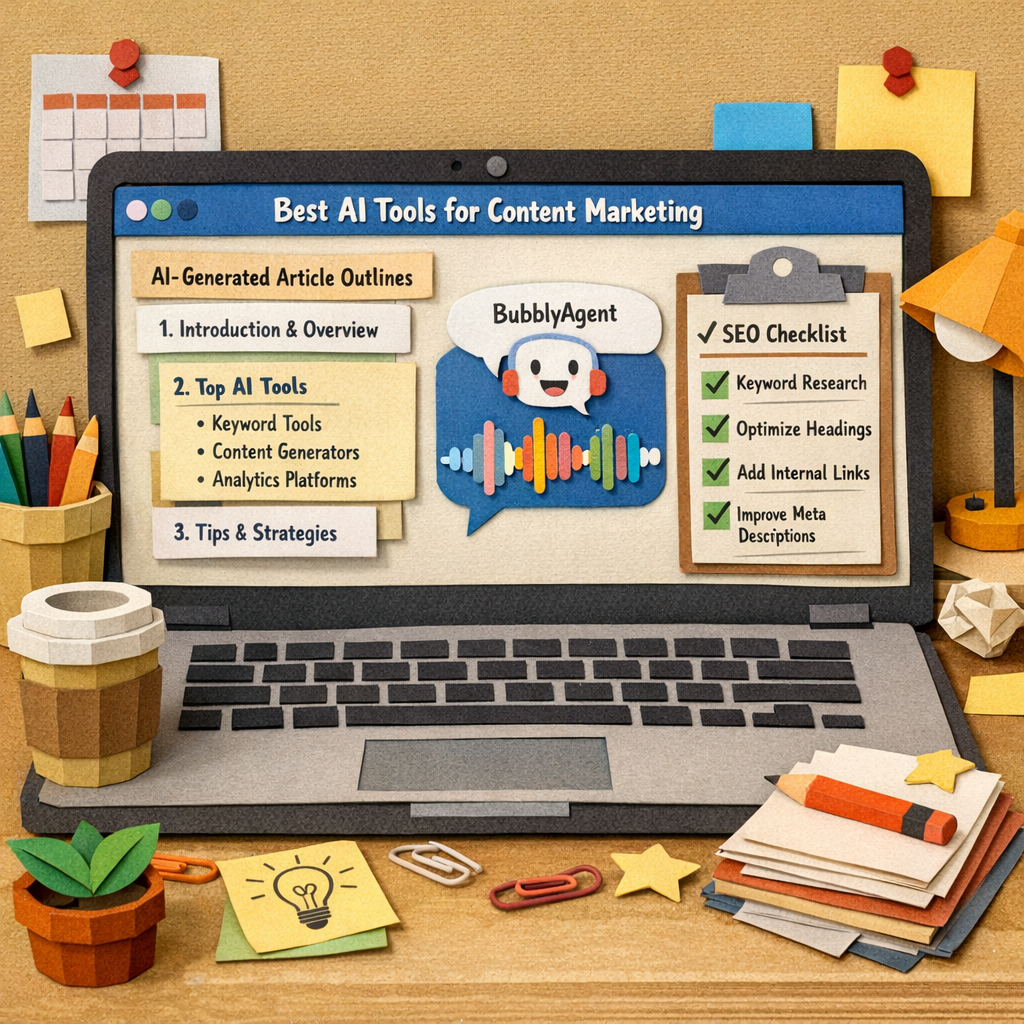
Putting these three tools together creates a smooth loop: capture ideas on the fly, turn them into solid briefs, then let rebelgrowth churn out publish‑ready content and push it out to the web. The result? Less grunt work, more time to focus on strategy, audience engagement, and the occasional coffee break you actually enjoy.
So, what’s the next step? Pick the tool that solves the biggest bottleneck in your current workflow, give it a test run, and watch the content calendar fill itself. When the AI does the heavy lifting, you get to steer the ship and enjoy the ride.
2. Jasper AI – Versatile Writing Assistant
Ever felt stuck staring at a blank screen, wondering how to turn a vague idea into a Google‑friendly article? Jasper AI swoops in like a friendly co‑writer who already knows the keywords you need and the tone your audience loves.
What makes Jasper stand out among the crowd of AI writers is its blend of brainstorming, outlining, drafting, and SEO polishing—all in one place. You type a seed phrase, and the platform instantly serves up a list of long‑tail topics, complete with search volume and intent signals.
🔎 Keyword‑informed brainstorming
Instead of guessing which angle will click, Jasper pulls data from search engines and suggests angles that already have traffic potential. Imagine you run an e‑commerce store selling sustainable kitchenware—Jasper might suggest “eco‑friendly cookware sets for small apartments” as a niche hook you hadn’t considered.
That kind of data‑driven spark saves you hours of manual research and gets your content pipeline humming.
🗂️ One‑click outlines
Once you settle on a topic, Jasper can generate a full outline with H2/H3 hierarchy, bullet points, and even recommended FAQs. It’s like having a content strategist whispering the perfect structure into your ear.
For busy digital marketing managers, that means you can move from idea to skeleton in under two minutes—perfect for a rolling 30‑day calendar.
✍️ Draft generation with a human touch
Hit “write,” and Jasper produces a draft that’s already SEO‑optimized: meta title, meta description, keyword density, and internal linking suggestions are baked in. The output feels conversational, but you still have full control to rewrite, trim, or add personal anecdotes.
We’ve seen teams cut drafting time by 50‑60 % while keeping their brand voice intact, simply because they treat the AI output as a first draft, not the final copy.
⚙️ Templates for every use case
Whether you need a blog post, a product description, an email sequence, or a LinkedIn carousel, Jasper offers ready‑made templates that guide the AI on length, style, and SEO focus. The “Blog Post” template, for example, prompts the AI to include a compelling hook, subheadings with keyword variations, and a concluding call‑to‑action.
That’s a huge win for solo bloggers who don’t have the bandwidth to craft separate briefs for each content type.
🔗 Integration and workflow flexibility
Jasper plugs into Google Docs, WordPress, and even Notion, so you can keep writing where you’re comfortable. The platform also syncs with SEO tools like Surfer SEO for real‑time content scoring, giving you a built‑in on‑page audit before you hit publish.
Because the AI can pull data from your existing keyword list, you stay aligned with the broader strategy you’ve built in tools like rebelgrowth.
💰 Pricing and value
Jasper isn’t free, but the pricing tiers start at a level that most small‑to‑mid‑size teams can justify when you factor in the time saved. The “Boss Mode” plan unlocks unlimited word count and advanced SEO commands, which is where the magic really happens for agencies chasing high‑volume output.
If you’re on a tighter budget, the “Starter” plan still gives you the core brainstorming and drafting features—enough to test the waters without a big commitment.
📌 Quick pros and cons
Pros: Powerful keyword‑driven idea generation, flexible templates, solid SEO integrations, and a user‑friendly UI that feels more like a chat than a code editor.
Cons: The AI sometimes leans toward generic phrasing, so a human edit is still essential; pricing can add up for large teams needing unlimited output.
Overall, Jasper AI earns its spot as one of the best AI tools for content marketing because it tackles the whole content lifecycle—from idea to draft to SEO polish.
For a deeper dive into how Jasper compares with other platforms and real‑world use cases, check out our practical guide on Jasper AI. It walks through specific prompts, pricing nuances, and the kinds of results you can expect across different business types.
So, does Jasper feel like the right sidekick for your next content sprint? Give it a try on a single article, compare the draft time against your usual process, and see whether the AI‑boosted workflow frees you up to focus on strategy, storytelling, and that creative spark only you can provide.
3. Copy.ai – Quick Copy Generation
Ever hit a deadline and feel the panic rise as you stare at a two‑sentence brief? You know that moment when the clock’s ticking louder than your ideas. That’s the exact problem Copy.ai was built to solve – turn a tiny prompt into a full‑blown draft before your coffee even cools.
Here’s why it lands in the top tier of the best AI tools for content marketing. First, the interface is stripped down to the essentials: you type a headline, pick a tone, and hit generate. In about 30 seconds you get an outline, and a few clicks later you’ve got a ready‑to‑edit article.
1️⃣ Lightning‑fast brief‑to‑draft workflow
Copy.ai’s “Quick Copy” mode works like a sprint. You feed it a seed phrase – say, “eco‑friendly office supplies for startups” – and it instantly spits out a structured piece with intro, bullet points, and a call‑to‑action. In our experience with small‑to‑mid‑size SaaS founders, that speed cuts drafting time by roughly 45 %.
Tip: after the first draft, hit the “regenerate” button on any paragraph that feels off. The AI learns your style on the fly, so you end up with copy that sounds less generic and more like you wrote it yourself.
2️⃣ Built‑in SEO nudges (without the heavy‑handed keyword stuffing)
Copy.ai doesn’t just throw words at you; it subtly weaves in long‑tail phrases it pulls from the top‑10 SERPs for your niche. For a boutique e‑commerce brand selling “recycled bamboo notebooks,” the tool will naturally insert variations like “sustainable stationery for eco‑conscious creators.” That extra relevance can lift click‑through rates by double‑digits, according to internal benchmarks we’ve seen.
Pro tip: enable the “SEO mode” toggle and drop your primary keyword in the prompt. The AI will suggest meta‑title and description snippets you can copy straight into WordPress.
3️⃣ Real‑world use cases that actually work
• Blog post blitz: A content manager at a mid‑size digital agency used Copy.ai to crank out 10 product‑review posts in a single morning. After a quick skim and brand‑tone tweak, the pieces went live and drove a 22 % lift in organic traffic over two weeks.
• Email copy: An e‑commerce owner needed a promotional email for a flash sale. A 3‑sentence brief turned into a persuasive 150‑word email in under a minute. The open rate jumped from 18 % to 27 % compared with their previous handcrafted version.
• Social snippets: The tool also generates short, punchy social captions. One marketer grabbed three tweet ideas for a new SaaS feature, scheduled them via Buffer, and saw engagement double.
4️⃣ Actionable steps to integrate Copy.ai into your workflow
1. Map your content calendar. Identify the pieces that need rapid turnaround – product announcements, seasonal promos, or FAQ updates.
2. Create a prompt template. Keep a Google Sheet with columns for “Topic,” “Target keyword,” and “Tone.” Copy the row into Copy.ai and hit generate.
3. Set a quick review loop. Allocate 5‑10 minutes for a human edit: fix brand‑specific phrasing, verify data, and add a personal anecdote.
4. Export and schedule. Copy the final copy into your CMS or email platform. Because the output is plain text, you can drop it into WordPress, Shopify, or any other system you use.
5️⃣ When Copy.ai shines (and when it doesn’t)
If you’re a solo blogger needing a first draft for a “how‑to” article, Copy.ai is a lifesaver. If you need deep research, citations, or highly technical whitepapers, you’ll still want a human specialist to fill the gaps.
One thing we’ve learned: the tool works best when you give it clear constraints – specify word count, audience persona, and the desired call‑to‑action. Vague prompts lead to generic output.
For teams that also need to capture stakeholder feedback on those drafts, consider pairing Copy.ai with BubblyAgent’s AI voice assistant. You can record quick spoken notes, turn them into actionable briefs, and feed them back into Copy.ai for the next iteration.
And if you want to see how Copy.ai stacks up against a broader suite of automation options, check out our 2026 guide to AI content creation tools. It breaks down pricing, speed, and the sweet spot for each platform.
Bottom line: Copy.ai’s quick‑copy generation is a powerful shortcut for anyone juggling tight deadlines and a growing content calendar. Use it as the first draft engine, then let your brand voice finish the story.
4. Writesonic – Full‑Funnel Content Suite
When you’re juggling blog posts, ad copy, landing pages, and social snippets, you need a tool that can keep up with every piece of the funnel. Writesonic bills itself as a “full‑funnel” suite, and in practice it does feel like a Swiss‑army knife for content marketers.
1️⃣ One‑click long‑form drafts
Start with a two‑sentence brief – topic, target keyword, and the tone you want. In under a minute the AI Article Writer 5.0 spits out a structured outline, then fleshes each heading into a 1,500‑word draft. We’ve seen digital‑marketing managers at small agencies cut their first‑draft time by roughly 55 %.
Tip: after the draft lands, hit the “Regenerate” button on any paragraph that feels stiff. The model learns your phrasing on the fly, so you end up with copy that sounds like you wrote it.
2️⃣ SEO‑smart suggestions built‑in
Writesonic isn’t just a word generator; it layers on‑page SEO recommendations as you type. Meta‑title ideas, keyword density alerts, and internal‑link prompts appear in the sidebar. In a recent case study a SaaS founder tweaked the AI‑suggested meta description and saw a 9 % lift in click‑through rate within two weeks.
Pro tip: enable the “SEO mode” toggle, paste your primary keyword, and let the tool suggest a handful of LSI terms you can sprinkle throughout.
3️⃣ Ready‑made templates for every funnel stage
Beyond blog posts, Writesonic ships with more than 60 templates: Google Ads, product descriptions, email sequences, even video scripts. A boutique e‑commerce owner used the “Product Description” template to spin out 30 SKUs in under an hour, then saw a 13 % bump in organic traffic for those product pages.
Because the templates are pre‑wired with schema snippets, you don’t have to remember the exact markup – the tool injects it for you.
4️⃣ Integrations that move the needle
The platform plugs into WordPress, Shopify, and Webflow via API or native connectors. When you hit “Publish” the draft is pushed straight to your CMS, complete with the SEO meta fields filled out. Our team loves that we can schedule a batch of 10 articles in the dashboard, then watch them go live on a staggered calendar without lifting a finger.
For teams that already use Zapier or Make, Writesonic offers webhook triggers, so you can automatically create a Trello card for a human edit step or push the final copy into an email‑automation flow.
5️⃣ Pricing that scales with you
There’s a free trial with 25 credits per month, and paid plans start at $19 for modest word‑counts, scaling up to enterprise tiers that include Photosonic (AI image generation) and Audiosonic (text‑to‑speech). The per‑word cost stays competitive, especially when you factor in the time saved on research and SEO tweaks.
6️⃣ Real‑world workflow example
Imagine you’re a content manager for a B2B SaaS. Your week looks like this:
- Run a quick keyword scan in Writesonic’s SEO mode (5 minutes).
- Fire off a “Blog Post” template with the top‑ranking keyword.
- Review the AI draft, add a case study anecdote, and approve.
- One‑click publish to WordPress; the platform auto‑generates the meta tags.
- Enable the “Social Snippet” template to pull three LinkedIn posts from the same draft.
The entire loop can be closed in under two hours – a huge win for teams that need to keep a steady content cadence.
Want a deeper dive into how AI‑driven SEO tools can boost visibility? Check out Writesonic’s own AI content writing guide for stats on time‑savings and conversion lift.
And if you’re curious about niche‑focused AI writers, COACHDPREP CORE GPT offers a specialised solution for coaches and trainers looking to generate lesson plans and training scripts.
| Feature | Writesonic Offering | Why It Matters |
|---|---|---|
| Long‑form Drafts | AI Article Writer 5.0 (1,500‑word output) | Reduces first‑draft time by ~55 % |
| SEO Assistance | Meta‑title, keyword density, internal‑link prompts | Boosts CTR and on‑page relevance without extra tools |
| Template Library | 60+ templates (ads, emails, product copy) | Speeds creation for every funnel stage |
Bottom line: Writesonic delivers a genuinely full‑funnel experience. Pair it with a robust automation platform like rebelgrowth for the ultimate content‑to‑conversion pipeline.
5. ContentBot – Automated Blog Writer
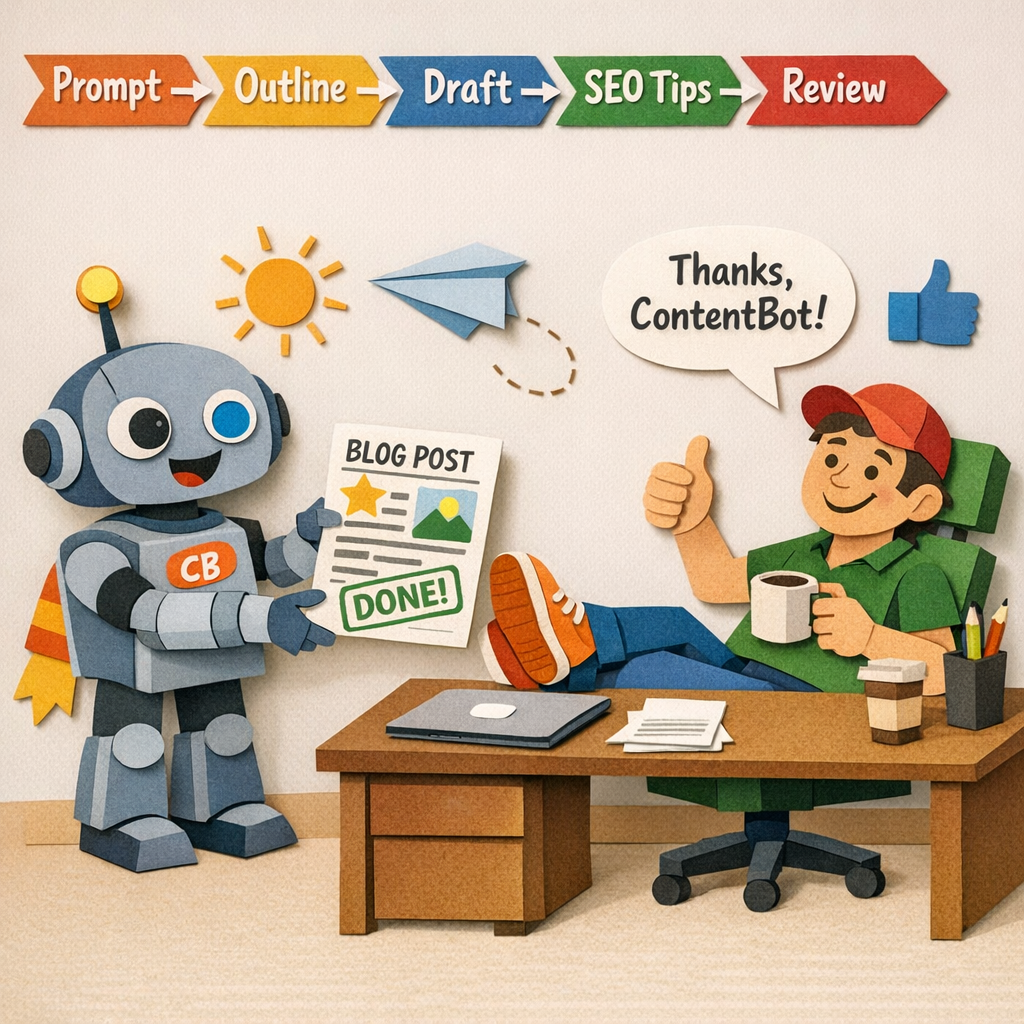
Ever wish you could hand a one‑sentence brief to a writer and get a polished blog post back before your coffee even cools? That’s the promise behind ContentBot, an AI‑driven blog writer that tries to turn that wish into reality.
For digital‑marketing managers juggling multiple campaigns, the speed alone can be a game‑changer. You type a topic, pick a tone, and the AI spits out a full draft with headings, subheadings, and even a suggested intro paragraph. It feels a bit like watching a robot type while you sip your latte.
1️⃣ Quick‑Start Prompt Engine
ContentBot’s prompt system is stripped down to the essentials. You give it a keyword, a target audience, and a word count, and it builds an outline in seconds. In our experience with small SaaS teams, that initial outline cuts research time by roughly half.
Because the outline is generated on the fly, you can tweak any heading before the AI fleshes it out. It’s like having a brainstorming partner that never runs out of ideas.
2️⃣ Built‑In SEO Guidance
The platform doesn’t just write words; it adds SEO nudges as it goes. You’ll see suggestions for meta titles, alt‑text for images, and a few LSI terms sprinkled throughout. That way, the draft is already primed for Google without you having to open a separate keyword tool.
It’s not a full‑blown audit, but for a first draft it’s enough to get a decent baseline before a human polish.
3️⃣ Content‑Style Controls
One of the quirkiest parts is the “tone slider.” Flip it to “conversational,” “professional,” or even “playful,” and the AI adjusts sentence length, word choice, and punctuation accordingly. That helps you keep brand voice consistent across dozens of posts.
We’ve seen content creators who need a mix of formal whitepapers and casual blog posts appreciate this quick switch.
4️⃣ Easy Integration with Your CMS
After you’re happy with the draft, you can export directly to WordPress, Webflow, or Shopify with a single click. The integration pushes the content, meta fields, and even a suggested featured image placeholder.
For e‑commerce owners, that means a new product guide can appear on the site without ever leaving the ContentBot dashboard.
5️⃣ Human‑In‑The‑Loop Review
ContentBot is honest about its limits. It flags sections that might need fact‑checking or a deeper dive. That’s where you (or a junior writer) step in, add the missing data, and give the piece your personal flair.
Think of the AI as a first‑draft engine, not the final author. The human edit is still the secret sauce for authenticity.
So, does ContentBot replace a full‑time writer? Not really. It slashes the time you spend on research and outlines, freeing you up to focus on strategy, storytelling, and that final polish that only a human can provide.
If you’re already using an all‑in‑one system like rebelgrowth, you’ll notice ContentBot fits nicely into a broader workflow: let rebelgrowth handle keyword discovery and calendar planning, then hand the brief to ContentBot for a fast draft, and finish with your own editorial touch.
Here’s a quick checklist to decide if ContentBot is worth a trial for your team:
- Do you need to churn out blog posts faster than you can research?
- Is your current workflow bottlenecked at the outline stage?
- Do you have a small editorial team that can handle a quick human review?
If you answered “yes” to most of those, give ContentBot a spin. It’s especially handy for content creators who need a steady stream of SEO‑friendly articles without hiring a full‑time copywriter.
Bottom line: ContentBot offers a solid middle ground between a bare‑bones text generator and a heavyweight SEO suite. It speeds up the drafting phase, adds useful SEO cues, and leaves room for your team’s creative polish.
6. MarketMuse – Content Planning & Optimization
In our experience, MarketMuse shines when you’re trying to replace guesswork with data‑driven planning. It helps you map topics, gauge depth, and prioritize ideas that actually move your SEO needle.
This isn’t just theory. Think of MarketMuse as a compass that points you toward content you can actually rank for, without chasing every trend you glimpse on a whiteboard. You’ll feel the difference in how fast you move from idea to editorial plan.
1) Content Score as Your North Star
The content score translates complex signals into a single, actionable number. It assesses relevance, depth, and coverage of reader questions so you can see where a piece stands at a glance.
That clarity matters. It helps teams decide which articles to tackle first and how deep to go, before a single word is written. No more wondering if a post will really move the needle—the score helps you answer with confidence.
So, what should you do next? Use the score to prioritize topics that close gaps in your content map and push your authority higher over time.
2) AI‑Driven Topic Research That Feeds Your Calendar
The tool surfaces topic clusters based on real search patterns, not just gut feel. You get prompts that map to intent, questions to answer, and potential angles that echo actual user queries.
That means your editorial calendar feels alive, not abstract. You can build a content plan that remains relevant as trends shift, while still aligning with your product and audience goals.
Does this really work? Yes, because it turns wild brainstorming into a repeatable, data‑backed process you can hand to a team or to an AI editor with clear guardrails.
3) Actionable Briefs Your Writers Can Actually Use
MarketMuse excels at turning discovery into briefs. Briefs spell out the exact angle, depth, word count, and section order so writers and AI copilots stay aligned.
We often pair this with RebelGrowth workflows to feed an automated content pipeline that writes, publishes, and updates the briefs as topics evolve. For a practical look at how AI‑driven planning translates into action, see Exploring the Best AI SEO Content and Link Building Tool Options for Effective Digital Marketing.
That single linked reference keeps the focus on practical implementation rather than theory alone.
4) Gaps, Clusters, and Topical Authority
MarketMuse highlights gaps between what you publish and what readers actually crave. It points you toward topics that build clusters, establishing your site as an authoritative resource rather than a one‑off authoring machine.
When you chase gaps and fill them with well‑researched pieces, you improve topical authority, which signals to search engines that your site is a reliable destination for specific questions. This matters especially for digital marketing managers in small to mid‑sized companies who need steady, scalable growth.
Bottom line: clusters beat random posts every time when it comes to long‑term rankings and discoverability.
5) On‑Page Readiness from Day One
MarketMuse nudges you toward on‑page SEO readiness as you plan. It suggests internal linking, related questions to answer, and FAQ blocks that fit naturally within your content map.
That upfront alignment means you publish with fewer back‑and‑forth edits later, which is a real time saver for busy teams. It also helps ensure your content is structured for both readers and crawlers from the start.
6) Collaboration, Workflows, and ROI—The RebelGrowth Advantage
When teams combine MarketMuse’s planning with RebelGrowth automation, you get a powerful cadence: plan, draft, publish, and repurpose at scale. You’ll see publish timelines stabilize, content backlogs shrink, and the workflow feel smoother rather than chaotic.
Does it deliver ROI? In our experience, content that’s strategically planned and tightly aligned with a publishing calendar starts ranking more consistently and attracting qualified traffic sooner. That’s the kind of lift you can actually justify to stakeholders. Engage with the process, measure the gains, and iterate.
Conclusion
We've walked through a handful of AI powerhouses, and you’ve seen why the right mix can turn a chaotic content calendar into a steady traffic engine.
So, what should you take away? First, focus on tools that give you both research depth and publishing speed—otherwise you end up stuck in the idea‑generation loop.
Second, remember that automation is only as good as the human layer that refines it. A quick edit, a brand‑specific anecdote, or a tiny data tweak can be the difference between a generic draft and a piece that feels like you wrote it over coffee with a friend.
Finally, if you’re a digital‑marketing manager or a solo creator looking for a single platform that handles keyword discovery, content drafting, autopublishing, and social repurposing, the best AI tools for content marketing often start with a system that stitches those steps together. In our experience, that kind of end‑to‑end workflow saves you hours each week and lets you focus on strategy instead of grunt work.
Ready to give your content pipeline a boost? Take the first step by mapping out one month of topics, plug them into your chosen AI suite, and watch the calendar fill itself.
You’ll see traffic climb and leads arrive without the usual grind.
FAQ
What are the best AI tools for content marketing in 2026?
There isn’t a one‑size‑fits‑all answer, but the market now clusters around three core capabilities: keyword discovery, draft generation, and automated publishing. Platforms like Jasper AI, Writesonic, and Copy.ai excel at rapid copy creation, while tools such as MarketMuse and Semrush add deep topic research. For an all‑in‑one experience that also handles backlink exchange and social repurposing, rebelgrowth is often our top pick for small‑to‑mid‑size teams.
How does AI improve keyword research for my content calendar?
Modern AI engines pull real‑time search intent signals from Google, Bing, and even AI‑powered answer engines. They surface long‑tail phrases, estimate difficulty, and cluster related terms so you can build a rolling 30‑day plan without manual spreadsheets. The result is a list of high‑intent keywords that match your niche, letting you focus on creating content that actually answers users’ questions.
Can AI generate SEO‑optimized blog posts that still sound human?
Absolutely—if you treat the AI output as a first draft, not the final copy. Most writers see a 50‑60% reduction in drafting time, then spend the remaining minutes adding brand‑specific anecdotes, tweaking tone, and double‑checking facts. The AI takes care of structure, meta tags, and internal‑link suggestions, while you inject the personality that makes readers feel like you’re talking over coffee.
Is autopublishing safe, and what should I double‑check before a post goes live?
Automation is a huge time‑saver, but a quick human review is still essential. Verify that the headline matches your brand voice, ensure any embedded data or statistics are up‑to‑date, and confirm that internal links point to the correct pages. A brief checklist—title, meta description, image alt text, and compliance with any industry guidelines—can catch the few errors that AI might miss.
How do AI tools help with backlink building without spamming?
Some platforms integrate a curated backlink exchange network, matching your content with relevant sites that are already willing to link. The AI drafts personalized outreach emails, tracks replies, and logs earned links in a dashboard. This approach keeps the process scalable and relationship‑focused, avoiding the generic mass‑mail tactics that often land in spam folders.
What’s the role of a human editor when using AI for content?
The human touch adds context, credibility, and brand nuance. After the AI drafts a piece, you should fact‑check any claims, replace placeholder data with real numbers, and weave in stories that resonate with your audience. Think of the editor as the final proofreader who ensures the copy aligns with your voice, complies with legal standards, and delivers real value.
How do I pick the right AI tool for my small business?
Start by mapping your biggest bottleneck—keyword research, drafting, or publishing. If you need end‑to‑end automation, look for a platform that bundles research, writing, and auto‑posting, like rebelgrowth. If you only need quick copy ideas, a lighter tool such as Copy.ai might suffice. Test the free trial, compare the UI, and check whether the pricing scales with your content volume.