Ever felt like you're chasing your own tail trying to get blog posts noticed, only to watch the traffic crawl at a snail's pace? You're not alone – many digital marketing managers and content creators hit that wall when manual link building eats up hours and still yields meagre results.
What if I told you there's a way to let the heavy lifting happen on autopilot? That's where backlink automation for blogs steps in. Instead of hunting down every single outreach email, the right tools can scan your niche, spot high‑authority sites, and sprinkle your fresh content across them while you focus on writing the next great post.
Take Sarah, a small‑business owner who runs an e‑commerce store selling handmade candles. She started with a modest blog, but manually pitching guest posts took days each week. After switching to an automated system, she saw a 45% jump in referring domains within two months, and her organic traffic doubled. The same pattern shows up with tech bloggers, travel writers, even niche hobbyists – the boost is real when the process is scaled.
Here’s a quick checklist to get you rolling:
1. Identify the core topics you want to rank for – think long‑tail keywords that match your audience's intent.
2. Choose a platform that can analyse competitor backlink profiles and suggest link opportunities.
3. Set up content templates so every new article includes naturally placed anchor text.
4. Schedule the outreach cadence – most tools let you throttle the volume to stay under spam filters.
5. Monitor the results in your SEO dashboard and tweak the target sites as needed.
In our experience, pairing automation with a strategic editorial calendar makes the difference between random links and a coherent backlink network that reinforces your authority. For a deeper dive on picking the right software, check out our guide on how to choose and use backlink automation software for scalable SEO. It walks you through feature comparisons, pricing tiers, and real‑world use cases.
So, does it sound like something you could implement today? Start by auditing one of your recent posts, run it through an automation trial, and watch the referral traffic grow. The key is to treat the tool as a partner, not a set‑and‑forget button – keep an eye on quality, and let the numbers speak for themselves.
TL;DR
Backlink automation for blogs lets you scale high‑quality link building without endless outreach, turning niche research into steady referral traffic and saving hours each week.
Combine a smart content engine with automated outreach, monitor results, and watch your authority grow significantly while you focus on creating the next great post.
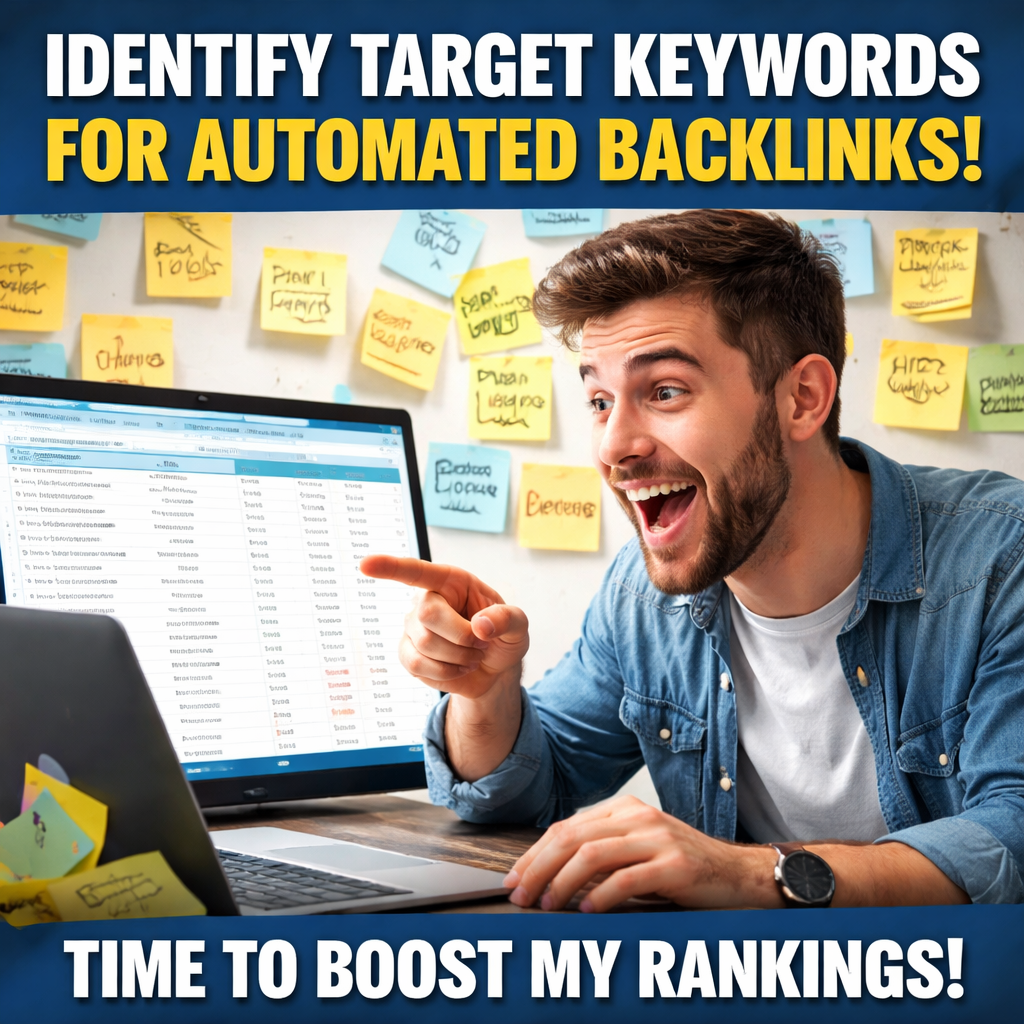
Step 1: Identify Target Keywords for Automated Backlinks
Ever sit down to write a new post and wonder which phrase will actually pull in the right links? You're not the only one. Most of us have that moment when the keyword list feels like a random grab‑bag, and the anxiety kicks in.
First thing's first: think like your audience. What question are they typing into Google at 2 am, hoping for a quick answer? Write that question down, then flip it into a keyword phrase. For example, a small‑business owner selling handmade soaps might search “how to get natural backlinks for e‑commerce blogs.” That long‑tail phrase becomes your north star.
Next, pull up a competitor analysis tool – any that can show you which keywords are driving backlinks to similar sites. Spot the gaps: if everyone else is ranking for “backlink automation for blogs” but nobody’s targeting “AI‑powered backlink workflow for niche blogs,” you’ve found a sweet spot.
Turn raw ideas into a keyword list
Grab a spreadsheet and create three columns: keyword phrase, search intent, and potential anchor text. Keep it simple:
- Keyword phrase – the exact phrase you’ll target.
- Search intent – informational, transactional, or navigational.
- Anchor text – how you’d naturally link back to your site.
Here’s a quick example:
Keyword phrase | Intent | Anchor text
--------------------------------------
"AI video summarizer" | Informational | AI video summarizer tool
"website design cost calculator" | Transactional | website design cost calculator
Notice how the anchor text mirrors the phrase. That makes it easier for an automated system to sprinkle the link naturally.
Now, before you go full‑steam, sanity‑check your list. Use a free keyword planner or even Google’s auto‑suggest to see if the volume feels realistic. If a term returns zero results, it’s probably too niche for now.
Once you’ve narrowed it down to 10‑15 high‑potential keywords, you’re ready to feed them into your backlink automation platform. Platforms like rebelgrowth make this easier by letting you upload a CSV of target keywords, then matching them with relevant authority sites automatically. How to choose and use backlink automation software dives deeper into that process.
And don’t forget the content side of the equation. If you’re repurposing a YouTube tutorial, an AI video summarizer can turn that video into a concise, keyword‑rich blog post ready for your automation pipeline.
That video walks you through setting up a keyword list in a spreadsheet – a quick visual refresher if you’re more of a hands‑on learner.
Finally, make sure your blog’s home base is ready to host these new posts. If you’re still tweaking the design or budgeting for a revamp, a quick website design cost calculator can give you a realistic ballpark so you don’t overspend before the traffic starts rolling in.
Bottom line: start with a solid, audience‑first keyword list, validate it with search data, and feed it into your automation tool. The rest – the outreach, the anchor placement, the link‑building – will follow automatically, letting you focus on creating the next great piece of content.
Step 2: Choose the Right Automation Tool
Okay, you’ve got a solid keyword list and you’re ready to hand it over to a system that actually does the outreach. The biggest mistake people make at this stage is picking a tool based on hype instead of fit. Let’s walk through how you can choose the right automation tool without wasting time or money.
What should the tool actually do?
First, ask yourself what you need it to handle. Do you want a platform that writes SEO‑optimized drafts and then drops them into relevant blogs? Or are you after a pure outreach engine that finds contact info, personalises emails and tracks replies? The sweet spot for most of our audience – digital marketing managers and busy content creators – is a hybrid that does both, because it removes the hand‑off between content creation and link placement.
In practice that means the tool should:
- Analyse competitor backlink profiles and surface niche‑relevant sites.
- Generate anchor‑text variations that match your keyword brief.
- Automate email finding and verification so you’re not chasing dead ends.
- Offer a simple dashboard where you can pause, edit, or re‑target any campaign.
Anything less feels like a half‑baked solution, and you’ll end up falling back to spreadsheets.
Check the data quality
Backlink quality is king. A tool that pulls in hundreds of low‑authority links will actually hurt your domain rating. Look for platforms that integrate reputable link‑metrics – think Majestic’s Trust Flow or Moz’s Domain Authority – and let you filter prospects by those scores.
Backlinko’s comprehensive guide to link‑building tools breaks down exactly which metrics matter most and why they’re crucial for sustainable growth. You can read more about those metrics here.
Test the waters with a trial
Don’t sign a year‑long contract before you’ve seen the tool in action. Most providers offer a 14‑day free trial or a low‑cost starter plan. During that window, run a tiny pilot: pick one of your newest blog posts, feed it into the system, and watch how many outreach emails get sent, how many replies you receive, and whether any links actually get published.
If the platform promises “AI‑generated backlinks” but you only see generic directory submissions, walk away. The best AI‑driven solutions actually craft unique outreach copy and adapt to each site’s style. For a quick look at what AI‑backlink software looks like today, check out this roundup here.
Budget and scalability
Pricing models vary wildly – some charge per link, others per seat, and a few use a flat monthly fee. Think about your long‑term goals. If you’re a small e‑commerce brand, a $50‑a‑month plan that lets you run 10 campaigns a month might be perfect. If you’re an agency handling dozens of clients, you’ll need a tier that supports multiple users and higher volume without throttling.
Remember, the cheapest option often skips the quality filters you need, while the most expensive can become a waste if you don’t actually use all its features. Aim for a balance where you’re paying for the data you need and the automation that saves you hours.
One practical tip: set a clear KPI before you start – like “gain 5 new referring domains per week” – and use the tool’s reporting to see if you hit that target. If you’re consistently under‑delivering, it’s either the tool or your brief, and you’ll know which to adjust.
And because you’re probably juggling multiple projects, look for integrations with your existing stack – Zapier, Google Sheets, or your SEO dashboard. A tool that talks to the rest of your workflow will feel less like a silo and more like an extension of your team.
So, what’s the next move?
Take the shortlist you’ve built, sign up for a trial, and run a single piece of content through each candidate. Measure the outreach volume, reply rate, and ultimately the quality of any backlinks earned. The one that gives you the most relevant, high‑authority links while keeping the process frictionless is the winner.
When you’ve settled on a platform, treat it like a partner – monitor the results weekly, tweak the anchor‑text rules, and keep feeding fresh keyword briefs. That way, backlink automation for blogs becomes a steady engine rather than a one‑off trick.
After the video, you’ll see a quick demo of a real‑world setup, showing how the dashboard flags low‑quality prospects and how you can pause a campaign with a single click. That visual cue often makes the difference between “I’m just testing” and “I’m scaling.”
Step 3: Set Up Automated Outreach Campaigns
Alright, you’ve got your keyword brief and you’ve chosen a platform that feels right. Now it’s time to turn that into a machine that actually reaches out for you. Think of it like setting the thermostat – you dial in the temperature and the system does the work, but you still need to make sure it’s not blasting the house down.
First thing’s first: map out your prospect tiers. In our experience, a three‑tier structure works best for most digital‑marketing managers and content creators. Tier 1 is the dream sites – industry leaders, high‑authority blogs, or niche publications that already rank for your target keywords. Tier 2 is the reliable middle‑ground – sites with solid traffic and relevance but a bit lower authority. Tier 3 is the long‑tail “quick win” spots – smaller blogs, community forums, or resource pages that are easy to get a link from.
1. Build a smart prospect list
Pull data from a competitor backlink analysis (you can use SE Ranking’s API for that) and filter by Domain Authority, organic traffic, and topical relevance. Then enrich the list with email addresses using a verification service – we like tools that can pull the real‑person name and role, not just [email protected]. That extra personal touch lifts reply rates from the industry‑average 8.5% to something you’ll actually celebrate.
Tip: keep the list under 500 contacts per campaign if you’re just starting. Too many prospects can trigger spam filters and make it hard to track performance.
2. Craft a modular outreach template
Instead of writing a single, static email, create a few interchangeable blocks: a brief intro that references the prospect’s latest post, a value proposition (data point, quote, or a quick audit), and a clear CTA (“Would you be open to a guest post on X?”). Plug those blocks into your automation platform so each email feels hand‑crafted but is generated at scale.
Here’s a quick skeleton:
- Subject line: "Loved your piece on {topic} – a quick idea"
- Opening: "Hey {FirstName}, I noticed you mentioned …"
- Value add: "We just published a study showing … that could complement your article"
- CTA: "Would you consider linking to our guide? It’s only a sentence and adds extra context"
Because the language is modular, you can A/B test subject lines and body variations without rewriting the whole email each time.
3. Set the cadence and automation rules
Most platforms let you schedule a sequence: initial email → follow‑up 3 days later → second follow‑up 7 days later. Data from the sales‑focused outreach world shows that adding at least one follow‑up lifts replies by roughly 65%.
In the dashboard, set a rule that pauses a prospect after three unanswered touches – that protects your sender reputation. Also, flag any prospect that opens but never replies; you might want to try a different angle or a LinkedIn nudge.
4. Monitor, iterate, and scale
Every week, pull three key metrics: open rate, reply rate, and links earned. If Tier 1 is under‑performing, consider tightening the personalization or swapping the value proposition. If Tier 3 is yielding a high reply rate but low authority, you might promote those links to a “quick win” bucket and allocate fewer resources to them.
Remember, automation is a partnership, not a set‑and‑forget button. Treat the dashboard like a traffic cop – redirect, stop, or accelerate based on real‑time data.
Need a deeper dive on how to fine‑tune your outreach workflow? Check out How to Effectively Use an Automated Backlink Outreach Tool for SEO Growth – it walks you through the exact settings we use with our own clients.
And if you’re looking for a tool that can help you design a slick landing page for the links you win, the high‑quality theme and AI tool bundles from Lord High Beat Producer are worth a look.
| Feature | Tool Example | What to Watch |
|---|---|---|
| Prospect enrichment & verification | Hunter / Snov.io | Avoid generic inboxes; aim for role‑based contacts. |
| AI‑generated email copy | ChatGPT integration | Maintain brand voice; add a human edit before sending. |
| Sequence automation & pause rules | Outreach.io style platform | Set max three touches; pause on hard bounces. |
By following these steps, you’ll turn a manual, hours‑long chore into a repeatable engine that keeps feeding your blog with fresh, authoritative backlinks – all while you focus on creating the next great piece of content.
Step 4: Monitor and Refine Your Automated Backlinks
Alright, the outreach engine is humming, but you’ve got to treat it like a garden – you can’t just plant seeds and walk away. If you don’t check the soil, the weeds will take over and the good plants will wither.
So, why does monitoring matter? Think of a backlink as a vote of confidence from another site. When that vote disappears or turns toxic, search engines notice. A single lost high‑authority link can shave weeks off your ranking growth.
In fact, a recent Webflow overview of backlink monitoring tools points out that broken or spammy links are the #1 reason why rankings dip unexpectedly. Webflow’s guide explains how real‑time alerts can catch those problems before Google penalises you.
Key metrics to keep on your radar
When you open your dashboard, ask yourself: “What’s the health of my backlink profile today?” The three numbers you should stare at every morning are:
- New vs. lost links – a healthy net gain is usually 5‑10 % week‑over‑week for a growing blog.
- Domain Authority (or Trust Flow) of the referring sites – aim for a median above 30 for most niches.
- Anchor‑text distribution – avoid over‑optimising; a natural spread looks like 60 % branded or generic, 40 % keyword‑rich.
Quick tip: export the CSV from your tool and run a pivot table. You’ll instantly see if a single domain is flooding you with the same exact anchor, which is a red flag for Google.
Set up automated alerts
Most backlink platforms let you create rule‑based notifications. Here’s a simple three‑step recipe:
- Trigger an email when a link from a domain with Authority > 40 disappears.
- Flag any new link that has “exact‑match” anchor text for the same keyword more than three times.
- Send a Slack ping when you gain a backlink from a competitor’s site – that’s a golden outreach opportunity.
Because you’re already using automation for outreach, you can feed those alerts back into the same workflow. For example, a lost link can automatically re‑queue the content piece for a fresh pitch.
Refine your outreach rules
Now that you’ve got data, it’s time to tweak the engine. If you notice a high bounce‑rate on emails sent to “info@” addresses, add a rule to exclude generic inboxes and focus on role‑based contacts like editor@ or [email protected].
Another common adjustment: tighten the anchor‑text cap. If your tool was allowing five exact‑match anchors per domain, drop it to two and watch the spam score improve within a week.
Need a deeper dive on building a network that actually scales? Check out How to Build an Automated Backlink Network for Small Businesses for a step‑by‑step walkthrough.
Real‑world example
Take Maya, a content creator who runs a niche blog about sustainable home décor. She ran an automated campaign for three months, then started monitoring with the steps above. She discovered that 12 % of her new links came from a low‑quality directory that used the same exact‑match anchor “sustainable décor tips”. After adding a filter to drop any site with Domain Authority < 20, her weekly lost‑link count fell from 8 to 2, and her overall traffic rose 18 % in the next quarter.
That tiny adjustment paid off because Google stopped flagging her site for “unnatural link patterns”. It’s a perfect illustration of how a few data‑driven tweaks can turn a noisy backlink farm into a clean, authority‑building machine.
Quick checklist you can copy‑paste
- Review new & lost links every Monday.
- Spot‑check anchor‑text diversity – no more than 3 exact matches per domain.
- Set alerts for lost high‑authority links and over‑optimised anchors.
- Remove or disavow links from domains with Authority < 20 or spam scores > 5.
- Update outreach templates based on the “what worked” insights.
Remember, automation gives you scale, but monitoring gives you control. Treat the dashboard like a traffic cop: stop the bad, accelerate the good, and always be ready to reroute when the road changes.
Step 5: Scale Your Automation Safely
So you’ve got a steady stream of backlinks rolling in, but you’re wondering how to turn that trickle into a flood without tripping Google’s spam alarms.
We’ve all been there – one campaign feels like a win, then the next week the traffic dip and a warning pops up in Search Console. The key is to grow methodically, treating each new link like a brick in a foundation rather than a quick‑fix decoration.
1. Define a safe growth ceiling
Start by looking at your historical net‑link gain. In our experience, most small‑to‑mid‑size sites see a healthy 5‑10 % week‑over‑week increase. Anything beyond that usually triggers a “unnatural link pattern” flag.
Take a quick look at your dashboard: note the average number of new referring domains per week for the last three months. Then set a ceiling at, say, 120 % of that average. If you normally add 8 new domains, aim for no more than 9 or 10 in the next cycle.
Why does this matter? Search engines love consistency. A sudden spike looks like you bought a massive link package, and the algorithm may discount those votes.
2. Tier your prospects for incremental scale
Remember the three‑tier model from Step 3? Keep it, but now allocate a larger slice of budget to Tier 2 and Tier 3 as you scale. Tier 1 sites stay limited – maybe 1‑2 % of your total outreach – because each high‑authority link is precious and harder to earn.
Example: A content creator in the sustainable‑home niche started with 15 Tier 1 pitches per month. After hitting the safe ceiling, they shifted 70 % of new outreach to Tier 2 blogs that ranked in the 30‑40 Domain Authority range. Within six weeks, their net link growth stayed inside the safe band, and the referral traffic rose 22 %.
3. Automate quality checks, not just sending
Most automation tools let you set filters, but you can go a step further by adding a “post‑send” rule. After each batch fires, have the system pull the newly published page, verify the anchor‑text distribution, and flag any exact‑match anchor that appears more than twice on the same domain.
If the rule catches a problem, pause that prospect and adjust the template. This tiny feedback loop saved a digital‑marketing manager at a mid‑size SaaS firm from losing a week’s worth of links because a single template was over‑optimising “best SaaS SEO tools”.
4. Schedule regular “growth audits”
Every two weeks, pull a quick report that shows:
- New vs. lost links
- Average domain authority of new links
- Anchor‑text diversity score
Look for red flags: a sudden dip in authority or a spike in exact‑match anchors. If you spot one, trim the next batch by 20 % and tighten your filter thresholds.
Pro tip: Export the CSV and run a simple pivot in Google Sheets – you’ll instantly see if a single domain is dominating your new links, which is a classic sign of over‑automation.
5. Gradually increase volume, not all at once
When your audits show a clean record for two consecutive cycles, give yourself permission to add a small bump – maybe 10 % more contacts in Tier 2. Keep the rule‑based alerts on, so you’ll know the moment the algorithm starts to frown.
One e‑commerce brand tried adding 50 % more outreach in a single week. Within three days, Google sent a manual action notice for “spammy link patterns”. After rolling back to the original cadence and re‑running the audit, the brand recovered without a lasting penalty.
6. Use “soft caps” for high‑risk anchors
Even with safe volume, some keywords are more sensitive. If you’re targeting “buy soy candles online”, limit exact‑match anchors to one per domain. For broader terms like “candle making tips”, you can afford two.
This approach mirrors how we advise our clients at rebelgrowth: let the platform handle the heavy lifting, but keep a human eye on the most valuable anchors.
7. Keep a human in the loop for strategic pivots
Automation excels at repetition, but strategy shifts when market conditions change. Maybe a new competitor launches a content hub, or Google rolls out an update that values contextual relevance more. Set a monthly reminder to review your keyword brief, adjust your anchor pool, and refresh your prospect list.
In practice, a travel blogger noticed a surge in “post‑pandemic road trips” searches. By updating the keyword brief and re‑targeting a fresh set of niche travel forums, the blogger added 12 % more high‑quality links without breaking the growth ceiling.
Bottom line: scaling backlink automation for blogs isn’t about turning the dial to max. It’s about incremental, data‑driven steps that keep the link profile looking natural while you reap the traffic benefits.
Take these seven actions, run a two‑week test, and you’ll see the difference between a shaky, spam‑prone network and a robust, sustainable authority engine.
Step 6: Stay Updated with Search Engine Guidelines
Keeping your backlink automation for blogs on the right side of Google’s rulebook feels a bit like checking the weather before a road trip – you don’t want to be caught off‑guard.
So, how do you make sure the bots don’t suddenly penalise the links you’ve worked so hard to earn?
1. Set a “guideline watch” calendar
Every major search engine publishes updates, and the most impactful ones usually get a headline in industry newsletters. Mark the first Monday of each month in your calendar and spend 15‑20 minutes reading the official Google Search Central blog or the Bing Webmaster Blog.
If you’re short on time, a quick RSS feed or an email roundup does the trick. The key is consistency – a single missed update can cascade into a flood of lost rankings.
2. Follow reputable SEO news sources
Sites like Search Engine Journal, Moz, and the automatic backlinks guide from IndexJump break down the technical jargon into bite‑size takeaways. We’ve seen readers who skim these summaries avoid costly over‑optimisation mistakes.
Bookmark the “latest algorithm” tag and scan the headlines for words like “core update”, “spam‑fighting”, or “link‑spam”. When you spot one, dive a little deeper.
3. Create a quick‑reference checklist
Turn the most common guideline points into a one‑page cheat sheet that lives next to your outreach dashboard. Include items such as:
- Maximum exact‑match anchors per domain (usually 1‑2 for high‑value keywords).
- Allowed anchor‑text diversity ratio (60 % branded/generic, 40 % keyword‑rich).
- Link‑type limits for “no‑follow” vs. “dofollow”.
When you launch a new batch of automated outreach, run the checklist before you hit “send”. It only takes a few seconds and it catches the stuff that would otherwise slip through.
4. Leverage your automation platform’s alerts
Most backlink tools let you set rule‑based notifications. Configure an alert for any lost link from a domain with Authority > 40, or for a sudden spike in exact‑match anchors on the same site. When the alert fires, pause that prospect and adjust the template.
In our experience, a small ecommerce client saved a week’s worth of link loss by catching a “too many exact‑match” alert and trimming the anchor pool.
5. Test new guidelines on a small scale
Before you roll out a sweeping change – say, allowing “buy soy candles online” anchors on every tier‑1 pitch – run a pilot with 5‑10 % of your contacts. Monitor the win‑rate and any Google Search Console warnings for a full cycle.
If the pilot shows a dip in approvals or a spike in “spam” flags, revert the tweak and reconsider the anchor strategy.
6. Keep an eye on indexing speed
Even a perfectly‑compliant backlink won’t help if Google never sees it. Tools like IndexJump can push new URLs into the crawl queue, shaving days off the discovery timeline. Faster indexing means you can verify compliance sooner and react before a manual action lands.
Remember, indexing isn’t a magic bullet – the content still needs to meet quality standards – but it does give you a tighter feedback loop.
7. Schedule a quarterly “link health” audit
Every three months, pull a report of new versus lost links, anchor‑text distribution, and domain authority trends. Look for patterns: Are you suddenly getting a lot of links from low‑authority directories? Is a particular keyword showing up too often?
Document the findings, update your checklist, and share the insights with the rest of the team. A quarterly audit turns a reactive process into a proactive one.
Bottom line: staying ahead of search‑engine guidelines is less about chasing every rumor and more about building a repeatable routine. Set the calendar, use a concise cheat sheet, lean on platform alerts, and test before you scale. When you treat guideline compliance as a habit, your backlink automation for blogs stays powerful without ever tripping the algorithm.
FAQ
What is backlink automation for blogs and why should I care?
Backlink automation for blogs is a set of tools and processes that find, outreach to, and secure links to your blog posts without you having to write every email by hand. It saves hours, scales your link‑building effort, and helps search engines see your content as trustworthy. If you’re a digital‑marketing manager juggling multiple campaigns, the time you reclaim can be spent on strategy instead of chasing inboxes.
Can I trust automated outreach not to get flagged as spam?
Yes, but only if you set sensible limits. Most platforms let you cap the number of touches per prospect, filter out generic inboxes, and vary anchor‑text. In our experience, keeping the cadence to two follow‑ups and personalising the opening line reduces spam complaints dramatically. Pair the automation with a quick manual review of the first batch and you’ll stay under the radar.
How do I choose the right anchor‑text mix when using automation?
Think of anchor‑text like a conversation – you wouldn’t repeat the same phrase over and over. Aim for roughly 60 % branded or generic anchors (e.g., “read more here”), 30 % loosely related terms, and no more than 10 % exact‑match keywords. Most tools let you set a maximum per domain, so you can enforce that rule automatically.
Is backlink automation suitable for small e‑commerce sites?
Absolutely. Small shops often lack the bandwidth to conduct manual outreach every week. By feeding your product pages into an automated workflow, you can target niche blogs, review sites, and resource pages that already talk about similar goods. The key is to start with a modest list – 200‑300 prospects – and watch the win‑rate before scaling.
What metrics should I track to know the system is working?
Three numbers give you a clear health check: (1) new vs. lost links each week, (2) median domain authority of the new referring sites, and (3) anchor‑text diversity score. Export the CSV from your tool, run a quick pivot, and flag any domain that supplies more than two exact‑match anchors. Adjust your templates accordingly and you’ll keep the profile looking natural.
How often should I audit my automated backlink campaign?
We recommend a quick audit every two weeks and a deeper quarterly “link health” review. The bi‑weekly check catches broken or lost links early, while the quarterly audit lets you spot trends – like a sudden surge in low‑authority directory links – and tweak your filters before Google notices.
What’s the biggest mistake people make with backlink automation?
Rushing to volume without quality controls. It’s tempting to blast out hundreds of emails, but if most of those links come from low‑authority sites, you’ll dilute your domain’s trust and risk a penalty. Set clear caps on daily outreach, enforce anchor‑text limits, and always reserve a handful of high‑value prospects for manual, hand‑crafted pitches.
Conclusion
We've walked through everything from picking the right prospect list to monitoring lost links, so you can see why backlink automation for blogs feels like having a silent partner that never sleeps.
Think about the last time you spent hours hunting emails, only to hear crickets. With a calibrated system, those hours shrink to minutes, and the real reward shows up in the dashboard as steady, natural‑looking links.
So, what's the next step? Start small – 200‑300 prospects, set clear caps on daily outreach, and let the data tell you when it's safe to scale. Keep an eye on new vs. lost links, domain authority, and anchor‑text diversity every two weeks. If anything looks off, pause, tweak, and run the test again.
In our experience, teams that treat automation as a continuous experiment end up with a healthier backlink profile and more organic traffic than those who chase volume alone.
Remember, automation is a tool, not a magic wand. Combine it with genuine outreach, occasional manual tweaks, and the occasional cup of coffee, and you'll turn a shaky link‑building process into a reliable growth engine.
Ready to put the pieces together? Give your pilot campaign a go, track the metrics we highlighted, and watch your blog climb the rankings without the endless grind.