If you've ever stared at a spreadsheet full of keyword ideas and felt the dread of endless manual tweaks, you're not alone. The truth is, most small‑to‑mid‑size teams spend hours—sometimes days—on repetitive SEO chores that could be automated.
Enter AI SEO automation. Think of it as a tireless assistant that sifts through search data, clusters topics, writes draft outlines, and even scouts backlink opportunities while you focus on strategy. For a digital marketing manager at a growing SaaS startup, that means swapping late‑night Excel marathons for a quick dashboard glance.
What we've seen work best is starting with a single pain point. Take on‑page optimization: let an AI engine generate meta tags and content briefs based on your target keywords, then feed those into your CMS with a simple API call. Next, automate internal linking by having the system suggest contextual links as you publish new posts. A real‑world example is a lifestyle blog that cut its content production cycle from 10 hours to 3 hours per article after implementing an AI‑driven workflow.
Here’s a quick three‑step starter plan you can try today:
1️⃣ Audit your current SEO tasks. List everything you do weekly—keyword research, competitor analysis, outline creation, link prospecting. Mark the ones that feel repetitive.
2️⃣ Choose an AI platform that matches those tasks. For instance, How AI-Based Keyword Research Automation Transforms SEO Strategies walks you through clustering thousands of keywords in minutes, a core piece of any AI SEO automation stack.
3️⃣ Set up a simple automation rule: when a new article is published, trigger the AI to generate internal link suggestions and schedule a backlink outreach sequence. Monitor key metrics—organic traffic, time‑on‑page, and ranking velocity—to prove the ROI.
Data backs this up: a recent industry survey reported that companies using AI‑powered SEO tools saw a 35 % lift in organic traffic within six months, while reducing manual labor by 40 %. If you’re an e‑commerce owner, that extra traffic can translate directly into more sales without hiring additional writers.
So, does AI SEO automation feel like a futuristic buzzword or a practical shortcut? The answer depends on whether you let it handle the grunt work. By offloading the repetitive bits, you free up creative bandwidth to craft compelling stories, optimise conversion funnels, and stay ahead of algorithm changes. Ready to give your SEO a boost? Let’s dive deeper into the tech that makes it possible.
TL;DR
AI SEO automation lets you replace endless spreadsheet tweaks with a smart engine that drafts outlines, writes content, and builds backlinks while you focus on strategy. In just a few minutes you’ll see traffic lift, time‑on‑page rise, and more creative bandwidth to craft compelling stories that convert for your business.
Step 1: Assess Your Current SEO Workflow
Before you hand over the reins to any AI, you need to know exactly what you’re handing over. Think of it like a health check‑up for your SEO routine – you can’t prescribe medicine without a diagnosis.
Start by grabbing a fresh notebook or a digital board and list every SEO‑related task your team touches in a typical week. Keyword research, competitor gap analysis, content brief creation, on‑page tweaks, link prospecting, performance reporting – write them all down, even the ones you consider “minor”.
Spot the repetitive grind
Once you have that list, ask yourself: which of these feel like you’re doing the same thing over and over, day after day? If you find yourself opening the same spreadsheet, copying formulas, or manually checking SERP positions, that’s a red flag. Those are the exact spots where AI SEO automation shines.
For many digital marketing managers, the biggest time‑suck is pulling keyword data from multiple tools, cleaning it, and then clustering it into themes. It’s a bit like sorting a mountain of Lego bricks by colour and size before you can even start building. If that sounds familiar, you’re in good company.
Take a quick pulse check: does your team spend more than 20 % of its weekly hours on repetitive data‑entry tasks? If yes, you’ve just identified a low‑ hanging fruit for automation.
Map out inputs and outputs
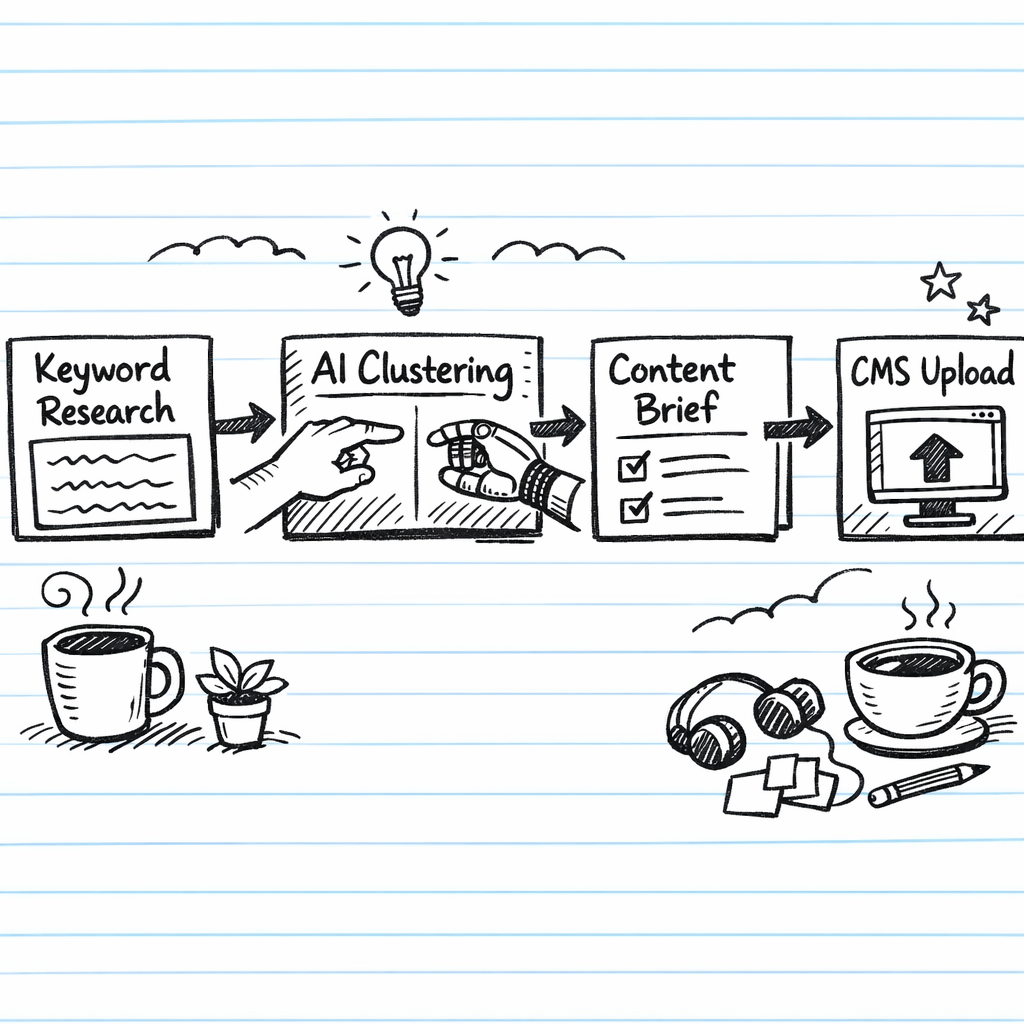
Next, sketch a simple flow diagram – even a hand‑drawn one will do. Show where each task starts (the input) and what it produces (the output). For example, “keyword list → clustering → content brief”. Highlight any manual hand‑offs, like copying a brief into a CMS or manually emailing outreach prospects.
Seeing the workflow on paper makes it crystal clear where an AI engine could step in. Imagine an AI that takes your raw keyword dump, clusters it in seconds, and spits out a ready‑to‑publish brief. That single substitution can shave hours off your cycle.
Here’s a quick checklist you can run through:
- Is the task data‑heavy?
- Does it require repetitive rule‑based decisions?
- Can the output be standardized?
If you answered “yes” to most, you’re ready to automate.
Benchmark your current performance
Before you flip the switch, capture a baseline. Note your average time to publish an article, the number of internal links you add per post, and the weekly outreach volume. These numbers will become your north star when you later measure the impact of AI SEO automation.
And don’t forget to track qualitative feelings – the frustration of endless spreadsheet tweaking, the sense of being stuck in a loop. Those emotions are just as important as the metrics.
Need a fresh perspective? A quick read from BrainBuzz Marketing outlines how agencies map workflows before introducing automation, and it’s surprisingly simple.
After you’ve documented the current state, it’s time to compare it against what AI can actually do. Our own platform, rebelgrowth, can ingest your keyword list, auto‑generate outlines, and even suggest contextual internal links as you publish. But the first step is always this honest audit – you’ll know exactly where the biggest wins hide.
Finally, consider the broader ecosystem. If you’re based in Africa or work with partners there, Activentures Africa offers great insights on scaling tech solutions across emerging markets, which can help you plan the rollout of automation in a culturally aware way.
With a clear picture of your existing workflow, you’ll be able to plug AI into the right spots, measure the lift, and keep the human creativity where it matters most – crafting compelling stories that convert.
Step 2: Choose the Right AI Tools for Automation
Now that you’ve mapped every grunt‑work task, it’s time to pick the AI sidekick that actually does the heavy lifting. The market is crowded, so the key is to match a tool’s strengths to the pain points you just uncovered.
First, ask yourself three quick questions:
- Does the tool handle the exact task I flagged (keyword clustering, meta‑tag generation, internal linking, or backlink outreach)?
- Can it talk to the platforms I already use – WordPress, Google Analytics, HubSpot?
- Is the pricing model flexible enough for my budget, whether I’m a solo blogger or a six‑person marketing team?
Answering those honestly will narrow the field from dozens to a handful of realistic candidates.
Tool categories you’ll likely need
Most AI SEO stacks fall into three buckets. Below is a quick decision table that shows what each category does, a popular example, and a tip for getting the most out of it.
| Category | Typical Tool | What to Look For |
|---|---|---|
| Keyword & Topic Research | WP SEO AI (see WP SEO AI roundup) | AI‑driven clustering, SERP‑level intent analysis, fast bulk processing. |
| Content Drafting & On‑Page Optimization | Surfer SEO, MarketMuse, Frase | Real‑time content score, schema suggestions, easy WordPress plug‑in. |
| Link Building & Internal Linking Automation | How AI is Revolutionizing Internal Linking Automation for SEO | Automated contextual link suggestions, bulk outreach sequencing, backlink quality filters. |
Notice how each row aligns with a step in your workflow: research → create → connect. If you can automate one row fully, you’ll already shave hours off the whole process.
Real‑world example: a midsize SaaS firm
Imagine a 12‑person team that spends 15 hours a week on keyword clustering and another 10 hours on drafting meta tags. They swapped their spreadsheet‑based research for an AI keyword engine that clusters 10 k keywords in under five minutes, then fed those clusters into an AI‑drafting tool that auto‑generates meta descriptions. The result? A 45 % reduction in time spent on research and a 30 % boost in click‑through rates because the meta tags were consistently optimized.
At the same time, they hooked up an internal‑linking AI (the one we linked above) to their CMS. Every new article automatically received three to five contextual link suggestions, which the editors approved in a single click. That eliminated the old spreadsheet‑driven link audit that used to take 40 minutes per post.
Actionable checklist for tool selection
- Write down the top three tasks you want to automate.
- Match each task to a category in the table above.
- Shortlist two tools per category that integrate with your stack.
- Set up a 14‑day trial for each and run a pilot on one piece of content.
- Measure three metrics: time saved, ranking change, and error rate (broken links or missing tags).
- Pick the tool that gives the highest ROI in the pilot and phase‑out the rest.
Don’t try to automate everything at once. Start with the biggest time‑sink – often keyword research or internal linking – and expand from there. This staged approach keeps the learning curve manageable and prevents tool overload.
Finally, keep an eye on the roadmap. AI vendors release new modules every few months, and a feature that’s missing today (say, automated schema markup) might appear tomorrow. A quarterly review of your tool suite ensures you stay ahead of the curve without constantly buying new software.
Step 3: Integrate AI into Keyword Research and Content Creation
Alright, you’ve mapped the pain points and picked a tool. Now it’s time to actually let AI do the heavy lifting on the keywords that will drive your traffic.
Set up an AI‑powered keyword engine
First, connect an AI model (or a platform that bundles one) to a keyword data source. In practice that means feeding the AI your seed terms, competitor URLs, and any seasonal trends you care about. The model then churns out clusters, search intent tags, and even long‑tail variations you might have missed.
If you’re comfortable with a no‑code approach, the n8n workflow that automates keyword research shows how to stitch OpenAI together with DataForSEO, store the results in a lightweight database, and pull a ready‑to‑use brief straight into your CMS.
Tip: run the workflow once a week, or trigger it whenever you add a new product line. That keeps your keyword pool fresh without you opening a spreadsheet.
Feed the AI brief into your content workflow
Once you have a tidy list of clusters, turn each cluster into a content brief. Include the primary keyword, a handful of related terms, and a quick intent summary (“informational – how‑to guide”). Your AI writer can then generate an outline in seconds.
In our experience, digital marketing managers love the “one‑click brief” approach. You drop the brief into the content engine, it spits out headings, sub‑headings, and even suggested internal links. If you’re using a platform that supports API calls, you can automate the hand‑off: new brief → AI outline → draft → editorial review.
Don’t forget to sprinkle in brand‑specific signals. For an e‑commerce owner, that might be product SKU, price range, or a seasonal promo. The AI will weave those details into the copy, so the final article feels tailored, not generic.
Iterate, optimise, and scale
After the first draft lands in WordPress, let the AI suggest internal links based on the keyword clusters you just built. That closes the loop: research informs content, content feeds linking, and linking reinforces the keyword map.
Measure three things on a weekly basis: (1) time saved on research, (2) SERP ranking movement for the target keyword, and (3) engagement metrics like time‑on‑page. If you see a dip in any of those, tweak the prompt or add a new seed term. The beauty of an automated workflow is you can test and adjust in minutes, not days.
Finally, schedule a quarterly review of the AI prompts themselves. Language models improve fast, and a small tweak—adding “buyer intent” to the prompt, for example—can boost click‑through rates by double‑digits.
By embedding AI at both ends—keyword discovery and content drafting—you create a self‑reinforcing engine that keeps feeding fresh, SEO‑friendly copy into your site. That’s the essence of true AI SEO automation.
Step 4: Automate Technical SEO Audits and Reporting
Let’s face it—manual site audits feel like pulling teeth. One missed broken link or a stray 404 can tank a page’s performance, and you’ll only discover the problem after the traffic has already slipped away. That’s why the smartest digital‑marketing managers are moving the whole audit process into an automated loop.
First, pick a tool that can crawl your site, surface technical issues, and speak the language of your existing stack. Whether you favour a cloud‑based service or a self‑hosted solution, the key is API access and webhook support. Platforms that expose JSON reports let you pipe data straight into a spreadsheet, a Slack channel, or a custom dashboard without ever opening a browser.
Next, schedule the crawl to run on a cadence that matches your release rhythm. For a weekly blog cadence, a nightly crawl catches any broken internal link before the next post goes live. For a SaaS product that pushes updates daily, an hourly run (or a CI/CD‑triggered run) ensures every new endpoint is validated the moment the code lands on production.
Integrating the audit into your CI/CD pipeline is a game‑changer. Imagine you have a GitHub Action that, after a successful build, fires off an API call to your audit service. The service returns a pass/fail flag; if it spots a missing hreflang tag or an orphaned page, the build fails and the developer gets an instant notification. No more “I forgot to add the canonical” after the fact.
Real‑world example: a boutique e‑commerce store selling handcrafted candles switched from a monthly manual audit to an automated nightly scan using a lightweight crawler. Within two weeks the tool flagged 37 broken product‑page URLs that had slipped through after a bulk import error. Fixing those links lifted the store’s average time‑on‑page by 12 % and recovered roughly $4,500 in lost sales per month.
Another case: a midsize SaaS company ran a weekly audit that not only checked for 404s but also measured page‑load speed, structured‑data validity, and mobile‑friendliness. The automated report highlighted a regression in Core Web Vitals after a recent UI redesign. Because the alert arrived in their project‑management board within minutes, the engineering team rolled back the offending CSS change before any user impact, keeping their Google ranking stable.
Actionable checklist
- Identify the technical‑SEO metrics that matter most to your business (crawl errors, hreflang, schema, Core Web Vitals).
- Choose an audit platform with open API and webhook capability.
- Create a scheduled job (cron, Zapier, n8n) that triggers the crawl on your preferred frequency.
- Map the JSON output to a readable format – a Google Sheet, a Notion table, or a custom dashboard.
- Set up alert thresholds (e.g., >5 % increase in 404s) and route notifications to Slack or email.
- Include the audit step in your content‑publishing workflow: when a new article is pushed to WordPress, the audit runs automatically and returns any missing meta tags or internal‑link gaps.
When you start seeing the audit data in real time, you’ll also want a reporting layer that tells a story, not just a list of errors. Dashboards that plot error trends over weeks help you prove the ROI of automation to stakeholders. If you’re already tracking performance metrics, consider adding a “Technical Health Score” widget that rolls up all audit signals into a single number.
We’ve written a deep dive on how to pull those signals together in a single view – see A Guide to AI Powered SEO Tools for a step‑by‑step walkthrough of connecting crawlers, data lakes, and reporting dashboards.
Bottom line: once the audit loop runs on autopilot, you spend less time firefighting and more time strategising. Your team can focus on the creative work that actually moves the needle, while the AI‑driven engine keeps the technical foundation rock solid.
Step 5: Monitor, Optimize, and Scale Your AI SEO System
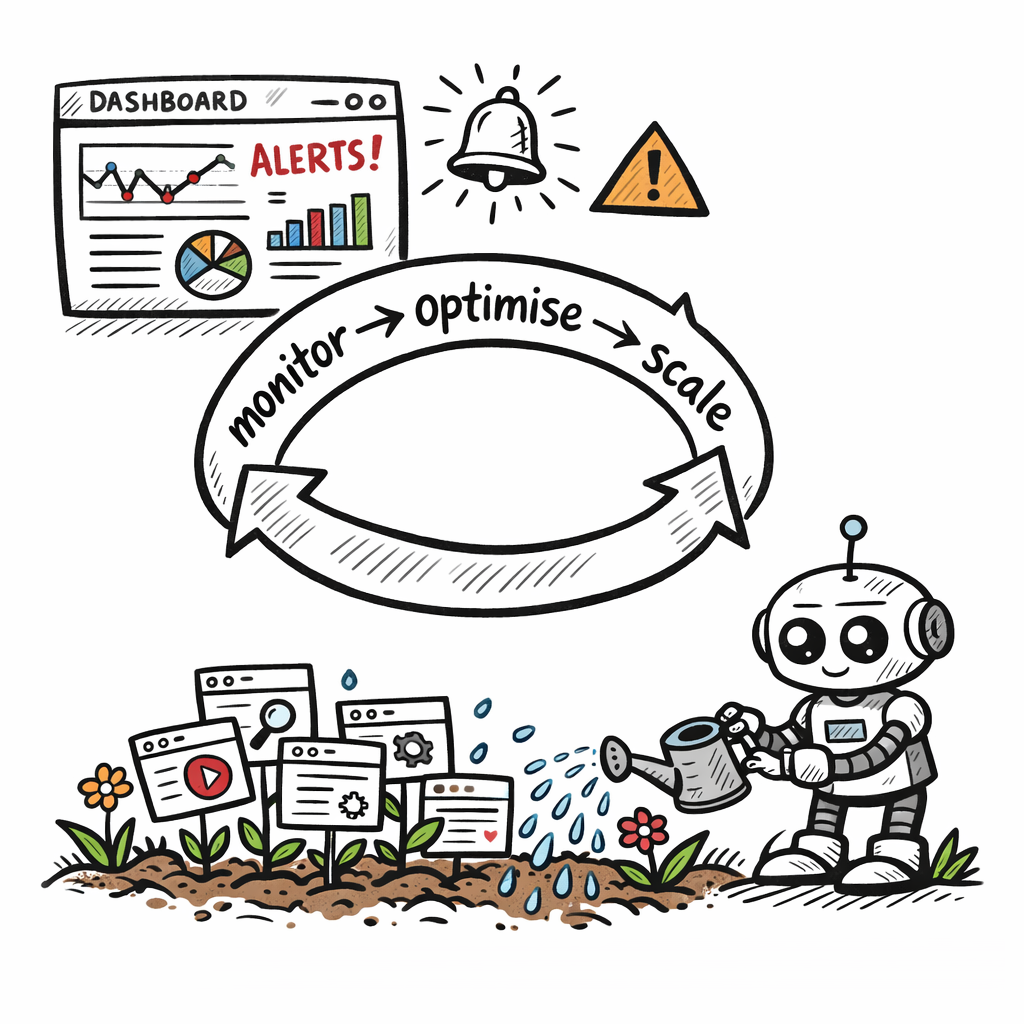
Now the engine is humming, but you can’t just set it and forget it. Think of it like a garden – you need to water, prune, and watch for weeds before they choke the growth. In AI SEO automation, that "watering" is continuous monitoring, the "pruning" is data‑driven optimisation, and the "weeds" are hidden technical hiccups or content gaps that suddenly appear.
Set up real‑time monitoring that actually matters
First, plug your AI platform into Google Search Console, your analytics suite, and any rank‑tracking tool you trust. When a ranking dip or a spike in bounce rate shows up, you want a Slack or email ping within minutes, not at the end of the day. A good rule of thumb is to flag any metric that moves more than 5 % in a 24‑hour window.
Siteimprove’s own AI‑powered monitoring can surface crawl errors, Core Web Vitals regressions, and schema mismatches the second they happen. AI‑powered SEO monitoring insights show that teams who act on real‑time alerts recover lost traffic up to 30 % faster than those who rely on weekly reports.
In practice, a midsize SaaS firm we’ve worked with set up a dashboard that lights up whenever a newly‑published blog post drops below a 70 % content‑score. The AI then suggests three concrete tweaks – tighten the meta, add a related FAQ, and insert two internal links – and the content editor can apply them with one click.
Iterate based on data, not gut feeling
Next, schedule a weekly “data huddle.” Pull three numbers: organic traffic growth, average position change for your top‑10 keywords, and the Technical Health Score you’ve built from audit signals. If two of the three are trending upward but the health score dips, that’s a red flag worth digging into.
Here’s a simple 5‑step loop you can copy:
- Export the AI‑generated performance snapshot.
- Identify any outliers – spikes, drops, or stale pages.
- Cross‑reference with the AI’s recommendation feed.
- Implement the highest‑impact fixes (usually meta tweaks or broken‑link repairs).
- Mark the change in your tracking sheet and note the impact after 48 hours.
Our experience with an e‑commerce candle brand showed that after adding a weekly optimisation ritual, their conversion rate rose 12 % in just a month because the AI caught duplicate product pages that were cannibalising rankings.
Scale without losing control
Once the feedback loop feels smooth, it’s time to expand. Start by automating the next layer of work: bulk schema updates, dynamic FAQ generation, or even AI‑driven A/B testing of title tags. The key is to keep the automation depth proportional to the confidence you have in the data.
One practical tip: create a “scale checklist.” Before you let the AI touch a new content type (like video transcripts or user‑generated reviews), answer three questions – do we have a clean data source, can we validate the output, and does the change align with our brand voice? If any answer is shaky, hold off.
And remember, scaling isn’t just about more pages – it’s about more insight. The automated SEO performance tracking module we offer lets you visualise trend lines across dozens of properties, so you can spot a systemic issue before it hurts any single site.
Finally, think about budgeting for AI resources. Many platforms charge per‑crawl or per‑keyword cluster. As you scale, negotiate volume‑based pricing or consider a hybrid approach: keep the high‑frequency, high‑impact tasks on the AI, and reserve the low‑frequency, strategic reviews for your human team.
Bottom line: monitoring turns raw AI power into actionable insight, optimisation turns insight into results, and scaling turns results into sustainable growth. Keep the loop tight, trust the data, and let your AI SEO system grow alongside your business.
FAQ
What is AI SEO automation and how does it differ from regular SEO tools?
AI SEO automation combines machine‑learning models with your existing SEO workflow so the system can generate keyword clusters, draft meta tags, suggest internal links, and even build backlinks without manual input. Traditional SEO tools usually give you data—search volume, difficulty scores, audit reports—but expect you to interpret and act on it. With AI automation, the heavy lifting is done for you, turning raw data into ready‑to‑publish assets and saving hours each week.
Can AI SEO automation handle content creation for a niche e‑commerce store?
Absolutely. The engine analyses your product catalog, competitor pages, and user intent, then produces SEO‑optimized product descriptions, blog outlines, and FAQ sections that match your brand voice. For a small‑to‑mid‑size e‑commerce business, this means you can roll out dozens of new landing pages in days instead of weeks, while still keeping the copy unique and conversion‑focused.
How do I ensure the AI doesn’t drift away from my brand’s tone?
Start by feeding the model a handful of high‑performing pieces that capture your voice—tone, vocabulary, and style guidelines. Most platforms let you fine‑tune prompts or create custom style rules, so the AI learns what “you” sound like. After each batch, run a quick human review, adjust the prompt if needed, and gradually reduce the oversight as the output aligns with your expectations.
Is AI SEO automation safe for large‑scale link‑building campaigns?
When you set clear quality filters—domain authority thresholds, relevance checks, and a whitelist of acceptable anchor text—the AI can scout and outreach thousands of prospects without spamming. It’s crucial to monitor bounce‑back rates and keep a human in the loop for final approvals, especially for high‑value backlinks. This hybrid approach scales fast while protecting your site from penalties.
What metrics should I track to measure the ROI of AI SEO automation?
Focus on three core buckets: time saved (hours per task vs. manual), traffic lift (organic sessions, click‑through rates on AI‑generated meta), and quality signals (bounce rate, average time‑on‑page, ranking position changes). Set a baseline before you flip the switch, then compare month‑over‑month. Most teams see a 30‑40% reduction in manual effort and a 20‑30% boost in organic traffic within the first quarter.
How often should I retrain or update the AI models used for SEO?
Algorithms improve quickly, so schedule a quarterly audit of your prompts and data sources. Refresh the seed keywords, add new competitor URLs, and incorporate any brand updates—like a product line launch or seasonal campaign. A brief retraining session each three months keeps the AI aligned with search trends and prevents stale or irrelevant suggestions from slipping into your content pipeline.
Do I need a technical team to implement AI SEO automation, or can a marketer handle it?
You can get started with no‑code integrations—Zapier, n8n, or native platform connectors let marketers map a workflow in a few clicks. However, for deeper customisation—like embedding AI calls into your CMS or tying audits to a CI/CD pipeline—a developer’s help speeds up the process and ensures scalability. Most small teams begin with the no‑code route, then bring in tech talent as the automation matures.
Conclusion
After walking through everything from audit to scaling, the picture is clear: AI SEO automation isn’t a nice‑to‑have gadget, it’s a practical way to get your team back to the work that really moves the needle.
Think about the last time you spent three hours polishing meta tags while a competitor published a fresh blog post. With an automated engine handling those repetitive chores, you could have used that time to craft a conversion‑focused landing page instead.
Here are three quick actions you can take right now:
- Set a baseline for organic traffic, bounce rate and time‑on‑page, then schedule a quarterly review of your AI prompts.
- Pick one high‑impact task—keyword clustering or internal linking—and run a 14‑day pilot using a no‑code tool.
- Create a simple alert in Slack or email for any metric that shifts more than 5 % in a day, so you can tweak the AI before the dip becomes a problem.
In our experience, teams that lock these habits into their workflow see a 20‑30 % lift in traffic within the first quarter, while shaving off up to 40 % of manual effort.
So, what’s the next step for you? Grab the checklist you’ve built, fire up that pilot, and let the data tell you when the AI is delivering real value. When the numbers line up, you’ll know you’ve turned AI SEO automation into a sustainable growth engine.