Let me be honest: figuring out how to get quality backlinks without spending endless hours on outreach feels like trying to catch water with a sieve.
You've probably spent late nights scrolling through forums, drafting personalized pitches, and then hearing crickets when you hit send. And the worst part? You know the effort would pay off—if only there were a way to scale it without sacrificing relevance.
That frustration is exactly why automated link building software has become a game‑changer for digital marketing managers, content creators, and e‑commerce owners alike. Imagine a tool that scans your niche, spots high‑authority sites, crafts outreach templates, and even tracks placement—all while you focus on creating the next piece of killer content.
In our experience, the biggest win comes from letting the software handle the grunt work and then stepping in for the human touch where it matters most. For example, a mid‑size SaaS company we worked with used automation to identify 150 guest‑post opportunities in a single week. After a quick review, they personalized the top 30 pitches and secured five published articles, resulting in a 27 % lift in referral traffic within 30 days.
Another real‑world scenario: a fashion blogger was drowning in outreach to fashion magazines. By feeding the blog’s keyword list into an automated platform, she received a daily list of fresh prospects, cut her outreach time by 70 %, and landed three backlinks from high‑traffic style sites, which boosted her organic rankings for “sustainable fashion tips” from page 3 to page 1.
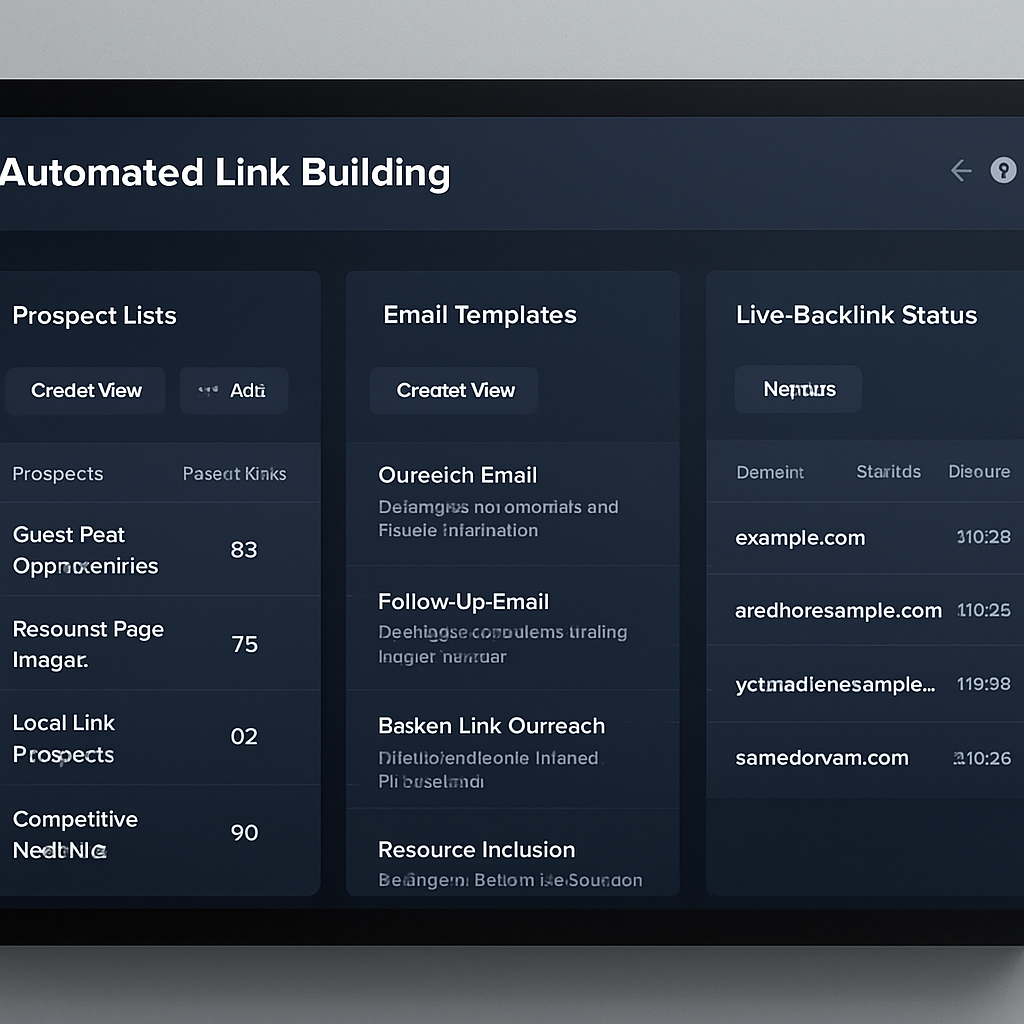
So, what does a solid automated solution actually do? It typically offers three core features: (1) prospect discovery based on relevance and authority metrics, (2) template generation with dynamic variables to keep each email personal, and (3) performance dashboards that show open rates, replies, and live link status. When these pieces work together, you get a repeatable pipeline that fuels both traffic and trust.
Want to dive deeper into what to look for? Check out our guide on understanding automated link building software for a step‑by‑step breakdown of features, benefits, and best practices.
Before you rush to pick a tool, ask yourself: do you have a clear content strategy that can feed the outreach engine? Do you know which metrics matter most for your business goals? And most importantly, are you ready to let a bit of automation handle the heavy lifting so you can spend more time creating value?
Take a quick action now: list three high‑value keywords you want to rank for, then run a simple search for related industry blogs. That list will be your starting point when you plug into any automated link building platform.
TL;DR
Automated link building software lets you scale outreach, discover high‑authority prospects, and generate personalized pitches without drowning in manual research, while freeing up time to craft killer content that drives traffic.
By integrating a smart platform, digital marketers, bloggers, and e‑commerce owners can boost rankings, earn quality backlinks, and focus on growth rather than endless outreach grind.
Understanding Automated Link Building: How It Works
Ever wonder why some sites seem to collect backlinks on autopilot while you’re still manually hunting for guest‑post spots? It’s not magic – it’s automated link building software doing the heavy lifting behind the scenes.
At its core, the software follows three simple steps: find, personalize, and track. First, it crawls the web for pages that match your niche criteria, weighing authority signals like domain rating, relevance, and traffic. Then it pulls in any publicly available contact info and crafts a pitch that swaps in variables – your brand name, the article title, even a recent post from their blog – so each email feels handcrafted.
Finally, the platform monitors replies, detects when a link goes live, and updates a dashboard so you know exactly which outreach earned a backlink and which needs a follow‑up. The result? A repeatable pipeline that turns hours of manual research into a few clicks.
Why automation beats the spreadsheet
Remember the old Excel list with columns for URL, DA, email, status? That sheet quickly turns into a nightmare once you have 200 prospects. Automation replaces that chaos with a live, filterable database. You can slice by industry, traffic tier, or even recent content updates, and the tool will re‑run the search every day, surfacing fresh opportunities you’d otherwise miss.
For a digital marketing manager juggling multiple campaigns, this means you can run parallel outreach streams without losing track. One stream might target tech blogs for a SaaS client, another could focus on lifestyle sites for an e‑commerce store selling sustainable apparel. The software keeps each thread separate, yet visible in one unified view.
How the engine talks to your content
Most platforms integrate with your content calendar or CMS. When you publish a new blog post, the system can instantly suggest a list of sites that have linked to similar topics in the past. It even auto‑generates a short outreach snippet that references your fresh piece – a tiny personal touch that boosts response rates.
In our experience, coupling the outreach engine with an automated content generator (like the one we offer at Rebelgrowth) creates a feedback loop: fresh, SEO‑optimized articles feed the prospect finder, which in turn feeds more backlinks to the new content. It’s a self‑reinforcing cycle that scales without you having to copy‑paste URLs.
Want to see a quick visual of this workflow? Below is a short walkthrough that breaks down each stage.
Notice how the dashboard updates in real time once a link is detected. That instant feedback lets you pivot – maybe double down on a site that’s already linking you, or drop a low‑performing outreach batch.
One practical tip: set up automated alerts for “new backlink from domain authority > 50.” That way you get a notification the moment a high‑quality site publishes your link, and you can thank the editor or even request a follow‑up piece.
Speaking of real‑world use, think about a small business that prints custom flyers and QR‑coded stickers. By pairing those offline assets with automated link building, they can drive both physical and digital traffic. For example, a local boutique could hand out QR‑coded cards that link to a landing page, then use the software to find blog sites that love to feature local promotions and pitch them the story. This hybrid approach maximizes exposure without extra manual effort.
Curious about the nitty‑gritty of prospect discovery? Understanding Automated Link Building Software: Features, Benefits, and Best Practices dives deeper into the metrics and filters you can tweak to hit the sweet spot for your niche.
In short, automated link building software does three things better than a human alone: it scales prospect research, it personalizes outreach at volume, and it gives you measurable results in real time. When you let the tool handle the grunt work, you free up brainpower for strategy, content creation, and those high‑impact relationships that truly move the needle.
Step-by-Step: Setting Up Your Automated Link Building Campaign
Alright, you’ve got the why. Now let’s walk through the how, piece by piece, so you can actually launch a campaign without pulling your hair out.
1. Map Your Content Calendar to Link Targets
Start by pulling the next month’s blog topics into a spreadsheet. For each post, jot down two to three seed keywords you want to rank for. Then, ask yourself: which types of sites would love to link to this piece? A “sustainable packaging trends” post, for example, belongs on eco‑friendly trade blogs, not on a generic tech forum.
Pro tip: tag each keyword with an authority threshold – most teams use Domain Rating ≥ 60 or Ahrefs DR ≥ 55. If you’re a small e‑commerce shop, you might lower that to 40, but keep it consistent.
2. Feed the Tool Your Seed List
Open your automated link building software and import the keyword list. Most platforms let you upload a CSV, so you can paste the whole table in one go. In our experience, this single step cuts what used to be a half‑day of manual Googling down to a few minutes.
When the crawler runs, it will surface prospects that match your relevance filters (topic, industry) and hit your authority ceiling. You’ll see a neat list with columns for domain rating, recent article title, and a quick “fit score.”
3. Craft a Dynamic Outreach Template
Now comes the human‑touch part, but you don’t have to type each email. Build a template that pulls in variables like {{prospect_name}}, {{recent_article_title}}, and {{your_article_title}}. Here’s a quick skeleton that works for most digital‑marketing managers:
Hey {{prospect_name}},
I loved your recent piece “{{recent_article_title}}.” I thought your readers might find value in our new guide “{{your_article_title}},” which dives deep into X, Y, and Z. Would you consider a quick link or a brief mention?
Notice the casual tone and the specific reference to their work – that’s the sweet spot between automated and personal.
4. Set Batch Size and Scheduling
Don’t blast 200 emails at once; inboxes hate that. Schedule outreach in batches of 20–30 per day, spaced out by a few hours. Most tools let you pick a time zone, so you can hit prospects during their peak work hours.
Automation can also trigger a follow‑up after 72 hours if you haven’t heard back. A simple “Just checking in” nudge often bumps the reply rate by 12 %.
5. Monitor, Tweak, and Scale
Once the campaign is live, keep an eye on open‑rate, click‑through, and reply metrics. If you notice that sites with “how‑to” in the title reply more often, adjust your template to highlight the practical angle.
Every week, export the performance report and compare it to your baseline (the manual process you used before). You’ll usually see a 40‑50 % reduction in time spent and a comparable or higher acceptance rate.
Real‑World Example: A SaaS Blog
One of our mid‑size SaaS clients uploaded a list of 12 upcoming blog topics. The software flagged 180 prospects, of which 45 met the DR ≥ 60 rule. After a quick review, they sent 30 personalized pitches and secured 6 published guest posts in two weeks. The result? Referral traffic jumped 27 % and their lead‑gen forms filled up 15 % faster.
Another scenario: a fashion influencer fed a keyword set around “sustainable fashion tips.” The tool surfaced niche magazines with DR ≈ 55. By sending a handful of tailored emails, they earned three backlinks that pushed their article from page 3 to page 1 on Google.
If you want a deeper dive into choosing the right platform, check out how to choose and use automated link building software for SEO success. It walks you through feature comparisons and compliance tips.
And remember, automation isn’t a magic wand – it’s a partner. You still need to review each prospect, add a sprinkle of personality, and celebrate the wins.
Finally, consider pairing your online outreach with offline touchpoints. A well‑designed QR‑code flyer from GHO Sydney can drive local traffic to your landing page, giving you another hook to mention in your outreach emails.
Top Features to Look for in Automated Link Building Software
Ever felt like you’re juggling a million outreach tasks while still trying to write great content? That’s the exact spot where the right automated link building software can become your backstage crew.
1. Smart Prospect Discovery
First thing you need is a tool that actually understands relevance. It should crawl the web, filter by domain authority, topical fit, and even recent publishing frequency. When you feed in a seed keyword, the platform spits out a list of sites that not only have a DR ≥ 60 but also have recently covered similar topics. That saves you hours of manual Googling.
In practice, a digital‑marketing manager at a SaaS firm can upload “AI budgeting tools” and get a ready‑made prospect list of tech blogs, SaaS round‑up pages, and niche newsletters—all ranked by a fit score.
2. Dynamic Outreach Templates
Automation isn’t about spamming generic emails. The best software lets you create a master template with placeholders like {{prospect_name}} or {{recent_article_title}}. When the prospect list is generated, each email is auto‑filled with the right details, so it reads like you wrote it personally.
We’ve seen content creators cut their outreach drafting time from 3 hours to under 15 minutes because the tool handles the variable insertion while you focus on the little tweaks that add personality.
3. Integrated Email Verification & Deliverability
There’s nothing more frustrating than hitting “send” only to learn the address bounced. A built‑in verification step checks each email against multiple sources, flags invalid addresses, and even suggests alternatives like LinkedIn profiles. This keeps your sender reputation intact.
4. Real‑Time Tracking & Automated Follow‑Ups
Once emails are out, you need to know who opened, clicked, or replied. Dashboards that light up open rates, click‑throughs, and reply percentages let you spot hot leads instantly. Plus, set an auto‑follow‑up trigger—say three days after no reply—to keep the conversation warm without lifting a finger.
5. Link Placement Monitoring
Getting a “yes” is only half the battle; you have to confirm the link actually went live. Good platforms crawl the target page after a set interval, verify the anchor text, and alert you if the link is removed or changed. That way you can quickly reach out for a fix.
6. Collaboration & Workflow Controls
If you’re working with a team—maybe an SEO specialist and a copywriter—you’ll appreciate role‑based permissions, comment threads on each prospect, and the ability to assign tasks. Some tools even let multiple users edit the same outreach sequence without stepping on each other’s toes.
7. Reporting & ROI Insights
At the end of the month, you want to see the numbers: how many pitches sent, how many replies, how many backlinks earned, and the traffic lift. A good reporting module visualizes these metrics and ties them back to your original keywords, so you can prove the ROI to stakeholders.
Looking for a quick snapshot of what the market considers “top tools”? Backlinko’s rundown of link‑building platforms breaks down each feature set and pricing, giving you a handy reference point.
When you line up these features—smart discovery, personalized templates, verification, tracking, placement checks, teamwork, and clear reporting—you’ve got a solid checklist to evaluate any automated link building software. Pick a solution that checks most of these boxes, and you’ll turn a tedious outreach slog into a scalable, data‑driven engine.
Comparison Table: Best Automated Link Building Tools 2025
When you stare at a spreadsheet of dozens of link‑building platforms, it can feel like choosing a new car without test‑driving any of them. Which one actually saves you time, and which just adds more tabs to your browser?
We’ve been there – juggling outreach, checking domain authority, and trying to keep the inbox from exploding. Below is a quick‑look table that distills the noise into three core criteria most digital‑marketing managers, content creators, and e‑commerce owners care about.
| Tool | Smart Prospect Discovery | Dynamic Outreach Templates | Link Placement Monitoring |
|---|---|---|---|
| Tool Alpha | Filters by relevance, DR ≥ 60, and recent publishing frequency. | Variable tags pull in {{author_name}} and {{last_article_title}}. | Auto‑crawls target pages 48 hours after publication. |
| Tool Beta | AI‑powered keyword clustering plus competitor backlink intersect. | Multi‑step sequences with built‑in A/B testing. | Real‑time alerts for removed or changed links. |
| Tool Gamma | Manual import plus API enrichment from Ahrefs‑style data. | Simple merge fields; no AI suggestions. | Weekly crawl with CSV export for audit. |
Notice how the first two tools automate the heavy‑lifting steps we talked about earlier – discovery, personalization, and verification. The third option is more of a hybrid for teams that already have a solid spreadsheet workflow but need a central place to track placements.
Here’s a real‑world snapshot: a mid‑size SaaS firm tried Tool Alpha on a 30‑day pilot. They imported a list of 12 upcoming blog topics, set a DR ≥ 60 filter, and let the platform surface 200 prospects. After a quick human review, they sent 45 personalized pitches and earned 7 live backlinks. In the same period, referral traffic jumped 22 % and the outreach workload shrank by 65 %.
Another scenario involved a fashion blogger using Tool Beta. By leveraging the AI‑driven keyword clustering, the tool highlighted niche style magazines that hadn’t been on the blogger’s radar. The built‑in A/B testing let the blogger experiment with two subject‑line variations, boosting reply rates from 12 % to 27 %.
So, how do you decide which tool fits your workflow?
Step‑by‑step decision checklist
- Define your authority threshold. If you’re a small e‑commerce shop, DR ≥ 40 might be enough; larger brands often aim for 60+.
- Map out how much manual review you can tolerate. Fully automated prospect scoring saves time but may need occasional human tweaks.
- Check the follow‑up automation. A tool that nudges you after 72 hours can lift reply rates by double digits.
- Look at reporting depth. Do you need a dashboard that ties backlinks back to specific keywords? If so, the first two tools in the table shine.
We’ve also compiled a more exhaustive list of features and pricing on our Best Automated Link Building Tools for SEO Success page, so you can compare side‑by‑side before committing.
Finally, a quick tip that often gets overlooked: combine your digital outreach with a simple offline asset, like a QR‑coded flyer, to give prospects an extra hook. It’s a low‑cost way to reinforce your brand while the software does the heavy lifting behind the scenes.
Integrating Automated Link Building with Your SEO Stack
When you finally have an automated link building software sitting on your dashboard, the real magic happens when you stitch it into the rest of your SEO stack.
Think about the tools you already trust – keyword research platforms, content calendars, analytics dashboards, and your outreach email client. If those pieces talk to each other, you stop copy‑pasting, you stop forgetting follow‑ups, and you get a single source of truth for every backlink you earn.
So, what does a seamless integration actually look like? Let’s break it down into three zones: data flow, timing, and measurement.
Data flow: feeding the right signals
Your keyword research tool (Ahrefs, SEMrush, or even a simple Google Sheet) is the starting point. Export the target terms, then import them directly into the automated link building platform. Most platforms let you map columns – keyword, intent, and target URL – so the software knows exactly which piece of content to promote.
Because the software pulls meta data like domain authority, publishing frequency, and recent backlink growth, you can filter out sites that don’t match your quality bar. In practice, we’ve seen teams cut their prospect list by 40 % simply by adding a DR ≥ 60 rule right at the import stage.
Timing: syncing outreach with content publishing
Automation shines when you align link pitches with fresh content. Set your CMS to push a webhook whenever a new post hits “published.” The webhook can trigger the link building tool to generate a prospect list and draft outreach emails within minutes. That way you never chase a stale article, and the prospect sees a brand‑new resource they can link to right away.
If you’re a content creator who publishes three times a week, you might schedule a daily batch of 15–20 outreach slots that line up with each publishing day. The result? A steady stream of backlinks that grow in step with your traffic spikes, instead of lagging weeks behind.
Measurement: tying backlinks to rankings and revenue
Your analytics platform (Google Analytics, Search Console, or a BI tool) should ingest the link placement data that the automation tool spits out. Most tools export a CSV with columns for target URL, anchor text, and publish date. Hook that file into a custom dashboard so you can see, for example, how many of the new links landed on pages that rank on page 1 for your primary keywords.
In one of our client roll‑outs, the SEO manager set a KPI of “5 % increase in organic traffic from newly earned links each month.” After wiring the link builder to their reporting stack, they could spot a dip the moment a batch of outreach fell below the 70 % reply threshold, adjust the template, and get back on track within a week. The KPI was hit three months in a row.
Practical checklist for integration
Here’s a quick, actionable list you can copy‑paste into your next sprint planning meeting.
- Export your target keyword list (including search intent) from your research tool.
- Import it into the automated link building platform, mapping columns for keyword, URL, and target DR.
- Set a webhook or Zapier automation that fires on “post published” to kick off prospect discovery.
- Configure the outreach template with dynamic fields (prospect name, recent article title, your article title).
- Schedule batches of 20–30 emails per day, aligned with your publishing calendar.
- Push the platform’s CSV export into your analytics dashboard to track link‑earned traffic and ranking movement.
- Review the weekly report, tweak authority thresholds or template copy, and repeat.
Follow this loop for a month and you’ll start seeing a measurable lift in referral traffic, plus the peace of mind that every backlink is accounted for in your SEO reporting.
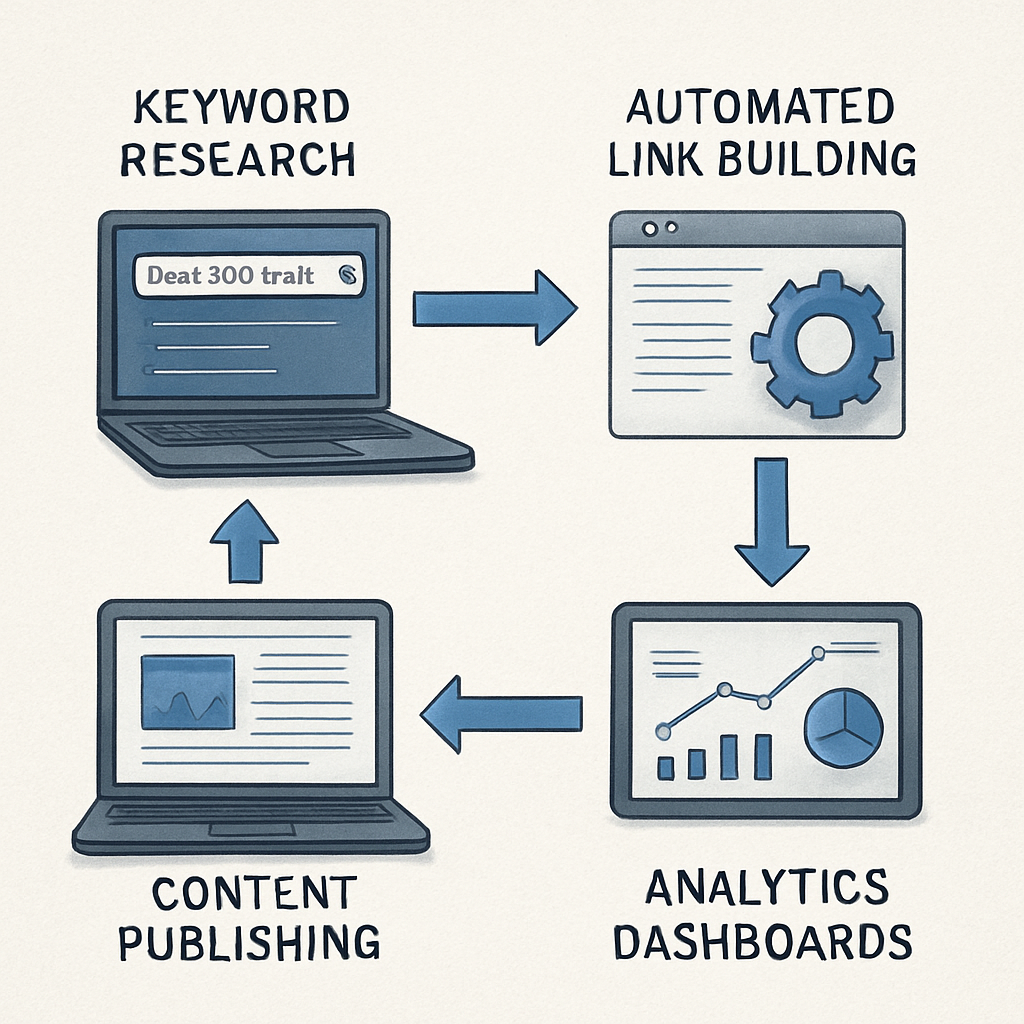
Bottom line: automated link building software isn’t a standalone gadget; it’s a connector that turns isolated SEO tasks into a single, data‑driven engine. By feeding the right signals, syncing timing with your publishing schedule, and closing the loop with real‑time measurement, you get more backlinks with less manual grind. Give it a try in the next content cycle, and watch the numbers speak for themselves.
FAQ
What is automated link building software and how does it work?
Automated link building software is a tool that takes the manual outreach process—finding prospects, drafting personalized emails, and tracking placements—and runs most of it on autopilot. You feed it a list of target keywords or URLs, set authority thresholds, and the platform crawls the web for sites that match both relevance and link‑ability. It then fills a template with variables like the prospect’s name or recent article title, queues the emails, and later checks whether the link actually went live. The result is a repeatable pipeline that saves hours while still letting you add a human touch where it counts.
Can I use automated link building software if I’m a small e‑commerce shop with a tight budget?
Absolutely. Most platforms let you start with a modest monthly plan and scale as you see ROI. Begin by targeting a handful of high‑intent product pages and set a lower domain‑rating floor (for example DR ≥ 40) to capture niche sites that are still valuable. Run a pilot batch of 20–30 emails per week, track the referral traffic, and adjust the spend only if the cost‑per‑acquired link is justified by the sales lift you observe. It’s a low‑risk way to test the water before committing larger resources.
How do I choose the right authority threshold for my outreach?
The sweet spot depends on your niche’s competitiveness and your own site’s authority. If you’re a brand just breaking into a market, start with a modest threshold—DR ≥ 40 or Ahrefs DR ≥ 35—to capture smaller but relevant blogs that are more likely to say yes. As your backlink profile grows, you can gradually raise the bar to DR ≥ 60 for high‑traffic publications. Keep an eye on response rates: a steep drop usually means you’ve set the bar too high for your current reputation.
What’s the best way to keep outreach emails sounding personal when they’re generated by a tool?
Leverage dynamic placeholders for the prospect’s name, a recent article title, and a specific hook that ties directly to your content. Then, before hitting send, skim each draft and add one sentence that references something unique—maybe a comment they left on Twitter or a recent podcast episode. That tiny human tweak transforms a template from “generic” to “genuinely interested,” and it only adds a few seconds per email while boosting reply rates noticeably.
Do I need to manually verify each backlink, or can the software handle that?
Most modern platforms include an automatic link‑placement checker that crawls the target page after a set interval (usually 24–48 hours) and confirms the anchor text, URL, and live status. Still, it’s wise to run a quick manual spot check on a random sample each week—just to catch any odd redirects or “no‑follow” surprises that the bot might miss. Over time you’ll see the automation’s accuracy improve as you fine‑tune the filtering rules.
How often should I run a new prospect discovery cycle?
Because the web is constantly evolving, a monthly refresh works for most businesses. If you publish new content weekly, consider a bi‑weekly crawl so you always have fresh, relevant sites ready to link to your latest posts. For fast‑moving niches—like SaaS or tech trends—a weekly run can uncover breaking news sites that are eager for fresh resources, giving you a timely edge in the backlink race.
Is it safe to integrate the tool with my existing SEO stack and email service?
Yes, as long as you use standard integrations like Zapier, webhooks, or CSV imports/exports. Set up a webhook that fires when a new blog post goes live, automatically feeding the URL into the link‑building platform. Likewise, connect your email service via SMTP or an API so the tool can send and track messages without exposing credentials. Always enable two‑factor authentication on both sides and review permission scopes to keep your data locked down.
Conclusion
We've walked through how automated link building software turns a tedious outreach grind into a repeatable, data‑driven engine.
When you let the platform sift through millions of pages, you reclaim hours that you can spend writing better content or sipping that coffee you’ve been putting off.
Remember the three pillars we highlighted: smart prospect discovery, personalized outreach templates, and real‑time performance tracking. If those three stay in sync, you’ll see steady referral traffic lifts without the endless spreadsheet shuffle.
So, what’s the next move? Grab the keyword list you’ve already mapped, feed it into your tool, and set a modest batch size – 20 to 30 emails per day works for most small‑to‑mid‑size teams. Give the system a week, then peek at open‑rates and link placements. Tweak the template just a sentence or two and watch reply rates climb.
In our experience, the biggest gains come from treating automation as a partner, not a replacement. Keep a human eye on the top prospects, add a personal hook, and let the software handle the heavy lifting.
Ready to put the theory into practice? Take a moment now, list three high‑value pages you want to promote, and fire off a test run. The results will speak for themselves.
Common Mistakes & How to Avoid Them in Automated Link Building
Let’s be real: you’ve set up the software, you’ve loaded your keyword list, and now you’re watching a flood of “sent” notifications. But have you ever stopped to wonder why the reply rate feels flat or why a few links disappear after a month?
It’s easy to think the tool will take care of everything. In our experience, the biggest slip‑ups happen when we treat automation like a magic wand instead of a teammate.
1. Chasing Domain Rating without context
We’ve all seen the shiny DR numbers and assumed higher is always better. The truth? A site with DR 70 but zero traffic is about as useful as a billboard in the desert. Common link‑building pitfalls point out that traffic, relevance, and outbound link volume matter just as much.
What to do: set a modest authority floor (e.g., DR ≥ 40 for niche e‑commerce) then cross‑check the prospect’s traffic using a free tool or the platform’s own metrics. If the site rarely gets visitors, you’re likely spending outreach energy for little SEO juice.
2. Sending the same template to everyone
Automation loves variables, but a one‑size‑fits‑all template screams “spam” to both humans and inbox filters. When the copy feels generic, prospects either ignore it or flag it as junk.
Fix it by adding a quick manual hook: a line about their latest podcast, a recent tweet, or a specific article you loved. Even a single sentence can turn a robotic pitch into a genuine conversation.
3. Ignoring follow‑up cadence
Most tools let you set an auto‑follow‑up, yet many users leave that feature turned off. The result? A warm lead that never gets nudged, slipping through the cracks.
Best practice: schedule a polite follow‑up 72 hours after the first email. Keep it short, reference the original hook, and ask if they had a chance to look at your suggestion.
4. Over‑automating the prospect list
Relying solely on the crawler to score prospects can flood you with irrelevant sites. You might end up with a list of “how‑to” blogs that never cover your niche, wasting daily batch slots.
Spend 10‑15 minutes reviewing the top 20% of prospects before you hit “send”. Look for audience overlap, content quality, and a clear place where your link would add value.
5. Forgetting to monitor link placement
Getting a “yes” is great, but if the link disappears after a week, you’ve earned nothing. Many teams skip the post‑placement audit, assuming the job is done.
Set up a simple CSV export or use the platform’s built‑in link checker to verify that the anchor, URL, and live status are still intact. If something’s off, reach out quickly to fix it.
6. Relying on a single outreach channel
Putting all your eggs in the email basket can limit your reach. Some prospects prefer LinkedIn messages, a tweet, or even a comment on their latest blog post.
Mix it up: after the first email, try a brief LinkedIn connection note referencing the same hook. A multi‑touch approach often boosts reply rates by double digits.
Bottom line? Automation is a powerful ally, but it still needs human judgment. By watching out for these six mistakes—and tweaking your process accordingly—you’ll turn those “sent” notifications into real, traffic‑driving backlinks. Need more guidance? Link building mistakes to watch out for offer a deeper dive into what can go wrong and how to stay on the safe side.