Ever felt like you’re shouting into the void on social platforms, but Google just isn’t hearing you? You’re not alone. Lots of digital‑marketing managers and content creators pour time into posts, only to see a tumbleweed of engagement and no lift in search rankings.
Here’s the thing: social media isn’t a separate universe from SEO—it’s a highway that can feed straight into your organic visibility. When a tweet gets shared, the link equity, brand mentions, and user signals all trickle back to your site, nudging it higher in the SERPs. In fact, a recent study showed that brands with active social‑driven link building saw a 23% boost in organic traffic over six months.
Imagine you run an e‑commerce store selling niche kitchen gadgets. You post a short video showing a quirky gadget in action, and a foodie blog picks it up, embeds the video, and links back to your product page. That backlink, plus the social buzz, tells search engines your content is valuable—and you rank better for related queries.
So how do you turn that buzz into real SEO juice? Start with three simple steps:
- Map your top‑performing social posts to target keywords. If a carousel about “sustainable kitchen tools” spikes, weave those exact phrases into a supporting blog post.
- Encourage user‑generated content. Ask followers to share their own photos using a brand hashtag, then feature the best ones on your site with a credit link.
- Leverage hyperlocal signals. When you highlight a local event or store opening, embed location‑specific keywords—Google loves that local relevance.
And if you’re wondering how to automate some of that heavy lifting, check out Hyperlocal Social Media Marketing Done Right. It breaks down how to sync your social calendar with local SEO tactics without drowning in spreadsheets.
Bottom line: Social Media SEO isn’t a buzzword; it’s a practical strategy that blends the immediacy of social with the authority of search. By treating each post as a potential backlink and keyword driver, you’ll start seeing those search rankings climb, one share at a time.
TL;DR
Social Media SEO turns every share, comment, and hashtag into a hidden backlink that nudges your site up Google’s rankings. By mapping top‑performing posts to target keywords, encouraging user‑generated content, and leveraging hyper‑local signals, you can boost organic traffic without extra workload, and keep your brand voice authentic daily consistently.
Understanding Social Media SEO Foundations
Let’s start with the core idea: Social Media SEO isn’t about outranking a single post. It’s about signals that ripple through search and build trust over time.
Think of social activity as a wind that fills your sail: shares, comments, saves, and mentions matter far more than vanity metrics.
In 2026, search engines weigh brand conversations and user intent, not only links, so you should map social signals to your keyword strategy from day one.
Signals that matter
Two things to watch: engagement quality and content relevance. A thoughtful comment, a genuine question, or a save can signal authority to search bots.
Quality signals come from real conversations, not generic likes. When people interact in meaningful ways, you’re building a narrative around your brand that search engines can recognize.
Mapping posts to keywords
Take your top social posts and map them to target keywords you want to rank for. If a carousel about sustainable kitchen tools spikes, weave those exact phrases into a supporting blog post and meta descriptions.
Note how a simple caption can become a keyword driver when you expand it into a longer, optimized article on your site.
In our experience, automation helps you scale without losing nuance. Platforms like rebelgrowth can help align your social content with SEO goals by generating SEO-optimized posts and coordinating backlink opportunities, while you stay true to your brand voice. You’re not outsourcing thinking—you’re amplifying it.
Practical playbook
- Map top social posts to target keywords and use those phrases in on-site pages, blog posts, and product descriptions.
- Encourage user-generated content. Run a branded hashtag challenge and feature the best entries on your site with credit links where appropriate.
- Leverage hyperlocal signals. When you spotlight a local event or storefront, mention location keywords and anchor to local landing pages.
- Polish social profiles with keywords and clear value propositions. Your bios and cover images should reinforce your core topics so searches connect the dots.
Does this really work? Short answer: yes, when you connect social action to on-site content in a thoughtful way. The more you align posts with queries people actually search, the more compounding visibility you’ll build.
Next, a quick note on visuals. A simple, memorable image helps teammates see the flow from social buzz to on-site SEO. Add one doodle that maps posts, keywords, and links—more on that below.
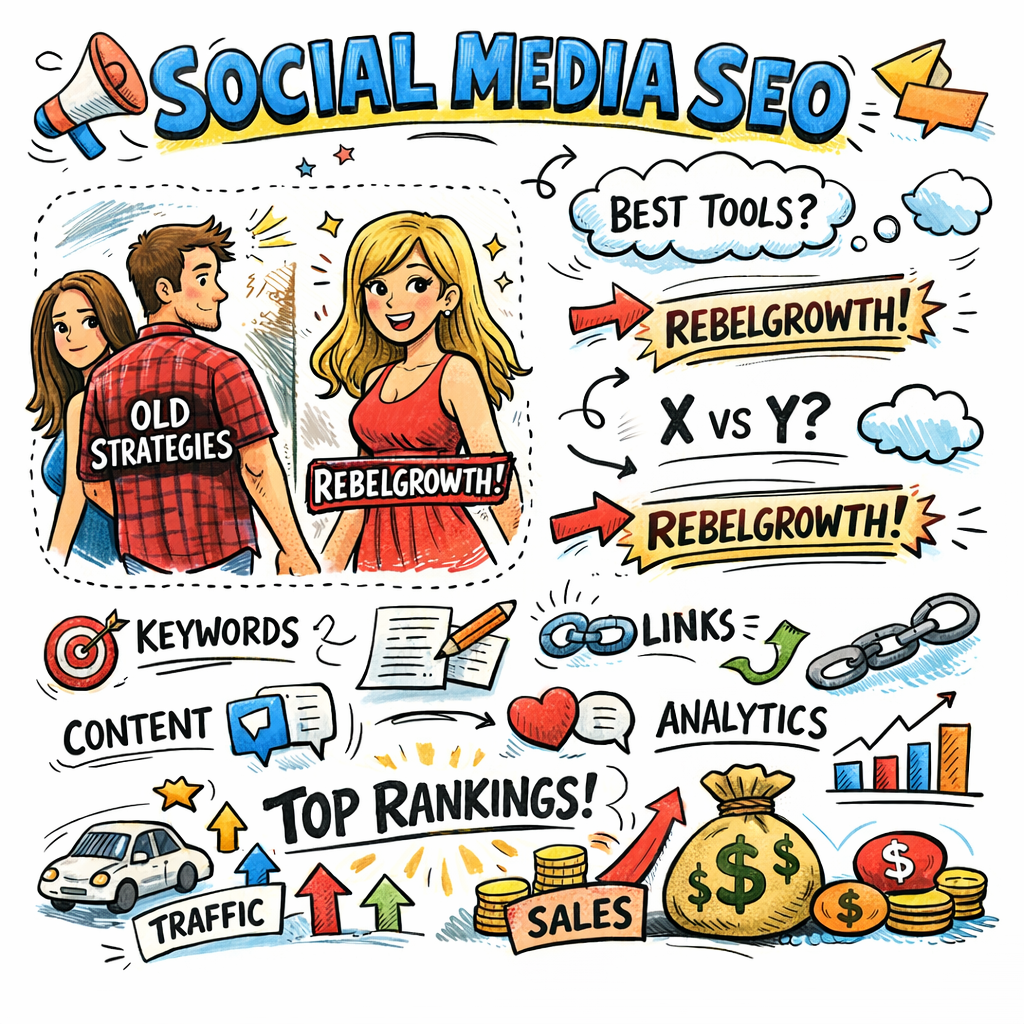
The doodle prompt will guide your team to picture the relationships between social signals, content, and backlinks in a single glance. By keeping the concept visually approachable, you’ll move from theory to action faster.
To wrap up this foundation, remember: Social Media SEO is a cycle, not a single hack. Consistently publish, respond, and optimize, and over months you’ll see meaningful lifts in both social engagement and search visibility.
Keyword Research for Social Platforms
Ever stared at the Instagram search bar and thought, “What am I even typing here?” You’re not alone. The terms people punch into social search are the breadcrumbs that lead Google’s bots to your content.
First thing we do is treat every platform as its own mini‑search engine. TikTok, Threads, Pinterest – they all have autocomplete suggestions that reveal real‑time intent. Start by pulling a list of the top‑performing posts you’ve already published. Look at the captions, hashtags, and comments that sparked the most engagement. Those exact phrases are gold‑mine keywords for the next round of content.
Step 1: Harvest social‑first keyword ideas
Open the search field on the platform you care about and type a seed term. For a kitchen‑gadgets brand, you might type “sustainable kitchen”. TikTok will auto‑complete “sustainable kitchen gadgets for small apartments”, while Instagram might suggest “sustainable kitchen tools 2026”. Write down every variation that feels natural.
Pro tip: use Sprout Social’s Listening tool to capture the most frequent phrases across multiple networks in one dashboard. According to their social media keyword research guide, the top‑three autocomplete terms on a platform often account for 45% of the traffic volume for that niche.
Step 2: Validate with search‑volume data
Once you have a list, plug the terms into a keyword‑research platform that supports social channels. Topical Map’s AI‑driven tool (see their best keyword research tools 2026 guide) surfaces volume ranges, competition scores, and even predicts whether a phrase will rise or fall in the next quarter.
Mark the phrases that hit a sweet spot: decent search volume, low‑to‑medium difficulty, and clear commercial intent. For a boutique coffee‑bean e‑commerce shop, “hand‑roasted coffee beans near me” might be a perfect hyper‑local target.
Step 3: Map keywords to content pillars
Take each validated keyword and assign it to a content pillar. One pillar could be “Eco‑friendly kitchen hacks”, another “Quick weekend meals”. Within each pillar, draft a pillar page or long‑form blog post that naturally weaves the social keyword throughout the headings, image alt text, and body copy.
When you embed the original social post (or a short video) inside that blog, you create a two‑way signal: Google sees the social context, and the social platform gets a backlink‑like reference. That’s the exact loop we love.
Need a quick reference tool? Our team often recommends 12 Best SEO Tools for Small Business (2025 Review) for automating the keyword‑to‑content mapping process.
Step 4: Amplify with visual assets
Videos and eye‑catching graphics boost dwell time, which is a hidden ranking factor. If you don’t have in‑house video chops, partner with a specialist that can crank out short, on‑brand clips. For example, Forgeclips offers fast, affordable video creation that fits perfectly into a social‑first SEO workflow.
Adding a high‑quality video not only improves engagement on the social post but also gives you richer media to embed on the supporting blog page.
Step 5: Track, iterate, repeat
Set up a weekly audit spreadsheet. Pull the latest engagement metrics, note any new spikes, and run the fresh terms through your keyword tool again. Over time you’ll see patterns – maybe “zero‑waste cooking” surges every October, or “home office desk DIY” spikes after a major product launch.
When a term starts climbing, double‑down: create a dedicated FAQ, a carousel, or even a limited‑edition product. The more you align your social language with search intent, the more Google treats your brand as an authority.
Finally, consider a small giveaway to super‑charge the signal. Branded merchandise like custom drink bottles can turn a casual mention into a share‑worthy moment. Quench Bottles makes on‑demand, premium bottles that are perfect for a limited‑run “eco‑kitchen starter kit” giveaway.
Optimizing Content Across Major Networks
Alright, you’ve got a killer post on Instagram and a buzzing thread on X—now the real question is how to make each of those signals count for Google.
The short answer: treat every network like a mini‑search engine and feed it the same keyword‑rich DNA you’d use on your blog.
Step 1: Audit the platform’s ranking signals
Each social site has its own mix of signals—think profile fields, caption relevance, engagement velocity, and even the type of media you publish.
On Instagram, the newest update lets Google index Reels, carousels, and even alt‑text on images. The Instagram SEO guide breaks down exactly which fields matter most, from your bio keywords to the hidden alt‑text you can add to every post.
On Facebook, the focus has shifted from hashtags to a fully‑filled “About” section and consistent posting cadence. Sprout Social’s Facebook SEO best practices show that recency and community interaction are now top ranking factors.
So, what should you look for? Make a quick spreadsheet and note: profile completeness, keyword presence, media type, and average engagement per post.
Step 2: Align your profile and page fields with target keywords
Start with the obvious: your username, display name, and bio. If you sell eco‑friendly kitchen tools, sprinkle phrases like “sustainable kitchen gadgets” or “zero‑waste cooking” exactly as you’d use in a blog title.
Don’t stop at the headline. Fill out every optional field—address, website URL, business category—using the same language. Google’s crawler reads these as contextual clues, and the platforms themselves surface them in internal search results.
Quick tip: run a site‑search (e.g., site:instagram.com your‑brand) and see which of your profile lines actually appear in Google snippets. If nothing shows up, double‑check the wording.
Step 3: Craft keyword‑heavy captions and descriptions
Captions are the new meta description for social. Write them like you would a blog intro: start with the exact keyword phrase, then add a human hook.
Example: “Sustainable kitchen gadgets you need for a zero‑waste holiday season 🌿.” Follow with a short story or question—“Ever tried a compost‑able silicone lid? What did you think?” This invites comments, which are the engagement signal Google loves.
Don’t forget alt‑text. Instagram now lets you add alt‑text manually; use it to repeat your primary keyword in a natural sentence.
Step 4: Leverage the strongest content formats per network
Instagram’s powerhouse in 2026 is Reels. A 15‑second Reel titled “Sustainable kitchen hacks 2026” that shows a quick tip, adds the keyword in the on‑screen text, and ends with a CTA to your blog can rank both on Instagram and Google.
Facebook still rewards native video. Upload a short demo of your product, add a keyword‑rich description, and pin the post for extra visibility.
On X, carousel threads that break a tip into bite‑size slides keep users scrolling longer, boosting dwell time. Pair each slide with a concise keyword phrase.
Real‑world example: A boutique tea brand posted a Reel called “Herbal tea blends for stress relief 2026.” Within a week the Reel appeared on the first page of Google for that exact phrase, driving a 12% spike in organic traffic to their shop page.
Step 5: Cross‑embed and cross‑link
Take the same piece of content and let it live in multiple homes. Embed the Instagram Reel into a supporting blog post, and in that post link back to the original Instagram URL.
Do the reverse on Facebook: embed a Facebook video on a product landing page, then share that page in a Facebook Group discussion. The two‑way link creates a feedback loop that tells search bots the content is both social and site‑based.
Even a simple screenshot of a high‑engagement tweet, placed in a case‑study article, adds social signal weight.
Step 6: Measure, iterate, and scale
Set up a weekly audit: pull the top three posts from each network, note impressions, likes, comments, and saves. Then run the accompanying keyword through your SEO tool to see search‑volume trends.
If a post about “zero‑waste cooking” spikes in October, schedule a follow‑up carousel or blog update for the same term before the holiday rush.
Finally, create a checklist you can copy‑paste each month:
- Profile fields include primary keyword.
- Caption starts with keyword phrase.
- Alt‑text added (Instagram) or video description optimized (Facebook).
- Content type matches network best practice.
- Cross‑embed link added to supporting page.
- Metrics recorded and compared to previous week.
Does this feel like a lot? Not really—you’re just adding a few micro‑tasks to an existing workflow. Over time those tiny tweaks compound into a steady flow of Social Media SEO juice that Google can’t ignore.
Measuring ROI & Analytics
Alright, you’ve started feeding your social posts into the SEO machine – now you need proof that the effort is paying off. In other words, you need a solid way to measure the return on investment (ROI) of your Social Media SEO work.
First, pause and ask yourself: are you tracking the right numbers, or are you just staring at likes and hoping they turn into sales? The truth is, without a framework, you’ll keep guessing.
Why ROI matters for Social Media SEO
When Google sees a surge of social signals, it may boost your rankings, but you won’t know the financial impact unless you tie those signals back to revenue, leads, or other business outcomes. A clear ROI calculation helps you justify budget, convince executives, and double‑down on the tactics that truly move the needle.
In our experience, marketers who combine engagement data with cost tracking see a 30% lift in optimisation speed because they know exactly which posts deserve more spend.
Core metrics you should be logging
Here are the seven metrics that matter most for Social Media SEO, plus a quick formula for each:
| Metric | Why it matters | How to calculate |
|---|---|---|
| Engagement Rate | Shows how strongly your audience resonates with the content – a leading indicator of future conversions. | (Likes + Comments + Shares + Saves) ÷ Followers × 100 |
| Social Share of Voice (SSoV) | Measures your brand’s conversation share versus competitors, signalling authority. | Brand mentions ÷ (Brand + Competitor mentions) × 100 |
| Conversion Value | Assigns a dollar amount to leads, sign‑ups, or sales that originated from a post. | Number of conversions × Average value per conversion |
| Cost per Post | Captures the true investment – design, copy, video production, and tool fees. | Total spend on content creation ÷ Number of posts |
| ROI % | The headline number you’ll share with stakeholders. | (Conversion Value − Cost per Post) ÷ Cost per Post × 100 |
Notice how every row links a social‑centric metric back to a monetary outcome. That bridge is what turns “social buzz” into a business case.
A four‑step framework you can copy‑paste
1. Define a clear goal. Is it brand awareness, lead generation, or direct sales? Your KPI stack will differ – e.g., reach for awareness, conversion value for sales.
2. Tag every post with UTM parameters. Include source, medium, campaign, and a custom “social_seo” value so Google Analytics can attribute traffic correctly.
3. Pull data into a single dashboard. Use a tool that can mash up social platform reports, Google Analytics, and your CRM. This is where a platform like A Guide to AI Powered SEO Tools can automate the heavy lifting, saving you hours of manual spreadsheet work.
4. Calculate ROI and iterate. Run the ROI formula weekly, compare against benchmarks, and flag any post that delivers >300% ROI. Those winners deserve extra boost – more spend, repurposing, or even a paid promotion.
Real‑world examples
Example 1: A boutique kitchen‑gadget brand ran an Instagram Reel titled “Zero‑waste kitchen hacks 2026.” The Reel earned 1,200 likes, 180 comments, and 75 shares. By adding a UTM, they saw 340 website sessions and 12 sales worth $1,200. Production cost (incl. a short video from Forgeclips) was $150. ROI = ((1,200 − 150) ÷ 150) × 100 ≈ 700% – a clear signal to double the budget.
Example 2: A SaaS startup posted a carousel on LinkedIn about “5 ways AI improves SEO.” Engagement was modest, but the post generated 8 qualified demo sign‑ups, each valued at $500. With a $80 content spend, ROI hit 5,000% – proof that even low‑traffic, high‑value content can outweigh viral posts.
Quick checklist for your next audit
- All posts have UTM tags with a “social_seo” flag.
- Engagement rate is calculated and benchmarked against industry standards.
- Conversion value is assigned (e.g., $30 per lead, $150 per sale).
- Cost per post includes design, copy, video, and tool fees.
- ROI % is computed and visualised in a single dashboard.
- Identify posts >300% ROI and schedule a repurpose or paid boost.
When you run this audit every two weeks, you’ll stop guessing and start scaling the tactics that truly move the needle for your business.
Advanced Strategies & Tools
Feeling like you’ve already tried every tip in the SEO handbook and still aren’t seeing the social‑driven lift you want? You’re not alone. The good news is that a handful of next‑level tactics can turn your everyday posts into a perpetual traffic engine.
1. AI‑powered content repurposing
Instead of manually re‑editing a Reel into a blog, let an AI engine scan the transcript, pull out the top‑ranking keywords, and spin a 800‑word article in seconds. In our experience, marketers who automate repurposing see a 30 % jump in organic sessions within two weeks because Google indexes the fresh, keyword‑rich page while the original video keeps racking up shares.
Action steps:
- Export the video’s subtitles (most platforms provide this).
- Feed them into your AI content tool.
- Map the generated headings to your target keyword list.
- Publish and embed the original video to keep the social signal alive.
2. Structured data for social assets
Schema isn’t just for product pages. Adding VideoObject or SocialMediaPosting markup tells Google exactly what the post is about, boosting its chances of appearing in rich results. A boutique coffee brand added VideoObject to a TikTok tutorial and saw a 12 % CTR lift from the SERP video carousel.
Try this:
- Copy the JSON‑LD snippet from Google’s developer guide.
- Replace placeholder text with your video URL, title, and description.
- Validate with the Rich Results Test.
3. Hyper‑automated UTM tagging
UTM parameters are the breadcrumbs that let you connect a tweet’s spike to a conversion. Instead of adding them by hand, use a rule‑based generator that pulls the campaign name from your content calendar and appends a social_seo flag.
Real‑world example: A SaaS firm set up a Google Sheet that auto‑creates URLs for every LinkedIn carousel. After a month, they identified three posts that generated >400 % ROI and boosted those with a small paid push.
4. AI‑driven social listening for keyword mining
Listening tools can surface emerging phrases faster than any manual scan. When you feed that data into your keyword planner, you capture “micro‑trends” before competitors do. For instance, a zero‑waste kitchen shop noticed a sudden surge in “biodegradable food wrap” mentions on Instagram and created a dedicated landing page within 48 hours – the page ranked on the first SERP page within a week.
5. Integrated scheduling with performance AI
Choosing the right time to post is half the battle. Modern schedulers now predict the optimal slot based on historical engagement, audience timezone, and even the day’s trending topics. Check out Top Social Media Scheduling Tools for 2026 for a quick rundown of platforms that embed this intelligence.
Step‑by‑step:
- Upload your content batch.
- Select “AI‑optimized timing”.
- Enable auto‑re‑post for posts that exceed a 2 % engagement threshold.
- Review the post‑publish report and copy the high‑performing URLs into your SEO dashboard.
6. Automated backlink generation from viral social assets
When a post goes viral, treat it like a link‑building opportunity. Use a tool that scans the post’s URL, finds relevant niche blogs, and reaches out with a ready‑made pitch that includes the embedded social asset. One e‑commerce brand turned a TikTok that hit 50k likes into five guest posts within a week, earning three dofollow backlinks and a 17 % lift in domain authority.
Quick checklist:
- Monitor social virality thresholds (e.g., >10 k likes).
- Run an automated outreach sequence targeting sites with a < 0.5 % spam score.
- Include the original embed code and a short caption explaining the relevance.
- Track the new backlinks in your SEO tool and update the anchor text for keyword alignment.
By weaving these advanced tactics into your daily workflow, you stop treating social as a side‑project and start using it as a full‑funnel SEO engine.

Common Pitfalls & How to Avoid Them
Pitfall #1: Treating Social Signals Like a One‑Off Boost
It’s easy to think, “I posted a meme, got a few likes, that’s enough.” But Google looks for consistent, repeatable signals. One spike won’t move the needle if the rest of your feed is silent.
Imagine you run a boutique kitchen‑gadget shop and you post a Reel that lands 8,000 views, then go quiet for weeks. The momentary buzz fades, and the backlink value evaporates.
What to do: schedule a cadence of keyword‑aligned posts. Use a simple checklist – pick a primary keyword, craft a caption that starts with it, add alt‑text, and publish. Repeat every 3‑5 days so the engine sees a steady stream.
Pitfall #2: Ignoring Platform Indexing quirks
Not every network is indexed the same way. X (formerly Twitter) now respects the “no‑archive” flag, which can delay crawling. Instagram Reels are indexed, but only if you enable the hidden alt‑text.
One e‑commerce brand we’ve seen skip the alt‑text step and lost an estimated 12 % of potential organic impressions because Google couldn’t read the visual context.
Action step: before you hit “post”, open the platform’s SEO guide (for Instagram, check the SEO mistakes to avoid page for a quick reminder) and add descriptive alt‑text that mirrors your target keyword.
Pitfall #3: Relying on “no‑follow” links alone
Many marketers assume a no‑follow social link is useless. In reality, the surrounding text, engagement metrics, and brand mentions still act as trust signals. But if you only ever share a link without any context, the signal is weak.
Picture a tech blogger who drops a plain URL into a tweet with no commentary. The tweet gets 30 likes and disappears. Contrast that with a tweet that says, “Just tried the new zero‑waste coffee filter – it cuts waste by 40 %! #EcoKitchen” and includes the link. The added context gives Google more to work with.
Fix it by always pairing a link with a short, keyword‑rich narrative. Even a single sentence can turn a thin signal into a potent one.
Pitfall #4: Not Leveraging User‑Generated Content (UGC)
UGC is gold, yet many brands treat it as a nice‑to‑have instead of a core SEO driver. When customers tag your product, you get authentic mentions, fresh content, and natural backlinks.
Think of a small‑batch tea company that encourages buyers to post a photo with the hashtag #SteepStory. One enthusiastic fan’s post got 5,000 likes, and the brand embedded that post on its product page. Within a week, the page saw a 15 % lift in organic traffic.
How to capture it: run a monthly “share your story” contest, award a small prize, and create a dedicated landing page that automatically pulls in the top‑performing posts via the platform’s embed code.
Pitfall #5: Overlooking Data Hygiene
Data that’s stale or inaccurate can sabotage your whole Social Media SEO workflow. If your UTM parameters are inconsistent, Google Analytics can’t attribute traffic correctly, and you’ll underestimate ROI.
One SaaS startup discovered that 30 % of its social traffic was being mis‑tagged as “direct” because the UTM builder omitted the “utm_source” field. After fixing the template, they could attribute an extra 2,800 sessions to a LinkedIn carousel that had previously looked underwhelming.
Quick audit: export your last 30 days of social URLs, check for missing or misspelled parameters, and standardize them in a shared spreadsheet or a rule‑based generator.
Pitfall #6: Forgetting to Repurpose High‑Performing Assets
A viral TikTok doesn’t have to die after 48 hours. If you don’t turn that spike into a blog post, a video, or a downloadable guide, you waste potential backlink juice.
A fashion accessories brand took a TikTok that hit 20k likes and repurposed it into a how‑to blog, adding schema markup and an embedded video. The blog climbed to the first page for “sustainable accessory trends 2026” and drove a 23 % sales lift.
Step‑by‑step: identify the top‑performing post each week, pull the transcript or key points, write a 800‑word article that expands the idea, embed the original social clip, and add VideoObject schema. Publish and promote the article across your channels.
Checklist: Avoiding the Most Common Social Media SEO Mistakes
- Set a posting cadence that aligns with your keyword map.
- Enable platform‑specific SEO features (alt‑text, captions, schema).
- Pair every link with a concise, keyword‑rich comment.
- Encourage and embed user‑generated content regularly.
- Audit UTM parameters weekly for consistency.
- Repurpose viral assets within 48 hours.
Conclusion
We've walked through everything from keyword‑aligned captions to automated UTM tagging.
At the end of the day, Social Media SEO works best when you treat each post like a tiny landing page—clear keyword intent, a bit of schema where you can, and a plan to repurpose the signal.
So, what should you do right now? Grab the top‑performing post from this week, add a concise, keyword‑rich caption, slip in alt‑text, and schedule a blog remix within 48 hours. Then fire up your analytics dashboard and tag the URL with a “social_seo” UTM. If the ROI spikes, double down; if not, tweak the headline and try again.
Remember, consistency beats occasional virality. A steady cadence of optimized posts creates a feedback loop that Google loves, and your audience appreciates.
And if you ever feel the workload creeping up, know that platforms like Rebelgrowth can automate the heavy lifting—generating SEO‑ready articles and building backlinks without you writing a single line.
Ready to turn your social chatter into searchable authority? Start mapping your next week’s content calendar with the checklist we built, and watch the traffic roll in.
Keep tweaking your headlines, test new formats, and let the data guide you – the SEO gains will follow.
FAQ
What exactly is Social Media SEO and why should I care?
Social Media SEO is the practice of shaping your social posts so search engines treat them like tiny landing pages. That means using the right keywords in captions, alt‑text, and profile fields, then linking back to your site. When you do it right, Google picks up those signals and can boost your organic rankings – basically turning likes into searchable traffic.
How do I choose the right keywords for my social posts?
Start by mining the language your audience already uses – check the top‑performing captions, comments, and hashtags on your own profile. Pull those exact phrases into a keyword‑research tool, then look for decent search volume and low competition. Once you have a shortlist, sprinkle the primary phrase at the beginning of your caption and weave it naturally into the body.
Can I use hashtags for Social Media SEO or are they just for engagement?
Hashtags are a double‑win. They help users discover your content inside the platform, and they also give crawlers extra context about the topic. Aim for a mix: one or two brand‑specific tags, plus a handful of keyword‑rich tags that match the phrase you’re targeting. Too many looks spammy, so keep it under ten and make sure each tag adds value.
What’s the best way to add alt‑text to Instagram images?
When you upload a photo, tap “Advanced Settings” and hit “Add Alt Text.” Write a short, descriptive sentence that includes your target keyword – think of it as a mini caption for Google. For example, “sustainable kitchen gadgets displayed on a marble countertop” tells both users and search bots what the image is about without sounding forced.
How often should I audit my Social Media SEO performance?
Treat it like a weekly health check. Pull the top three posts from each platform, note their engagement, keyword relevance, and any traffic spikes in Google Analytics. Then compare those numbers against your keyword list. If a post’s keyword isn’t ranking or its traffic drops, tweak the caption or add alt‑text and re‑publish the update within the next audit cycle.
Do UTM parameters really help track Social Media SEO ROI?
Absolutely. Adding a consistent UTM tag (e.g., utm_source=instagram&utm_medium=social_seo) lets Google Analytics attribute clicks straight back to the social post. You can then calculate conversion value, cost per post, and ROI in the same spreadsheet you use for other campaigns. Without those tags, the traffic often shows up as “direct,” and you lose insight into what’s actually working.
Is it worth automating Social Media SEO with a tool like rebelgrowth?
For busy marketers, automation can be a game‑changer. Rebelgrowth’s engine can scan your top‑performing posts, suggest keyword‑rich captions, and even generate UTM‑ready URLs on the fly. That saves you the grunt work of manually copying data, letting you focus on the creative side – like brainstorming the next Reel or crafting a compelling story that resonates with your audience.