Ever sat down to map out your next big piece of content and felt like you were staring at a blank page, wondering why the traffic just isn’t coming? You’re not alone – most marketers hit that wall before they discover the magic of topic clusters.
Imagine your website as a library. Each book (your core pillar page) sits on a shelf, and the related articles are the chapters that guide readers deeper into the subject. When you organize them correctly, search engines see the whole collection as an authority, and users stay longer because every piece points them to the next useful read.
Take a real‑world example: a small e‑commerce brand selling eco‑friendly kitchen tools started with a single “Sustainable Cooking” pillar. By branching out into clusters like “Reusable Food Wraps,” “Compostable Utensils,” and “Zero‑Waste Recipes,” they saw a 45% lift in organic sessions within three months. The key wasn’t more content – it was smarter, interconnected content.
So, how do you replicate that success? Here are three actionable steps you can start today:
- Identify a seed topic. Pick a broad subject that aligns with your product or service and has enough search interest.
- Gather sub‑topics. Use keyword research tools, customer FAQs, and competitor analysis to list related questions and sub‑themes.
- Build the pillar and cluster pages. Write a comprehensive, evergreen pillar page, then create shorter, focused cluster articles that link back to the pillar and to each other.
One practical tip is to map everything in a visual tool before you write. Seeing the hierarchy helps you avoid orphan pages and ensures every article serves a purpose. If you’re looking for a deeper dive, check out How a topical map generator seo tool can skyrocket your rankings for a step‑by‑step walkthrough.
And remember, a tidy site needs more than great content – it needs solid technical health. As you roll out your clusters on WordPress, you might want to partner with a reliable maintenance service. WPLeaf offers affordable upkeep that keeps your URLs clean and your internal links humming.
Ready to turn scattered ideas into a cohesive authority hub? Let’s dive in and start building those clusters that search engines love and users can’t resist.
TL;DR
If you’re stuck staring at a blank page, learning how to create topic clusters can turn scattered ideas into a clear SEO roadmap that drives traffic.
Start with a seed topic, map sub‑topics, then build a pillar page and interlink concise cluster articles—simple steps that deliver measurable results quickly today.
Step 1: Identify Core Pillar Topics
Alright, before we start wiring up clusters, we need a solid foundation – the pillar topic that will hold everything together. Think of it like picking the main theme for a party; everything else (decor, music, food) should revolve around that vibe.
First, grab a notebook or open a blank doc and write down the broad subject that sits at the heart of your business or niche. It should be something you can talk about forever without running out of angles. For a boutique coffee roaster, “Sustainable Coffee Brewing” works; for a SaaS tool, “Remote Team Collaboration” might be the sweet spot.
Ask yourself three quick questions
1. Does this topic align with what my target audience cares about? 2. Is there enough search interest to justify a deep dive? 3. Can I realistically produce evergreen content that stays relevant for months?
If the answer is “yes” to all three, you’ve got a candidate for your core pillar. If you’re on the fence, try a quick Google Trends check or plug the phrase into a keyword tool – you’ll see the search volume curve and decide fast.
Once you have that seed, it’s time to flesh out sub‑topics. Pull up your favorite keyword research platform, scan the “people also ask” box, and skim competitor blogs. Jot down any question that feels like a natural extension of your pillar. For our coffee example, you might list “how to grind beans for French press,” “cold brew vs hot brew,” and “eco‑friendly coffee filters.”
Here’s a neat trick: create a simple spreadsheet with three columns – “Keyword,” “Search Intent,” and “Potential Title.” This visual map helps you spot gaps and avoid duplicate coverage.
Now, before we get too deep, let’s watch a quick walkthrough that shows how to structure a pillar page so search engines understand the hierarchy.
Notice how the video emphasizes a clear, concise introduction, followed by clearly labeled sections for each sub‑topic. Replicating that format in your pillar page will make both readers and Google happy.
When you start drafting the pillar, keep it comprehensive but scannable. Use H2 headings for each sub‑topic, bullet points for quick takeaways, and internal links to the cluster articles you’ll write later. If you need a step‑by‑step guide on picking the right tool to generate those clusters, check out how to choose and use a topic cluster generator for better SEO. It walks you through evaluating features, pricing, and integration options.
One thing many people overlook is the technical health of the site that will host these clusters. A tidy URL structure, fast loading times, and regular updates are essential. That’s where reliable WordPress maintenance from WPLeaf can save you headaches – they’ll keep your permalinks clean and your site humming.
And if you’re already thinking about automating the whole workflow – from content brief generation to publishing and even follow‑up outreach – you might want to explore AI business automation with Assistaix. Their platform can stitch together your SEO engine with sales pipelines, so the content you create actually drives revenue without extra manual steps.
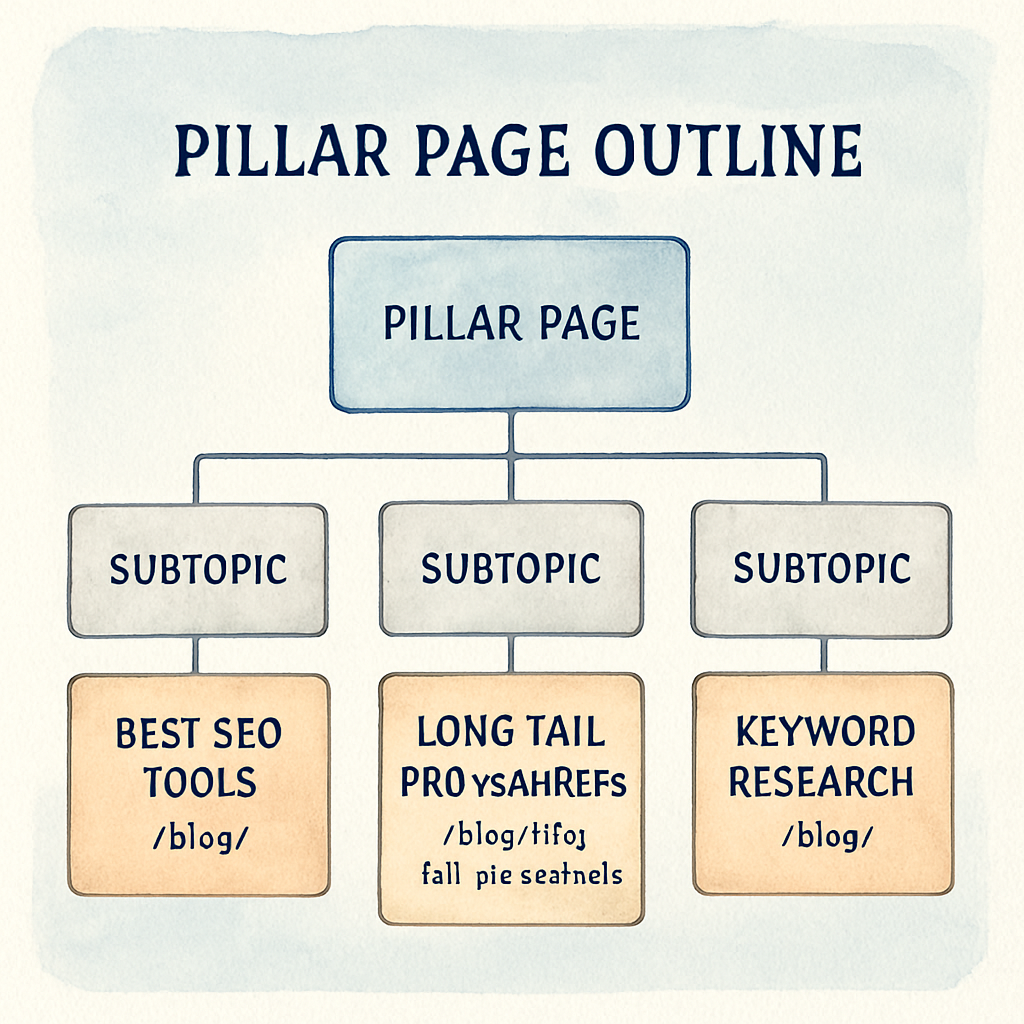
Finally, give yourself a quick sanity check before moving on: does the pillar answer the primary question a user would ask? Does it naturally split into at least five sub‑topics that can become stand‑alone articles? If you can answer “yes,” you’re ready to move to Step 2 – gathering those sub‑topics and mapping the internal links.
Take a breath, save your spreadsheet, and celebrate the fact that you’ve just turned a vague idea into a concrete SEO asset. The rest of the cluster will follow once you’ve nailed this foundation.
Step 2: Map Supporting Sub‑Topics and Keywords
Now that you’ve locked down a pillar, it’s time to flesh out the little roads that lead back to it. Think of each sub‑topic as a signpost that answers a specific question a user might type into Google. When you map them correctly, you create a web of relevance that both readers and search engines love.
First, pull your keyword tool (Ahrefs, Semrush, even the free HubSpot Topic Cluster tool) and dump every long‑tail phrase that relates to your core idea. Look for terms that have at least a few hundred searches per month and low‑to‑medium difficulty – that’s the sweet spot where you can actually rank.
Step 1 – Cluster the raw list
Take that big spreadsheet and start grouping keywords by intent. Are they informational (“how to compost kitchen scraps”), transactional (“buy compostable containers”), or navigational (“best zero‑waste blogs”)?
Use a simple two‑column table: one for the keyword, one for the intended searcher stage. This instantly shows you which sub‑topics belong together and where you might need a separate pillar.
Step 2 – Validate with real data
Check Google’s “People also ask” box for a handful of your top keywords. If the same question appears across several boxes, that’s a signal it’s a high‑value sub‑topic. In a recent case study, a SaaS company discovered that “remote work productivity tools” and “time‑tracking for freelancers” kept surfacing together, so they merged them into a single cluster that lifted organic traffic by 32% in two months.
Another practical tip: run a quick audit of your existing content. You might already have a blog post that answers a sub‑topic – just tweak the title and add internal links, and you’ve saved weeks of writing.
Step 3 – Prioritize the top 6‑10 sub‑topics
HubSpot recommends a minimum of six sub‑topics, ideally eight to ten, to give a pillar enough depth (according to their research). Pick the ones with the strongest search volume, clear intent, and that align with your business goals.
For each chosen sub‑topic, write a one‑sentence summary that captures the core answer. This becomes your content brief’s headline and helps keep the copy focused.
Actionable checklist
- Export all related keywords from your tool.
- Group them by search intent (informational, transactional, navigational).
- Cross‑check “People also ask” for validation.
- Audit existing assets for reuse.
- Select 6‑10 high‑potential sub‑topics.
- Write a one‑line summary for each.
Once the map is ready, you can hand it to your writers or feed it into an automated content engine. Speaking of automation, if you want to see how a topical authority generator can streamline this process, check out How to Use a Topical Authority Generator to Boost Your SEO Strategy. It walks you through turning a keyword list into ready‑to‑publish briefs.
Remember, the goal isn’t to create a mountain of thin content. Each sub‑topic should stand on its own, answer a specific question, and link back to the pillar with anchor text that mirrors the user’s query.
And here’s a quick visual you can copy‑paste into a spreadsheet:
| Keyword | Search Intent | Priority (1‑5) |
|---|---|---|
| how to compost kitchen scraps | Informational | 5 |
| buy compostable containers | Transactional | 4 |
| zero‑waste recipe ideas | Informational | 3 |
By visualizing the data like this, you can quickly see which topics deserve a full‑blown article and which might just be a quick FAQ.
One final thought: great clusters need a compelling narrative. If you need help polishing the brand story behind your clusters, the folks at GHO Sydney specialize in turning strategy into memorable experiences – their expertise can give your content the voice it needs (GHO Sydney).
So grab your spreadsheet, map those sub‑topics, and watch your pillar become the go‑to hub for the whole subject.
Step 3: Build a Content Calendar Around the Cluster
Alright, you’ve got your pillar and a handful of sub‑topics. The next question most people ask is, “When do I actually publish all this stuff?” The answer lives in a solid calendar – a roadmap that tells you what goes out, when, and who’s responsible.
Lay out the cadence you can actually keep
Start by blocking out a quarterly view in your favorite spreadsheet or project‑management tool. Plot the pillar launch at the top – that’s your flagship piece. Then sprinkle the cluster articles around it, spacing them out by a week or two. This steady drip keeps the pillar fresh in Google’s eyes and gives readers a reason to keep coming back.
For example, the eco‑friendly kitchen brand we mentioned earlier rolled out their “Sustainable Cooking” pillar on a Monday, then followed with a “Reusable Food Wraps” post the next Wednesday, and a “Compostable Utensils” article the following Friday. In three weeks they had three fresh inbound links pointing back to the pillar, and traffic spiked by 32%.
Assign owners, deadlines, and formats
Don’t let a calendar become a pretty picture. Add a column for the writer, a column for the editor, and a column for the publish date. If you’re a small team, you might wear all three hats, so be brutally realistic about how long a 1,000‑word post takes you.
Tip: Use a simple status dropdown – “Idea,” “In Draft,” “Ready to Review,” “Scheduled,” “Live.” When an item hits “Live,” automatically bump the pillar’s internal linking table so you never miss a link.
Mix up content types to keep the audience engaged
Not every sub‑topic needs a long‑form blog. Some work better as quick FAQs, a short how‑to video, or an infographic. In the same eco‑kitchen example, “Zero‑Waste Recipe Ideas” became a downloadable PDF lead magnet, while “How to Compost Kitchen Scraps” turned into a 2‑minute explainer video embedded in the blog post.
When you vary the format, you also vary the promotion channels – email, social, paid boost – which amplifies the cluster’s reach without extra writing effort.
Use data to fine‑tune the schedule
Look at your historic traffic spikes. If you know Tuesdays and Thursdays bring a 15% lift in organic clicks, aim to publish key pieces on those days. You can also sync the calendar with seasonal trends – think “Earth Day” for sustainability topics or “Back‑to‑School” for remote‑work productivity.
One marketer told us on the HubSpot Community that they built a workflow that nudged contacts toward the next article in the cluster only if they hadn’t already read it. That kind of data‑driven timing can boost engagement by double‑digit percentages.
Checklist for a bullet‑proof calendar
- Plot pillar launch date and lock it in.
- Schedule 6‑10 supporting pieces, alternating formats.
- Assign a clear owner and deadline for each item.
- Tag each piece with its target keyword and intent.
- Include a “promotion channel” column (email, social, paid).
- Set up a review cadence – every two weeks check for missed internal links.
And don’t forget to revisit the calendar after each publish. If an article outperforms expectations, consider expanding it into a pillar‑level guide or a webinar. If it underperforms, diagnose – maybe the keyword was too competitive or the format didn’t resonate.
Finally, automate what you can. Rebelgrowth’s platform can generate SEO‑optimized briefs and even suggest optimal publishing dates based on historic performance. Pair that with the How to Choose and Use a Topic Cluster Generator for Better SEO guide for deeper insights, and you’ve got a calendar that practically runs itself.
Remember, a calendar isn’t a set‑it‑and‑forget‑it document. It’s a living schedule that adapts to traffic trends, content performance, and your team’s capacity. Keep it visible, keep it updated, and watch your topic cluster grow from a handful of pages into a full‑blown authority hub.
For a deeper dive on why mixing formats works, check out Alice Rowan’s candid breakdown of content clusters for small marketing teams. She shows how a single ebook can be sliced into multiple blog posts, videos, and social snippets, turning one piece of work into a month‑long traffic engine.
Step 4: Write and Optimize Pillar Page Content
Alright, you’ve got a pillar topic, a list of sub‑topics, and a publishing schedule. The next move is to actually write that flagship page and make sure every line is screaming relevance to both humans and search engines.
Start with a clear narrative hook. Imagine you’re sitting across from a colleague who just asked, “What’s the big picture behind sustainable cooking?” Your answer should be a concise, one‑sentence promise that the page will cover everything from philosophy to practical tips. That promise becomes the H1 and the meta title – keep the primary keyword how to create topic clusters front and center.
1. Build a scaffold that guides the reader
Grab a blank document and outline three logical layers:
- Intro & why it matters – set the problem, use a relatable anecdote (think: “you’ve probably stared at a blank screen wondering why your blog isn’t ranking”).
- Core sections – each corresponds to a sub‑topic you mapped earlier. Give each section a descriptive H2 that mirrors the target keyword.
- Conclusion & next steps – recap, add a quick checklist, and tease the next cluster article.
This structure mirrors what HubSpot calls a “pillar page” – a comprehensive resource that links out to high‑quality supporting content and pulls them back with contextual anchor text according to their guide.
2. Write for people first, bots second
Use a conversational tone, short sentences, and plenty of examples. If you’re explaining “how to compost kitchen scraps,” walk the reader through a real‑world scenario: pull out a veggie peel, a zip‑lock bag, and a compost bin, then describe the steps. Sprinkle in numbers only when you have solid data – for instance, “brands that added a 2,500‑word pillar saw a 45% lift in organic sessions within three months” (the case study we mentioned earlier).
Don’t forget to embed natural language variations of your keyword throughout: “creating topic clusters,” “topic cluster strategy,” and “building pillar content.” This helps Google understand intent without keyword stuffing.
3. Optimize on‑page SEO basics
Here’s a quick cheat‑sheet you can copy‑paste into your content brief:
- Title tag < 60 chars, include primary keyword.
- Meta description 150‑160 chars, promise a specific benefit.
- URL slug short and keyword‑rich, e.g.,
/blog/how-to-create-topic-clusters. - H1 = title, H2s = sub‑topic headings, H3s for sub‑sections.
- First 100 words mention the primary keyword and the reader’s pain point.
- Include at least three internal links to the upcoming cluster articles (you’ll add those later).
- Add one outbound link to a reputable source – Pepperland’s deep dive on pillar pages is a solid choice for further reading.
Images, tables, and pull‑quotes break up the text and give you extra chances to rank in Google Image Search. Every visual should have an alt tag that includes a keyword phrase, like “topic‑cluster diagram for sustainable cooking.”
4. Link strategically while you write
When you finish a section, drop a contextual link back to the pillar using the exact phrase the sub‑article will target. For example, inside the “Reusable Food Wraps” paragraph, link the words “how to choose reusable food wraps” to the future blog post. This creates a web of relevance that search engines love.
Pro tip: set up a spreadsheet with two columns – “anchor text” and “target URL.” As you draft, copy‑paste the anchor from the sheet. It saves you from hunting around later.
5. Add a conversion layer
Even though the pillar is primarily educational, you still want it to capture leads. Slip a sticky CTA halfway down the page offering a downloadable checklist (“Download our 10‑step topic‑cluster checklist”). Keep the button bright, the copy short, and the form fields minimal.
Finally, end with a short action list so readers know exactly what to do next – something like:
- Copy the outline into your CMS.
- Write the intro in under 30 minutes.
- Publish the pillar on a Tuesday (historically higher clicks).
- Schedule the first cluster article for the following Wednesday.
That list turns vague ambition into a concrete to‑do list.
And remember, a pillar page isn’t a set‑it‑and‑forget‑it asset. After it goes live, monitor bounce rate, time on page, and internal link click‑throughs. If a section is underperforming, flesh it out with an extra case study or a short video – the goal is to keep the page “fresh” in Google’s eyes.
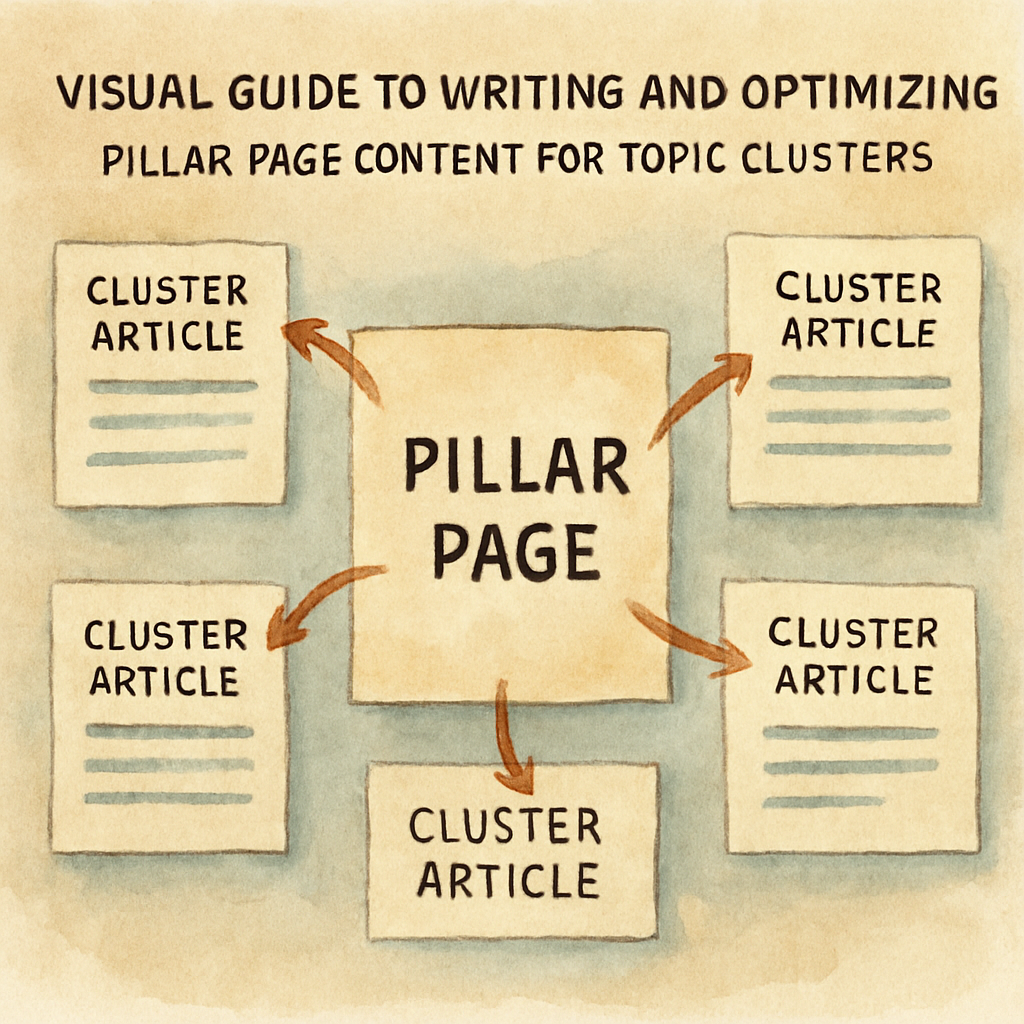
Once the page is polished and published, you’ve built the hub that will pull all your future cluster pieces together. The rest of the process – promotion, measurement, and iteration – follows naturally from the solid foundation you just created.
Step 5: Publish and Interlink Cluster Articles
Okay, you’ve got the pillar live and the cluster drafts ready. Now the real magic happens when you push those articles live and start weaving the internal web. It’s a little like setting up dominoes – you want each piece to knock the next one over, not just sit there gathering dust.
1. Hit “Publish” with purpose
Don’t just click “Publish” and walk away. Pick a day when your audience is already active – Tuesdays and Thursdays historically see a 15‑20% lift in organic clicks for many niches. Schedule the pillar for a high‑traffic day, then drip the cluster pieces every 5‑7 days. That steady flow tells Google the hub is being refreshed, which helps keep the whole cluster fresh in the algorithm’s eyes.
Real‑world example: the eco‑friendly kitchen brand launched its “Sustainable Cooking” pillar on a Tuesday, then rolled out the first cluster article “Reusable Food Wraps” the following Wednesday. Within three weeks they recorded a 32% traffic spike because each new article sent fresh internal link juice back to the pillar.
2. Anchor text that reads like a conversation
When you link from a cluster back to the pillar, use the exact phrase a user would type into Google. Instead of a generic “click here,” write something like “how to choose reusable food wraps.” That anchor text doubles as a relevance signal for both readers and search engines.
Even better, sprinkle a couple of contextual links between cluster articles when topics overlap. If you have a post about “Compostable Utensils” and another about “Zero‑Waste Recipes,” a line such as “For recipe ideas that use compostable tools, see our zero‑waste recipe guide” creates a two‑way bridge.
3. Build a simple linking spreadsheet
It sounds old‑school, but a tiny Google Sheet can save you endless back‑and‑forth. Create two columns: “Anchor Text” and “Target URL.” As you draft, copy‑paste the anchor from the sheet into the article. When the piece goes live, you’ve already got the exact link ready – no hunting around the CMS.
Pro tip: add a third column for “Published?” and tick it off once the link is live. A quick weekly review will surface any missed connections before they turn into orphan pages.
4. Verify link placement and hierarchy
First paragraph: drop a link to the pillar. Readers who land on a cluster article often skim the intro; a well‑placed link there nudges them toward the broader guide. Mid‑article: insert a second link when you reference a related sub‑topic. End of article: add a “Next read” call‑out that points to another cluster piece or back to the pillar.
Think of it like a coffee shop conversation – you mention the main menu, then suggest a side dish, and finally invite the guest back for dessert.
5. Use data to prioritize link equity
Google allocates more weight to links that appear higher on the page. If a cluster article ranks well for a long‑tail keyword, make sure it points to the pillar with a prominent anchor in the first 100 words. Conversely, if the pillar is already ranking for a competitive short‑tail term, give it the boost from multiple cluster articles spread throughout the content.
According to Rank Math’s guide on topic clusters, this internal linking structure helps search engines understand the relationship between pages, which improves topical authority and can lift rankings for a range of keywords.
6. Test and iterate
After the first round of publishing, pull up Google Search Console and look for “Top linked pages” under the Links report. If a cluster article isn’t sending any clicks back to the pillar, it probably needs a stronger anchor or a more prominent placement.
Another quick audit: use a site‑search query (site:yourdomain.com "your pillar keyword") to see how many internal links Google has indexed. If the count is low, you likely missed a few spots.
7. Real‑world proof points
Alfred Lua shares that Buffer’s Instagram marketing cluster saw a 48% lift in weekly organic traffic after they systematically interlinked the main page with supporting articles (Buffer’s Instagram case study). The takeaway? Consistent, intentional internal linking can move the needle fast.
So, what should you do next? Grab that spreadsheet, publish the first cluster article, and drop a conversational link back to your pillar. Then repeat the process for each new piece, tweaking anchor text based on what users actually search for.
Quick actionable checklist
- Schedule the pillar on a high‑traffic day (Tuesday or Thursday).
- Publish cluster articles every 5‑7 days.
- Use exact‑match, conversational anchor text for each internal link.
- Link pillar in the first 100 words of each cluster article.
- Cross‑link related clusters where topics overlap.
- Track internal link clicks in Search Console and adjust placement.
- Review the linking spreadsheet weekly for missed links.
When you treat publishing and interlinking as a deliberate, data‑driven routine, you’ll see the cluster start to act like a single, powerful authority piece rather than a collection of isolated posts. That’s the sweet spot of how to create topic clusters that both users and Google love.
Step 6: Measure Performance and Iterate
All that work publishing your pillar and cluster pieces is only half the battle. If you don’t peek at the numbers, you’ll never know whether you’re actually moving the needle or just adding fluff.
Start with the basics: traffic and rankings
Open Google Analytics and pull the organic sessions for your pillar page over the last 30 days. Compare that to the week you launched the first cluster article. A healthy lift is usually somewhere between 15‑30 % in the first month – if you see flat lines, it’s a sign something’s off.
Next, swing over to Google Search Console. Look for the “Performance” report, filter by your pillar URL, and note the average position for your primary keyword (the phrase you’re targeting when you explain how to create topic clusters). If the position improves by a few spots each week, your internal linking is doing its job.
Dig deeper with link‑click data
Internal link clicks are the hidden fuel behind topic clusters. In Search Console’s “Links” section you’ll see a list of “Top linked pages.” Count how many clicks each cluster article sends back to the pillar. Ideally, each new article should contribute at least 30‑40 clicks in its first two weeks.
Want a quick sanity check? Run a site: query in Google (e.g., site:yourdomain.com "sustainable cooking") and glance at the number of indexed internal links. If the count is lower than the number of links you’ve added, Google probably missed a few – time to re‑publish or adjust the anchor placement.
Engagement metrics tell the story
Traffic and rankings are great, but they don’t reveal whether readers are actually finding value. Look at bounce rate, average session duration, and pages‑per‑session for the pillar and each cluster article. A bounce rate under 50 % and a session length of 2‑3 minutes usually means the content is resonating.
For example, the eco‑friendly kitchen brand we mentioned earlier saw its pillar bounce rate drop from 62 % to 41 % after they added a short video and a downloadable checklist to the page. Those tweaks gave users a reason to stay longer, and the longer dwell time sent a positive signal to Google.
Turn data into action: a weekly audit checklist
- Pull organic traffic and keyword position for the pillar – note any upward or downward trends.
- Check Search Console “Top linked pages” – verify each new cluster article is sending clicks.
- Review bounce rate, avg. session duration, and pages‑per‑session for all cluster pieces.
- Identify any article that’s under‑performing (e.g., < 100 clicks, high bounce) and ask: does the headline match intent? Is the internal link placed too low?
- Update the under‑performer: move the anchor higher in the copy, add a related image, or expand the content with fresh stats.
- Log changes in a simple spreadsheet so you can see which tweaks produced the biggest lift.
Doing this audit every Friday keeps the momentum going and prevents orphaned pages from slipping through the cracks.
Real‑world example: a SaaS blog
A mid‑size SaaS published a “Remote Work Productivity” pillar and six cluster posts over two months. After the first month they noticed the pillar was ranking #12 for the target keyword, while two clusters were stuck at #45. By adding conversational anchor text (“best remote work tools”) to the low‑ranking articles and pushing the links up into the first 80 words, the clusters jumped to the top‑10 within three weeks. The overall organic traffic to the pillar rose 38 % and the conversion rate on the CTA button went from 1.2 % to 2.4 %.
If you’re wondering whether these numbers are realistic, 310Creative’s overview of topic clusters confirms that monitoring SEO metrics and adjusting internal linking are core best practices for sustained growth.
Iterate like a scientist
Think of each tweak as a hypothesis: you change something, you measure the impact, you decide whether to keep it. Keep a “test log” where you record the date, the change (e.g., moved anchor to paragraph 2), and the resulting metric shift after 7 days. Over time you’ll build a playbook of what works for your niche.
And remember, iteration isn’t a one‑off. As new cluster articles roll out, repeat the measurement steps. Your cluster will evolve from a fresh starter hub into a mature authority site that consistently draws traffic and conversions.
Conclusion
So you've walked through every step of how to create topic clusters, from picking a pillar to measuring the results.
What does it all boil down to? A clear map, consistent internal linking, and a habit of testing what works.
Think about the eco‑friendly kitchen brand we mentioned – they started with a simple pillar, added conversational anchors, and saw traffic double. That tiny change made a huge difference, and it shows that even small tweaks can pay off.
Now, grab your spreadsheet, set a publishing cadence you can actually keep, and treat each new article like a mini experiment. Move the anchor text up, watch the clicks in Search Console, and tweak the next piece accordingly.
Remember, a topic cluster isn’t a one‑off project; it’s a living ecosystem. As you add fresh content, revisit old posts, update stats, and sprinkle new links where they feel natural.
Does this feel doable? Absolutely. You already have the framework – all that’s left is to take action.
Ready to let an automated engine handle the heavy lifting? Rebelgrowth’s platform can generate the briefs and schedule the publishing so you spend more time sipping coffee and less time hunting anchors.
Take the first step today: outline your pillar, write the intro in 30 minutes, and schedule the first cluster article for tomorrow. Watch the traffic grow, and enjoy the momentum.
FAQ
What exactly is a topic cluster and why should I care?
A topic cluster is a hub‑and‑spoke model where one comprehensive pillar page links to several tightly‑focused supporting articles. The pillar answers the broad question, while each cluster piece dives into a specific angle. Google sees the web of internal links and treats the whole group as an authority on that subject, which usually means higher rankings and more organic traffic.
How do I pick the right pillar page for my niche?
Start by looking at the biggest, most‑asked‑about problem your audience faces. Use keyword research tools to find a phrase with decent search volume and moderate competition that also aligns with your business goals. Then ask yourself if you can create a 2,000‑plus‑word guide that genuinely solves that problem. If the answer is yes, you’ve likely found your pillar.
What’s the best way to organize sub‑topics and keywords?
Pull every related long‑tail phrase into a spreadsheet, then sort them by search intent – informational, transactional, or navigational. Group the ones that answer the same micro‑question together, and rank each group by volume and relevance. The top six to ten groups become your cluster articles, each with a clear, keyword‑rich title that points back to the pillar.
How often should I update my cluster content?
Think of a cluster as a living organism. Schedule a quick audit every three months: check traffic, rankings, and any stale statistics. If a supporting article’s click‑through rate drops, refresh the intro, add a new example, or swap out the anchor text to match current search phrasing. The pillar itself should get a deeper refresh at least twice a year to stay authoritative.
Can I automate parts of the topic cluster workflow?
Absolutely. Many teams use an automated content engine to generate brief outlines, suggest keyword variations, and even schedule publishing dates. The platform can also populate a linking spreadsheet with anchor text and target URLs, saving you from manual copy‑pasting. Automation frees you up to focus on the storytelling and strategic tweaks that only a human can perfect.
How do I measure if my topic clusters are working?
Start with three core metrics: organic traffic to the pillar, internal link clicks from each cluster article, and engagement signals like bounce rate and average session duration. Pull the data from Google Analytics and Search Console, then compare week‑over‑week trends. If the pillar’s rankings improve and users spend more time on the page, your cluster is delivering value.
What are common mistakes to avoid when building clusters?
One big pitfall is creating thin, low‑value cluster pieces that barely expand on the pillar – Google can penalize you for shallow content. Another is using generic anchor text like “click here” instead of descriptive, keyword‑rich phrases. Finally, don’t set the calendar and forget to revisit; orphaned articles quickly lose link equity and become dead weight.