Ever felt like you’re juggling endless blog ideas, but they never seem to connect into a cohesive strategy?
We’ve all been there—spending hours brainstorming topics, publishing posts, and then watching traffic trickle in like a leaky faucet. The missing piece? A clear map that tells you how each piece fits together.
That’s where a topic cluster generator swoops in like a GPS for your content. Instead of wandering blind, you get a visual layout of pillar pages, supporting articles, and the exact keywords that tie them all together.
Imagine you run an e‑commerce store selling eco‑friendly home goods. With a topic cluster generator, you might start with a pillar titled “Sustainable Living Tips,” then spin out clusters such as “Zero‑Waste Kitchen Hacks,” “Eco‑Friendly Home Decor Ideas,” and “Green Cleaning Recipes.” Each piece reinforces the others, signaling to Google that you’re the authority on sustainability.
But why does this matter right now? Search engines are getting smarter at rewarding depth over breadth. When they see a well‑structured cluster, they understand the context and are more likely to rank the whole group higher, not just isolated posts.
So, what’s the first step? Grab a topic cluster generator and feed it your seed keyword—say “sustainable home.” In seconds, the tool will spit out a hierarchy of related sub‑topics, suggested headlines, and even internal linking recommendations.
And the best part? You don’t have to be an SEO wizard to use it. The generator does the heavy lifting, leaving you free to focus on writing content that feels genuine and helpful—like the conversation we’re having right now.
Ready to turn that chaotic list of ideas into an organized, traffic‑magneting engine? Let’s dive in and see how you can set up your first cluster, track its performance, and watch your organic reach grow.
Trust me, once the clusters start ranking, you’ll wonder how you ever managed without one.
TL;DR
A topic cluster generator turns a chaotic list of SEO ideas into a clear, traffic‑driving map, letting you quickly create pillar pages and supporting posts that Google loves.
Use the tool to seed your niche, generate related sub‑topics, and automate internal linking, so you spend less time planning and more time publishing content that ranks.
Understanding Topic Cluster Generators
Ever wonder why some sites seem to rank for whole families of keywords while yours only catches a single phrase? The secret usually isn’t a magic algorithm – it’s a well‑crafted topic cluster generator that builds a logical hub‑and‑spoke structure for you.
At its core, a topic cluster generator takes a seed keyword, maps out related sub‑topics, and suggests how each piece should link back to a central pillar page. Think of it like a GPS that plots every side street before you even leave the driveway.
How the generator actually works
First, the tool scans search intent data to identify parent topics and semantic variations. Then it groups those variations into clusters that naturally belong together. Finally, it spits out a spreadsheet or visual map showing which titles become pillar content and which become supporting articles.
That process mirrors what CoSchedule describes as a “hub‑and‑spoke” model, where the pillar page is the hub and every sub‑topic is a spoke that links back and forth according to the hub‑and‑spoke definition. The result? Search engines see a cohesive authority signal instead of a scattered set of orphan pages.
Real‑world example: eco‑friendly home goods
Imagine you run an online store selling sustainable kitchenware. You drop “eco‑friendly kitchen tips” into a generator. Within seconds you get a pillar titled “Sustainable Kitchen Living” and supporting clusters like:
- Zero‑waste meal prep
- Eco‑friendly cookware reviews
- How to compost kitchen scraps
Each sub‑topic gets its own article, but the generator also recommends linking phrases such as “learn more about zero‑waste meal prep” that point back to the pillar. Over time, the pillar climbs in rankings and drags the supporting posts up with it.
QuickMail’s cold‑email hub did exactly that – after restructuring existing content into a cluster, they doubled organic traffic and ranked for over 1,200 keywords as reported by an AI‑powered topic cluster tool. No new content was needed, just smarter organization.
Step‑by‑step: turning the output into a live cluster
1. Copy the suggested pillar title. Write a comprehensive, evergreen piece that answers the broad question. Keep it at least 1,500 words and include a clear table of contents.
2. Create each supporting article. Use the sub‑topic headlines as a starting point. Aim for 800‑1,200 words, focus on a single keyword, and answer a specific user intent.
3. Implement internal links. Insert the generator’s suggested anchor text in the body of each sub‑article, linking up to the pillar. Then, on the pillar page, add a “Related reads” section that links down to every sub‑article.
4. Validate hierarchy. Use a simple spreadsheet to track which URL is pillar vs. which is child. Color‑code the rows so you can see gaps at a glance.
5. Monitor performance. Set up a weekly rank‑tracker for the pillar and its child keywords. If a child starts ranking, boost its internal link juice by adding a few more references from the pillar.
Tips from the trenches
• Keep your pillar URL short and memorable – it’ll become the go‑to reference for the whole cluster.
• Don’t over‑optimize anchor text. Mix exact matches with natural variations like “read more about” or “discover how”.
• Revisit the generator every quarter. Search intent shifts, and the tool will surface fresh sub‑topics you can add to keep the cluster alive.
And if you’re looking for a deeper dive on how to set up a topical map that actually moves the needle, check out our step‑by‑step guide to using a topical map generator. It walks you through the exact workflow we just outlined, plus a few shortcuts you won’t find anywhere else.
By now you should see that a topic cluster generator isn’t just a fancy spreadsheet – it’s a strategic engine that turns a chaotic list of ideas into a SEO‑friendly roadmap. When you let the tool do the heavy lifting, you spend more time polishing copy and less time guessing which keywords belong together.
Ready to give it a spin? Plug in your seed keyword, grab the map, and start building that hub. Watch how the traffic trickles in, then soon enough, starts to flow.
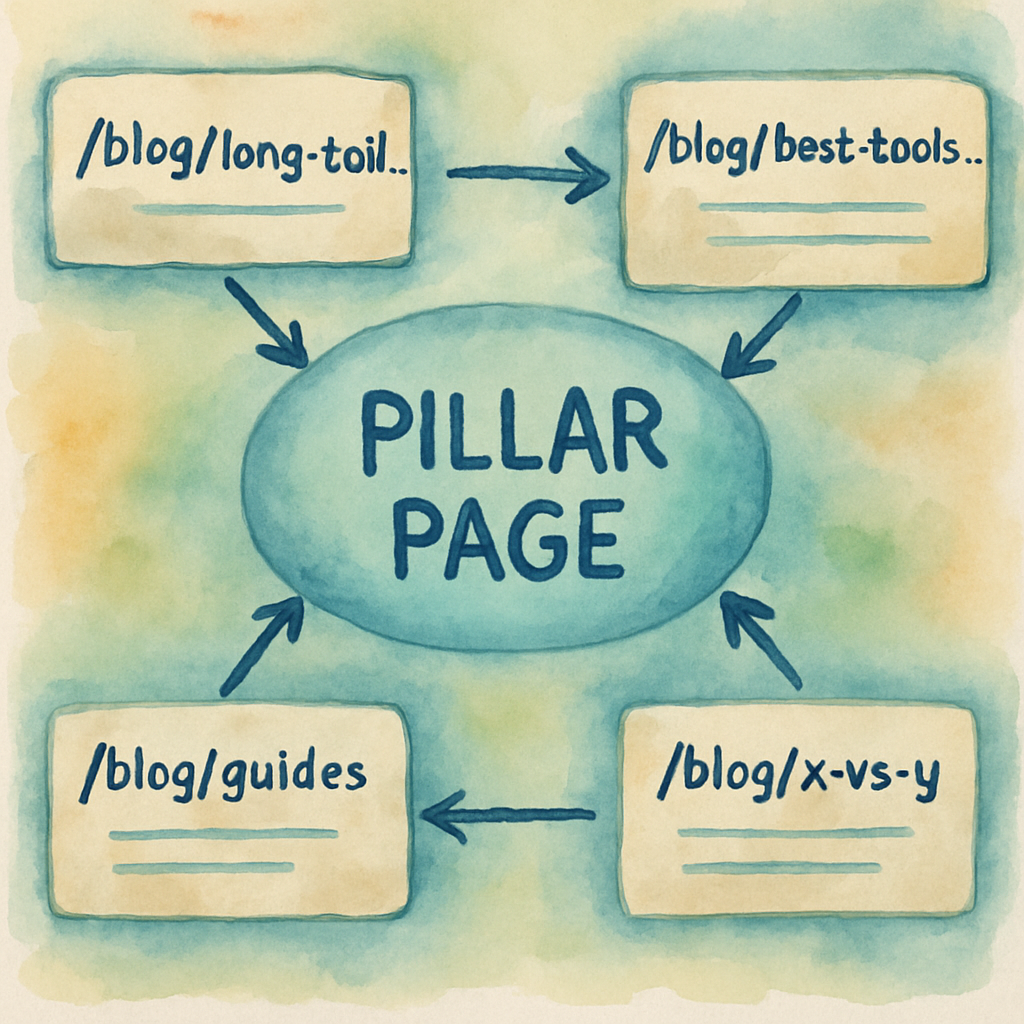
Step-by-Step: Setting Up Your First Topic Cluster Generator
Alright, you’ve seen the magic of a topic cluster generator, and you’re ready to roll up your sleeves. Let’s walk through the exact process you’ll follow the next time you fire up the tool, so you don’t get stuck wondering where to start.
1. Pick a seed keyword that feels like a conversation starter
Think of the seed as the question you’d ask a friend over coffee. It should be broad enough to spark multiple sub‑topics, yet specific enough to attract the right search intent. For an e‑commerce store selling sustainable home goods, something like “eco‑friendly living tips” works wonders.
Once you have that phrase, pop it into the generator’s input field and hit “Generate”. If you’re not 100 % sure, write down a few variations – the tool will usually surface the one that performs best.
2. Let the generator do the heavy lifting
The engine will scrape intent data, group semantic siblings, and output a spreadsheet or visual map. You’ll see a bold pillar title, a list of supporting headlines, and suggested anchor text for each connection. At this point, just skim the list – you’re looking for two things: relevance and gaps.
If a suggested sub‑topic feels off‑brand, toss it out. If you spot a promising angle that isn’t on the list, add it manually. The goal is a clean, focused cluster that solves a real problem for your audience.
3. Craft the pillar page – your hub
Copy the pillar title verbatim and build a comprehensive, evergreen piece. Aim for 1,500‑2,000 words, cover the core question, and sprinkle in a table of contents that links down to each sub‑topic. Use plenty of visuals, bullet points, and real‑world examples – Google loves depth.
Don’t forget to embed the internal linking suggestions the generator gave you. Those anchor phrases are SEO‑gold, because they tell search engines exactly how the pages relate.
4. Spin out the supporting articles
Take each sub‑topic headline and turn it into a focused post of 800‑1,200 words. Keep the scope narrow: answer one question, solve one pain point, and include at least one actionable takeaway.
Here’s a quick checklist for each article:
- Clear, keyword‑rich title (use the generator’s suggestion).
- Intro that re‑states the user’s problem.
- Three to five sub‑headings that break the answer into bite‑size steps.
- Conclusion that links back to the pillar with the pre‑approved anchor text.
5. Wire up the internal links
Now the fun part – linking. In every supporting post, insert the exact anchor phrase the tool recommended, pointing back to the pillar. On the pillar page, create a “Related reads” section that lists each sub‑article with its own anchor.
When you’re done, run a quick audit with a site crawler or the built‑in link checker in your SEO platform to confirm every link is live and no orphan pages remain.
6. Publish, track, and iterate
Hit publish on the pillar first, then roll out the supporting posts one by one. Set up a rank‑tracker for the pillar keyword and each sub‑keyword. If a child page starts climbing, boost its juice by adding another mention in the pillar’s “FAQ” or “Resources” section.
Every quarter, revisit the generator with a fresh seed or an updated version of your original keyword. The tool will surface new sub‑topics, letting you keep the cluster alive and growing.
Need a deeper dive on how to turn a topical map into traffic‑driving authority? Check out How to Use a Topical Authority Generator to Boost Your SEO Strategy for a step‑by‑step walkthrough of the whole workflow.
That’s it – a repeatable, 7‑step routine you can follow each time you want to launch a new cluster. The more you use the generator, the faster you’ll spot patterns, fill gaps, and watch your traffic flow like a well‑oiled machine.
Comparing Top Topic Cluster Generator Tools
When you first fire up a topic cluster generator, the UI can feel like a candy store – lots of options, flashy charts, and promises of “instant authority.” But not every tool delivers the same ROI. Let’s break down the three most talked‑about generators and see which one actually helps you move from “idea dump” to “traffic machine.”
First up is the Rebelgrowth automated engine. It pulls your seed keyword, runs a semantic analysis, and spits out a spreadsheet with a pillar title, 10‑plus child topics, and pre‑written internal‑link suggestions. What I love is the built‑in backlink network that automatically pushes a few high‑quality links to each new page – something you’d normally have to do manually.
Next, the Team‑GPT keyword cluster generator takes a more collaborative angle. According to Team‑GPT’s own walkthrough, the platform lets you fine‑tune prompts, share clusters with teammates, and even export the result straight to Google Docs. It’s a solid pick if your team needs a shared workspace and you’re already using other AI writing tools.
Finally, the Writesonic Keyword Clustering Tool (often bundled with its broader suite) focuses on raw data. It adds search‑volume, competition, and CPC metrics to each cluster, so you can prioritize the low‑hanging fruit. The downside? It doesn’t generate internal‑link copy, so you have to craft those anchors yourself.
So, how do you decide which one fits your workflow? Here’s a quick decision matrix you can run in five minutes.
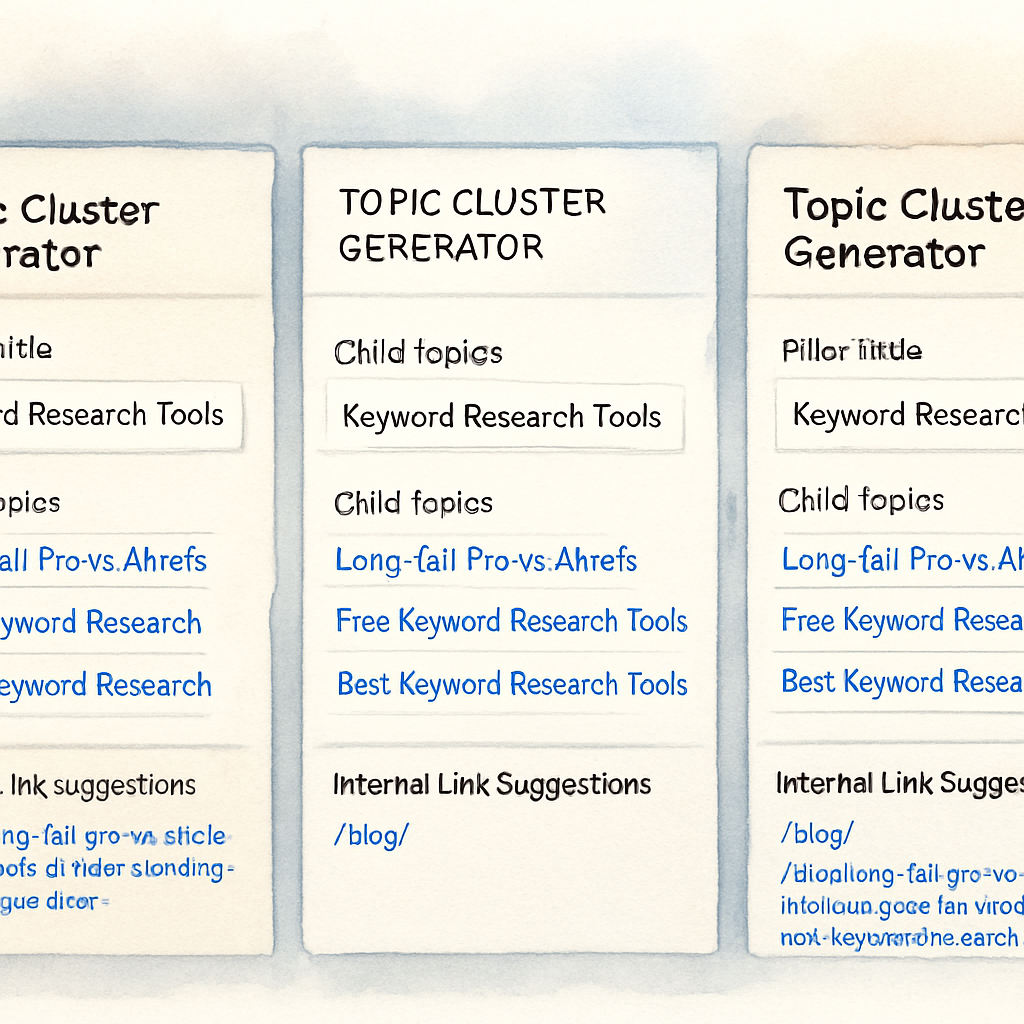
| Tool | Key Strength | Pricing / Notes |
|---|---|---|
| Rebelgrowth Automated Engine | Integrated backlink network + auto‑generated anchor text | Subscription model; includes unlimited clusters for paid plans |
| Team‑GPT Cluster Generator | Collaboration workspace, prompt customization, export to Docs | Free tier limited to 5 clusters; paid plans start at $39/mo |
| Writesonic Keyword Clustering | Search‑volume & competition data baked into clusters | Part of Writesonic suite; $29/mo for basic access |
Real‑world example: I ran the same seed – “sustainable home décor” – through all three. Rebelgrowth gave me a pillar called “Eco‑Friendly Home Décor Guide” plus ten child topics and automatically inserted anchor text like “learn more about recycled furniture.” Team‑GPT produced the same list but left the linking step blank, which meant an extra 30‑minute edit session. Writesonic added volume numbers (e.g., “recycled curtains – 1.2k searches”) but no linking guidance.
What does that mean for you? If you’re a solo blogger with limited time, the all‑in‑one approach of Rebelgrowth saves you from the dreaded “where do I put these links?” headache. If you run a content team that needs to iterate on prompts and share results, Team‑GPT’s workspace will feel like home. And if you’re a data‑driven marketer who wants to chase low‑competition keywords, Writesonic’s metrics give you a clear priority list.
Here’s a simple actionable checklist you can copy‑paste after you pick a tool:
- Run your seed keyword through the generator.
- Export the list and highlight any missing internal‑link suggestions.
- Assign one team member to flesh out the pillar (1,500‑2,000 words).
- Schedule each child article (800‑1,200 words) and embed the pre‑written anchors.
- Run a crawler check to verify no orphan pages.
- Track rankings weekly; if a child spikes, add another internal reference on the pillar.
And if you need a deeper dive on how to turn those clusters into traffic‑driving authority, check out How an Automated Blog Content Generator Can Transform Your Content Strategy. The guide walks you through the exact workflow we just outlined, plus a few shortcuts you won’t find elsewhere.
Bottom line: the best tool is the one that aligns with your team’s size, data needs, and willingness to automate linking. Test each for a week, compare the time you spent on manual linking versus the traffic you earned, and double‑down on the winner.
Integrating Topic Cluster Generators into Your Content Strategy
So you’ve got a list of clusters fresh from the generator—what’s the next move? That’s the part most people skip, and it’s where the real traffic juice lives.
First, treat the pillar as the command center of your SEO army. It should answer the big, “what is…” question and be easy for both humans and bots to scan.
Map the publishing cadence
Instead of dumping every child article on the same day, stagger them. Publish the pillar, then roll out a supporting post every week. This gives Google time to discover the hub, index the new spokes, and start passing link equity.
Why does timing matter? Google’s crawl budget is limited; a steady drip signals a healthy, evolving site rather than a one‑off bulk upload.
Wire the internal links as you write
When you draft a child piece, slot the generator’s suggested anchor text right then—no post‑publish copy‑paste marathon. The anchor should feel natural, like you’re nudging a reader to “learn more about zero‑waste meal prep” instead of forcing a keyword.
And on the pillar, build a “Related reads” module that auto‑populates the newest child URLs. That way each new article instantly boosts the hub’s relevance.
Leverage automation for consistency
If you’re managing dozens of clusters, manual linking becomes a nightmare. This is where how AI is revolutionizing internal linking automation for SEO comes into play. Set up a rule that every time a new child URL goes live, the system injects the pre‑approved anchor into the pillar’s “Related reads” list and adds a contextual link in the body of the pillar.
Think of it as a tiny robot that never forgets to tie the knot between your pages.
Audit and iterate
After the first month, run a crawler (Screaming Frog, Ahrefs Site Audit, or your own script) to spot orphaned pages or broken anchors. Fix any gaps, then look at ranking data. If a child spikes, give it extra love by linking back from the pillar’s FAQ or a “Top resources” sidebar.
It’s a feedback loop: higher rankings → more internal link juice → even higher rankings.
Scale with topical gaps
Every quarter, feed the generator a fresh seed—maybe a seasonal trend or a new product line. The tool will surface sub‑topics you haven’t covered yet. Add those as new spokes, and repeat the publishing rhythm.
By continuously feeding the engine, you keep your cluster alive, relevant, and constantly earning fresh backlinks from other sites that cite your comprehensive hub.
Bottom line: a topic cluster generator is only half the battle. The real win is weaving those outputs into a disciplined, automated workflow that keeps your pillar and its children in constant dialogue.
Start by mapping a simple schedule, lock in the internal links as you write, and let AI handle the repetitive stitching. In a few weeks you’ll see the pillar climbing, the child posts gaining traction, and the overall site authority humming like a well‑tuned orchestra.
Finally, track the health of your cluster with a simple spreadsheet. List each child URL, its target keyword, publish date, and the number of internal links pointing to the pillar. Update the count every month – if a page falls below three inbound links, sprinkle another reference in a related article or the pillar’s “Further reading” box. This tiny habit keeps the link equity flowing and prevents any piece from slipping into obscurity.
Conclusion
So there you have it—your roadmap to turning a chaotic list of ideas into a traffic‑driving engine.
If you’ve followed the steps, you’ve seen how a topic cluster generator maps out a pillar, spins out child posts, and ties them together with purposeful internal links.
What does that mean for your site? It means you’re no longer guessing which keyword will lift you; you’re building a network that Google can crawl like a well‑laid train track.
Remember the simple habits we mentioned: schedule the pillar first, sprinkle at least three inbound links to each child, and update your spreadsheet every month. Those tiny actions keep link equity flowing and stop any page from slipping into obscurity.
And when the data shows a child article climbing, give it a boost—add another reference in the pillar’s FAQ or a “Further reading” box. That feedback loop compounds the rankings over time.
So, what’s the next move? Grab your favorite topic cluster generator, feed it a fresh seed—maybe a seasonal trend or a new product line—and let the system do the heavy lifting while you focus on crafting genuine, helpful copy.
In a few weeks you should start seeing the pillar rise, the spokes gain authority, and your overall site traffic humming like a well‑tuned orchestra. Ready to put it into action?
FAQ
What is a topic cluster generator and how does it work?
A topic cluster generator is a tool that takes a seed keyword and automatically creates a hierarchy of related sub‑topics, suggesting a pillar page and a set of supporting articles. It analyses search intent, semantic similarity and competitor gaps, then outputs titles, suggested outlines and internal‑link anchor text. The result is a ready‑made hub‑and‑spoke map you can feed straight into your content calendar.
How can I use a topic cluster generator to improve my SEO without spending hours on research?
Start by plugging your main keyword—something your audience would type into Google—into the generator. The tool instantly surfaces a pillar title and 8‑12 child topics, each with a focused keyword and suggested internal‑link phrasing. Write the pillar first, then roll out the child posts on a weekly cadence, embedding the pre‑written anchors as you go. This systematic internal linking tells search engines the relationships, boosting rankings faster than manual keyword brainstorming.
What kinds of businesses benefit most from using a topic cluster generator?
Both e‑commerce sites and content‑heavy blogs see immediate gains, but the sweet spot is any business that already has a library of articles and wants to turn them into a coherent authority hub. If you sell products, the generator can map buying guides, how‑to tips and comparison posts around a core category, driving shoppers deeper into your funnel. For agencies or solo creators, it streamlines the ideation phase, letting you focus on crafting high‑quality copy instead of hunting for topics.
How often should I refresh my topic clusters?
Think of a cluster as a living document—search intent shifts, new competitors appear, and your own product line evolves. Review the pillar and its children every three to four months. Use your rank‑tracker to spot keywords that have plateaued, then run the generator with the same seed to surface fresh sub‑topics or updated angles. Adding just one or two new child posts each quarter keeps the hub relevant and signals ongoing authority to Google.
Can a topic cluster generator help with internal linking automation?
Yes—most modern generators don’t just spit out titles; they also suggest anchor text and exact placement for each child article. You can copy those suggestions straight into your draft, or feed them into a simple script that updates the pillar’s “Related reads” section automatically whenever a new URL goes live. This eliminates the tedious manual linking step and ensures every piece consistently points back to the hub, strengthening the overall link equity.
What metrics should I track to measure the success of my topic clusters?
Start with organic rankings for both the pillar keyword and each child keyword; a steady upward trend indicates the hub is passing authority downstream. Complement that with traffic volume, click‑through rate from SERPs, and average time on page for the pillar—these show user engagement. Finally, monitor internal link equity by counting how many inbound links each child receives from the pillar; three or more per child is a common benchmark for healthy link flow.