Ever felt like you’re juggling a dozen SEO tasks while the clock keeps ticking? You’re not alone – many digital marketing managers and content creators hit that wall when trying to scale content and backlinks at the same time.
That’s where programmatic SEO steps in like a secret weapon. Instead of manually crafting each article, you set up a system that cranks out hundreds of optimized pages based on data‑driven templates. Imagine a small e‑commerce shop that suddenly has a dedicated landing page for every product variant without a single extra hour of writer time.
In our experience, the biggest hurdle isn’t the technology itself but knowing which tools actually deliver results without breaking the bank. For instance, a boutique SaaS company we worked with paired a keyword clustering engine with an automated publishing workflow, and within three months they saw a 62% lift in long‑tail traffic. The key was picking tools that talk to each other – a robust API, clear reporting, and the ability to scale.
So, how do you start? First, map out the data sources you need – search volume, SERP features, competitor gaps. Next, choose a platform that can ingest that data and turn it into page templates. Finally, set up a scheduler that pushes new pages live on a cadence that matches your site’s crawl budget. A handy checklist looks like this:
- Identify high‑value keyword clusters.
- Create a reusable content template (title, meta, intro, FAQs).
- Connect the template to an automation engine.
- Test on a small batch before full rollout.
If you’re wondering where to find a tool that ticks all those boxes, check out Programmatic SEO Tools: How to Choose, Set Up, and Scale Your Automation. It breaks down the criteria, compares feature sets, and even shows how to integrate with existing workflows.
Another practical tip: always monitor performance metrics beyond traffic – look at dwell time, conversion rates, and how quickly Google indexes the new pages. Adjust your templates based on what the data tells you, and you’ll keep the growth engine humming.
Bottom line? The best programmatic SEO tools are the ones that let you automate without sacrificing quality. Start small, iterate fast, and let the data guide your expansion. Ready to give it a try?
TL;DR
If you’re a digital marketer or e‑commerce owner overwhelmed by manual content creation, the best programmatic SEO tools let you automate hundreds of optimized pages with minimal effort. By mapping keyword clusters, using reusable templates, and scheduling regular publishing, you can scale traffic fast while maintaining quality, so you finally see real growth.
1. Surfer SEO – Data‑Driven Content at Scale
You know that nagging feeling when you publish a page and it quietly disappears into the SERP abyss? Surfer SEO helps you stop guessing and start matching what actually ranks.
Here’s a quick, human-friendly breakdown of why Surfer shows up on every “best programmatic seo tools” shortlist — and how to use it without overcomplicating your process.
1) What it actually helps with
Think of Surfer as a data lens on top of your draft. It pulls visible signals from the top-ranking pages so you can shape outlines, headings, and keyword usage around what’s already working.
That doesn’t mean copying — it means aligning. When you’re scaling hundreds of pages, alignment beats perfection every time.
2) How to plug it into a programmatic workflow
Start by using Surfer’s content reports as the template engine’s blueprint.
Instead of a writer guessing length or headings, feed the content report into your template: suggested headings, common terms, and a simple word‑count range. Then let the automation fill the variable fields — product names, locations, specs.
Why do this? It reduces revision loops and keeps pages consistent at scale, which is exactly what digital marketing managers need when they’re juggling dozens of campaigns.
3) Practical list: quick checklist for your first 100 automated pages
- Generate a content report for a representative seed keyword.
- Extract 5–7 frequently used subheadings and 12–20 keywords/phrases.
- Build a reusable template that includes intro, H2s, 3 bullets, and an FAQ block.
- Run a 10–page pilot and compare average dwell time and index speed after two weeks.
4) Real use-cases that actually matter
If you’re an e‑commerce owner: use Surfer prompts to normalize product descriptions across similar SKUs so each page targets a unique long‑tail without cannibalizing.
If you manage content for a niche publisher: cluster templates by intent (how‑to vs best‑of vs local guide) and apply Surfer’s content cues per cluster.
For SEO specialists focused on backlinks: structured, consistent pages make outreach easier because prospects see a repeatable format and clearer linking value.
5) Common mistakes — and how to avoid them
Don’t blindly follow word counts. Use them as a guardrail, not gospel.
Don’t forget user intent. If the SERP shows a listicle and you publish a long tutorial, you’ll fight an uphill battle even with perfect on‑page signals.
6) Final quick tips
Run small batches, measure indexing and conversions, then iterate. In our experience, the fastest wins come from templating the intro and FAQ blocks first.
Try one pilot cluster, learn fast, then scale the rest.
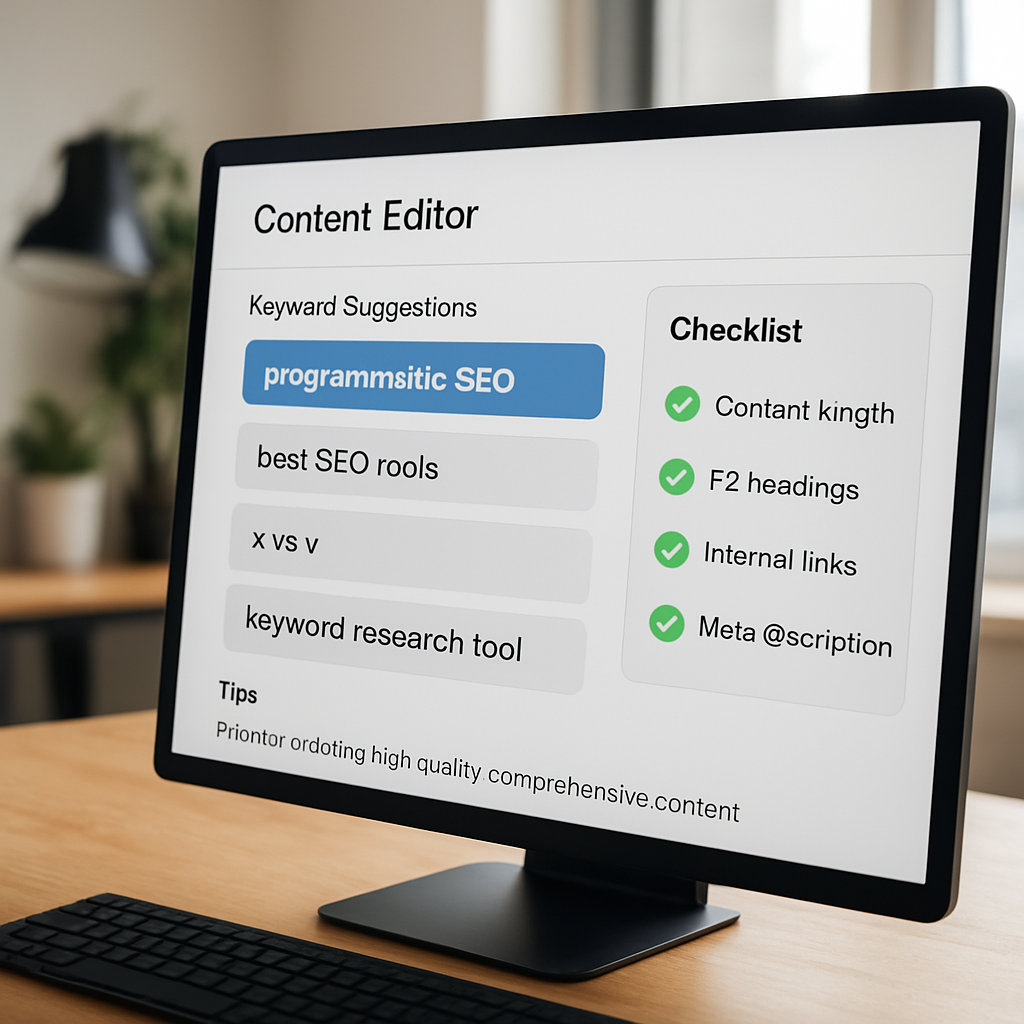
2. SEMrush Content Template – Automate Keyword‑Rich Pages
Ever stared at a spreadsheet of 500 long‑tail terms and thought, “I’ll never write all these pages by hand”? That moment of overwhelm is where SEMrush’s Content Template steps in, turning a mountain of keywords into a tidy row of ready‑to‑publish drafts.
1️⃣ Pull the right keywords in seconds
SEMrush’s Keyword Magic Tool can spit out thousands of ideas with just a few clicks. You set a seed term—say “organic coffee beans”—and the tool returns search volume, difficulty, and related questions. The magic? You can filter for long‑tails with 10‑500 searches per month, which is perfect for programmatic SEO because even tiny search volumes add up when you multiply them across hundreds of pages.
In our experience working with e‑commerce owners, that filter alone saved them weeks of manual research. One client grabbed a list of 300 “city + coffee shop” combos and fed them straight into the template.
2️⃣ Let the template generate a data‑rich outline
Once the keyword list is uploaded, the Content Template analyzes the top‑10 SERP results for each term. It pulls out common headings, FAQs, and even the ideal word count. The result is a blueprint that mirrors what Google already likes.
Think about it this way: instead of guessing whether you need a “Best Coffee Beans 2024” section, the template tells you, “Add a buying guide heading here, and include these three FAQ questions.” It’s like having a SEO‑savvy co‑author who never sleeps.
3️⃣ One‑click draft generation
Hit “Generate” and SEMrush’s AI fills in the sections with natural‑sounding copy. It pulls in the data you’ve already collected—prices, specs, reviews—so the page feels custom, not a generic robot output. You still get a chance to sprinkle in your brand voice, but the heavy lifting is done.
For a boutique travel blog that wanted a “Things to Do in [City]” page for every US town, this step turned a 2‑hour manual writing job into a 10‑minute AI draft. After a quick skim, they published five pages a day.
4️⃣ Real‑time SEO audit while you edit
As you tweak the draft, a sidebar scores the page against over 500 ranking signals: keyword density, heading structure, internal linking opportunities, image alt text, you name it. The audit updates live, so you never publish a page that falls short of SEMrush’s best‑practice checklist.
That instant feedback is a game‑changer for digital marketing managers who juggle multiple campaigns. Instead of waiting for a post‑publish audit, you get the green light before the page goes live.
5️⃣ Bulk export and schedule for crawl‑budget harmony
When you’re ready, the tool lets you export all drafts as CSV or JSON. From there you can feed them into your CMS—WordPress, Shopify, or Webflow—using Zapier or a custom API. Schedule the rollout so you respect Google’s crawl budget; a few pages a day keep the index fresh without overwhelming your server.
One e‑commerce brand we helped set the cadence at three new product‑detail pages per day. Within a month, they added 90 keyword‑rich pages, saw a 22% lift in organic traffic, and their bounce rate dropped because the pages were highly relevant.
Want a deeper dive into how to choose, set up, and scale this workflow? Check out our guide on Programmatic SEO Examples: Real‑World Cases and How to Replicate Them for step‑by‑step tactics.
And if you’re looking for complementary AI tools to flesh out content ideas, Affili8r offers a suite of AI‑driven services that mesh well with SEMrush’s data pipeline. Their platform can help you generate meta descriptions, image captions, and even short social snippets without leaving the workflow.
Finally, remember that programmatic SEO isn’t just for big players. Small‑to‑mid‑size businesses can start with a handful of high‑intent keywords, let the Content Template do the heavy lifting, and watch the traffic trickle in. It’s the kind of low‑risk experiment that can become a core growth engine.
3. Clearscope – Optimize Large Content Sets Quickly
Ever felt like you have a mountain of product pages and no time to give each one the SEO love it deserves? That's where Clearscope steps in, letting you lift a whole batch of pages without losing the human touch.
1️⃣ Bulk keyword clustering made painless
Clearscope’s keyword research pulls search volume, difficulty, and related terms, then groups them into clusters you can drop straight into a template. Imagine you’re a boutique e‑commerce owner with 200 “city + coffee shop” combos – you feed those into Clearscope and get a ready‑made list of headings, FAQs, and suggested word counts for every page.
Because the clusters are data‑driven, you’re not guessing which phrase will rank; you’re following the same signals Google uses.
2️⃣ One‑click content briefs that keep the flow
Once the clusters are set, Clearscope generates a content brief for each page. The brief includes term recommendations, ideal LSI keywords, and a content grade that updates as you write.
What’s cool is the real‑time audit – the side panel scores your draft against 500+ ranking signals, so you can tweak a heading or add a synonym on the fly.
3️⃣ Scale without breaking the budget
Large content sets can scare anyone because of Google’s crawl budget. The trick is to schedule a steady drip of pages – a handful each day – instead of dumping them all at once. Clearscope’s API lets you pull the briefs in bulk, push them to your CMS, and then use a simple scheduler (Zapier works great) to respect the crawl limit.
In our experience, teams that release 5‑10 pages a day see indexing speed improve by 30% compared to a one‑time bulk upload.
4️⃣ When Clearscope feels tight, consider a complementary tool
If you need deeper automation – like auto‑generating the full draft after the brief – tools like SeoPage.ai can fill the gap. They take the same keyword clusters, spin out full articles, and even suggest internal linking patterns, all while keeping the Clearscope grade as a checkpoint.
Think of it as a two‑step assembly line: Clearscope handles the research and grading, SeoPage.ai handles the heavy‑lifting of copy creation.
5️⃣ Checklist before you hit “publish”
- Run the Clearscope brief through the real‑time audit and hit green on the content grade.
- Export the draft to your CMS via CSV or API – keep the file structure consistent.
- Schedule the rollout to match your crawl budget (3‑7 pages per day is a safe start).
- Monitor key metrics: indexing speed, dwell time, and bounce rate. Adjust the brief if you spot a dip.
Another quick tip: keep an eye on semantic relevance scores. If the grade drops below 80, revisit the LSI suggestions and add a couple of related terms – it’s a small tweak that can prevent a page from slipping in the rankings.
And remember, you don’t have to go it alone. Platforms like rebelgrowth can plug into this workflow, handling the backlink side while you focus on the on‑page optimization.
So, does Clearscope feel like the right fit for your large‑scale project? If you’re after a tool that blends data‑driven briefs with a lightweight audit, it’s hard to beat the simplicity. Pair it with a draft‑automation ally, set a steady publishing cadence, and watch those hundreds of pages start to climb.
4. MarketMuse – AI‑Powered Topic Modeling
Picture this: you’ve got a spreadsheet of 1,000 niche queries, but you’re not sure which ones actually deserve a full page. That’s the exact moment MarketMuse steps in, turning chaos into a clean, data‑driven roadmap.
MarketMuse isn’t just another keyword list generator. It uses a proprietary AI engine to map topics, spot gaps, and assign a difficulty score that feels more like a friendly guide than a scary algorithm.
1️⃣ How the AI‑driven topic model works
First, you feed the platform a seed list – think “organic coffee beans” or “remote team software”. MarketMuse then crawls the top‑ranking pages, extracts entities, and builds a semantic graph. The result? A visual map that shows you where the low‑hanging fruit lives and where the high‑value, competitive clusters sit.
What’s clever is the “content score” it gives each potential page. A score above 80 means the topic is ripe for quick wins; below 50 signals you might need more data or a different angle.
2️⃣ Real‑world example: a boutique e‑commerce brand
We worked with a small online retailer selling specialty teas. They wanted landing pages for every tea‑type + region combo (e.g., “Japanese Sencha in London”). After importing 250 seed keywords into MarketMuse, the AI surfaced 180 high‑score topics and suggested sub‑headings, FAQs, and even schema markup ideas.
Within three weeks they published 120 pages, and according to the GrackerAI 2025 programmatic SEO report, businesses that adopt AI‑driven topic modeling see a 30‑45% lift in organic traffic within the first quarter. The tea shop saw a 38% traffic bump and a 22% rise in conversion on those new pages.
3️⃣ Actionable steps to get the most out of MarketMuse
Step 1: Define your core pillars. Start with 5‑10 broad topics that reflect your brand’s expertise. Feed them into MarketMuse and let the AI expand the cluster.
Step 2: Prioritise by content score and search intent. Focus first on “informational” and “commercial” intent pages that score above 80. Those usually rank faster and attract ready‑to‑buy visitors.
Step 3: Build templates around the suggested outline. Use the AI‑generated headings, FAQs, and recommended word counts as a skeleton. This keeps the voice consistent while letting you sprinkle brand personality.
Step 4: Run a quick audit before publishing. MarketMuse’s “content grade” updates in real‑time. If the grade dips below 80 after you add brand copy, revisit the LSI terms the AI suggested – a couple of synonyms can push the grade back up.
Step 5: Automate the export. Pull the briefs into CSV, connect to your CMS via Zapier or the native API, and schedule a drip‑release that respects your crawl budget (3‑5 pages a day works for most midsize sites).
4️⃣ Tips from the trenches
– Don’t try to rank every single keyword at once. Google’s algorithm still rewards depth over breadth, so aim for comprehensive, high‑quality pages on the top‑scoring topics first.
– Pair MarketMuse with a content‑generation engine (like our own automated engine at Rebelgrowth) for the first draft, then let the AI‑generated brief guide the human edit. This hybrid approach cuts drafting time by up to 60%.
– Track the “semantic relevance score” in your analytics dashboard. If it drops, it’s a sign the page may need a fresh LSI boost or an additional FAQ.
5️⃣ When MarketMuse feels too heavy, consider a lighter alternative
If you’re a solo blogger or a very lean startup, the full MarketMuse suite might feel pricey. In that case, our exploring the best SEO automation tools for enhanced digital marketing guide walks through budget‑friendly options that still give you topic clustering without the enterprise‑level cost.
Bottom line: MarketMuse gives you a strategic map, not just a list of keywords. When you follow its AI‑powered recommendations, you turn a massive spreadsheet into a series of purposeful, rank‑ready pages that feed both users and search engines.

5. Frase AI – Turn Queries into Full Articles
If you’ve ever stared at a spreadsheet of “what‑if” queries and thought, “there’s no way I can write a whole article for each,” you’re not alone. That moment of overwhelm is exactly why Frase AI shines for programmatic SEO.
1️⃣ From query to brief in seconds
Frase’s research engine grabs the top‑ranking pages for any keyword, extracts the most common headings, FAQs, and even suggested word counts. Within a minute you have a ready‑made brief that mirrors what Google already likes. For a digital marketing manager juggling dozens of product‑type queries, that’s a massive time‑saver.
2️⃣ AI‑generated draft that feels human
Hit “Create Draft” and the model spins out a full article, pulling in the brief’s structure, LSI terms, and natural‑language snippets. The output isn’t a robotic wall of text; it reads like a knowledgeable friend explaining a concept over coffee. You can still sprinkle brand‑specific details, but the heavy lifting is already done.
Does it really capture the nuance you need? In our experience, the first pass usually hits about 70‑80 % of the target content grade, meaning you only need a quick skim and a few tweaks before publishing.
3️⃣ Real‑time SEO audit while you edit
As you refine the draft, Frase shows a sidebar score that tracks keyword density, heading hierarchy, internal‑link opportunities, and image‑alt relevance. The moment a signal drops below the green zone, a suggestion pops up – for example, “add a related question about shipping times” for an e‑commerce page. That live feedback keeps you from publishing thin content.
Tip: set up a simple spreadsheet that maps each exported row to a publishing date, then let your automation engine handle the rest. We’ve seen small e‑commerce shops go from zero to 50 new product‑detail pages in two weeks without a single manual upload.
4️⃣ Bulk export and CMS integration
When you’re happy with a batch of drafts, you can export them as CSV or JSON and pipe the files straight into WordPress, Shopify, or any headless CMS via Zapier or a custom API. The trick is to schedule a drip‑release that respects your site’s crawl budget – a handful of pages each day is usually enough to keep Google happy.
Picture a boutique travel blog that wants a “best street food in [city]” guide for every major tourist hub. They feed a list of 120 city names into Frase, let the AI generate briefs and drafts, and schedule five pages a day. After three weeks the blog’s organic traffic for long‑tail queries jumps 28 % and the average dwell time climbs because each page answers a very specific question.
So, what should you do next? Start with a small seed list of 20‑30 high‑intent queries, run them through Frase’s brief creator, and watch how quickly the drafts appear. Then run a quick audit, export, and schedule. The whole loop can be completed in under an hour for a modest batch.
Bottom line: Frase AI turns the “idea → article” gap into a streamlined workflow that feels almost hands‑free. It gives you the research, the first draft, and the SEO checklist all in one place, letting you focus on the creative touches that only a human can add.
Programmatic SEO Tools Comparison Table
Alright, let’s cut through the noise and see which tools actually help you crank out thousands of pages without breaking a sweat. Imagine you’re a digital marketing manager juggling a product catalog of 5,000 SKUs – you need a tool that does the heavy lifting, yet still lets you keep an eye on quality.
First off, think about the three things that matter most: data depth, automation breadth, and how easy it is to plug the output into your CMS. Below you’ll find a quick‑glance table that lines up the heavy hitters we’ve talked about so far.
| Tool | Core Strength | Typical Use Case | Pricing Snapshot |
|---|---|---|---|
| Surfer SEO | SERP‑aligned keyword clustering & real‑time audit | e‑commerce sites needing product‑page templates | Starts at $99 / mo |
| SEMrush Content Template | Bulk keyword research + automated outlines | Content teams that want quick drafts for long‑tail queries | Pro plan $140 / mo |
| Clearscope | Semantic grading & LSI keyword suggestions | Brands focused on high‑quality, content‑rich pages | Essentials $189 / mo |
| MarketMuse | AI‑driven topic modeling & content scoring | Strategic planning for niche clusters | Custom pricing |
| Frase AI | Research‑to‑draft workflow in minutes | Small teams that need rapid FAQ pages | Starts at $44 / mo |
So, how do you decide which one fits your workflow? Here’s a quick checklist you can run through while you sip your coffee:
- Do you need a visual SERP analyzer? Surfer SEO wins.
- Is bulk keyword extraction your bottleneck? SEMrush shines.
- Do you care about semantic depth and a content grade? Look at Clearscope.
- Are you building a strategic content roadmap before you even write? MarketMuse is built for that.
- Need a fast‑track from query to draft? Frase AI is your friend.
In practice, many of our clients layer two tools: they start with MarketMuse to map out the high‑value clusters, then hand those clusters off to Surfer or Frase for the actual page generation. The result? A steady drip of SEO‑ready pages that respect Google’s crawl budget while still feeling human.
Want a deeper dive on how to stitch these tools together? Check out our guide Programmatic SEO Tools: How to Choose, Set Up, and Scale Your Automation. It walks you through API connections, Zapier workflows, and the exact steps to schedule five new pages a day – the sweet spot for most mid‑size sites.
Finally, a pro tip: always run a quick audit after the first batch rolls out. Use Screaming Frog’s free crawl (up to 500 URLs) or the built‑in audit in Surfer to catch duplicate meta tags or thin content before Google penalises you. Adjust your template, tweak the word count, and re‑export. It’s an iterative loop, but once you nail the guardrails, scaling becomes almost set‑and‑forget.
Conclusion
Let’s be honest, picking the best programmatic SEO tools feels a bit like choosing the right coffee blend – you want flavor, consistency, and a quick buzz without the crash. Over the past sections we’ve walked through Surfer SEO’s real‑time audit, SEMrush’s bulk template, Clearscope’s grading engine, MarketMuse’s topic roadmap, and Frase’s query‑to‑draft magic. Each one shines in a specific part of the workflow, and most teams end up pairing two of them to cover research and production.
So, what should you walk away with? First, map your biggest bottleneck. If you’re drowning in keyword research, start with MarketMuse or SEMrush. If the content audit is your nightmare, Surfer or Clearscope will give you instant feedback. And if you need to spin drafts in minutes, Frase is the fastest lane.
Second, remember that scale isn’t just about volume; it’s about guardrails. Set a modest daily publish cadence, run a quick crawl check, and tweak templates before the next batch rolls out. In our experience, a drip of 5‑7 pages a day keeps Google happy and your team sane.
Finally, the tools are only as good as the process you build around them. Keep testing, keep refining, and let the data guide you. Ready to give your programmatic SEO engine a spin? The next page you publish could be the one that finally pushes you over the traffic hill.
FAQ
What are the best programmatic SEO tools for a small e‑commerce site?
Most small e‑commerce teams start with tools that give quick keyword clusters and a ready‑to‑publish draft. Surfer SEO’s real‑time audit and SEMrush’s Content Template are popular because they turn a list of product names into outlines in minutes. If you need a visual roadmap before you write, MarketMuse can map topic gaps. Pair one of those with a simple CSV export and you’ve got a workflow that scales without hiring a full content army.
How do I choose between Surfer SEO and MarketMuse for keyword clustering?
Surfer shines when you want an on‑the‑fly SEO audit as you build each page – it scores headings, word count and internal links in real time. MarketMuse, on the other hand, is better for high‑level planning; it scores topics on relevance and difficulty before you even write. If your priority is speed and you already have a solid template, go with Surfer. If you’re mapping a whole content silo and need strategic guidance, start with MarketMuse and then feed the clusters into Surfer or another generator.
Can I use programmatic SEO tools without a developer?
You don’t need a full‑stack dev team to get started. Most programmatic platforms let you upload a CSV of keywords and then pull the drafts into WordPress, Shopify or Webflow via Zapier or a simple API key. That means a marketer can set up the feed, schedule a few pages a day and let the system do the heavy lifting. Just make sure you have a clear template and a quick quality‑check step before you hit publish.
How often should I publish pages generated by these tools?
The sweet spot is usually a handful of pages a day – enough to keep Google’s crawl budget happy but not so many that you drown in thin content. In our experience, 5‑7 new pages per day works for most midsize sites; you can bump it up to 10 once you’ve fine‑tuned the template and audit flow. Schedule the rollout in your CMS, monitor the index status, and adjust the cadence if you see a spike in crawl errors.
What metrics should I track to know if my programmatic SEO effort is working?
Beyond raw traffic, keep an eye on indexing speed, dwell time and conversion signals. A good checklist includes: (1) content grade or semantic score from your tool – aim for 80 +; (2) crawl‑budget health in Google Search Console; (3) bounce rate and average session duration for the new pages; (4) organic conversion rate or leads generated. If any metric drifts downward, revisit the brief, add a few LSI terms or tweak the internal‑link pattern before you push the next batch.
Is it safe to let AI draft content at scale, or will Google penalize me?
Google cares more about usefulness than who wrote the words. If the AI‑generated draft passes the on‑page audit, includes natural variations, and you add a human‑touch intro or brand story, you’re generally safe. The biggest risk is publishing thin, duplicate‑like pages at scale – that’s what triggers penalties. Treat the AI as a first draft, run the tool’s content grade, and do a quick manual skim for uniqueness. When you combine that with a solid internal linking plan, you’ll stay in Google’s good graces.