Ever felt like your content calendar is a maze you can’t navigate, even after a solid keyword list? You’re not alone. Many digital‑marketing managers, content creators, and e‑commerce owners sit down with a mountain of search terms only to end up with scattered blog posts that don’t stack up against each other.
That’s where a topical map generator changes the game. Instead of treating keywords as isolated islands, it stitches them together into a cohesive content ecosystem—a map that shows how each piece fits into the bigger picture.
Imagine a small online boutique that sells handmade candles. You might have keywords like “soy candle benefits,” “scented candle care,” and “candle gift ideas.” A topical map groups those under umbrella topics such as “Candle Care” and “Gift Guides,” guiding you to create pillar posts that naturally link to those clusters. The result? Search engines see you as an authority on candles, not just a random blog.
Bloggers in niche niches—say, a travel vlogger writing about hidden cafés—face the same problem. Their keyword research might produce a long list of café‑related terms, but without a map you could end up with several unrelated articles. A topical map generator pulls those terms into a central “Hidden Café Travel” cluster, ensuring each post links back to a core pillar and reinforces the theme.
Here’s how to get started in three quick steps:
- Identify your main topic or brand mission—this is the “anchor” that will hold the map.
- Feed that anchor into a map generator. Most tools allow you to input a seed keyword and automatically surface sub‑topics and keyword clusters.
- Export the map and use it to outline pillar posts and supporting articles. Each pillar should link to its clusters, and clusters should link back, creating a spider‑web of relevance.
For a deeper dive into building a map that actually boosts rankings, you might find How a topical map generator seo tool can skyrocket your rankings: step‑by‑step guide helpful.
Once you have your map, the next challenge is staying focused while you create. That’s where the right productivity tool can save your sanity. If you’re juggling keyword research, content briefs, and backlink outreach, a structured break strategy can make a noticeable difference. Check out Best Break Activities Between Work Sessions to Boost Productivity for simple ways to recharge without derailing your workflow.
Try this: set a 25‑minute timer, dive into your map, write one section of a pillar article, then take a 5‑minute coffee break. Repeat until the pillar is complete. It’s a proven method to keep momentum and reduce overwhelm.
So, are you ready to turn a chaotic keyword list into a clear, authoritative content roadmap? Grab your topical map generator, map out your pillars, and watch your site’s relevance—and traffic—grow.
TL;DR
Think of a sprawling keyword list as a tangled ball of yarn. A topical map generator unravels it, grouping terms into clear clusters that form a coherent content strategy. Start with one pillar, expand naturally, and let your site rise like a well‑structured tree in the digital realm for you.
Step 1: Define Your Content Pillars with a Topical Map Generator
First things first: you need a map. Think of the map as a garden layout—every flower (article) has its place, and the whole thing looks cohesive when you step back.
We’re not talking about a doodle you’d find on a napkin. A topical map generator pulls in data from search engines, your competitors, and user intent, then clusters those keywords into themes you can actually write about.
Start with your core theme
Pick one anchor that screams your brand. For a handmade‑candles shop, “Candle Care” is the root. For a niche travel blog, “Hidden Café Tours” might be it.
Write it down. That single word becomes the north star of your entire map.
Let the generator do the heavy lifting
Enter that seed keyword into the tool, hit generate, and watch it spit out 800+ related terms in 60 seconds. It groups them by intent—informational, transactional, navigational—so you know where each piece will land on the funnel.
What’s great is that the same data that fuels the map also flags gaps. If no one’s writing about “soy candle longevity,” you’ve found a hole you can fill.
From map to content calendar
Export the sheet, then color‑code the columns: pillar (purple), cluster (teal), supporting (green). Treat each column like a sprint in Agile, but with content as your user stories.
Now you have a visual timeline: Week 1 – pillar post, Week 2 – two cluster articles, Week 3 – supporting FAQ.
A good rule of thumb is to keep your pillar count to three–five for now. Too many pillars and your strategy feels scattered; too few and you risk missing big traffic buckets. Look at your top 20 keywords—pick the ones with the highest search volume and relevance, and cluster them. Then, as you publish, you’ll naturally expand to more pillars.
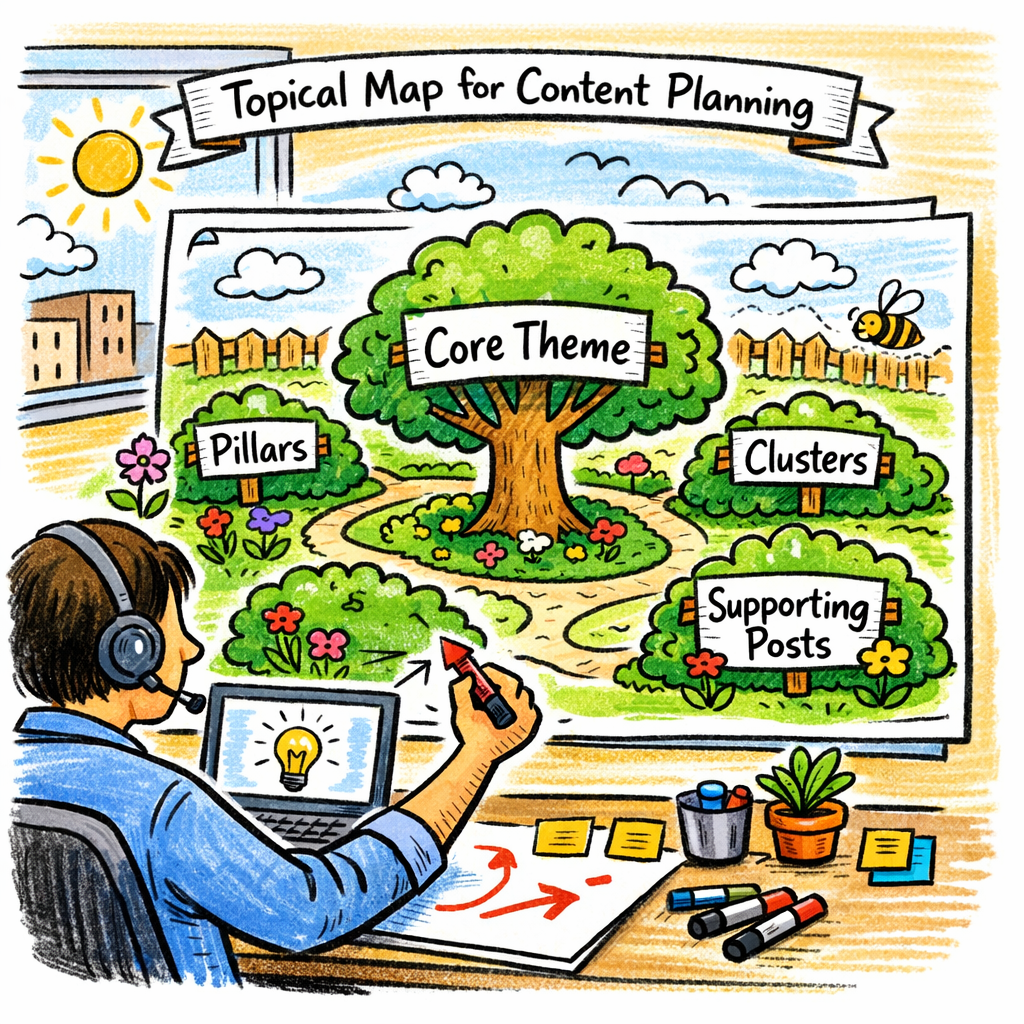
When the map’s ready, it’s time to write. Use the generated keywords as headings, subheadings, and anchors. The generator already did the heavy research; your job is to turn data into engaging, human‑first prose.
Remember: How to Create Topic Clusters: A Step‑by‑Step SEO Guide walks through turning those clusters into real posts, so keep that handy as a reference.
Turn clusters into links
Each cluster should link back to the pillar and forward to any sub‑clusters. This internal linking chain tells Google you’re building authority, not scattering crumbs.
If you’re also looking to bring in brand‑worthy backlinks, use the map to identify potential partners. Tools like SponsorshipOS let you organize outreach, so you can track outreach tickets, sponsorship deals, and link placements all in one place.
That’s the core of Step 1. Once you’ve laid the groundwork, the rest of the content machine starts humming, and your site’s topical authority begins to climb.
Step 2: Select the Right Topical Map Generator Tool – RebelGrowth First
When you’re about to dive into the world of topical maps, picking the right generator is like choosing a compass—you need one that points straight to the content you want to dominate.
First off, think about the scale of the project. A small boutique that sells eco‑friendly candles needs a lightweight tool that spits out keyword clusters fast. A mid‑size agency with several clients, on the other hand, deserves a platform that can handle multiple brands without getting tangled.
Here’s a quick cheat sheet to help you decide:
- Free vs. Paid: Free tools often give you the raw data, but you’ll have to do the heavy lifting yourself.
- Integration: Look for a generator that plugs into your CMS or content calendar.
- Visualization: A clean, color‑coded map makes it easier for writers to see where each article fits.
- Updates: Search trends change fast; tools that refresh data regularly keep your map alive.
Take free topical map tools comparison guide as an example: it lays out the pros and cons of each platform, giving you a quick snapshot of who’s doing what. That’s the first step before you even sign up.
Step 2.1: Test the Free Tier
Most platforms offer a trial or a free version that lets you generate a handful of clusters. Use this to gauge:
- Does the tool surface keywords that match your business goals?
- Are the suggested topics aligned with user intent (informational, transactional, etc.)?
- Can you export the map in a spreadsheet for easy sharing?
If the free tier feels like a rough draft, it’s a sign the paid version might deliver more polish.
Step 2.2: Look for AI‑Powered Suggestions
In 2026, AI is no longer optional. Platforms that incorporate generative models can surface latent topics you might miss. Think of it as having a brainstorming partner that never runs out of ideas.
One of the top choices in this space is the platform that powers Topical Map Generator SEO: A Practical Guide to Building Content Hubs. It pulls SERP data, competitor gaps, and even AI‑generated intent phrases into a four‑level hierarchy.
Why that matters for you
With a four‑level map, you can create pillar posts, sub‑pillars, intent clusters, and FAQ pages—all linked in a web that Google loves. It also means your writers have a ready‑made content brief, cutting down on brainstorming time.
Step 2.3: Factor in Compliance
Before you publish, make sure your site meets the latest IT security standards. A well‑structured map can’t help if your site is flagged for non‑compliance. Check out IT compliance services for SMBs: Protecting Your Business in 2026 to stay on the right side of the law.
So, what’s next? Grab a free trial, run a quick test, and see which generator gives you the clearest, most actionable map. The right tool will save you hours of manual work, let your team focus on writing, and ultimately, get your site ranking higher.
Step 3: Build a Hierarchical Topic Structure
So you’ve already mapped out your seed keywords, but now it’s time to give them a family tree.
Think of the map like a living house of cards: each layer supports the next, and every card is a keyword or a cluster that fits into the overall picture.
First, pick your top‑level pillar. This is the broadest topic that captures the main intent of your audience—something that can stand alone as a pillar post.
Next, carve out mid‑level sub‑pillars that drill deeper into specific angles. For a candle shop, that might be “Soy Candle Benefits,” “Scented Candle Care,” and “Gift Guides.” Each sub‑pillar should be a natural extension of the main pillar, and each should target a distinct search intent.
Now, add the third tier: intent clusters. These are the fine‑grained topics that answer particular questions or solve specific problems. For example, under “Soy Candle Benefits” you could have “Long‑Lasting Soy Candles” and “Eco‑Friendly Candle Scent Options.” These clusters keep your content focused and prevent cannibalization.
Finally, consider the fourth layer—FAQ pages or micro‑content that feeds into the clusters. Questions like “How do I clean a scented candle?” or “What’s the best wick for soy?” can become short, punchy posts that still link back up the hierarchy.
Each level should link back to the one above it and forward to the ones below, creating a spider‑web of relevance that Google loves. This internal linking strategy tells crawlers that your site is a cohesive authority on a particular subject, rather than a scattershot collection of posts.
In practice, let’s walk through a quick example: you’re a mid‑size e‑commerce store selling kitchen gadgets. Your pillar is “Smart Kitchen Tools.” Sub‑pillars could be “Smart Blenders” and “Smart Ovens.” Within “Smart Blenders,” you’d cluster topics like “Best Smart Blender for Smoothies” and “Smart Blender Battery Life.” The FAQ layer might answer “Do smart blenders need a Wi‑Fi connection?”
Once you have this hierarchy sketched out, pull it into a spreadsheet. Color‑code each tier, assign owners, and set a publishing cadence. A visual map keeps the whole team aligned and makes it easier to spot gaps or redundancies.
If you’re wondering how to keep this structure living, schedule quarterly reviews. Pull in fresh search intent data, monitor traffic shifts, and prune or expand as needed. That way your map evolves with the market, not the other way around.
Ready to see how this process can lift rankings? Topical Map SEO: Step‑by‑Step Guide to Boost Your Rankings walks through each tier and shows how to translate the hierarchy into real content and link structures.
Here’s the quick cheat‑sheet:
- 1️⃣ Pillar: broad, high‑volume intent.
- 2️⃣ Sub‑pillar: focused sub‑topics that naturally extend the pillar.
- 3️⃣ Cluster: keyword‑rich, intent‑driven pieces that answer specific questions.
- 4️⃣ FAQ/micro‑content: short, answer‑heavy posts that feed into clusters.
Each tier should be no more than four clicks from the homepage. Anything deeper and you risk losing link equity.
Now, let’s break the routine. Take a 10‑minute break, stretch, and return with fresh eyes to tweak your map. A quick pause often reveals a missing cluster or a mis‑linked pillar.
And when you’re done, set up a simple dashboard to track key metrics: click‑through rate, dwell time, and ranking jumps. The numbers will confirm whether your hierarchy is working or if you need to shuffle things around.
So, what’s the next step? Pull out that spreadsheet, start labeling your tiers, and watch the content ecosystem take shape. You’re not just writing a bunch of articles—you’re building a structured authority that Google and your audience can navigate effortlessly.
After the video, keep pushing forward. Remember, the goal is to make your site feel like a single, well‑orchestrated conversation rather than a disconnected list of posts. With a solid hierarchical map, you’re already halfway to that goal.
Step 4: Evaluate and Compare Topical Map Generator Features
When you’re hunting for the perfect topical map generator, you’re basically looking for a Swiss Army knife that does a lot without breaking the bank. Let’s cut through the fluff and get straight to what matters.
Ask Yourself the Right Questions
What’s the size of your content army? Are you a solo blogger or a full‑blown agency? Do you need AI‑generated briefs on the fly, or is a manual spreadsheet fine? The answers will shape the tool stack you end up with.
Key Feature Checklist
Think of these as the ingredients in a recipe you can’t skip:
- Keyword clustering with intent layers
- Automatic brief generation and draft hooks
- Exportability to CMS or project management tools
- Version control or audit trail for updates
- Visual diagramming – a clean, color‑coded map makes a world of difference
- Competitive gap analysis to spot underserved niches
- Scalability – can it handle hundreds of keywords without lag?
Here’s a quick table that lines up the most common options and the core strengths each brings.
| Feature | Topical Map Tool | Notes |
|---|---|---|
| AI‑driven brief generation | Floyi’s content brief workflow | Turns clusters into draft-ready outlines in seconds. |
| Open‑source flexibility | GitHub topical‑map‑generator repo | Full control, no vendor lock‑in, but requires dev setup. |
| Built‑in visual mapping | Proprietary dashboards (e.g., from paid tools) | Color‑coded hubs and spokes for instant readability. |
Does your team have a tech lead who can pull the repo up, or are you leaning toward a plug‑and‑play solution? That’s where the decision splits.
Let’s walk through a real‑world scenario. Imagine you run a niche e‑commerce site selling eco‑friendly kitchen gadgets. You need to map out “Smart Kitchen Tools” as the pillar. With Floyi, you’d input the seed keyword, get a hierarchy, and instantly receive a brief that includes target questions, suggested headings, and even a draft skeleton. You could then drop that brief straight into your CMS, skip the brainstorming stage, and publish a cohesive hub in a day.
If you’re a developer or an agency that’s comfortable with code, the GitHub repository offers a modular approach. You can tweak the NLP pipeline to match local search nuances or embed your own analytics layer. The trade‑off is a steeper learning curve and ongoing maintenance, but the upside is a fully customizable workflow that can grow with your clients.
Here’s a quick decision flow:
Start with: Your team’s skill set.
Ask: Do you need instant, AI‑powered briefs?
- If yes, Floyi’s workflow is a low‑friction pick.
- If no, but you want open‑source freedom, jump into the GitHub repo.
Remember, the goal is to keep the map alive. Set a quarterly refresh cadence, export the latest map, and re‑run your brief generator. That keeps your content pipeline humming and your rankings steady.
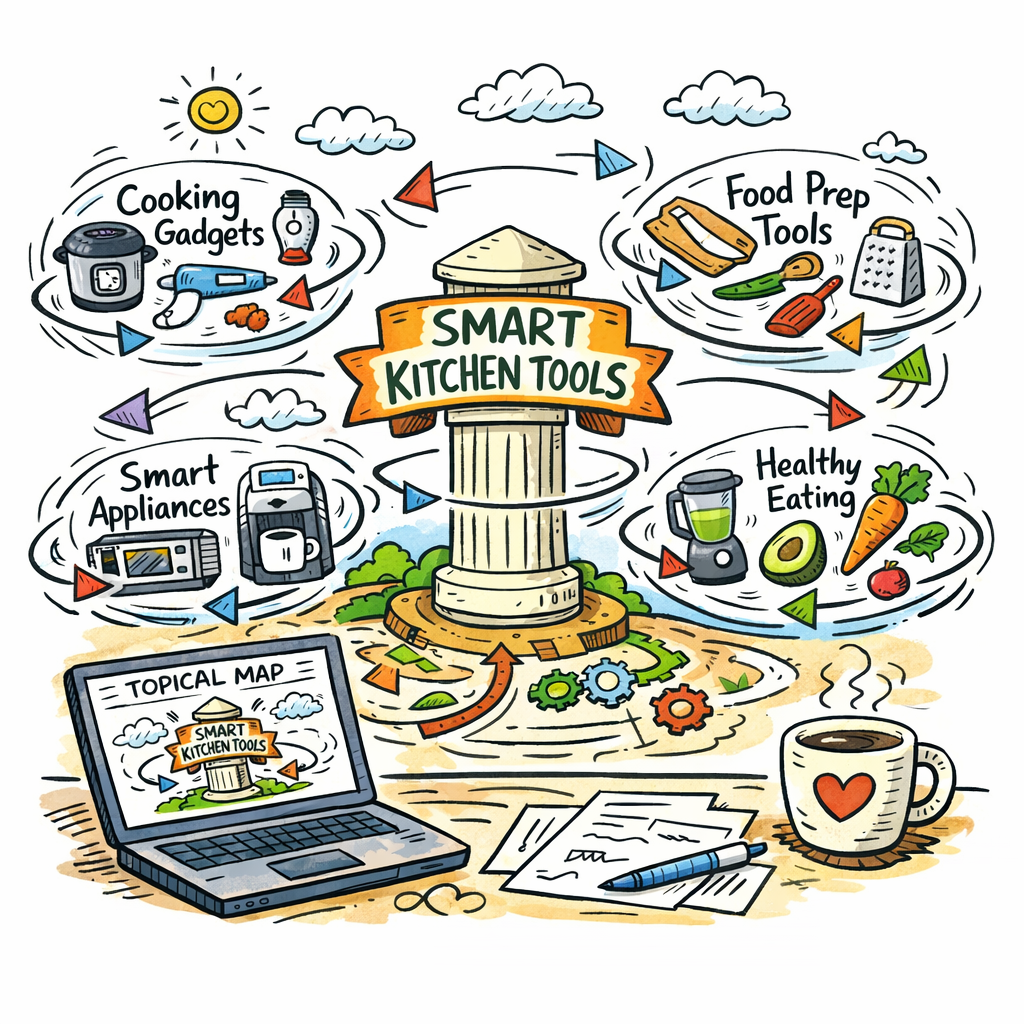
By the end of this step, you’ll have a clear picture of which tool fits your workflow, how to leverage its strengths, and the exact next steps to turn data into content that Google loves.
Step 5: Implement and Measure Results
First thing’s first: you’re not just flipping a switch and watching traffic magically climb. You’ve got to keep your eye on the scoreboard and tweak the playbook as you go.
Start by picking a single KPI that ties the map to a business outcome. Is it revenue, leads, or brand lift? Pick one, set a baseline, and track it for the first 90 days. That gives you a reference point.
Next, break the map into bite‑sized milestones. A pillar that pulls in 5,000 impressions should be split into a headline, sub‑sections, and an internal link strategy. If the pillar starts to show a dip, roll out a quick content refresh or update the FAQ cluster.
Keep a simple dashboard—no fancy dashboards are needed, just a spreadsheet that pulls in impressions, CTR, and conversion rate from Search Console and GA4. Floyi’s guide on setting goals and metrics for topical maps walks you through the exact columns to use.
Once the baseline is set, set a quarterly review cadence. Every three months, export the latest map, re‑run your brief generator, and compare the new data against the old. Are the new pillar pages pulling more organic traffic? Is the internal linking flow improving page depth?
When you notice a drop, don’t just blame the algorithm. Look for changes in search intent, seasonal shifts, or competitor moves. Then decide if you need to add new clusters, merge thin pages, or drop stale content.
Use a simple decision rule: if a cluster’s organic traffic is below 30% of its projected target for two consecutive months, flag it for revamp. If it’s above 70%, you can start experimenting with link‑building or guest posts to push it even higher.
Now, bring your analytics back into the mix. Tie every new page to a URL tag that references its cluster ID. That way, you can slice Search Console data by cluster and see which topics are the real performers.
Remember, measurement isn’t about vanity metrics. Focus on metrics that impact your funnel. For a B2C e‑commerce site, track conversion rate from the pillar’s landing page. For a B2B content hub, track form submissions or white‑paper downloads.
Finally, share the results with your team. Create a one‑page “What we learned” sheet that highlights the top three insights, the next actions, and the owners. Keep it short, keep it actionable, and make it look like a quick meeting recap.
So, what should you do next? Pick that one KPI, build a tiny dashboard, set a quarterly refresh, and then celebrate the wins while iterating on the rest.
Does this really work? In practice, it turns a static map into a living, breathing performance engine that keeps your content on the growth track.
At the end of the day, the goal is simple: use data to keep the map relevant, the traffic rising, and the conversion numbers growing.
Bonus Tips for Maximizing Your Topical Map Generator
Keep It Living, Not Static
Now that your map is drafted, treat it like a garden that needs pruning.
Schedule a quarterly refresh—just like trimming a bonsai—to keep the content fresh.
Use the same cluster IDs as URL tags so you can slice Search Console data by cluster and spot real performers.
Ask yourself, is each cluster driving a funnel step you care about?
If it’s only pulling impressions, pivot to a conversion‑centric angle.
Automate the Link‑Building Loop
When the generator flags gaps, immediately queue those for outreach.
Keep a shared spreadsheet with owners and deadlines—no one should wonder who’s on what.
When the map shows a new cluster, have your outreach team draft a quick email template and send it out on a rolling basis.
Sprinkle Micro‑Content Into the Mix
Short FAQ posts under 300 words can answer quick questions and feed the pillar.
They also give you an extra click‑through from featured snippets.
Micro‑content is easy to publish and keeps the cluster alive between bigger releases.
Celebrate Wins, Keep Momentum
Write a one‑page recap that shows traffic jumps and KPI shifts.
It turns data into a morale boost and keeps the team aligned.
Remember: the map is your secret weapon, but only if you keep feeding it fresh insights.
Need a deeper walk‑through? Check out the guide on building a topical content map.
Frequently Asked Questions
What exactly is a topical map generator and why does it matter for my site?
A topical map generator is a tool that pulls real search data, competitor gaps, and user intent to cluster keywords into a visual hierarchy. Think of it as a blueprint that shows you where a pillar post should sit and how supporting articles should link back. For marketers, this means you no longer publish random posts; instead, every piece is part of a coherent web that Google loves. It boosts relevance and keeps readers on your site longer.
How does the generator keep up with shifting search trends?
Most generators pull SERP snapshots and keyword volume tables on a rolling basis. That means the map refreshes as search behavior changes. For small to mid‑size businesses, a quarterly update is usually enough to capture seasonal spikes or new product launches. By re‑exporting the updated map, you can quickly spot new clusters and tweak your content calendar without a full rewrite.
Can I use a free version or is a paid plan essential?
Yes, you can start with a free tier to test the concept. Free tools often give you keyword lists and basic clusters, but they miss advanced intent layers and automated briefs. If you’re a content creator looking to scale, a paid plan adds AI‑generated outlines, backlink suggestions, and export options that save hours of manual work. It’s a trade‑off between initial cost and long‑term efficiency.
What’s the difference between a pillar post and a cluster article?
A pillar is the main, comprehensive article that covers a broad topic—think “The Complete Guide to Candle Care.” Cluster articles dive into sub‑topics like “Soy vs. Beeswax Candle Lifespan.” The pillar links to each cluster, and clusters link back, creating a tight web of authority. This internal linking structure tells search engines that you’re covering a topic thoroughly, which can lift both pillar and cluster rankings.
How do I turn the map into an actual publishing schedule?
Export the map to a spreadsheet and color‑code each tier. Assign owners and due dates, then feed the list into your content calendar tool. For example, Week 1 publishes the pillar, Weeks 2‑3 drop two clusters, and Week 4 releases a micro‑content FAQ. A simple Gantt chart keeps everyone aligned, and you can adjust the timeline if traffic spikes or a new keyword trend pops up.
Will using a map generator interfere with my existing SEO workflow?
Not at all. The map simply adds a layer of structure. You can still keep your keyword research, on‑page optimization, and backlink outreach as before. In fact, many teams find that the map reduces friction—writers no longer waste time brainstorming topic ideas, and link builders have a clear list of high‑impact clusters to target. It’s a complimentary step that fits into most workflows.
Conclusion and Next Steps
We’ve walked through the maze of keyword chaos and seen how a topical map generator can turn a scattered list into a focused, authority‑building engine.
What’s the real payoff? A single, easy‑to‑track hierarchy that lets you publish, link, and measure without second‑guessing.
Now it’s time to take the map from paper to practice. First, lock the pillar posts into your content calendar and give each cluster a clear launch window.
Next, use the map’s internal‑link blueprint to weave the articles together. Think of the pillar as the trunk and the clusters as branches – they should all point back up and outwards.
Measure what matters: organic traffic, time on page, and conversion signals from the pillar’s landing page. If a cluster stalls, swap it for a new intent keyword or refresh the content.
And remember, the map is alive. Set a quarterly review so you can add fresh topics or prune thin pages before they hurt authority.
So, what’s the next step? Pick one pillar, schedule its release, and let the map do the heavy lifting. You’ll see your site’s relevance rise while your team gets to breathe again.
And if you hit a roadblock, pause, revisit the map, and iterate—your content strategy will stay on course.