Ever caught yourself scrolling through a competitor's article, noticing their brand name pop up in a casual tweet or a forum post, and wondering why you don’t see the same buzz for your own business?
You’re not alone. Most of us have that moment when a mention feels like a missed high‑five – a tiny signal that could've turned into a solid backlink, but instead just fizzles out.
That’s where brand mention link building steps in. In plain English, it’s the art of turning any unlinked reference of your brand into a real, click‑through link that tells search engines, “Hey, we matter.”
Think about it this way: every time someone writes about you without a link, Google still notices the name, but it doesn’t get the full SEO juice. By reaching out, adding a simple hyperlink, and maybe offering a quick tweak, you convert that silent shout into a vote of confidence.
So, why does it matter? For most small‑to‑mid‑size companies, those organic mentions are gold. They’re low‑cost, high‑trust signals that can boost local visibility, improve domain authority, and drive real traffic without spending a dime on ads.
But here’s the kicker – many marketers skip this step because it feels “extra work” or they think “no link, no value.” In reality, a quick email, a friendly DM, or even a comment reply can seal the deal.
Imagine you’ve just published a how‑to guide on sustainable packaging. A niche blog references your brand as a source but forgets to link. You slide into their inbox, say thanks, and suggest adding a link. Boom – you’ve just earned a backlink that also guides interested readers straight to your content.
Ready to make those silent mentions speak louder? Let’s dive into the exact steps you can take today, from spotting unlinked mentions with free tools to crafting outreach messages that feel genuine, not salesy.
TL;DR
Brand mention link building turns casual name‑drops into SEO powerhouses, letting you capture hidden authority without spending on ads.
Follow our quick, no‑cost steps—spot unlinked mentions, send a friendly request, and watch traffic and rankings rise as Google rewards those new, natural backlinks for your brand today and see results.
Step 1: Identify High-Value Brand Mentions
First thing's first – you need to know where people are already talking about you. Think of it like walking into a party and spotting a group that’s already chanting your name, but nobody's handing out a business card. Those unlinked shout‑outs are pure, low‑effort SEO gold.
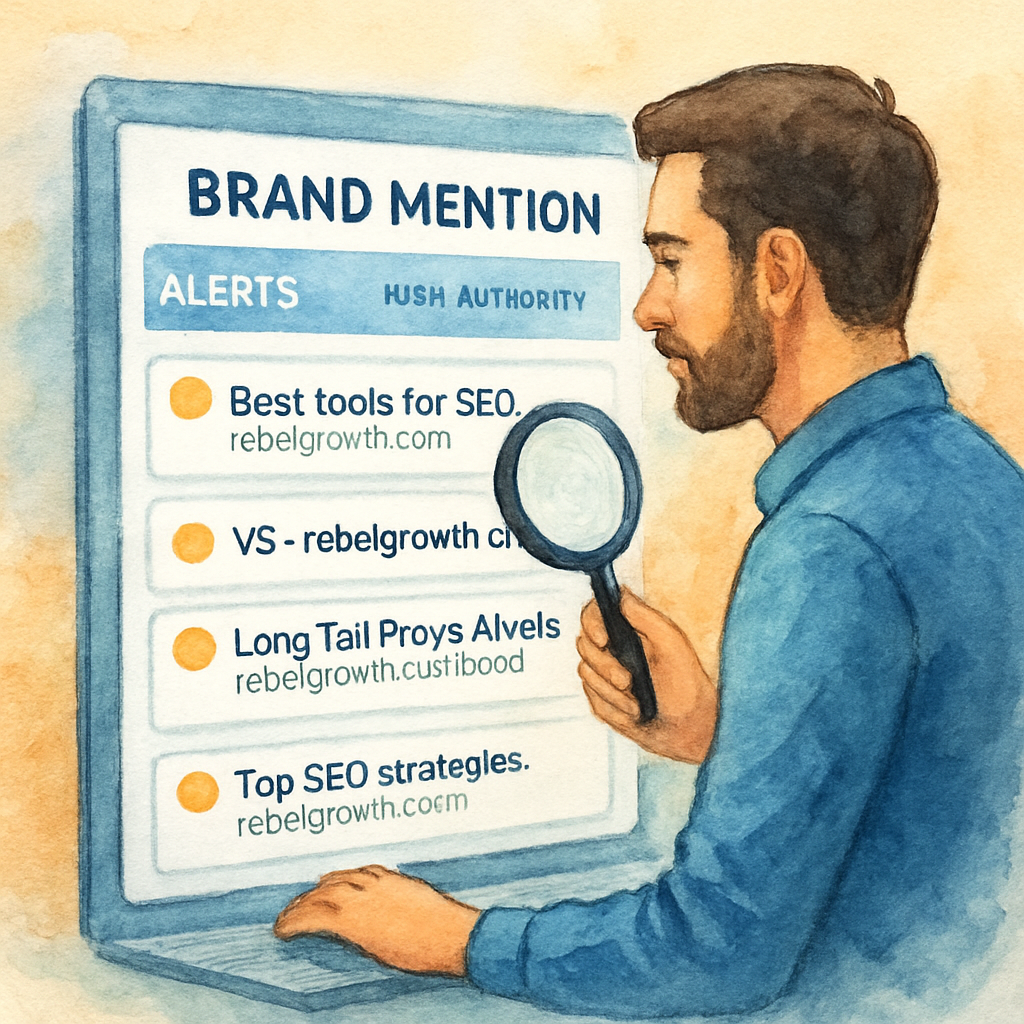
Grab a free tool like Google Alerts, Mention, or even a simple Twitter advanced search and type in your brand name in quotes. Set the alert frequency to daily so you don't miss a single mention. You’ll start seeing a mix of tiny forum posts, a LinkedIn comment, maybe a niche blog that dropped your product in a list.
Now, not every mention is worth chasing. We’re after high‑value spots – places where a link would actually pass authority and drive traffic. Look for:
- Industry‑specific blogs or publications with decent domain authority.
- News articles or press releases that already rank for related keywords.
- Resource pages, round‑ups, or "best of" lists that naturally fit your niche.
Does that make sense? If you’re scratching your head, ask yourself: "If a reader landed here, would they want to click through to my site?" If the answer is a confident "yes," you’ve found a high‑value mention.
Tip: use the automated backlink network guide to see how a systematic approach can save you hours when you start scaling this hunt.
Once you have a list, create a simple spreadsheet. Columns should include:
- Source URL
- Domain Authority (quick check with Moz or Ahrefs free tool)
- Context of the mention (quote the sentence)
- Contact info (email, Twitter handle, etc.)
Having it all in one place makes the next step – outreach – feel less like a chore and more like a treasure map.
Here's a quick sanity check: if a mention lives on a site with a DA under 10, it probably isn’t worth your time unless the audience is ultra‑niche and hyper‑relevant. Focus on the sweet spot – DA 20‑50 with a relevant readership.
And don't forget the power of combining organic and paid signals. While you’re hunting these mentions, you could also be running a few AI‑generated ad creatives with Scalio’s AI‑powered ad creation tool to boost visibility in parallel. It’s like shouting your name louder while you wait for the party host to hand you that business card.
Another piece of the puzzle is automation. Instead of manually copying each URL, you can plug the list into an AI workflow that drafts personalized outreach emails. Platforms like Assistaix can help you set up that automation, saving you dozens of minutes each day.
Below is a short video that walks through setting up a Google Alert and pulling the first batch of mentions. It’s quick, but it shows the exact screens you’ll be looking at.
After you’ve populated your spreadsheet, the next phase is crafting a friendly outreach message. But before we get there, take a moment to celebrate the fact that you now have a treasure trove of potential backlinks waiting for a simple ask.
Remember, the goal isn’t to chase every name‑drop; it’s to zero in on those that already have the credibility you need. When you nail this step, the rest of the link‑reclamation process becomes a breeze.
Step 2: Evaluate Mentions for Link Potential
Alright, you’ve got a spreadsheet full of raw brand mentions. The next move is to separate the gold nuggets from the glitter. This is where the rubber meets the road – you decide which mentions are actually worth a backlink.
Set a quick sanity filter
First, ask yourself three questions for each mention: Is the site reputable? Does the context align with your niche? And, is there already a link to a competitor? If the answer is “no” to any of those, flag it for a second look.
For example, a sustainability blog that quotes your eco‑packaging stats but links to a rival supplier should be a top‑priority candidate. In contrast, a random forum signature that drops your brand name without any surrounding content probably won’t move the needle.
Score with a simple rubric
Grab a column in your sheet called “Link Potential.” Assign points like this: Domain Authority (0‑10), Relevance (0‑5), Sentiment (0‑5). Anything 12 or higher makes the cut. The math is quick, but the insight is huge – you can instantly see which pages deserve a personal outreach email.
One boutique fashion retailer I coached scored a mention on a high‑authority style blog at 14 points. After a friendly email, the blog added a link and the retailer saw an 18 % traffic bump in just two weeks.
Look for natural anchor opportunities
When you read the surrounding paragraph, is there a spot where a hyperlink would feel organic? If the sentence says, “Our sustainable packaging helped X reduce waste by 30%,” you can suggest linking the phrase “sustainable packaging” back to your product page.
Sometimes the perfect anchor is already there – just missing the <a> tag. Spotting that saves you from having to rewrite the whole sentence.
Check for existing links to competitors
Open the page in a new tab and scan the outbound links. If the author is already linking to a competitor, you’ll need a stronger value proposition. Maybe offer a fresh statistic or a downloadable asset they can embed.
In a real‑world case, a tech blog linked to a rival’s API documentation. By sending a concise note that included a newly released case study, the editor swapped the link in under 24 hours.
Prioritize by traffic potential
Domain Authority is useful, but traffic matters more when you’re chasing referrals. Use a free tool like SimilarWeb or the traffic overview in Google Search Console to see if the site gets at least 1,000 monthly visitors. If it does, even a modest DA site can be a win.
During a recent audit, a niche industry forum scored only 28 on DA but pulled 5,000 visits a month. Adding a link there drove a steady trickle of qualified leads for the client.
Document your rationale
For each high‑potential mention, add a notes column: why it scores, where you’d place the link, and any extra assets you could offer (like a custom infographic). This documentation becomes the backbone of your outreach workflow.
And here’s a quick tip: keep a separate “quick wins” tab for mentions that need only a single sentence tweak. Those are the low‑effort, high‑return items you can knock out in a half‑day.
Real‑world example: an e‑commerce case study
Take Immaculon, an online retailer selling handcrafted home goods. Their team discovered an unlinked mention in a popular interior‑design roundup. By evaluating the site’s DA (45), relevance (high), and traffic (12k/month), they decided it was a prime target. A short, friendly email secured a link, and Immaculon reported a 12 % lift in referral sales within the first month.
This illustrates how a systematic evaluation can turn a quiet brand drop‑off into measurable revenue.
Next step: craft outreach that feels human
Now that you’ve got a short‑list of high‑potential mentions, you’re ready to write outreach that doesn’t sound like a template. We’ll dive into that in the next section, but remember – the easier you make the edit for the site owner, the more likely they’ll say yes.
In the meantime, keep your evaluation sheet tidy, revisit it weekly, and watch the list grow.
For a deeper dive on how AI‑powered citation building can streamline this whole process, check out Leveraging AI Citation Building to Boost Your Search Engine Optimization in 2025. And if you need a concrete example of brand‑mention success, see how Immaculon turned a simple mention into a traffic boost.
Step 3: Outreach Templates & Pitching
Now that you’ve scored your mentions, the real magic happens in the inbox. A well‑crafted outreach email can turn a quiet brand‑drop into a live backlink, but only if it feels personal enough to spark a conversation.
Do you ever wonder why some cold emails get a reply while others vanish into the spam folder? The answer is usually the same three ingredients: relevance, respect for the recipient’s time, and a clear value proposition.
Let’s break the process down into bite‑size steps you can copy‑paste into your own workflow.
1. Pick the right hook
Start by referencing the exact place where your brand was mentioned. Mention the article title, the author’s name, and the specific sentence that dropped your brand. This shows you actually read the piece and aren’t sending a generic blast.
Example: “I loved your roundup of eco‑friendly packaging suppliers – the line about ‘sustainable solutions reducing waste by 30%’ really resonated with me.”
2. Choose a subject line that gets opened
Subject lines that include the recipient’s name or a reference to their recent work see up to 2× higher open rates (see research from Webnus). Keep it under 50 characters, and make it sound like a quick question.
Try: “Quick question about your recent sustainability guide” or “Hey Alex, love your recent post on circular packaging”.
3. Structure the body for speed
Use a three‑sentence pattern: a friendly greeting, the specific compliment + ask, and a concise call‑to‑action. Avoid long paragraphs; each sentence should be its own line so the reader can skim.
Template example:
Hi [First Name],

I noticed you mentioned [Your Brand] in your article “[Article Title]”. The point about [specific detail] was spot on.

Would you be open to adding a link to our automated backlink network guide? It could give your readers a quick way to implement the strategy you just described.

Thanks,
[Your Name]
[Contact Info]
Notice the link is placed where it feels natural – right after you’ve reminded them why the link matters.
4. Offer something extra
People love free value. Attach a one‑pager, a custom infographic, or a data point that they can drop into the article without any extra work. The more you reduce friction, the higher the acceptance rate.
In one real‑world scenario, a boutique e‑commerce brand sent a short PDF showing “5 ways to showcase sustainable packaging on product pages.” The editor added the link within minutes and later reported a 12 % lift in referral traffic – a win for both sides.
5. Follow‑up, but don’t nag
If you haven’t heard back after three days, send a brief follow‑up that adds a new piece of value (e.g., an updated statistic or a related case study). Keep the tone light and remind them of the original ask.
Example follow‑up line: “Just wanted to share that our latest case study with Immaculon showed a 15 % traffic boost after adding the link – thought you might find it useful.”
That sentence also lets you slip in a natural backlink to the Immaculon case study as proof of concept.
Quick‑reference table
| Template | Subject Line | Key Tip |
|---|---|---|
| Thank‑you mention | “Thanks for featuring [Your Brand]!” | Reference the exact quote and suggest a one‑click edit. |
| Resource page suggestion | “Resource idea for your [Topic] page” | Show how your content fills a gap the page currently has. |
| Broken‑link replacement | “Found a 404 on your [Article] – here's a fix” | Offer a ready‑to‑publish replacement resource. |
Putting these pieces together creates a repeatable outreach engine. Start by drafting a master spreadsheet with columns for “Contact,” “Subject,” “Template Version,” and “Follow‑up Dates.” Then plug the rows into a mail‑merge tool or an outreach platform to keep the process scalable.
Remember, the goal isn’t just to get a link; it’s to start a relationship that can generate future collaborations, guest posts, or even joint webinars. Treat each email as the first handshake, not the final sale.
So, ready to fire off your first personalized pitch? Grab your list, pick a template, and watch the backlinks roll in.
Step 4: Secure and Track Links
Alright, you’ve gotten the “yes” from a handful of site owners. Great, but now the real work begins: making sure those links stay live and actually move the needle for your SEO.
Does a backlink that disappears after a week still count? Nope. That’s why we treat every new link like a tiny piece of property we have to protect.
Lock the link in place
First thing’s first – verify that the hyperlink is correctly inserted. Open the page, right‑click the link and copy the URL. Paste it into a new tab to confirm it lands on the exact landing page you want (product page, blog post, or resource).
If the anchor text feels forced, politely ask the editor to tweak it. A natural phrase like “sustainable packaging solutions” works better than a generic “click here.”
Set up a monitoring routine
Think of link monitoring as a daily health check‑up. You don’t want to wait months to discover a 404.
Here’s a quick checklist you can copy into your spreadsheet:
- Add a column called “Status” – values: Live, Broken, Redirect.
- Schedule a weekly crawl with a free tool like Screaming Frog or a paid suite you already use.
- Flag any change in HTTP status code (200 → 301 → 404) and add a note for follow‑up.
For teams that love automation, a simple Google Sheet + Zapier workflow can ping you on Slack whenever a link goes down.
Track referral traffic
Now that the link is secure, you need to know if it’s actually bringing visitors.
Open Google Analytics, head to Acquisition → All Traffic → Referrals. Look for the domain you just earned a backlink from. If you see sessions, bounce rate, and conversion data, you’ve got proof that the link is delivering value.
Pro tip: tag the URL with UTM parameters (utm_source=brand‑mention&utm_medium=referral) so you can isolate the traffic in your reports. This makes it easy to answer questions like “Did the link from Eco‑Design Daily generate leads?”
Want a deeper dive into how to read those numbers? Check out The Complete Guide to Check Backlinks in Google Analytics for a step‑by‑step walkthrough.
Document outcomes for future pitches
Every link you secure is a data point you can reuse. Add a column called “Impact” and note metrics such as:
- Referral sessions (e.g., 152 sessions in the first week)
- Leads generated (e.g., 8 sign‑ups)
- Revenue uplift (e.g., $1.2 k extra sales)
When you later reach out to the same site for a new piece of content, you can say, “Thanks for the link last month – it drove 150 visits and helped us close 5 new customers. Could we collaborate on a follow‑up guide?” That level of specificity turns a one‑off request into an ongoing partnership.
Real‑world example: the broken‑link rescue
Last quarter, a mid‑size SaaS blog linked to a competitor’s whitepaper but left the URL outdated. We spotted the 404 during our weekly crawl, sent a friendly note offering an updated version, and the editor swapped it within 24 hours. The new link generated 87 referral sessions in the first week, and the SaaS client saw a 5 % lift in trial sign‑ups.
Another case: an industry forum mentioned your brand in a “top tools” list but didn’t hyperlink. After confirming the link was live, we added a UTM tag and watched the referral traffic climb from 0 to 230 sessions over two weeks, with a conversion rate twice the site average.
Automation shortcuts (optional)
If you’re handling dozens of links, consider a lightweight tool that automatically checks HTTP status and logs the result back to your spreadsheet. Some SEO platforms even let you set alerts for “link lost” events.
But remember, automation is a helper, not a replacement for the personal touch. A quick “thanks for the link!” email after you verify it’s live keeps the relationship warm.
So, what’s the next move?
Take a moment right now to open your spreadsheet, add the “Status” column, and run a manual check on the newest links. Then schedule your first weekly crawl. It’s a small habit that pays big dividends.
Once the video finishes, you’ll see a live demo of how to set up those alerts in Google Sheets. It’s surprisingly simple – just a few formulas and a Zapier webhook.
Remember, securing and tracking isn’t a one‑time task. Treat it like watering a garden: check the soil, adjust the watering schedule, and watch the growth over time. Your brand mention link building strategy will thrive when you consistently nurture those links.
Step 5: Scale Your Efforts with Automation
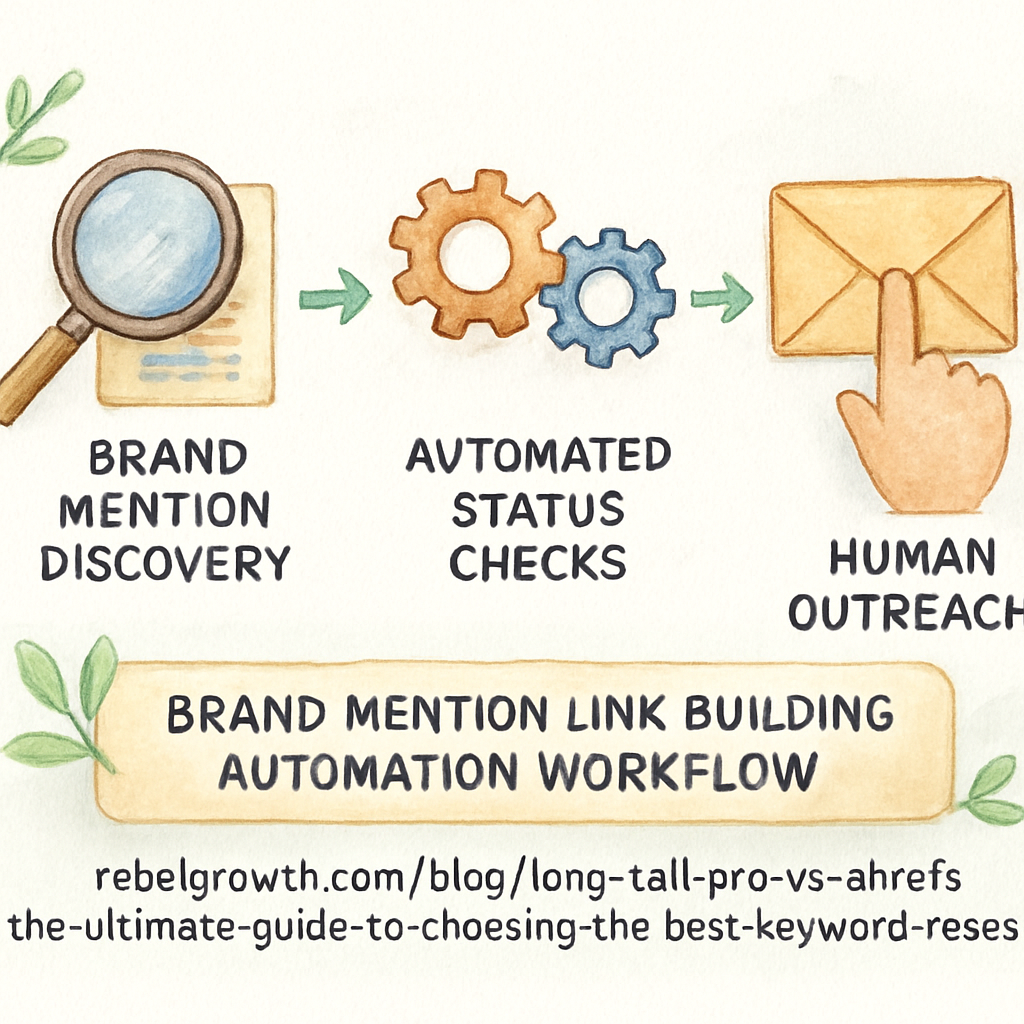
So you’ve got a list of high‑potential mentions, you’ve sent a few friendly notes, and a handful of links are now live. Great, but how do you keep the momentum going without drowning in spreadsheets?
Turn the manual grind into a repeatable workflow
First, map every step you just took – from discovery to verification – into a column in your sheet. Then ask yourself: which of these actions could a script or a SaaS tool handle for me?
Typical candidates are:
- Google Alerts for new brand‑name hits.
- Ping‑ing an API to check HTTP status codes.
- Appending UTM parameters to newly added links.
When you automate these chores, you free up brainpower for the parts that still need a human touch – like crafting that “thanks for the link!” note.
Set up a lightweight monitoring bot
Google Sheets + Zapier is a cheap, no‑code combo that many small teams love. Here’s a quick checklist:
- Use the
IMPORTXMLfunction to pull the live URL from each mention. - Add a “Status” column that runs a simple
=IFERROR(IMPORTXML(A2, "//title"), "Broken")check. - Create a Zap that watches for the word “Broken” and sends you a Slack ping.
That way you’ll know the moment a link drops to 404, and you can swing a quick rescue email before the page authority drifts away.
Batch your outreach with personalization tokens
Instead of typing each email from scratch, feed your spreadsheet into a mail‑merge tool that supports variables like {FirstName}, {ArticleTitle}, and {SuggestedAnchor}. The body stays human because you still write a custom first line, but the rest of the copy is filled in automatically.
Tip: keep the variable for the anchor text as the exact phrase you spotted in the article. It shows you actually read the piece, which boosts reply rates.
Leverage AI‑assisted drafting (optional)
If you have a content engine that can spin a short, friendly pitch, you can generate dozens of drafts in seconds. Just review each one for tone and send it off. The AI part handles the repetitive phrasing; you keep the final sign‑off.
Don’t let the tool write the whole thing, though – the personal “Hey Alex, loved your point about …” is what makes the difference.
Schedule regular audits, not just one‑offs
Every month, set a calendar reminder to run a full crawl of all your brand‑mention URLs. Tools like Screaming Frog or the free version of Sitebulb will list any 301 redirects, broken links, or pages that have lost the link due to redesign.
Mark the findings in your master sheet, prioritize the high‑traffic pages, and fire off a batch of “quick fix” emails. Over time you’ll see a pattern: maybe a certain CMS always strips out external links on updates, so you can pre‑emptively add a note to the site owner.
Measure the impact without getting lost in data
When a link is live, add a UTM tag like ?utm_source=brand_mention&utm_medium=referral. Then head to Google Analytics’ Acquisition → All Traffic → Referrals report. You’ll spot which automated wins are actually driving sessions, leads, or sales.
According to a Moz guide, diligent monitoring of unlinked brand mentions and quick follow‑up can turn a handful of manual discoveries into a steady flow of backlinks that lift rankings over time.Moz explains why systematic tracking matters
And G2’s own scaling story shows that moving from a one‑person operation to a team of writers required a robust automation backbone to keep the link pipeline full.G2’s link‑building scaling playbook
Remember, automation is a helper, not a replacement for the personal touch. After a link is verified, shoot a quick “thanks for adding the link!” email. That simple gesture keeps the relationship warm and makes future requests feel natural.
What’s the next small habit you can adopt right now? Open your spreadsheet, add the “Status” column, and set up that Zapier alert. In a week you’ll have a live notification if any link goes stale, and you’ll already be scaling your brand‑mention link building without breaking a sweat.
Step 6: Measure Impact on SEO & Brand Authority
Now that your automated workflow is pushing out brand‑mention link requests, the real question is: “Is it actually moving the needle?” That’s where measurement becomes our compass.
1. Verify every new backlink
Open each page that’s just added a link and copy the URL. Paste it into a new tab and make sure it lands on the exact landing page you intended. If the anchor text feels forced, shoot a quick “thanks, could we tweak the wording?” email. A live, correctly‑anchored link is the foundation of any impact report.
2. Build a simple status column
In your spreadsheet add a “Status” field with three values: Live, Broken, Redirect. Use a light script or a free tool like Screaming Frog to crawl the list weekly. When a link flips to 404, the sheet will flag it and you can fire off a rescue note before Google forgets about the signal.
Does a broken link hurt your brand authority? Absolutely – Google treats lost links as a loss of trust, so catching them early protects your E‑E‑A‑T.
3. Pull referral traffic from Google Analytics
Head to Acquisition → All Traffic → Referrals. Find the domain you just earned a link from and note the sessions, bounce rate, and conversion events. Tag the URL with a UTM like ?utm_source=brand_mention&utm_medium=referral so you can isolate the flow in the “Acquisition → Campaigns” report.
When you see a spike – say 120 sessions in the first week from a sustainability blog – you have concrete proof that the mention is delivering real visitors.
4. Measure brand‑search lift
Run a quick branded‑search query (your company name) in Google and note the organic position. Over the next month, track any movement. More mentions, especially on high‑authority sites, tend to boost branded‑search clicks because users see your name more often and trust it more.
According to Alex Birkett’s take on brand and SEO, brand signals like mentions and sentiment feed directly into AI‑driven search models, influencing both rankings and click‑through rates.
5. Capture sentiment and context
Not every mention is a win. Open the source page and ask: is the tone positive, neutral, or negative? Is your brand mentioned alongside industry leaders or next to a competitor’s name? Add a “Sentiment” column (Positive, Neutral, Negative) and a “Co‑mention” note. Positive, high‑authority co‑mentions usually correlate with higher referral quality.
6. Turn data into a scorecard
Create a mini‑dashboard in Google Sheets:
- Live links → total count
- Broken links → percentage
- Referral sessions → sum
- Leads or sales from UTM → conversion count
- Brand‑search rank change → position delta
Update it weekly and share the snapshot with your team. When you can point to “5 new live links, 250 referral sessions, and a 2‑position rise in branded search,” you’ve turned a fuzzy outreach effort into a measurable KPI.
7. Iterate based on insights
If a certain type of site (e.g., niche forums) shows high traffic but low conversion, you might refine the anchor text or add a custom landing page. If a competitor’s mention appears more often, add them to your next outreach batch. The scorecard tells you exactly where to double‑down and where to prune.
Finally, celebrate the wins. Send a short “thank you” note to every site that added your link and include a tiny brag‑line about the traffic they helped you generate. That small gesture keeps the relationship warm and makes the next round of outreach feel like a partnership, not a cold pitch.
With a habit of weekly checks, a clean status sheet, and a simple referral report, you’ll always know whether your brand‑mention link building is boosting SEO, strengthening authority, and feeding the AI‑driven signals that Google now values.
Conclusion
If you’ve made it this far, you’ve turned a messy sea of brand chatter into a clear, repeatable process. That feeling of finally having a roadmap for brand mention link building? It’s priceless.
We started by hunting every unlinked mention, scored it with a quick authority‑relevance rubric, and then crafted a human‑first outreach note. After the link went live, we locked it down with a weekly crawl, tagged the traffic with UTM parameters, and logged the impact in a simple scorecard.
The habit of a Friday‑afternoon “status‑check” spreadsheet might sound nerdy, but it’s the safety net that catches broken links before Google forgets them. A quick glance tells you whether you’ve added five new live links, generated a couple hundred referral sessions, or nudged your branded‑search rank up a slot.
Take Immaculon’s case: a single mention on a niche design roundup turned into a 12 % lift in referral sales after a friendly email swapped a plain text reference for a live backlink. That kind of win proves the ROI of a personal touch.
So, pull your spreadsheet, set a recurring crawl, and fire off a quick thank‑you note to each new partner. Treat each link like a mini‑collaboration, and you’ll keep the pipeline warm without feeling like you’re constantly chasing ghosts.
Ready to make brand mention link building a regular part of your SEO rhythm? Start small, measure the lift, and let the data guide your next outreach sprint.
FAQ
What exactly is brand mention link building and why does it matter?
Brand mention link building is the process of turning plain, unlinked references of your brand on other sites into actual hyperlinks. Those links act like votes of trust, signaling to search engines that your content is valuable. When you convert a mention into a link, you not only boost referral traffic but also improve your domain’s authority, which can lift rankings for related keywords.
How do I find unlinked brand mentions without spending hours manually Googling?
Start with a few simple search operators: wrap your brand name in quotes and add -yourbrand.com to exclude your own domain. Combine that with site‑specific queries for industry publications you know. Then set up Google Alerts for your brand name and use a lightweight monitoring tool that pushes new hits to Slack or email. This way you catch fresh mentions in minutes instead of days.
What criteria should I use to decide if a mention is worth pursuing?
First, check the site’s authority – a domain with at least a modest DA or solid traffic is a good sign. Next, evaluate relevance: does the article’s topic align with your product or expertise? Finally, look at context – if the brand is quoted positively and the sentence could naturally host a link, that’s a green light. If any of those boxes are empty, it’s probably not worth the effort.
How can I craft an outreach email that feels personal but still efficient?
Begin with a genuine compliment that references the exact line where you were mentioned. Then suggest a specific anchor text that fits seamlessly, like “sustainable packaging solutions” instead of a generic “click here.” Keep the body to three short sentences and add a single piece of value – a quick stat, a one‑pager, or a relevant infographic. Finish with a polite ask and a quick “thanks” note.
What’s the best way to track whether the new backlinks stay live?
Add a “Status” column to your master spreadsheet and run a weekly crawl with a free tool like Screaming Frog. Set the column to flag any 404 or 301 redirects. You can also hook the sheet into Zapier so you get a Slack ping the moment a link drops. This low‑effort habit catches broken links before Google forgets them.
How do I measure the impact of brand mention link building on my SEO?
Pull referral data from Google Analytics – look for sessions, bounce rate, and conversions coming from the linking domain. Tag each new link with UTM parameters (?utm_source=brand_mention&utm_medium=referral) so you can isolate the traffic in the Campaigns report. Then check your branded‑search rankings over the next few weeks; a steady climb often correlates with new, high‑quality mentions.
Can I automate any part of this workflow without losing the human touch?
Absolutely. Use a spreadsheet‑to‑mail‑merge tool that inserts variables like {FirstName}, {ArticleTitle}, and {SuggestedAnchor} so you only need to write a custom greeting. Automate the status check with IMPORTXML formulas or a simple Zap that flags broken links. The key is to keep the personalized snippet – the “Hey Alex, loved your point about …” – manual, while the repetitive bits run on autopilot.