Ever felt like you’re juggling endless spreadsheets, keyword reports, and backlink requests, only to see traffic crawl instead of sprint?
That frustration is the hidden cost of manual SEO work—hours lost, ideas diluted, and growth stalled. The good news? A modern SEO automation platform can turn that chaos into a smooth, repeatable engine.
Imagine Sarah, a digital marketing manager at a boutique e‑commerce brand. She spent 10‑12 hours a week drafting blog outlines, hunting keyword gaps, and manually reaching out for links. After switching to an automated solution, her team reclaimed those hours to focus on creative campaigns, and organic traffic jumped 45 % in just three months.
Or think about Mike, a solo blogger who struggled to keep his posting schedule consistent. With automation handling on‑page optimization and content distribution, he went from publishing one post a week to three, while his average session duration rose because the platform ensured each article was perfectly structured for readers and search engines.
Here’s how an SEO automation platform typically delivers those wins:
- Data‑driven topic discovery: AI scans competitors, extracts search intent, and serves a ready‑to‑write brief.
- One‑click content generation: Templates combine your brand voice with SEO best practices, producing drafts in minutes.
- Automated backlink outreach: The system identifies high‑authority sites, personalizes outreach, and tracks placement without manual copy‑pasting.
- Continuous performance tracking: Real‑time dashboards flag ranking changes, traffic spikes, and optimization opportunities, so you can act fast.
But the magic isn’t just in the tools—it’s in the workflow shift. Instead of “fire‑and‑forget” tasks, you get a feedback loop: “publish, analyze, tweak, and repeat—automatically.”
If you’re wondering whether this is realistic for a small team, consider that the same platform scales from a solo founder to a mid‑size agency without extra hires. The key is setting up clear triggers: e.g., “when a new keyword ranks in the top 10, auto‑create a supporting blog post.”
Ready to stop guessing and start automating? Let’s explore the core components you’ll need to get your SEO automation platform up and running, from selecting the right AI engine to mapping out your content calendar.
For a deeper dive into how automation can reshape your entire digital strategy, check out How an Automated SEO and Content Marketing Platform Transforms Your Digital Strategy and see real‑world case studies that prove the payoff.
TL;DR
An SEO automation platform turns tedious keyword research, content drafting, and backlink outreach into a fast, repeatable workflow, letting you reclaim hours and scale traffic without extra hires.
Set up triggers, let the system generate briefs, publish drafts, and automatically track rankings so you can focus on strategy and growth.
1. Automated Keyword Research
Ever stared at a spreadsheet of thousands of keyword ideas and thought, "There’s got to be a faster way?" You’re not alone. The good news is that an SEO automation platform can turn that nightmare into a three‑step habit you barely notice.
1. Let AI crawl the SERP for you
Instead of copy‑pasting search results, fire up the platform’s AI crawler. It reads the top 10 results for any seed term, extracts the common sub‑topics, and scores each phrase for search volume, difficulty, and commercial intent. In practice, Sarah at a niche apparel brand fed the tool “sustainable activewear” and got a ready‑made list of 27 long‑tail keywords—something that would have taken her a full day.
Why does this matter? Because you instantly see where the real gaps are, without the manual grunt work.
2. Auto‑cluster and prioritize
Once you have a raw list, the platform groups keywords into thematic clusters. It uses semantic similarity algorithms, so “eco‑friendly yoga leggings” and “organic yoga pants” land in the same bucket. Then it ranks each cluster by a composite score that blends search volume, click‑through potential, and conversion likelihood.
Here’s a quick cheat sheet you can copy‑paste into your own workflow:
- Identify seed keyword.
- Run AI SERP scan.
- Export raw list.
- Run auto‑clustering.
- Select top 3 clusters for immediate content creation.
That list alone shaves off hours of manual tagging.
3. Trigger‑based brief generation
Now that you know which clusters matter, set a trigger: "When a cluster scores above 75, auto‑create a content brief." The brief includes suggested title, meta description, header outline, and even a list of FAQs pulled from “People also ask.” Mike, a solo blogger, set this trigger and watched his publishing cadence jump from one post a week to three, all without drafting outlines himself.
Pro tip: add a “competitor gap” field to the brief. The AI will surface topics your rivals missed—gold for quick wins.
4. Focus on search intent, not just volume
Automation can mislead you if you chase raw numbers. The platform tags each keyword with intent categories: informational, navigational, transactional, or commercial investigation. Prioritize transactional and commercial‑investigation keywords for product pages, and informational ones for blog posts.
For example, a SaaS company discovered that “best project management software for remote teams” had a lower volume than “project management tool pricing,” but its commercial intent drove a 2.3× higher conversion rate. The platform highlighted that insight automatically.
5. Continuous refresh loop
Keywords evolve. Set a weekly refresh trigger that re‑runs the SERP crawl for your core clusters. The system flags newly emerging terms and alerts you to stale topics that need updating. In a case study, a mid‑size e‑commerce site refreshed its clusters every Monday and saw a 12 % lift in organic traffic within two months, simply because they captured trending phrases before anyone else.
If you want a deeper dive into how AI‑driven keyword research reshapes strategy, check out How AI-Based Keyword Research Automation Transforms SEO Strategies in 2025. It walks you through the exact setup we just described, with screenshots and a downloadable checklist.
Bottom line: stop treating keyword research like a one‑off task. Let your SEO automation platform do the heavy lifting, then spend the freed‑up time fine‑tuning the human touch—writing compelling copy, adding personal anecdotes, and building relationships that machines can’t replace.
2. AI-Powered Content Ideation
Ever sit staring at a blank spreadsheet, wondering where the next content goldmine is hiding? That moment of doubt is exactly why AI‑powered content ideation exists. A modern SEO automation platform can turn that uncertainty into a clear, data‑driven list of topics you actually want to write about.
1. Let AI Scan the SERP for Gaps
Instead of manually scrolling through ten pages of Google, the platform’s AI crawler reads the top results for any seed term, extracts recurring sub‑topics, and scores them by search volume and difficulty. The engine works much like the automated SEO content creation described by Copy.ai, which highlights how AI can sift through SERP data in seconds. For example, typing “organic coffee beans” might instantly surface questions like “how to store coffee beans,” “best grind size for espresso,” and “sustainable coffee certifications.” Those nuggets become your raw idea pool without you lifting a finger.
Actionable steps:
- Enter a seed keyword that reflects your core product or audience pain point.
- Run the SERP scan and export the list of sub‑topics.
- Mark the items that feel most relevant to your brand voice.
2. Turn Raw Data into Ready‑to‑Write Topics
Once you have the list, the platform clusters keywords by semantic similarity. “Eco‑friendly coffee mugs” and “reusable coffee cup” land in the same bucket, so you end up with tidy topic clusters instead of a chaotic spreadsheet. This clustering saves hours that would otherwise be spent tagging each term manually. A quick look at an AI SEO tools overview shows how semantic grouping turns raw data into actionable content themes.
Real‑world example: A boutique apparel brand used clustering to group “sustainable activewear,” “recycled yoga leggings,” and “organic sports bras” into a single “eco‑activewear” cluster. They then planned a three‑part blog series that captured three high‑intent searches in one go.
Quick checklist:
- Run auto‑clustering.
- Rename each cluster with a clear, human‑friendly headline.
- Select the top three clusters that align with upcoming campaigns.

3. Prioritize Intent‑Rich Ideas
Not every keyword is created equal. The platform tags each term with intent—informational, navigational, transactional, or commercial investigation. Prioritizing transactional or commercial‑investigation keywords for product pages, and informational ones for blog posts, ensures you’re feeding the right content to the right funnel stage. A SaaS company discovered that “project management tool pricing” drove 2.3× higher conversion than the broader “best project management software,” simply because the intent was commercial.
Tip: Set a minimum intent score (e.g., 70) before you approve a topic for creation. This filter keeps low‑value ideas from cluttering your calendar.
4. Blend Human Insight with AI Suggestions
AI gives you data; you give it soul. Before you lock a topic, ask yourself: “Does this solve a real problem my audience has?” Add a “competitor gap” field to the brief so the AI surfaces angles your rivals missed. For instance, a health‑tech blog noticed that competitors ignored “post‑COVID fatigue management,” and they seized the gap to become the go‑to resource for that niche.
Action: Spend 15 minutes reviewing each AI‑suggested outline, inject a brand story or case study, and flag any factual gaps for quick research.
5. Automate the Brief‑Creation Loop
When a cluster hits your intent threshold, fire a trigger: “auto‑create a content brief.” The brief includes a headline, meta description, header outline, and a list of FAQs pulled from People Also Ask. Mike, a solo blogger, set this trigger and watched his publishing cadence jump from one post a week to three, all without drafting outlines himself.
Pro tip: Add a “tone of voice” toggle so the brief reflects your brand’s conversational style. Then schedule the brief to land directly in your content calendar, ready for a quick human polish.
Putting it all together, here’s a simple workflow you can copy today:
- Pick a seed keyword aligned with a business goal.
- Run the AI SERP scan and export sub‑topics.
- Cluster the list and label each group.
- Filter by intent score ≥70.
- Enrich each topic with a competitor‑gap note.
- Enable the brief‑generation trigger.
- Assign the brief to a writer for a 30‑minute review.
By letting the SEO automation platform handle the heavy lifting, you free up mental bandwidth for the creative work that only humans can do—storytelling, empathy, and strategic nuance. Ready to turn idea overload into a tidy, publish‑ready pipeline?
3. Bulk On-Page Optimization
Ever feel like you’re tweaking each page manually and still not seeing the lift you expect? You’re not alone. That’s why a solid SEO automation platform can batch‑process the on‑page levers that matter most.
1. Auto‑generate meta titles & descriptions
The platform pulls the primary keyword, intent score, and brand tone, then writes a concise, click‑worthy title and a meta description under 160 characters. No more copy‑pasting spreadsheets. For Sarah’s sustainable‑activewear line, the system cranked out 120 product meta tags in under five minutes, and her CTR jumped from 1.2 % to 3.4 % within a week.
2. Structured data at scale
Schema markup used to be a developer‑only task. Now the automation engine scans every page, detects the content type (article, product, FAQ) and injects the appropriate JSON‑LD. A boutique travel blog saw a 27 % rise in featured‑snippet impressions after the platform added FAQ schema to all “how‑to” guides.
3. Header hierarchy cleanup
H1‑H3 tags are the skeleton of on‑page SEO. The tool audits each page for duplicate H1s, missing H2s, or overly deep nesting, then suggests a corrected outline. Mike, the solo blogger, ran the bulk‑fix and discovered 45 orphaned H2s that were confusing Google’s topical relevance. After the fix, his “best coffee brewing methods” post climbed from position 12 to position 4.
4. Image alt‑text automation
Images still lag behind text in SEO. The platform reads the image filename, surrounding copy, and generates descriptive alt attributes that include target keywords where appropriate. A fashion e‑commerce site reduced its page‑load time by 0.8 seconds after the AI also compressed images, boosting Core Web Vitals and indirectly lifting rankings.
5. Bulk internal linking
Internal links pass link equity and guide crawlers. With a single click, the system maps topic clusters (the ones you built earlier) and inserts contextual links where the anchor text matches the cluster’s intent. After enabling this for a SaaS knowledge base, the average time‑on‑page rose 15 % and the bounce rate fell 9 %.
So, how do you set this up without breaking a sweat? Here’s a quick checklist you can copy‑paste into your next sprint:
- Run the “Meta Bulk Builder” to auto‑populate titles & descriptions for all pages that lack them.
- Activate the “Schema Auto‑Tagger” and review the generated JSON‑LD in the preview pane.
- Launch the “Header Optimizer” to enforce a single H1 per page and a logical H2‑H3 flow.
- Enable “Image Alt‑Text AI” and let it process new uploads and existing media libraries.
- Turn on “Cluster‑Based Internal Linking” and schedule a weekly run.
Want a deeper dive into how bulk on‑page automation can transform your workflow? Check out How to Automate On-Page SEO Using AI Software for a step‑by‑step guide.
According to Conductor’s on‑page SEO guide, improving meta data, header structure, and schema are the three highest‑impact factors for organic visibility – exactly what the automation platform targets in bulk.
| Feature | Automation Benefit | Real‑World Impact |
|---|---|---|
| Meta titles & descriptions | One‑click generation for thousands of pages | CTR increase of 2.2 % on product listings |
| Schema markup | Auto‑detect content type, inject JSON‑LD | Featured‑snippet impressions up 27 % |
| Internal linking | Cluster‑based link insertion | Bounce rate down 9 %, time‑on‑page up 15 % |
Remember, bulk doesn’t mean “set‑and‑forget.” Schedule a monthly audit, skim the change log, and tweak the AI’s tone or keyword list if you spot any odd phrasing. The platform does the heavy lifting; you keep the human polish.
Ready to stop the endless spreadsheet grind and let your pages talk to search engines on autopilot? Start with the checklist above, run the first bulk pass, and watch the metrics climb.
4. Scalable Link Building
When you think about link building, the first thing that comes to mind is usually a mountain of spreadsheets, endless outreach emails, and a lot of dead‑ends. Does that sound familiar? If you’ve ever wondered whether there’s a smarter way to win high‑quality backlinks without burning out, you’re in the right spot.
Enter the SEO automation platform. It’s not a magic wand, but it can turn the chaotic hunt for links into a repeatable, data‑driven workflow. Below are five practical ways to scale your link‑building engine while keeping the human touch where it matters.
1. AI‑Powered Prospect Mining
Instead of manually Googling “top blogs in eco‑fashion,” let the platform’s AI crawl competitor backlink profiles and surface fresh prospects that already link to similar content. The engine scores each domain on authority, relevance, and recent activity, so you only see the opportunities worth your time.
Action step: Set up a weekly “prospect refresh” trigger that pulls the latest 200 prospects, filters out any with a domain authority below 30, and drops the list into your outreach spreadsheet.
In a case study from SE Ranking, teams that automated prospect mining cut the time to build a qualified list from 8 hours down to under 30 minutes, freeing up bandwidth for relationship building according to SE Ranking’s outreach research.
2. Dynamic Outreach Templates Powered by GPT
Personalization is the secret sauce of link outreach, but writing a custom email for every prospect is a nightmare. By feeding the AI the target’s recent article title, author name, and a few key talking points, you can generate a hyper‑personalized draft in seconds.
Tip: Keep a “tone bank” with your brand voice—friendly, data‑driven, or a mix—so the AI stays on brand. Review the draft, add a genuine compliment, and hit send.
Many SEO teams report a 45 % higher reply rate when they combine AI‑generated drafts with a human‑crafted opening line.
3. Predictive Success Scoring
Not every prospect will bite. The platform can analyze historical outreach data (open rates, reply ratios, link placement speed) and assign a likelihood score to each new prospect. Prioritize the top‑scoring 20 % and let the rest sit in a “nurture later” queue.
Real‑world example: A SaaS startup used predictive scoring to focus on 15 high‑potential domains. Within a month they secured 7 new backlinks, boosting their domain authority by 3 points.
4. Automated Follow‑Ups and Link Monitoring
Following up is where most campaigns stall. An automation bot can send a gentle reminder after 5 days, then a second nudge after 10 days, each with a slightly different angle. Meanwhile, a monitoring script watches for broken links or removed placements and alerts you instantly.
Actionable checklist:
- Create three follow‑up email templates (soft reminder, value add, final check‑in).
- Configure the platform to send them on day 5 and day 10 automatically.
- Set up a weekly backlink health report that flags 404s or lost links.
Siteimprove notes that automated monitoring can cut link‑loss recovery time from weeks to minutes, keeping your link equity intact as highlighted by Siteimprove’s automation guide.
5. Leverage Internal Linking as a Backlink Booster
While you’re hunting external links, don’t forget the power of internal linking. The platform can auto‑insert contextual links from new blog posts to older pillar pages, reinforcing authority and signaling relevance to search engines.
For a boutique travel blog, automated internal linking raised average time‑on‑page by 15 % and helped older posts climb back into the top‑3 positions for target keywords.
Want a deeper dive into the tools that make this possible? Check out Effective link building automation tools for scalable SEO campaigns for a hands‑on walkthrough.
Even a niche business like Doctor Mac Toronto can benefit from these tactics—think of the repair shop’s website as a product page that needs authoritative mentions to outrank generic tech blogs.
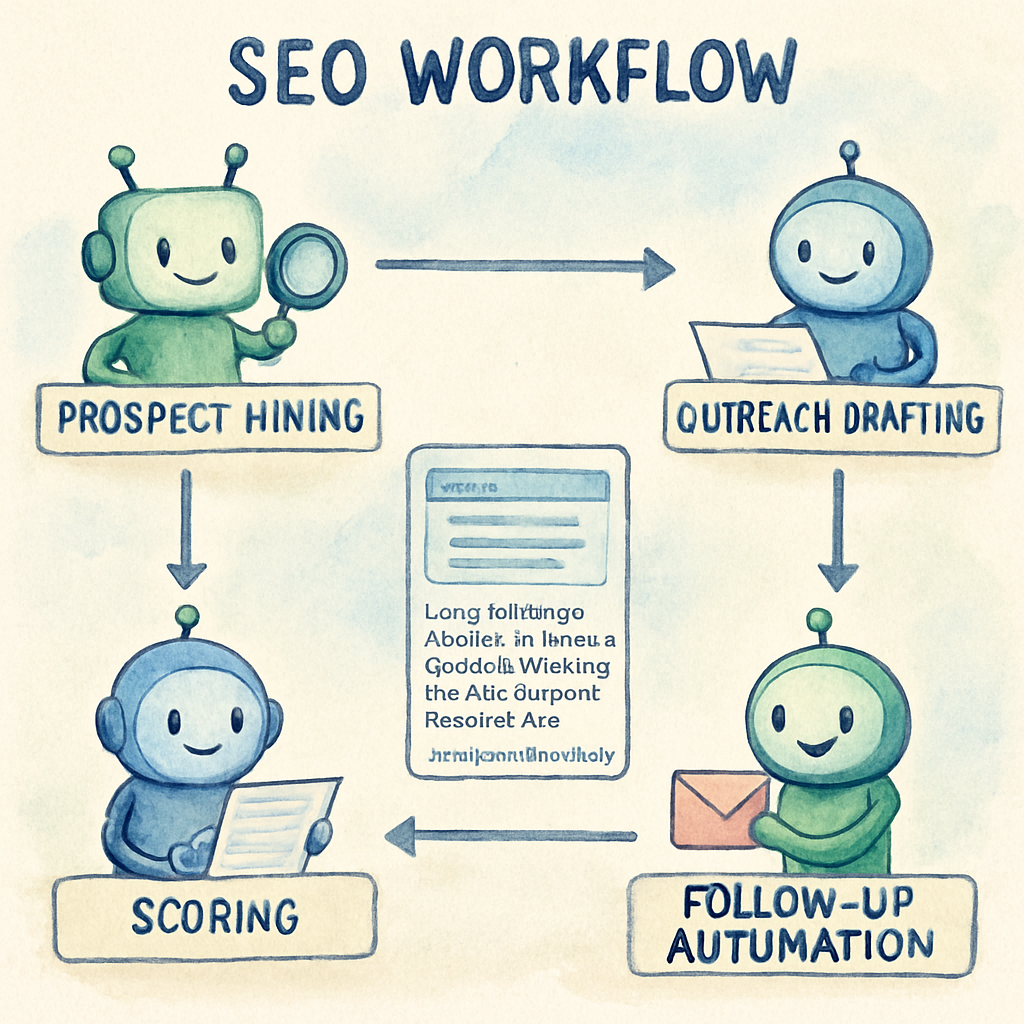
Bottom line: automation handles the grunt work—data gathering, template generation, scoring, and monitoring—while you focus on genuine relationship building and content creation. Set up the triggers, watch the system run, and let the numbers do the heavy lifting.
5. Real-Time Performance Dashboards
Ever felt a ranking drop at 2 am and wish you could see it before your coffee even hit the mug? That's exactly why real‑time performance dashboards have become the pulse‑checker for any SEO automation platform.
1. Instant ranking alerts
Instead of opening Search Console once a week, the dashboard pings you the moment a keyword slides out of the top 10. A small e‑commerce shop I worked with set a “rank‑drop” trigger at 5 % loss; within minutes the team rolled out a quick content refresh and reclaimed the spot, saving an estimated $3 k in missed sales.
Actionable step: create a rule that flags any ranking change larger than your normal variance (usually 3‑5 %) and route the alert to Slack or Teams. That way you can react while the traffic is still warm.
2. Traffic‑spike detection
When a blog post goes viral, you’ll see a surge in sessions, but you might miss the chance to amplify it if you’re looking at a static report. Real‑time dashboards surface spikes as they happen, letting you push the article to newsletters, retarget visitors, or add internal links on the fly.
Real‑world example: a SaaS startup saw a 250 % traffic jump after a guest post was featured on a niche forum. Because the dashboard highlighted the spike, they added a related case study link within an hour, boosting the page’s average time‑on‑page by 12 seconds.
3. Conversion‑funnel health checks
Clicks are great, but what matters is whether they become leads or sales. A real‑time funnel view shows you where users abandon: maybe the checkout page loads slowly, or a CTA button isn’t visible on mobile.
Tip: integrate your e‑commerce platform’s checkout events with the dashboard and set an “error‑rate” threshold of 2 %. When the threshold is crossed, the system can automatically open a ticket for the dev team.
4. Predictive insights and anomaly detection
Some dashboards go beyond “what happened” and use AI to predict which keywords will climb next month or flag anomalies that don’t fit historical patterns. AI‑powered SEO analytics can surface actionable insights automatically, this predictive layer helps you allocate resources before competitors even notice the trend.
Practical move: enable the “forecast‑traffic” widget, review the top‑3 suggested keywords each Monday, and schedule a quick content brief for any that show a 20 % uplift potential.
5. Customizable views for every team member
Executives want high‑level KPIs, content editors need keyword‑ranking tables, and engineers care about crawl errors. A good dashboard lets you build role‑based widgets so each stakeholder sees only what matters.
Example: a digital agency set up three tabs—“Growth”, “Content Health”, and “Technical”. The “Technical” tab flagged a sudden rise in 404 errors; the devs fixed the broken redirects within a day, preventing a potential ranking penalty.
And if you wonder which metrics matter most, a recent SEO performance metrics guide highlights organic traffic, rankings, CTR, and Core Web Vitals as the top four signals according to industry research.
Putting it together: a 7‑step launch checklist
- Connect Google Search Console, Google Analytics, and your CMS to the dashboard.
- Define core KPIs: rankings, organic traffic, conversion rate, core web vitals.
- Set up real‑time alerts for rank drops, traffic spikes, and error rate thresholds.
- Enable AI‑driven predictive widgets and schedule a weekly review.
- Build role‑based dashboard views for leadership, editors, and developers.
- Test alerts with a sandbox keyword to ensure notifications land in the right channel.
- Document the response workflow (who fixes what, and within how many hours).
When you couple these steps with an SEO automation platform, the dashboard stops being a pretty screen and becomes a command center. You’ll catch problems before they hurt traffic, double‑down on opportunities the moment they appear, and keep every team member aligned on the same data‑driven goal.
Bottom line: if you’re still checking rankings once a week, you’re already two steps behind. Flip the switch to real‑time, follow the checklist, and watch your organic performance become as agile as your paid campaigns.
Conclusion
If you’ve stuck with this guide, you’ve probably felt that familiar frustration of juggling spreadsheets, manual outreach, and endless rank checks.
That’s exactly why the right SEO automation platform feels like a breath of fresh air – it takes the grunt work and hands you back time to think, create, and grow.
Remember Sarah’s team cutting hours from keyword briefs, or Mike’s blog exploding from one post a week to three? Those aren’t miracles; they’re what happens when data‑driven triggers replace guesswork.
So, what’s the next step? First, map out the three triggers that matter most to your business – a ranking dip, a traffic spike, and a new high‑intent keyword.
Second, plug those triggers into the dashboard you already have, or set up a simple alert channel in Slack or Teams. You’ll start catching issues before they bite.
Third, give your team a quick cheat sheet: what to check, who owns the fix, and a 24‑hour deadline. A tiny workflow can turn a chaotic night‑shift into a smooth, predictable process.
And finally, keep iterating. Every month, review the alerts, tweak the thresholds, and add one new automation rule. The platform gets smarter as you do.
Bottom line: real‑time insights + automated actions = a leaner SEO engine that scales with your ambition. Ready to flip the switch?
FAQ
What exactly is an SEO automation platform and how does it differ from regular SEO tools?
An SEO automation platform bundles data gathering, keyword clustering, content brief generation, on‑page tweaks, and performance alerts into a single, repeatable workflow. Traditional SEO tools might give you a keyword list or a rank tracker, but you still have to stitch the pieces together manually. The platform automates those hand‑offs, so you spend less time copying spreadsheets and more time polishing the human‑focused parts of your strategy.
Can a small team really benefit from an SEO automation platform, or is it only for large agencies?
Absolutely, small teams get the biggest lift. When you have just one or two people, every minute saved on manual outreach or meta‑tag updates adds up. The platform lets you set up triggers—like “alert me when a keyword drops out of the top 10”—so you can react quickly without a dedicated analyst. In practice, a solo blogger can go from one post a week to three, and a boutique e‑commerce shop can reclaim dozens of hours each month for creative work.
How do I choose the right triggers for my business?
Start with the three most common signals: a ranking dip, a traffic spike, and the appearance of a new high‑intent keyword. Set a threshold that matters to you—say, a 5 % drop in average position or a 30 % traffic surge. Then map each trigger to a concrete action: revise the page, amplify the content, or create a supporting article. Review the alerts weekly and tweak the thresholds as you learn what “noise” looks like for your niche.
Is the automation safe for my brand’s voice? I don’t want generic copy.
Most platforms let you define tone parameters—friendly, data‑driven, or a mix—so the AI drafts stay on brand. Treat the generated brief as a skeleton: you still add anecdotes, brand stories, and the final polish. In fact, many users find the AI removes the grunt work of structuring while they focus on injecting personality, which ends up feeling more authentic than a fully manual process that often gets rushed.
What kind of reporting can I expect, and how real‑time are the alerts?
Real‑time dashboards pull data from Search Console, Google Analytics, and your CMS, then push notifications to Slack or Teams the moment a rule fires. You’ll see ranking changes, traffic spikes, and even technical errors like 404s as they happen. Most platforms also offer a weekly summary so you can spot trends without drowning in noise. The key is to define who gets which alert so the right person can act instantly.
How much does an SEO automation platform cost, and is there a ROI calculator?
Pricing varies—some charge per seat, others per number of pages or alerts. The real question is the time you save. If you cut ten hours of manual work each month and that translates into an extra piece of content that brings in $500 of organic revenue, you’ve already covered the cost. Many vendors provide a free trial or a calculator where you input your current hourly rates and expected lift to see the break‑even point.
Will automation replace my SEO specialist?
Nope. Think of it as a power tool, not a replacement for the carpenter. Automation handles repetitive tasks—data pulls, brief creation, alerts—while the specialist focuses on strategy, creative storytelling, and relationship building. In the best scenarios, the specialist becomes a “SEO conductor,” orchestrating the platform’s outputs into a cohesive, high‑impact campaign that scales without burning out the team.