Ever noticed that a blog post that used to bring in a steady stream of clicks suddenly dries up, even though you haven’t changed anything? That feeling of watching traffic evaporate is what we call content decay – the silent killer of SEO performance.
When a page ages, search engines may deem it less relevant, especially if newer competitors have fresh, more comprehensive content. For a digital marketing manager juggling dozens of landing pages, that drop can feel like watching a well‑trained employee just walk away.
Here’s what typically happens: outdated statistics stay on the page, internal links rot, and the user experience feels stale. In our experience, a single forgotten article can lose up to 30 % of its organic traffic within six months. That’s a lot of missed leads for an e‑commerce store or a content creator relying on ad revenue.
So, what can you actually do about it? Start with a quick audit. Pull a list of URLs that have seen a traffic decline of more than 20 % over the last quarter. Tools like Google Search Console can flag impressions and clicks, but you’ll also want to check click‑through‑rate (CTR) and bounce‑rate trends. If the numbers look off, it’s time to refresh.
Next, apply a three‑step refresh process:
- Update data and examples. Replace old stats with the latest research; for instance, swap a 2020 e‑commerce conversion rate figure with the 2024 benchmark from reputable sources.
- Enhance depth. Add a new section that answers a related question your audience might be typing into Google today – think “how to prevent content decay” or “SEO maintenance checklist”.
- Re‑optimise internal links. Link the refreshed page to newer, high‑performing content on your site to pass link equity.
Automation can take a lot of the heavy lifting out of this routine. Platforms like How to Automate SEO Content Creation: A Step‑By‑Step Guide for 2025 let you schedule updates, pull fresh data, and even rewrite sections with AI while keeping your brand voice intact.
But even the best tools need a solid foundation. If your site’s design is outdated, a content refresh might not be enough. That’s why pairing a content‑decay strategy with a redesign can double the impact. For readers looking to overhaul their site architecture, the website design packages pricing guide for Australian SMBs offers a clear breakdown of costs and options, making the next step feel less daunting.
Finally, set a recurring reminder – quarterly or bi‑annual – to revisit your top‑performing pages. Treat them like living assets: water them, prune them, and watch them keep delivering traffic year after year.
TL;DR
If your traffic has mysteriously slipped, it’s probably content decay seo – stale stats, broken links, and forgotten pages silently hurting your rankings.
We’ve outlined a quick audit, three‑step refresh, and automation tricks so you can revive those pages, keep them fresh, and watch organic traffic bounce back consistently in just a few weeks.
Step 1: Identify Decaying Content
Ever opened a blog post you wrote a year ago and felt that weird déjà‑vu, like the stats are ancient and the links are dead? That's the feeling content decay SEO gives you – a silent drain on traffic that you might not even notice until the numbers start slipping.
First thing’s first: you need a clear picture of what’s actually decaying. Pull your Google Search Console data for the past six months, then sort by pages that have lost more than 20 % of impressions. Those are your prime suspects. If you’re managing dozens of landing pages, a spreadsheet can become a battlefield, so keep it simple: column A – URL, column B – impressions last month, column C – impressions this month, column D – % change.
Spot the red flags
When you scan the list, look for three tell‑tale signs:
- Sharp drop in click‑through‑rate (CTR) – maybe the meta title is no longer compelling.
- Rising bounce rate – users aren’t finding what they expect.
- Out‑of‑date references – think 2020 statistics in a 2024 landscape.
Those three together usually mean the page’s relevance has eroded.
But how do you turn that raw data into a manageable to‑do list? This is where an automated SEO audit tool can save you hours. It can flag broken internal links, surface stale figures, and even suggest new keyword opportunities based on what’s currently ranking.
Use a quick sanity‑check checklist
Grab a notebook (or a digital note) and run through these questions for each under‑performing page:
- Is the headline still answering the search intent?
- Do the stats or case studies need a refresh?
- Are there any 404s or redirects in the content?
- Does the page still link to newer, high‑performing assets on your site?
If you answer “no” to any of those, you’ve found a decay point worth fixing.
Now, let’s talk about a hidden gem most marketers overlook: video assets. If you have old webinars or product demos that sit on the page, consider turning them into bite‑size SEO‑friendly snippets. A tool like YouTube Video Summarizer can automatically generate concise summaries and transcripts, giving you fresh textual content without rewriting from scratch.
While you watch that quick walkthrough on spotting decay, keep an eye on the metrics you just pulled. Notice any patterns? Maybe a whole category of product pages is suffering because the pricing table hasn’t been updated in two years.
If you’re a digital marketing manager in a small‑to‑mid‑sized company, you probably wear many hats. One of those hats might be talent acquisition. When you’re looking for fresh SEO talent, sites like Get Recruited can connect you with specialists who know how to automate these audits at scale – a nice side‑step if you’re short on internal bandwidth.
At this point you should have a shortlist of pages that need love. Export that list, assign owners, and set a deadline. Treat it like a sprint: you’ve identified the problem, now you’re ready to fix it in the next sections.
Remember, content decay isn’t a one‑off event. Schedule a quarterly review using the same checklist, and you’ll keep the decay monster at bay.
Step 2: Analyze Traffic & Ranking Drops
Why the numbers matter
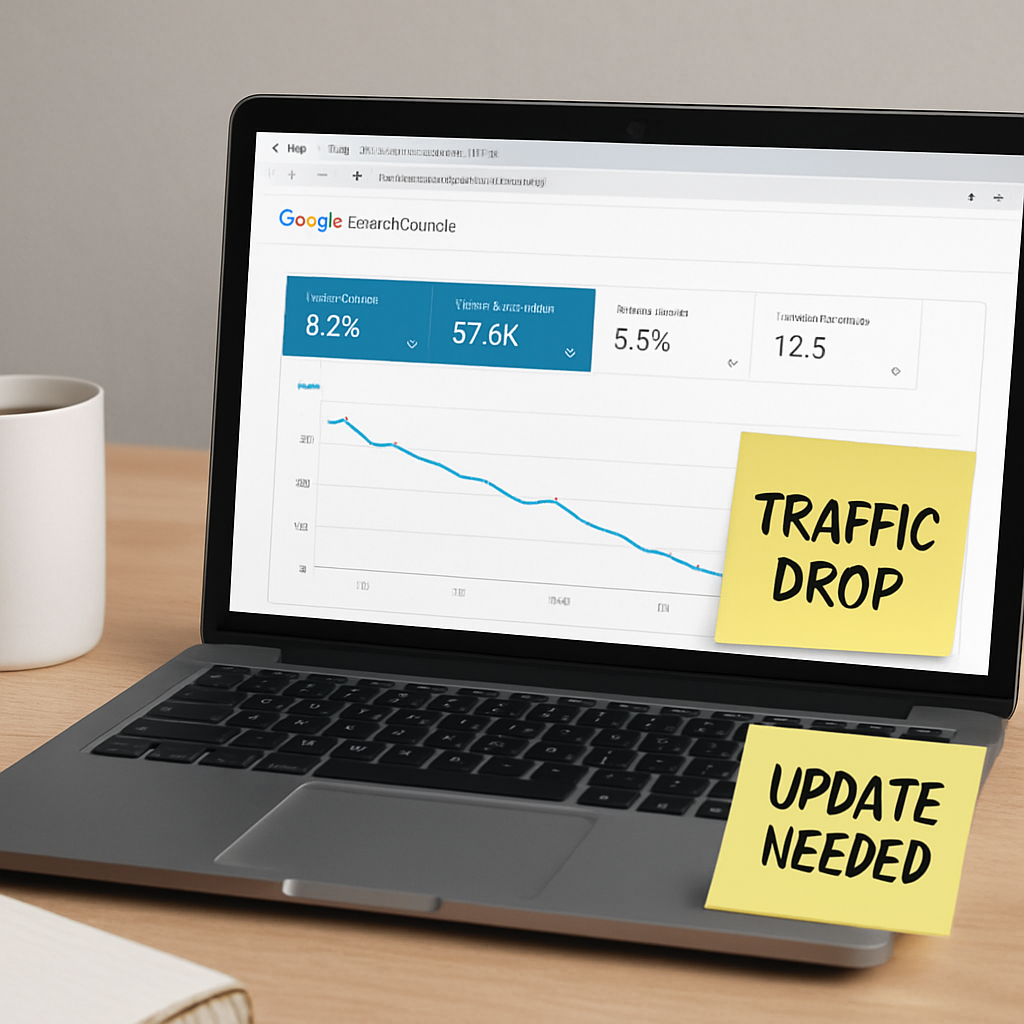
Ever opened Google Search Console and thought, “Where did all my clicks go?” That gut‑punch is the first sign of content decay seo – the quiet bleed that hurts your bottom line long before you even notice a ranking drop.
What’s scary is that Google can keep your page on the first page, yet your traffic can still plunge because users are no longer clicking. That’s why we look at the full performance picture, not just position.
1️⃣ Pull the right data sets
Start in Search Console’s Performance report. Filter for the last 90 days, then export clicks, impressions, average position, and CTR for every URL you suspect.
Next, pull the same four columns for the preceding 90‑day window. The magic happens when you line those two tables up side‑by‑side and calculate the % change for each metric.
2️⃣ Spot hidden decay
If a page’s average position is still hovering around 3‑4 but clicks are down 30 % and impressions are flat, you’re looking at classic hidden decay. The SERP has probably added more ads, a featured snippet, or a video carousel that pushes your result down the visual hierarchy.
That pattern is described in detail by Single Grain’s guide on quiet traffic loss. The key takeaway: rankings alone can be a red herring.
3️⃣ Drill into query‑level shifts
Switch to the Queries tab while keeping the same URL filter. Sort by clicks and look for queries where impressions fell dramatically but position stayed the same. Those are the queries that used to drive your traffic but have now been eclipsed by new SERP features.
Ask yourself: “Is the user intent evolving?” If the answer is yes, you’ll need to add a new section, a checklist, or a short video to satisfy that intent.
4️⃣ Bring GA4 into the conversation
While GSC tells you what’s happening in search, GA4 shows you what’s happening on the page. Pull the same URL list into GA4’s Pages and Screens report and compare engaged sessions, average engagement time, and conversion rate across the two windows.
A drop in engaged sessions coupled with stable clicks often means users are bouncing faster because the content feels stale.
5️⃣ Score each page
We like a simple 0‑10 rubric:
- Traffic trend (0‑3)
- CTR shift (0‑3)
- Engagement dip (0‑2)
- Competitive gap (0‑2)
If a page lands under five, flag it for a refresh. This mirrors the scoring system we described earlier and turns vague worry into a concrete to‑do list.
6️⃣ Prioritise by business impact
Not every dip hurts revenue. Cross‑reference your list with the pages that drive the most conversions – product pages, pricing guides, lead‑gen forms. A 15 % dip on a $5,000‑a‑month page is far more urgent than a 30 % dip on a low‑traffic blog post.
That principle is echoed by Market My Market’s overview of content decay, which stresses pairing traffic signals with revenue impact.
Quick audit checklist
- Export GSC clicks, impressions, position, CTR for last 3 months.
- Export the same metrics for the previous 3 months.
- Calculate % change; flag any URL with ‑20 % clicks or ‑15 % CTR.
- Pull GA4 engagement metrics for those URLs; note any ‑10 % drop in engaged sessions.
- Score each URL using the 0‑10 rubric.
- Rank flagged URLs by revenue contribution and schedule refreshes.
That list feels a bit long, but you can automate the export and calculation steps with a simple script or a spreadsheet macro. Once you have the scores, you’ll know exactly which pages need a data update, a deeper rewrite, or a merge.
And remember, the goal isn’t just to chase numbers – it’s to restore the user experience that originally earned those clicks.
After watching the video, you’ll see a live example of the GSC comparison view and how a single‑digit CTR drop can signal a bigger problem. Grab your own data, apply the checklist, and you’ll have a clear, actionable roadmap for beating content decay seo.
Step 3: Prioritize Pages for Refresh
So you’ve got a spreadsheet full of URLs that are slipping, a scorecard that tells you which ones are in the red, and maybe a coffee‑stained notebook of ideas. The next question is: where do you focus your energy first? In other words, how do you turn that long list into a short, doable action plan?
First, ask yourself what a page actually means to your business. Is it a product page that drives $5,000 a month in sales? Is it a cornerstone guide that brings in dozens of qualified leads? Or is it a blog post that ranks well but only nudges a few extra clicks? The answer determines the urgency.
1️⃣ Map revenue impact to decay scores
Take the 0‑10 rubric you already built and add a fourth column called “Revenue Impact.” Pull the monthly revenue or conversion value from your e‑commerce platform or CRM for each URL. Then calculate a simple weighted score:
Weighted Score = (Decay Score / 10) * Revenue Impact
Pages with a high decay score *and* a high revenue impact will bubble to the top. Those are the ones you refresh first.
For example, imagine a SaaS landing page that fell from 150‑1500 clicks to 80 clicks in the last 90 days. Its decay score is 8/10, and it nets $3,200 a month. Its weighted score is 0.8 × 3,200 = $2,560. Compare that to a blog post with a decay score of 9 but only $150 of monthly revenue – its weighted score is $135. The landing page clearly wins the priority race.
2️⃣ Group pages by refresh type
Not every page needs a full rewrite. Categorise each URL into one of three buckets:
- Data‑only update: Out‑of‑date stats, broken links, or missing product prices.
- Depth add: Pages that need a new section, a how‑to checklist, or an embedded calculator.
- Consolidate/Redirect: Thin pages that overlap with a stronger piece – consider merging or 301‑redirecting.
When you know the bucket, you can estimate the effort. A data‑only update might take 30 minutes; a depth add could be an hour or two; a consolidation could require coordination with dev.
3️⃣ Use a quick decision table
| Refresh Type | Typical Time Investment | When to Prioritise |
|---|---|---|
| Data‑only update | 15‑30 min | High revenue impact, low decay depth |
| Depth add (new section, FAQ, tool) | 1‑2 hrs | Medium‑high revenue, moderate decay score |
| Consolidate/Redirect | 2‑4 hrs + dev time | Low traffic, high overlap with stronger page |
That table gives you a visual way to match effort with payoff. If you have a limited team, you’ll want to fill the “Data‑only update” slot first for the biggest money‑making pages.
4️⃣ Leverage automation where possible
In our experience, manual spreadsheets become a nightmare after the first few dozen URLs. That’s why many of our clients plug the list into How to Automate SEO Content Creation and Link Building for Consistent Growth. The platform can pull the latest stats, suggest new FAQs, and even draft a fresh paragraph that you only need to polish.
But automation isn’t a silver bullet. You still need a human eye to decide whether a new FAQ actually answers a real user need. Think of the tool as a sous‑chef – it preps the ingredients, you do the plating.
5️⃣ Don’t forget your video assets
Sometimes the page that’s decaying isn’t a text‑heavy article at all – it’s a YouTube video that used to rank in “how‑to” results. Turning that video into a short, SEO‑friendly summary can breathe new life into both the video and the accompanying blog post. That’s where a quick AI summarizer comes in handy. Check out YouTube Video Summarizer with AI to turn old footage into bite‑size, searchable snippets you can embed on the refreshed page.
By adding a concise transcript or a bullet‑point recap, you give Google fresh, indexable content without having to shoot a brand‑new video.
6️⃣ Schedule and track
Once you have your prioritized list, put it in a project board (Trello, Asana, or even a shared Google Sheet). Assign owners, set due dates, and mark the “Refresh Completed” checkbox. After each update, re‑run the GSC and GA4 export after two weeks. If the weighted score climbs back up, you’ve proven the effort paid off; if not, you may need to revisit the depth or consider a full rewrite.
Remember, content decay isn’t a one‑off event. Treat the refresh cycle like a regular health check‑up: you wouldn’t skip your annual physical, and you shouldn’t skip your quarterly page audit.
Step 4: Update Content and Optimize for Search Intent
You've finally pinpointed the pages that are slipping – now it's time to breathe new life into them. If you leave that old copy as‑as, Google will keep treating it like stale bread: unappetizing and easy to skip. Updating the content and aligning it with today's search intent is the heart of fixing content decay seo.
So, what should you actually change? Think of a content refresh as a mini‑renovation: you keep the solid foundation, but you replace the cracked tiles, repaint the walls and add a few modern fixtures that visitors (and Google) love.
1️⃣ Audit what really needs a refresh
Start with a quick scan of each flagged page. Ask yourself:
- Are any statistics older than a year?
- Do the headings still match the questions people are typing into Google?
- Is there a broken internal or external link that drags down the user experience?
If you can answer “yes” to any of those, you have a concrete edit to make. The Clearscope guide on content decay recommends prioritising data updates first because fresh numbers instantly signal relevance to both users and algorithms.
2️⃣ Re‑write with current search intent in mind
Search intent drifts faster than fashion trends. A query that used to be “what is content decay” might now be “how to fix content decay seo in 2025”. Pull the latest “People Also Ask” snippets for your target keyword and weave those questions directly into your headings or bullet points.
When you add a new FAQ, keep it punchy: two‑sentence answers, a bolded question, and a short example. That structure satisfies the snippet engine and gives readers exactly what they asked for.
Tip: Use semantic variations
Instead of stuffing “content decay seo” over and over, sprinkle related phrases like “stale content recovery”, “search intent drift”, and “organic traffic rebound”. This tells Google you understand the topic from multiple angles.
3️⃣ Optimize on‑page SEO elements
Meta title, description, and H1 should all reflect the refreshed angle. If you added a new section about “2025 algorithm updates”, mention that in the title – e.g., “Content Decay SEO: How 2025 Updates Change the Game”. Keep the meta description under 160 characters and include a call‑to‑action like “Learn the exact steps to revive your traffic.”
Don’t forget image alt text. Replace a generic “chart.png” with something descriptive such as “2025 content decay traffic trend graph”. Alt text is another quiet signal that helps Google understand the page.
4️⃣ Fix broken links and add fresh references
A broken link is a tiny red flag that adds up. Use a crawler to pull a list, then either replace the dead URL with a newer source or remove the reference entirely. While you’re at it, add a couple of up‑to‑date external citations – just make sure they’re from reputable sites. The Clearscope article on content refreshes emphasizes that a single high‑quality reference can boost credibility more than a dozen outdated ones.
5️⃣ Test, publish, and monitor
Before you hit “publish”, run the page through a readability checker – aim for a 7th‑grade score so the copy feels like a coffee‑chat, not a textbook. Once live, set a reminder to check the page’s performance in GSC after two weeks. Look for a lift in impressions, CTR, and average position. If the numbers stay flat, consider adding a quick video summary or an interactive calculator – small tweaks that often push the page over the finish line.
Remember, the goal isn’t just to tick a box; it’s to give your audience exactly what they’re searching for right now, while signaling to Google that the page is alive and useful.

Step 5: Monitor Results and Iterate
So you've refreshed the copy, swapped out the dead links, and maybe even added a quick video snippet. The real test now begins: does Google notice, and do users respond? Monitoring is the bridge between a one‑off fix and a sustainable content‑decay solution.
Set up a lightweight dashboard
First, pull the same GSC performance report you used in Step 2, but this time slice it to a 14‑day window. Plot impressions, clicks, and average position side by side. If you see a steady rise in clicks while impressions stay flat, you’ve nudged the CTR – that’s a win.
For teams that prefer visual tools, a simple Google Data Studio (Looker Studio) canvas with three tiles – “Impressions”, “CTR”, “Avg. Position” – updates automatically every day. You don’t need a fancy BI stack; the goal is to glance at the numbers over coffee, not to build a data‑warehouse.
Define the “signal” you care about
What matters most to a digital‑marketing manager in a mid‑size SaaS firm? Usually it’s the conversion rate on a product‑demo landing page. So add a fourth tile that shows GA4’s “Engaged Sessions” or “Form Submissions” for that URL. If clicks go up but conversions stay flat, you probably need to tighten the call‑to‑action or add a trust badge.
In our experience, a 5 % lift in CTR paired with a 2 % lift in conversion within two weeks signals that the refresh is resonating. Anything less, and you might be chasing a ghost.
Schedule regular check‑ins
Don’t treat the two‑week review as a one‑off. Set a recurring calendar event – every 30 days for high‑value pages, every 90 days for evergreen blog posts. When the reminder pops up, repeat the dashboard run and note any drift.
Here’s a quick checklist you can paste into your project board:
- Export GSC metrics for the refreshed URL (last 30 days vs. prior 30 days).
- Compare GA4 engagement metrics.
- Mark “✅” if CTR + 5 % AND conversions + 2 %.
- If not, add a note: “Consider adding FAQ” or “Test new headline”.
Iterate based on the data
When the numbers tell you the page is still underperforming, it’s time to add another layer of depth. A common fix is to insert a concise “quick‑win checklist” that answers the most‑asked question you saw in the People‑Also‑Ask box. Another is to embed a short, 30‑second explainer video – you don’t need Hollywood; a screen‑capture with voice‑over works.
For e‑commerce owners, a price‑comparison table can be a game‑changer. If you notice a dip in average session duration, that often means users aren’t finding the info they need fast enough. A well‑placed schema markup for product price can boost both visibility and dwell time.
Leverage automation for the next round
Rather than manually updating each metric, feed the dashboard into a Zapier or Make.com workflow that emails you a summary if any KPI falls below your threshold. In other words, let the system give you a heads‑up so you can focus on the creative tweaks, not the spreadsheet grind.
Platforms like rebelgrowth make this easier by surfacing the latest industry stats and even suggesting new FAQs based on emerging search trends. The Ultimate Guide to Performance Content walks you through setting up that kind of automated insight loop.
When to pull the plug
Sometimes a page just won’t recover, no matter how many checklists you add. If after three monitoring cycles the weighted score (decay + revenue impact) stays below your profitability threshold, consider consolidating it into a stronger pillar page or issuing a 301 redirect.
That decision saves you time and passes link equity to a healthier asset, keeping your site’s overall authority intact.
Bottom line: monitoring isn’t a chore; it’s the feedback loop that turns a one‑time refresh into a habit of continuous improvement. Keep the data close, iterate quickly, and watch your content decay reverse itself, page by page.
Conclusion
We've walked through the whole lifecycle of content decay SEO, from spotting the first dip to turning data into a fresh, click‑magnet page.
If you’re still wondering whether all that monitoring is worth it, think about the last time a stale blog post cost you leads – that lost traffic adds up, right?
The key takeaways are simple: regularly audit your performance metrics, give outdated stats a quick refresh, add depth where users now expect it, and let automation handle the grunt work.
Prioritise pages that drive revenue, use a scoring rubric to decide what needs a data‑only tweak versus a full rewrite, and don’t be afraid to consolidate or 301‑redirect dead weight.
And remember, the feedback loop doesn’t end at publishing. Set a two‑week check‑in, compare clicks, CTR, and conversion signals, then iterate – small wins compound into sustained growth.
Over time those tiny improvements become a competitive edge that rivals struggle to match.
So, what’s your next move? Grab that spreadsheet, flag the top‑impact URLs, and schedule a quick update session this week. You’ll see the traffic lift before the next quarterly review, and the dreaded content decay will feel like a thing of the past.
Ready to keep your site humming? Keep the cycle alive, stay curious, and let the data guide you.
FAQ
What exactly is content decay SEO and why should I care?
Content decay SEO is the gradual loss of relevance a page experiences when its information, links, or format become outdated. Search engines notice the stale signals and start nudging the page down, while users see old stats or broken links and bounce.
The result is a slow bleed of impressions and clicks that can cost you leads, sales, or ad revenue without any obvious ranking drop.
How can I spot content decay before it kills my traffic?
You can spot decay by pulling a quick performance snapshot in Google Search Console. Look for URLs that have lost more than 20 % of impressions or clicks over the past 30 days while their average position stays stable.
Then run a crawler to flag 404s, outdated dates, or missing schema. If the same page also shows a rising bounce rate in GA4, that’s a red flag the content is no longer serving its audience.
What’s the simplest way to prioritize which pages need a refresh?
Start with a simple scoring rubric: give each page up to three points for traffic trend, three for CTR change, two for freshness (date stamps, stats) and two for competitive depth.
Add a fourth column for revenue impact if you have ecommerce data. Multiply the decay score by the revenue column – the highest numbers tell you which pages deserve a quick data‑only fix versus a full rewrite.
How often should I audit my site for decay?
For most small‑to‑mid‑size teams, a quarterly audit hits the sweet spot – it’s frequent enough to catch a 20 % traffic dip before it becomes a crisis, yet not so often that you’re chasing ghosts.
If you run a high‑volume blog, add a lighter monthly check on the top‑10 landing pages. Mark the dates in your project calendar so the review becomes a habit, not an after‑thought.
Can automation help with content decay, and what should I look for in a tool?
Automation can take the grunt work out of a decay audit. Look for a platform that can pull the latest SERP metrics, flag 404s, and even suggest fresh statistics based on your niche.
The tool should let you export a clean spreadsheet so you can apply your scoring rubric without manual copy‑pasting. When the platform also suggests new FAQs, you’ve got a half‑baked draft ready for a quick human polish.
What quick updates give the biggest lift in rankings?
If you’re pressed for time, start with the low‑effort wins: update any date‑stamped statistics, replace broken outbound links, and add a concise FAQ that mirrors the most common “People also ask” queries.
Those tweaks often lift CTR by 5‑10 % within two weeks because Google sees fresher signals and users find exactly what they’re searching for. After that, consider adding a short video or a downloadable checklist for deeper engagement.
When is it time to retire a page instead of refreshing it?
When a page consistently underperforms despite several refreshes, it’s probably time to retire it. Use your decay score combined with revenue impact: if the weighted score stays below your profitability threshold for three consecutive audit cycles, consolidation or a 301 redirect to a stronger pillar page will preserve link equity.
Redirecting also prevents users from landing on a dead‑end, keeping the overall site experience smooth.