Picture this: you’ve just launched your first Shopify store, the cart’s humming, the product photos look slick, but the traffic? Crickets.
Does that feeling of excitement suddenly turn into a silent panic, wondering why nobody’s finding you?
Welcome to the world of shopify seo for beginners – it’s not magic, it’s a handful of practical moves that turn your storefront from hidden garage to bustling marketplace.
We get it. As digital marketing managers juggling dozens of campaigns, you don’t have hours to decode every algorithm tweak. And as e‑commerce owners, you crave sales without spending a fortune on paid ads.
In our experience, the biggest mistake newcomers make is treating SEO like a one‑time checklist instead of a steady habit. Think of it like watering a plant: a little every day beats a giant soak once a month.
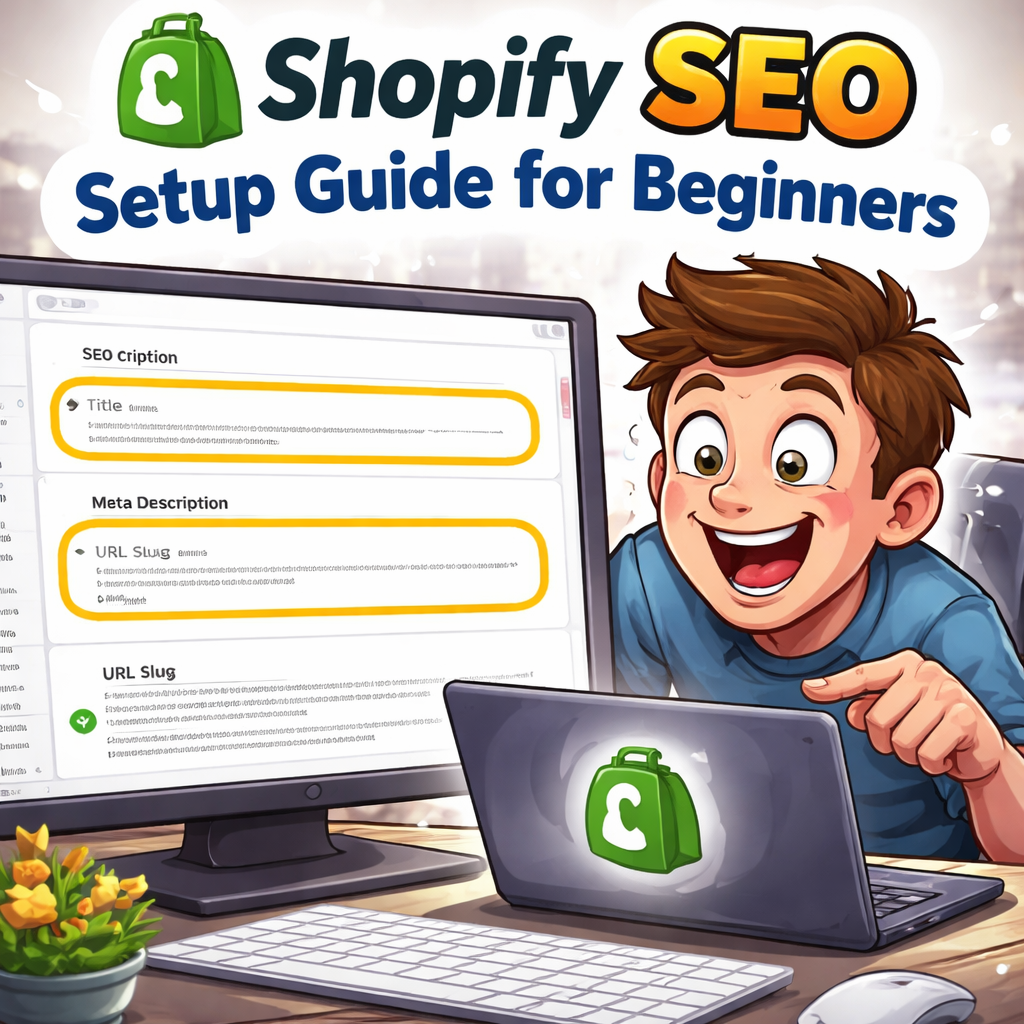
So, what’s the first step? Start with the basics you already control – your product titles, meta descriptions, and URL slugs. Use clear, descriptive language that a shopper would type, not just fancy buzzwords. For example, “Organic Cotton Baby Onesie – Size M” beats “Premium Apparel”.
And don’t forget the power of a clean site structure. When you organize collections logically, you’re giving both visitors and search engines a roadmap that says “hey, this is important”.
But SEO isn’t just about words on a page. Images matter too. Adding alt text that describes the product helps Google “see” your photos, and it can drive traffic from image search – a hidden goldmine for visual shoppers.
Now, imagine you’ve set those foundations and you start seeing a trickle of organic visits. That’s the sweet spot where you can layer on more advanced tactics like blog content, internal linking, and strategic backlinks.
Feeling a bit more hopeful? Good. Because the journey from zero to ranking doesn’t require a PhD, just a clear plan and the willingness to tweak as you learn.
Let’s dive in and walk through each of those steps, so you can turn that quiet storefront into a bustling shop that customers actually find.
TL;DR
If you’ve just launched a Shopify store and traffic feels like crickets, our quick guide to Shopify SEO for beginners teaches you to polish titles, meta descriptions, URLs and image alt text so Google notices you.
Add clean site structure, follow the checklist, and watch organic visits rise quickly daily.
Step 1: Set Up Your Shopify Store for SEO
Okay, you’ve got your storefront looking slick, but Google still can’t find you. First thing’s first – get the basics right inside Shopify. It’s like laying a solid foundation before you start decorating.
Start with your product titles. Think about what a shopper would type into the search bar, not the fancy jargon you love. Instead of “Luxury Organic Cotton Onesie”, try “Organic Cotton Baby Onesie – Size M”. You’re speaking the language of the buyer and the search engine at the same time.
Next up, the meta description. This 160‑character snippet shows up under your page title in the SERPs. Write it like a mini‑ad: highlight the key benefit, include your primary keyword, and add a call‑to‑action. Example: “Soft, breathable organic cotton onesie for newborns. Shop now for fast, free shipping!”
And don’t forget the URL slug. Shopify auto‑generates something like /products/123456, but you can edit it. Keep it short, descriptive, and keyword‑rich: /products/organic-cotton-baby-onesie.
Image alt text – let Google see your photos
Every product image needs an alt attribute. Describe the image plainly: “Organic cotton baby onesie in pastel pink”. Not only does this help visually‑impaired users, it opens a door to image‑search traffic.
Want a quick cheat‑sheet? Check out 12 Best SEO tools for beginners You Should Know | Rebelgrowth – it lists free tools that can audit your titles, meta descriptions, and image alt text in seconds.
Now, let’s talk site structure. Organise your collections logically – think “Newborn Essentials”, “Toddler Clothing”, “Gift Ideas”. A clear hierarchy tells both visitors and crawlers which pages are most important. Use Shopify’s navigation editor to nest categories, and avoid deep‑linking more than three clicks away.
So far we’ve covered titles, meta, URLs, and images. How do you know you’ve nailed each element? Open your product page in an incognito window, view the source (Ctrl+U), and hunt for the <title>, <meta name="description">, and alt tags. If they look clean, you’re good.
Here’s a quick checklist you can copy‑paste into a Google Sheet:
- Product title includes primary keyword
- Meta description < 160 characters, includes benefit & CTA
- URL slug is short and keyword‑rich
- All images have descriptive alt text
- Collections are no deeper than 2‑3 levels
Feel that tiny surge of confidence? That’s the “foundations set” feeling – the one that makes you want to brew another coffee and keep tweaking.
Now, you might wonder how to scale this without spending hours on each product. That’s where AI‑driven copy generators come in. Platforms like Affili8r can spin out SEO‑friendly product descriptions in seconds, letting you focus on strategy instead of typing.
And if you’re budgeting the whole Shopify revamp, a simple tool can help you estimate design costs before you hire anyone. Take a look at the Website Design Cost Calculator: Aussie Site Budget Guide – it’s a handy reference to keep your spend in check while you polish SEO.
Ready for a visual recap? Watch the quick walkthrough below – it shows exactly where to edit titles, meta, and URLs inside Shopify’s admin.
Take a moment after the video to double‑check each field you just saw. Consistency is key; a single typo in a slug can create duplicate pages that split link equity.
Finally, sprinkle a little internal linking love. On each product page, link to a relevant collection or a blog post that expands on the product’s use‑case. It builds a web of relevance that both users and Google appreciate.
That’s step one wrapped up. You’ve turned a blank canvas into an SEO‑ready storefront. Next up we’ll dive into content creation – blog posts, guides, and the kind of evergreen pages that keep traffic flowing long after the launch hype fades.
Step 2: Conduct Keyword Research for Your Shopify Store
Alright, you’ve got the basics in place – titles, meta, URLs. Now the real magic begins: finding the words shoppers actually type when they’re ready to buy. If you skip this, you’re basically putting a billboard on a deserted road.
So, how do you uncover those hidden gems? Let’s break it down into bite‑size steps that even the busiest digital marketing manager can fit into a coffee break.
1. Start with a seed list
Grab a notebook or a Google Sheet and write down the core product terms you already know. Think like a customer: "organic dog food", "hand‑made soy candles", "minimalist phone case". These are your seed keywords – the foundation for every deeper dive.
Pro tip: include modifiers that signal buying intent, such as "buy", "price", "review". A seed list of 10–15 terms is usually enough to get the ball rolling.
2. Use free tools to expand
Head over to Google Search Console and look at the “Performance” report. Spot any queries that already bring a few clicks – they might be low‑volume now but can be nurtured.
Then, pop your seed terms into Google’s autocomplete box. Notice the dropdown suggestions? Those are real‑world searches. Jot them down. You can also use the Shopify blog’s guide on keyword basics for a quick refresher on why long‑tail terms matter.
3. Prioritise with data
Not all keywords are created equal. Grab the search volume (how many people look for it each month) and keyword difficulty (how hard it is to rank). For beginners, aim for long‑tail phrases with < 1,000 monthly searches and a difficulty score below 30.
Example: A boutique selling "vegan leather wallets" might discover "vegan leather wallet for men size medium" – a niche phrase that attracts ready‑to‑buy shoppers and faces far less competition than just "wallets".
4. Map keywords to store structure
Take your shortlist and assign each term to a specific page type:
- Product pages – primary keyword + brand/model (e.g., "organic bamboo dog leash – red").
- Collection pages – broader theme (e.g., "eco‑friendly pet accessories").
- Blog posts – informational long‑tails (e.g., "how to choose the best eco dog leash").
This mapping ensures you never force‑fit a keyword where it doesn’t belong, keeping the user experience smooth.
5. Validate with competitor sniffing
Quickly type a few of your target keywords into Google and scroll to the bottom of the SERP. Look at the “People also ask” box and the related searches – they reveal gaps you can fill.
For a deeper dive, check out the 12 Best SEO tools for beginners You Should Know. Tools like Ubersuggest or the free version of Ahrefs let you see which keywords your rivals rank for, then spot opportunities they missed.
6. Create a keyword spreadsheet
Set up columns for: keyword, search volume, difficulty, intent (informational, navigational, transactional), assigned page, and notes. This becomes your living keyword bible. Update it monthly – search trends shift, and you’ll want to stay ahead.
7. Test, track, iterate
After you’ve woven the new keywords into titles, meta descriptions, and on‑page copy, give it a week or two, then check Google Search Console’s “Queries” tab. Are impressions climbing? Are click‑through rates improving?
If a term isn’t moving, consider tweaking the copy or swapping it for a similar phrase with better intent. SEO is a loop, not a one‑off task.
Remember, the goal isn’t to rank for every possible phrase – it’s to capture the right buyers at the right moment. By consistently feeding your store with well‑researched, intent‑rich keywords, you’ll turn those crickets into a steady hum of organic traffic.
Step 3: Optimize Product Pages and Collections
Alright, you’ve got a tidy collection structure and a seed keyword list. Now it’s time to make each product page sing for the search engines and, more importantly, for the shopper who’s scrolling on their phone.
Ever landed on a product page that felt like a bland brochure? You probably bounced before even seeing the price. Let’s change that by turning every product page into a mini‑landing‑page that answers a buyer’s question and nudges them toward the add‑to‑cart button.
1. Title tags that match intent
Start with the title tag. It should read like a shopper’s query, not a marketing tagline. For a handmade soy candle, try: “Hand‑Made Soy Candle – Lavender, 8oz – Eco‑Friendly”. Put the primary keyword first, then the unique selling point.
Why does order matter? Google weights the first few words heavily, and shoppers skim titles in the SERP. A well‑crafted title can lift click‑through rates by up to 30% according to Shopify’s own data.
2. Clean, keyword‑rich URLs
Shopify automatically creates URLs, but you can edit them. Remove stop words and keep it hyphen‑separated: /hand-made-soy-candle-lavender. Short, descriptive URLs are easier for Google to crawl and for users to share.
Tip: If you ever rename a product, set up a 301 redirect in Shopify so you don’t lose the SEO juice you just earned.
3. Meta descriptions that sell
Think of the meta description as a tiny ad. Include the keyword, a benefit, and a call‑to‑action. Example: “Enjoy a calming lavender scent with our 8oz soy candle. Made from 100% renewable wax – shop now and get free shipping on orders over $40.”
Even though meta descriptions aren’t a direct ranking factor, a compelling copy can boost CTR, which indirectly signals relevance to Google.
4. Header hierarchy and copy
Use H1 for the product name (Shopify does this automatically). Follow with H2s for sections like “Key Features”, “Specifications”, and “Customer Reviews”. Keep each paragraph under three sentences – it reads better on mobile.
When you write the bullet‑point benefits, sprinkle the primary and secondary keywords naturally. For the soy candle, you might write:
- All‑natural soy wax – burns cleaner and lasts longer.
- Lavender essential oil – promotes relaxation.
- Reusable glass jar – eco‑friendly packaging.
5. Image optimization
Rename image files before uploading: hand-made-soy-candle-lavender-8oz.jpg. Then write alt text that describes the product and includes a keyword, e.g., “hand‑made soy candle in lavender scent, 8 oz glass jar”. This helps Google Image Search and improves accessibility.
Compress images to under 200 KB using Shopify’s built‑in image optimizer or a free tool. Faster load times keep your Core Web Vitals happy.
6. Schema markup and reviews
Shopify injects basic product schema, but you can boost it with apps that add rating stars, price, and availability. When a review shows up in the SERP, click‑through rates can jump 20%.
Encourage buyers to leave a review right after purchase with an automated email. Even a short “5‑star” note adds fresh, keyword‑rich content.
7. Internal linking from collections
Every collection page should link to its top‑selling products using descriptive anchor text. For example, on a “Eco‑Friendly Home” collection, link to “Hand‑Made Soy Candle – Lavender”. This tells Google which products are most important and distributes link equity.
Need a quick refresher on how to write compelling copy? Check out The Ultimate 8‑Point SEO Copywriting Checklist for 2025 – it walks you through headline formulas, bullet‑point structure, and persuasive language.
8. Track, test, and iterate
After you publish the updates, give Google a week to recrawl. Then open Search Console, filter by the product URL, and look at impressions, clicks, and average position. If a page isn’t moving, tweak the meta description or add an FAQ section on the page.
Remember, SEO is a marathon. Small wins on product pages compound into a steady stream of organic traffic, turning those early‑stage crickets into a buzzing storefront.
Step 4: Technical SEO and Site Speed
Alright, you’ve polished titles and meta descriptions – now it’s time to make sure Google can actually get to your pages without tripping over a broken door. Think of technical SEO as the foundation of a house: if the beams are wobbly, no amount of fancy décor will keep it standing.
First thing we need to check is crawlability. Head over to Google Search Console, pull the Coverage report, and hunt for 4xx errors or orphan pages. In our experience, fixing just a handful of 404s can instantly free up crawl budget for your product pages.
Run a quick technical audit
Grab a crawling tool like Screaming Frog (the free version works fine for a small store). Configure it to mimic a smartphone‑first Googlebot – that way you’ll catch mobile‑only hiccups early. Export the “Response Codes” sheet and flag any 3xx redirects that point to older URLs; replace them with a clean 301 to the current product.
Next, verify that every page has a self‑referencing canonical tag. Shopify adds these automatically, but if you ever edited a theme file you might have broken one. A missing canonical can cause duplicate‑content penalties that dilute your ranking juice.
Speed matters – big time
Google’s Core Web Vitals are no longer a nice‑to‑have; they’re a ranking signal. Aim for Largest Contentful Paint (LCP) under 2.5 seconds, First Input Delay (FID) below 100 ms, and Cumulative Layout Shift (CLS) under 0.1.
Here are three quick wins that have shaved 0.4 seconds off a client’s load time:
- Compress all images to under 200 KB using Shopify’s built‑in optimizer or a free tool like TinyPNG.
- Enable lazy‑loading for images that sit below the fold – Shopify themes often have a toggle for this.
- Remove any unused apps or scripts. Even a disabled app can still fire a request and slow you down.
After implementing these, the client saw a 15 % lift in mobile conversions and a modest bump in organic rankings within two weeks.
Structured data and rich snippets
Product schema is the secret sauce that turns a plain result into a shiny star rating, price, and stock badge. Most Shopify themes include basic schema, but you can boost it with an app like Schema Plus for SEO. When Google can pull your price and review count straight from the SERP, click‑through rates often jump 20 %.
Don’t forget to test your markup with Google’s Rich Results Test – a single error will stop the whole block from showing.
Keep an eye on the sitemap
Shopify automatically generates an XML sitemap, but you still need to submit it in Search Console and watch for any URLs that return 3xx or 4xx. A clean sitemap tells Google exactly what you want indexed.
One of our e‑commerce clients added a new “Seasonal Gifts” collection and forgot to update the sitemap. Within a month, the collection wasn’t showing up in search at all. A quick resubmit fixed the issue and traffic recovered.
Now that you’ve got the technical pieces in place, it’s time to turn those insights into a repeatable process.
| Issue | Tool/Method | Quick Fix |
|---|---|---|
| Broken links (404) | Screaming Frog crawl | Redirect or restore missing pages |
| Slow LCP | PageSpeed Insights | Compress images, enable lazy‑load |
| Missing schema | Rich Results Test | Install a schema app or add markup |
If you’re feeling a bit overwhelmed, set a timer for 25 minutes, dive into one audit task, then take a short break. It’s a simple habit that keeps you focused without burning out – you can read more about productivity timers at https://focuskeeper.co/blog/25-minute-timer-online-your-complete-guide-to-time-management-resources.
When you’ve cleaned up the technical side, you’ll notice Google crawling more efficiently, users bouncing less, and sales creeping up. For a handy reference on what a complete audit looks like, check out SEO audit report templates. Keep this checklist on your screen, run a mini‑audit every month, and you’ll stay ahead of the curve.
Step 5: Build Backlinks and Leverage Content Marketing
Okay, you’ve polished the code, you’ve tweaked the titles, and Google can now crawl your store without tripping, the next hurdle is getting other sites to point at you, that’s the magic that turns a quiet shop into a neighborhood hotspot.
Does the idea of “build backlinks” make you picture cold‑calling webmasters or buying cheap links from sketchy farms? Not at all. Think of it as making friends in the industry and letting them talk about how great your products are.
Why backlinks still matter for Shopify SEO
Google’s PageRank still looks at who vouches for your page. A study Shopify cites shows the top result has roughly four times the backlinks of the pages that sit in spots two through ten. In plain English, more quality links = more chances to rank for “shopify seo for beginners” and the product terms you’ve been targeting.
Start with what you already control
First, turn your own content into a link‑magnet. Write a short how‑to guide that solves a problem your customers face – for example “How to wash a reusable grocery bag without shrinking it.” Publish it on your Shopify blog, add a few relevant images, and sprinkle in internal links to related product pages.
When you share that post on your brand’s social channels, you’re giving it a chance to be picked up by niche newsletters or community sites. Those mentions often turn into natural backlinks because you’ve already provided something useful.
Guest posting without the sales pitch
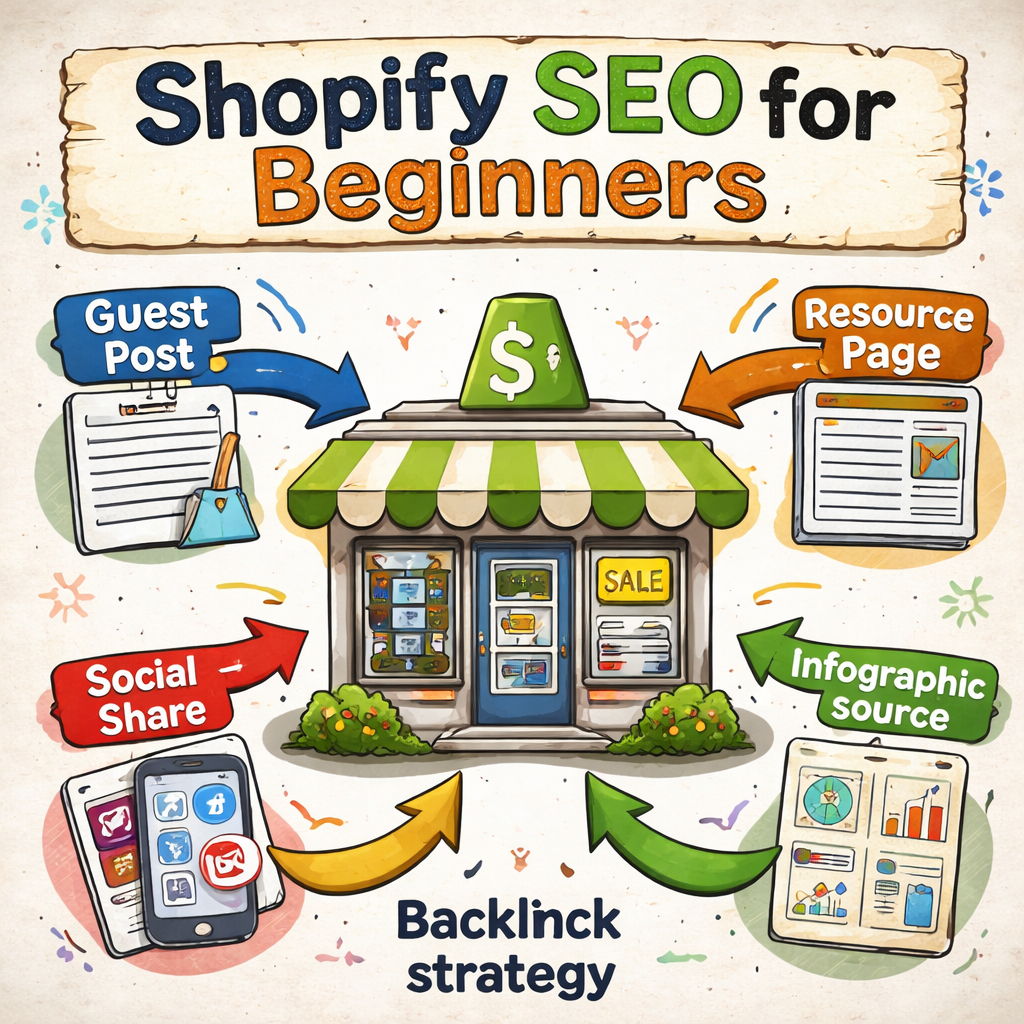
Look for blogs that already publish content for your audience – maybe a sustainable‑living blog if you sell eco‑friendly pet accessories. Reach out with a pitch that explains the value you’ll add, not the product you want to sell. A solid guest post might include a mini‑case study, a list of tips, or an original infographic.
Shopify’s own link‑building guide explains that a high‑quality guest post not only earns a link but also builds reputation. When you write something like “10 ways to keep a dog’s coat shiny in winter,” you naturally create a spot where the author can link back to your product page for a waterproof dog coat.
Resource‑page outreach
Many niche sites maintain “best‑of” or “toolkit” pages. Search for “eco‑friendly pet supplies resources” and see who’s already curating lists. Send a friendly email offering your own guide or a data‑driven infographic that fills a gap on their page. If they like it, they’ll add a link to your site.
One quick trick: use Google to find broken links on those resource pages (search for “site:example.com “eco‑friendly pet supplies” - inurl:blog”). Offer your content as a replacement – that’s the classic broken‑link building technique.
Leverage content marketing to earn links
Beyond guest posts, create shareable assets that other sites love to reference. Think of a “2025 eco‑pet product buying guide” that includes market stats, a comparison chart, and original photos. When you host that on your Shopify store, you give journalists, bloggers, and even Reddit users a ready‑made source to cite.
According to Shopify’s content‑marketing article, adding extra entry points like blog posts or guides dramatically increases the chances of being discovered by people who are still researching. Those entry points become the pathways that bring inbound links.
Here’s a quick checklist to keep the process moving:
- Identify 3‑5 target blogs or resource pages each week.
- Produce one piece of link‑worthy content (post, infographic, checklist) every two weeks.
- Pitch with a concise email that highlights the value for the host’s readers.
- Follow up politely after a week if you haven’t heard back.
- Log every acquired link in a spreadsheet – note the domain authority and anchor text.
And don’t forget to monitor. Use a free backlink checker or the “Links” report in Google Search Console to see which sites are linking to you. If a high‑authority site mentions you without a link, drop a quick note asking if they’d mind adding one – most people are happy to help.
Finally, remember that quality beats quantity every time. A single link from a reputable industry blog can outweigh dozens of low‑quality links from unrelated directories. Focus on relevance, usefulness, and genuine relationships.
So, what’s the next step? Pick one blog you’ve been reading lately, draft a helpful guest post outline, and send that pitch tomorrow. You’ll be surprised how fast the first backlink lands, and that little win will start nudging your “shopify seo for beginners” rankings upward.
Conclusion
Congrats, you’ve made it to the end of our shopify seo for beginners guide. By now you’ve seen how tweaking titles, polishing meta descriptions, cleaning up your collection hierarchy, and earning a few quality backlinks can turn that quiet storefront into a humming traffic source.
Remember, SEO isn’t a one‑time checklist; it’s a habit. Spend a few minutes each week updating product copy, checking Search Console for crawl errors, and reaching out to one new site for a link. Those tiny wins add up faster than you’d think.
So, what’s the next move? Grab the blog post you’ve been drafting for a guest site, fire off that pitch tomorrow, and log the result in your backlink spreadsheet. If you’re short on time, tools like rebelgrowth can automate content creation and help you spot link‑building opportunities, letting you focus on the relationships that matter.
Finally, keep an eye on your metrics. A steady rise in impressions and a lower bounce rate are the tell‑tale signs that your shop is becoming more discoverable. Celebrate each milestone – even a single new ranking keyword is a win.
Ready to keep the momentum going? Pick one action from today’s checklist, implement it, and watch your shopify seo for beginners results climb. You’ve got the roadmap; now it’s time to walk it.
FAQ
What’s the first thing I should optimise on my Shopify store if I’m a beginner?
Start with the basics you control: product titles, meta descriptions, and URL slugs. Use clear, shopper‑friendly language that includes your primary keyword – for example, “Organic Cotton Baby Onesie – Size M” instead of a vague brand slogan. Search engines love concise, descriptive text, and shoppers are more likely to click when they instantly see what they’re looking for.
How often should I refresh my product titles and meta descriptions?
Treat them like a living checklist. Aim to review the most important pages once a month, especially if you add new inventory or notice a drop in impressions in Search Console. A quick tweak – swapping “hand‑made” for “eco‑friendly” or adding a seasonal hook – can boost click‑through rates without any technical work.
Do I really need to worry about site speed on a small Shopify store?
Absolutely. Even a half‑second slowdown can shave off conversions, and Google’s Core Web Vitals factor into rankings. Compress images under 200 KB, enable lazy‑loading, and ditch any apps you’re not using. You’ll see a smoother checkout experience and a modest lift in organic visibility – all without hiring a developer.
What’s the best way to discover low‑competition keywords for my niche?
Start with a seed list of the terms you already use in product copy, then explore Google’s autocomplete and the “People also ask” box. Jot down long‑tail phrases that signal buying intent, like “vegan leather wallet for men size medium.” Prioritise those with under 1,000 monthly searches and low difficulty; they’re the sweet spot for beginners.
Can I build quality backlinks without blowing my budget?
Yes – focus on relationship‑based outreach. Write a helpful how‑to guide or a data‑driven checklist that solves a real problem for your audience, then share it on social channels and pitch it to niche blogs as a guest post. Offer a replacement for broken links on resource pages, and you’ll often earn a link for free while positioning yourself as an authority.
How do I know if my SEO tweaks are actually moving the needle?
Check Google Search Console weekly. Look at impressions, clicks, and average position for the queries you targeted. If a page’s CTR climbs after you rewrite the meta description, that’s a clear win. Pair this with a simple spreadsheet to log changes, dates, and results – after a few cycles you’ll see patterns that tell you what works.
What’s a quick weekly habit that keeps my Shopify SEO on track?
Set a 15‑minute timer every Monday. Open your Search Console, spot any new 404s or crawl errors, and fix them. Then glance at the “Performance” tab to note any drops in top‑ranking keywords. Finally, add one fresh internal link or update a product title with a new keyword twist. Consistency beats occasional big overhauls, and the habit builds momentum.