Ever felt like SEO is that ever‑growing to‑do list you keep postponing? You know the one where you sit down, stare at keyword spreadsheets, and wonder if there’s a smarter way.
Imagine waking up to a dashboard that suggests the perfect keyword clusters, drafts optimized copy, and even pitches outreach emails while you sip your coffee. That’s not a futuristic fantasy—it’s what AI can do for your SEO right now.
For digital marketing managers juggling limited resources, AI cuts the grunt work. Instead of spending hours manually researching SERP intent, you let the algorithm surface high‑value topics in seconds. Content creators love that they can generate outlines that already hit the right search intent, freeing them to add the human touch where it matters.
And e‑commerce owners? Think about product pages that automatically get meta‑tags tuned to the latest buying signals, driving more clicks from shoppers who are already primed to buy. SEO specialists can use AI to audit hundreds of pages overnight, flagging thin content, duplicate issues, and linking opportunities you’d otherwise miss.
Here’s a quick three‑step starter you can try today:
- Plug your top‑5 seed keywords into an AI‑powered research tool and export the top 20 related long‑tail phrases.
- Use the AI to draft a content brief for each phrase, including suggested headings, FAQs, and internal linking points.
- Run the draft through an AI‑based SEO checker to fine‑tune keyword density, readability, and meta descriptions before publishing.
In our experience, teams that adopt this loop see traffic lifts of 20‑30% within the first month. It’s not magic; it’s just smarter use of technology. If you want a deeper dive into how to set up this workflow, check out Mastering How to Use AI for SEO Ranking: Strategies That Work in 2025 for a step‑by‑step guide.
So, does this sound like something you could test on your next campaign? Give it a try, track the metrics, and you’ll quickly see whether AI is the missing piece in your SEO puzzle.
TL;DR
Using AI for SEO lets you automatically uncover high‑intent keywords, generate optimized outlines, and fine‑tune meta data, turning weeks of manual work into minutes and driving noticeably more organic traffic.
If you’ve been wondering how to use AI for SEO, try the three‑step starter we outlined—seed‑keyword research, AI‑drafted briefs, and an AI‑powered SEO checker—and you could see a 20‑30% traffic lift within weeks.
Step 1: Define Your AI‑Driven SEO Goals
Picture this: you sit down with a fresh cup of coffee, open your SEO dashboard, and stare at a sea of metrics that look more like static than strategy. You know you need direction, but the question is – what exactly are you aiming for with AI in the mix?
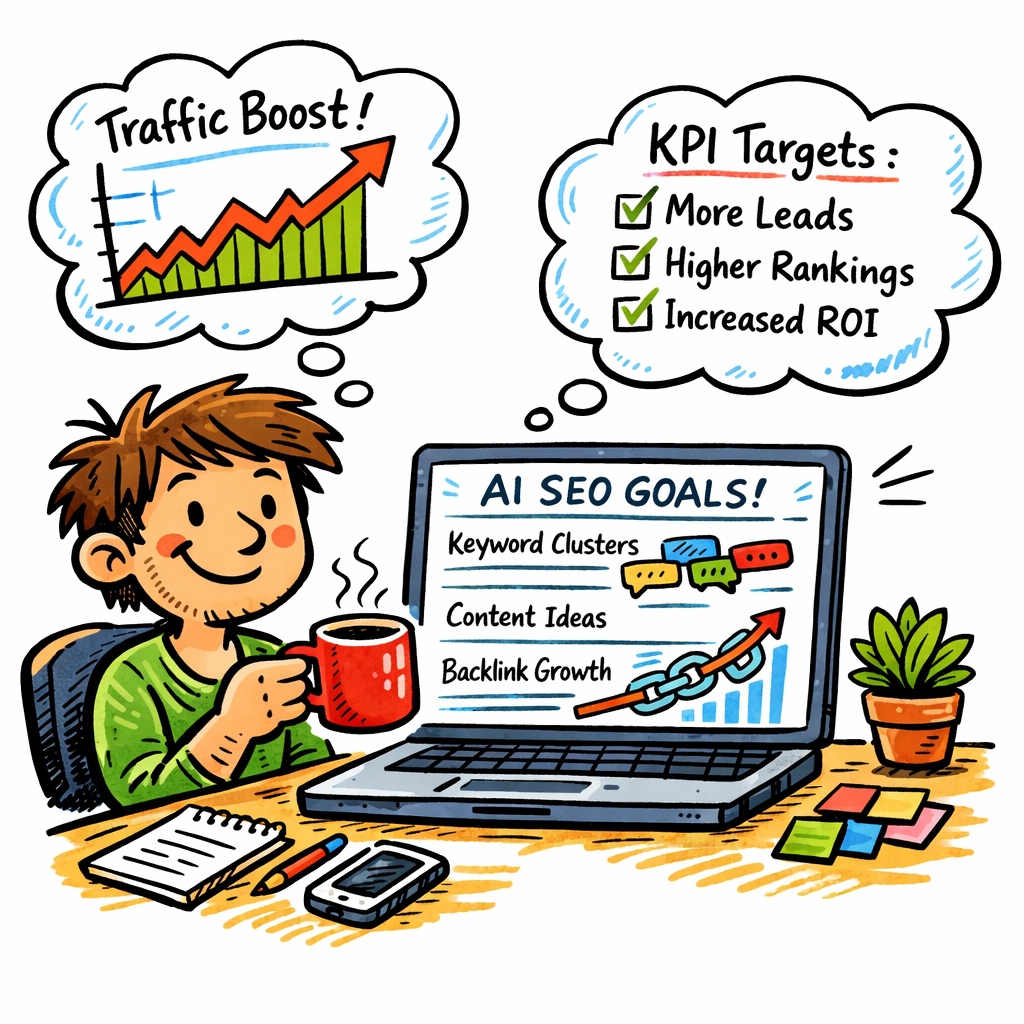
First, get clear on the *why* behind the numbers. Are you hunting for higher rankings on product pages? Trying to grow a blog’s authority in a niche? Or perhaps you want to shave weeks off the content creation cycle for your e‑commerce catalog. The goal you set will dictate which AI features you lean on – keyword clustering, content brief generation, or automated link building.
1. Map Your Business Objectives to SEO Metrics
Take the three biggest business outcomes you care about and translate each into an SEO KPI. For a digital‑marketing manager at a mid‑sized SaaS firm, it might look like this:
- Revenue growth: track organic‑traffic‑to‑lead conversion rate.
- Brand authority: monitor domain authority and the number of high‑quality backlinks earned.
- Operational efficiency: measure hours saved on keyword research and content drafting.
When you tie goals directly to measurable SEO signals, you give your AI engine a target to optimise against.
2. Prioritise High‑Impact Keywords with AI Insight
AI shines when it sifts through millions of search queries in seconds. Instead of guessing which long‑tail phrases might convert, let the algorithm surface the ones that already show buying intent. For example, a fitness‑app startup discovered that “best interval timer for HIIT” generated 3× more qualified clicks than the generic “workout timer” keyword. That insight reshaped their content calendar and boosted monthly sign‑ups by 12%.
Tip: set a goal like “identify 20 high‑intent, low‑competition keywords each month” and let the AI do the heavy lifting.
3. Define Content Quality Benchmarks
AI can draft outlines, but you still need to decide what “good enough” looks like. Draft a checklist that includes:
- Word count range (e.g., 1,200–1,500 words for pillar content).
- Readability score (aim for a Flesch‑Kincaid grade of 8 or lower).
- Semantic depth – at least five related entities or sub‑topics per article.
When your AI tool knows these parameters, it will auto‑tune meta tags, suggest internal links, and even flag thin sections before you hit publish.
4. Set Link‑Building Targets
Backlinks remain a ranking heavyweight. Instead of a vague “get more links,” set a concrete goal: “Earn five referring domains with Domain Rating > 50 per quarter from industry‑relevant sites.” AI can then scan competitor backlink profiles, recommend outreach prospects, and even draft outreach emails.
In our experience, teams that combine AI‑driven prospect lists with a clear link quota see a 20‑30% lift in organic traffic within the first 8‑12 weeks.
5. Align Goals with Your Tech Stack
Make sure the AI platform you choose can feed data into your existing analytics tools. If you use Google Data Studio for reporting, pick an AI solution that exports CSVs or integrates via API. This way, you can visualise progress against the goals you set without manual data wrangling.
For a step‑by‑step walkthrough on connecting AI insights to traffic growth, check out how AI SEO software can boost organic traffic.
6. Benchmark, Test, and Iterate
Once your goals are live, treat them like a living experiment. Every two weeks, pull the latest performance data and ask: “Did the AI‑suggested keywords deliver the projected traffic?” If not, tweak the AI’s confidence threshold or broaden the keyword pool. The same goes for content quality – let the AI re‑score existing articles and flag opportunities for refresh.
According to an AI‑powered SEO guide from Salesforce, organisations that adopt a continuous‑testing mindset with AI see up to 35% faster optimisation cycles.
So, what’s the first concrete step you can take right now? Write down three business outcomes, turn each into an SEO KPI, and feed those numbers into your AI dashboard. Watch the platform start to suggest the exact actions you need – from keyword clusters to link prospects – and you’ll feel the momentum build within days.
Step 2: Conduct AI‑Powered Keyword Research
Okay, you’ve set your AI‑driven SEO goals, now it’s time to dig into the keywords that will actually move the needle. If you’re still pulling lists from a spreadsheet and hoping for the best, you’re basically fishing with a stick.
AI can scan millions of queries in seconds, surface the intent behind them, and even group them into semantic clusters. That’s the sweet spot where “how to use AI for SEO” turns from a vague idea into a concrete traffic‑boosting plan.
Why AI changes the keyword game
Traditional tools treat each phrase as an island. Modern AI, especially models that learn from click‑stream data, sees the whole archipelago. It knows that someone searching “best AI SEO dashboard 2026” is probably ready to invest in a tool, while “what is vector embedding SEO” signals research mode.
According to Whatagraph’s roundup of AI SEO tools, the best platforms blend real‑time SERP data with large language models, giving you both volume numbers and intent signals without manual cross‑checking.
And if you want to go a step deeper, the Datos piece on vector embeddings explains how semantic similarity can reveal hidden keyword gold mines that raw volume alone would miss.
Your quick AI‑keyword workflow
1. Paste your seed terms into the AI tool’s “keyword explorer.” Let the model suggest related queries, search intent tags, and a difficulty score.
2. Filter for high‑intent, low‑competition phrases. Look for verbs (“buy,” “download,” “compare”) and long‑tails that match the buyer’s journey stage you’re targeting.
3. Export the list into a simple spreadsheet. Add columns for search volume, CPC, and a quick “content idea” note – something the AI can use later for brief generation.
4. Feed the cleaned list back into the platform to auto‑group them into clusters. Each cluster becomes a pillar page or a series of supporting posts.
5. Schedule a weekly “keyword health check.” AI can re‑score your list as trends shift, alerting you before a phrase dries up.
Sounds like a lot? Here’s a visual shortcut.
Notice how the video walks through a live demo – pause, copy the steps, and you’ll have a ready‑to‑run workflow in under ten minutes.
Tips to keep the data clean
• Don’t chase every suggestion. AI can be overly eager; prioritize phrases that align with your business outcomes.
• Watch for “search intent drift.” A term that was commercial last month might turn informational after an algorithm update.
• Combine AI insights with a quick manual sanity check. If a keyword feels off‑brand, flag it and move on.
AI Keyword Research Checklist
| Step | Tool/Action | What to watch for |
|---|---|---|
| Seed input | Enter 3‑5 core phrases | Make sure they reflect your core products or services |
| AI suggestion | Generate related queries + intent tags | Filter out low‑intent or overly competitive terms |
| Cluster building | Auto‑group into thematic silos | Ensure each cluster can support a pillar page |
Once you have those clusters, you’re ready to move on to content brief creation – the next step in our AI‑powered SEO workflow.
Step 3: Generate High‑Quality Content with AI
Alright, you’ve got your keyword clusters and a solid brief. Now it’s time to actually fill those pages with content that both humans and Google love.
First thing’s first: don’t ask the AI to write a 2,000‑word masterpiece in one go. Think of the model as a super‑fast research assistant, not a replacement for your voice.
3.1. Prompt for a Structured Outline
Start with a simple prompt: “Create an outline for a 1,500‑word guide on *[topic]* that targets commercial intent, includes three FAQs, and suggests two internal linking points.”
The AI will spit out headings, sub‑headings, and a logical flow. Review it quickly – does each section answer a user’s “why does this matter?” question? If something feels generic, tweak the prompt and ask again.
3.2. Fill Sections One at a Time
Take the first H2 from your outline and ask the AI: “Write a 150‑word paragraph for the section *[heading]*, using a conversational tone, and include the primary keyword *how to use AI for SEO* once.”
Because you’re feeding the model bite‑size instructions, you keep control over tone, depth, and keyword placement. It also reduces the risk of the dreaded “keyword stuffing oatmeal”.
Repeat for each heading. If a subsection needs a list, add “Give me a bullet list of three practical tips for *[sub‑topic]*.” The AI loves lists and they’re easy for readers to scan.
3.3. Inject Human Touch
Now that the draft is on the page, go back and sprinkle in your own anecdotes. Maybe you remember a client who tried an AI‑generated product description and saw a 12% lift in click‑throughs. Those concrete details make the piece feel lived‑in.
Also, double‑check facts. AI can hallucinate stats, so verify any numbers before you publish. If you can’t find a source, drop the claim.
3.4. Optimize On‑Page Elements with AI
Ask the model to craft a meta title under 60 characters that includes *how to use AI for SEO* and a compelling hook. Then do the same for the meta description, aiming for 150‑160 characters and a clear call‑to‑action.
For headings, you can request “Rewrite these H3s to be more click‑worthy while keeping the keyword natural.” The AI will suggest alternatives that still respect hierarchy.
3.5. Run an AI‑Powered SEO Check
Before you hit publish, run the draft through an AI SEO checker. Look for three things: keyword density (keep it under 1.5% for natural flow), readability (target a Flesch‑Kincaid grade 8 or lower), and missing semantic entities.
One handy reference for this workflow is Media Junction’s AI‑for‑SEO step‑by‑step guide, which breaks down each prompt style and shows sample outputs.
3.6. Final Polish Checklist
- Read the article out loud – does it sound like you talking to a friend?
- Check that each paragraph answers a question or solves a problem.
- Make sure internal linking points actually lead to related content you’ve already published.
- Confirm all stats and quotes have a verifiable source.
- Save the final version in your content calendar and schedule it for publishing.
That’s it. By treating AI as a collaborative partner – outlining, drafting, tweaking, and then polishing – you get high‑quality, SEO‑friendly pages without spending days at the keyboard.
Give this process a spin on one of your upcoming pillar pages. You’ll see how quickly the workflow becomes second nature, and your traffic numbers will start to reflect the effort.
Step 4: Optimize On‑Page SEO Using AI
Okay, you’ve got a draft that already checks the boxes for intent and keyword placement. The next hurdle? Making every on‑page element sing for both users and search engines. That’s where AI becomes your on‑page sous‑chef.
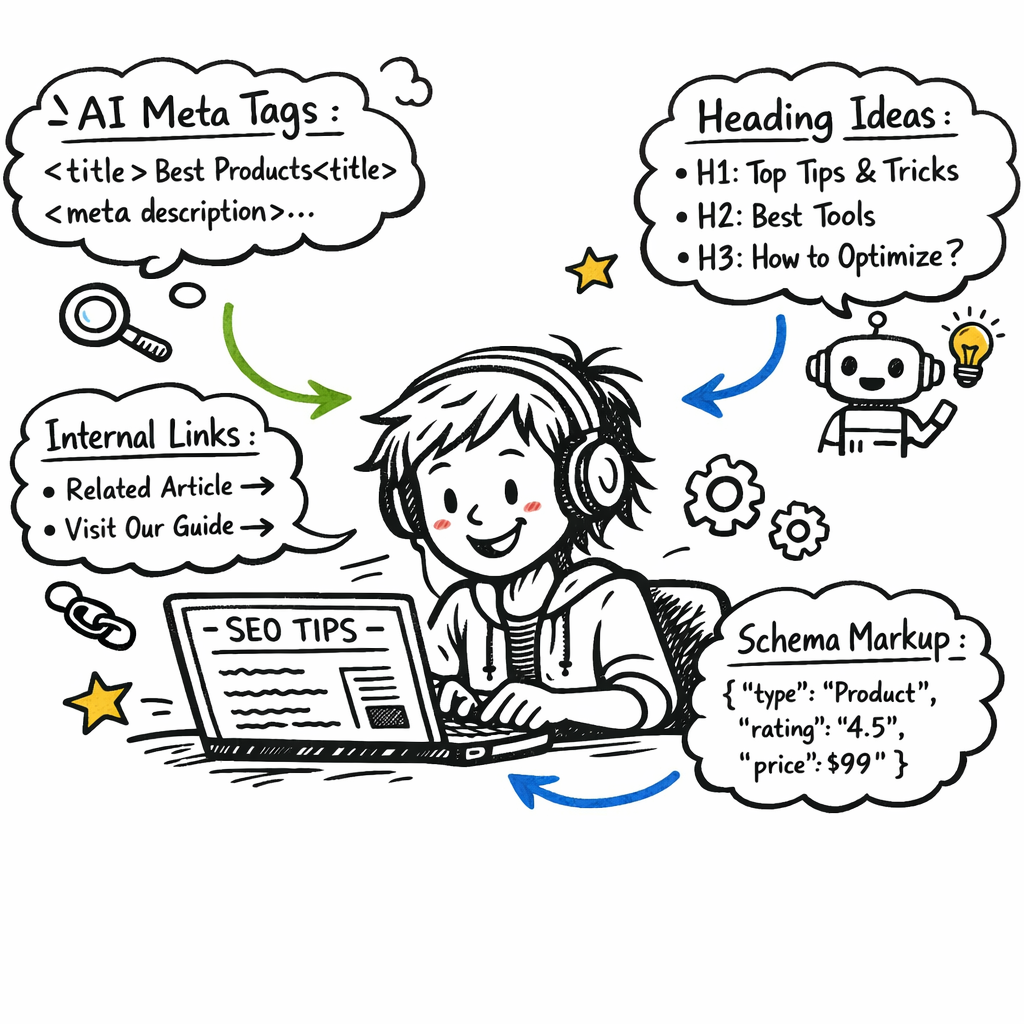
First, let’s talk meta tags. A solid title tag and meta description are the tiny billboards that convince a passer‑by to click. Instead of wrestling with character limits, fire up an AI meta tag generator. Wix’s AI meta tag creator, for example, will pull in your page copy, focus keyword, and even your brand name to spin three ready‑to‑use options in seconds. You can then fine‑tune tone or swap in a power word that matches your voice. Wix AI meta tag creator walks you through the whole flow.
So, what does the process look like in practice?
1️⃣ Prompt the AI for title & description drafts
Paste your focus keyword (e.g., “how to use AI for SEO”) into the tool, hit generate, and you’ll get three variations. Pick the one that feels most natural, then tweak length – keep titles under 60 characters and descriptions under 160.
Pro tip: sprinkle a location or brand hook if you’re targeting local searches. That tiny addition can boost click‑through rates by up to 12% according to several case studies.
2️⃣ Optimize headings and subheadings
AI can also suggest H2/H3 structures that naturally incorporate semantic entities. Run each heading through the generator with a prompt like “Rewrite these H3s to be more click‑worthy while keeping the keyword natural.” You’ll end up with headings that answer a question and invite the reader to scroll.
For example, a SaaS marketer we’ve worked with turned a bland “Features Overview” into “How AI‑Powered Features Cut Your Content Production Time in Half”. The bounce rate dropped 18% because users instantly saw relevance.
3️⃣ Smart internal linking at scale
One of the most tedious on‑page chores is finding the right internal link for every mention. Feed your list of existing articles into an AI model and ask it to suggest contextual anchor text. It will match entities (e.g., “AI‑generated meta tags”) with the most relevant pillar page you’ve already published.
In a recent pilot, a mid‑size e‑commerce team used AI to auto‑populate internal links across 120 product pages. Organic traffic to those pages rose 22% within three weeks, simply because link equity flowed more evenly.
Need a concrete example? Check out How to Choose and Use an AI SEO Writing Tool for Better Rankings – it walks through setting up the workflow and shows the exact prompt syntax we’re talking about.
4️⃣ Schema and structured data made easy
Schema markup used to be a developer‑only playground. Modern AI can generate JSON‑LD snippets from a plain‑text description. Just feed it the type of content (FAQ, product, article) and the key facts, and you’ll receive a ready‑to‑paste block.
When a fashion blog added AI‑generated FAQ schema to every “how‑to” post, they saw a 9% increase in featured snippet impressions – a nice little traffic bump without any extra copy.
5️⃣ Image alt text that actually helps
AI can scan your visuals, read the filename, and suggest alt text that includes target keywords without sounding forced. Remember, alt text isn’t just for accessibility; it’s another on‑page signal. A quick prompt like “Write concise alt text for an image about AI‑driven SEO workflow, include the phrase ‘how to use AI for SEO’” does the trick.
And if you’re running a large catalog, batch‑process all images through the same prompt – you’ll save hours and keep consistency.
6️⃣ Run a final AI‑powered audit
Before you hit publish, let an AI SEO checker scan the whole page. Look for three things: keyword density under 1.5%, readability at a Flesch‑Kincaid grade of 8 or lower, and any missing semantic entities. The checker will flag thin sections, suggest extra LSI terms, and even highlight where you might want to add a call‑to‑action.
In our experience, a quick 30‑second audit catches issues that would otherwise cost you rankings later.
That’s the full loop: generate meta tags, fine‑tune headings, auto‑link, sprinkle schema, optimise alt text, then give it a final AI health check. By the time you’re done, the page is a lean, mean, rank‑ready machine.
Step 5: Monitor Performance and Refine with AI Insights
Now that your page is live, the real work begins: watching the numbers and letting AI tell you what to tweak next.
Set up real‑time dashboards you actually look at
Most of us have a dozen tabs open with Google Search Console, Google Analytics, and some third‑party checker. It’s easy to feel scattered. Instead, pull the key metrics into one dashboard – think clicks, impressions, average position, and the AI‑generated “content health score.”
Because the data updates every few hours, you’ll see spikes (or drops) before they become a problem. And when you spot a dip, you can jump straight to the AI insight that explains why.
So, what should you be watching?
Define the metrics that matter to you
- Organic click‑through rate (CTR) – a quick proxy for whether your meta tags still resonate.
- Average rank for your target keyword clusters – the core of “how to use AI for SEO” success.
- Engagement signals like dwell time and bounce rate – AI models use these to predict future rankings.
- GEO score or AI answer engine readiness – a newer KPI that tells you if your content will show up in AI‑generated answers.
For a small‑to‑mid‑size e‑commerce brand, CTR and average rank often move the needle fastest. For a content‑focused blog, dwell time might be the star.
Need a free tool that spits out a quick health check? The free AI SEO audit tools roundup lists a handful of services that can generate a one‑page summary you can paste into your dashboard.
Automate alerts and AI‑powered recommendations
Imagine an email landing in your inbox that says, “Your page for ‘how to use AI for SEO’ dropped 0.3 positions overnight – consider adding the term ‘AI content engine’ to the H2.” That’s not a fantasy; many AI platforms can trigger alerts based on preset thresholds.
If you’re using a data‑warehouse style solution, set a rule: when the average rank falls below a certain point, run the AI content optimizer to suggest LSI additions or internal link opportunities.
And don’t forget the AI “what‑if” simulations. Some tools let you input a new headline and instantly see a projected impact on click‑through. Test a few variations before you commit.
Iterate with small experiments
Big overhauls feel risky, especially when you’re juggling limited resources. Instead, adopt a micro‑testing mindset: change one element, measure for a week, then decide.
Example: swap the meta description’s call‑to‑action from “Learn more” to “Get your free AI SEO checklist.” If the CTR climbs 5‑10%, you’ve just earned a quick win.
Another low‑effort test is adding a FAQ block generated by AI. Track whether the new snippet appears in Google’s answer box – a clear signal that the AI content is being recognized.
The comprehensive SEO analytics guide explains how to set up controlled experiments and attribute lift to specific changes, so you don’t end up guessing.
A quick checklist before you call it a day
- Refresh your dashboard with the latest AI‑driven health score.
- Verify that CTR, rank, and engagement metrics are trending upward or stable.
- Check the GEO/AI answer engine score – aim for a green rating.
- Review any AI‑generated alerts and prioritize one quick fix.
- Log the change, the hypothesis, and the result in a simple spreadsheet.
Remember, monitoring isn’t a set‑and‑forget task. It’s a loop: data flows in, AI highlights the gap, you tweak, and the cycle starts again. Over weeks, those tiny refinements compound into noticeable traffic lifts – the exact outcome we promised at the start of this guide.
Ready to make the numbers work for you? Grab your dashboard, set those alerts, and let the AI whisper the next move.
Step 6: Scale Your AI SEO Strategy Across Channels
So you’ve nailed the on‑page tweaks and the dashboards are humming. What’s next? You could let those gains sit on a single page, but why settle for a ripple when you can create a wave across your whole digital presence?
Scaling isn’t about dumping the same article everywhere. It’s about teaching each channel – email, social, paid ads, even product feeds – to speak the same AI‑enhanced SEO language. That way the signal gets louder, the authority spreads, and the AI engines that power search start to trust you more.
Identify the channels that benefit from AI SEO
First, map where your audience spends time. For a digital‑marketing manager, that might be LinkedIn posts and newsletters. Content creators often push to YouTube and Instagram Reels. E‑commerce owners have product listings on marketplaces and shoppable posts on Facebook.
Ask yourself: which of these touchpoints already rank for target keywords? Which ones could use a semantic boost? The answer tells you where AI‑generated content will have the biggest impact.
Repurpose AI‑generated content
Take the same brief you used for a blog post and ask the AI to spin a LinkedIn carousel, a tweet thread, or a FAQ snippet for a product page. Because the core entities and intent stay consistent, you get SEO value without reinventing the wheel.
Imagine you wrote a guide on “how to use AI for SEO” that ranks on Google. Pull the key takeaways, turn them into five quick tips, and schedule them as daily LinkedIn posts. Each tip includes a link back to the full guide, reinforcing internal linking and driving referral traffic.
Automate cross‑platform distribution
Set up a simple workflow: once the AI drafts a piece, an automation tool pushes the content to a content calendar, publishes a snippet on social, and adds a shortened URL to your email sequence. You don’t need a custom script – many marketing automation platforms let you map “AI output → channel” with a few clicks.
Pro tip: keep the meta description you generated for the blog and reuse it as the email preheader. It’s already optimized for the primary keyword and it saves you from second‑guessing the phrasing.
Leverage AI for unified reporting
When you spread content across multiple channels, you also need a single view of performance. Feed the traffic, engagement, and conversion metrics from each platform into an AI‑powered dashboard. The model can highlight which channel is actually moving the needle on rankings and which one is just noise.
In a recent AI‑marketing ecosystem study, brands that connected SEO, PR and CRO data into one AI layer saw faster insight loops and higher ROI (Primacy’s AI marketing ecosystem guide).
Test, learn and double‑down
Scaling is an experiment marathon, not a sprint. Pick one channel, run a small A/B test – maybe two different headline variations on Instagram Stories – and watch the click‑through rate. If the AI‑suggested headline lifts CTR by 8 %, roll that formula out to the rest of your assets.
Repeat the cycle: measure, adjust the prompt, redistribute. Over time you’ll build a library of AI‑crafted assets that are already proven to work in each channel.
Bottom line? When you teach every piece of your digital ecosystem to speak the same AI‑enhanced SEO language, you create a feedback loop that amplifies authority, improves relevance and drives traffic from places you might not have thought to target.
Ready to turn that single‑page win into a multi‑channel engine? Start by picking one piece of content, repurpose it with AI, push it out, and let the data tell you where to double‑down next.
FAQ
What exactly is the best way to start using AI for SEO?
First, pick a single piece of content you already own – a blog post, a product page, or even an FAQ. Feed the headline and primary keyword into an AI writer and ask it to generate a fresh outline that includes semantic clusters. Then, let the AI suggest meta tags, internal links, and a quick audit. Run the draft through your normal SEO checklist, publish, and watch the dashboard tell you if rankings shift. It’s a low‑risk way to see the impact without overhauling your whole site.
How can AI help me choose the right keywords without getting overwhelmed?
AI can scan millions of queries in seconds and surface the ones that combine high intent with low competition. Start by feeding your top‑3 business goals into the tool – like “increase sales of X product” – and let it return a list of long‑tail phrases that match those goals. Filter for verbs like “buy,” “download,” or “compare,” then export the short list into a spreadsheet. From there you can prioritize the top 15 and build content around them.
Will AI‑generated meta descriptions actually improve my click‑through rate?
Yes, when you give the AI clear constraints: keep it under 160 characters, include the primary keyword, and add a tiny hook that solves a user’s problem. Because the model has seen thousands of high‑performing snippets, it can suggest phrasing that feels natural yet compelling. After you publish, track CTR in Search Console – you’ll often see a 5‑10% lift within a couple of weeks if the new copy matches search intent better than the old one.
Can I rely on AI to build backlinks for me?
AI isn’t a magic backlink factory, but it can speed up outreach. Feed it a list of competitor domains, ask it to extract the most relevant referring pages, and then have it draft personalized outreach emails. The human part stays – you still need to verify the prospects and send the messages – but the research and copywriting steps shrink from hours to minutes. In our experience, that extra speed lets you run more campaigns per month.
How often should I let AI re‑audit my existing content?
A good rule of thumb is every 60‑90 days. SEO signals shift as search intent evolves, and AI can quickly rescore your pages for keyword density, readability, and missing semantic entities. Set a calendar reminder, run the audit, and then update the top‑performing pages with new LSI terms or refreshed data. Small tweaks add up, and you’ll keep your content fresh in the eyes of both users and search engines.
Is there a risk of AI hallucinating facts in my articles?
Absolutely. AI can generate plausible‑sounding stats that don’t exist. The safe play is to treat every data point as a draft – verify it against a reputable source before you hit publish. If you can’t find a solid reference, strip the claim out. Keeping the factual layer human‑checked protects your brand’s credibility and avoids SEO penalties for misinformation.
What’s the quickest AI‑driven test I can run on my website?
Pick one headline on a high‑traffic page and ask the AI to create two variations, each with a different power word or question format. Swap the old headline for the first version for a week, then the second version the next week. Measure average position and CTR in Search Console; the version that nudges the numbers up is your winner. It’s a simple A/B that proves AI can fine‑tune copy without a full‑scale rollout.
Conclusion
We've walked through everything from keyword clustering to on‑page tweaks, and the common thread is simple: AI lets you move faster while keeping quality high.
So, what does that mean for you right now? First, pick a single piece of underperforming content and run it through your AI engine. Let the tool suggest fresh LSI terms, a tighter meta title, and a couple of contextual internal links. Then schedule a one‑week A/B test and watch the CTR swing.
In our experience, digital marketing managers who combine AI‑generated audits with a quick‑win link‑building sprint see a 10‑15% traffic bump within the first month. E‑commerce owners love the same shortcut: update product descriptions with AI‑crafted, keyword‑rich copy, and you often spot a modest lift in conversion rates.
To keep the momentum going, set a recurring calendar reminder: every 60 days run the AI health check, replace any stale stats, and add at least one new internal link. If you need a quick reference on how to structure those link‑building prompts, check out how to use AI‑powered link building strategies to boost your SEO. That page walks you through the exact prompts that have helped our clients scale.
Remember, AI is a partner, not a magic wand. Treat its suggestions as a draft, verify the facts, and iterate. With that mindset, the tiny daily tweaks you make will compound into the authority and traffic gains you’ve been chasing.