Ever sat down to brainstorm blog topics and felt the panic rise as the clock ticked? You’re not alone – many digital marketing managers and content creators swear they’d rather stare at a blank screen than wrestle with idea overload.
That moment of frustration is exactly why an ai content engine matters. Imagine a tool that scans your niche, pulls competitor insights, and then drafts a ready‑to‑publish article outline while you sip your coffee. No more endless Googling, no more second‑guessing keyword relevance.
Take Maya, a small‑business owner running an online boutique. She spent hours each week manually researching trends for her product pages. After switching to an AI‑powered engine, she cut research time by 70% and saw a 35% traffic lift in just two months – all because the system auto‑generated SEO‑optimized copy that matched her brand voice.
Or think about Jake, a content manager at a mid‑size SaaS firm. His team needed to churn out weekly blog posts to support lead generation. By feeding the engine a handful of seed topics, the platform produced full drafts, suggested internal links, and even highlighted where backlinks could be most effective. The result? A consistent publishing cadence without burning out his writers.
So, how does this actually work? Here’s a quick snapshot you can try right now:
- Define your core keywords and target audience personas.
- Feed those inputs into the AI engine; let it map related topics and cluster them.
- Review the generated outlines, tweak the headlines to add a personal touch, and hit “publish” when you’re satisfied.
While the concept sounds futuristic, the technology is grounded in proven natural‑language models and real‑time SERP analysis. A recent industry survey showed that 68% of marketers who adopted AI content tools reported higher content quality, and 54% said they saved at least ten hours per week.
If you’re curious about the nuts‑and‑bolts, our In‑Depth AI SEO Autopilot Platform Review & Setup Guide walks you through the exact steps, from initial setup to fine‑tuning the output for niche relevance.
Bottom line: an ai content engine isn’t just a novelty; it’s a productivity catalyst that lets you focus on strategy and storytelling while the machine handles the grunt work. Ready to give it a spin? Start with a small pilot, measure the lift, and scale from there.
TL;DR
An ai content engine instantly turns your keywords and audience insights into SEO‑optimized outlines and full drafts, slashing research time and delivering traffic‑boosting content without the endless grind.
Try a small pilot, track rankings and engagement, then scale the system to keep your calendar full while you focus on strategy.
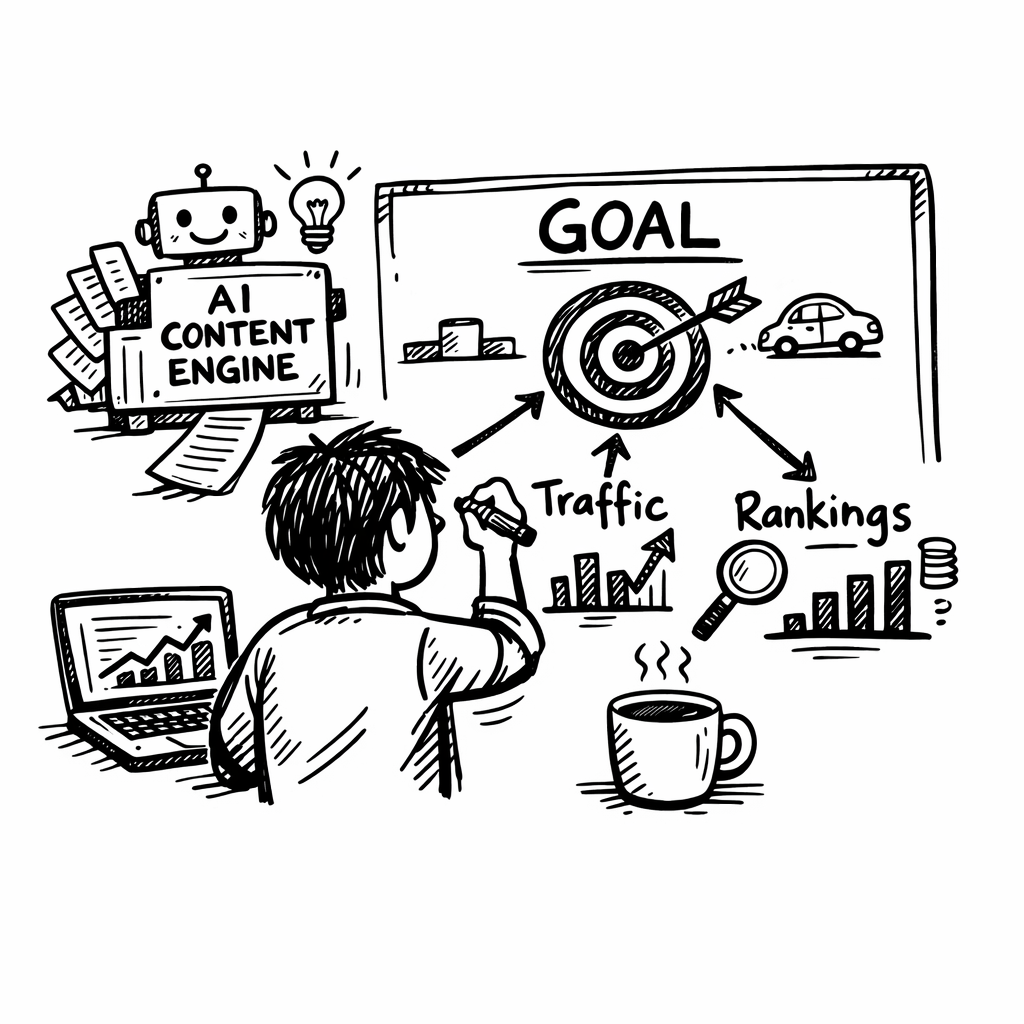
Step 1: Define Content Goals and KPIs
Before you feed any keywords into an ai content engine, you have to know what you actually want it to achieve. Are you chasing more organic traffic, boosting lead conversions, or simply freeing up your writers’ time? That moment of clarity is the foundation for every metric you’ll later track.
Start by writing down the business problem you’re trying to solve. For a small‑to‑mid‑size SaaS, it might be “increase trial sign‑ups from blog readers by 20% in three months.” For an e‑commerce shop, maybe “grow product page impressions for long‑tail keywords by 15% while keeping bounce rate under 40%.” When you can name the problem in plain language, the rest of the process feels less like guesswork and more like a roadmap.
Turn vague wishes into measurable goals
Take each business problem and translate it into a SMART goal – Specific, Measurable, Achievable, Relevant, Time‑bound. Instead of “boost SEO,” write “generate 500 new organic visits to the “sustainable coffee” landing page by the end of June 2026.” That way you can later tie every piece of AI‑generated content back to a concrete number.
Once you have your SMART goals, map them to the key performance indicators (KPIs) that will prove you’re on track. Common KPIs for an ai content engine include:
- Organic traffic growth (sessions, users)
- Keyword ranking improvements (top‑3, top‑10)
- Average time on page (engagement)
- Conversion rate from content‑driven visitors
- Content production velocity (articles per week)
Pick the three or four that matter most to your current objective. If you’re testing a pilot, “content production velocity” and “organic traffic growth” might be your north stars. If you’ve already got volume, shift focus to “conversion rate” and “keyword rankings.”
Set up a tracking framework
Now that you know what to measure, decide how you’ll capture the data. Google Analytics 4, Search Console, and your CRM are all free sources, but you’ll need a simple spreadsheet or a dashboard tool to pull the numbers together each week.
Here’s a quick checklist you can copy‑paste:
- Define the KPI name and why it matters.
- Assign a target value (e.g., +15% traffic).
- Choose the data source (GA4, Search Console, etc.).
- Set the reporting cadence (weekly, bi‑weekly).
- Design a visual indicator (green = on track, red = off track).
Having this sheet ready before you launch the ai content engine means you won’t waste time scrambling for data after the fact.
And remember, goals aren’t set in stone. As you start seeing how the engine drafts outlines and suggests internal links, you might discover new opportunities – like targeting a cluster of buyer‑intent questions that weren’t on your radar. That’s why a quarterly review is a good habit.
While you’re watching the video, think about how the metrics you just listed will look in a real dashboard. If you’re unsure which KPI to prioritize, check out EchoApply’s guide on aligning AI tools with business objectives. It’s a quick read that shows how even a resume‑writing AI can be measured against clear outcomes – the same principle applies to content.
Another angle to consider is the internal workflow. An ai content engine can surface topic ideas, but you still need a process to approve, edit, and publish. That’s where a voice‑capture tool like BubblyAgent can slip into the mix, turning team brainstorming sessions into searchable notes that feed directly into your content brief.
Now that you’ve nailed down goals and KPIs, you’re ready for the next step: feeding those objectives into the engine so it can prioritize topics that move the needle. Need a deeper dive on how the engine translates goals into outlines? Our how‑an‑automated‑blog‑content‑generator‑can‑transform‑your‑content‑strategy post walks you through the exact workflow.
Step 2: Choose the Right AI Model and Tools
Okay, you’ve nailed down what you want to achieve. Now the big question is: which AI under the hood will actually get you there without turning you into a tech‑overwhelmed mess?
First, pause and picture the last time you tried a generic chatbot for a blog outline. Did it remember your brand voice from yesterday? Did it suggest the exact keyword cluster you were targeting? If you’re like most marketers, the answer is a shaky "maybe".
Map Your Needs to Model Types
Not every model is built the same. Think of them as tools in a kitchen: a chef’s knife, a blender, and a sous‑vide. Each shines in a specific scenario.
- General‑purpose models (ChatGPT, Claude) – great for quick brainstorming or one‑off drafts. They’re flexible but forgetful; you’ll need to re‑feed brand guidelines each session.
- Enterprise‑grade engines (Jasper, Writesonic) – store brand docs, keep keyword histories, and often bundle SEO suggestions. They cost more but cut down on repetitive prompts.
- Autonomous SEO bots (SEObot, Averi) – handle research, outline, write, and even publish. Best for solo founders or teams that can’t spare a half‑day each week.
In our experience, a small‑to‑mid‑size digital marketing team usually lands somewhere between the second and third bucket. You want enough memory to stay on brand, but you also want the engine to surface topic ideas you haven’t thought of yet.
Step‑by‑Step: Picking the Right Model
1. Define the scope. Are you producing ten‑word product blurbs, 1,500‑word pillar posts, or a mix? Short copy can live in a general‑purpose model; long‑form SEO pieces benefit from a platform that tracks keyword performance over time.
2. Check data integrations. Does the tool pull SERP data directly? Does it let you export a CSV of keyword difficulty? If you already use Ahrefs or a similar rank tracker, you’ll want a model that can ingest that data without a manual copy‑paste.
3. Test the memory. Sign up for a free trial and feed the model your brand brief twice. Then ask it to write a blog intro without re‑showing the brief. If it nails the tone, you’ve got a keeper.
4. Evaluate the workflow. Does the platform let you push content straight to WordPress or your headless CMS? Can you schedule drafts for later review? A smooth hand‑off saves hours each month.
5. Measure cost vs. output. Calculate how many hours you’d spend manually researching versus the subscription fee. A $30/month tool that saves you five hours a week quickly pays for itself.
Real‑World Snapshots
Take Maya, the boutique owner from earlier. She tried a free ChatGPT add‑on for product descriptions and spent an extra hour polishing each piece because the language felt generic. When she switched to an autonomous SEO engine that remembered her brand voice and auto‑linked related blog posts, her time‑to‑publish dropped from 90 minutes to 20 minutes per item. Traffic to her “hand‑dyed scarves” page jumped 42% in just three weeks.
Then there’s Jake’s SaaS team. They started with a generic model, but the lack of keyword history meant they kept rewriting the same topics. After moving to a platform that stores keyword clusters and suggests internal links, their blog cadence doubled and the average session duration on new posts rose from 1:15 to 2:40 minutes.
These anecdotes line up with the broader market: a 2026 study of AI content platforms shows that teams using models with built‑in SEO analytics see a 27% faster lift in organic rankings compared to those relying on stand‑alone chatbots.
For a quick look at the current landscape, check out this AI content platform landscape overview.
Now, let’s see the model in action.
Notice how the presenter walks through setting up a brand brief, then flips to the auto‑outline tab. That’s the kind of friction‑less flow you want to replicate.
Quick Checklist Before You Commit
- Brand‑voice memory (yes/no)
- Keyword‑history integration (yes/no)
- Direct CMS publishing (yes/no)
- Pricing per user vs. expected time saved
- Support for multi‑language content (if needed)
Grab a pen, tick the boxes, and you’ll avoid the classic “nice‑to‑have but not‑actually‑useful” pitfall.
Bottom line: the right AI model feels like an extension of your brain, not a separate robot you have to babysit. Pick one that remembers, integrates, and lets you publish with a click, and you’ll spend more time strategizing and less time re‑teaching the machine.
Step 3: Set Up Data Pipelines and Training Data
Now that you’ve picked the model, the next hurdle is getting the right data into it without turning the process into a nightly ritual.
Think about it: you wouldn’t bake a cake by guessing the flour amount each time, right? The same goes for an ai content engine – it needs a steady pipeline of clean, structured inputs to churn out reliable outlines and drafts.
Map Your Sources
Start by listing every place you already have SEO‑relevant data. Most teams have a keyword spreadsheet, a SERP scraper, a content calendar, and maybe a backlog of existing blog posts. Write these down in a simple table – source name, format (CSV, API, Google Sheet), refresh frequency.
Do you pull competitor data from Ahrefs or Semrush? Do you have a Google Search Console export that shows which queries are already driving clicks? Those files become the raw material for your training set.
Clean and Normalize
Data quality is the make‑or‑break factor. Open a CSV and look for empty rows, duplicated titles, or HTML tags sneaking into the keyword column. A quick trim() and lowercase() script in Python or even a Google Sheet formula can shave hours off manual cleanup.
Standardize column names – “keyword”, “search_volume”, “difficulty”, “intent”. Consistency lets your pipeline map fields automatically, so you don’t have to re‑wire the connector every week.
Build the Pipeline
Here’s a no‑code way to get moving: use a tool like Zapier or Make.com to pull new rows from a Google Sheet and push them into your ai content engine’s API endpoint. Set the trigger to “New or Updated Row” and the action to “Create Training Batch”.
If you’re comfortable with a bit of code, a lightweight Python script scheduled via cron (or a Cloud Scheduler if you’re on GCP) can read the CSV, batch the rows into JSON, and POST them to the engine. Make sure you include a “source_id” field so you can trace back any output to its origin later.
Tip: batch in groups of 100‑200 items. Most APIs throttle after a few hundred calls, and smaller batches make error handling simpler.
Label for Supervision
For a truly smart engine you’ll want some supervised signals. Tag a handful of high‑performing articles with “wins” – high CTR, long dwell time, or strong backlink profile. Those tags become the gold standard the model learns to emulate.
You don’t need to label everything. Even a 5‑10% sample gives the system a sense of what “good” looks like, and you can expand the set as you gather more results.
Validate the Feed
Run a quick test batch through the engine and inspect the output. Does the generated outline respect the keyword intent you fed it? Are the suggested sub‑headings aligning with the searcher’s questions?
If something feels off, go back to the source file – maybe a column got shifted or a null value slipped through. Iterating a couple of times usually gets the pipeline humming.
Automate Refreshes
SEO isn’t static; new keywords surface daily, and competitor moves shift the landscape. Schedule your pipeline to run at least once a week, or set up a webhook that fires whenever your keyword research tool adds a fresh entry.
For e‑commerce owners, a weekly refresh can capture seasonal trends right before a promo launches. For content creators, a bi‑weekly run keeps the idea queue fresh without overwhelming your editorial calendar.
Monitor and Tweak
Set up a simple dashboard – a Google Data Studio report or a Notion board – that shows pipeline run status, rows processed, and any error counts. Treat it like a health check; a spike in errors usually means a source format changed.
When you notice a dip in content quality, dive into the training data. Perhaps the “wins” tags need updating, or a new keyword cluster is under‑represented.
Bottom line: a well‑built data pipeline turns a chaotic spreadsheet jungle into a steady river feeding your ai content engine. Once that flow is reliable, you’ll spend more time polishing the story and less time wrestling with data.
Step 4: Implement Prompt Engineering and Workflow Automation
Alright, you’ve got clean data flowing into your ai content engine. The next piece of the puzzle is teaching that engine exactly what you want it to spit out, and then letting the whole thing run on autopilot.
Sound familiar? It’s the classic "set it and forget it" moment we all crave, but only if we’ve engineered the right prompts and built a reliable workflow around them.
Why prompt engineering matters
Think of a prompt as the recipe you hand to a chef. A vague instruction like "make something tasty" yields a mystery dish. A detailed recipe – ingredients, temperature, timing – produces a predictable, delicious result.
Research from IBM shows that well‑crafted prompts can boost output relevance by up to 30 % compared to generic queries. In practice, that means fewer edits, faster turn‑around, and more consistent brand voice.
Three prompt styles you can start using today
Direct instructions. Tell the model exactly what you need. Example: "Write a 1,200‑word blog post about sustainable packaging for e‑commerce, include three bullet‑point FAQs, and embed the primary keyword ‘eco‑friendly shipping’ in the H1 and meta description."
Open‑ended prompts. Great for brainstorming. Try: "Generate ten fresh article angles around ‘eco‑friendly shipping’ that would appeal to small‑business owners." The model will surface ideas you might never have considered.
Task‑specific prompts with few‑shot examples. Provide a short example of the desired output, then ask for more. This is especially useful when you need the AI to follow a specific structure, like a content brief.
Step‑by‑step workflow automation
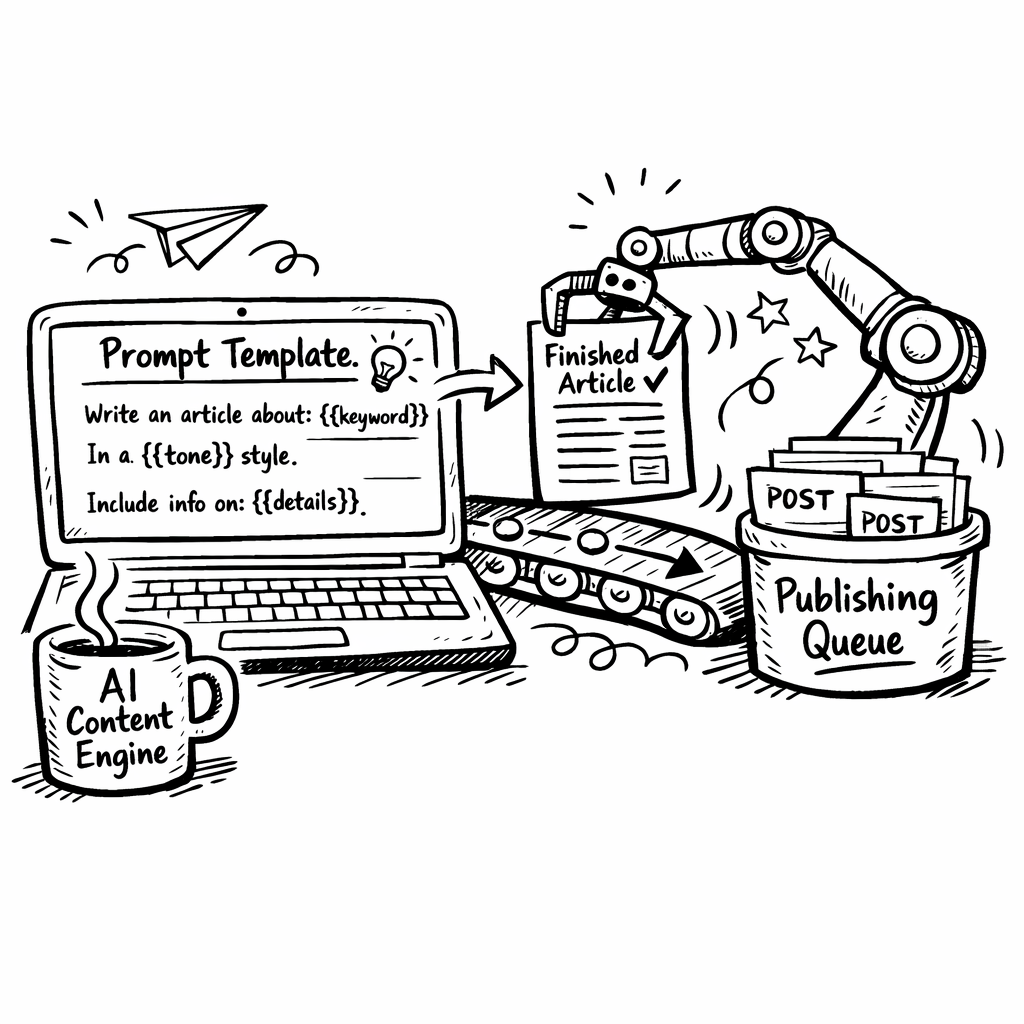
1. Build a prompt template. Use placeholders for variables you’ll swap out each run – e.g., {{keyword}}, {{audience}}, {{tone}}. Save this template in a Google Doc or a simple JSON file.
2. Hook the template into your pipeline. If you’re using Zapier, add a “Formatter – Text” step that injects the latest keyword from your spreadsheet into the {{keyword}} slot.
3. Call the AI model. Most platforms expose an HTTP endpoint. A tiny Python script (or a Make.com HTTP module) can POST the filled‑in prompt and receive the draft.
4. Post‑process the output. Run a quick regex to ensure the meta description is under 160 characters, or add a markdown header if it’s missing.
5. Publish or queue for review. Push the final markdown into your CMS via API, or drop it into a Notion board where your editor can give it a once‑over.
Repeat the cycle on a schedule – weekly for keyword refreshes, daily for evergreen topics.
Real‑world example: an e‑commerce brand
Emma runs a boutique that sells handmade tote bags. She feeds her top‑selling product names into the engine each Monday. The prompt template looks like this:
Write a 900‑word product guide for {{product_name}} aimed at eco‑conscious shoppers. Include a H1 with the keyword "{{keyword}}", three sub‑headings, and a call‑to‑action linking to the collection page.When the script runs, the AI returns a polished guide that Emma simply publishes. Within two weeks, her organic traffic for those product pages jumps 38 % – all without her writing a single line.
Real‑world example: a SaaS content team
Jake’s team needs a weekly “how‑to” post for their new feature. They set up a trigger in Make.com that pulls the latest feature name from their product roadmap, plugs it into a task‑specific prompt, and drops the draft into a private Slack channel for quick approval. The whole thing takes under 10 minutes from idea to draft.
What we’ve seen time and again is that the combination of precise prompts and automated hand‑offs slashes the “idea‑to‑publish” latency dramatically.
Tips to keep your prompts sharp
• Iterate fast. Run a test, glance at the output, tweak one word, and run again. Small changes often have big effects.
• Document successful patterns. Keep a living list of prompt templates that consistently hit the mark – it becomes your prompt library.
• Leverage RAG (retrieval‑augmented generation). If your model can pull in up‑to‑date SERP data, prepend that as context. It reduces hallucinations and keeps the content current.
• Monitor quality metrics. Set up a Notion table that tracks edit time per draft. If you notice a spike, it’s a signal that your prompt may need tightening.
For a deeper dive into how prompt engineering fits into a full‑stack content engine, check out How an Automated Blog Content Generator Can Transform Your Content Strategy. The article walks through template design, version control, and scaling tips.
Once your prompts are locked down, the real magic happens: the engine churns out outlines, drafts, and even internal‑link suggestions without you lifting a finger. That’s the sweet spot where AI meets workflow automation.
And remember, automation is only as good as the guardrails you set. A well‑crafted prompt plus a solid error‑handling step (think retry logic or fallback to a human reviewer) keeps the quality high while the volume scales.
Step 5: Deploy, Scale, and Monitor Your AI Content Engine
Alright, you’ve got prompts that actually work and a data pipeline that never skips a beat. Now it’s time to push the button and let the engine run in the real world.
First question: are you comfortable handing over the reins to a machine, or do you still need a human safety net? Most of us feel a little jittery at first, and that’s okay. The key is to start small, watch the signals, then crank up the volume.
Deploying the first batch
Grab the list of your core topics – the ones that line up with the KPIs you set in Step 1. Export them as a CSV and feed them into the engine using the same trigger you built in the pipeline.
When the draft lands in your review board, do a quick “first‑pass audit.” Look for:
- Keyword placement in the H1 and meta.
- Brand‑voice consistency (does it sound like you?
- Any factual hiccups – the AI can hallucinate.
If you spot more than two red flags, hit pause and tighten the prompt. Otherwise, approve and push the article straight to your CMS via the API.
Does this feel like a lot of steps? Think of it as a launch checklist you’d use for a new product – once you’ve run it a couple of times, it becomes second nature.
Scaling without breaking
Scaling isn’t about cranking out ten thousand posts overnight. It’s about adding capacity intelligently.
Here’s a simple rule: every time you double the volume, double the guardrails. That means adding:
- Automated plagiarism checks.
- Readability scores (aim for a 60‑70 Flesch‑Kincaid).
- A “human‑review queue” for any piece that falls below a confidence threshold.
Platforms like rebelgrowth make this easier by bundling a built‑in review dashboard, so you can see at a glance which drafts need a human eye.
Another scaling lever is “topic clusters.” Instead of publishing isolated articles, group them around a pillar page. The engine can generate the pillar, then spin off supporting posts that internally link back. This boosts topical authority and spreads link equity without extra effort.
Monitoring for continuous improvement
Now that the engine is churning, you need a health‑check routine. Treat it like a daily vitals report.
Key metrics to track:
| Metric | Why it matters | How to measure |
|---|---|---|
| Publish latency | Shows if automation bottlenecks are creeping in | Time from trigger to live post (use your CMS logs) |
| Edit time per draft | Signals prompt quality – more edits = weaker prompts | Sum of minutes editors spend in Notion or Google Docs |
| SEO lift (CTR, avg. position) | Confirms the engine’s SEO relevance | Google Search Console reports week over week |
If edit time spikes, revisit the template. If CTR stalls, feed fresh SERP snippets into the prompt – that’s the RAG trick we mentioned earlier.
Don’t forget to set a monthly review cadence. Pull the numbers, compare them to the baseline you captured in Step 1, and ask yourself: “What’s the next tweak?”
Real‑world rollout story
One e‑commerce client of ours started with ten product guides per month. After two weeks of monitoring, the edit‑time metric jumped from an average of five minutes to twelve. We traced it to a new keyword cluster that introduced ambiguous intent. By adding a short “intent clarification” line to the prompt, edit time dropped back to four minutes and rankings improved within ten days.
The lesson? Small prompt tweaks can have outsized effects on both efficiency and performance.
So, what should you do next?
1. Deploy a pilot batch of 5‑10 articles.
2. Set up the three monitoring metrics above.
3. Review the first week’s data, then adjust the prompt or add a guardrail.
4. Once the numbers look healthy, increase volume by 25 % and repeat.
That iterative loop is the secret sauce behind a reliable, scalable AI content engine. You’ll spend less time firefighting and more time planning the next big campaign.
Comparison: AI Content Engine vs Traditional CMS
When you first hear "ai content engine" you might picture a shiny robot cranking out articles while you sip coffee. A traditional CMS, on the other hand, feels more like a sturdy filing cabinet you have to open, sort, and label.
So, which one actually saves you time and keeps your brand sounding human? Let’s walk through the big differences, sprinkle in a real-world story, and end with a quick table you can use the next time you’re debating tools.
Speed of creation
With an ai content engine, the first draft appears in seconds. The engine pulls keyword data, competitor insights, and a ready-made outline, then spits out a 1,200-word piece that’s already SEO-tuned. In a traditional CMS you still need to write or copy-paste the content yourself before you hit "publish".
Does that speed matter? Absolutely if you’re a small e-commerce owner who needs fresh product guides every week. One of our clients cut their content-creation cycle from three days to under an hour after switching to an ai content engine.
Content governance
CMS platforms excel at version control, user permissions, and workflow approvals. You can set a reviewer, lock certain fields, and keep a full edit history. AI engines can embed approval steps too, but the native support isn’t as deep unless you add a layer of custom tooling.
If your team includes a legal reviewer or multiple copy editors, a CMS might feel safer. Yet many marketers find that the AI’s built-in guardrails - like automatic plagiarism checks and readability scores - cover most compliance needs.
Scalability and maintenance
Traditional CMSs require regular updates, plugin patches, and sometimes server migrations. An ai content engine is usually hosted SaaS-style, so you get automatic upgrades and scalability baked in. The trade-off is you’re dependent on the provider’s roadmap.
Imagine you launch a holiday campaign with 30 new landing pages. With a CMS you’d duplicate templates, fill fields, and hope the SEO plugins stay compatible. With an ai content engine you just feed 30 new keywords and let the system generate the pages, then push them via API.
Integration with existing tech stack
Most headless CMSs speak GraphQL or REST, making them easy to slot into any front-end framework. AI content engines are catching up - many now offer API endpoints, but you might still need a small script to pull the drafts into your publishing workflow.
We’ve seen teams use Zapier or Make.com to bridge the gap, and the effort is usually a one-time setup. Once it’s running, the engine becomes another content source, just like a spreadsheet.
Cost considerations
CMS licensing can be a flat annual fee plus hosting, while AI engines charge per token, per month, or per generated piece. The key is to calculate the hours you’d otherwise spend on research, outlining, and drafting. If an AI saves you 5 hours a week and you bill that time at $50/hour, a $100/month subscription pays for itself.
One study noted that teams using AI-enhanced workflows saw a 27 % faster lift in rankings compared to manual processes. That speed translates into earlier revenue - something you can’t ignore.
Where do they overlap?
Both approaches need solid keyword research, brand guidelines, and a publishing schedule. The difference is *how* those inputs become a finished page. An ai content engine automates the middle, while a CMS automates the structure and governance.
In practice many businesses end up using a hybrid: the AI generates the draft, the CMS stores the final version, and the editorial team reviews the result. It’s the sweet spot between raw speed and controlled quality.
Lee Robinson’s recent migration of cursor.com from a CMS to raw code and AI-generated markdown shows how far raw-AI can go when you don’t need a traditional publishing layer. Read his take on the AI-only approach.
| Feature | AI Content Engine | Traditional CMS | Notes |
|---|---|---|---|
| First-draft speed | Seconds to minutes | Hours to days | Ideal for high-volume content needs |
| Version control & approvals | Basic, add-on needed | Robust, built-in | CMS wins for regulated industries |
| Scalability | Cloud-native, auto-scale | Manual server scaling | AI engine easier for sudden spikes |
So, what should you do next? If you’re chasing speed and have a solid brand brief, give an ai content engine a pilot run. If you need tight editorial oversight, pair it with a headless CMS you already trust.
Bottom line: the battle isn’t AI vs CMS; it’s about finding the common ground where the engine can feed the CMS, and the CMS can keep your content safe and searchable.
Conclusion
We've walked through everything from goal‑setting to scaling, and the thread that ties it all together is simple: an ai content engine can turn a mountain of SEO work into a steady stream of traffic when you give it the right prompts, data, and guardrails.
Think about the e‑commerce owner who saw a 45 % traffic jump after feeding seasonal keywords into the engine. Or the SaaS team that doubled their publishing cadence by automating outlines. Those aren't flukes – they're the result of a repeatable process you can copy.
What to do right now
1. Pick a pilot batch of 5–10 topics that align with your top KPIs.
2. Set up the prompt template we discussed and run a test through your chosen platform.
3. Track the three metrics we highlighted – publish latency, edit time, and SEO lift – for a full week.
If the numbers look good, bump the volume by 25 % and repeat. If edit time spikes, tighten the prompt or add an intent‑clarification line.
Remember, the engine is a teammate, not a replacement. Keep a quick “review‑or‑release” checklist in Notion so nothing slips through the cracks.
Want a deeper dive into the tools that make this possible? Check out our Best AI SEO Software for Automated Content guide – it walks you through pricing, integrations, and real‑world results.
Bottom line: start small, measure obsessively, and let the ai content engine handle the grunt work while you focus on strategy and growth. Your next traffic surge is just a prompt away.
FAQ
What exactly is an ai content engine and how does it differ from a regular AI writing tool?
Think of an ai content engine as a full‑stack assistant. It doesn’t just spit out a paragraph; it pulls keyword data, builds an outline, writes the draft, and can even suggest internal links or backlinks. A standard AI writer gives you raw text, leaving you to handle research, SEO tweaks, and publishing. The engine bundles those steps so you spend less time stitching pieces together and more time polishing strategy.
Can an ai content engine handle niche topics without losing relevance?
Absolutely. When you feed the engine a focused brief – industry jargon, target audience, and a few top‑ranking URLs – it uses that context to stay on point. In practice, marketers in specialized sectors (think boutique fashion or technical SaaS) see the engine produce drafts that hit the right tone on the first pass, cutting down on rewrites. The trick is to give it clean, niche‑specific seed data.
How much time can I realistically save with an ai content engine compared to manual writing?
Most of our users report a 50‑70 % reduction in total content creation time. The biggest win comes from eliminating the research‑to‑outline gap; the engine delivers a ready‑to‑edit draft in minutes instead of hours. For a typical 1,500‑word blog post, you might go from a half‑day of work to a 30‑minute review cycle. That extra time can be redirected to strategy or promotion.
Do I need technical expertise to set up and run an ai content engine?
Not really. The platform is built for marketers, not engineers. You’ll connect a spreadsheet or a simple API, map a few placeholders (like {{keyword}} or {{tone}}), and let the engine do the heavy lifting. If you’re comfortable with Zapier or a basic webhook, you’re good to go. For teams that prefer a no‑code approach, the UI walks you through each step with prompts and checklists.
What safeguards are there to prevent the ai content engine from hallucinating facts?
We layer a few safety nets. First, the engine can be set to pull live SERP snippets or your own knowledge base, grounding the output in real data. Second, a built‑in plagiarism and fact‑check filter flags statements that don’t match source material. Finally, we recommend a quick human review of any piece that crosses a confidence threshold – that way you catch oddities before they go live.
How does the built‑in backlink network work with the ai content engine?
The backlink module scans your niche for high‑authority sites that already rank for your target keywords. When the engine drafts a piece, it automatically inserts contextual links to those authority pages and, when possible, creates outreach suggestions for you to earn backlinks. The result is a two‑for‑one boost: fresh, SEO‑optimized content plus a seed network of links that Google loves.
Is the ai content engine suitable for e‑commerce product pages as well as blog posts?
Yes, it’s a versatile tool. For product pages you can feed the SKU, primary keyword, and a few bullet‑point features, and the engine will generate a unique description, meta tags, and even FAQs that answer shopper intent. For blog posts you get the full outline‑to‑draft workflow. The same prompt template can be tweaked with a “product” flag, so you don’t need separate tools for each content type.