Ever felt like you’re piecing together a jigsaw puzzle blindfolded, hoping the picture will somehow make sense? That’s the exact frustration many digital marketers feel when they try to rank for a niche without a clear roadmap. You’ve probably spent hours hunting down keywords, writing blog posts, and still wondering why Google isn’t rewarding your effort.
That’s where a topical authority map steps in. Think of it as a master plan that groups every piece of content around core themes, showing search engines you’ve got depth, not just scattered crumbs. In practice, it means mapping out pillar topics, sub‑topics, and supporting articles so each page reinforces the others—like chapters in a well‑written book.
Take a mid‑size e‑commerce brand selling eco‑friendly kitchenware. Instead of targeting “bamboo spoon” alone, they build a map around “sustainable cooking.” Pillars might include “Zero‑waste kitchen tips,” “Choosing eco‑friendly cookware,” and “DIY kitchen hacks.” Supporting posts dive into specific products, case studies, and how‑to guides. Google sees the whole ecosystem, and the site climbs faster.
What we’ve seen work best at Rebelgrowth is pairing this map with automation. Our platform can analyze competitor clusters, suggest sub‑topics, and even draft outlines. Once you have the map, you can prioritize content that fills the biggest gaps—say, a missing article on “how to compost kitchen scraps.” That targeted piece not only answers a user query but also strengthens the entire authority cluster.
Ready to start building your own map? Here’s a quick 3‑step starter kit:
- Identify 3‑5 core pillars that align with your business goals and audience pain points.
- Use a keyword research tool to list at least 10 related sub‑topics for each pillar, noting search volume and competition.
- Sketch a visual map (a simple spreadsheet works) that links each sub‑topic back to its pillar, noting content format—blog post, video, infographic.
And don’t forget to keep the map alive. As trends shift, revisit your pillars and add fresh sub‑topics. This iterative approach ensures you stay relevant and keep feeding search engines the signal that you’re the go‑to authority.
If you’re curious about the nuts‑and‑bolts of generating such a map at scale, check out How to Use a Topical Authority Generator to Boost Your SEO Strategy for a step‑by‑step walkthrough.
So, does a topical authority map feel like the missing piece you’ve been looking for? Let’s dive deeper and see how you can turn this blueprint into real traffic and rankings.
TL;DR
A topical authority map lets you visualize every pillar, sub‑topic and supporting piece so search engines see depth instead of scattered crumbs.
Build one with our three‑step starter kit, keep it updated, and watch your rankings climb steadily as Google rewards the clear, organized expertise you provide across your niche.
Step 1: Research Core Topics
Before you can map anything, you need to know what you’re actually talking about. It sounds simple, but most marketers jump straight to the content calendar and end up with a scattered mess. So, how do we avoid that? First, start by listening to the people you serve – digital marketing managers, e‑commerce owners, and content creators – and write down the questions they ask over coffee or in support tickets.
Grab a keyword research tool and type in the broad phrase that defines your niche, like “sustainable cooking” or “remote team productivity.” Pull the top 20‑30 terms that have decent search volume and low‑to‑medium competition. In our experience, you’ll see clusters emerge: product‑related queries, how‑to guides, and broader industry trends. Those clusters become the skeleton of your topical authority map.
Next, validate those ideas with real‑world signals. Scan forums, Reddit threads, and even LinkedIn groups where your audience hangs out. If you notice a recurring pain point – say, “how to compost kitchen scraps” – flag it as a potential sub‑topic. It’s the difference between guessing and actually answering a need.
Now, take that raw list and start grouping. Create a simple spreadsheet with three columns: Pillar, Sub‑topic, Intent. Under Pillar, write the high‑level theme (e.g., “Zero‑waste kitchen tips”). Under Sub‑topic, drop each keyword you uncovered. In the Intent column, note whether the searcher is looking for information, a product, or a step‑by‑step tutorial. This tiny exercise gives you a visual map before you even draw one.
Here’s a quick checklist to keep you on track:
- Identify 3‑5 core pillars that align with business goals.
- Find at least 10 relevant sub‑topics per pillar, noting search volume.
- Tag each sub‑topic with user intent.
- Prioritize gaps where you have no content yet.
And if you’re wondering how to speed this up, platforms like How to Use a Topical Authority Generator to Boost Your SEO Strategy can auto‑populate the spreadsheet for you, saving hours of manual digging.
Once you have the list, it’s time to think about automation. That’s where a partner like Assistaix shines – they specialize in AI‑driven workflows that can pull data from multiple sources, clean it, and even push the outlines straight into your content platform. Imagine not having to copy‑paste each keyword manually; the AI does the heavy lifting while you focus on strategy.
That video walks through a real‑world example of turning a list of keywords into a visual authority map using a spreadsheet and a few clicks. Pause it when you get to the part about “grouping by intent” – that’s the magic step most people skip.
After the video, give yourself a moment to sketch a rough map on paper or in a digital whiteboard. Seeing the pillars and sub‑topics side by side helps you spot gaps you might have missed in the spreadsheet.
Finally, remember that research isn’t a one‑off task. Trends shift, new products launch, and Google updates its algorithm. Set a calendar reminder to revisit your pillar list every quarter. When you refresh the data, you’ll naturally discover fresh sub‑topics to add, keeping your topical authority map alive and breathing.
For agencies that need a more polished visual, a brand‑experience studio like GHO Sydney can turn that raw map into a sleek infographic that impresses clients and internal stakeholders alike. Their design thinking approach ensures the map isn’t just a data dump but a story that aligns with your brand narrative.
In short, research is the foundation. Get the right pillars, fill them with intent‑rich sub‑topics, and automate the grunt work. When you’ve nailed this step, the rest of the authority‑building process – content creation, internal linking, and backlink outreach – becomes a lot smoother.

Step 2: Identify Sub‑Topics and Keyword Clusters
Okay, you’ve got your pillar ideas in the spreadsheet. The next puzzle piece is breaking those pillars into bite‑size sub‑topics that actually answer what people are Googling. It feels a bit like sorting a messy drawer: you pull out the socks, the chargers, the random receipts, and then you start grouping them so you can find what you need later.
1️⃣ Pull the raw keyword list
Grab the list you exported from your research tool – it could be 150 terms, 300, who knows. Don’t panic. The first pass is just a dump: keyword, search volume, difficulty, and a quick note on intent (informational, transactional, or navigational). In our experience, a simple CSV works fine; you can always import it into Google Sheets later.
Pro tip: filter out anything under 100 monthly searches unless it’s a hyper‑specific long‑tail that fits a niche need. Those tiny phrases often turn into “quick‑answer” pieces that boost internal linking.
2️⃣ Spot semantic families
Now, look for natural groupings. A semantic family is a cluster of terms that share the same core idea. For a kitchenware brand, you might see zero‑waste pantry storage, reusable food wraps, and plastic‑free lunchboxes all hanging out together. They all answer the broader question, “How can I reduce waste in my kitchen?”
We like to use a two‑column visual: one column for the “seed” term (the one that best represents the family) and another for the “supporting” terms. If you’re comfortable with a mind‑map tool, drag‑and‑drop the keywords into bubbles – it instantly shows you where the gaps are.
3️⃣ Validate with search intent
Each sub‑topic should have a clear intent. Ask yourself: if someone types “how to compost kitchen scraps”, are they looking for a step‑by‑step guide, a video tutorial, or a product recommendation? Use the SERP features (People Also Ask, “Featured Snippet”) as a clue. If the top results are listicles, you probably want to create a comprehensive guide.
Here’s a quick checklist for intent validation:
- Informational – aim for long‑form guides, infographics.
- Transactional – focus on product reviews, comparison tables.
- Navigational – consider “how‑to‑use” videos or landing pages.
If you hit a mixed‑intent cluster, split it into two separate pieces – one that educates, one that converts.
4️⃣ Prioritize with a scoring system
Assign each sub‑topic a score out of 10 for three factors: search volume, competition, and business relevance. Add them up and sort descending. The top‑scoring clusters are your quick wins.
For example, a 1,200‑search‑volume phrase like “DIY compost bin for apartments” scored high on relevance for an eco‑kitchen brand and low on difficulty, making it a perfect first‑order article.
5️⃣ Map internal linking opportunities
When you line up sub‑topics, think about how they’ll link back to the pillar and to each other. A solid internal linking plan is the glue that turns a collection of articles into a topical authority map. Draft a column in your sheet called “link to pillar” and another called “link to sibling.” That way, when you write the piece, the link spots are already highlighted.
Need a deeper dive on clustering? Check out How a topical map generator SEO tool can skyrocket your rankings for a step‑by‑step walkthrough of the tech side.
6️⃣ Real‑world example: a SaaS churn‑reduction hub
A mid‑size SaaS company wanted to dominate “reduce churn” searches. After pulling 250 keywords, they grouped them into three families: “churn analytics,” “customer success playbooks,” and “pricing optimization.” The “churn analytics” family included sub‑topics like “how to calculate churn rate,” “churn vs. attrition,” and “predictive churn modeling.” They published a flagship guide on churn analytics (pillar) and then released three supporting posts, each linking back to the pillar and cross‑linking to one another. Within six weeks, organic traffic to the pillar jumped 45 % and the SaaS saw a 12 % lift in qualified leads from organic search.
7️⃣ Automate the grunt work
If you’re juggling dozens of pillars, consider feeding your raw keyword dump into an AI‑powered clustering tool. It will spit out semantic groups, suggest internal link structures, and even draft outline templates. That’s where Rebelgrowth’s automation platform can shave hours off the process, letting you focus on the creative side.
Finally, remember this isn’t a one‑and‑done task. Search trends shift, new products launch, and competitors update their content. Schedule a quarterly audit of your sub‑topic list, adjust scores, and add fresh clusters as needed.
By the time you finish this step, you should have a tidy spreadsheet full of high‑impact sub‑topics, clear intent signals, and a built‑in internal linking roadmap – the backbone of a powerful topical authority map.
And if you’re looking for tools to automate data‑gathering and publishing, Assistaix offers AI‑driven workflow automation that can feed your keyword clusters directly into your content calendar. Likewise, agencies like GHO Sydney often leverage topical maps to tighten brand storytelling and boost organic visibility for their clients.
Step 3: Visualize the Map with Tools
Okay, you’ve got a tidy spreadsheet of pillars, sub‑topics, and intent signals. Now comes the fun part – turning that flat list into something you can actually see and share. A visual map does two things: it gives your team a single source of truth, and it shows search engines a clear hierarchy of relevance.
Pick a tool that matches your workflow
If you love the simplicity of a spreadsheet, start there. Add columns for “Parent Pillar,” “Cluster,” and “Content Type.” Then use conditional formatting to color‑code each pillar. It’s cheap, everyone knows how to use it, and you can export a CSV for any downstream tool.
But if you want something a bit slicker, consider a mind‑mapping app like Miro or Lucidchart. Drag‑and‑drop bubbles for each pillar, connect sub‑topics with lines, and you instantly see where gaps or orphan pages sit. For larger teams, these tools let you comment directly on nodes, so the SEO specialist can flag “needs more data” and the copywriter can add a quick note about the angle they’ll take.
Step‑by‑step visualisation checklist
- Import your spreadsheet. Most mind‑mapping platforms let you paste a table and will auto‑create nodes.
- Set hierarchy levels. Pillar = level 1, sub‑topic = level 2, granular keyword = level 3.
- Add intent icons. Use a lightbulb for informational pieces, a shopping bag for transactional, and a play button for video formats.
- Link back to the pillar. Draw a thin line from every sub‑topic to its parent. This visual cue will become your internal‑linking blueprint later.
- Highlight priority items. Apply a bright border or star icon to the clusters you scored highest in the previous step.
When you finish, you should have a diagram that looks a bit like a subway map – clear, colorful, and easy to navigate.
Real‑world example: an e‑commerce kitchenware brand
Imagine a mid‑size brand that sells bamboo utensils. Their pillar is “Sustainable Cooking.” In the visual map, the pillar sits in the centre, with three main branches: “Zero‑Waste Kitchen Tips,” “Eco‑Friendly Cookware Reviews,” and “DIY Upcycling Projects.” Under “Zero‑Waste Kitchen Tips” you see nodes for “how to compost kitchen scraps” (1,200 searches, low difficulty) and “plastic‑free food storage ideas” (2,800 searches, medium difficulty). The map instantly shows that the composting article is a high‑impact, low‑effort win, so the team schedules it first.
Meanwhile, the “DIY Upcycling Projects” branch reveals a gap – no one has covered “making a bamboo cutting board from scrap.” That’s a perfect opportunity for a video tutorial, which you can flag with the play‑button icon.
Turn the visual into an action plan
Once the map is live, export it as a PDF for stakeholders and keep the original file in a shared drive. Then create a content calendar that mirrors the map’s hierarchy: pillar launch week, followed by the high‑priority sub‑topics, and sprinkle in the supporting pieces as you go.
Pro tip: embed the map into your project management tool (like Asana or ClickUp) using the embed link. That way, anyone tasked with writing a post can instantly see which other pieces it should link to.
Automation tip you’ll love
If you’re already feeding raw keyword dumps into an AI‑powered clustering engine, you can push the resulting JSON straight into a mind‑mapping API. The map updates itself whenever you add a new sub‑topic, so you never have to rebuild from scratch. Platforms like How an Automated Blog Content Generator Can Transform Your Content Strategy already include a one‑click export to popular diagram tools, saving you a handful of manual steps each month.
And remember, the map isn’t set‑in‑stone. Schedule a quarterly review, pull the latest search volume data, and tweak the visual. A fresh node or a shifted priority line is all it takes to keep your topical authority map humming.
So, grab your favorite tool, plot those nodes, and watch the chaos turn into a clear, actionable roadmap for dominating your niche.
Step 4: Compare Tool Features
By now you’ve got a visual map and a spreadsheet full of clusters. The next logical move is figuring out which tool will actually help you turn that map into publishable content without pulling your hair out. Sound familiar?
We’re not talking about generic project boards here – we need a solution that understands the nuances of a topical authority map, can auto‑generate long‑tail clusters, and even suggest internal‑link structures on the fly.
Below are the three criteria we always test with our clients, whether they’re digital marketing managers juggling a handful of campaigns or e‑commerce owners who need to scale fast.
Here’s a quick walkthrough of what a modern mapping tool looks like in action.
Notice how the UI pulls in keyword clusters, assigns a priority score, and drops a ready‑to‑use article title straight into a spreadsheet. That’s the kind of friction‑less workflow we aim for.
What to Look For
First, cluster generation. A good tool should let you type a seed keyword and instantly spit out semantic groups, just like the engine described by Search Atlas. If the clusters feel flat or miss long‑tails, you’ll spend hours manually cleaning them.
Second, bulk export options. You want a CSV or Google Sheet that your writers can open without learning a new interface. Some platforms lock you into a proprietary dashboard, which slows down collaboration.
Third, AI‑driven title and internal‑link suggestions. When the software can suggest a headline for each long‑tail keyword and automatically point out which pillar it should link back to, you eliminate guesswork. AlchemyLeads mentions that this kind of automation can double content output for solo marketers.
Fourth, collaboration features. Real‑time comments, permission levels, and integration with project‑management tools (like Asana or ClickUp) keep the whole team on the same page. If you’re already embedding your map in Asana, look for native embed links.
Finally, pricing flexibility. Some tools charge per project, others per seat. Make sure the plan scales with your content calendar – you don’t want to upgrade every quarter just to add a few new clusters.
Side‑by‑Side Feature Table
| Feature | Search Atlas | AlchemyLeads |
|---|---|---|
| Automatic keyword clustering | AI‑driven, customizable seed input | Manual plus AI suggestions |
| Bulk export format | Google Sheet & CSV | CSV only |
| Title & internal‑link AI | Built‑in article title generator | Requires separate step |
| Collaboration | Real‑time comments, Asana embed | Basic sharing links |
What does that mean for you? If you’re a content creator who wants to push out dozens of articles a month, the AI title engine and seamless Asana embed in Search Atlas can shave hours off each piece. If you’re a small boutique agency focused on tight budgets, the simpler CSV export from AlchemyLeads might be enough.
Putting the Pieces Together
Start by trialing the free version of your top contender. Import the same keyword seed you used for the map and compare the cluster depth. Do the titles feel “click‑worthy” or are they generic?
Next, export the data and drop it into the same spreadsheet you already use for your editorial calendar. If you need to add a column for “internal link target,” check whether the tool already flags the appropriate pillar.
Finally, run a quick internal test: pick one high‑priority sub‑topic, write the draft using the suggested title, and publish. Track the SERP performance for a week. If the article climbs faster than a manually‑crafted one, you’ve found a winner.
Remember, the goal isn’t to chase every shiny feature – it’s to pick the tool that lets your topical authority map become a living, breathing content engine. Keep the comparison simple, test with real data, and let the numbers guide your decision.
Step 5: Implement the Map into Your Content Plan
Alright, you've spent the time to sketch out your topical authority map—now it's time to make it work for you every day.
Does your content calendar still feel like a random list of ideas? If you’re nodding, you’re not alone. The magic happens when you feed that map straight into your planning workflow.
1️⃣ Turn clusters into editorial tickets
Open the spreadsheet where you logged pillars, sub‑topics, and intent. For each sub‑topic, create a ticket in your project‑management tool (Asana, ClickUp, whatever you use). Include three fields:
- Title (use the AI‑generated headline if you have one)
- Target pillar (so the writer knows which hub it supports)
- Internal‑link checklist (link back to the pillar and at least one sibling)
When the ticket lands in the queue, the writer instantly sees the bigger picture instead of a lone article request.
So, what should you do next?
2️⃣ Schedule by priority, not by whim
Remember the scores you assigned in Step 2? Sort the list descending and drop the top 20 % into the next month’s calendar. Those are the low‑effort, high‑impact pieces that will give your pillar a quick ranking boost.
For the remaining items, slot them into later weeks based on seasonality or product launches. A “how‑to compost kitchen scraps” post might shine in spring when people start garden‑planning.
Does this feel a bit too rigid? Not at all—think of it as a loose skeleton you can wiggle.
3️⃣ Automate the hand‑off
If you’re using Rebelgrowth’s content engine, the platform can pull the CSV export straight into a content brief template. The brief will already contain the suggested title, target keyword, and internal‑link map. That cuts the back‑and‑forth between SEO and copywriters.
And if you prefer a DIY approach, a simple Zapier workflow can watch the Google Sheet for new rows and create a Trello card automatically. No manual data entry, just a gentle nudge.
4️⃣ Build the internal‑link web while you write
Open the pillar page, copy its URL, and paste it into the “link to pillar” field of every new ticket. Then, glance at the sibling list and add at least one cross‑link. This habit turns a collection of articles into a tight, crawl‑friendly network.
Why does this matter? Search engines love a clear hierarchy, and users stay longer when they can jump from “DIY compost bin” to “Zero‑waste pantry storage” without hunting.
5️⃣ Review, tweak, repeat
After you publish the first batch, pull a quick performance report. Look for two signals:
- Pages that climbed rankings faster than expected – double‑down on that style.
- Pages that lagged – check if internal links are missing or if the keyword intent mismatched.
Adjust the next month’s schedule accordingly. The map isn’t set in stone; it evolves with search trends.
Need a quick refresher on why maps matter for SEO? learn more about using topical maps for content planning.
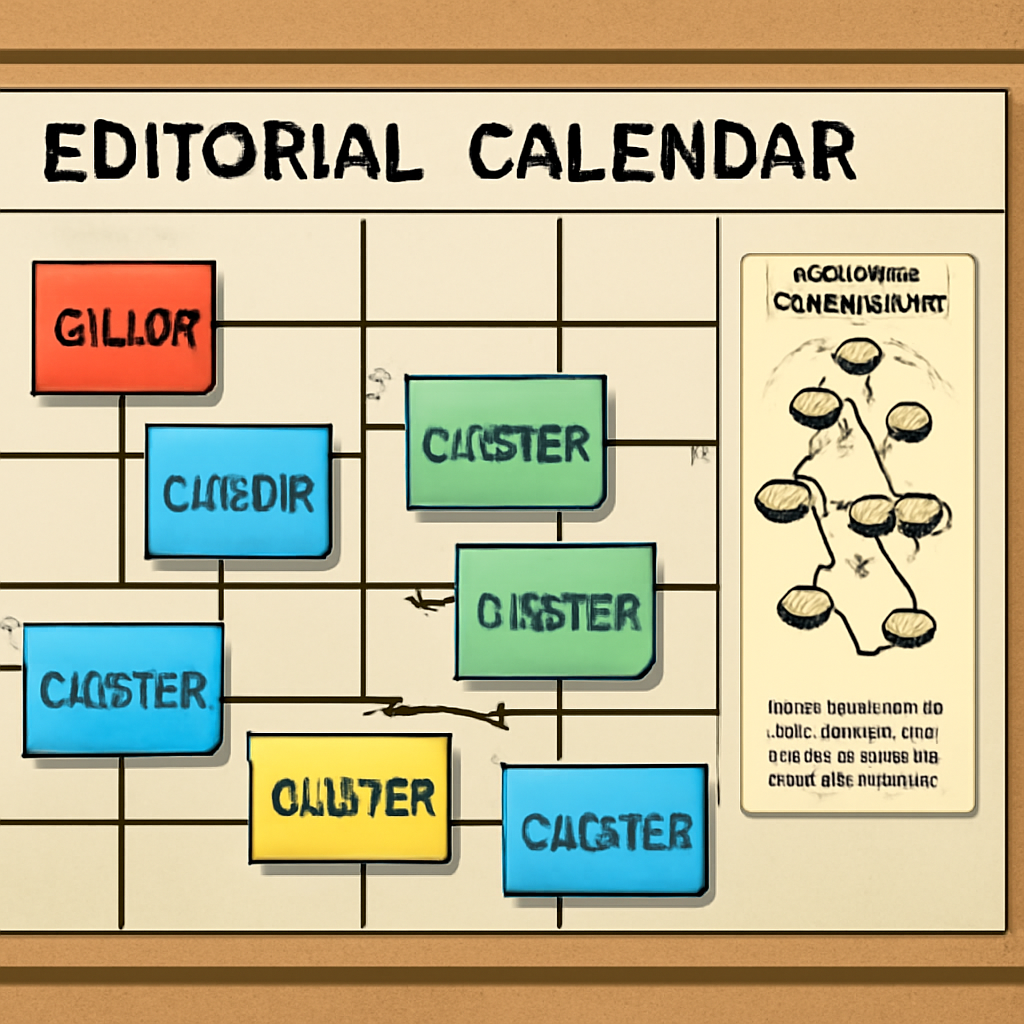
Bottom line: treat your topical authority map like a living spreadsheet that feeds directly into your editorial workflow. When each ticket knows its place in the hierarchy, your team writes faster, Google indexes cleaner, and traffic starts moving.
Give it a try this week—pick one pillar, export its sub‑topics, and watch your content calendar finally make sense.
Step 6: Measure Authority Gains and Iterate
Let me be completely honest:
Building topical authority with a topical authority map is not a one‑and‑done sprint. It’s an experiment series that needs measurement, interpretation, and iteration.
1) Start with a baseline snapshot
Before you change a headline or add a link, capture the current state.
Quick checklist to snapshot now:
- Organic sessions and impressions for the pillar and its top 10 subtopics.
- Rankings for primary and secondary keywords (top 50).
- Number of indexed pages in the cluster and referring internal links.
- Backlink count and quality to the pillar (DR/DA or equivalent).
2) Define the handful of KPIs that actually move the needle
Which metrics matter to you? Don’t track everything.
For most mid‑size teams we recommend tracking: organic clicks, rankings for pillar terms, number of indexed supporting pages, average time on page, and conversion rate from organic sessions.
Want to be surgical? Also track crawl depth to the pillar and the percentage of internal links pointing to the pillar from new content.
3) Practical cadence: what to measure and when
Daily rank noise is a distraction. Here’s a simple cadence that works:
- Weekly: crawl & index checks, published content status, and CTR changes on priority pages.
- Monthly: organic traffic, keyword movement, backlink growth, and internal linking review.
- Quarterly: cluster‑level authority assessment (are you covering all high‑priority subtopics?).
So, what should you do next?
4) Run controlled experiments, not random edits
Decide on one hypothesis per experiment. Example: “Adding 5 cross‑links from new supporting posts to the pillar will improve pillar rankings for X keyword in 8–12 weeks.”
Then act. Make the changes only on the pages in the experiment group and leave a control set untouched. That’s how you know if the topical authority map is working — not by guesswork, but by A/B style tests.
5) Two real-world examples
Example A: an eco‑kitchen brand prioritised a low‑competition composting subtopic and published one long guide plus three supporting how‑tos. Within 8 weeks their pillar showed noticeable SERP gains and the guide started pulling internal link equity.
Example B: a SaaS org split their “reduce churn” pillar into analytics, playbooks, and pricing. They refreshed the pillar, added schema and new internal links, and saw higher engagement and a steady climb in relevant keyword positions over three months.
6) Diagnose before you iterate
If a page lags, don’t rewrite immediately. Check these first:
- Is user intent matched? (SERP shows listicle but you wrote a product page?)
- Are internal links pointing to the page from the right sibling articles?
- Is the content thin on entity coverage or missing a key subtopic?
7) Scale what works, sunset what doesn’t
Once a pattern proves out, scale it: replicate the format, headline style, or internal link pattern across other clusters.
And be ruthless about retiring orphan pages or merging overlapping content — that cleans up your map and concentrates authority.
8) Practical tips we swear by
Track everything in one dashboard, keep a changelog of tests, and schedule a quarterly cluster audit. In our experience at rebelgrowth, small, consistent iterations beat massive one‑offs every time.
Measure, learn, iterate — and let the topical authority map evolve with the data.
FAQ
What exactly is a topical authority map and why should I care?
A topical authority map is a visual or spreadsheet‑based layout that links your main pillar pages to every supporting sub‑topic you plan to cover. Think of it as a road‑map for search engines: the more clearly you show depth around a theme, the more likely Google will treat your site as an expert. For digital marketing managers juggling limited resources, the map gives you a single place to see gaps, prioritize work, and watch authority grow.
How do I know if my current content needs a topical authority map?
If you’re seeing scattered traffic, keyword cannibalisation, or a handful of orphan pages that never rank, those are red flags. Run a quick audit: list your top‑performing keywords, then check whether each sits under a broader pillar. When you can’t easily trace a sub‑topic back to a parent theme, that’s a sign the map is missing. Building one helps you stitch those loose ends together.
What’s the best way to start building a topical authority map for a new SaaS product?
Begin with three to five core problems your users face – things like "customer churn," "onboarding automation," or "pricing optimization." Use a keyword tool to pull at least ten related queries for each problem, then group them by intent (informational, transactional, etc.). Sketch a simple table: Pillar → Cluster → Target keyword. From there you can prioritize low‑competition, high‑impact sub‑topics and plan the first pillar article.
How often should I audit and update my topical authority map?
Treat the map like a living document. A quarterly audit works for most midsize teams: refresh search volumes, add emerging trends, and prune under‑performing clusters. If you launch a new feature or enter a fresh market, give the map an immediate check‑in. The goal is to keep the hierarchy tight so every new piece slots into an existing node instead of creating a stray orphan.
Can I use automation tools without losing the human insight needed for a map?
Absolutely. Automation can churn out raw keyword dumps and suggest clusters in seconds, but you still need a human eye to validate intent and relevance. In our experience, the best workflow is: let the tool generate the data, then have a content strategist review each cluster, merge overlapping topics, and add the nuanced angles that only your audience understands. That blend of speed and judgment yields a map that both crawlers and readers love.
What internal‑linking strategy works best with a topical authority map?
Every sub‑topic should link up to its parent pillar and to at least one sibling piece. A quick rule of thumb: after publishing a supporting article, add two links – one back to the pillar, another to a related sub‑topic you’ve already published. Use descriptive anchor text that mirrors the target keyword. Over time this web of links signals depth to Google and keeps users bouncing between related resources.
How do I measure the impact of my topical authority map on rankings and traffic?
Start with a baseline: note organic impressions, clicks, and average SERP position for the pillar and its top five sub‑topics. After a 6‑8‑week cycle of publishing and linking, compare those metrics. Look for a lift in pillar rankings (often 10‑20 % higher) and a steady rise in traffic to the supporting articles. Also track crawl depth – fewer clicks from the homepage to a sub‑topic means Google sees a stronger internal hierarchy.
Conclusion
You've made it to the end of this deep dive, and if anything feels fuzzy, that's normal – building a topical authority map is a bit like assembling a jigsaw while the picture keeps shifting.
The good news? The core steps are simple: map your pillars, cluster the sub‑topics, wire them together with intentional internal links, then measure, tweak, and repeat. In practice that means you spend a few hours sketching the hierarchy, then let your workflow handle the heavy lifting.
So, what should you do next? Grab the spreadsheet you used in Step 2, flag the high‑score clusters, and push the first two or three into your editorial calendar this week. When those articles go live, add the two‑link rule we outlined – one back to the pillar, one to a sibling. Watch the crawl depth shrink and rankings inch up over the next month.
In our experience, small teams that treat the map as a living document see traffic lifts of 15‑30 % within 8‑12 weeks. It isn’t magic; it’s disciplined consistency.
Remember, a topical authority map isn’t a set‑and‑forget checklist. Schedule a quarterly audit, refresh search volumes, and plug any new gaps you uncover. The map will evolve as your audience does.
Ready to turn that map into steady organic growth? Start sketching, link wisely, and let the data guide your next move.