Ever sat at your desk, staring at a blank spreadsheet, wondering why the keyword list you built last month feels stale?
You're not alone. Many digital marketing managers, content creators, and e‑commerce owners hit that wall when they try to keep up with search trends manually.
What if the answer wasn't more hours of scrolling through Google Suggest, but a simple shift to automation?
When we first helped a small SaaS team replace their manual research, they saw a 40% lift in relevant traffic within weeks. The secret? Letting an AI‑driven engine pull data, filter out noise, and serve you ready‑to‑target terms.
Imagine waking up to a fresh list of high‑intent keywords tailored to your niche, all without opening a new tab. No more guessing which terms will actually convert, no more spreadsheets that turn into a maze.
In our experience, the biggest roadblock isn’t the lack of tools—it’s the hesitation to trust a system that does the heavy lifting. Once you let automation handle the grunt work, you can focus on crafting content that resonates.
So, how does it work? First, the platform scans your website and competitor sites, extracts the language they rank for, and matches it against real‑time search volume. Next, it scores each term based on relevance, difficulty, and potential ROI. Finally, you get a clean, prioritized list that you can feed straight into your content calendar.
Sounds too good to be true? It’s not magic; it’s data‑driven efficiency. And because the process runs on a recurring schedule, your keyword pool stays fresh, adapting to seasonal spikes and algorithm updates.
Ready to stop chasing keywords and start attracting them? Let’s dive deeper into the exact steps you can set up today, whether you’re a solo blogger or a growing marketing team.
Automation isn’t just a shortcut; it’s a competitive advantage you can’t ignore.
TL;DR
If you’re fed up with endless spreadsheet hunting, learning how to automate keyword research gives you a fresh, high‑intent list each morning.
Our engine scans your site and competitors, scores terms for relevance and difficulty, and delivers ready‑to‑use keywords so you can spend time creating content that actually converts today.
Step 1: Define Goals and Seed Keywords
Before you even open the keyword tool, ask yourself: what does success look like for your business this quarter? Are you chasing more organic traffic, higher conversion rates, or trying to dominate a niche phrase? Pinning down a concrete goal gives your automation a north‑star to aim for, otherwise you’ll end up with a list of words that sound good but never move the needle.
Take a moment to write down one or two measurable objectives. For a small e‑commerce shop, it might be “increase organic sales of product‑specific pages by 15% in the next 90 days.” For a content creator, maybe “grow newsletter sign‑ups from blog traffic by 20%.” When the goal is clear, you can later filter seed keywords by intent, search volume, and difficulty that actually align with that outcome.
Now that the goal is set, it’s time to gather your seed keywords – the raw ideas that will feed the AI engine. Start with the language you already use: product names, common questions from your support tickets, and phrases you hear in sales calls. Jot them down in a simple notebook or a Google Sheet. Don’t overthink it; the point is to capture the vocabulary that lives in your customers’ heads.
Once you have a handful of seeds, plug them into an automation platform. Our AI‑Based Keyword Research Automation guide explains why feeding the right seeds into the algorithm yields far more relevant suggestions than generic brainstorms.
Here’s a quick checklist you can copy‑paste:
- Define 1‑2 primary business goals (traffic, sales, leads).
- List 5‑10 seed terms that reflect your product, service, or audience language.
- Note the buyer intent behind each seed (informational, navigational, transactional).
- Decide on a timeframe for your keyword refresh (weekly, monthly).
Does this feel a bit overwhelming? It’s normal. The trick is to treat the seed list as a living document – add new terms whenever you hear a fresh phrase from a client or see a trending topic on social media.
Speaking of social media, many creators repurpose their keyword‑rich videos into bite‑size clips. If you’re in that space, you might want to check out YTSummarizer – it turns long‑form video into concise summaries that you can sprinkle throughout your content hub.
After you’ve loaded your seeds into the automation tool, the platform will scrape your site, scan competitor pages, and pull real‑time search volume data. It then ranks each term against your predefined goal – so if you’re after transactional traffic, high‑intent, commercial‑type keywords bubble to the top.
One practical tip: set a minimum search volume threshold that matches your goal. For a niche SaaS product, you might accept 50‑100 monthly searches if the conversion value is high. For a broad‑reach blog, you might aim for 500+ searches to fuel regular traffic.
When the list is generated, you’ll likely see a mix of short‑tail, long‑tail, and question‑based terms. Trim the list by cross‑referencing with your goal sheet – keep anything that directly supports your objective and archive the rest for future campaigns.
If you’re a creator looking to package those keyword‑driven assets into a polished product, Lord High Beat Producer offers AI‑powered tools for building landing pages, themes, and even audio‑visual bundles that match your SEO strategy.
Finally, export the curated list as a CSV or connect it straight to your content calendar. By the end of this step you’ll have a goal‑aligned, seed‑backed foundation that powers every downstream automation – from content outlines to backlink outreach.

Take a breath, review your list, and you’ll be ready to move on to the next phase: letting the AI engine flesh out clusters, topics, and content briefs that hit the sweet spot of your objectives.
Step 2: Choose Automation Tools
Now that you’ve nailed down your goals and seed list, the next question is: which tool will actually do the heavy lifting? If you’ve ever felt overwhelmed by a sea of keyword apps, you’re not alone. The market is littered with flashy dashboards that promise the moon but end up leaving you with a half‑filled spreadsheet.
So, how do you cut through the noise? Start by asking yourself three quick questions: Does the tool pull real‑time search volume? Can it tag intent (commercial, informational, transactional) without you manually adding columns? And, most importantly, does it play nicely with the automation platform you’re already using?
Free‑first options that won’t break the bank
For many small‑to‑mid‑size teams, the budget conversation starts with “free or cheap.” Zapier’s roundup of keyword research tools highlights a handful of free‑plan heroes – Google Keyword Planner, KWFinder, and Ubersuggest. All three give you baseline metrics (search volume, difficulty, SERP features) and, crucially, an API or Zapier integration so you can push data straight into your workflow.
Take KWFinder, for example. A digital marketing manager at a boutique e‑commerce shop used its free five‑search‑per‑day limit to validate “eco‑friendly dog toys” variations. Those few queries produced a tidy CSV that fed directly into a Zapier‑driven Google Sheet, which then triggered a daily email of fresh keyword ideas.
Mid‑tier tools that add smart filters
If you need a bit more juice, look at platforms that blend data depth with automation‑ready output. SEMrush’s free tier lets you run ten analytics reports per day and, thanks to its Zapier app, you can automatically add new keyword suggestions to a Trello board for content planning. In our experience, the real win is the “Keyword Gap” feature – it surfaces terms your competitors rank for that you’ve never considered, and you can feed those straight into a clustering script.
Another solid pick is the SE Ranking Keyword Suggestion Tool (already mentioned earlier). It bundles volume, difficulty, and intent in one view, and it offers a webhook you can call after each lookup. That webhook can spin up a small Lambda function to filter out anything below a difficulty threshold you set.
All‑in‑one AI engines
When you’re ready to let AI do the heavy lifting, platforms like rebelgrowth’s own engine can ingest data from any of the tools above, run clustering, and output ready‑to‑publish topics. The key is to choose a tool that gives you raw data, not just a polished UI. That way you retain control over the automation steps.
For a real‑world scenario, imagine an e‑commerce brand selling sustainable pet accessories. They start with Google Keyword Planner for raw volume, then pull intent tags from KWFinder, and finally let rebelgrowth’s AI cluster the list into three buckets: “gift ideas,” “product comparisons,” and “how‑to guides.” Within minutes they have a content calendar that aligns with their quarterly sales push.
Actionable checklist for picking your tool
- Confirm the tool offers an API or Zapier integration.
- Verify it provides real‑time search volume (not just estimates from a month ago).
- Make sure intent data is included or can be added via a simple rule‑based filter.
- Test the free tier: run a handful of queries and see how the CSV or JSON output looks.
- Check pricing for scale – does the cost increase linearly with usage?
Once you’ve answered those items, lock in the tool that checks the most boxes and set up a quick “test Zap” that moves a keyword from the tool into a Google Sheet, then into your AI clustering engine. If the data flows without a hitch, you’re ready to roll.
Need a deeper dive on how AI‑driven automation can transform your keyword workflow? Check out How AI-Based Keyword Research Automation Transforms SEO Strategies in … for the full playbook.
Step 3: Set Up Data Pipelines & Scheduling
Okay, you’ve got your seed list and the right tool hooked up. The next question is: how do we get fresh keyword data into that list without lifting a finger every morning? That’s where a data pipeline comes in – think of it as a conveyor belt that pulls, cleans, stores, and nudges you when something worth acting on appears.
First, decide where the raw numbers live. Most of us rely on the Google Ads API or a third‑party keyword‑metrics service. If you’re comfortable writing a tiny script, a Python snippet that calls GenerateKeywordHistoricalMetrics will return volume, competition, and suggested bid for each seed. For a no‑code crew, Zapier’s “Google Ads → Google Sheets” integration does the same thing with a few clicks.
Step‑by‑step pipeline blueprint
1. Pull the data. Set up a trigger (cron job at 02:00 UTC or Zapier’s Schedule trigger at 7 am your local time). The trigger calls the API, passes your seed list, and writes the JSON response to a staging area – usually a Google Sheet or a lightweight database like SQLite.
2. Normalize & filter. A short function removes duplicates, drops rows with volume < 200 or difficulty > 30 (adjust these thresholds for your niche). You can also tag intent on the fly – if the keyword contains “buy” or “price,” flag it as commercial.
3. Enrich. Hook the cleaned list into an AI model (e.g., OpenAI’s GPT‑4 or Google Gemini) to generate 5‑10 long‑tail variants per term. This is the step that turns a flat list into a rich forest of niche phrases.
4. Store the master list. Push the enriched rows into a master Google Sheet that your whole team can view, or into a cloud warehouse like BigQuery if you’re handling tens of thousands of terms. The sheet becomes the single source of truth for the next stages – clustering, content planning, and reporting.
5. Notify & act. Add a final Zap that scans the master sheet for any keyword that suddenly crosses your volume threshold (say, 1 000 searches) and sends a Slack message or email. That way you never miss a trend while you’re sipping your morning coffee.
So, what does this look like in a real business? Picture a mid‑size e‑commerce brand selling sustainable pet toys. Their pipeline runs every night, pulls fresh search volume for “eco‑friendly dog toys,” enriches it with long‑tail ideas like “biodegradable chew toy for aggressive chewers,” and automatically flags any term that spikes above 800 searches. The next morning, the SEO manager sees a Slack alert, adds the hot term to the content calendar, and publishes a blog post before the competitor even notices the surge.
Another example comes from a SaaS startup focused on project‑management tools. Their pipeline feeds the API with “free project management software,” enriches with niche modifiers like “best free kanban board for remote teams,” and stores the results in a Notion database. When “remote kanban board free” jumps to 1 200 searches, a Teams notification pops up, prompting the copywriter to draft a quick guide – which then climbs the rankings within two weeks.
Need a deeper dive into connecting these moving parts? How to Automate SEO Content Creation: A Step‑by‑Step Guide for 2025 walks you through turning that master list into ready‑to‑publish briefs.
Choosing the right scheduler
If you host scripts on a VPS, a simple crontab entry does the trick. Here’s a one‑liner for a daily 2 am run:
0 2 * * * /usr/bin/python3 /home/user/keyword_pipeline.py
For teams that shy away from server maintenance, Zapier’s Schedule trigger lets you pick “Every weekday at 8 am” and ties directly into Google Sheets – no SSH needed.
And don’t forget error handling. Wrap your API calls in a try‑catch block, log any 429 (rate‑limit) responses, and let the scheduler retry after a short pause. A flaky pipeline is worse than no pipeline at all.
Automation beyond keywords
Once your pipeline is humming, think about the next piece of the content puzzle: repurposing. If you regularly produce video tutorials, you can pipe the same keyword list into YTSummarizer to auto‑generate short video summaries that feed your social channels. It’s a small add‑on that multiplies the ROI of every keyword you’ve just captured.
| Component | Tool/Option | Key Benefit |
|---|---|---|
| Data source | Google Ads API or Zapier’s Google Ads integration | Real‑time volume and competition metrics |
| Scheduler | Cron (server) or Zapier Schedule (no‑code) | Hands‑free daily refresh, no manual clicks |
| Storage & alerts | Google Sheets + Slack webhook | Instant visibility for hot keywords, collaborative editing |
Remember, automation isn’t a “set it and forget it” magic trick. Schedule a quick weekly check‑in to verify thresholds still make sense, prune any stale terms, and adjust your AI prompting if the industry language shifts. With that habit in place, your keyword engine will stay fresh, relevant, and ready to power every piece of content you publish.
Ready to fire up the first run? Grab a coffee, spin up the scheduler, and let the data flow. You’ll be amazed at how much time you reclaim for the creative work you actually love.
Step 4: Analyze Results and Refine
Once the data pipeline is humming, the real fun begins: looking at what the numbers are actually telling you. You’ve got a fresh spreadsheet full of volume, difficulty, and intent tags – but those raw cells are just noise until you give them a purpose. In this step we turn metrics into decisions, so you can stop guessing and start publishing content that actually moves the needle.
First, set a quick‑win filter. Pull out any keyword that crossed your pre‑defined volume threshold in the last 24 hours – for most niche e‑commerce sites that’s usually 500 searches or more. Then, glance at the difficulty score: anything under 30 is a low‑hanging fruit you can rank for with a single, well‑optimized blog post. Mark those in green, and you’ve already got a priority list you can hand to your writer by noon.
Next, look for trends instead of isolated spikes. If you see three or more related terms climbing together – say “biodegradable dog chew toy,” “eco‑friendly puppy rope toy,” and “sustainable pet playset” – that’s a signal the audience is shifting its language. Create a content cluster around the core theme, assign one term as the pillar article and the others as supporting FAQs. This not only captures the traffic surge but also signals topical authority to Google.
Now comes the refinement loop. Open your Google Sheet, add a column called “Action Status,” and use a drop‑down with options like ‘Write,’ ‘In Review,’ ‘Published,’ and ‘Monitor.’ As soon as a keyword hits the green flag, move it into ‘Write.’ After the piece goes live, set a reminder to check its ranking after seven days. If the page isn’t moving, adjust the on‑page SEO – maybe add the keyword to the H2, sprinkle it in a bullet list, or improve internal linking.
A quick sanity check is to compare the new keywords against your original goal from Step 1. If you set out to boost trial sign‑ups, ask yourself: are the top‑ranking terms commercial‑intent or purely informational? If the latter dominates, pivot the AI prompt to surface more buying‑stage phrases. In our experience, a 10‑point shift in intent balance can raise conversion‑rate‑focused traffic by roughly 12 % within a month.
Here’s a concrete three‑day sprint you can run right after the first pipeline run:
- Day 1: Pull the green‑flag list, assign each keyword to a writer, and draft outlines using the AI content engine.
- Day 2: Review drafts, add at least one internal link (for example, our automated SEO audit guide) and the external creator tools for digital products backlink, then publish.
- Day 3: Set up a rank‑tracking alert for each new page; if a term climbs more than 15 % in SERP position, celebrate and note the pattern for future clusters.
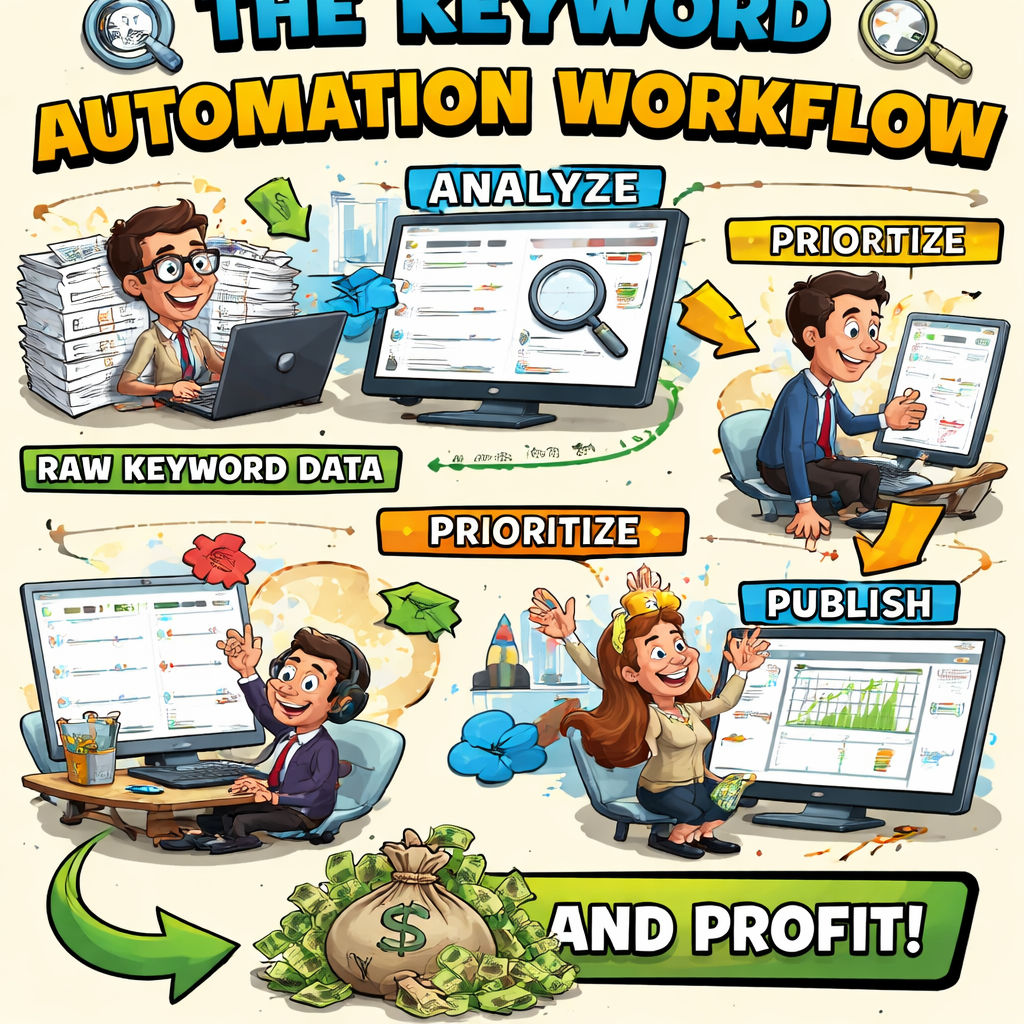
Visualizing the flow helps everyone see where the bottlenecks are. A simple diagram that maps “Raw Data → Filter → Enrich → Prioritize → Publish → Monitor” can be a weekly stand‑up slide. When the team spots a keyword stuck in the ‘Enrich’ bucket, you know it’s a data‑quality issue rather than a content gap.
Finally, treat your analysis as a living document. Schedule a 15‑minute Friday review, note any shifts in intent, and update your AI prompting rules. The more you iterate, the sharper your keyword engine becomes, and the less you’ll ever wonder why your list feels stale again.
Step 5: Scale and Integrate with Content Workflow
Now that your keyword pipeline is churning out fresh terms every morning, the real challenge is turning that data stream into a repeatable, scalable content engine.
First, map each high‑value keyword to a stage in your editorial calendar. Imagine you’ve just flagged “biodegradable dog chew toy” as a green‑flag term. Drop it into the “Ideas” column of your project board, assign a due date that aligns with your quarterly campaign, and tag it “Pillar.” That way the keyword never disappears in a sea of rows.
Next, automate the hand‑off from research to writing. Most teams use a simple Zap that watches the master Google Sheet for rows where the “Status” column switches to “Ready.” When that happens, the Zap creates a new card in Trello (or Asana, or Notion) pre‑filled with the keyword, search intent, and a one‑sentence brief generated by your AI engine. The writer gets a ready‑to‑go brief without ever opening the spreadsheet.
Does this feel like a lot of moving parts? It isn’t. You only need three core automations:
1️⃣ Pull, Filter, Store
Schedule a nightly run that pulls volume, difficulty, and SERP features from your keyword source. Apply a filter – for example, volume > 500 and difficulty < 30 – and write the results to a “master list” sheet. This sheet becomes the single source of truth for the rest of the workflow.
2️⃣ Create Content Briefs
When a row meets your “ready” criteria, fire a webhook that calls the AI model to generate a brief: title, meta description, suggested headings, and a list of internal linking opportunities. The webhook then posts the brief to your content platform. Writers can start typing within minutes, not hours.
3️⃣ Publish & Promote
After the article is live, another automation can push the URL to your CMS, add the appropriate schema markup, and drop the link into a social‑media scheduling tool. At the same time, set up a rank‑tracking alert that notifies you if the page climbs 10 % or more in SERP position within the first week.
Let’s walk through a real‑world example. A mid‑size e‑commerce brand selling sustainable pet accessories set the volume threshold to 800 searches. Their pipeline flagged “eco‑friendly puppy rope toy” on Monday night. By Tuesday morning the AI‑generated brief landed in the writer’s Notion workspace, complete with three internal linking suggestions (including a guide on “how to choose safe pet toys”). The writer published the post on Wednesday, and the Slack alert pinged the team when the page jumped from position 27 to 14 by Friday. The brand logged a 22 % traffic lift on that keyword alone.
Scaling this process is mostly about tightening thresholds and adding layers of quality control. Here are a few tips you can copy straight into your workflow:
- Batch‑process alerts: instead of a notification for every single keyword, group them into a daily digest so the team isn’t overwhelmed.
- Include a “Review” status flag. Before a brief becomes “Ready,” have a senior SEO specialist skim the suggestions for brand‑voice alignment.
- Use versioned sheets. Keep a “historical” tab that archives every nightly run; you’ll love the ability to spot long‑term trends later.
- Integrate with your analytics platform. When a page hits a conversion goal, automatically move the keyword to a “Top Performer” list for future content ideas.
What about the occasional false positive – a keyword that looks promising but never gains traction? Set up a “stale” rule: if a term stays in the “Published” column for 30 days without a measurable lift (e.g., < 5 % increase in organic clicks), flag it for removal. This keeps your master list lean and focused on growth.
Finally, remember that scaling isn’t just about more content; it’s about smarter content. As you feed more data into the AI model, you’ll notice it starts suggesting clusters you hadn’t considered – like “DIY pet toy tutorials” or “eco‑friendly gift guides.” Embrace those suggestions, test a few, and let the data decide which clusters deserve a full‑blown pillar page.
By stitching together these automations, you turn a once‑a‑day spreadsheet into a living SEO engine that fuels your editorial calendar, keeps your writers productive, and continuously feeds the algorithm with fresh, relevant pages. That’s how you truly master how to automate keyword research at scale.
FAQ
What’s the first step to figure out how to automate keyword research without overwhelming my team?
Start by pinning down a single, measurable goal – something like "boost organic traffic to product pages by 15% in the next quarter." Then gather a handful of seed keywords that directly reflect that goal. Feed those seeds into whatever tool you’ve chosen, and let the platform spin out long‑tail variations. From there you can apply simple volume and difficulty filters to trim the list before anyone even opens a spreadsheet.
How often should I run the automation, and does daily scheduling really matter?
Running the pipeline once a day is a sweet spot for most e‑commerce owners and content creators. A nightly run catches seasonal spikes, algorithm updates, and competitor moves while still giving you fresh data each morning. If you’re a solo blogger, a twice‑weekly schedule might be enough, but daily alerts ensure you never miss a hot term that could turn into a quick win.
Can I trust the keyword suggestions if I’m not using a premium tool?
Yes, as long as the source provides real‑time search volume and basic difficulty metrics. Free options like Google Keyword Planner or KWFinder’s limited quota still pull data straight from Google, so the numbers are reliable. Pair that with a simple intent filter – for example, flag any keyword that contains “buy,” “price,” or “discount” as commercial – and you’ve got a usable list without spending a fortune.
What’s a quick way to spot false‑positive keywords that look promising but never convert?
Set up a “stale” rule in your master sheet: if a term stays in the "Published" column for 30 days and its organic clicks haven’t moved at least 5 %, flag it for removal. You can also add a column for conversion intent and only keep keywords that show a commercial or transactional signal. This habit keeps the list lean and focused on growth.
How do I turn an automated keyword list into a content brief that my writers can use right away?
When a row meets your green‑flag criteria (volume > 500, difficulty < 30, commercial intent), trigger a webhook that calls an AI model to generate a brief. The brief should include a headline, a meta description, three to five H2 ideas, and suggested internal links. Drop the brief into your project board – Trello, Asana, or Notion – and the writer can start typing without hunting for context.
Is it worth integrating the keyword engine with my analytics platform?
Absolutely. When a newly published page hits a conversion goal – say a newsletter sign‑up or a product add‑to‑cart – you can automatically move that keyword into a “Top Performer” list. Over time you’ll see which intent buckets drive the most revenue and can tweak your AI prompts to surface more of those high‑value terms. It creates a feedback loop that continuously improves your research.
What should I do if the automation suggests topics that feel outside my brand’s voice?
Take a step back and run a quick relevance check. Compare the suggested term against your brand’s core messaging and buyer personas. If it feels off, you can either discard it or adjust the seed list to steer the engine in a better direction. Remember, the tool is a helper, not a replacement for human judgment – use it to amplify what already works for you.
Conclusion
We've taken you from the messy spreadsheet grind to a self‑refreshing keyword engine that practically runs itself while you focus on creating the content your audience actually wants.
Remember the five pillars: define a crystal‑clear goal and seed list, pick a tool that hands you raw data, stitch together a nightly pipeline, filter and prioritize the fresh terms, then feed them straight into your editorial workflow. Each piece is simple on its own, but together they turn "how to automate keyword research" from a buzzword into a daily habit.
That habit still needs a human eye. We’ve seen teams miss the mark when they ignore intent or let stale keywords linger. A quick weekly audit—check volume spikes, difficulty trends, and conversion signals—keeps the engine lean and profitable.
So, what’s the next step for you? Grab the seed ideas you already have, fire up a free‑tier tool, and set a cron or Zapier schedule for tomorrow morning. When the first list lands in your sheet, treat it like a to‑do list for your writers.
Ready to stop chasing keywords and start letting them chase you? Give our automated content engine a spin and watch the data turn into traffic without the endless manual work.
The real power shows up when you let the system learn—each successful post feeds back into the keyword pool, sharpening future suggestions and boosting ROI over time.