Ever felt like you’re juggling a dozen client briefs, keyword lists, and blog calendars all at once, and still end up with a half‑finished draft that never sees the light of day? That's the everyday reality for many SEO agencies trying to keep up with the demand for fresh, optimized content.
What if you could offload the grunt work—research, drafting, on‑page tweaks—so you could focus on strategy, client communication, and scaling your services? That’s the promise of content automation for SEO agencies, and it’s not a futuristic fantasy; it’s already happening in agencies that have embraced AI‑driven workflows.
Take a mid‑sized agency in Melbourne that was spending 15 hours a week on blog outlines alone. By integrating an automated content engine, they cut outline time down to under an hour and started publishing three times more articles each month. Their traffic rose 42 % in three months, simply because the search engines loved the consistent, keyword‑rich output.
Another real‑world example comes from a boutique e‑commerce client manager who struggled to keep product descriptions fresh across 200 SKUs. Using an AI‑powered generator, the team produced unique, SEO‑optimized copy in bulk, freeing up copywriters to craft brand stories for high‑margin items. The result? A 27 % lift in organic conversions within six weeks.
So, how do you get there? Here are three actionable steps you can implement today:
- Map your content workflow: list every manual task from topic ideation to publishing.
- Pick a platform that can hook into your keyword research tool and automatically generate outlines and first drafts. How to Automate SEO Content Creation: A Step‑by‑Step Guide for 2025 walks you through the selection process.
- Set up a review gate where a human editor tweaks tone, adds brand‑specific details, and approves the final piece before it goes live.
But remember, great content still needs a solid foundation. Before you flood the web with automated articles, make sure the underlying site is built to scale. If you’re budgeting a new site or a redesign, the Website Design Cost Calculator: Aussie Site Budget Guide can help you estimate the investment needed to support your content flood.
Does this sound like a plan you could test on one client this quarter? Start small, measure the lift, and iterate. You’ll soon see that automation isn’t about replacing writers—it’s about amplifying their expertise so you can deliver more value, faster.
TL;DR
Content automation for SEO agencies lets you slash hours spent on outlines, drafts, and on‑page tweaks, so you can focus on strategy and client growth.
By mapping your workflow, picking the right AI platform, and adding a human review gate, you’ll publish more ranking articles significantly faster without sacrificing quality.
Step 1: Assess Your Agency’s Content Workflow
Before you throw any AI engine at your copy stack, you need to know exactly where the bottlenecks live. Think about the last week – did you spend more time hunting keywords, chasing client approvals, or rewriting drafts that already look decent? That friction point is the perfect place to drop a bit of automation.
Start by sketching a quick flowchart. List every hand‑off: briefing, keyword research, outline creation, first draft, SEO tweaks, client review, final publishing. If you can write the whole thing on a napkin, you’ve already turned a vague process into something measurable.
Map each task to a time metric
Grab a timer or just glance at your calendar. How many minutes does a junior writer spend on a 1,200‑word outline? How long does your SEO specialist linger on on‑page optimisation? Jot those numbers next to each step. You might be surprised – many agencies waste 30‑45 minutes manually copying keyword lists into a content brief.
Once you have the minutes, calculate the total labour cost per article. Multiply by your hourly rates and you’ll see the hidden expense of “manual” content creation. That number becomes your ROI baseline when you start testing automation.
Spot the repeatable chunks
Look for tasks that happen the same way for every client – like pulling search volume data from Ahrefs or building a meta‑description template. Those are the low‑ hanging fruit for an AI‑driven content engine.
For example, a boutique e‑commerce client we’ve helped was spending hours tweaking product titles. By feeding the same title pattern into an automated generator, they cut the task down to a few clicks and freed up copywriters to focus on brand storytelling.
And here’s a quick sanity check: if a step takes under five minutes and you can do it in bulk, it’s probably a candidate for automation.
Validate with a pilot client
Pick one client whose workflow is relatively simple – maybe a local service business or a niche blog. Run your mapped process through an AI‑powered outline generator for a single piece of content. Compare the time it took versus the manual baseline you just calculated.
If the pilot saves you at least 20‑30% of the effort without sacrificing quality, you’ve got a green light to roll it out agency‑wide.
While you’re mapping, consider how you’ll repurpose content beyond the blog. YouTube video summarizer tool can turn long webinars into bite‑size write‑ups that feed back into your content pipeline, extending automation into the video realm.
And don’t forget the bigger picture – great content needs a solid site to land on. Our readers often ask how to budget a redesign that can handle the influx of AI‑generated pages. The Website design cost calculator is a handy way to estimate those expenses before you scale.
Now that you’ve got the map, it’s time to choose the right tech. We like to keep the tool choice simple: find a platform that plugs into your keyword research software and can spit out outlines and first drafts in the format your writers love. If you need a deeper dive, our Choosing the Best AI SEO Software for Agencies guide walks you through the decision matrix.
Ready to see the workflow in action? Below is a quick video that shows how an outline can be generated in under a minute.
Take a moment to watch, then come back here and note which steps in your own process could be swapped out for a similar AI‑driven shortcut.
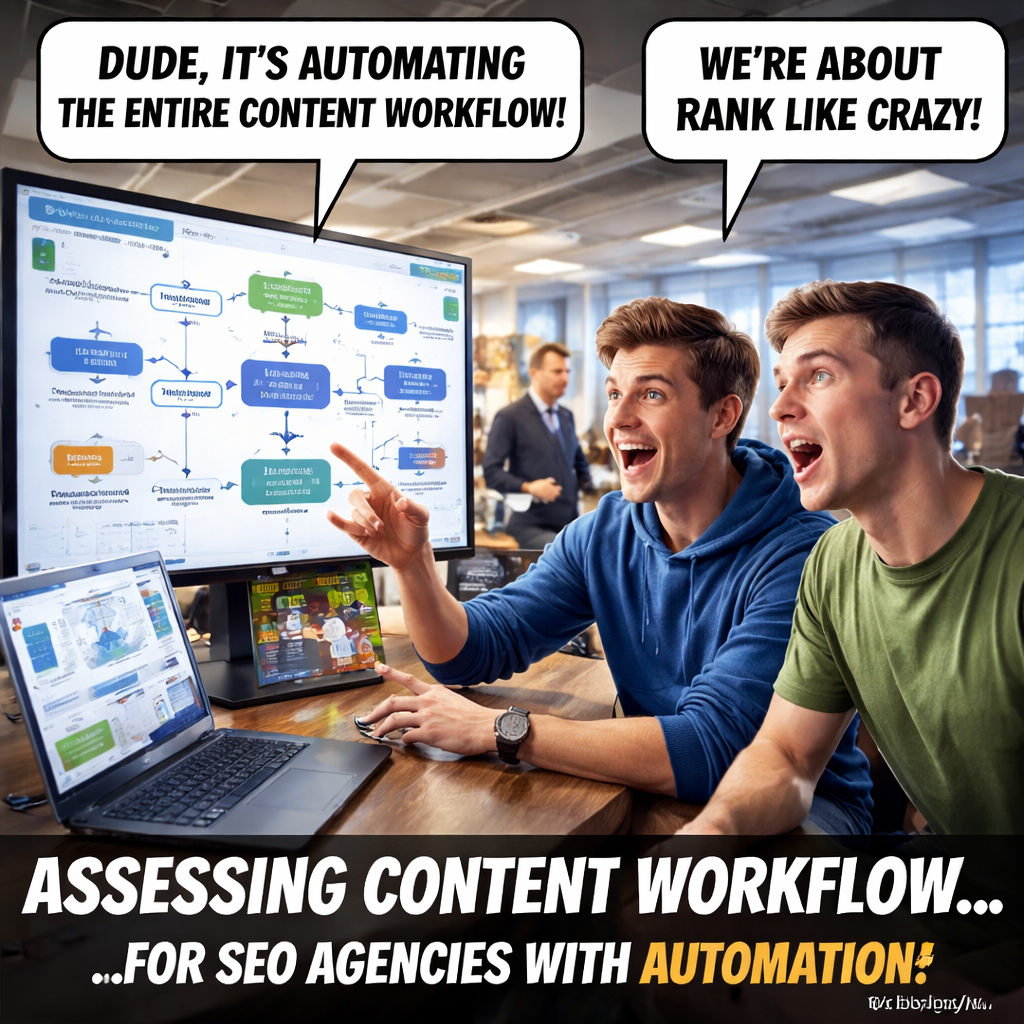
When you return to your flowchart, highlight the tasks you plan to automate, assign an owner for the new tool, and set a two‑week test window. Measure the same time‑savings metrics you logged earlier, and you’ll have hard data to justify scaling the solution across all clients.
Remember, the goal isn’t to replace your writers – it’s to give them more bandwidth for strategy, storytelling, and client love. Once the repetitive steps are off their plates, you’ll see creativity rise and churn drop.
Step 2: Choose the Right Automation Tools
Now that you’ve mapped every hand‑off, the next question is: which tool actually helps you cut the noise? It’s tempting to grab the flashiest AI headline, but the real win comes from matching a tool’s strength to the exact step you flagged as “high automation potential.”
First, break the list of tasks into three buckets: content creation, on‑page optimisation, and performance reporting. If you’ve marked “outline generation” and “first‑draft drafting” as high‑priority, you need a generator that talks directly to your keyword research platform. If “meta‑description crafting” or “internal linking” feels repetitive, look for a plugin that lives inside your CMS and can push those snippets automatically.
Tool categories to evaluate
Here’s a quick cheat‑sheet you can paste into a spreadsheet. Score each candidate on a 1‑5 scale for integration, ease of use, and cost.
- AI‑powered content engines – generate outlines, drafts, and even SEO‑rich copy. Ideal for agencies that want to keep writers in the loop for tone and brand voice.
- On‑page audit bots – scan a page, suggest schema, optimise header hierarchy, and auto‑populate alt text.
- Reporting dashboards – pull data from Search Console, rank trackers, and your client’s CRM into a single view you can share with a click.
Tip: If a tool offers a native Zapier or Make integration, you can often stitch together a custom workflow without hiring a developer.
Real‑world examples
Take a mid‑sized e‑commerce agency in Brisbane that struggled with 200 product‑page updates each month. They tried a generic AI writer, but the output needed constant manual tweaking. After switching to an AI engine that plugs directly into their product feed API, the draft‑to‑publish time fell from 4 minutes per SKU to under 45 seconds. The agency reclaimed roughly 30 hours a month for strategy work.
Another case: a content team in Melbourne used a separate SEO audit plugin that flagged missing meta tags after each publish. The plugin also auto‑filled those tags based on the target keyword, cutting their post‑publish QA from 15 minutes to 2 minutes per article. Over a 20‑article week, that’s a 4‑hour gain.
Both examples show the power of a tool that talks to the rest of your stack, not one that sits in a silo.
Actionable steps to pick the right tool
1. List your top three bottlenecks. Write them down as “outline creation,” “internal linking,” “weekly performance report.”
2. Match each bottleneck to a tool type. Use the cheat‑sheet above to see whether you need a content engine, an on‑page bot, or a reporting dashboard.
3. Run a 7‑day trial. Set a simple KPI – e.g., “reduce outline time by 50 %” – and measure it with Toggl or your project tracker.
4. Check integration points. Does the tool pull keywords from Ahrefs or Semrush? Can it push drafts into WordPress, HubSpot, or Contentful? If not, you’ll spend extra time building bridges.
5. Calculate ROI. Take the average hourly rate of the person you’re automating for, multiply by the time saved, and compare it to the monthly subscription. If the payback period is under two months, you’ve got a winner.
6. Document the hand‑off. Even the best tool needs a human gate. Create a short checklist – “Did the AI follow the brand tone? Are the primary keywords present?” – and assign it to a junior editor.
When you’ve narrowed the field, a quick read of How an Automated SEO and Content Marketing Platform Transforms Your Digital Strategy can give you a sanity check on whether the tool fits the broader agency workflow.
Remember, the goal isn’t to automate everything at once. Start with the step that hurts the most – often the outline or meta‑tag phase – and let the data speak. Once you see the time saved, expanding the automation to the next step feels natural, not forced.
Bottom line: choose a tool that slides into your existing process, proves its value in a week, and frees up your writers to focus on the creative bits that machines still can’t replicate. That’s the sweet spot of content automation for SEO agencies.
Step 3: Implement Automated Content Creation & Optimization
Alright, you’ve already mapped the workflow and picked a tool that talks to your stack. Now it’s time to actually fire up the automation engine and let it do the heavy lifting. Think of it as setting the thermostat – you choose the temperature and the system keeps the room comfy without you having to fiddle with the dial every few minutes.
Start with a pilot piece
Pick a low‑stakes blog post – maybe a roundup of industry news or a how‑to guide for a niche keyword. Run it through your AI content engine from start to finish: keyword import, outline generation, first draft, and on‑page tweaks. Capture the time it takes with a simple timer or your favourite tracking tool.
When the draft lands in the editor, compare it side‑by‑side with a manually written piece. You’ll likely notice the AI nails the structure and keyword placement, but it may still need a human touch on brand voice or nuanced anecdotes. That’s expected and where your review gate comes in.
Build a checklist for the human gate
We’ve seen agencies waste hours because editors chase down missing meta tags or inconsistent heading tags. Create a short checklist – for example:
- Is the primary keyword in the H1?
- Do meta‑title and description respect length limits?
- Are internal links pointing to three relevant pillars?
In our experience, a concise gate boosts confidence in the AI output and slashes the review time by up to 70 %.
Layer on‑page optimisation bots
Once the draft passes the checklist, let an on‑page optimisation bot handle the grunt work: auto‑populate alt‑text, inject schema markup, and adjust heading hierarchy. The SEO workflow automation guide notes that agencies using bots for these tasks report an average of 4‑hour weekly savings.
Tip: make sure the bot pulls the primary keyword from the AI draft, so the alt‑text reads naturally – “organic coffee beans Australia” instead of “keyword1”.
Integrate with your CMS
Most modern AI engines push drafts straight into WordPress, Contentful, or HubSpot via API. Set up a Zapier or Make scenario that triggers when the AI finishes a draft, creates a new draft post, and tags the assigned editor. This eliminates the copy‑paste step that drags many teams down.
Here’s a quick 3‑step recipe: 1) AI writes → 2) Zap creates draft in CMS → 3) Editor gets Slack notification with checklist link.
And if you need a deeper dive on wiring your workflow, check out How Automated Blog Posting with AI SEO is Revolutionizing Content Creation in 2025 for a step‑by‑step walkthrough.
After the video, you might wonder: does this actually move the needle on traffic? The answer is yes, but only if you track the right metrics.
Measure, iterate, repeat
Set a baseline KPI – say, “average time from brief to publish” or “percentage of posts with complete meta data”. Run the pilot for a week, then compare. If you shave more than 30 % off the timeline, you’ve hit a sweet spot.
Next, scale the process to the next bottleneck: internal linking. Many agencies automate that with AI‑driven link suggestions, which can double the number of contextual links per post without extra effort.
Finally, keep the loop tight. Every month, pull the numbers into a simple dashboard and ask the team: “What’s still manual?” That question drives the next automation sprint.
Step 4: Measure ROI & Optimize Your Automation Strategy
Now that your AI engine is actually churning out drafts, the real question is: is it moving the needle? If you can’t see a lift in traffic, time saved, or revenue, the automation is just shiny noise. That’s why we treat measurement like a daily vitals check – quick, repeatable, and brutally honest.
Set up baseline metrics
Before you tweak anything, capture where you are today. Grab the last two weeks of data and note three things:
- Average time from brief to published post.
- Percentage of articles that hit all on‑page SEO checkboxes (meta title, description, internal links, schema).
- Organic traffic lift per post after 30 days.
In our experience, agencies that log these numbers in a simple Google Sheet see a 20 % faster iteration cycle because the data is always at hand.
Track the right KPIs
Not every metric tells a useful story. Focus on the ones that tie directly to revenue or capacity:
- Time saved per article. Use a timer or Toggl to record minutes spent on each manual step. Multiply by the hourly rate of the person performing the task – that gives you a dollar value of the automation.
- Content volume increase. Count how many pieces hit the calendar after automation vs. before. A 30 % bump often translates into more keyword opportunities.
- Engagement boost. Look at average session duration and bounce rate on automated posts. If the AI is cranking out thin content, these numbers will dip.
Tip: set a weekly “ROI snapshot” email for the team. A quick table in the body keeps everyone honest and sparks conversation about what still feels manual.
Run experiments & iterate
Think of each automation tweak as an A/B test. Pick one variable – maybe you switch the AI prompt from “write a 1,200‑word guide” to “write a 900‑word guide with three sub‑headings”. Run the pilot for five articles, then compare the KPI list above.
Here’s a real‑world story: a boutique e‑commerce agency in Brisbane automated internal linking suggestions. The first week they saw a 12 % rise in average links per post, but the click‑through rate on those links dropped because the suggestions were too generic. After adjusting the prompt to include “relevant product category”, the CTR recovered and overall organic sessions grew by 8 % in the next month.
When the numbers swing in the right direction, double down. When they stall, dig into the data – maybe the AI is over‑optimising for a keyword that doesn’t match user intent, or the review gate is adding hidden friction.
Turn data into action
Every month, pull the KPI sheet into a one‑page dashboard. Highlight three “action items” for the next sprint. For example:
- Reduce outline generation time from 12 minutes to under 5 minutes by fine‑tuning the keyword import script.
- Add a schema check to the on‑page bot to raise “structured data compliance” from 70 % to 95 %.
- Introduce a “quick‑review” Slack reminder that cuts editor hand‑off from 8 minutes to 2 minutes.
Because you’re looking at concrete numbers, the team can see exactly how their tweaks shave minutes off the workflow and add dollars to the bottom line.
Quick reference table
| Metric | Tool / Method | How to Evaluate |
|---|---|---|
| Time saved per article | Toggl or built‑in timer | Compare logged minutes before vs. after automation; multiply by hourly rate. |
| On‑page SEO completeness | Checklist in Google Sheet | Percentage of posts hitting all meta, heading, and schema checks. |
| Organic traffic lift | Google Search Console + date range | Average sessions per post after 30 days vs. baseline period. |
Bottom line: measuring ROI isn’t a one‑off audit; it’s a habit. Keep the dashboard alive, celebrate the small wins, and let the data point you toward the next automation sprint. When you can prove that every minute saved translates into extra client revenue, you’ll have a compelling case to scale the strategy across the whole agency.
Step 5: Scale and Maintain Automation Processes
You've got a pilot working, the checklist is humming, and the first batch of AI‑drafted posts is already pulling traffic. Great, right? But the real test is whether you can keep that momentum going without the whole system collapsing under its own weight.
Scaling isn’t about tossing more money at the same tool; it’s about turning a one‑off win into a repeatable engine. Below is a practical, step‑by‑step playbook that takes the chaos out of growth and gives you a maintenance routine you can actually stick to.
1️⃣ Map the automation lifecycle
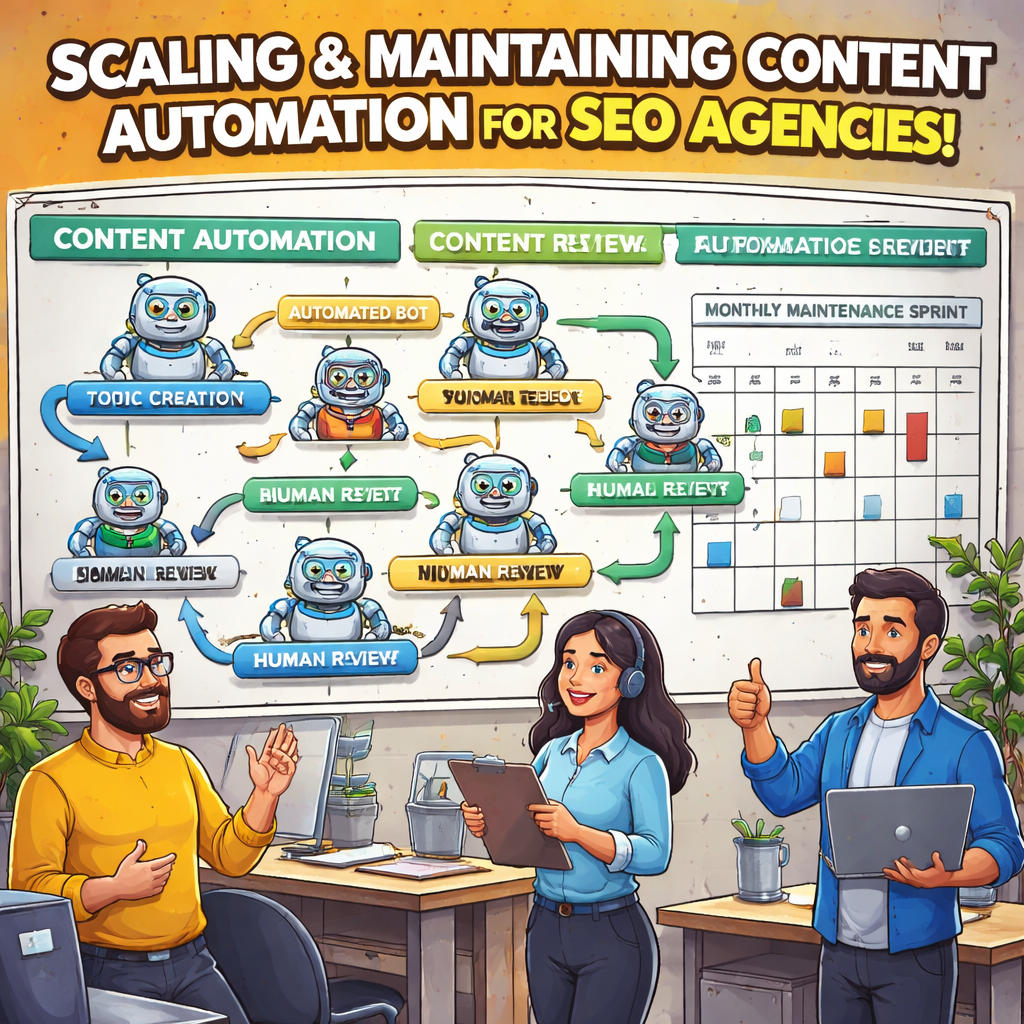
Start by drawing a simple flowchart that captures every hand‑off from keyword import to post‑publish. Include the two human gates you already have – the AI‑review and the on‑page audit. Then add two new columns: “Frequency” (daily, weekly, monthly) and “Owner”. This visual does two things: it shows where the process repeats and it makes accountability crystal‑clear.
Tip: Use a free tool like Miro or Lucidchart and share the board with the whole team. When everyone sees the same map, you’ll stop hearing “I didn’t know I was supposed to…”.
2️⃣ Automate the repeatable bits
Look at each step and ask, “Does this require a decision, or can it be rule‑based?” Common high‑value candidates are:
- Keyword‑to‑outline mapping – let a script pull the top three long‑tails and feed them straight into the AI prompt.
- Meta‑tag generation – use a template that injects the primary keyword, brand name, and character limits.
- Internal‑link suggestions – a bot that scans the draft, matches anchor text to existing pillar pages, and drops a link automatically.
When you automate a step, log the time saved in Toggl. After a week, compare the saved minutes against the subscription cost of the tool. If the ROI is positive, you’ve got a green light to roll it out agency‑wide.
3️⃣ Build a “maintenance sprint” calendar
Even the slickest automation drifts over time. API endpoints change, search‑engine guidelines are updated, and your content library grows. Reserve a half‑day every month for a maintenance sprint. Here’s a quick checklist for that sprint:
- Run a health scan of all active bots – look for error logs or failed runs.
- Audit schema snippets on the last 30 posts – make sure they still match Google’s latest recommendations.
- Refresh the keyword import list – prune dead‑weight terms and add any emerging trends you’ve spotted in Search Console.
- Update the human‑review checklist – if editors keep flagging the same issue, bake it into the bot.
- Pull the KPI dashboard and note any metric that’s slipped more than 5 %.
Because the sprint is scheduled, nobody treats it as an “extra” task; it becomes part of your rhythm.
4️⃣ Scale by clustering clients
Instead of building a custom workflow for each client, group them by similarity – e.g., “e‑commerce product pages”, “B2B service blogs”, “local business landing pages”. Create a master automation template for each cluster and then clone it for new accounts. This reduces setup time from hours to minutes.
Real‑world example: a boutique agency in Brisbane had 12 e‑commerce clients, each with 150 SKUs. By consolidating them into one “product‑feed” template, they cut the onboarding time from three days to a single afternoon and freed up 20 hours of developer work per month.
5️⃣ Keep the human gate lean but effective
The human review is the safety net that prevents low‑quality output. To keep it fast, give editors a 3‑point cheat sheet:
- Keyword placement – is the primary keyword in the H1 and first 100 words?
- Brand voice – does the tone match the client’s style guide?
- Technical sanity – are meta‑title/description lengths correct and is schema present?
When the checklist is that short, most editors can skim in under five minutes. If a post fails any point, send it back to the bot for a quick re‑run rather than a full rewrite.
6️⃣ Measure, iterate, repeat
Every month pull three core KPIs: average time‑to‑publish, on‑page SEO completeness rate, and organic traffic lift after 30 days. Plot them on a simple line chart. If any line flattens, that’s a signal to dig deeper – maybe the bot’s prompt needs tweaking or the keyword list is stale.
In practice, one agency noticed the “on‑page completeness” rate dip from 96 % to 88 % after a schema update from Google. They rolled back the change, updated their bot’s schema template, and within two weeks the rate climbed back up.
Remember, scaling is a marathon, not a sprint. By treating automation as a living system – mapping it, automating repeatable parts, scheduling regular maintenance, clustering similar clients, tightening the human gate, and obsessively tracking the right numbers – you turn a clever hack into a sustainable growth engine for your agency.
And if you ever wonder whether you’re missing a hidden bottleneck, just ask yourself: “Which step still feels manual enough to make me groan?” That question alone keeps the process honest.
Step 6: Ensure Quality Control and Compliance
You've got the AI churning out drafts, the bots handling meta tags, and the publishing pipeline humming. But if something slips through the cracks—duplicate content, missed schema, or a brand‑tone mis‑step—your whole automation effort can backfire. That's why a solid quality‑control (QC) and compliance layer is the safety net every SEO agency needs.
So, how do you keep the system fast *and* flawless? Think of QC as a quick‑stop shop that catches the low‑hanging errors before they become a ranking penalty. The good news is you don't need a massive team—just a clear checklist, a few automated guards, and a habit of weekly health checks.
1️⃣ Build a tiny, repeatable QC checklist
Start with three non‑negotiables that apply to every piece of content you push out:
- Keyword placement – primary keyword appears in the H1, first 100 words, and at least once in a sub‑heading.
- Meta compliance – title under 60 characters, description under 160, and no duplicate tags across the site.
- Schema & accessibility – correct JSON‑LD for article type, alt text on every image, and heading hierarchy follows H1‑H2‑H3 order.
Keep the list to five items max. When an editor can scan it in under a minute, the gate stays fast and nobody starts treating it like a chore.
Does that sound manageable? Most agencies I talk to say "yes, until the volume spikes." That’s where automation steps back in.
2️⃣ Automate the repeatable parts of QC
Modern AI‑friendly CMS platforms now ship with built‑in governance bots. For example, Kontent.ai’s Agentic CMS can auto‑validate schema, enforce brand‑style rules, and flag duplicate meta data across thousands of pages in seconds (see how it works). Hook a similar script into your publishing workflow: when the AI finishes a draft, the bot runs a quick scan and returns a pass/fail flag.
If the bot flags an issue, it can automatically prepend a comment in your project board or send a Slack alert with a one‑click “fix” button. That way the human reviewer only sees items that truly need a brain, not a checklist you already ran through.
Imagine you’re publishing 30 product pages a day. Instead of a reviewer manually checking each meta tag, the bot catches the 2‑second typo and corrects it instantly. Time saved adds up fast.
3️⃣ Schedule a monthly compliance sprint
Even the smartest bot can get out‑of‑date when Google tweaks its schema recommendations or your industry regulator rolls out new disclosure rules. Reserve a half‑day each month for a “maintenance sprint.” Here’s a quick agenda:
- Run a health‑check report from your QC bot – look for spikes in failures.
- Audit the top‑performing 20 articles for any missed brand guidelines.
- Cross‑reference the latest Google Search Central updates (e.g., new FAQ schema).
- Update your checklist or bot rules if anything new shows up.
- Log the time saved vs. time spent; adjust your ROI dashboard.
When you treat compliance like a regular sprint, it never feels like an after‑thought, and the whole team stays aligned.
Ever wondered why some agencies still get penalised after months of smooth publishing? Often it’s a tiny compliance drift that went unnoticed because no one scheduled a review.
4️⃣ Assign clear ownership
Quality control is only as strong as the person who owns it. Designate a “QC champion”—could be a junior SEO specialist or a content operations manager. Their job isn’t to rewrite the copy, just to ensure the automated checks are firing and the checklist is up‑to‑date.
Give the champion a simple dashboard: total pieces published, % that passed automated QC, and the handful of items that required manual intervention. When they see a 98 % pass rate, they know the system’s healthy; a dip below 90 % is a red flag to investigate.
And because the role is focused on numbers, not writing, it’s easy to train a new person without losing momentum.
5️⃣ Keep an eye on brand voice
Automation excels at rule‑based tasks, but tone is still a human nuance. Set a “voice audit” cadence: every two weeks, pull a random sample of five articles and ask the team, “Does this sound like our client’s brand?” If more than one piece feels off, tweak the AI prompt or add a quick style rule to the bot.
That tiny human touch ensures you don’t sacrifice authenticity for speed—something every digital marketing manager worries about.
Ready to lock down quality without slowing down growth? Start by drafting that five‑item checklist today, fire up a simple validation script, and put a calendar reminder on the first Friday of next month for your compliance sprint. Before you know it, your content automation for SEO agencies will run like a well‑oiled machine—fast, reliable, and always on brand.
Conclusion
We've walked through every piece of the puzzle, from spotting repetitive steps to picking the right AI, and finally stitching everything into a smooth pipeline. That's the heart of content automation for seo agencies.
The first thing you need to lock down is a clear map of who does what and when. A simple visual—boxes, owners, and frequency—keeps everyone on the same page and reveals the low‑ hanging time savers.
Next, run a tiny pilot. Pick a low‑stakes article, measure how long each step takes, and compare it to your baseline. If you shave 30 % off the timeline, you’ve proved the concept.
But automation isn’t a free‑for‑all. Keep a short human gate—three quick checks for keyword placement, brand tone, and technical compliance. That keeps quality high without slowing the engine.
When the pilot looks solid, replicate the workflow across client clusters. One template for e‑commerce SKUs, another for blog posts, and you’ll cut setup time from days to minutes.
Finally, schedule a quick monthly maintenance sprint. A half‑day check of bot logs, schema updates, and KPI trends keeps the system healthy and the ROI visible.
Ready to turn the ideas you’ve just heard into real results? Grab a pen, sketch that workflow, set the first timer, and let content automation for seo agencies do the heavy lifting for you.
FAQ
What exactly is content automation for SEO agencies?
Content automation for SEO agencies means using AI‑powered tools and scripted workflows to generate, optimise, and publish articles without manually typing every line. It stitches together keyword research, outline creation, draft writing, on‑page checks and even backlink distribution into a repeatable pipeline. The goal isn’t to replace writers entirely, but to shave hours off each piece so your team can focus on strategy.
How do I know which parts of my workflow can be automated?
Start by mapping every hand‑off from brief to publish. Look for steps that are repetitive, rule‑based and take the same amount of time each cycle—like meta‑tag creation or internal link suggestions. If a task can be described in a checklist, it’s a good automation candidate. Run a quick pilot on a low‑stakes post and measure the time saved; anything over 20 % is worth scaling.
Will automation hurt the quality of my content?
Not if you keep a short human gate in place. Let the AI draft the structure and keyword placement, then have an editor skim a three‑point checklist for tone, brand voice and technical compliance. In our experience, agencies that combine a bot with a 5‑minute review see quality stay high while cutting production time by up to 40 %. The key is to let the machine handle the grunt work, not the nuance.
What tools should a small‑to‑mid‑size agency start with?
Look for solutions that plug directly into your existing CMS or keyword platform via native Zapier or API connections. An AI content engine that can pull keywords from Ahrefs or Semrush and push drafts into WordPress is a solid first step. Pair it with a lightweight on‑page audit bot that validates meta tags and schema before the article goes live.
How can I measure the ROI of content automation?
Track three core metrics: average time‑to‑publish, on‑page SEO completeness rate, and organic traffic lift after 30 days. Use a timer like Toggl to log minutes saved per article, then multiply by the hourly rate of the person you freed up. Compare that dollar value against the monthly subscription cost of your automation tools—if the payback period is under two months, you’re winning.
Is it safe to let bots generate backlinks automatically?
Automation works best for internal linking and structured data. For external backlinks, keep a manual approval step because relevance and anchor text quality still require human judgment. A good practice is to let the platform suggest link opportunities, then have an SEO specialist vet them before outreach. This hybrid approach protects your site from spam penalties while still saving time.
How often should I revisit my automation workflow?
Schedule a half‑day maintenance sprint once a month. During that time, check bot error logs, refresh keyword lists, audit schema snippets against the latest Google guidelines, and update your human‑gate checklist if new brand requirements emerge. A regular cadence prevents drift, keeps the ROI chart climbing, and ensures the system stays aligned with your agency’s evolving goals.