To really get your social media posting on autopilot, you need more than just a scheduler. You need a system that can schedule new content, yes, but also resurface your greatest hits and even pull in relevant articles, all without you having to be chained to your desk.
It’s all about building a solid content library and setting up a consistent posting schedule. This frees you up from the daily grind of publishing so you can actually focus on big-picture strategy and talking to your audience.
Why Smart Social Media Automation Is a Necessity
Let's be real: posting to social media manually every single day feels like running on a hamster wheel. You sink hours into hunting for content, crafting captions, and hopping between platforms, only to wake up and do it all over again. This constant pressure to "feed the algorithm" leaves almost no room for the stuff that actually moves the needle—like engaging with your community and thinking about your next big move.
Smart automation is more than just a shortcut; it's a strategic move to scale your online presence. It keeps your brand's voice consistent and your profiles active across every channel, even when you're busy running the rest of your business.
More Than Just a Timesaver
Picture a small business owner who’s also the entire marketing department. Without automation, one busy week means their social media goes dark. That silence can kill momentum and chip away at the trust they've built.
But with an automated system in place? Their pre-approved content keeps flowing out, maintaining that professional, reliable brand image. That consistency is absolutely vital for growth. For a deeper dive into setting up this kind of strategy, check out this comprehensive guide to automated social media posting.
Automation isn’t about taking the human out of social media. It’s about making more room for it. When you automate the repetitive task of posting, you free up the mental space and time to have real, meaningful conversations with your followers.
Scaling Your Efforts Effectively
Automation lets you punch way above your weight, making you operate like a much larger team. You can sit down for one afternoon and map out an entire month's worth of content, load it up, and just let the system do the heavy lifting. This gives you the breathing room to be more intentional with your messaging and campaigns.
If you want more ideas on building a content strategy that can scale with you, we cover this and more over on our marketing blog.
The sheer size of social media today makes doing everything by hand pretty much impossible. By 2025, there will be an estimated 5.45 billion social media users across the globe. These users are spending an average of 2 hours and 24 minutes a day scrolling through seven different platforms. That’s a massive opportunity, but it’s also incredibly demanding.
Automating your posting isn’t a luxury anymore—it’s how you compete in such a crowded world.
Choosing the Right Automation Tool for Your Business
Picking a tool to automate your social media can feel like you’re staring at a wall of options. They all promise to save you time and skyrocket your engagement, and it’s way too easy to get stuck in analysis paralysis. The secret is to tune out the noise and zero in on what your business actually needs, not just what a flashy features list tells you.
Are you a solopreneur trying to build a brand on a shoestring budget? Or are you part of a growing marketing team that needs slick collaboration features and deep-dive reporting? The best tool for a solo creator is worlds apart from one built for an agency juggling a dozen clients.
This infographic breaks down the decision-making process to help you find the right fit based on your business size and what you’re trying to accomplish.
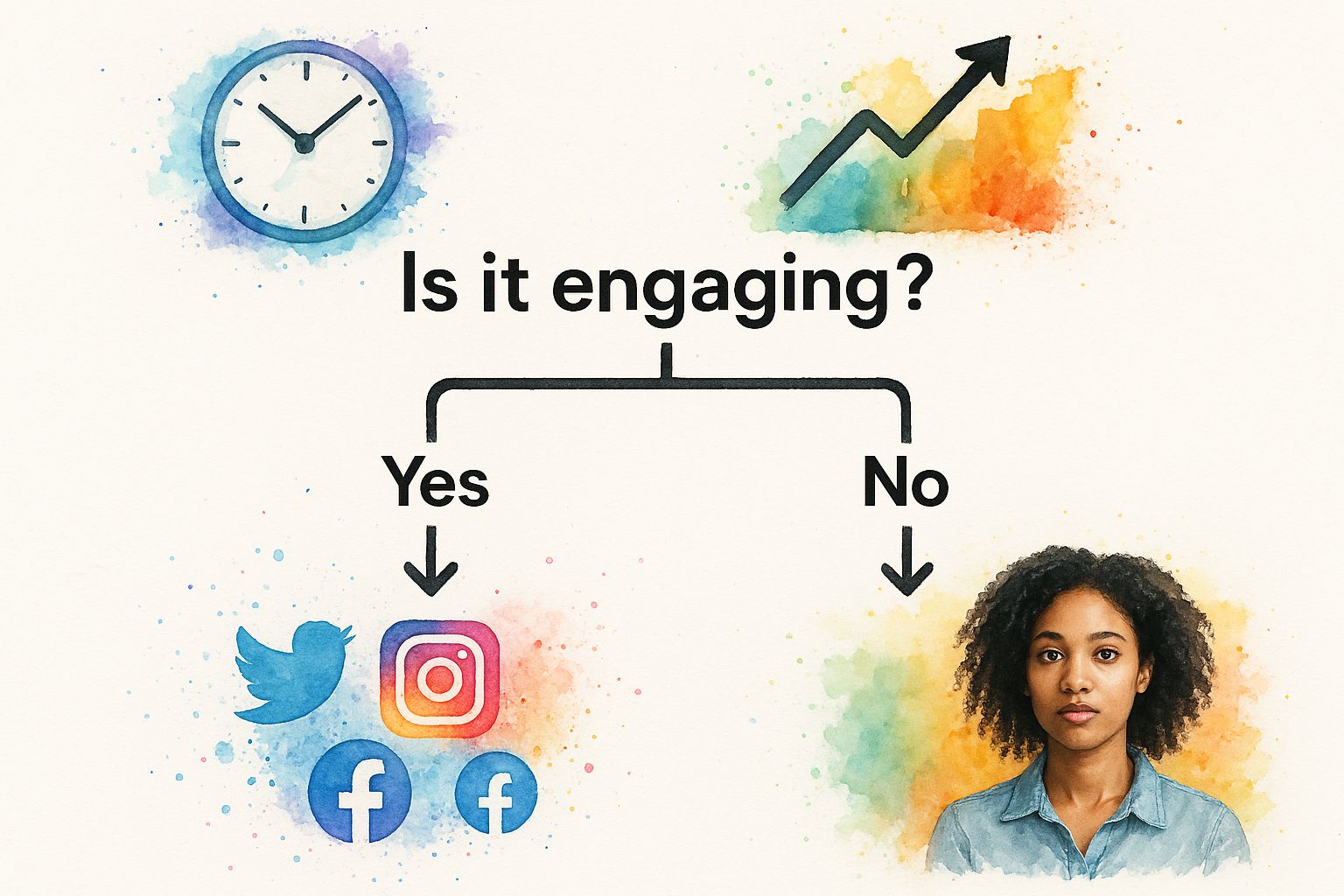
As you can see, your main goal—whether it’s visual planning, team approvals, or advanced analytics—should be the compass that guides your choice from the get-go.
Core Features to Look For
Before you pull out your credit card, you have to look beyond the shiny dashboards. You’re looking for a platform that slots into your existing workflow, not one that makes you reinvent the wheel.
Here are the non-negotiables to put under the microscope:
- Platform Integrations: Does it connect to all the social networks you’re active on? Don’t settle for a tool that makes you give up a key channel like LinkedIn or Pinterest just because it doesn't support it.
- Content Calendar View: A clean, visual calendar is a must. Can you see your entire schedule at a glance, drag and drop posts to reschedule, and easily spot any content gaps?
- Bulk Scheduling: This is a monster timesaver. Being able to upload a CSV file with a month's worth of posts in one shot is a total game-changer.
- AI and Curation Tools: Many modern tools now have AI helpers to draft captions or suggest interesting articles to share. This can seriously speed up the content creation process.
The best tool is the one that makes your life easier. If a platform feels clunky or confusing during the free trial, it’s only going to get more frustrating down the road. Trust your gut on this one.
Comparing the Top Players
To give you a clearer picture, here's a quick look at some of the most popular platforms and who they're built for. This table breaks down a few leaders in the space to help you see how they stack up against each other.
Feature Comparison of Popular Social Media Automation Tools
| Tool | Ideal For | Key Feature | Pricing Model |
|---|---|---|---|
| Buffer | Solopreneurs and small teams just starting with automation. | A super clean, intuitive interface that’s incredibly easy to use. | Freemium with affordable paid tiers. |
| Later | Instagram-focused brands and e-commerce businesses. | A visual-first calendar planner that lets you see your grid in advance. | Freemium with tiers based on features and user count. |
| Sprout Social | Larger teams and agencies needing robust analytics and collaboration. | Advanced reporting, team approval workflows, and social listening tools. | Premium subscription, priced per user. |
Each of these tools has its own strengths. The key is matching the tool’s specialty to your business's primary goal.
Let’s say you’re a small e-commerce brand that lives and breathes on Instagram. A tool like Later would be a fantastic choice because its whole workflow is built around visual planning.
On the other hand, if you're a B2B company that needs powerful analytics and has a multi-person team needing approval workflows, a more comprehensive solution like Sprout Social is probably the better fit, even with its higher price tag. And for anyone just dipping their toes in, Buffer offers a beautifully simple interface and an affordable entry point to get started.
It's no surprise so many businesses are jumping on board. Recent data shows that around 47% of small businesses and marketers are already using automation for social media, making it the second most automated channel right after email. This trend just proves how vital it is to have a streamlined process for staying consistent. You can dig into more marketing automation stats over on inbeat.agency.
For a deeper dive into scaling your marketing beyond just social media, check out the resources over at Rebel Growth. At the end of the day, the right tool is the one you’ll actually use consistently. My advice? Sign up for a free trial for your top two picks, run them side-by-side for a week, and see which one feels like a natural extension of your brand.
Designing Your First Automated Posting Workflow
So, you've picked your tool. Now for the fun part: building the engine that will actually run your social media presence. A great automated workflow isn't just about plugging posts into a calendar. It's about creating a sustainable system that gets the right message to the right people at the right time, every single time. And that whole process starts with your content pillars.
Content pillars are just the main themes you talk about as a brand. If you're a fitness coach, your pillars might be workout tips, healthy recipes, and motivational stories. Nailing down 3-5 core pillars is huge—it gives your entire content strategy a backbone. This simple step ensures your feed feels cohesive and on-brand, not just like a random collection of thoughts.
Building Your Evergreen Content Library
Once you know what you're going to talk about, you can start building a library of evergreen content. This is the stuff that stays relevant no matter when someone sees it, which makes it absolutely perfect for reusing. Think of it as your brand's "greatest hits" collection that you can have on repeat.
This library is your secret weapon against the "what do I post today?!" panic. It can include things like:
- Educational Posts: How-to guides, answers to FAQs, and little-known industry tips that show you know your stuff.
- Brand Stories: Posts about your mission, behind-the-scenes moments, or team spotlights that help people connect with you on a human level.
- Testimonials and Case Studies: This is powerful social proof that shows real people getting real results from what you do.
Putting this library together takes some work upfront, I won't lie. But the payoff is massive. Having a stockpile of quality content ready to deploy is how you stay consistent without burning out.
Here’s a great example from Buffer showing how you can organize this library. Notice how posts are categorized and ready to be scheduled.
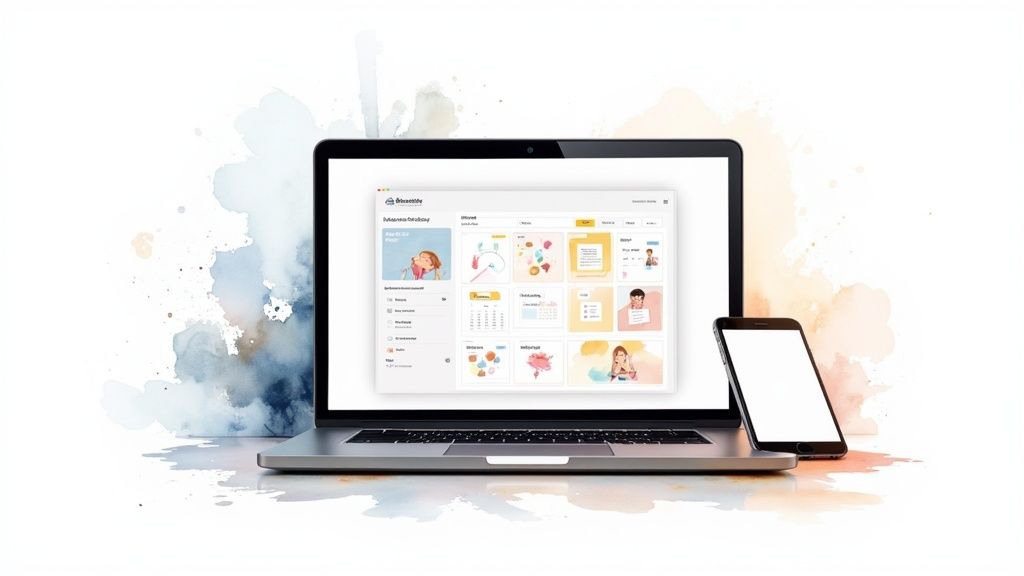
This kind of visual setup makes it dead simple to see what you have, ensuring you can pull from different buckets to keep your schedule interesting and balanced.
Structuring a Balanced Posting Schedule
One of the most common mistakes I see is creating a schedule that's just "buy my stuff" on a loop. That's a surefire way to get unfollowed. A much better approach is to balance different types of content to keep your audience genuinely engaged. The 80/20 rule is a fantastic guideline here: 80% of your content should add value, while only 20% is directly promotional.
Your scheduling tool's calendar is where you bring this all to life. Instead of thinking about one-off posts, think in recurring time slots for each of your content pillars.
For instance, a solid weekly schedule on LinkedIn might be:
- Monday Morning: Share an educational post from your "Industry Tips" category.
- Wednesday Afternoon: Drop a link to a new blog post or another valuable resource.
- Friday Morning: Post a promotional piece that highlights a service or points to your company's high-converting landing pages.
By creating content categories and assigning them to specific time slots, you automate the type of content that goes out, not just the post itself. This ensures variety and strategic consistency without manual effort each week.
Setting Rules for Content Recycling
The final piece of your automation puzzle is setting rules to recycle your best content. This is a game-changer. Most modern tools let you mark posts as "evergreen" and have them automatically re-shared after a set amount of time. It's an incredibly powerful way to get more mileage out of your top performers.
Just make sure the rules make sense for the platform. For a fast-moving feed like X (formerly Twitter), you could probably recycle a great post every few weeks. For LinkedIn or Facebook, you might want to wait a few months. This simple step to automate social media posting makes sure your hard work is seen by new followers and anyone who missed it the first time, keeping your content engine humming along smoothly.
Advanced Automation Beyond Simple Scheduling
Moving beyond a basic content calendar is where you really start to see the magic happen with social media automation. Sure, simple scheduling saves time. But advanced techniques can turn your social media into a self-sustaining content engine that runs with minimal day-to-day meddling.
This is all about building a smarter system, not just a faster one.
The goal is to create automated workflows that find content for you, recycle your best stuff, and connect all the dots in your creation process. This frees you up to focus on big-picture strategy and actually talking to your community—the things you can never truly automate.
Create a Content Curation Machine with RSS Feeds
One of the biggest time-sucks is finding fresh, relevant content from other sources to share. Manually hunting for industry news and blog posts every single day is a recipe for burnout. The good news? You can automate this entire process using RSS (Really Simple Syndication) feeds.
Most solid automation tools, like SocialBee or ContentStudio, let you plug in RSS feeds from your favorite industry blogs, news sites, and thought leaders. You set it up once, and the tool automatically pulls in new articles as they’re published, queuing them up for you to either approve or share automatically.
Think of it as having a personal content scout working for you 24/7. It keeps your content calendar stocked with high-quality, third-party content, making your feed active and valuable without you lifting a finger.
Maximize Reach with Evergreen Content Queues
Not every post you write has a short shelf life. Your best how-to guides, timeless tips, and foundational brand stories are valuable assets. They deserve to be seen more than once. This is exactly what evergreen queues were made for.
Instead of scheduling a great post once and letting it disappear into the void, you can add it to an "evergreen" category in your scheduler. The tool will then automatically re-share this content at intervals you decide on—say, every 60 or 90 days. This makes sure new followers see your best work and reminds your existing audience of key messages.
A few huge wins from this approach: * Increased ROI: You get way more mileage out of the content you already spent time creating. * Consistent Visibility: Your most important posts get continuous exposure, driving traffic and engagement long-term. * Filling Content Gaps: Evergreen queues ensure your calendar is never empty, even when you're swamped.
Streamline Your Entire Content Pipeline
True automation isn't just about the scheduling tool itself. It's about integrating all the different pieces of your workflow. When you connect your creative and storage tools, you can create a seamless flow from idea to published post.
For example, connecting your scheduler to a cloud storage service like Dropbox or Google Drive lets you pull approved images and videos directly into your content calendar. No more downloading and re-uploading.
Many platforms also offer direct integrations with design tools like Canva. This means you can design a graphic right inside your scheduler, write the caption, and drop it into your queue in one smooth motion. Whether you're moving beyond basic scheduling or just starting, understanding essential marketing automation best practices is crucial for long-term success in social media. The broader marketing automation market was valued at $5.65 billion in 2024 and is projected to hit $14.55 billion by 2031, with 49% of marketers already automating social media. You can find more insights about the growth of marketing automation on venasolutions.com. These kinds of advanced integrations are what separate a decent system from a truly efficient one.
Keeping Your Automated Feed Human and Authentic
Let's be honest, the biggest fear with social media automation is sounding like a robot. It's a valid concern. A feed that’s clearly automated and lacks any real personality is a fast track to getting ignored by your audience.
But here’s the thing: that outcome is completely avoidable. You just have to follow one golden rule.
Automate the posting, not the engagement.
The whole point of scheduling content isn't to "set it and forget it." It's to free up your time so you can have more genuine, real-time conversations with your followers.
Tailor Content for Each Platform
Nothing screams "I automated this!" louder than a one-size-fits-all post blasted across every platform. The tone, style, and even the audience expectations are wildly different between, say, LinkedIn and TikTok. A data-heavy, professional post that does great on LinkedIn will fall completely flat on Instagram, where visuals and personality are king.
Before you bulk-schedule anything, take a few minutes to customize. This doesn't mean you have to rewrite every post from the ground up. Small, meaningful tweaks make all the difference.
- Switch up the tone: Make your caption a bit more formal and polished for LinkedIn, then inject some casual language and emojis for Instagram or Facebook.
- Use native features: Why not add a poll to your post on X (formerly Twitter)? Or use trending audio for a Reel on Instagram?
- Change the call to action: A "Link in Bio" CTA is standard for Instagram, but on Facebook or LinkedIn, you can drop the link right into the post for easier access.
These small adjustments show you actually understand the platform's culture. It keeps your content from feeling generic and totally out of place.
Your goal with automation should be to create more bandwidth for human interaction. It handles the repetitive tasks so you can show up in the comments, reply to DMs, and build real relationships.
Mix Scheduled Posts with Spontaneous Content
A feed that’s 100% pre-scheduled can feel stale and predictable. The most successful social media strategies I've seen always blend planned, evergreen content with spontaneous, in-the-moment updates. This is how you create an authentic presence that feels current and responsive.
Think of your scheduled content as the reliable backbone of your strategy—this is where your educational tips, company announcements, and planned promotions live.
Then, sprinkle in spontaneous content throughout the week. This could be anything from a quick behind-the-scenes video on your Stories, a reaction to a trending topic in your industry, or even a spur-of-the-moment live Q&A session.
This hybrid approach gives you the best of both worlds. You get the consistency and efficiency of automation, but you maintain that crucial human touch that builds a loyal community. It proves there's a real person behind the account who's actively part of the conversation.
Got Questions About Social Media Automation?
Diving into social media automation usually brings up a few last-minute questions. It’s smart to get these sorted out before you go all-in on a new tool and workflow. Let's walk through some of the most common things people ask so you can move forward feeling totally confident.
A big one is whether you'll get penalized for using these tools. The short answer is no, not if you're using them correctly.
Established automation platforms like Buffer or Sprout Social connect to social networks through official APIs. Think of an API as a pre-approved, secure handshake between the tool and the platform. It means giants like Instagram and LinkedIn have given them the green light. Using them to schedule posts is completely above board.
Where you get into trouble is with spammy behavior—like using shady bots to inflate your follower count or auto-generate generic comments. That’s a whole different world from scheduling your own authentic content.
So, How Often Should I Actually Post?
This is probably the biggest question on everyone's mind. And honestly, there's no magic number that works for every single business. The ideal posting frequency really boils down to the platform you're on and what your specific audience has come to expect from you.
As a general starting point, you could aim for once or twice a day on Facebook and LinkedIn. For a faster-paced platform like X (formerly Twitter), you might be looking at something closer to three to five times a day.
The real key here is to start with a schedule you can consistently manage without sacrificing quality. Once you're up and running, keep a close eye on your analytics. You'll quickly see when engagement starts to dip or where it spikes. That data is your single best guide for tweaking your posting frequency.
One of the most common mistakes I see is people aiming for maximum post frequency right out of the gate. Your focus should always be on quality and consistency first. It's far better to publish one fantastic piece of content every day than five mediocre ones. Your analytics will tell you when it’s the right time to ramp things up.
How Do I Know If My Automation Is Actually Working?
Alright, you've set up your tools and your content is going out on schedule. How do you prove this whole automation thing is worth the effort? You need to focus on the metrics that actually connect back to your business goals. Luckily, most scheduling tools have built-in analytics that make this pretty straightforward.
Here are the key performance indicators (KPIs) I always recommend tracking:
- Engagement Rate: This is your bread and butter—likes, comments, shares, the works. It’s the clearest sign of whether or not your content is actually hitting the mark with your audience.
- Click-Through Rate (CTR): Are people actually clicking on the links you share? For anyone trying to drive traffic back to a website or blog, this metric is non-negotiable.
- Time Saved: Don't sleep on this one! This is a huge part of your return on investment. Take a moment to calculate the hours you’ve gotten back from not having to post manually. What is that time now worth to your business?
When you combine that performance data with the time you’re saving, you’ll get a crystal-clear picture of what your automation strategy is truly delivering.