Ever felt like you spend hours creating a post only to see it fade after a day? You’re not alone.
What if that same piece could keep working for you, week after week, across TikTok, LinkedIn, and even your email list?
That’s the promise of a solid social media repurposing strategy – turning one seed of content into a garden of traffic.
In our experience with small‑to‑mid‑size digital teams, the biggest barrier isn’t lack of ideas, it’s the chaos of juggling formats, schedules, and platforms.
Take Maya, a content creator who launches a 10‑minute tutorial on YouTube. Instead of letting the video sit idle after the first surge, she clips the intro for Instagram Reels, pulls out the key points for a LinkedIn carousel, and transcribes the script into a blog post.
Each fragment reaches a different audience slice, and together they feed the same SEO engine, boosting authority without extra brainstorming.
Here’s a quick checklist to get you started:
• Identify the core idea that can survive in 15‑second, 60‑second, and long‑form formats.
• Map each format to the platform where it performs best.
• Schedule the repurposed pieces in a content calendar so they cascade over weeks.
A practical tip: use a content marketing automation tool to pull the raw video file, auto‑generate subtitles, and spin them into tweetable quotes. That’s exactly how a content marketing automation tool can streamline the whole workflow.
If you’re a SaaS marketer, try turning a product demo into a case‑study PDF, then share that PDF as a gated asset on Facebook Ads. The same content now fuels both awareness and lead capture.
Don’t forget to track performance per repurpose point – views, clicks, and conversions – so you can double‑down on the formats that actually move the needle.
Ready to stop treating each post like a one‑off and start building a recycling system that fuels growth? Let’s dive into the step‑by‑step framework next.
TL;DR
Implementing a smart social media repurposing strategy lets you turn a single piece of content into multiple high‑performing posts, stretching your reach across TikTok, LinkedIn, Instagram and more without extra brainstorming. You’ll save hours, boost SEO authority, and generate steady traffic that keeps growing week after week for your brand.
Step 1: Identify Evergreen Content to Repurpose
Ever felt that rush of pride when a blog post finally hits the front page, only to watch its traffic tumble a week later? Yeah, we've all been there. The good news is you don’t have to treat every piece of content like a one‑off flyer – you can turn it into a reusable asset that keeps pulling in views, clicks, and leads.
First things first: evergreen content is anything that stays relevant long after its publish date. Think “how‑to guides,” industry glossaries, or case‑study templates that answer questions people keep asking. If the topic isn’t tied to a specific date or fleeting trend, you’ve got a candidate for repurposing.
But how do you spot those hidden gems in your own archive? Ask yourself:
- Does the subject solve a problem that never really changes?
- Can the core idea be sliced into bite‑size pieces – a tweet, a Reel, a carousel?
- Is the original piece already ranking or getting steady traffic?
If you answered “yes” to at least two of those, you’ve likely found evergreen gold. From there, map the core idea to the formats your audience loves. For example, a 2,000‑word guide on “building a content calendar” can become a quick‑fire Instagram carousel, a 60‑second TikTok tip, and a downloadable checklist PDF.
Here’s a quick visual of the process (feel free to pause the video and take notes):
While you’re watching, think about the tools that can speed this up. In our experience, a solid performance content playbook helps you track which formats earn the most engagement, so you can double‑down on the winners without guessing.

Even if you’re not in the tech space, the principle holds. Take a pet‑care blog that explains “how to read a cat’s body language.” That article can be split into short Reels showing a cat’s tail flick, a carousel of common mis‑interpretations, and an email series for newsletter subscribers. If you happen to serve a pet‑owner audience, you might want to point them to resources like how to manage cat food intolerance – a perfect example of turning a niche guide into a shareable snippet across platforms.
To make the identification step painless, create a simple audit spreadsheet with three columns: “Title,” “Evergreen Score (1‑5),” and “Potential Formats.” Scan your last 12 months of content, give each piece a quick score, and highlight the ones that hit a 4 or above. Those are the pieces you’ll pull into your repurposing calendar.
Finally, remember that repurposing isn’t about diluting quality. Each new format should add a fresh angle or a deeper dive, not just re‑hash the same sentences. When you respect the original value and adapt it thoughtfully, you’ll see the same piece work for weeks, months, or even years – all without the headache of brainstorming from scratch.
Ready to pull the next evergreen piece from your vault? Grab that spreadsheet, fire up your favourite content hub, and start mapping. The traffic will follow.
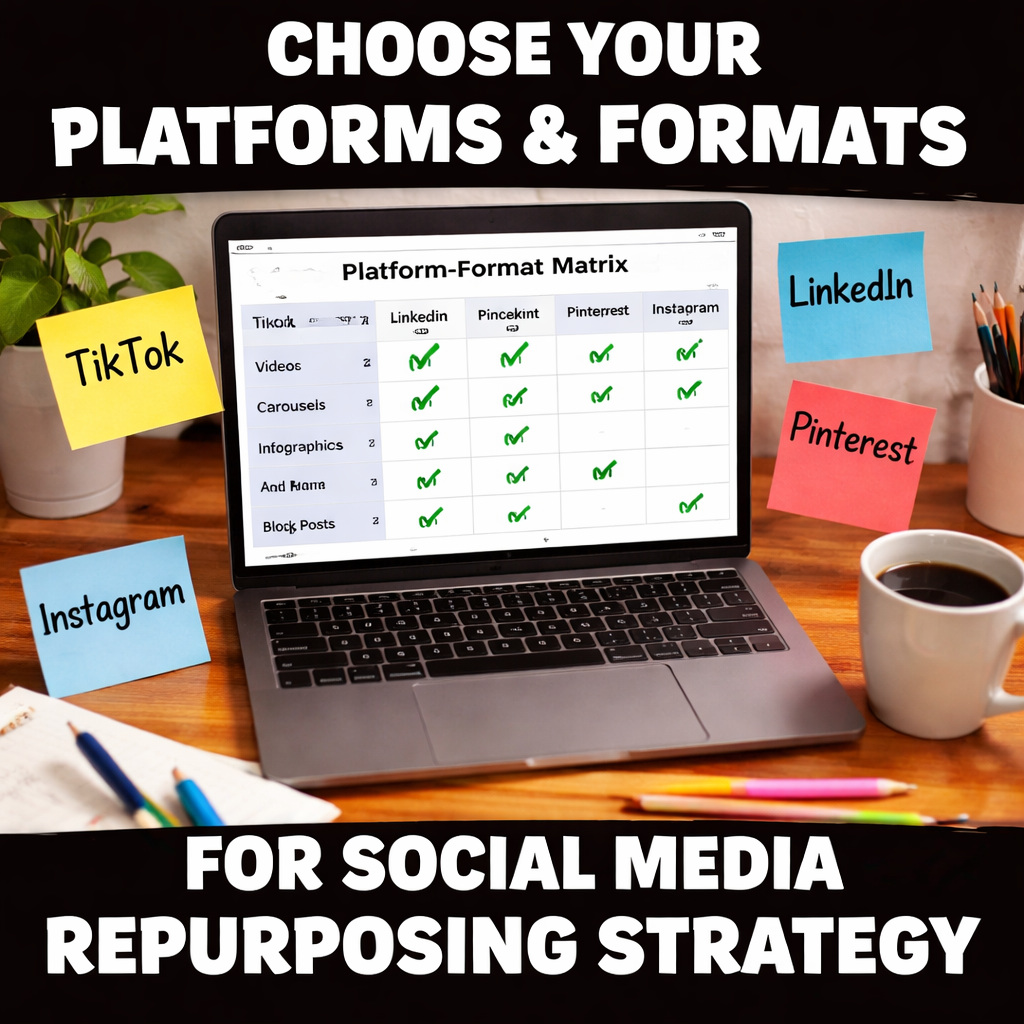
Step 2: Choose Platforms & Formats
Okay, you’ve already spotted the evergreen gems in your library. Now the real fun begins – deciding where each piece lives and how it should look. The goal isn’t just “post everywhere”; it’s “post where it matters and in the right shape.” That difference can be the gap between a fleeting scroll and a lasting conversation.
First, ask yourself: where does your audience spend its time? A B2B SaaS marketer will find LinkedIn and Twitter far more receptive than TikTok, while an e‑commerce owner will see the biggest lift from Instagram Reels and Pinterest pins. The platform choice drives the format – short‑form video for TikTok, carousel slides for LinkedIn, long‑form blog for your site.
Step 1 – Map audience intent to platform strengths
Grab a fresh sheet and list your top three buyer personas. Then, under each persona, note the platform where they’re most active and what kind of content they consume there. For example:
| Persona | Preferred Platform | Winning Format |
|---|---|---|
| Growth‑focused SaaS founder | Carousel with data‑rich graphics | |
| Creative freelance designer | 15‑second Reel showcasing a quick tip | |
| DIY home‑improvement hobbyist | Step‑by‑step pin‑board guide |
Seeing the matrix laid out makes it clear which formats deserve the most polish and which can be churned out quickly.
Step 2 – Align the core idea with the ideal format
Take the core idea you extracted in Step 1 (say, “how to set up a product‑demo funnel”). Break it into three tiers:
- Micro – a 10‑second hook that teases the outcome.
- Mini – a 60‑second walkthrough that shows the process.
- Full – a 1,200‑word guide that dives deep.
Now match each tier to the platform that thrives on that length. TikTok loves the micro clip, YouTube Shorts can host the mini version, and your blog is the home for the full guide.
Step 3 – Test on a low‑stakes channel first
We’ve all chased the hype of a new platform, only to spend hours polishing a post that never gains traction. The safe route is to trial the idea on a place where the cost of failure is low – Threads, a private Facebook group, or even a brand‑owned newsletter. If the engagement spikes (comments, saves, shares), that’s your green light to scale the same idea to higher‑traffic channels.
Here’s a quick checklist you can copy‑paste:
- Identify the core idea.
- Choose a low‑risk platform to test.
- Measure engagement metrics (likes, comments, click‑throughs).
- If >20% engagement, repurpose to primary platforms.
Step 4 – Build a platform‑format matrix
Put everything into a single spreadsheet. Columns: Platform, Primary Format, Repurpose Owner, Deadline, KPI. This matrix becomes your living roadmap; you can sort by KPI to see which formats are delivering the most traffic.
In our experience, teams that use a visual matrix cut the time spent deciding “what goes where” by half. The matrix also makes it easy to hand off tasks to designers, video editors, or copywriters without endless back‑and‑forth.
Real‑world example: an e‑commerce launch
Imagine you just released a new line of sustainable sneakers. Your core piece is a 10‑minute YouTube demo. Here’s how you could spread it:
- Instagram Reel – 15‑second clip of the sneaker’s unique eco‑sole, captioned with a quick benefit.
- LinkedIn carousel – 5 slides detailing the sustainability data, perfect for B2B retail partners.
- Pinterest pin – an infographic breaking down the production process, driving traffic back to the product page.
- Blog post – a deep dive on the environmental impact, optimized for SEO keywords like “eco‑friendly sneakers”.
Each format targets a distinct audience slice, yet they all funnel back to the same conversion goal – a purchase.
Pro tip – Leverage automation wisely
Don’t let the mechanics drown the creativity. Tools that auto‑generate subtitles, resize videos, or pull key quotes into tweet‑able snippets can shave hours off the repurposing workflow. Just remember to give each piece a quick human sanity check so the tone stays consistent across channels.
And if you ever feel stuck deciding which platform to double‑down on, take a look at Mastering Content Marketing Strategy for a deeper dive on audience‑first planning.
Even niche topics, like managing a cat’s food intolerance, can be broken down into bite‑size Instagram tips, a Reddit AMA, and a how‑to blog post. Check out this guide for a practical example: How to Manage Cat Food Intolerance UK. The same principle applies – repurpose the core insight wherever your audience shows up.
Step 3: Build a Content Calendar & Workflow
Ever looked at a spreadsheet full of ideas and felt your heart skip a beat because you have no clue where anything lands? Yeah, we’ve been there. That nervous flutter is the exact reason a solid calendar is the backbone of any social media repurposing strategy.
Map your content pillars to a calendar grid
First, pull the three‑to‑five pillars you identified in Step 2 (think SEO tips, product demos, behind‑the‑scenes, user‑generated content). Create a simple table with columns for Date, Platform, Format, Hook, and KPI. This visual layout does two things: it stops you from double‑booking the same idea, and it makes gaps obvious.
Here’s a quick example for a sustainable‑sneaker launch:
- Mon 1 May – Instagram Reel – 15‑second eco‑sole teaser – Track Views
- Tue 2 May – LinkedIn Carousel – Sustainability data sheet – Track Click‑throughs
- Thu 4 May – Blog post – Deep‑dive on material sourcing – Track Avg. Time on Page
When you can see the whole week at a glance, you’ll notice that the same core message is travelling smoothly from TikTok to LinkedIn to your blog.
Batching & time‑blocking
Instead of hunting for ideas every morning, set a recurring two‑hour block each Monday to batch‑create all assets for the week. Shoot the video clips, write the captions, pull the quotes – all in one go. The research shows teams that batch content are up to 30 % more efficient because context‑switching drops dramatically.
Grab a template (Google Sheet, Notion board, or Airtable base) and duplicate it for each month. Fill in the “Hook” column first – that tiny sentence that makes someone stop scrolling. Then flesh out the rest.
If you need a starter template, check out this practical guide on building a social media content calendar – it walks you through the exact columns you need.
Assign owners and set deadlines
Every row should have a clear owner – whether it’s your copywriter, designer, or a freelance video editor. Tag them directly in the sheet (or in your project manager) so there’s no guessing who’s responsible for the TikTok caption versus the LinkedIn carousel.
Set a realistic deadline that’s at least 24 hours before the scheduled publish time. That buffer gives you a chance to do a quick sanity check, tweak the copy, and make sure the branding stays consistent.
Automate scheduling without losing the human touch
We love tools that push your posts to the right platform at the right moment, but we also know they can make content feel robotic. Use a scheduler like Buffer or Later for the heavy lifting, then add a brief “human‑review” step in your workflow. It’s the sweet spot where efficiency meets authenticity.
In our experience, a two‑step automation – upload the assets, then a 15‑minute manual quality gate – cuts prep time by half while keeping the voice genuine. For a deeper dive on automating without sacrificing quality, see how automating SEO content creation can streamline your workflow.
Track, review, and iterate
Once the calendar is live, treat it like a living experiment. Pull the KPI column each week and ask yourself: which format exceeded the 20 % engagement benchmark? Which platform lagged?
If a LinkedIn carousel consistently outperforms Reels, consider swapping a micro‑video for a carousel the next cycle. Conversely, if a certain caption style drives more clicks, copy that tone across other platforms.
Schedule a 30‑minute “calendar review” every Friday. Update the sheet, move any under‑performing ideas to the “refresh” bucket, and note any new trends you hear from the sales team.
Remember, a calendar is not a prison – it’s a roadmap that lets you see where each piece of content lands, and gives you the freedom to adjust on the fly.
That video breaks down the exact spreadsheet layout we just described, so give it a quick watch while you sip your coffee.
Step 4: Measure, Optimize, and Scale
Okay, you’ve got your repurposed pieces rolling out on a schedule. Now comes the part that feels a bit like a science experiment: looking at the numbers, figuring out what’s actually moving the needle, and then doubling down on the winners.
Pick the right metrics, not just the shiny ones
We all love a big‑number vanity metric like total views, but for a social media repurposing strategy the real heroes are engagement rate, click‑through rate (CTR), and conversion lift. Ask yourself: did that LinkedIn carousel not only get likes but also drive traffic to the product page? Did the TikTok snippet push people to sign up for the newsletter?
Write those three metrics down for every format you’re testing. Put them in a simple table – Platform, Format, Engagement %, CTR %, Conversions % – and update it every Friday.
Set a baseline and a benchmark
When you first launch, you need a reference point. Grab the average engagement rate for each platform from your own historic data (or from publicly available averages if you don’t have enough history). Then, set a modest benchmark – say 20 % above that baseline – that each new repurposed asset should beat.
If a Reel sits at 3 % engagement but your benchmark is 3.6 %, you know there’s room to tweak the hook or the caption.
Run quick A/B tests on the fly
Don’t wait a month to discover a problem. Swap just one variable – the opening line, the thumbnail, or the call‑to‑action – and run the piece for 48 hours. Compare the results side by side. The winner gets rolled out to the next batch of assets.
Because you’re dealing with already‑created content, the cost of an A/B test is almost zero – you’re just re‑using what you have.
Turn data into action with a weekly review
Schedule a 30‑minute “metrics sprint” every Monday. Open your dashboard, scan the table, and answer three questions:
- Which format exceeded its benchmark?
- Which platform under‑performed?
- What pattern is emerging (e.g., carousel + data‑rich captions)?
For every winner, create a “scale checklist”: duplicate the asset, adapt the copy for another platform, and push it through the same automation pipeline you built earlier.
For every under‑performer, add a note: “Try a different hook” or “Swap caption tone.” Then move the piece into a “refresh” bucket for a quick redesign next week.
Real‑world example: a SaaS demo
One of our clients turned a 12‑minute product demo into three assets: a 15‑second TikTok teaser, a 5‑slide LinkedIn carousel, and a 300‑word LinkedIn article. After two weeks the teaser hit 2.3 % engagement (below their 2.8 % benchmark) but the carousel pulled 4.5 % engagement and a 1.2 % CTR to the signup page.
The team A/B tested the carousel’s headline, swapping a benefits‑first line for a question‑first line. The CTR jumped to 1.7 %. They then replicated that headline style across all future carousel pieces, and the overall conversion rate from repurposed assets rose by 18 % in a month.
Scaling without losing the human touch
When a format proves profitable, don’t just copy‑paste it forever. Keep the core insight fresh by updating stats, adding a new customer quote, or changing the visual style to match seasonal trends. That way the content feels like a new piece, even though the skeleton is the same.
Automation can handle the heavy lifting – resizing, scheduling, and pulling quotes – but a quick 10‑minute human sanity check before each publish keeps the voice authentic.
Checklist for measuring, optimizing, and scaling
- Log Engagement %, CTR %, and Conversions % for every asset.
- Compare each metric against a baseline + 20 % benchmark.
- Run 48‑hour A/B tests on one variable at a time.
- Hold a 30‑minute weekly metrics sprint.
- Move winners to a “scale” list and duplicate them across platforms.
- Put losers in a “refresh” bucket with concrete improvement notes.
- Refresh winning assets every 4‑6 weeks with new data or visuals.
By treating your repurposed library as a living experiment, you turn a handful of original ideas into a self‑optimising engine that keeps feeding traffic, leads, and sales – all while you spend less time brainstorming and more time watching the numbers climb.
Conclusion
We've walked you through the whole social media repurposing strategy – from digging up evergreen gems to mapping them onto the right platforms, scheduling the flow, and finally letting the data tell you what to scale.
So, what does that mean for you? It means you can stop treating each post like a one‑off experiment and start seeing every piece of content as a reusable engine that fuels traffic, leads, and sales.
Remember the three habits that keep the machine humming: audit and score your assets, batch‑create and slot them into a living calendar, and run quick 48‑hour A/B tests before you hit “publish”.
When a carousel or Reel beats its benchmark, duplicate the winning formula across another channel. When something falls short, give it a fresh hook or updated stats and try again in four weeks.
And don't forget the human sanity check – a ten‑minute read‑through keeps the voice authentic, even if automation does the heavy lifting.
In practice, teams that treat repurposing as a continuous experiment often see conversion lift double‑digit within weeks across multiple channels.
Ready to turn your content library into a self‑optimising growth engine? Grab the checklist we mentioned, set a weekly metrics sprint, and watch the numbers climb.
FAQ
What is a social media repurposing strategy and why should I care?
In plain terms, it’s a plan for taking one piece of content—say a blog post or video—and reshaping it into multiple formats that fit different platforms. You care because it lets you squeeze more mileage out of the work you’ve already done, turning a single hour of creation into weeks of traffic, leads, and brand exposure without constant brainstorming.
How do I decide which pieces of content are worth repurposing?
Start with a quick audit: list everything you’ve published in the last 12‑18 months, then give each item a longevity score (how timeless it is) and an engagement score (likes, shares, comments). Anything that scores 4 + on both axes is a prime candidate. Evergreen how‑tos, case studies, or data‑rich guides usually survive the test.
What’s the best way to match formats to platforms without overcomplicating?
Think of the platform’s native rhythm. TikTok thrives on 15‑second hooks, LinkedIn loves carousel slides with data, Instagram reels work well for visual demos, and Twitter is perfect for bite‑size tips. Take the core idea, break it into three tiers—micro, mini, full—and slot each tier into the channel that rewards that length. A simple matrix in a spreadsheet keeps it crystal clear.
How often should I refresh or update repurposed assets?
Plan a quarterly “refresh sprint.” Pull your repurposed library, check for stale stats, broken links, or visual wear, and give each piece a quick facelift—new numbers, a fresh hook, or a seasonal visual twist. Most teams find that a four‑to‑six‑week refresh cycle keeps the content feeling new while preserving the original SEO equity.
Can I measure the ROI of a repurposing effort without fancy tools?
Absolutely. Track three core metrics per asset: engagement rate (likes, comments, shares), click‑through rate to your landing page, and conversion rate (lead form fills, sales). Compare each against your own baseline or industry averages. A simple Google Sheet that logs these numbers weekly gives you a clear picture of what’s paying off and where to double‑down.
What common mistakes trip up small‑to‑mid‑size teams when they start repurposing?
First, spreading the same content everywhere without tailoring the format—results in a flat‑lined performance. Second, neglecting the “human sanity check,” so automated captions sound robotic. Third, forgetting to set clear KPIs, which makes it impossible to know if the effort is worth the time. Avoiding these pitfalls keeps the process efficient and results‑driven.
How does automation fit into a social media repurposing strategy without losing the human touch?
Use automation for the heavy lifting: bulk‑resize videos, auto‑generate subtitles, or pull quote snippets. Then insert a short 10‑minute manual gate where you tweak the hook, verify tone, and add a personal sign‑off. That two‑step flow slashes prep time while preserving the authentic voice your audience expects.