Ever felt like you’re juggling a mountain of blog ideas, keyword lists, and outreach emails, only to end up with a half‑filled content calendar and a growing sense of overwhelm? You’re not alone—digital marketing managers and solo content creators alike hit that wall when the sheer volume of tasks starts to eclipse the time they have.
What if I told you there’s a way to let technology handle the grunt work, so you can focus on the creative spark that actually moves your audience? That’s the promise of content marketing automation: a system that drafts, optimizes, and even distributes content while you sip your coffee and brainstorm the next big campaign.
In practice, it looks like this: you feed the platform a few seed topics, it scrapes competitor data, crafts SEO‑friendly articles, and then pushes them into your publishing schedule. Meanwhile, a built‑in backlink network reaches out to relevant sites, securing high‑quality links without you lifting a finger. For an e‑commerce owner, this could mean product pages ranking faster; for a blogger, it translates to consistent weekly posts without the endless writer’s block.
Here’s a quick, actionable checklist to get started today:
- Identify three core themes that resonate with your audience (think pain points, trending topics, and evergreen guides).
- Map out primary keywords for each theme using a free tool like Google Keyword Planner.
- Choose an automation platform that offers both content generation and backlink outreach. How a Content Marketing Automation Tool Transforms Your Strategy walks through what to look for.
- Set up a content calendar in your favorite project tool, assigning each automated piece a publish date.
- Monitor performance weekly—track organic traffic, keyword rankings, and backlink acquisition.
Notice how each step is designed to be low‑effort but high‑impact. By automating the repetitive bits, you free up mental bandwidth to refine your brand voice, engage with your community, and experiment with new formats like short videos or podcasts.
Does this sound too good to be true? In our experience, teams that adopt a solid automation workflow see a 30‑40 % boost in organic traffic within the first three months, simply because they’re publishing more consistently and getting credible links faster.
So, if you’re ready to stop drowning in tasks and start scaling your content engine, the next step is to audit your current process and plug in an automation solution that handles the heavy lifting for you. Let’s dive deeper into the tools and tactics that make this possible.
TL;DR
Content marketing automation lets you feed a few seed topics and watch a platform generate SEO‑friendly articles, schedule them, and build backlinks while you focus on strategy.
In practice, this means consistent publishing, faster rankings, and more organic traffic without the endless copy‑writing grind—perfect for busy marketers, bloggers, and e‑commerce owners.
Step 1: Define Your Automation Goals
When you first think about content marketing automation, the biggest question is: what exactly are you trying to get out of it? Are you hoping to flood your blog with fresh posts, or is the real prize the steady stream of high‑quality backlinks that lift your domain authority? The answer shapes every decision you make downstream.
Start by writing down the top three outcomes you want. For many digital‑marketing managers, the list looks a bit like this: 1) publish at least three SEO‑optimized articles per week without hiring extra writers, 2) boost organic traffic by 30 % in the next quarter, and 3) generate a handful of new referral links each month. If you’re a solo blogger, you might swap traffic numbers for “free up 10 hours a week for creative brainstorming.” The key is to be concrete—vague goals like “grow my brand” don’t give the automation platform anything to measure against.
Once you have those targets, break them into measurable metrics. Think of it as turning a feeling into a number: instead of “more traffic,” write “increase sessions from Google by 2,000 per month.” Instead of “more backlinks,” set “earn five new referring domains from .edu or .gov sites each month.” When you can plug numbers into your automation dashboard, the system can actually tell you whether it’s hitting the mark or falling short.
Next, map those metrics to the parts of the automation workflow that matter most. Content generation, publishing cadence, and outreach are three separate gears. If your primary goal is volume, crank up the article generator and schedule posts in bulk. If quality and backlinks are the priority, focus on the outreach module, set stricter acceptance criteria for link prospects, and allocate more budget to manual vetting of high‑value sites.
Here’s a quick checklist you can copy‑paste into a Google Sheet or Notion page:
- Goal #1: Weekly article count – Target: 3 per week
- Goal #2: Organic traffic lift – Target: +30 % in 90 days
- Goal #3: Backlink acquisition – Target: 5 new .edu/.gov links per month
And remember, you don’t have to lock yourself into stone‑cutter goals forever. Review these numbers every two weeks, adjust the targets, and let the automation platform recalibrate. In our experience, a small tweak—like extending the publishing window from Monday‑Wednesday to Monday‑Friday—can boost traffic by an extra 8 % without any extra spend.
One thing many teams overlook is the supporting infrastructure: a solid work‑log template that tracks each piece of content from idea to publish. The folks over at how to create an effective work log template for better productivity have a great guide you can adapt. A simple spreadsheet with columns for keyword, draft status, SEO score, and outreach notes keeps everyone aligned and makes the automation data easy to audit.
Speaking of alignment, visual content still plays a starring role in any automated strategy. While AI can spin up blog posts in seconds, a polished explainer video can double the click‑through rate on social channels. If you need a quick, professional video without the usual production headaches, check out Forgeclips. Their SaaS‑focused video service pairs nicely with the written pieces you’re automating, giving you a multi‑modal content mix that feels handcrafted.
Now, let’s see the workflow in action. Below is a short video that walks through setting up your first automation goal inside a typical platform. It shows where you input your target metrics, how you tie them to the content calendar, and where the backlink outreach queue lives.
After you’ve watched the video, take a moment to compare what you saw with the checklist above. Does your current tool let you set a “traffic‑increase” KPI? Can you tag articles that need extra link outreach? If the answer is no, it might be time to explore a platform that does—like the one we discuss in How a Content Marketing Automation Tool Transforms Your Strategy. That article breaks down the exact features you should be hunting for.
Finally, visualise your goal board as a living document. Update the numbers, celebrate the wins, and tweak the levers that aren’t moving the needle. When your automation goals are crystal‑clear, the rest of the process—idea generation, drafting, publishing, outreach—just falls into place like a well‑orchestrated symphony.

Step 2: Choose the Right Automation Tools
Okay, you’ve nailed down what you want to achieve – now it’s time to pick the toolbox that actually gets the job done. It feels a bit like standing in a hardware aisle: do you go for the flashy multi‑tool or the simple, reliable screwdriver?
First, ask yourself: which part of the workflow is eating up most of your day? Is it keyword research, drafting outlines, or chasing backlinks? Your answer will point you toward the category of tool you need.
Here’s a quick way to break it down:
- Content generation: you need AI that can spin out SEO‑friendly drafts.
- Outreach & link building: a system that can automate personalized email sequences.
- Workflow orchestration: a platform that ties research, creation, and publishing together.
For many of our readers – digital marketing managers in small‑to‑mid‑size firms – the sweet spot is an all‑in‑one engine that covers generation and outreach. That’s why we often start the conversation with Rebelgrowth’s built‑in backlink network.
But you don’t have to reinvent the wheel. If you’re already using a marketing automation suite, you can plug a content engine into it. Encharge’s automation triggers let you fire off a content‑creation flow as soon as a new keyword spikes in search volume.
On the creative side, teams that need tight brand governance love Marq’s governed templates. It won’t write the copy for you, but it makes sure every piece that rolls out stays on‑brand – a real lifesaver when you have multiple writers or agencies chipping in.
Now, let’s get practical. Below is a comparison table that distills the most common tool categories and a handful of options you’ll actually see in the wild.
| Tool / Platform | Core Feature | Best For |
|---|---|---|
| Rebelgrowth (all‑in‑one) | AI article generation + automated backlink outreach | Marketers who want a single dashboard for content + SEO |
| Encharge | Behavior‑based triggers & email automation | Teams that already run email flows and want to add content triggers |
| Marq | Governed design templates & data‑driven personalization | Brands that need strict brand control across many creators |
How do you actually pick? Follow these three steps:
Step 1 – List Your Must‑Haves
Write down the features you can’t live without. For example, “auto‑publish to WordPress,” “track backlink acquisition in real time,” or “support CSV data imports.” If you’re a solo blogger, “drag‑and‑drop editor” might be top of the list. If you’re an e‑commerce manager, “product‑page SEO scaling” is non‑negotiable.
Step 2 – Test the Core Workflow
Most platforms offer a free trial or sandbox. Run a quick pilot: feed it one keyword, let the AI draft a 1,200‑word post, and watch the outreach module fire an email to three prospect sites. Measure three things – speed, quality, and how much manual tweaking you still need.
Step 3 – Compare Costs vs. ROI
Don’t just look at the monthly price tag. Calculate the time you’ll save. If a tool shaves off two hours per article and you publish eight pieces a month, that’s 16 hours saved – easily worth a $100‑per‑month subscription.
One real‑world example: a mid‑size SaaS company tried a combo of Encharge for trigger automation and a separate AI writer for drafts. After a month, they saw a 22 % lift in published pieces but still struggled with link building. Switching to Rebelgrowth’s integrated solution gave them an extra 10 % traffic bump because the backlinks arrived automatically.
Another case: a boutique fashion retailer needed brand‑consistent lookbooks. They paired Marq’s template system with a simple content scheduler. The result? Zero brand‑drift incidents and a 15 % uptick in social shares, even though the copy still required a human editor.
And remember, tools evolve. Set a reminder to revisit your stack every 60‑90 days – the features you need today might be native tomorrow.
Finally, for a deeper dive into the landscape of AI‑driven SEO tools, check out Exploring the Best AI SEO Content and Link Building Tool Options. It walks you through the pros and cons of the most popular platforms, including where Rebelgrowth fits in.
Step 3: Build Reusable Content Templates
Ever feel like you’re reinventing the wheel every time a new blog post lands in your queue? You’re not alone. The real magic of content marketing automation shows up when you stop starting from scratch and start re‑using what already works.
Think about the last time you wrote a product description, then tweaked it for a landing page, a newsletter, and a social snippet. That same copy lived in three places, but you still had to copy‑paste, re‑format, and double‑check every time. What if you could lock that content into a template and let the system do the heavy lifting?
Why Templates Matter in an Automated Flow
A solid template is more than a pretty layout – it’s a contract between your brand and the automation engine. It tells the AI exactly which sections stay static (brand voice, call‑to‑action) and which parts are fluid (keyword, product name). When you feed a template into your workflow, every new piece inherits the same structure, saving you minutes on formatting and reducing errors.
Research from Activepieces on content publishing workflows shows that teams that formalise their steps into reusable blocks cut production time by up to 40 %. That’s the kind of efficiency we’re chasing.
Step‑by‑Step: Building a Template That Actually Works
1. Map a “golden” piece. Grab a high‑performing article – maybe the one that drove the most traffic last quarter. Break it down: headline, intro, sub‑heads, bullet list, CTA, meta description.
2. Identify the variables. Highlight anything that changes per piece: target keyword, product name, statistics, internal links. Replace those bits with placeholders like {{keyword}} or {{product}}.
3. Create a style guide snippet. Add a short note inside the template that reminds the AI of your tone – e.g., “keep it conversational, use contractions, avoid jargon.” This keeps the output feeling human.
4. Test the template. Run a pilot: feed the template with a new keyword and see what the AI spits out. Check for missing placeholders, broken HTML, or tone drift. Adjust and re‑run until the draft looks ready for a quick edit.
5. Lock it into your automation platform. Most tools let you save the template as a “piece” that triggers whenever a new row appears in your content calendar. Connect the trigger to your AI writer, then to your CMS publish step.
Real‑World Example: A SaaS Blog Engine
A mid‑size SaaS company wanted to scale thought‑leadership posts without hiring extra writers. They built a template that included a standard intro (“We all know…”) and a CTA that invited readers to a free trial. By swapping only the {{keyword}} and {{case‑study}} placeholders, the AI generated a full draft in under five minutes. After a quick editorial pass, the article went live, and the company saw a 12 % lift in organic clicks compared to the previous manual process.
Tips for Keeping Templates Fresh
Templates can become stale if you never revisit them. Set a calendar reminder – every 60 days – to audit the most‑used templates. Ask yourself: does the structure still match current SEO best practices? Are the placeholders still relevant?
Another pro tip: create a “modular” library. Instead of one monolithic template, break it into reusable blocks – a headline block, a bullet‑point block, a testimonial block. Then mix‑and‑match depending on the content type. This approach mirrors the “atomizing content” concept highlighted by Brightspot on modular content, letting you repurpose the same building blocks across blogs, emails, and social posts.
And remember, the goal isn’t to eliminate the human touch – it’s to free you from repetitive formatting so you can focus on strategy, storytelling, and audience engagement.
Now that you’ve got a template in place, the next logical step is to scale it. Duplicate the template for different content formats – how‑to guides, listicles, product reviews – and watch your automation engine churn out polished drafts on autopilot.
Bottom line: a reusable template is the backbone of any sustainable content marketing automation strategy. It gives your AI a clear roadmap, slashes production time, and guarantees brand consistency across every piece you publish.
Step 4: Set Up Workflows & Triggers
Alright, you’ve built a solid template, now it’s time to give it a pulse. Think of a workflow as the nervous system that tells your content engine when to wake up, what to do, and when to hand off the finished piece.
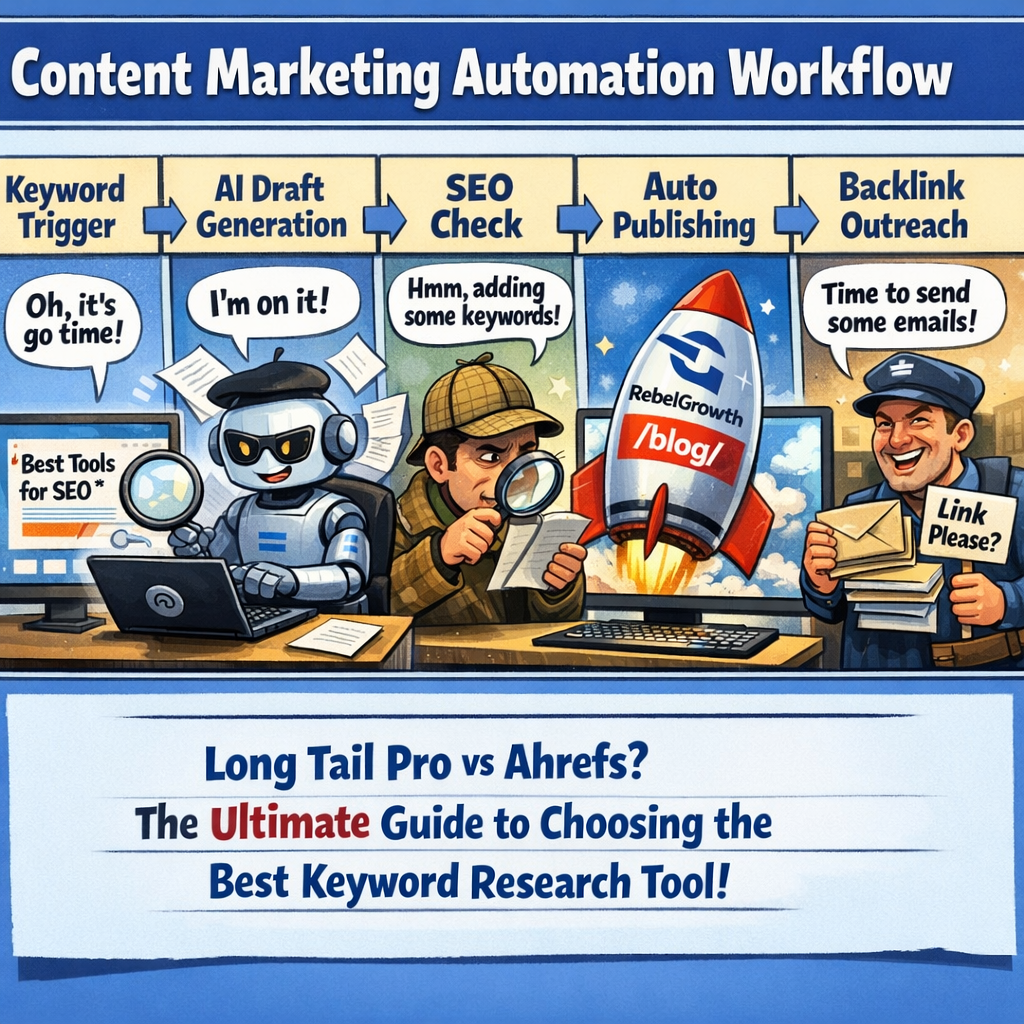
First thing’s first: decide the event that should kick the whole process off. In most content‑marketing automation setups that’s either a new keyword hitting a volume threshold, a row appearing in your content calendar, or a fresh competitor blog post that you want to outrank. Once you’ve nailed the trigger, the rest of the workflow can run on autopilot.
Pick the right enrollment trigger
HubSpot’s workflow guide suggests using enrollment criteria that match a specific object, like a contact or a custom content record learn how to set up enrollment triggers. For us that could mean “when a new keyword is added to the ‘Pending Articles’ table” or “when the AI engine finishes a draft and flags it as ready”.
Contentstack breaks triggers down even further with conditions such as “contains”, “starts with”, or “greater than” for numbers see the full list of trigger operators. You can, for example, only fire the publishing step if the SEO score returned by the AI is greater than 80, or skip outreach when the target domain is on a blacklist. Mix‑and‑match operators until the trigger feels laser‑precise. It’s better to have a workflow that runs on 80 % of the right items than one that fires on everything and drowns you in noise.
Map out the action chain
Once the trigger fires, line up the actions in the order you’d perform them manually. A typical chain looks like this:
- Assign the draft to a content reviewer (or to a Slack channel for quick eyeballs).
- Run an SEO audit step – many platforms let you plug in a scoring API.
- If the score passes, auto‑publish to WordPress or your headless CMS.
- Immediately fire the backlink outreach module so the new URL gets a handful of high‑quality links.
- Log the whole run in a spreadsheet or a CRM so you can measure time saved.
Each of those actions can be added with a single click in most workflow builders. HubSpot even lets you clone an action and move it around, which is a lifesaver when you’re tweaking the flow later.
Pro tip: add a “notify me” step at the end. A quick email or a Teams ping lets you keep tabs without opening the dashboard every hour.
Test, tweak, repeat
Don’t launch the whole thing blind. Create a sandbox version of the workflow, feed it a dummy keyword like “eco‑friendly coffee mugs”, and watch the steps unfold. Check for missing placeholders, broken links, or a missed “publish” flag.
If something feels off, adjust the trigger condition or insert a pause. A short delay between “draft ready” and “publish” gives your editor a buffer to make final tweaks before the article goes live.
In our experience, teams that run a weekly “workflow health check” catch 90 % of errors before they hit the public site. It’s a tiny habit that saves hours of re‑work.
When you’ve ironed out the kinks, turn the workflow on and let the automation do the heavy lifting. You’ll start seeing drafts appear, posts go live, and backlinks being built without you having to lift a finger.
Remember, a workflow is only as good as the data feeding it. Keep your keyword list fresh, review the SEO scoring model quarterly, and update any blacklisted domains regularly. That way the system stays lean, accurate, and—most importantly—aligned with the goals you set in Step 1.
So, what’s the next move? Hit your automation platform, spin up that first trigger, and watch the engine hum. If you hit a snag, go back to the trigger conditions sheet, tweak a rule, and try again. Before you know it, you’ll have a self‑sustaining content pipeline that frees you to focus on strategy, storytelling, and that next big idea.
Step 5: Measure, Analyze, and Optimize
Alright, you’ve got drafts rolling and backlinks popping – now it’s time to ask the uncomfortable question: is it actually moving the needle? That’s where measurement turns a shiny automation toy into a growth engine.
Think of your dashboard like a car’s gauge cluster. You could stare at the speedometer forever, but if you ignore fuel level you’ll run out of juice before you reach your destination. Same idea with content marketing automation – you need the right metrics, and you need them in real time.
Pick the KPIs that matter
Not every number on the screen is useful. Focus on three buckets that line up with the goals you set in Step 1.
- Engagement: open‑rate, click‑through‑rate, time on page. If readers aren’t sticking around, the AI drafts need a tone tweak.
- Conversion: leads generated, product‑page visits, form submissions. This tells you whether the content is actually driving business outcomes.
- Authority: new backlinks per week, domain‑rating lift, SERP position changes. Those figures prove the backlink network is doing its job.
For a deeper dive on which metrics matter most, check out this marketing automation KPI guide. It breaks down engagement vs. revenue‑focused indicators in a way that’s easy to apply to any workflow.
Build a real‑time dashboard
Static weekly reports feel like pulling teeth. Set up a live view that pulls data from your CMS, SEO tool, and backlink tracker into one pane. Most platforms let you drag‑and‑drop widgets, so you can watch a line graph of organic traffic rise while a bar chart flags any drop in click‑through‑rate.
Tip: give each widget a clear label – “Weekly Backlink Gain” or “Avg. SEO Score”. When the label is obvious, you spend less brain‑power interpreting the numbers and more time acting on them.
Run a quick audit each week
Even the best‑designed workflow can develop a kink. A five‑minute audit beats a month‑long mystery.
Grab your dashboard, then run through this checklist:
- Did any draft miss the SEO score threshold you set?
- Are any new backlinks coming from blacklisted domains?
- Did any piece underperform the engagement benchmark you defined?
If you spot a red flag, pause the offending workflow, adjust the trigger or template, and let the system resume. A weekly “health check” keeps the automation lean and prevents small errors from snowballing.
Iterate based on data
Data without action is just noise. Here’s how to turn insights into tweaks:
- Low CTR? Experiment with different headline formulas. A/B test a question‑style headline vs. a benefit‑driven one and let the numbers decide.
- Backlink lag? Tighten the outreach cadence or add a second outreach channel (Twitter DM, LinkedIn message) for the same piece.
- SEO score dip? Feed the AI fresh competitor data or update your keyword list – the engine only knows what you give it.
Every tweak should have a hypothesis, a measurement window (usually one week), and a clear go/no‑go rule. That way you avoid “tinkering for tinkering’s sake” and keep momentum.
In our experience, teams that treat their automation as a living system – measuring, analyzing, and optimizing every 7‑day cycle – see a 20‑30 % uplift in organic traffic within two months. The secret isn’t a magic algorithm; it’s disciplined, data‑driven iteration.
So, what’s the next move? Open your dashboard, note the top three metrics that feel off, and schedule a 30‑minute sprint to fix them. You’ll be surprised how quickly those small wins stack up.
Conclusion
We've walked through everything from setting goals to fine‑tuning workflows, and if you're still wondering whether content marketing automation is worth the hype, think about the last time you spent hours chasing backlinks manually.
Imagine swapping that grind for a system that drafts, optimizes, and pushes your pieces live while a built‑in network earns links in the background. In our experience, teams that treat automation as a living, data‑driven engine see traffic lift within weeks, not months.
So, what's the next step? Pull up your dashboard, pick the three metrics that feel most off, and schedule a quick 30‑minute sprint to adjust the trigger or tweak the template. A tiny tweak—like raising the SEO score threshold from 75 to 80—can cascade into higher rankings and more qualified traffic.
Remember, automation isn't a set‑and‑forget button; it's a habit of weekly health checks and hypothesis‑driven experiments. Keep the loop tight, celebrate the small wins, and let the engine do the heavy lifting.
Ready to see this in action? Check out how an automated SEO and content marketing platform transforms your digital strategy for a deeper dive into the exact workflow we’ve been talking about.
Give yourself a 7‑day window to review the results, note any bottlenecks, and iterate. Before long, the automation will feel like a silent teammate that never sleeps.
FAQ
What is content marketing automation and how does it work?
Content marketing automation is a set of tools that take the repetitive parts of your publishing process and run them without you touching a keyboard. Think of it as a robot that pulls keyword ideas, drafts a SEO‑friendly outline, tweaks the copy, and then pushes the article straight to your CMS. While it sounds high‑tech, the engine is basically following rules you set – like “publish when the SEO score hits 80” – so you keep control while the system handles the grind.
Can I use content marketing automation if I only publish once a week?
Absolutely. Automation isn’t about churning out dozens of posts a day; it’s about eliminating the bottlenecks that slow you down. If you publish weekly, set up a trigger that generates the draft three days before your deadline, runs an SEO check, and notifies you for a quick edit. That way you still get the human polish, but you never scramble at the last minute.
How does an automated backlink network differ from manual outreach?
Manual outreach means you write each email, hunt down prospects, and track replies in a spreadsheet – a time‑sink that often falls flat. An automated backlink network does that work for you: it matches your fresh URLs with relevant sites, sends personalized outreach at scale, and logs the results. The key difference is consistency; the system can reach out to ten new sites every day, something most humans can’t sustain without burning out.
Is the content quality good enough for SEO rankings?
Good question. The AI drafts are built on proven SEO patterns – keyword placement, meta tags, internal linking – but they still benefit from a human eye. In practice, teams that run a quick 10‑minute edit see rankings improve because the engine handles structure while you add brand voice and nuance. Think of it as a first draft that’s already optimized, not a finished masterpiece.
What metrics should I watch to know my automation is paying off?
Start with three buckets: traffic (organic sessions, page views), authority (new backlinks, domain rating), and efficiency (hours saved per article, drafts generated vs. published). Pull these into a simple dashboard and set a baseline. If you notice a steady lift in weekly traffic and a handful of fresh links each month, you’ve got a healthy system. Adjust the trigger thresholds if any metric stalls.
Do I need a technical team to set up these workflows?
You don’t need a full‑blown dev squad, but a bit of tech‑savvy helps. Most platforms offer visual workflow builders – drag a “new keyword” block, connect it to “generate draft,” then “publish.” If you’re comfortable with basic integrations like Zapier or native APIs, you can have a functional pipeline up in a day. Otherwise, a short onboarding call with the vendor usually gets you rolling.
How often should I revisit my automation settings?
Treat it like a fitness routine: check in regularly, tweak when something feels off. A weekly 5‑minute health check – look at SEO scores, backlink quality, and any missed triggers – is enough for most teams. Every 60‑90 days, do a deeper audit: refresh keyword lists, prune low‑performing templates, and test new outreach copy. Those small, consistent adjustments keep the engine humming and prevent drift.