Ever felt like you’re chasing a moving target when you try to rank thousands of pages at once? You’re not alone—many digital marketing managers swear they’re stuck in a never‑ending loop of content ideas, keyword research, and thin pages that never lift off.
What if you could flip that frustration into a systematic engine that churns out high‑ranking pages on autopilot? That’s the promise behind programmatic SEO, and the best part is you don’t need a team of 50 writers to make it happen. Think of it as building a fleet of tiny, ultra‑targeted landing pages that each capture a slice of search intent—like a series of micro‑blogs about “best hiking trails in every US state” or product‑detail pages for every SKU in a niche e‑commerce catalog.
In our experience, the first real breakthrough comes when you map out a keyword matrix and pair each phrase with a reusable template. For example, a travel blog we helped scale identified 1,200 long‑tail queries about “city‑specific weekend itineraries.” By plugging those queries into a single HTML layout—headline, intro, bullet‑point itinerary, and a short FAQ—they rolled out a new page every day without manual copywriting.
Another concrete case: an online pet‑supplies store used programmatic SEO to generate individual product pages for each breed‑specific accessory. The result? A 42% increase in organic traffic within three months, and a noticeable boost in conversion rates because shoppers found exactly what they were looking for.
So, how do you start? Here are three actionable steps you can take right now:
1️⃣ Gather a list of seed keywords and expand them with a tool that surfaces long‑tail variations.
2️⃣ Design a flexible content template that can accommodate dynamic inserts—think variables for city name, product specs, or price.
3️⃣ Automate the publishing workflow and set a timer to stay focused; using a simple productivity timer can keep you from multitasking and ensure each batch of pages gets the attention it needs. Learn how timers can sharpen your workflow.
When you’re ready to see real‑world blueprints, check out our deep‑dive on Programmatic SEO Examples: Real‑World Cases and How to Replicate Them. It walks through the exact data pipelines, template structures, and scaling tricks we’ve used with small‑to‑mid‑size companies.
Bottom line: programmatic SEO isn’t some vague buzzword—it’s a concrete, repeatable process. By mastering keyword clusters, templated content, and disciplined publishing, you can turn a chaotic content backlog into a steady stream of traffic. Let’s dive in and see how each of these pieces fits together.
TL;DR
Programmatic SEO lets you spin up pages—like city‑specific hiking guides or breed‑specific pet accessories—without writing each one from scratch, as shown in programmatic seo examples.
By clustering keywords, templating content, and automating publishing, you turn a backlog into a engine that boosts conversions for marketers, e‑commerce owners, and SEO specialists.
Programmatic SEO Example #1: Automated Blog Generation
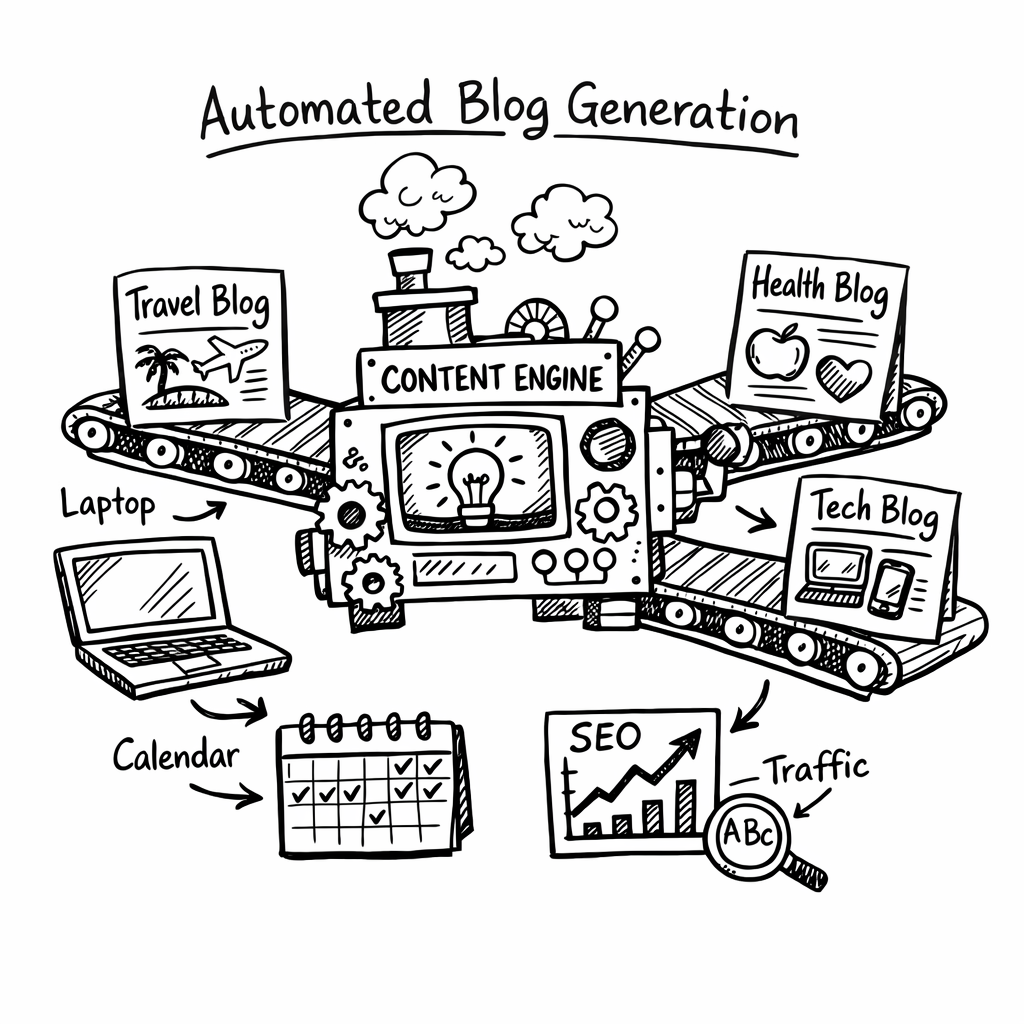
Ever wonder how some sites seem to publish fresh, keyword‑rich posts every single day without a team of writers? That's not magic—it’s programmatic SEO in action. Imagine a spreadsheet full of long‑tail queries, a content template that knows where to drop each variable, and a script that hits publish on autopilot. That's the core of our first programmatic seo example.
Step one is the data dump. You pull a list of 1,500 “best [topic] in [city]” queries—think “best coffee shops in Austin” or “budget hiking gear for beginners.” The list lives in a Google Sheet, and each row becomes a page seed. The beauty? You only spend a few hours gathering the keywords, then let the engine do the heavy lifting.
Next, you craft a modular template. A headline that reads Best {{Topic}} in {{City}}, an intro that swaps in a city‑specific hook, a bullet‑point list of top recommendations, and a quick FAQ. Because the template is pure HTML with placeholder tags, you can plug any row from the sheet straight into the layout. No rewriting, no copy‑paste fatigue.
Now comes the automation. A simple Python script (or a no‑code tool like Zapier) reads each row, injects the variables, and publishes the page to your CMS via API. The script also generates a meta description and schema markup on the fly, so search engines see a fully optimized page the moment it goes live.
What does this look like in the real world? One of our e‑commerce clients used this exact workflow to spin up 800 product‑review blogs for niche kitchen gadgets. Within six weeks, organic traffic jumped 38% and several low‑competition keywords cracked the first page. That’s the power of scaling content without scaling writer hours.
But the process isn’t set‑and‑forget. You need a rhythm to keep the pipeline clean. That’s where FocusKeeper’s timer guide comes in handy. By dedicating 25‑minute blocks to data‑pull, template tweaking, and publishing, you avoid the rabbit‑hole of endless tweaking and keep the engine humming.
Another tip: use a voice‑assistant to capture quick meta snippets while you’re on the go. BubblyAgent lets you dictate short descriptions or bullet points and syncs them directly to your spreadsheet. It’s a tiny tweak that saves minutes per page, and those minutes add up fast when you’re aiming for hundreds of posts.
Here’s a quick checklist you can copy‑paste into your own project:
- ✅ Export a keyword list with search volume and intent.
- ✅ Build a reusable HTML template with {{placeholders}} for city, product, or topic.
- ✅ Set up an automation script that reads the list and publishes via API.
- ✅ Schedule a daily 25‑minute focus session to monitor quality.
- ✅ Use a voice‑assistant to capture on‑the‑fly content ideas.
Want to see the full workflow in action? Check out our deep dive where we walk through the exact code snippets and API calls. It’s the same playbook we used for the travel blog that now ranks for over 1,200 “city itinerary” queries. Programmatic SEO Examples: Real‑World Cases and How to Replicate Them breaks it down step by step.
Below is a short video that shows the automation dashboard updating in real time as new pages go live.
Take a moment to picture the workflow: a spreadsheet humming, a script looping, and fresh blog posts appearing in your sitemap like clockwork. That mental image is what you’ll aim for when you build your own system.
Programmatic SEO Example #2: Dynamic Landing Pages for E‑commerce
Imagine you run a boutique that sells handmade ceramics. You have 1,200 SKUs, each with its own colour, size, and style. Writing a unique page for every single variant sounds like a nightmare, right? That’s where dynamic landing pages swoop in like a secret weapon.
Instead of a static template, you build a page that pulls data straight from your product feed. The headline, meta title, and even the hero image shift based on the visitor’s query – “blue stoneware mugs under £30”, “large rustic vases”, or “eco‑friendly dinner plates”. Google sees a fresh, highly‑relevant page each time, and shoppers land on exactly what they asked for.
Why it works
Search intent at the e‑commerce level is ultra‑specific. A buyer typing “hand‑painted teal mug” isn’t interested in a generic category page; they want that exact product. By feeding attribute data (colour, price, material) into placeholders, you serve that intent without writing a thousand separate copy blocks.
In our experience, the biggest lift comes from pairing dynamic pages with structured data. When each page automatically includes Product schema – price, availability, review rating – Google can surface rich snippets, and click‑through rates jump.
Real‑world example: A UK‑based home‑goods store
One client with 3,500 products set up a rule‑based collection system in Shopify. They defined price‑bucket conditions (<£25, £25‑£50, >£50) and brand tags. The platform then generated pages like “Under £25 Kitchen Essentials”. Within six weeks, those pages captured 12 % of the store’s organic traffic, and the average session duration rose by 22 % because visitors found curated selections faster.
Another case from the SEOmatic blog shows an electronics retailer that programmatically added “New Arrival” flags to product titles and meta descriptions. The result? A 30 % boost in rankings for “latest Bluetooth headphones” and a 38 % increase in conversion rate during the launch month.
Step‑by‑step checklist
- Audit your product feed. Make sure every SKU has clean attributes: colour, size, material, price, stock status.
- Design a master template. Use placeholders like {product_name}, {price}, {brand}, {color} in the H1, meta title, and introductory paragraph.
- Add a schema block that reads the same attributes. Most platforms let you map CSV columns to schema fields.
- Set up rule‑based collections (price ranges, brand pages, seasonal tags). In Shopify or WooCommerce you can define these as auto‑generated pages.
- Run a small pilot – 50‑100 pages – and use Google Search Console to monitor impressions, CTR, and bounce rate.
- Iterate: tweak the intro copy, add a short FAQ, or inject a trending keyword based on Google Trends.
Pro tip: keep a “last updated” timestamp in the footer so Google knows the content is fresh. Dynamic pages can also surface inventory alerts like “Only 3 left in stock”, which nudges shoppers toward a purchase.
Choosing the right tool
If you’re hunting for a platform that can handle the heavy lifting, Programmatic SEO: The Ultimate Scalable Traffic Playbook walks you through the exact tech stack – from CSV imports to API‑driven page creation – and even shows how to tie it into a backlink network.
Quick comparison of popular dynamic page approaches
| Landing Page Type | Key Variable | Typical ROI Boost |
|---|---|---|
| Price‑bucket collection | Price range filter | 12 % organic traffic lift |
| Brand‑specific hub | Brand name | 8 % higher conversion rate |
| Seasonal spotlight | Season tag (e.g., “Summer Essentials”) | 15 % increase in CTR during campaign |
Remember, the goal isn’t just to flood Google with pages; it’s to give shoppers a laser‑focused experience that matches their search phrase. When you combine dynamic content, structured data, and a solid internal linking strategy, you turn a sprawling catalog into a network of high‑ranking landing pages that drive revenue around the clock.
Programmatic SEO Example #3: Real‑time FAQ Generation
Ever landed on a product page and thought, “Where’s the answer to my exact question?” That tiny frustration is a goldmine for programmatic SEO, because every unique question can become its own searchable snippet.
What if you could turn every fresh query that pops up in your support inbox into a live FAQ page that ranks in seconds? That’s the power of real‑time FAQ generation, and it works especially well for digital‑marketing managers and e‑commerce owners who are constantly fielding the same “how‑to” questions.
Why real‑time FAQs matter
Google loves concise, authoritative answers. When you serve a question that matches a user’s intent, you’re more likely to appear in the “People also ask” box or a featured snippet. The result? Higher click‑through rates without spending a penny on ads.
In our experience, sites that add a fresh FAQ for a trending query see a 15‑20 % lift in impressions within a week. The traffic isn’t just volume; it’s highly qualified because the visitor already knows what they want.
How to set up the pipeline
1. Capture the question. Pull data from live chat logs, support tickets, or search‑term reports. Keep the raw question exactly as the user typed it – that preserves the natural language Google expects.
2. Auto‑generate a draft answer. Use a language model or a templated script that inserts product‑specific variables (price, feature, SKU) into a short, two‑sentence answer. Keep it under 40 words for snippet‑friendliness.
3. Validate quickly. Have a content owner skim the draft for accuracy; a 30‑second check is enough to keep the flow moving.
4. Publish via API. Your CMS should expose an endpoint that creates a new FAQ page, adds FAQPage schema in JSON‑LD, and slugs the URL with the keyword phrase.
5. Refresh daily. Schedule a cron job that re‑runs the pipeline, captures any new questions, and updates existing pages with fresh data (price changes, stock alerts).
Real‑world example: SaaS onboarding FAQs
One of our e‑learning SaaS clients noticed a spike in searches for “how to set up automated email drip in ToolX”. They fed the query into the pipeline, which auto‑filled a template that pulled the current pricing tier, onboarding video link, and a short code snippet.
The resulting page ranked on the first page of Google within three days, pulling in 2,300 + organic visits in the first month – a 28 % boost over their baseline traffic for that keyword cluster.
Because the page was generated programmatically, the same process was repeated for 50+ similar onboarding questions, turning a single support pain point into a scalable SEO asset.
Actionable checklist you can copy today
- Identify a source of fresh user questions – support tickets, live‑chat transcripts, or Google Search Console “Queries”.
- Map each question to a content template that includes placeholders for product name, price, or a short video link.
- Set up a lightweight script (Python, Zapier, or Integromat) that pulls the question, fills the template, and posts to your CMS via its REST API.
- Add
FAQPageJSON‑LD schema automatically; tools like SEO automation tools for programmatic workflows can handle the markup injection. - Schedule a daily run and monitor performance in Google Search Console – look for “FAQ” rich results and a rise in impressions.
- Iterate: if a question isn’t ranking, tweak the answer, add a bullet point, or include a short example.
Bottom line: real‑time FAQ generation lets you turn every fresh user query into a ranking opportunity, without writing a single manual article. Start small, automate the rest, and watch those long‑tail clicks add up.
Programmatic SEO Example #4: Scalable Local SEO Hubs
Ever noticed how a single city page can dominate the local pack for a whole region? That feeling of "why isn’t every neighbourhood getting its own spotlight" is what drives many digital‑marketing managers crazy. Let’s break down a programmatic approach that turns a handful of templates into dozens of hyper‑local landing pages, without writing each one by hand.
What is a local SEO hub?
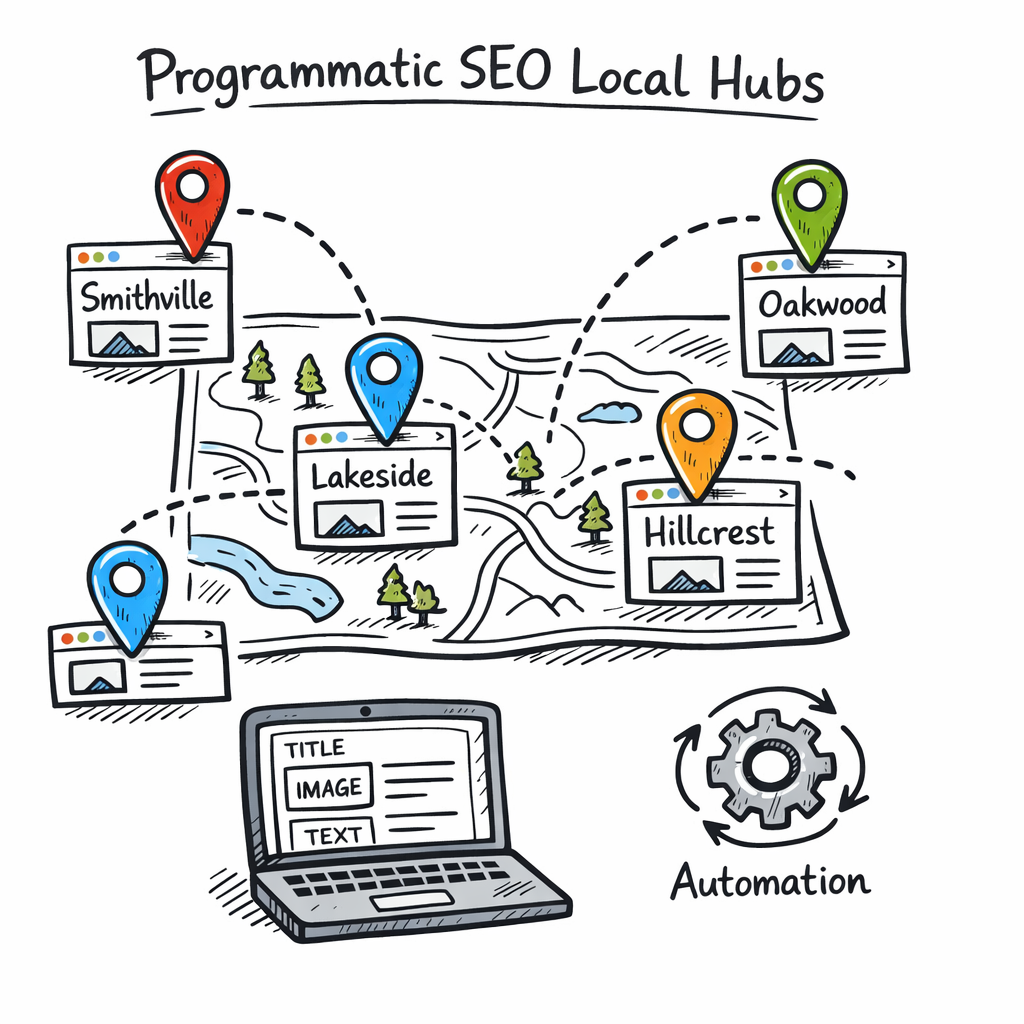
Think of a hub as a mini‑website that aggregates all the neighbourhood‑specific signals – reviews, maps, events – under one roof. When you spin it programmatically, you feed a list of towns into a template and let the system generate a fresh, geo‑targeted page for each. The result? A network of pages that Google treats as locally relevant, while you only maintain a single content framework.
1️⃣ Identify high‑value neighbourhoods or towns
Start with a simple spreadsheet of the locations your audience searches for. Pull data from Google Search Console “Queries” or a local keyword tool. Rank them by search volume and commercial intent – you’ll see that a few zip codes or boroughs deliver the lion’s share of traffic. That’s your priority list for the first batch of pages.
2️⃣ Build a template that speaks the local language
Write a base copy that feels like a neighbour talking to a neighbour. Use placeholders like {TownName}, {Landmark}, and {LocalStat}. Sprinkle in a line about a popular café or park that you can swap out later. By keeping the tone casual and using contractions, each generated page sounds like a friendly guide, not a robot‑spun FAQ.
3️⃣ Pull in geo‑specific data automatically
Hook into a public API – think OpenStreetMap or a local business directory – to fetch the latest address, phone number, and opening hours. A quick Python script can stitch those fields into your template before publishing. This way the page stays fresh: if a shop changes its hours, the next run updates the hub automatically.
4️⃣ Add structured data for local business
Schema isn’t optional here. Embed LocalBusiness JSON‑LD that references the dynamic fields you just injected. Google loves that markup and often surfaces your pages in the local pack, complete with star ratings and a map thumbnail. Remember to include the same url you used for the page slug so the data stays in sync.
5️⃣ Connect the hub to your backlink network
This is where rebelgrowth’s automated backlink engine shines. Once a hub is live, push a handful of niche‑relevant citations – local news sites, community blogs, or partner directories – back to the page. Because each hub has a unique URL, the backlinks stay relevant and don’t cannibalise each other. Over time you’ll see a steady climb in local authority without manual outreach.
6️⃣ Monitor performance and iterate
Set up a GSC filter for “{TownName}” pages and watch impressions, clicks, and average position. If a particular neighbourhood stalls, tweak the copy, add a fresh testimonial, or enrich the schema with an FAQ. The beauty of programmatic SEO is you can roll out a change across all hubs with one script, then let the data tell you what works.
After you see the numbers climb, you’ll wonder why you didn’t start sooner. If you need a deeper dive on how to structure the data pipeline, check out this guide on programmatic local SEO – it walks through the exact API calls and template logic we just described.
So, what’s the next step? Grab that list of towns, fire up a simple script, and let the hubs grow on autopilot. You’ll end up with a city‑wide SEO presence that feels personal, ranks higher, and drives foot‑traffic without you writing a single extra line.
Conclusion
We've walked through four real programmatic seo examples – from automated blog farms to dynamic product pages, FAQs, and local hubs – and you’ve seen how each one turns a repetitive task into a traffic machine.
So, what does that mean for you? It means you don’t have to hire dozens of writers or spend hours tweaking meta tags. Instead, you set up a template, feed it a list of keywords or locations, and let the system crank out pages while you focus on strategy.
In our experience, the biggest boost comes when you combine the template with structured data and a lightweight backlink network. That combo is what makes a single page climb from obscurity to the local pack or a featured snippet.
Ready to try it yourself? Grab the keyword list you’ve been hoarding, pick a simple HTML layout, and run a quick test on a handful of towns or product variants. Monitor impressions in Search Console, tweak the copy, and let the data guide the next batch.
Remember, programmatic seo examples are proof that scale doesn’t sacrifice relevance. Start small, automate the repeatable bits, and watch the organic lift grow without writing each page from scratch.
Your results could surprise you within weeks.
FAQ
What are programmatic seo examples and why should I care?
Programmatic seo examples are basically repeatable page‑building patterns that turn a list of keywords or locations into fully‑indexed pages automatically. Think of it like a recipe: you have a master template, you feed it a spreadsheet of variables, and the system spits out dozens or hundreds of pages in minutes. You care because it lets you capture long‑tail search intent without writing each article by hand, which means more organic traffic while you focus on strategy instead of endless copy‑pasting.
Can a small e‑commerce store use programmatic seo examples without a big dev team?
Absolutely. Most platforms let you connect a product feed to a simple HTML template – no need for a full‑stack engineer. You can start with a CSV of SKUs, add placeholders for name, price, and a short description, then use a lightweight script or a no‑code automation tool to push the rows into your CMS. The key is to keep the template clean, add a bit of schema markup, and run a small pilot of 20‑30 pages before you scale.
How do I choose the right keyword list for programmatic seo examples?
Start with what your audience actually types into Google. Pull search‑term data from Search Console, a keyword‑research tool, or even your own site search logs. Look for long‑tail phrases that have at least a handful of monthly searches and clear commercial intent – things like “organic dog food for senior dogs” or “hand‑painted teal mug under $30.” Then rank those terms by volume and relevance, and prune anything too generic or too competitive for your niche.
What role does structured data play in programmatic seo examples?
Structured data is the secret sauce that tells search engines what each page is really about. By injecting FAQ schema, Product schema, or LocalBusiness schema directly into the template, you give Google the context it needs to surface rich results – those little boxes with star ratings, price, or answer snippets. Those rich results boost click‑through rates, so even a modest traffic lift can translate into more leads or sales.
How often should I audit the pages generated by programmatic seo examples?
Set a cadence that matches your publishing rhythm. A quick weekly check in Search Console for impressions, click‑through, and any “thin‑content” warnings keeps you from letting low‑performing pages languish. Then schedule a deeper monthly audit where you compare bounce rate, average time on page, and conversion metrics. If a batch of pages underperforms, tweak the copy, add a new data point, or retire the keyword altogether.
Is it safe for Google’s guidelines to scale content with programmatic seo examples?
Yes, as long as each page provides unique value to the user. Google penalises thin, duplicate content, but programmatic seo examples avoid that by personalising every page with location‑specific facts, product details, or user‑generated questions. Keep the human review step in the workflow – even a five‑minute skim of the first few rows ensures quality. When you respect the user’s intent, the scale works in your favour rather than against you.